
[2026] Ring vs. SimpliSafe vs. Vivint – Comparison Guide

Choosing a home security system in 2026 can feel overwhelming with so many options available. Three brands consistently rise to the top: Ring, SimpliSafe, and Vivint. Each offers distinct approaches to protecting your home, but they cater to different needs, budgets, and lifestyles.

Ring appeals to DIY enthusiasts and budget-conscious shoppers. SimpliSafe strikes a balance between affordability and professional monitoring. Vivint delivers premium, professionally installed smart home security. But which one is right for you?

This comprehensive guide breaks down every aspect of these three leading security systems. We’ll compare installation, equipment, monitoring options, costs, app features, smart home integration, and more. By the end, you’ll know exactly which system fits your home and lifestyle.

What types of security systems are Ring, SimpliSafe, and Vivint?

Understanding the fundamental differences between these three brands helps you immediately narrow down your options.

Ring operates primarily as a DIY security company owned by Amazon. You purchase equipment outright, install it yourself, and manage everything through their mobile app. Ring started as a video doorbell company and expanded into full home security systems. Their approach emphasizes affordability, simplicity, and integration with Amazon’s Alexa ecosystem.

The brand targets renters, first-time security buyers, and anyone comfortable with technology who wants to save money on installation costs. Ring’s systems are wireless, portable, and don’t require drilling holes or running wires in most cases.

SimpliSafe also focuses on DIY installation but with a slightly more robust security foundation. Founded as a home security company from the ground up, SimpliSafe offers plug-and-play equipment that’s specifically designed for easy setup. They provide optional professional installation for those who want help.

SimpliSafe appeals to renters and homeowners who want professional monitoring without long-term contracts. Their systems are completely wireless and can be moved from home to home, making them ideal for people who relocate frequently.

Vivint takes a completely different approach as a professional installation company. You cannot buy Vivint equipment and install it yourself. Instead, Vivint sends certified technicians to your home for a custom installation. They assess your property, recommend equipment placement, and handle all setup.

This brand targets homeowners planning to stay in their property long-term. Vivint specializes in comprehensive smart home integration that goes beyond basic security. They’re also suitable for small businesses needing professional-grade protection.

The key distinction here is control versus convenience. Ring and SimpliSafe give you control over installation and flexibility. Vivint takes that burden off your shoulders but requires more commitment through longer contracts and higher costs.

How easy is it to install each system?

Installation difficulty can be a dealbreaker for many people. Let’s examine what you can expect with each brand.

Ring’s DIY setup is remarkably straightforward. Most customers complete installation in under an hour without any special tools. Ring devices come pre-paired with your base station, so you primarily just need to place sensors and cameras where you want them.

The Ring app provides step-by-step instructions with images and videos. You’ll scan QR codes on each device, give them names, and test their connections. The magnetic mounts for door and window sensors require no drilling—just peel and stick adhesive.

Ring cameras do require mounting and some drilling if you want them permanently installed. However, many Ring devices can be placed on shelves or counters temporarily. Battery-powered options eliminate the need for electrical work entirely.

The learning curve is minimal. If you can navigate a smartphone app and use a screwdriver, you can install Ring. Customer reviews consistently praise the simplicity, though some users report Wi-Fi connectivity issues during initial setup.

SimpliSafe’s plug-and-play approach might be even easier than Ring. Their latest systems require virtually no configuration. You plug in the base station, peel the backing off sensors, stick them to doors and windows, and you’re done.

SimpliSafe devices auto-detect and connect to the base station. The system walks you through naming each sensor through the keypad or app. There’s no complex pairing process or technical troubleshooting required.

Most SimpliSafe customers report setup times between 30 to 60 minutes for an entire home system. The company also offers a free installation guide with photos showing optimal sensor placement. If you get stuck, their support team can walk you through any issues.

For those who prefer hands-off installation, SimpliSafe offers professional installation services for an additional fee. This gives you the best of both worlds—SimpliSafe’s affordable equipment with Vivint-style installation convenience.

Vivint requires professional installation only. You cannot purchase Vivint equipment and set it up yourself. This approach has pros and cons depending on your perspective.

The installation process begins with a consultation where Vivint assesses your home’s layout, entry points, and security needs. They create a customized system design before installation day. The certified technicians typically spend 3 to 5 hours installing and configuring everything.

Vivint handles all the technical work—drilling holes, running wires if necessary, mounting cameras at optimal heights, and testing every component. They also train you on using the system, setting up automations, and troubleshooting common issues.

This professional approach ensures everything works perfectly from day one. You don’t risk incorrect sensor placement or connection problems. However, you sacrifice installation flexibility and must schedule around Vivint’s availability.

The installation itself is free with most Vivint packages, but you’re locked into their equipment and service. You can’t easily move Vivint systems between homes, making them less suitable for renters or people who relocate frequently.

What equipment and devices does each brand offer?

The available hardware determines what your security system can actually do. Here’s what each brand provides.

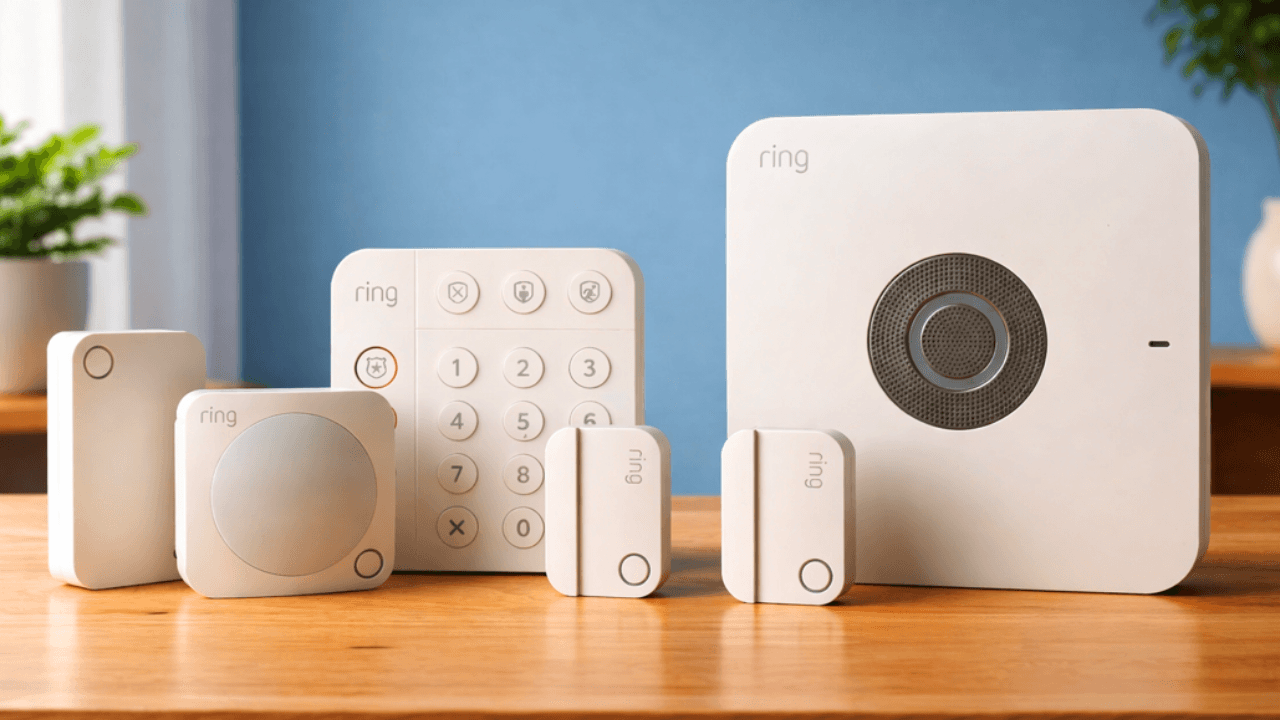
Ring offers an extensive lineup focused on video surveillance and basic intrusion detection. Their core products include video doorbells in multiple models, indoor and outdoor security cameras, the Ring Alarm security system with base station, contact sensors for doors and windows, motion detectors, glass break sensors, keypads, panic buttons, and smoke and CO listeners.

Ring’s equipment emphasizes video. Their cameras deliver clear 1080p footage with night vision, two-way audio, and motion detection. The newer models feature improved motion zones and AI-powered detection that distinguishes between people, packages, and animals.

The Ring Alarm integrates these cameras with traditional security sensors. The second-generation base station includes battery backup and supports Z-Wave devices for limited smart home expansion. Ring also offers smart lighting through their partnership with Ring-branded lights.

Ring’s equipment feels modular—you can start with just a doorbell and camera, then add alarm components later. This flexibility suits people who want to build their system gradually. However, Ring’s sensors are relatively basic compared to competitors.

ring equipment lineup

SimpliSafe provides more robust security-focused equipment. Their system includes a base station with cellular backup, wireless keypad, entry sensors, motion sensors, glass break sensors, panic button, smoke detector, water sensor, freeze sensor, indoor camera (SimpliCam), outdoor camera, video doorbell, and smart lock.

SimpliSafe’s base station is the system’s brain. It includes a loud 95-decibel siren, cellular connection for backup communication, and battery backup lasting 24 hours. The base station communicates with sensors using SimpliSafe’s proprietary wireless protocol, which is more reliable than standard Wi-Fi.

Their sensors are purpose-built for security rather than adapted from other uses. The entry sensors detect both opening and forceful break-ins. Motion sensors ignore pets up to 50 pounds. The glass break sensor can detect breaking glass up to 30 feet away.

SimpliSafe’s cameras are adequate but not exceptional. They offer 1080p resolution and night vision but lack some advanced features found in Ring cameras. However, SimpliSafe’s security sensors are generally considered more reliable for actual intrusion detection.

Vivint delivers professional-grade equipment with extensive smart home capabilities. Their lineup includes indoor and outdoor cameras with 4K resolution options, video doorbell camera, smart locks, smart thermostat, garage door controller, water sensors, smoke detectors, carbon monoxide detectors, door and window sensors, motion sensors, glass break sensors, smart lighting control, and the Vivint Smart Hub (formerly SkyControl Panel).

Vivint’s equipment is premium quality. Their outdoor camera pro includes smart deter technology that detects lurkers and activates a red ring and spotlight to deter intruders before they act. The cameras offer 4K resolution, HDR video, and advanced AI detection.

The Vivint Smart Hub is a touchscreen control panel that manages everything. It features a built-in camera for visual verification when your alarm triggers. The panel includes cellular and broadband backup, ensuring your system stays connected even if your internet goes down.

Vivint’s smart home integration is unmatched among these three brands. Their thermostat learns your preferences, smart locks can automatically engage when you arm the system, and lights can simulate your presence when you’re away. Everything works together seamlessly through one platform.

The trade-off is cost and commitment. Vivint equipment is significantly more expensive, and you’re required to use their monitoring service. You can’t use Vivint equipment with a different monitoring company.

How do Ring, SimpliSafe, and Vivint handle professional monitoring?

Professional monitoring means trained operators watch your system 24/7 and respond to alerts by contacting you and dispatching emergency services if needed.

Ring offers professional monitoring as an optional add-on through their Ring Protect Pro subscription. This costs $20 per month or $200 annually for unlimited devices at one location. The monitoring is provided through a third-party central station.

When an alarm triggers, the monitoring center receives an alert and attempts to contact you through the Ring app and registered phone numbers. If they cannot reach you or you confirm an emergency, they dispatch police, fire, or medical services to your location.

Ring’s monitoring service is reliable but basic. Response times are generally quick, typically within 30 to 60 seconds of an alarm activation. However, some users report that police response can be slower because Ring’s monitoring is considered less established than traditional security companies.

You can also self-monitor with Ring without any subscription. You’ll receive mobile alerts but won’t have the backup of a monitoring center. This flexibility is perfect for people who want security notifications without monthly fees.

SimpliSafe provides highly rated professional monitoring through their own UL-certified monitoring centers. They offer two subscription tiers: Standard Monitoring at $19.99 per month and Interactive Monitoring at $29.99 per month.

Standard Monitoring includes 24/7 professional monitoring, cellular connection for your base station, environmental monitoring (smoke, CO, water, freeze), and unlimited emergency dispatch. Interactive Monitoring adds camera recording, smart lock control, and app-based system management.

SimpliSafe’s monitoring is considered among the best in the industry. Their response times average around 30 seconds, and they have an excellent reputation with emergency services. Police departments tend to respond faster to SimpliSafe alarms because the company has lower false alarm rates.

One important note: SimpliSafe can still function without monitoring, but you’ll need at least the Standard Monitoring plan to use the cellular backup feature. Without a subscription, your system relies solely on Wi-Fi and offers limited functionality.

Vivint requires professional monitoring as part of their service—you cannot use Vivint equipment without it. Their monitoring starts at $49.99 per month for the Smart Security plan, with higher tiers available.

The Smart Security plan includes 24/7 professional monitoring, equipment warranty, mobile app control, and unlimited emergency dispatch. The Smart Security + Video plan (around $54.99 per month) adds video monitoring, cloud storage, and smart detection features.

Vivint’s monitoring is top-tier. They operate their own monitoring centers and have direct relationships with emergency services. Their average response time is around 30 seconds, and the visual verification capability (reviewing camera footage during an alarm) helps reduce false dispatches.

Vivint’s monitoring also includes proactive services. If your camera detects suspicious activity before an alarm triggers, monitoring agents can issue a voice warning through your outdoor cameras. This smart deterrent often prevents crimes before they happen.

The downside is inflexibility. You’re locked into Vivint’s monitoring throughout your contract period, typically 42 to 60 months. Early cancellation fees can be substantial, often totaling hundreds or thousands of dollars.

woman working at alarm monitoring station

What are the costs and monthly fees for each system?

Budget is often the deciding factor for many families. Let’s break down the true costs of owning each system.

Ring’s equipment costs are the most affordable among these three brands. A basic 5-piece Ring Alarm kit costs around $200 and includes the base station, keypad, contact sensor, motion detector, and range extender. Individual components are also reasonably priced: contact sensors cost about $20 each, motion detectors around $30, and video doorbells range from $100 to $230 depending on the model.

A comprehensive Ring system for a typical three-bedroom home might cost $400 to $700 in equipment. This gives you the alarm system plus several cameras. You can start small and expand over time since Ring doesn’t require professional installation.

Ring’s subscription plans are optional but recommended. The Ring Protect Basic plan costs $4.99 per month (or $49.99 annually) per device and includes 180 days of video history for one doorbell or camera. The Ring Protect Plus plan costs $20 per month (or $200 annually) for unlimited devices at one location, plus professional monitoring and extended warranties.

There are no contracts with Ring. You can cancel subscriptions anytime without penalties. This month-to-month flexibility is perfect for renters or anyone who wants to test the system before committing long-term.

SimpliSafe’s equipment is competitively priced. Their starter packages begin around $245 for a basic system with base station, keypad, entry sensor, and motion sensor. More comprehensive packages range from $300 to $500 depending on the number of sensors and cameras included.

Individual SimpliSafe components are affordable: entry sensors cost about $17 each, motion sensors around $30, the video doorbell is $169, and cameras range from $99 to $169. You can customize your system by adding exactly what you need.

A fully equipped SimpliSafe system for a three-bedroom home typically costs $500 to $800 including cameras. This is slightly more than Ring but includes more robust security sensors.

SimpliSafe’s monitoring plans are reasonably priced at $19.99 per month for Standard Monitoring or $29.99 for Interactive Monitoring with camera features. These prices are competitive with industry standards while offering more features than basic monitoring plans.

SimpliSafe also operates month-to-month without contracts. You can pause or cancel monitoring anytime without penalties or cancellation fees. This flexibility is rare among companies offering professional monitoring.

Vivint’s costs are significantly higher due to their professional installation and premium equipment. Upfront equipment costs typically range from $600 to $2,000 depending on your system’s size and features. However, Vivint often provides promotional pricing or equipment financing to reduce upfront costs.

Many customers finance their Vivint equipment over their contract term, which spreads the cost into monthly payments. This can make the upfront investment more manageable but increases your long-term commitment.

Vivint’s monthly monitoring fees start at $49.99 for the Smart Security plan and can exceed $60 for plans including video storage and advanced automation. Over a 5-year contract period, you might pay $3,000 to $4,500 just in monitoring fees.

The total 5-year cost of ownership for Vivint typically ranges from $4,000 to $7,000 depending on your equipment and plan. This is substantially more than Ring or SimpliSafe over the same period.

Vivint requires multi-year contracts, usually 42 to 60 months. Early termination fees can reach 75% of your remaining contract balance, making it very expensive to cancel. This lack of flexibility is Vivint’s biggest drawback for price-conscious consumers.

However, Vivint often includes equipment upgrades and replacements in their monitoring fee. If a camera fails or you want to add new devices, Vivint may provide them at reduced cost or free. This value isn’t available with DIY systems where you pay full price for any replacements or additions.

How do the apps compare?

Your security system’s app is your primary interface for monitoring and control. A clunky app can ruin an otherwise great system.

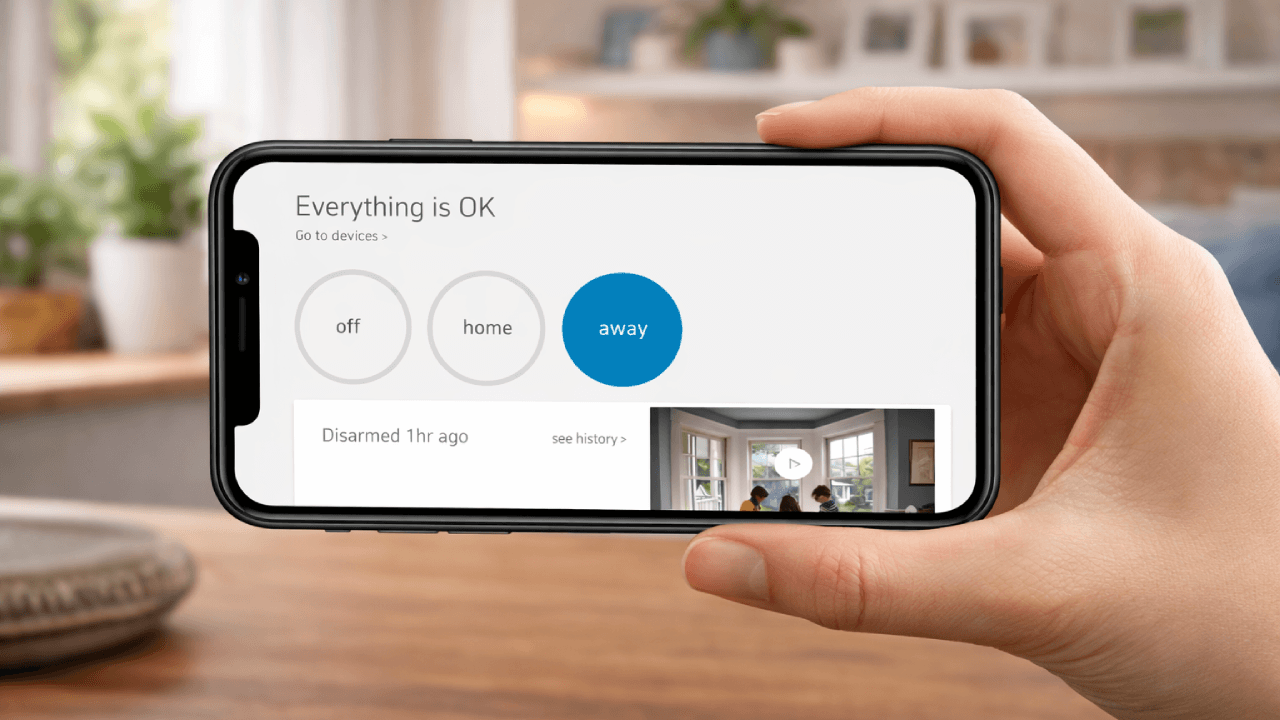
The Ring app is clean, intuitive, and packed with features. The home screen displays all your devices with their current status. You can quickly arm or disarm your alarm, view live camera feeds, and check recent activity from one central dashboard.

Ring’s app excels at video management. Viewing saved clips is straightforward—you can search by date, time, or device. The timeline view makes it easy to jump to specific events. Video sharing is simple too, letting you download clips or share them via email or social media.

The Ring app integrates seamlessly with Alexa since Amazon owns both companies. You can control Ring devices through voice commands, view camera feeds on Echo Show devices, and create Alexa routines that trigger based on Ring events.

Notifications are customizable. You can set different alert tones for different devices, adjust motion sensitivity, and create schedules for when you receive notifications. Rich notifications on iOS let you see video thumbnails without opening the app.

The main complaint about Ring’s app is that many features require a subscription. Without Ring Protect, you can view live video but cannot access recorded footage. This paywall frustration is common among Ring users who expect more free functionality.

SimpliSafe’s app is straightforward and functional, though less polished than Ring’s. The main screen shows your system status with large arm/disarm buttons. You can view sensor status, adjust settings, and access cameras from the bottom navigation.

The SimpliSafe app’s strength is its simplicity. There’s minimal clutter, making it easy for less tech-savvy users to navigate. The secret alarm feature is particularly clever—it lets you trigger a silent police dispatch if you’re being forced to disarm your system under duress.

However, SimpliSafe’s app has limitations without a subscription. The free version only allows system arming and disarming. You cannot view camera footage, control smart locks, or access advanced settings without the Interactive Monitoring plan.

Camera viewing within SimpliSafe’s app is adequate but basic. The interface isn’t as refined as Ring’s, and video quality appears slightly compressed compared to viewing Ring footage. Timeline navigation is less intuitive than Ring’s implementation.

SimpliSafe supports Alexa and Google Assistant integration for voice control. You can arm and disarm your system through voice commands, though you’ll need to set up a verbal PIN for security. The app doesn’t integrate as deeply with smart home ecosystems as Vivint’s platform.

simplisafe phone app horizontal

Vivint’s app offers the most comprehensive smart home control among these three brands. Beyond security functions, you can control thermostats, locks, lights, garage doors, and more from one interface. The app serves as your complete smart home command center.

The Vivint app features an elegant design with a customizable dashboard. You can prioritize your most-used functions, create scenes that control multiple devices simultaneously, and set up smart automations based on time, location, or device triggers.

Smart Deter is a standout feature in Vivint’s app. When your cameras detect suspicious activity, you receive an alert and can trigger deterrent actions—flashing lights, sounding alarms, or broadcasting voice warnings—directly from the app to scare off potential intruders before they break in.

Vivint’s video interface is superb. The 4K camera footage is crystal clear, and the smart detection features identify people, vehicles, and animals. You can draw custom detection zones and receive targeted alerts for specific areas. The video timeline is intuitive with AI-generated event markers.

The Vivint app also includes a Smart Home Hub that recommends automations based on your habits. Over time, it learns your preferences and suggests ways to make your home more efficient and secure.

The main drawback is that Vivint’s app requires their monitoring service. Everything is tied to your active subscription. If you cancel monitoring, the app becomes largely non-functional, unlike Ring where you retain basic control even without subscriptions.

How well do these systems integrate with smart home devices?

Smart home integration determines whether your security system works harmoniously with your other connected devices or exists as an isolated system.

Ring integrates best with Amazon’s ecosystem since Amazon owns the company. Ring devices work seamlessly with Alexa-enabled devices like Echo speakers and Echo Show displays. You can say “Alexa, show me the front door” to view your Ring doorbell on Echo Show.

Ring supports numerous Alexa routines. You can create automations like “When Ring detects motion after 10 PM, turn on porch lights” or “When Ring Alarm is armed, switch Echo to Away mode.” This integration adds significant value if you’re already invested in the Alexa ecosystem.

Ring offers limited integration with Google Assistant. You can view Ring cameras on Google Nest Hub displays and use voice commands to control some functions. However, Google integration isn’t as robust as Alexa compatibility.

Ring’s native smart home support is limited beyond Amazon devices. The base station includes a Z-Wave radio for connecting compatible smart locks, lights, and sensors. However, Ring’s Z-Wave implementation isn’t as full-featured as dedicated smart home hubs.

Ring doesn’t work with Apple HomeKit, which frustrates iPhone users who’ve built their smart homes on Apple’s platform. For true HomeKit integration, you’d need third-party bridges that add complexity and cost.

SimpliSafe integrates with both Alexa and Google Assistant for voice control. You can arm and disarm your system, check sensor status, and lock SimpliSafe’s smart lock using voice commands. The integration works reliably but isn’t as deep as Ring’s Alexa compatibility.

SimpliSafe’s smart home ecosystem is limited. They offer a proprietary smart lock and video doorbell that integrate with their system, but options beyond security devices are scarce. SimpliSafe doesn’t include a Z-Wave or Zigbee radio, limiting expansion possibilities.

The SimpliSafe system doesn’t integrate with smart lighting, thermostats, or other home automation devices beyond basic voice assistant support. If you want your lights to turn on when the alarm triggers, you’ll need to create those automations through Alexa or Google Assistant rather than within SimpliSafe’s platform.

SimpliSafe also lacks Apple HomeKit support. This is less problematic than with Ring since SimpliSafe positions itself as a security system rather than a smart home platform. Most customers don’t expect extensive smart home integration from SimpliSafe.

Where SimpliSafe shines is its standalone reliability. Because it doesn’t depend on your smart home ecosystem, it continues working even if your other smart devices experience issues. This independence is valuable from a pure security perspective.

vivint smart icon

Vivint offers the most comprehensive smart home integration of these three brands. Their system supports Alexa, Google Assistant, and works as a fully functional Z-Wave hub. This means you can connect hundreds of compatible smart home devices directly to your Vivint system.

Vivint’s smart home ecosystem is sophisticated. You can integrate smart thermostats, door locks, garage door openers, lighting systems, smart plugs, and more. Everything works together through Vivint’s platform without needing multiple apps or hubs.

The automation capabilities are impressive. You can create rules like “When the last person leaves home (detected by Vivint’s geofencing), lock all doors, arm the security system, adjust the thermostat, and turn off all lights.” These multi-device automations are smoother than cobbling together routines across different platforms.

Vivint’s cameras integrate with smart doorbells and locks for enhanced security. When someone rings your doorbell, you can see them on your Smart Hub panel, speak to them through two-way audio, and remotely unlock the door if it’s a trusted visitor—all without touching your phone.

The Vivint thermostat learns your preferences and creates schedules automatically. It also integrates with your security system to enter energy-saving mode when you arm the alarm in Away mode. This integration can reduce heating and cooling costs substantially.

Vivint doesn’t support Apple HomeKit, which is surprising given their premium positioning. However, their native platform is comprehensive enough that most users don’t feel the need for HomeKit integration.

The catch with Vivint’s smart home features is that everything requires their monitoring service. If you cancel, your smart home integrations stop working. This vendor lock-in contrasts with Ring and SimpliSafe, where third-party integrations continue functioning regardless of subscription status.

How secure and private are Ring, SimpliSafe, and Vivint?

Security systems protect your home, but what protects your data and privacy from the security company itself?

Ring has faced significant privacy controversies over the years. The company admitted in 2023 that employees had access to customer video feeds, though they’ve since implemented stricter access controls. Ring also shared doorbell footage with law enforcement through their Neighbors app partnerships, raising civil liberties concerns.

Ring videos are encrypted during transmission and storage, but Ring holds the encryption keys. This means the company can theoretically access your videos, even though they claim to only do so under specific circumstances like legal requests or investigating technical issues.

Ring offers two-factor authentication, which you should absolutely enable. This adds an extra security layer requiring a code sent to your phone whenever you log in from a new device. Given Ring’s past security issues, two-factor authentication is essential.

Ring’s integration with Amazon raises additional privacy questions. While Ring states they don’t share video data with Amazon’s retail side, the corporate connection makes some users uncomfortable, especially those concerned about data aggregation across Amazon services.

Ring allows you to control video sharing. You can opt out of providing footage to law enforcement through the Neighbors app. You can also delete video clips at any time, and Ring says they don’t keep copies after deletion.

SimpliSafe maintains a stronger privacy reputation with fewer controversies. The company has not experienced major data breaches or privacy scandals. SimpliSafe positions itself as a security-focused company that treats customer data protection seriously.

SimpliSafe encrypts all communications between your devices and their servers using bank-level encryption. They also offer two-factor authentication for account access. The company states they do not sell customer data to third parties or use it for advertising purposes.

SimpliSafe videos are encrypted and stored on their servers, but like Ring, SimpliSafe holds the encryption keys. This means the company could access videos if legally required or for technical support. However, SimpliSafe has not faced the same scrutiny as Ring regarding employee access to customer footage.

One privacy advantage with SimpliSafe is their limited smart home integration. Because SimpliSafe doesn’t connect to as many third-party services, there are fewer potential data sharing points. Your security data remains primarily within SimpliSafe’s ecosystem.

SimpliSafe’s cellular backup also provides a security advantage. Because the system doesn’t rely solely on your Wi-Fi network, hackers cannot disable your security system by compromising your home network—a vulnerability that affects purely Wi-Fi-dependent systems.

Vivint takes professional-grade security seriously with multiple layers of protection. All communications are encrypted using 128-bit SSL encryption. Vivint’s systems use both broadband and cellular connections, making them extremely difficult to hack or disable.

Vivint offers two-factor authentication and has not experienced major data breaches or privacy scandals. As a professional monitoring company with decades of experience, they follow strict security protocols required for UL certification.

Vivint stores video footage with encryption, and like other providers, they maintain the encryption keys. However, Vivint’s monitoring contracts include clear privacy policies about data access and sharing. The company states they only access customer data for monitoring, technical support, or legal compliance.

One unique Vivint privacy feature is the Ping Camera with a physical privacy shutter. You can physically close the shutter when you want guaranteed privacy from your indoor camera. This mechanical control provides peace of mind that software-only privacy modes cannot match.

Vivint’s professional installation also provides security benefits. Certified technicians ensure devices are properly configured and secured. DIY installations sometimes leave security vulnerabilities due to default passwords, incorrect settings, or poor network security.

The trade-off with Vivint is data retention. Because you’re locked into their monitoring service, Vivint maintains your data throughout your contract term. You have less control over data deletion compared to month-to-month services where you can simply cancel and stop data collection.

All three companies will share data with law enforcement when presented with valid legal requests such as search warrants or subpoenas. This is standard practice and required by law. The difference lies in how proactively they share data and whether they notify you of requests when legally permitted.

Which system is more reliable if Wi-Fi or power goes out?

a house wi-fi connection

Your security system’s reliability during outages determines whether it protects you when you need it most—during storms, power failures, or if intruders cut your utilities.

Ring systems are heavily dependent on Wi-Fi connectivity. Most Ring cameras and doorbells require constant Wi-Fi to function. If your internet goes down, you cannot view live feeds, receive notifications, or record video. This is Ring’s biggest reliability weakness.

The Ring Alarm base station includes a 24-hour battery backup, ensuring the alarm system continues working during power outages. However, without internet, the base station cannot send alerts to your phone or communicate with Ring’s monitoring center.

Ring devices with battery power (like stick-up cameras and video doorbells) continue recording locally during brief power outages. However, without Wi-Fi, they cannot upload footage or send notifications. You’ll only see the recorded events once connectivity returns.

If you have Ring Protect Pro with professional monitoring and your internet fails, the base station attempts to use cellular backup. However, this feature requires your base station to be the second-generation model and isn’t as robust as competitors’ cellular connections.

The practical reality with Ring is that your security significantly degrades during internet or power outages. While the alarm system still sounds if triggered, you won’t receive remote notifications, and cameras become essentially non-functional. This makes Ring less suitable for areas with unreliable power or internet.

SimpliSafe excels in reliability during outages. The base station includes both 24-hour battery backup and built-in cellular connectivity. This dual-backup system ensures your security system continues functioning even when Wi-Fi and power fail simultaneously.

When your power goes out, SimpliSafe’s battery immediately takes over with no interruption. The system continues monitoring all sensors, and the siren remains functional. The battery typically lasts 24 hours, giving you a full day of protection during extended outages.

If your internet fails, SimpliSafe automatically switches to cellular backup without any action required from you. The cellular connection communicates with SimpliSafe’s monitoring centers, ensuring police dispatch capabilities remain intact. This is a critical advantage over Wi-Fi-only systems.

SimpliSafe’s cellular backup requires at least the Standard Monitoring subscription ($19.99/month). Without a monitoring plan, the system operates on Wi-Fi only, losing this reliability advantage. However, given the affordable monitoring cost, this limitation isn’t as restrictive as Vivint’s requirements.

SimpliSafe cameras remain a weak point during outages. Like Ring, SimpliSafe cameras require constant Wi-Fi and cannot function during internet outages. However, your alarm system’s core security functions remain operational, which is what matters most during emergencies.

Vivint provides professional-grade reliability with multiple layers of redundancy. The Smart Hub includes battery backup lasting 24 hours and dual-path connectivity using both broadband internet and cellular networks simultaneously.

Vivint’s dual-path communication is more sophisticated than simple backup systems. The Smart Hub sends signals through both your internet connection and cellular network at the same time. If one path fails, monitoring centers immediately receive the signal through the other path without delay.

During power outages, Vivint’s battery backup powers the Smart Hub, door locks, sensors, and the panel’s touchscreen. Most Vivint cameras also include battery backup or continue recording to local storage during outages, though live viewing requires internet connectivity.

If burglars cut your phone line or internet cable (a common burglar tactic), Vivint’s cellular backup ensures your security system.

The Bottom Line

When choosing a home security system, it’s important to review the pros and cons of each option and make the most informed decision possible. If you have any questions about Ring, SimpliSafe, or Vivint, give our security experts a call at (857) 445-4010 or fill out a quick form online. We’ll help answer any questions, and we can help explain to you the benefits of home security from a trusted, local company like Alarm New England. Enjoy best in class technology, customer service, and a local presence – built in MA, CT, and RI for over 53 years.

Moving to Connecticut: Pros, Cons, and When to Move There

Have you ever considered living in Connecticut?

This guide will cover:

Connecticut is known for its outstanding natural beauty, the song “Yankee Doodle,” and, of course, its most famous daughters: the Gilmore Girls. If you’re considering moving to Connecticut—or the Nutmeg State, as it’s known—it’s important to know a little more than that. You need to discover the realities of living in a place.

And whether it’s jobs, housing, or culture you want to know about, we’ve looked in detail at some of the pros and cons of moving to Connecticut to make your decision easier.

Is Connecticut a good place to live?

Connecticut consistently ranks among the top 10 states for quality of life. Here are some of the key reasons why:

  • High-Quality Education: Connecticut’s public schools are ranked among the top in the nation, ensuring excellent education for children.
  • Low Crime Rates: The state boasts one of the lowest crime rates in the U.S., providing a safe environment for families.
  • Healthcare Excellence: With access to some of the best healthcare facilities, residents enjoy top-notch medical care.
  • Recreational Activities: Connecticut’s pristine lakes and ponds are perfect for fishing, hiking, and exploring, making it ideal for outdoor enthusiasts.
  • Happy Residents: Surveys consistently show that Connecticut residents report high levels of satisfaction and happiness.
  • Strong Economy: The state has a robust job market with strong worker protections.

Connecticut has also been most recently cited in the top 6 safest states in the United States for 2026.

Whether you’re looking for a great place to raise a family or seeking a community with a high standard of living, Connecticut offers it all.

What is Connecticut Like?

Connecticut has a mix of cities, suburbs, and picturesque natural areas. The state features rolling hills, coastal areas, and rivers, and the Long Island Sound borders the southern part of the state.

Hartford is the captial, and other major cities include Bridgeport, New Haven, Stamford, and Waterbury. The state’s larger cities offer a mix of cultural attractions, places of business, and entertainment.

Pros and Cons of Living in Connecticut

If you’re still asking yourself, “Should I move to Connecticut?” looking at a list of pros and cons can help.

Let’s look at some of the benefits and downfalls of living in CT.

Pros

Bountiful beauty. There is no denying the stunning beauty and charm of Connecticut. With landscapes ranging from the Long Island shoreline to scenic mountain ranges, you really are spoiled for choice, and outdoorsy types will love Connecticut living.

Well-educated inhabitants. You won’t have to search far for a stimulating conversation in Connecticut. With a top-of-the-charts education system, lots of great schools, excellent community colleges, and Yale, Connecticuters are some of the most intelligent and well-read people you will meet.

Great food and drink. Connecticut is the birthplace of the hamburger, and you can still go to Louis’ Lunch in New Haven for the original. Connecticut has pizzerias and breweries galore. Grab a Connecticut-exclusive Apizza, which is a crispy, coal-fired delight like no pizza you’ve tasted before, and then hit the CT beer trail.

Thanks to the coastline, the state has an abundance of incredibly fresh seafood. You definitely won’t be left wanting if you’re a gourmand.

connecticut seafood

Rich culture and history. The Constitution State is steeped in history, and you can’t help but notice it. It was one of the original 13 colonies and is home to the oldest continuously published newspaper.

Because of all this history, Connecticut has some excellent museums, from the Mashantucket Pequot Museum and Research Center to some more bizarre additions, like the Zaffis Museum of the Paranormal. You’ll be a knowledgeable Nutmegger in no time.

Cons

High cost of living. Connecticut housing is expensive, the cost of living is above average, and property taxes are high. You should seriously consider your finances and budget before moving to Connecticut.

Cold winters, humid summers. Connecticut weather swings between the extremes with chillingly cold winters and hot and humid summers. Consider whether you can cope with the cold, snowy winters and the few weeks in summer that can be stifling.

winter in connecticut

Slow traffic. The traffic in Connecticut is notoriously bad, so if you don’t have the patience to be stuck in a jam for long hours, then Connecticut might not be the place for you.

Cost of Living in Connecticut

There’s no point in beating around the bush here: Connecticut is an expensive state, and living costs are higher than the national average. When moving to CT, cost is something that’s important to consider. The cost of living in Stamford (one of Connecticut’s most expensive cities) is only 17% lower than Manhattan, New York.

usa cost of living map 2025

Source: Missouri Economic Research and Information Center

The Economic Policy Institute has broken down how much it costs for families to live in each county in Connecticut, with the Stamford/Norwalk metro area coming out as the most expensive. A family of two adults and two children would need a combined income of $118,551 per year—or $9,879 every month—to live comfortably.

In Hartford, this goes down to $87,464 annually (or $7,289 per month). Groceries, health, utilities, and transportation all rank higher than the national average; the consumer price index (CPI) of Connecticut is 268, which is 9.39% higher than the U.S. average CPI of 245.

Moving to Connecticut is not cheap, but the state has the third highest income per capita in the nation, and according to cityrating.com, Connecticut salaries average $65,870, which is more than $12,000 higher than the U.S. average annual salary.

While the cost of living is high in Connecticut, the quality of life matches it, with income, health, and education ranking well above average.

Housing in Connecticut

Connecticut is a pricey state to live in, and housing is no exception. Let’s look at some facts and figures so you can work out if moving to Connecticut might be right for you.

Connecticut is purportedly home to the most multimillion-dollar houses after California. The median price for a single-family home in Connecticut is $243,700. According to Zillow, Connecticut home values have gone up 2.1% over the past year, and they are predicted to rise 0.4% within the next year. Connecticut also has some of the highest property taxes in the nation, so check the mill rate of each town before you look at houses.

glastonbury-home-connecticut

If you can’t afford to buy a home in Connecticut, consider renting. A two-bedroom apartment in Connecticut would cost $1,295 a month on average. Although that might be quite a stretch for younger renters, it is affordable for people with established careers whose salaries match the Connecticut average.

If these numbers are giving you heart palpitations, then it’s important to note that there is certainly no shortage of affordable housing popping up in Connecticut. In particular, massive developments have been built in Milford and Brookfield.

Furthermore, the areas of the state have vastly different environments, so whether you’re looking for a rural idyll or a city lifestyle, you’ll be able to find it when moving to Connecticut.

Getting Around in Connecticut

You definitely won’t be cut off after moving to Connecticut because of the well-established highway system. However, the state has quite a well-known traffic congestion issue in certain areas, particularly on I-84 and I-95, which run from New Haven to New York. WalletHub ranked Connecticut as 38 on its best states to drive in list—not the worst, but pretty darn close!

Public transportation is good, though, with a decent rail system compared to many U.S. locations, meaning you don’t need a car to travel around. Amtrak is great for inner-city journeys, and reaching airports like JFK and LaGuardia is easy using Metro-North. A variety of local and express route bus services run by CTtransit are also available.

ct-transit-bus

The famous ferries are definitely something you should experience after moving to Connecticut. Hop on the Bridgeport-Port Jefferson Ferry, which will take you on a picturesque journey to Long Island—it carries cars as well as passengers.

Connecticut Job Market

Before moving to Connecticut, you’ll obviously want to consider how healthy your career prospects look.

A report by Zippia ranks Connecticut as 41st on a list of best states in the United States for jobs in 2019, with an unemployment rate of 4.1%. The minimum wage in Connecticut currently stands at $10.10 per hour, which is significantly higher than the federal minimum of $7.25.

Source: CBIA

These numbers might not fill you with confidence, but last year, former Governor Dannel Malloy announced an $56.8 million investment to help create thousands of well-paid jobs in Stamford. Connecticut also came in at a positive 12th place in the economic environment category of WalletHub’s best and worst states for jobs comparison, which looked at factors such as wages, the share of workers living under the poverty line, and commute times.

There is a diverse range of industries in Connecticut, and the job market and economy have improved slightly over the last few years. Demand for employees working in a number of sectors has grown, including the architecture and engineering industries and the education, training, and library industries.

The fastest growing jobs in Connecticut are operations analyst and web developer. The highest paid professionals in Connecticut are obstetricians and gynecologists, with other medical professionals such as psychiatrists and dentists also ranking highly.

Things to Do in Connecticut

A whole volume of books could be written about the marvelous sights to see in Connecticut. Here are just some of our favorite things to do in Connecticut.

Mark Twain House and Museum

If you’re a fan of the man who said, “I have never let my schooling interfere with my education,” then you won’t want to miss out on educating yourself at Mark Twain’s Neo-Gothic mansion, built in 1873. The exterior of the house is as unique as the man himself.

Source: TripAdvisor

Take the tour, which is full of fascinating facts and led by actors who stay in role throughout, making you feel like you’ve stepped back in time. You can even see the desk that Twain sat at to write “Huckleberry Finn.”

Get dizzy at Lake Compounce Amusement Park

lake-compounce-amusement-park-roller-coaster

If you’re an adrenaline junkie, then it’s worth making a visit to the nation’s oldest theme park. Take a ride on the Wildcat, which opened in 1927, or the Boulder Dash wooden roller coaster, which was ranked the No. 1 best wooden roller coaster in the world! Don’t worry, there are plenty more sedate rides for the less brave among us.

Get outdoors

Moving to Connecticut means that you get to experience all of its beautiful state parks, forests, mountains, and waterways, which provide loads of chances to get outdoors. Grab your gear and go camping, hiking, or boating. There are numerous hiking trails in popular locations like Bear Mountain and Bigelow Hollow State Park that offer a feast for the senses.

Mt Everett from Bear Mountain

Connecticut people are great at protecting their heritage, and you might stumble across a gem like Gillette Castle State Park, home of William Gillette, who portrayed Sherlock Holmes on stage. The state also has a host of lovely beaches including Calf Pasture Beach and Clinton.

Visit Mystic Aquarium and Mystic Seaport Museum

mystic-aquarium-shark-tank-ct

View some creatures of the deep at the amazing Mystic Aquarium. Whether you’re into jellyfish or penguins, this place has it all; you can even touch the stingrays and sharks! It also has a 4D cinema where you can watch the ocean come to life on the big screen.

At the Mystic Seaport Museum, you can learn the history of New England ships and whaling. It’s a great day out for fish fans of all ages.

Visit Yale

Live like one of the academic elite for the day. Discover the amazing architecture of Yale University and stroll through the scenic campus or take a guided tour to learn a little more about Yale’s 300-year history.

yale-university-ct

If you want even more culture, go to one of the many exhibits and plays happening daily or visit the famous Beinecke Library to soak in the tradition and wisdom of the ancient books.

The Best Time to Move to Connecticut

When should you consider moving to Connecticut? Connecticut experiences all four seasons in their definitive form. In the winter, snowfall is frequent, and a blanket of white covers the state. In the spring, there are cool, sunny days, and the state blooms into life with tulips and daffodils and countless events like the New Haven Cherry Blossom Festival.

connecticut-cherry-blossom-festival-new-haven

The summer brings hot and humid weather when you can escape to one of Connecticut’s many beaches, and in the fall, you’ll get the crisp air and glorious golden and red foliage of your dreams.

All of the seasons have something to offer, but when you are moving, there are certain practicalities to consider. The winters in Connecticut can get extremely cold, and you’ll also want to get in shape for digging your porch, driveway, and car out of the snow.

Summer can get humid and sticky, and there is a chance of subtropical thunderstorms, which could be a nightmare when you’re trying to carry that priceless piece of antique furniture into your new home.

The best time to move to Connecticut, then, is either in the spring, when you can get ready for the sultry summer ahead and look forward to long days spent at Long Island Sound, or in the autumn, when you can watch the leaves change color and prepare yourself and your home to hunker down for the winter.

Moving to Connecticut? Get your home security sorted with the local experts, Alarm New England.

Call Now: 857-445-4010

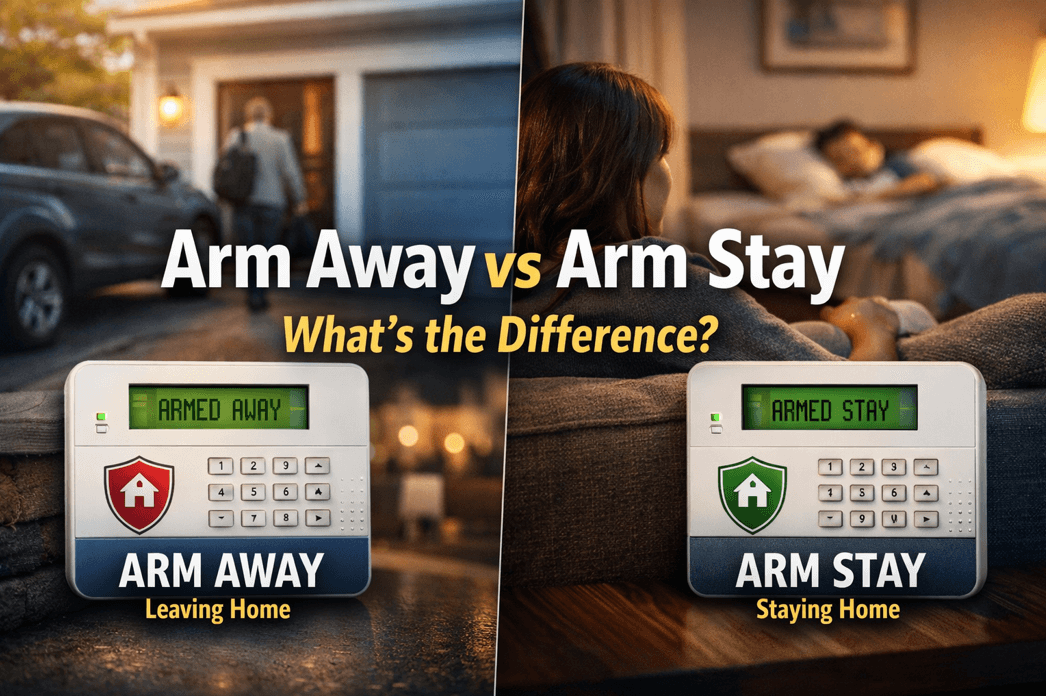
“Arm Away” vs. “Arm Stay” What’s The Difference?

Choosing the right arming mode is one of the most important parts of using a home security system correctly. Many homeowners see options like Arm Away and Arm Stay on their keypad or app, but are not always sure which one offers the right protection for the situation. Using the wrong mode can lead to false alarms, gaps in coverage, or simply not getting the full benefit of your alarm system.

As a general rule, security professionals recommend Arm Away when the home will be empty and Arm Stay when someone remains inside. In this guide, we’ll break down arm away vs arm stay in simple terms, explain how each mode typically works, and help you choose the right setting for daytime, nighttime, family routines, pets, and everyday home security.

Get A Free Security Consultation – Call Now (857) 445-4010

What Does Arm Away Mean?

Arm Away is the setting you use when everyone is leaving the house.

When your system is set to Arm Away, it typically activates:

  • Perimeter sensors, such as door and window contacts
  • Interior motion detectors
  • Other devices included in your security setup, depending on system programming

The purpose of Arm Away is to fully secure the property when no one is inside. Because the home is expected to be empty, motion detectors are turned on to detect movement if someone enters unlawfully.

Use Arm Away When:

  • You leave for work
  • You go on vacation
  • You leave the house to run errands
  • The entire household is away

What Does Arm Stay Mean?

Arm Stay is the setting you use when someone is still inside the house.

When your system is set to Arm Stay, it usually activates:

  • Perimeter sensors, such as doors and windows
  • Selected protection zones around the home

In most systems, interior motion detectors are bypassed or turned off during Arm Stay. This allows you to move around inside the home without triggering the alarm, while still keeping the outer perimeter protected.

Use Arm Stay When:

  • You are home for the evening
  • Your family is asleep upstairs
  • You want overnight protection
  • Someone is staying inside while others are out

Arm Away vs Arm Stay: The Main Difference

The main difference between arm away vs arm stay is simple:

  • Arm Away protects the home when no one is inside
  • Arm Stay protects the home when people are inside
  • The biggest functional difference is usually the motion detectors.

In most systems:

Arm Away = doors, windows, and interior motion sensors are active

Arm Stay = doors and windows are active, but interior motion sensors are not

This is what allows you to stay inside comfortably while still keeping your home secured.

Arm Away vs Arm Stay: Which One Is Better?

Neither setting is “better” in every situation. The right choice depends on whether the home is occupied.

Choose Arm Away if:

  • Everyone is leaving
  • You want full protection, including motion detection
  • The house will be empty for a period of time

Choose Arm Stay if:

  • You are home but want security protection
  • You are sleeping and want perimeter protection overnight
  • You want to avoid setting off interior motion detectors while moving around indoors

In other words, the better option in the arm away vs arm stay comparison is the one that matches what is happening in your home at that moment.

Why Arm Stay Is Important at Night

Many homeowners make the mistake of only using their alarm system when they leave the house. But one of the smartest ways to use a security system is to arm it in Stay mode at night.

When you choose Arm Stay before bed, your system can help protect:

  • Exterior doors
  • Ground-floor windows
  • Entry points around the home

At the same time, you can still get up during the night without triggering interior motion sensors.

For many families, this is one of the most practical and valuable uses of a home alarm system.

Common Mistakes People Make With Arm Away and Arm Stay

Understanding arm away vs arm stay also means knowing what not to do. Here are some common mistakes:

Using Arm Away While Someone Is Still Inside

    If interior motion detectors are active and someone walks through the house, the alarm may trigger.

    Forgetting to Arm the System at Night

      Many break-ins happen through doors or windows. If the system is not armed in Stay mode, that layer of protection may be missing.

      Assuming Every System Works Exactly the Same

        While most alarm systems follow the same basic logic, programming can vary by brand and installer. Some systems have additional settings like Night mode, instant arming, or custom sensor bypasses.

        Not Knowing Which Sensors Are Active

          It’s important to understand exactly what your system does in each mode. If you are unsure, check your keypad, mobile app, or ask your alarm provider to walk you through it.

          Does Arm Stay Turn Off Motion Sensors?

          In most professionally installed alarm systems, yes—Arm Stay usually bypasses interior motion detectors.

          That said, not all systems are programmed exactly alike. Some homes may have:

          • Specific motion detectors left active
          • Separate zones customized for certain areas
          • Additional settings for garages, basements, or detached buildings

          If you are comparing arm away vs arm stay on your own system, it is always a good idea to verify how your installer configured each mode.

          Does Arm Away Activate Every Sensor?

          Arm Away generally activates the full security setup, including perimeter protection and interior devices like motion detectors. However, the exact behavior depends on your system design.

          For example, some homes may also include:

          • Glass break detectors
          • Smoke or heat detectors
          • Flood sensors
          • Carbon monoxide detectors
          • Smart home integrations
          • Life-safety devices like fire and carbon monoxide detection are often active all the time, regardless of whether the system is set to Arm Away or Arm Stay.

          Arm Away vs Arm Stay for Families, Pets, and Daily Life

          Your daily routine matters when deciding between these two modes.

          If You Have Pets

          Some motion detectors are pet-friendly, but not all are. If your pet moves through a protected area while the system is in Arm Away mode, it could potentially cause issues unless the detector is designed and installed correctly.

          If Someone Is Working From Home

          Arm Stay is often the better choice if one person remains in the home while others leave.

          If Kids Are Sleeping Upstairs

          Arm Stay is ideal overnight because it helps secure doors and windows while allowing movement inside the house if needed.

          How to Choose the Right Setting Every Time

          A simple rule can make this easy:

          Leaving the house? Use Arm Away.

          Staying in the house? Use Arm Stay.

          That’s the easiest way to remember the difference in the arm away vs arm stay decision.

          You can also build this into your routine:

          • Arm Away when the last person leaves
          • Arm Stay before bed each night
          • Review your app or keypad to confirm the correct mode is active

          FAQ: Arm Away vs Arm Stay

          What is the difference between Arm Away and Arm Stay?

          Arm Away is used when no one is home and usually activates both perimeter and interior motion sensors. Arm Stay is used when someone is home and usually keeps perimeter sensors active while bypassing interior motion detectors.

          Should I use Arm Stay at night?

          Yes, Arm Stay is commonly the best setting for nighttime because it protects doors and windows while allowing people to move inside the home without triggering interior motion sensors.

          Will Arm Away set off the alarm if I am inside?

          It can. In many systems, Arm Away activates interior motion detectors, so moving around inside may trigger the alarm.

          Does Arm Stay still protect doors and windows?

          Yes. In most systems, Arm Stay keeps perimeter protection active, including door and window sensors.

          Which is better: Arm Away or Arm Stay?

          Neither is universally better. Arm Away is best when the home is empty. Arm Stay is best when people are inside.

          Final Thoughts on Arm Away vs Arm Stay

          When it comes to arm away vs arm stay, the difference is all about whether the home is occupied.

          Use Arm Away when everyone leaves and you want full protection, including motion detection. Use Arm Stay when people are still inside and you want perimeter protection without triggering interior sensors.

          Knowing how to use these settings correctly helps you get more value from your security system, improve your day-to-day safety, and reduce the chance of false alarms.

          If you are unsure how your current alarm system is programmed, it’s worth reviewing the setup with your security provider so you can use every feature with confidence.

          With questions please feel free to contact our Alarm New England security experts using the button below!

          Call Alarm New England – (857) 445-4010

          Smoke Alarm Chirping? Here’s How to Stop It (Fast)

          If your smoke alarm is chirping, it’s trying to tell you something. This usually means a low battery, but sometimes a dirty sensor, humidity, end-of-life warning, or even wiring issues in hardwired models. The good news: most chirping can be fixed in 5 to 15 minutes with the steps below.

          Quick note: “Chirping” is typically a single short beep every 30 to 60 seconds. A continuous loud alarm is different. Be sure to treat that as a potential emergency.

          Quick Fix Checklist (Do This First)

          1. Figure out which alarm is chirping (it’s often not the one you think).
          2. Replace the battery (even if you replaced it “recently”).
          3. Reset the alarm (this clears lingering low-battery memory).
          4. Clean the alarm (dust can trigger chirps).
          5. Check the manufacture date (many alarms chirp when they’re too old).

          If you want the fastest possible solution, jump to Step 2 and Step 3. Those solve the problem in most cases.

          Call Our Alarm Company Now – (857) 445-4010

          Step 1: Identify Which Smoke Alarm Is Chirping

          Chirps echo and bounce, so people often replace the battery in the wrong unit.

          How to find the chirping alarm:

          • Stand under each alarm and listen for the chirp.
          • Look for a blinking LED. Many models blink differently when signaling trouble.
          • If alarms are interconnected, one problem unit can cause confusion.

          Pro tip: Use your phone’s voice memo app and record as you walk room-to-room. The chirping alarm often stands out on playback.

          Step 2: Replace the Battery (Even If You Think It’s Fine)

          Low battery is the #1 reason for smoke alarm chirping.

          Use the right battery

          • Most units use a 9V, AA, or CR123A battery.
          • Some newer alarms have a sealed 10-year battery (you can’t replace it; chirping may indicate end-of-life).

          Do it correctly

          1. Open the battery compartment.
          2. Remove the old battery.
          3. Press and hold the TEST button for 10 to 15 seconds (this helps drain residual power).
          4. Install the new battery, ensuring the contacts are snug and correct polarity is aligned.
          5. Close the compartment fully. Many alarms chirp if the battery door isn’t seated.

          Important: If your smoke alarm chirps at night, temperature drops can make weak batteries dip below threshold. It will be more likely to chirp when you’re trying to sleep.

          Step 3: Reset the Smoke Alarm (This Stops “Memory Chirps”)

          Sometimes the battery is fine, but the alarm continues chirping because it “remembers” a low-battery state.

          Reset method (works for many brands):

          1. Remove the battery.
          2. If it’s hardwired, turn off power at the breaker and disconnect the alarm from its harness.
          3. Press and hold the TEST button for 15 to 30 seconds.
          4. Reconnect (hardwired) and restore power, then reinstall the battery.
          5. Press TEST again to confirm normal operation.

          If the chirping stops for a bit and comes back, keep going. There’s likely another cause below (dust, humidity, or end-of-life).

          Step 4: Clean the Smoke Alarm (Dust Can Trigger Chirping)

          Dust, lint, and even tiny insects can interfere with the sensor. This is common in kitchens, hallways, or near HVAC returns.

          How to clean it:

          • Vacuum the outside vents using a soft brush attachment.
          • Use compressed air in short bursts around the vent openings.
          • Wipe the exterior gently with a dry microfiber cloth.

          Avoid spraying cleaners or paint near alarms. The residue from these sprays can damage sensors.

          Step 5: Check the Age of the Alarm (End-of-Life Chirping Is Common)

          Many smoke alarms are designed to be replaced after a certain age. When they hit end-of-life, they often chirp even with a fresh battery.

          Find the date:

          • Remove the alarm and look for a manufacture date printed on the back.

          What to do:

          • If it’s older, replace the entire unit.
          • Consider upgrading to an alarm with a 10-year sealed battery (less maintenance, fewer 2 a.m. chirps).

          Step 6: If It’s a Hardwired Smoke Alarm, Check Power Issues

          Hardwired alarms still have backup batteries, and chirping can happen if:

          • The backup battery is low (very common)
          • The connector is loose
          • There’s intermittent power
          • Another unit in the interconnected chain is faulting

          Try this:

          • Replace the backup battery first.
          • Reseat the wiring harness.
          • Check that the alarm is firmly mounted (some chirp if not locked in place).
          • If multiple alarms are involved, replace/inspect one at a time until the chirping stops.

          Step 7: Chirping After Battery Replacement? Here’s What It Usually Means

          If you replaced the battery and it still chirps, one of these is likely:

          1) Wrong battery type or weak “new” battery

          • Some “dollar-store batteries” are inconsistent.
          • Try a high-quality battery and make sure it’s the right size/chemistry.

          2) Battery door not fully closed

          • Many alarms have a safety tab—if the door isn’t shut, it chirps.

          3) End-of-life warning

          • Common if the unit is older or is a sealed-battery model.

          4) Dirty sensor

          • Vacuum + compressed air usually resolves this.

          5) Environmental triggers

          • Steam/humidity from showers
          • Cooking smoke or grease aerosols
          • Temperature swings near attics, garages, or exterior doors

          If humidity is the cause, improve ventilation, relocate the alarm if it’s too close to bathrooms/kitchens, or consider a model designed for those areas.

          Smoke Alarm Chirping vs. Beeping vs. Alarm Sound (Know the Difference)

          • Chirp: short beep every 30 to 60 seconds (this usually means battery, fault, or end-of-life).
          • Intermittent beeps in patterns: often indicates a specific trouble code (varies by brand).
          • Continuous loud alarm: possible smoke/fire or urgent detection event.

          If you ever smell smoke, see haze, or feel uncertain, treat it seriously and follow your safety plan.

          Frequently Asked Questions (FAQ)

          Why is my smoke alarm chirping with a new battery?

          Usually one of three things: the alarm needs a reset, the battery door isn’t fully closed, or the alarm is at end-of-life. Try the reset steps above and check the manufacture date on the back.

          How do I stop a smoke alarm from chirping at night?

          Nighttime chirping is commonly a weak battery reacting to cooler temperatures. Replace with a fresh, high-quality battery and reset the alarm. If the unit is older, replace it.

          Can a smoke alarm chirp because of dust?

          Yes. Dust and debris can interfere with the sensor and trigger fault chirps. Vacuum the vents and use compressed air.

          How long will a smoke alarm chirp before it stops?

          It often won’t stop until the underlying issue is fixed. If it’s end-of-life chirping, it typically continues until the unit is replaced.

          How do I know if my smoke alarm is expired?

          Remove it and check the manufacture date printed on the back. If it’s past its intended service life, replace it.

          My hardwired smoke alarm is chirping—what should I do?

          Replace the backup battery, reset the unit, and ensure the wiring harness is firmly connected. If alarms are interconnected, one faulty unit can cause chirping. It’s best to inspect them one-by-one.

          When to Replace the Alarm (Instead of Troubleshooting Further)

          Replace the alarm if:

          • It’s at end-of-life (per the date on the back)
          • Chirping continues after battery replacement + reset + cleaning
          • The casing is cracked, painted over, or damaged
          • You’ve had repeated false alarms or persistent faults

          A new alarm is usually cheaper than the time and frustration of chasing recurring chirps.

          So, What Are Your Next Steps?

          A smoke alarm chirping is usually a quick fix: replace the battery, reset the unit, and clean it. If it’s older, it’s probably signaling end-of-life, and replacement is the real solution. Once you do those steps, you’ll typically get your peace and quiet back.

          Hopefully this guide helped you get back to sleep quickly after a rude awakening from a chirping fire alarm!

          For any help or questions with your fire alarm system, check out our residential fire alarms informational page, or get in touch with us using the button below.

          Speak To An Expert – (857) 445-4010

          Who installs home security systems locally in Boston?

          Alarm New England installs home security systems locally throughout Boston and the Greater Boston area. With local offices, licensed technicians, and over 50 years of experience protecting Massachusetts homes, Alarm New England provides professionally installed alarm systems, security cameras, smart home automation, and 24/7 monitoring tailored to Boston neighborhoods.

          Why Choose Alarm New England Rather Than Other Security Companies Near Me?

          Local Boston-Based Technicians

          Alarm New England uses in-house, Massachusetts-licensed technicians – not subcontractors. The technicians live and work in the Boston area and understand local building styles, permitting requirements, and security concerns.

          Professional Installation (Not DIY)

          Alarm New England systems are professionally designed and installed, ensuring proper sensor placement, reliable connectivity, and full system testing. This is something DIY kits often miss.

          Smart Home Security Technology

          Alarm New England is an Alarm.com Premier Partner, offering mobile app control, video surveillance, smart locks, video doorbells, and real-time alerts from anywhere.

          24/7 Monitoring with Fast Local Response

          All systems include professional monitoring around the clock, with rapid response protocols designed for Boston and surrounding Massachusetts communities.

          SDM Magazine’s 2025 Dealer of the Year Winner

          Alarm New England is the recipient of the 2025 “Dealer of the Year” award from SDM Magazine, one of the security industry’s leading publications. Founded in 1972, Alarm New England has protected tens of thousands of homes across Massachusetts, earning a strong reputation for reliability, service, and cutting-edge security tech.

          If you’re searching for a trusted local home security installer in Boston, the next step is to schedule a free security consultation with Alarm New England.

          alarm new england team photo

          Get A Free Quote

          X

          GET FREE QUOTE

          What are you protecting?*

          Step 1 of 4

          Is your property currently monitored?*

          Step 2 of 4

          What size is your property?

          Step 3 of 4

          Who is this personalized quote for?*

          By clicking this button, you consent for Alarm New England to use automated technology to contact you at the number provided. This consent is not required to make a purchase from us.

          Step 4 of 4