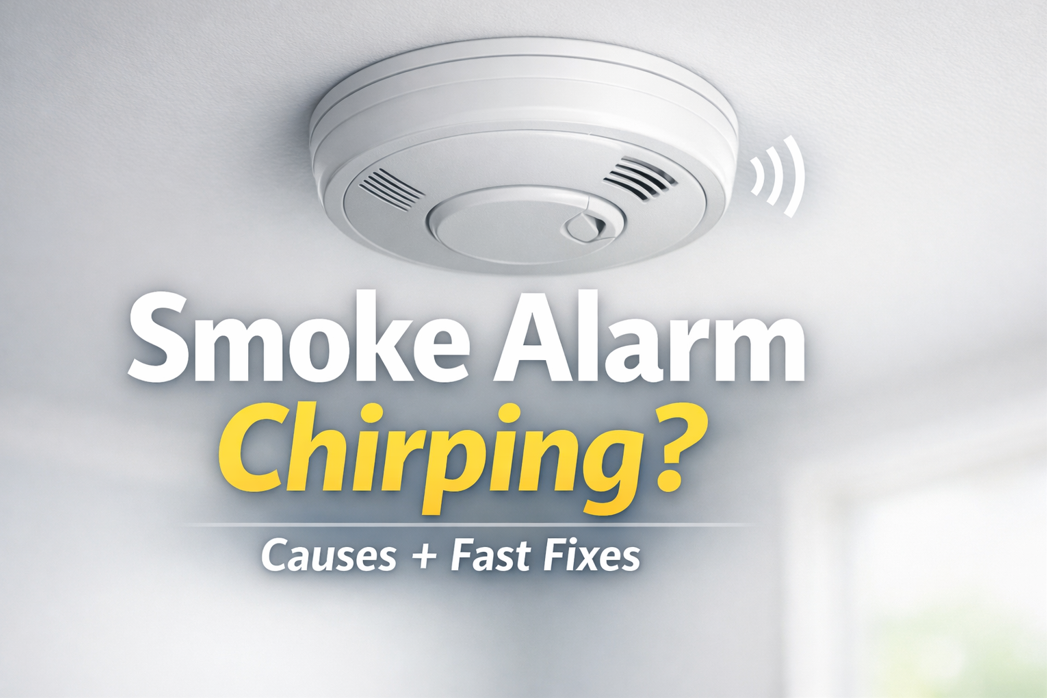
Smoke Alarm Chirping? Here’s How to Stop It (Fast)

If your smoke alarm is chirping, it’s trying to tell you something. This usually means a low battery, but sometimes a dirty sensor, humidity, end-of-life warning, or even wiring issues in hardwired models. The good news: most chirping can be fixed in 5 to 15 minutes with the steps below.

Quick note: “Chirping” is typically a single short beep every 30 to 60 seconds. A continuous loud alarm is different. Be sure to treat that as a potential emergency.

Quick Fix Checklist (Do This First)

  1. Figure out which alarm is chirping (it’s often not the one you think).
  2. Replace the battery (even if you replaced it “recently”).
  3. Reset the alarm (this clears lingering low-battery memory).
  4. Clean the alarm (dust can trigger chirps).
  5. Check the manufacture date (many alarms chirp when they’re too old).

If you want the fastest possible solution, jump to Step 2 and Step 3. Those solve the problem in most cases.

Step 1: Identify Which Smoke Alarm Is Chirping

Chirps echo and bounce, so people often replace the battery in the wrong unit.

How to find the chirping alarm:

  • Stand under each alarm and listen for the chirp.
  • Look for a blinking LED. Many models blink differently when signaling trouble.
  • If alarms are interconnected, one problem unit can cause confusion.

Pro tip: Use your phone’s voice memo app and record as you walk room-to-room. The chirping alarm often stands out on playback.

Step 2: Replace the Battery (Even If You Think It’s Fine)

Low battery is the #1 reason for smoke alarm chirping.

Use the right battery

  • Most units use a 9V, AA, or CR123A battery.
  • Some newer alarms have a sealed 10-year battery (you can’t replace it; chirping may indicate end-of-life).

Do it correctly

  1. Open the battery compartment.
  2. Remove the old battery.
  3. Press and hold the TEST button for 10 to 15 seconds (this helps drain residual power).
  4. Install the new battery, ensuring the contacts are snug and correct polarity is aligned.
  5. Close the compartment fully. Many alarms chirp if the battery door isn’t seated.

Important: If your smoke alarm chirps at night, temperature drops can make weak batteries dip below threshold. It will be more likely to chirp when you’re trying to sleep.

Step 3: Reset the Smoke Alarm (This Stops “Memory Chirps”)

Sometimes the battery is fine, but the alarm continues chirping because it “remembers” a low-battery state.

Reset method (works for many brands):

  1. Remove the battery.
  2. If it’s hardwired, turn off power at the breaker and disconnect the alarm from its harness.
  3. Press and hold the TEST button for 15 to 30 seconds.
  4. Reconnect (hardwired) and restore power, then reinstall the battery.
  5. Press TEST again to confirm normal operation.

If the chirping stops for a bit and comes back, keep going. There’s likely another cause below (dust, humidity, or end-of-life).

Step 4: Clean the Smoke Alarm (Dust Can Trigger Chirping)

Dust, lint, and even tiny insects can interfere with the sensor. This is common in kitchens, hallways, or near HVAC returns.

How to clean it:

  • Vacuum the outside vents using a soft brush attachment.
  • Use compressed air in short bursts around the vent openings.
  • Wipe the exterior gently with a dry microfiber cloth.

Avoid spraying cleaners or paint near alarms. The residue from these sprays can damage sensors.

Step 5: Check the Age of the Alarm (End-of-Life Chirping Is Common)

Many smoke alarms are designed to be replaced after a certain age. When they hit end-of-life, they often chirp even with a fresh battery.

Find the date:

  • Remove the alarm and look for a manufacture date printed on the back.

What to do:

  • If it’s older, replace the entire unit.
  • Consider upgrading to an alarm with a 10-year sealed battery (less maintenance, fewer 2 a.m. chirps).

Step 6: If It’s a Hardwired Smoke Alarm, Check Power Issues

Hardwired alarms still have backup batteries, and chirping can happen if:

  • The backup battery is low (very common)
  • The connector is loose
  • There’s intermittent power
  • Another unit in the interconnected chain is faulting

Try this:

  • Replace the backup battery first.
  • Reseat the wiring harness.
  • Check that the alarm is firmly mounted (some chirp if not locked in place).
  • If multiple alarms are involved, replace/inspect one at a time until the chirping stops.

Step 7: Chirping After Battery Replacement? Here’s What It Usually Means

If you replaced the battery and it still chirps, one of these is likely:

1) Wrong battery type or weak “new” battery

  • Some “dollar-store batteries” are inconsistent.
  • Try a high-quality battery and make sure it’s the right size/chemistry.

2) Battery door not fully closed

  • Many alarms have a safety tab—if the door isn’t shut, it chirps.

3) End-of-life warning

  • Common if the unit is older or is a sealed-battery model.

4) Dirty sensor

  • Vacuum + compressed air usually resolves this.

5) Environmental triggers

  • Steam/humidity from showers
  • Cooking smoke or grease aerosols
  • Temperature swings near attics, garages, or exterior doors

If humidity is the cause, improve ventilation, relocate the alarm if it’s too close to bathrooms/kitchens, or consider a model designed for those areas.

Smoke Alarm Chirping vs. Beeping vs. Alarm Sound (Know the Difference)

  • Chirp: short beep every 30 to 60 seconds (this usually means battery, fault, or end-of-life).
  • Intermittent beeps in patterns: often indicates a specific trouble code (varies by brand).
  • Continuous loud alarm: possible smoke/fire or urgent detection event.

If you ever smell smoke, see haze, or feel uncertain, treat it seriously and follow your safety plan.

Frequently Asked Questions (FAQ)

Why is my smoke alarm chirping with a new battery?

Usually one of three things: the alarm needs a reset, the battery door isn’t fully closed, or the alarm is at end-of-life. Try the reset steps above and check the manufacture date on the back.

How do I stop a smoke alarm from chirping at night?

Nighttime chirping is commonly a weak battery reacting to cooler temperatures. Replace with a fresh, high-quality battery and reset the alarm. If the unit is older, replace it.

Can a smoke alarm chirp because of dust?

Yes. Dust and debris can interfere with the sensor and trigger fault chirps. Vacuum the vents and use compressed air.

How long will a smoke alarm chirp before it stops?

It often won’t stop until the underlying issue is fixed. If it’s end-of-life chirping, it typically continues until the unit is replaced.

How do I know if my smoke alarm is expired?

Remove it and check the manufacture date printed on the back. If it’s past its intended service life, replace it.

My hardwired smoke alarm is chirping—what should I do?

Replace the backup battery, reset the unit, and ensure the wiring harness is firmly connected. If alarms are interconnected, one faulty unit can cause chirping. It’s best to inspect them one-by-one.

When to Replace the Alarm (Instead of Troubleshooting Further)

Replace the alarm if:

  • It’s at end-of-life (per the date on the back)
  • Chirping continues after battery replacement + reset + cleaning
  • The casing is cracked, painted over, or damaged
  • You’ve had repeated false alarms or persistent faults

A new alarm is usually cheaper than the time and frustration of chasing recurring chirps.

So, What Are Your Next Steps?

A smoke alarm chirping is usually a quick fix: replace the battery, reset the unit, and clean it. If it’s older, it’s probably signaling end-of-life, and replacement is the real solution. Once you do those steps, you’ll typically get your peace and quiet back.

Hopefully this guide helped you get back to sleep quickly after a rude awakening from a chirping fire alarm!

For any help or questions with your fire alarm system, check out our residential fire alarms informational page, or get in touch with us using the button below.

Who installs home security systems locally in Boston?

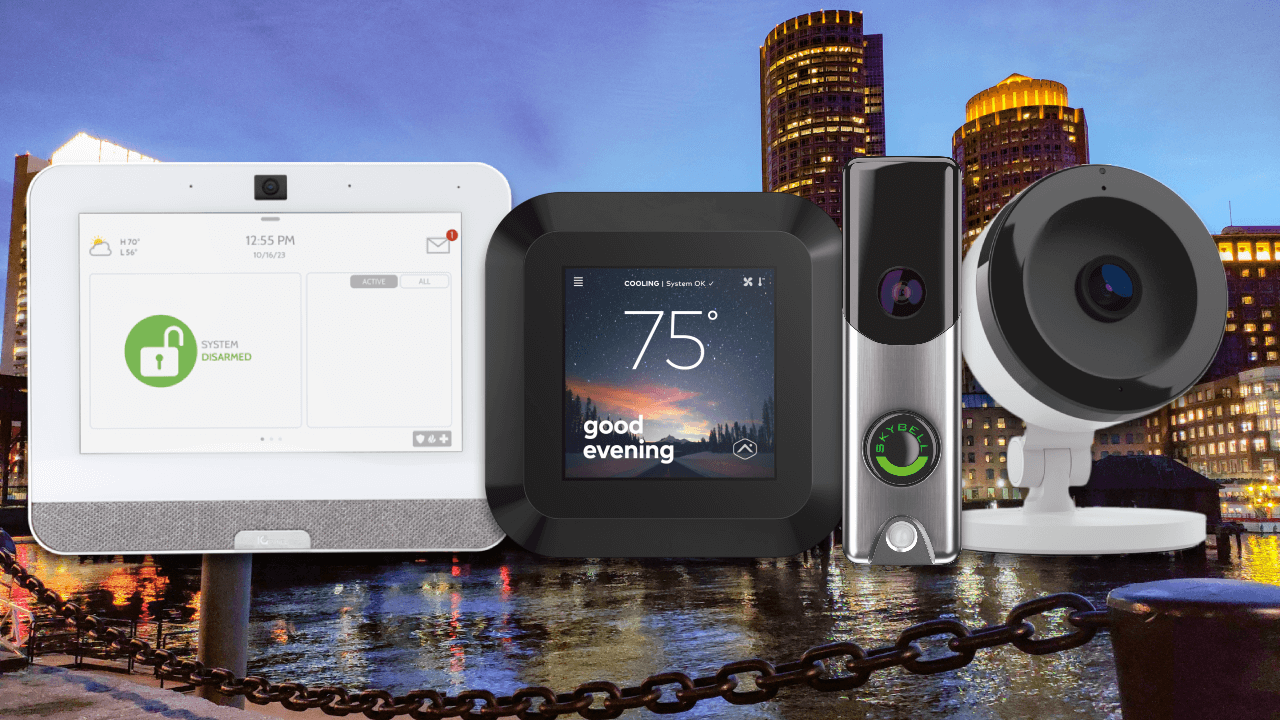
Alarm New England installs home security systems locally throughout Boston and the Greater Boston area. With local offices, licensed technicians, and over 50 years of experience protecting Massachusetts homes, Alarm New England provides professionally installed alarm systems, security cameras, smart home automation, and 24/7 monitoring tailored to Boston neighborhoods.

Why Choose Alarm New England Rather Than Other Security Companies Near Me?

Local Boston-Based Technicians

Alarm New England uses in-house, Massachusetts-licensed technicians – not subcontractors. The technicians live and work in the Boston area and understand local building styles, permitting requirements, and security concerns.

Professional Installation (Not DIY)

Alarm New England systems are professionally designed and installed, ensuring proper sensor placement, reliable connectivity, and full system testing. This is something DIY kits often miss.

Smart Home Security Technology

Alarm New England is an Alarm.com Premier Partner, offering mobile app control, video surveillance, smart locks, video doorbells, and real-time alerts from anywhere.

24/7 Monitoring with Fast Local Response

All systems include professional monitoring around the clock, with rapid response protocols designed for Boston and surrounding Massachusetts communities.

SDM Magazine’s 2025 Dealer of the Year Winner

Alarm New England is the recipient of the 2025 “Dealer of the Year” award from SDM Magazine, one of the security industry’s leading publications. Founded in 1972, Alarm New England has protected tens of thousands of homes across Massachusetts, earning a strong reputation for reliability, service, and cutting-edge security tech.

If you’re searching for a trusted local home security installer in Boston, the next step is to schedule a free security consultation with Alarm New England.

alarm new england team photo

Get A Free Quote

Home Automation Protocols Guide 2026

Home automation protocols are the language that smart home devices use to communicate with one another. Communication is vital for smart home automation, because if your devices can’t “talk” to each other using the same language, controlling each one becomes more of a chore.

Because of this, it is important to understand how it works before deciding which is best for you and your home.

With about ten different home automation standards on the market, it can be difficult to know which one is best for your home. There are two basic categories to work with: wired and wireless.

Common examples of wired protocols are X10 and UPB. These smart home protocols use your home’s existing wiring to communicate. Wired protocols are known for their reliability, but tend to be slower and more difficult to encrypt.

Wireless protocols, on the other hand, are typically faster and are compatible with a wider range of devices. These protocols — including Z-Wave and Zigbee — are able to connect and communication without relying on the use of power lines which makes them easier to ensure that they are secured. Many home security systems are compatible with Z-Wave, making it the ideal if you want full control of all of your devices on one app.

There are also a couple of hybrid protocols like Insteon and C-Bus that use a combination of both wired and wireless technology.

What should you look for when choosing a home automation protocol?

Compatibility: certain protocols restrict you to using devices that may not appeal to you, so choose one that is easy to use in conjunction with a broad range of other smart home products.

Easy to Upgrade: New home automation technology is introduced to the market constantly, having a system that is highly compatible with other products will ensure that you can add on more features and devices in the future.

Other considerations when choosing a smart home protocol include cost, power consumption, and bandwidth.

Popular Home Automation Protocols

Z-Wave

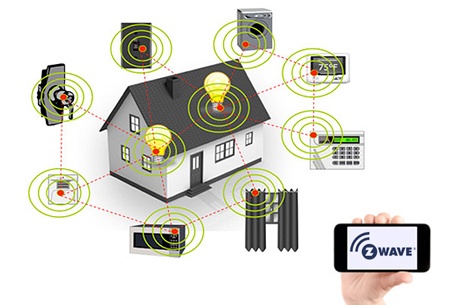
Z-wave is a popular wireless protocol that uses radio frequencies to to communicate with other devices. Developed in Denmark, Z-Wave has rapidly become one of the most popular protocols because it is supported by over 450 companies across the world.

z-wave

Features of Z-Wave

It’s fast. Z-wave runs on the 908.42MHz frequency. This is a much lower band than that used by most of your other household products (2.4GHz). Since Z-Wave devices don’t compete with other household products for bandwidth, there is a lower chance of interference, which improves efficiency and speed.

It’s easy to setup. Z-wave devices like the Yale smart lock are known for being simple to set up and fairly easy to use. Z-wave devices are controlled via a central hub that helps you manage your entire home network. Once the network is set up, you can easily add in smart home devices that can then be controlled by the Z-wave home protocol.

It’s compatible with a wide range of products. One of the best parts about choosing Z-wave automation is that any Z-wave device can communicate with another regardless of the brand, version or type.

Currently, there are more than 1,500 Z-wave compatible devices available throughout the world. With so many options, you have plenty of options to customize your home’s automation protocol.

It cuts down on energy usage. Additionally, Z-Wave devices tend to use less energy than some other protocols which means you can use more while keeping your energy bill low.

It’s future-proof. As home automation products continue to evolve over time, Z-wave will remain compatible with both old and new versions of products. This is ideal because it means that you can keep your same protocol even as technology advances.

ZigBee

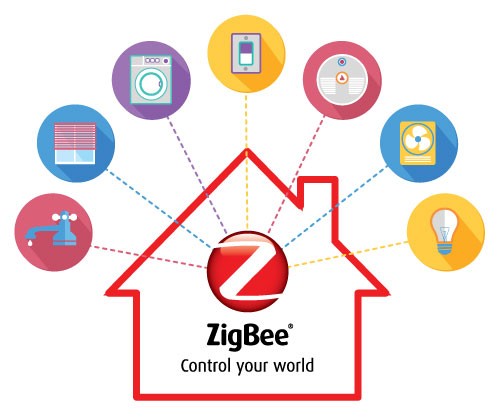
Zigbee and Z-wave are very similar protocols, although Zigbee is more common in Chinese-branded products. Originally developed for commercial use, today Zigbee is now used widely in both home and commercial automation protocols.

zigbee

Features of Zigbee

Fast communication. Similar to Z-wave, Zigbee uses radio frequency in order to communicate. Zigbee runs on the 802.15.14 radio standard. Using a mesh network, Zigbee can achieve fast communication and longer-range communication. A single hub powers multiple home automation devices.

Easy to create for. Zigbee is an easy protocol for developers to design new products that are compatible with it. Currently, there are over 1,200 products that are compatible with Zigbee. This is an open technology with new products being created all the time.

Low power consumption. One of the most powerful benefits of choosing Zigbee for your smart home automation is its super low power consumption. Zigbee is incredibly efficient, so you can actually operate a Zigbee device on the same set of batteries for years at a time.

Cut down on battery usage. Speaking of efficiency, Zigbee offers green power which eliminates the need to use batteries all together. This means you don’t have to worry about buying new batteries and that you can feel good about being environmentally friendly and efficient.

Improved security. Additionally, Zigbee is one of the most secure protocols available. It uses the same 128-bit bank-level encryption that most major financial systems utilize.

One issue Zigbee has faced in the past is having poor interoperability, meaning some Zigbee devices were unable to communicate with each other properly. However, newer versions of Zigbee have entered the market that aim to solve this issue and work well with other devices regardless of their brand.

Insteon

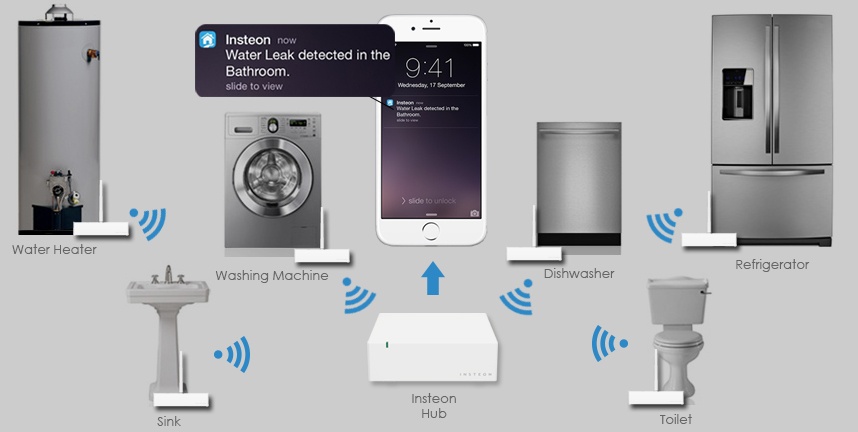
Insteon is unique in that it uses a mix of wired and wireless technology. It uses a patented dual-mesh network that utilizes both hardwired and wireless communication to help eliminate the weaknesses of both. There are multiple pathways for messages to travel.

insteon

Features of Insteon

An Insteon hub will connect with all Insteon compatible devices. You then have control of your home via smartphone, tablet or computer. It is also X10 compatible which means that you can add wireless capability to an existing X10 network.

Extremely easy to use. One of the major benefits of choosing Insteon is its use of use. Regardless of high technically inclined you are, you will be able to get the Insteon home automation standard up and running with relative ease.

Simple setup: If you know how to operate a smart phone, you will be able to operate this system. Additionally, all Insteon compatible devices are automatically added to the network as soon as you power them on, making set up a breeze.

Limited product options. There are over 200 compatible devices to automate your home. Insteon makes all of the products that use their protocol, meaning it is less compatible with products made by other manufacturers.

Bluetooth

Bluetooth is a wireless smart home automation technology that uses radio waves to communicate. All Bluetooth devices contain a computer chip with Bluetooth software that allows it to simply connect with other devices.

bluetooth

Features of Bluetooth

Bluetooth’s compatibility is excellent. You can connect any Bluetooth enable device to any other Bluetooth enabled device with ease.

You can noticeable energy savings. One of the biggest benefits to choosing Bluetooth for your home automation standard is that it uses significantly less energy than other alternatives. This is ideal for those who like to monitor their energy consumption and be environmentally friendly.

Limited range of communication. One downfall of this automation is that it tends to have a limited range, so your device may stop working if you move out of range. Fortunately, this might change as technology improvements are underway that will eventually allow Bluetooth to have a larger range that can better compete with ZigBee and Z-wave protocols.

UPB

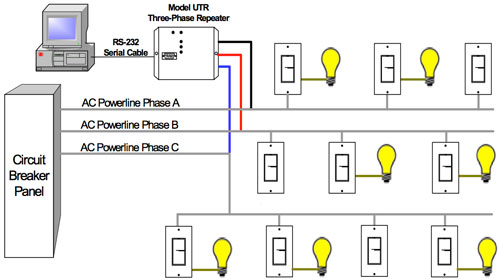
UPB is short for universal powerline bus. This is a wired protocol that was created back in 1999 and remains one of the more technically advanced protocols.

UPB

Features of UPB

UPB makes use of your home’s existing wiring to communicate between devices. This is not as user-friendly, but can provide more reliability if that’s a higher priority. As with Z-Wave and Zigbee, UPB-compatible devices are linked to one another using a central home controller. Each device needs to be manually set up to the network, making this a setup more time-consuming.

Reliable.Because it uses your home’s electric wires, it doesn’t run into as many interference and range issues that wireless protocols do. If you are somewhat tech-savvy and value reliability, UPB may be a great option for your smart home automation protocol.

Limited compatibility. Although UPB has been on the market for awhile now, it is not compatible with as many home automation products as some other choices. UPB is also known for being difficult to connect with wireless devices, limiting your ability to upgrade your smart home system with additional equipment down the line.

Conclusion

These are only some of the most popular protocols in use today; there are a number of smaller ones out there that were left out. If you are looking to install a home automation protocol in you home, we hope this information will provide a resource for you to get started.

With so many smart home protocol choices and options available to complement your smart home security system, you are sure to find one that suits your home’s specific needs.

ADT Camera Reviews – New For 2026

Security cameras are no longer optional. In today’s world, having a reliable video surveillance system isn’t just about catching a thief – it’s about peace of mind. Whether you’re checking on packages, monitoring your front door, or keeping an eye on your loved ones, security cameras are essential. And if you’re thinking about a reputable home security provider, ADT is likely one of the first names that comes to mind.

In this guide, we’ll walk you through everything you need to know about ADT’s security cameras so you can make an informed decision regarding whether they’re worth the investment. So, let’s dive in!

Get free quote

About ADT Security Systems

ADT is one of the most recognized and trusted names in the home security industry. With history dating back to 1874, ADT’s journey began with a focus on telegraph-based alert systems, offering communities a new sense of connection and safety during a time when security meant something very different from what it does today. With over 150 years of experience, the company has evolved tremendously with a mission to help protect people and their properties.

Based in Boca Raton, Florida, ADT has become a modern leader in security, interactive services, and smart home solutions. The company serves millions of residential and commercial customers across the United States. Its product portfolio includes a wide range of technologies designed to prevent intrusion, detect environmental hazards, and support independent living. From traditional burglar alarms to advanced smart cameras, fire and carbon monoxide detectors, and even leak and temperature sensors, ADT offers comprehensive solutions that adapt to the needs of each household or business.

Today, ADT systems go far beyond basic alarms. Through smart automation and remote control, customers can now monitor and manage their homes or businesses from anywhere. The company’s platforms, including the ADT Control and ADT+ apps, allow users to stream live video, receive real-time alerts, control smart locks and lighting, and even grant temporary access to trusted neighbors, all from a mobile device.

The company offers two primary service models: professionally installed systems and self-setup options through its Blue by ADT product line. Both are supported by robust technology and user-friendly applications. For customers looking for professional support and monitoring, ADT provides 24/7 assistance and emergency response services. For those who prefer a DIY approach, ADT offers accessible and flexible solutions that maintain the brand’s high standards of quality and protection.

ADT’s partnership with Google further enhances its offerings, integrating Google Nest products such as smart doorbells, indoor and outdoor cameras, and mesh Wi-Fi systems into its ecosystem. This collaboration brings advanced artificial intelligence and connectivity into ADT’s already powerful security framework.

Beyond products and platforms, ADT’s reach extends through a combination of direct sales, third-party dealers, online channels, and a nationwide network of service professionals. Whether serving homeowners, apartment renters, or business owners, ADT tailors its solutions to meet a wide variety of customer needs.

ADT Cameras Explained

ADT’s camera lineup has evolved significantly in recent years, particularly with the integration of Google Nest cameras into its offerings. Presently, ADT primarily offers three types of security cameras, all powered by Google Nest technology.

  • Indoor Cameras: Designed for monitoring spaces within a building, these cameras offer high-definition video and smart features such as motion detection and person recognition. They are ideal for checking on valuables, monitoring children or elderly family members, and securing entry points. 
  • Outdoor Cameras: Built to withstand the elements, outdoor cameras provide clear footage day and night, often featuring weatherproof casings and enhanced night vision. They are ideal for monitoring areas around the home and office, preventing intrusions, and capturing activities that might go unnoticed otherwise.
  • Video Doorbells: These doorbells are equipped with cameras to enhance home and business security by providing a live view and recorded footage of activity around your front door. They typically feature motion detection, two-way audio, and the ability to view live video remotely. They are either battery-powered (wireless) or hardwired into an existing doorbell. You can receive activity alerts, talk with visitors using two-way talk, and live stream video from your smartphone.

Key Features of ADT Cameras

ADT cameras offer a robust set of features designed to provide homeowners with clear, reliable, and intelligent home surveillance. Here’s an in-depth look at the key features that make ADT cameras stand out in the home security industry :

  • High Video Quality and Wide-Angle Coverage: One of the most critical aspects of any home security camera is its ability to capture clear, detailed footage. ADT’s Nest Cams record video in full high definition (1080p) at 30 frames per second, which is a significant improvement over older ADT cameras that maxed out at 720p. This level of clarity ensures that you can easily identify faces, license plates, and other important details when reviewing footage. In addition to high resolution, ADT cameras feature wide-angle lenses—typically with a diagonal field of view around 90 to 130 degrees. This broad coverage means fewer blind spots and the ability to monitor larger areas with a single camera. 
  • AI-Powered Detection: ADT cameras incorporate advanced artificial intelligence (AI) to enhance detection accuracy. One standout feature is person detection, which allows the camera to distinguish between people and other moving objects like pets or shadows. This helps reduce false alarms and ensures you’re only notified about relevant activity, such as someone approaching your front door or entering your yard. 

Beyond person detection, ADT cameras support customizable activity zones and intrusion detection capabilities. These smart detection features enable the system to monitor specific areas for unusual movement, capturing potential break-ins or suspicious behavior. This level of intelligence is especially valuable for protecting vulnerable points like windows, doors, or driveways.

  • Night Vision/Low-Light Performance: Security incidents often occur under the cover of darkness, making night vision an essential feature for any surveillance camera. ADT’s home security cameras come equipped with infrared night vision that can illuminate scenes up to 15 to 20 feet away, depending on the model. The cameras use high-power infrared LEDs to capture clear black-and-white images even in complete darkness. 
  • Remote Access: ADT cameras offer seamless remote access through the ADT+ app, allowing you to view live video feeds from your smartphone, tablet, or computer anytime and anywhere. This feature is crucial for homeowners who want peace of mind while away from home, enabling them to check on their property in real time and respond quickly to alerts. The app also supports two-way audio, so you can listen and speak through the camera. This is useful for greeting visitors, warning off intruders, or communicating with family members remotely.
  • Cloud Storage: With a Google Nest Aware subscription, ADT users gain access to extended cloud storage and video history, which is essential for reviewing past events. Basic subscriptions allow storing up to 3 hours of event video clips, while premium plans can provide up to 60 days of event video history or even continuous 24/7 recording for up to 10 days. Cloud storage ensures that your footage is securely saved off-site, protecting it from being lost or tampered with in case of theft or damage to the camera itself.

ADT Camera Pricing

ADT sells its security cameras as part of its home security system packages. These aren’t just cameras — they include motion detectors, control panels, sensors, and other smart home gadgets.  When you purchase ADT home security systems, you are paying for equipment, installation, and monthly monitoring. 

Monitoring monthly is usually tied to a 36-month contract. However, with equipment and installation, you have the option of paying upfront. This can be coupled with your monthly monitoring for an outright payment.

What is the installation fee for ADT Cameras?

The installation fee for most packages is around $150 on average.  The costs of home security monitoring and monthly equipment payments will vary based on the plan you choose.

Types of ADT Prices and Packages 

ADT offers three primary packages, all of which can be customized with additional equipment to meet your needs. They include:

  • Secure Package 
  • Smart Package 
  • Video & Smart Package 

The most basic package, called the Secure Package, offers the option to add additional security equipment or life safety sensors.  The equipment and installation costs for the bare-bones version of this package begin at $599, or $9.98 per month for 60 months, and monitoring begins at $45.99 per month. 

The Smart Package includes everything in the Secure Package, plus a smart door lock, a smart plug, and the option to arm and disarm your system remotely via the ADT Control App.  The equipment and installation costs for the bare-bones version of this package begin at $919, or $15.32 per month for 60 months, and monitoring begins at $49.99 per month.

The Video & Smart Package offers everything from the Smart Package, plus an HD indoor camera, a video doorbell camera, remote viewing of live video streams, and customizable alerts.  This package can be expanded to include additional cameras and devices.  The equipment and installation costs for the bare-bones version of this package begin at $1,049, or $17.48 per month for 60 months, and monitoring begins at $57.99 per month.

Advantages of ADT

Here’s why people continue to choose ADT for their home security needs:

  • Brand Trust & Longevity: ADT has been around for nearly a century and a half. Their reputation in the home security space is second to none.
  • Reliable Video Quality Whether indoor or outdoor, ADT cameras consistently offer clear 1080p HD resolution. Their night vision capabilities are strong, especially with Pro models.
  • Smart Features: ADT offers smart features like facial recognition, person detection, and custom motion zones to improve security.
  • App Control The ADT Control and Blue by ADT apps allow you to live stream, receive alerts, speak through the camera, and review past footage seamlessly.
  • Integration with Smart Home Devices ADT works with Alexa, Google Assistant, and other smart devices for seamless home automation.
  • Professional Monitoring If you’re away and something happens, ADT’s team is ready to alert authorities immediately.
  • Strong Customer Support: ADT’s customer service is well-regarded, with professionals available to assist with setup, troubleshooting, and emergencies.

Disadvantages of ADT

Of course, no system is perfect. Here are the drawbacks you should know about:

  • Higher Upfront Costs ADT’s professionally installed systems can get pricey, especially when bundled with monitoring plans and installation fees.
  • Long-Term Contracts Most plans come with a 36-month contract. Canceling early can lead to hefty fees.
  • Limited Standalone Use: Many of ADT’s camera features require an ongoing subscription. Without it, you’re limited to live view and local storage (if supported).
  • Occasional Lag Some users report delays in notifications or lag in live feeds, especially on the self-setup models.

The Verdict: Our ADT Camera Review

ADT isn’t the cheapest home security option out there, but you get what you pay for: quality, reliability, and peace of mind. If you’re ready to protect your home with top-notch cameras, ADT deserves a spot at the top of your list. Whether you’re building a smart home, upgrading your old alarm system, or just want to keep an eye on your properties while you’re far away, ADT has a solution to fit your needs.

ADT Frequently Asked Questions

  • Are ADT cameras any good? 
    • ADT cameras are generally considered good, particularly when integrated with their broader security system. All ADT cameras are now 1080p HD with infrared night vision. They also feature advanced video analytics and smart features that make them stand out among their competitors. 
  • Will my ADT camera still work if I cancel service? 
    • If you cancel your ADT service plan, your cameras will still work, and you will still receive Blue by ADT app alerts and notifications, though you won’t have the benefit of professional monitoring.
  • What is the lawsuit against ADT? 
    • ADT has been involved in several lawsuits, including a securities class action settlement for $30 million related to their initial public offering (IPO). Additionally, ADT has filed lawsuits against companies like Skyline Security, alleging a conspiracy to steal customer data and engage in deceptive sales practices. ADT has also been the subject of investigations and lawsuits related to improper employee behavior, such as unauthorized access to customer accounts. 
  • How much does an ADT camera cost per month?
    • ADT camera costs are bundled into their security system packages. For camera access, you’ll need the Video & Smart Package, which starts at $57.99 per month for monitoring. Equipment and installation costs can be paid upfront (around $1,049) or monthly (around $17.48/month for 60 months). Total monthly costs vary based on the package and add-ons you choose.
Get free quote

Best Commercial Alarm Companies in Massachusetts 2026

There’s no way around it, securing a business requires a reliable alarm system.

In Massachusetts, several companies offer commercial security solutions.

Below, we review a few of the best options for business security. These include Wayne Alarm, Lexington Alarm, ADT, and Alarm New England. Below is a brief summary of each, along with some pros and cons to help you make a choice.

Wayne Alarm

local alarm company in massachusetts

Wayne Alarm provides security systems for businesses of all sizes. The company offers intrusion detection, fire alarms, and video surveillance. Their local monitoring center ensures quick response times.

Pros:

  • 24/7 local monitoring
  • Custom security solutions
  • Strong customer support

Cons:

  • Higher pricing than some competitors
  • Limited coverage outside Massachusetts

Lexington Alarm

lexington alarm logo

Lexington Alarm specializes in commercial security and fire alarm systems. They provide advanced access control and video surveillance. Businesses can integrate their alarms with automation tools.

Pros:

  • Strong focus on commercial security
  • High-quality equipment
  • Integration with automation systems

Cons:

  • Installation fees can be high
  • Customer service may vary by location

ADT

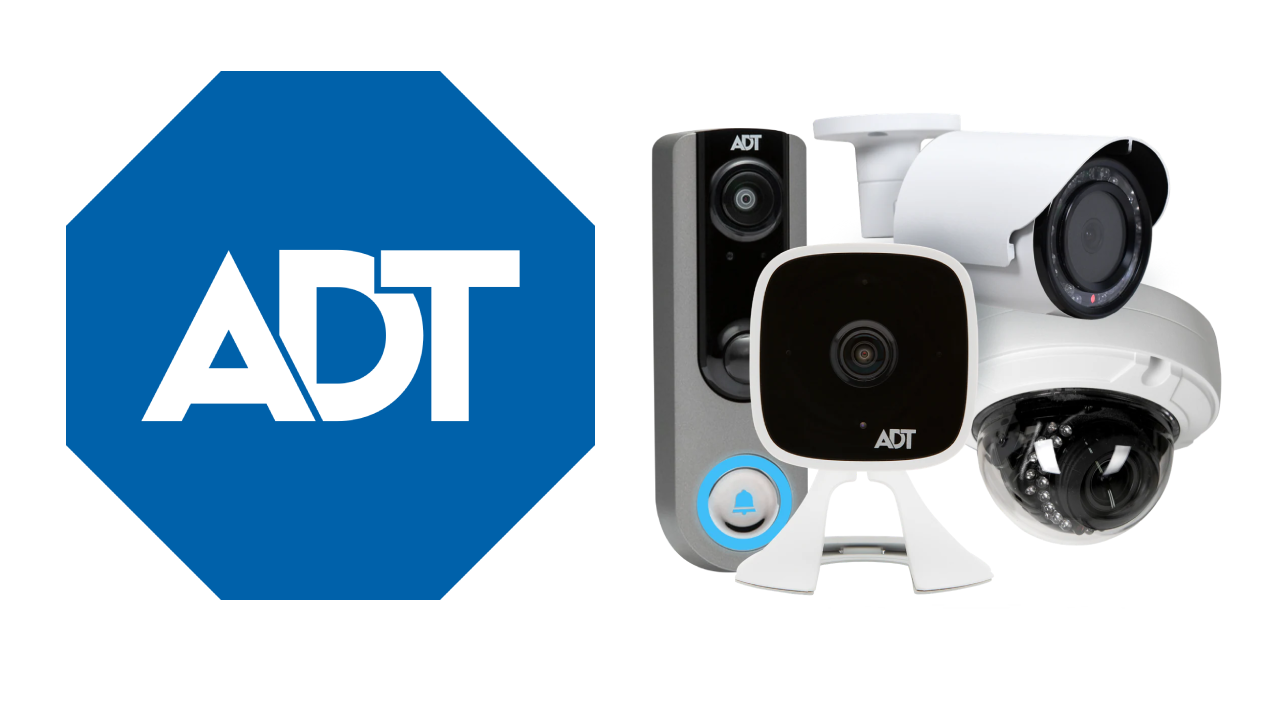
adt

ADT is a national security provider with extensive experience in commercial alarm systems. They offer intrusion detection, fire alarms, and remote monitoring through an app.

Pros:

  • Nationwide coverage
  • Reliable 24/7 monitoring
  • Well-known brand with a solid reputation

Cons:

  • Long-term contracts
  • Customer service may be inconsistent

Alarm New England

alarm new england logo with blur background

Alarm New England offers security solutions designed for businesses. Their services include intrusion alarms, surveillance cameras, and access control. They provide flexible plans with local support.

Pros:

  • Competitive pricing
  • No long-term contracts required
  • Strong local presence and customer service

Cons:

  • Limited coverage outside New England
  • Some advanced features may cost extra

So, Who Is The Best Business Commercial Alarm Company in MA for 2026?

Choosing the right alarm company depends on business size, security needs, and budget. Wayne Alarm and Lexington Alarm provide strong local support. ADT offers nationwide coverage. Alarm New England stands out with flexible plans and strong customer service.

For businesses in Massachusetts looking for a reliable security provider, Alarm New England offers a great balance of affordability and service. Contact us today for a customized security solution.

View Alarm New England Plans
X

GET FREE QUOTE

What are you protecting?*

Step 1 of 4

Is your property currently monitored?*

Step 2 of 4

What size is your property?

Step 3 of 4

Who is this personalized quote for?*

By clicking this button, you consent for Alarm New England to use automated technology to contact you at the number provided. This consent is not required to make a purchase from us.

Step 4 of 4