7 Reasons to Switch to Cellular Alarm Monitoring MA RI CT

Few things are as important as the safety of your own home. Ensuring that your loved ones and property are safe from burglary and other crimes is a top priority.

While passive defenses like walls and fences may deter some burglars, there’s always the risk of a criminal who is willing to go the extra mile to break in. That’s why a home security system is a critical component of keeping your home and family safe.

Home security systems are not all designed with the same capabilities. One of the key factors to consider is whether the alarm monitoring system you are considering is cellular-based or landline-based.

What’s the Difference Between ‘Cellular’ and ‘Wireless’ Security?

You might have encountered the terms “cellular” and “wireless” when researching security systems. While both cellular and wireless security systems are characterized by a lack of wires, they are fundamentally different when it comes to home security.

When the term “wireless” is used in a home security context, it means that the sensors and the control panel are linked wirelessly via radio waves instead of physical wires in your home.

Wireless systems allow for a more flexible, convenient setup of monitoring devices. They also ensure that the sensor network will not be vulnerable to the same wire-cutting security risk that plagues landline-based systems.

“Cellular,” on the other hand, refers to how the control panel communicates with your security company’s alarm monitoring center. Cellular-based security systems use mobile cellular networks (instead of a landline phone) to contact the monitoring station in an emergency situation.

The ideal security system combines both concepts—a wireless alarm system with cellular alarm monitoring. This completely wireless system is more convenient and reliable than one that relies on wires.

Advantages of Cellular Alarm Monitoring

Cellular-based security systems have several advantages over landline-based systems. Here are just a few reasons you should consider switching to cellular alarm monitoring.

1. Cellular alarm monitoring is safer

The physical connection of a landline-based home security system is a major weakness because a burglar could cut your phone line prior to breaking and entering.

Cutting a phone line isn’t as complicated as it sounds: Most homes have a compartment built into the side of the wall or near the ground that contains your phone line, among other electrical wiring. In many cases, this panel can be accessed with a regular screwdriver.

If someone were to cut the wiring inside, it would prevent any distress signal from being sent to your monitoring station, rendering the home security system useless.

A cellular-based security system has no such weakness, as it uses the same reliable network of cellular towers that your mobile phone is designed for. Even if you live in an area with poor cell service, in many cases the cell communicator is still able to maintain a consistent connection.

2. It’s more reliable

Security systems need a cellular connection so you can count on reliable, uninterrupted protection.

Landline cables are vulnerable to the elements. Heavy snow, rain, and other weather conditions can damage them, severing your connection to your alarm company.

This isn’t the case for mobile networks, which tend to be more resilient in withstanding a major storm or natural disaster.

Additionally, security systems that rely on a Wi-Fi connection are also prone to failure should the internet at your home go down. Even in the event of internet outages, cellular communicators are unaffected.

3. You get greater coverage

Some areas may be outside the coverage area of a provider’s landline network. This makes it difficult or even impossible to get your home security system connected to a company if you’re using a wired landline, unless you’re investing a lot of money to build local wired infrastructure.

Cellular networks span wide areas, reaching even remote locations. You don’t necessarily require a strong signal for your cellular-based security system to transmit an alert.

The amount of data that passes between the system and the central station is far less than the amount you’d need to hold a conversation or surf the web. This means that a cellular-based security system is able to work even in remote areas.

4. It’s cheaper in the long run

Adding a cellular communicator to your security system to enable cellular and Wi-Fi alarm monitoring can come with an additional cost. However, you no longer need to pay for a landline each month.

Many households don’t use landlines anymore, so if you have little use for a home phone, then it’ll be an expense that serves no other purpose besides being tied into your security system.

5. Installation is easier

A landline-based security system must be physically connected to your home’s phone outlet. Depending on the layout of your phone wiring and various wall outlets, it may not always be where you want to locate your security system’s control panel. With a cellular system, you have the freedom to mount the control panel anywhere in your home.

6. You can monitor your own home remotely

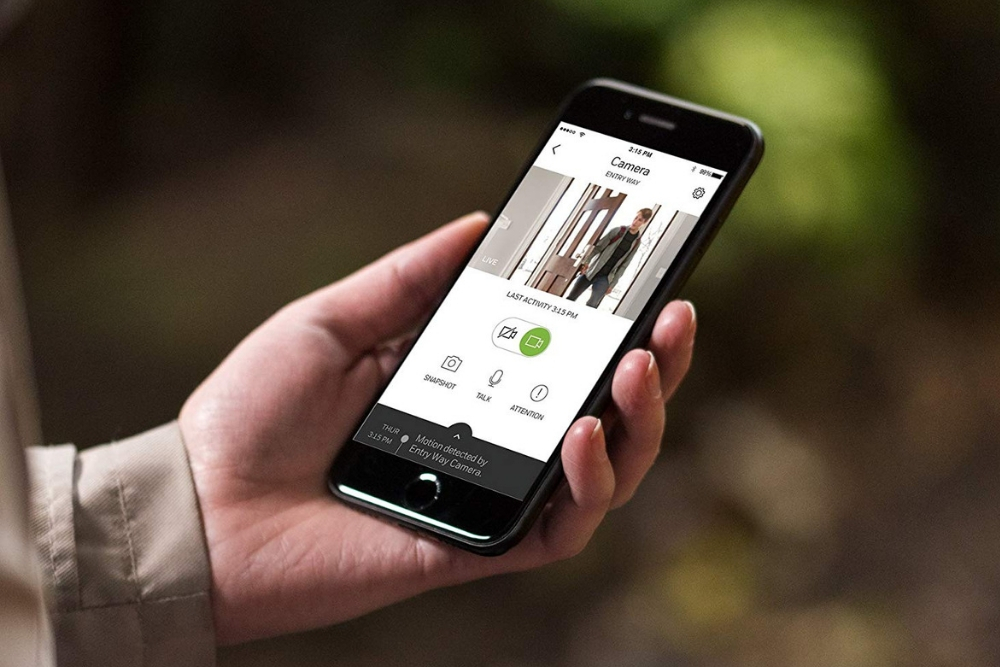
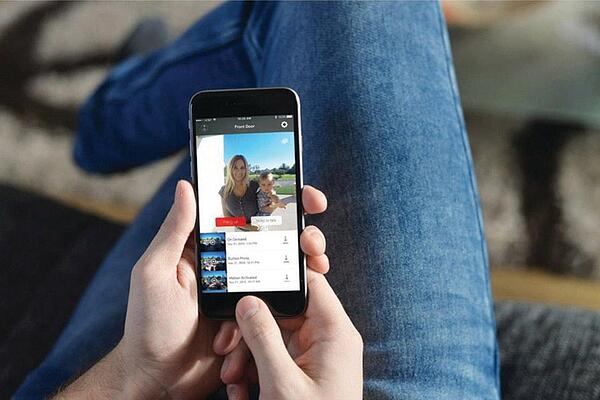
Many security systems that use cellular alarm monitoring also come with newer features like smartphone apps that allow you to remotely connect to them.

You’ll be able to view camera footage, security alerts, and the status of your sensors, even while you’re away from your home.

You can also be notified via text if you get any security alerts. You’ll be informed at the same time as your security company.

7. Cellular monitoring sends alerts faster than landlines

In an emergency, speed is everything. Cellular alarm monitoring can contact your central monitoring station faster than a landline can.

That’s because its signal doesn’t have to navigate landline switches and networks, and it may use very fast protocols like 4G LTE to reach the monitoring station.

Making the Switch to Cellular Alarm Monitoring

The important thing to remember is that home security is only as effective as its weakest link. If you’re considering going for wireless sensors, remember to replace their batteries.

While cellular alarm monitoring requires that you have a cellular communicator in your system, the technology offers significant advantages over landline-based systems.

And choose the right security company to take care of your alarm monitoring needs. After all, more reliable and quicker cellular communication with the alarm monitoring center doesn’t mean much if the company can’t do its job well.

Most good companies will offer remote and on-site maintenance for your home alarm system as well. Find a company with a proven track record for responding to emergencies and dispatching personnel to truly make the most of switching to cellular alarm monitoring.

Best Home Alarm Security Systems in Rhode Island 2026

Smart home security is rapidly becoming mainstream, and many homeowners are looking to either replace or upgrade their home security systems to take advantage of technological advancements.

Some people like the idea of being able to remotely control their entire house from their smartphone, while others enjoy not having to navigate a complicated touchpad control.

No matter what your reasons are, now is a great time to check out the best home security systems in Providence, RI to find one that meets your needs. We’ve taken the time to list some of the best companies on the market in Rhode Island today to help you narrow down your choices.

How We Choose the Best Home Security Systems

There are hundreds of home security companies out there, each with complicated pricing systems and a whole host of features. It can be tricky to navigate this market, even if you’ve taken the time to read up on home security system reviews.

We’ve evaluated some of the most popular home security systems in Rhode Island according to three criteria—price, features, and customer service—to help you find one that will suit your requirements.

Pricing

Security companies often will offer multiple pricing options, making it hard to find a standard list of what’s affordable and what isn’t. Some companies will separate equipment and monitoring costs. Others allow you to pay off the equipment along with your monthly fee but will still require installation and activation fees.

We’ve tried to clarify pricing to make it clear which home security systems offer reasonable prices for their services.

Customer service

Customer service covers a vast range of interactions, including sales, emergency response, and typical day-to-day inquiries. Smaller companies tend to have better customer service than nationwide home security providers, which may range in quality based on location.

Features and equipment
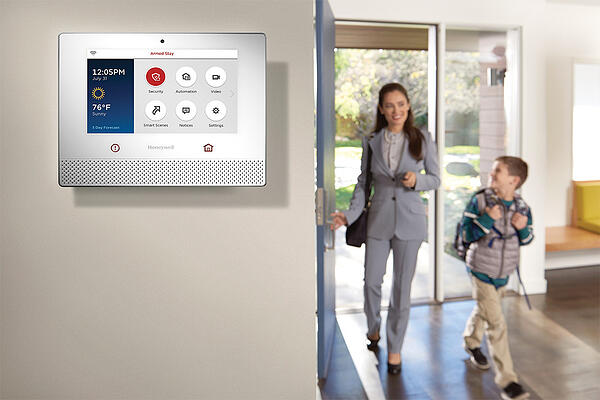
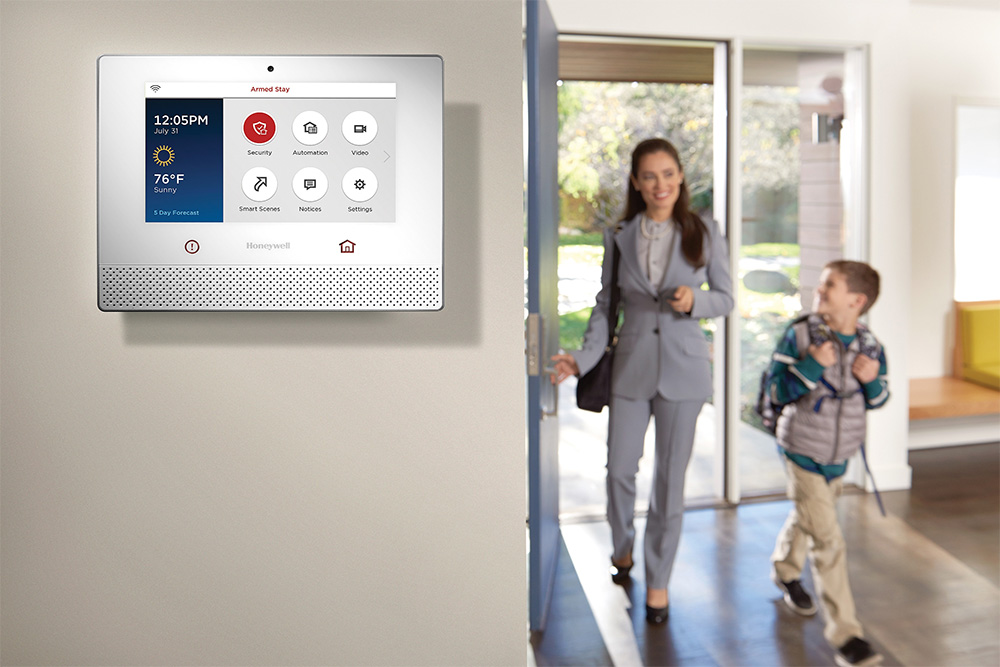
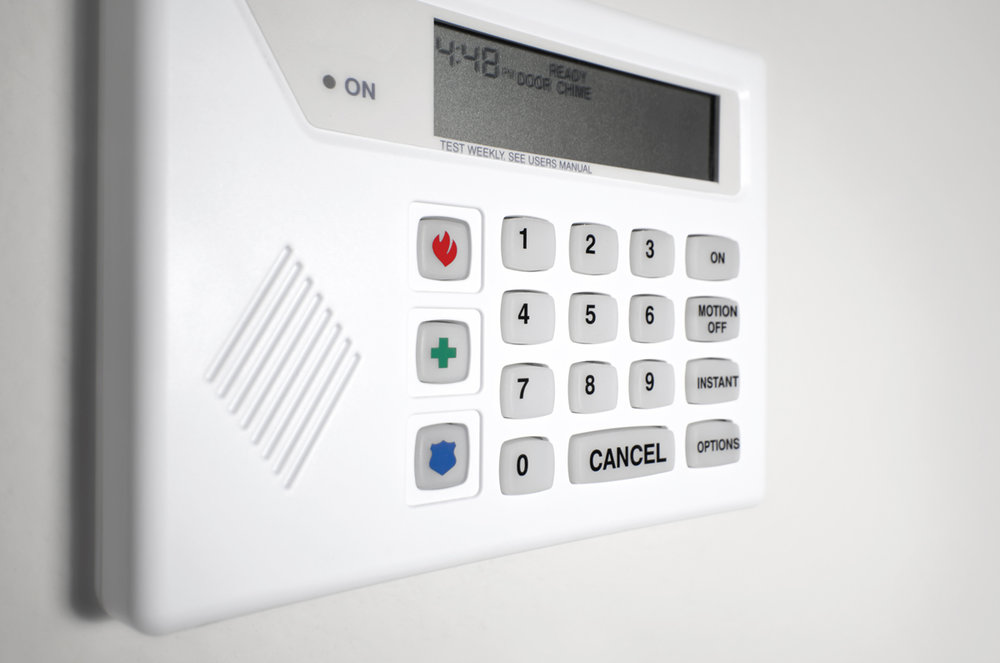
Lyric Control Panel

Ideally, you want the best home security system for your needs and don’t want to spend on extras that you’ll never use. Many companies offer high-tech solutions, such as smart home security systems, that many users don’t want or need. Some customers want home security systems with cameras, which usually fall under their monitoring and equipment plan.

We also evaluate systems based on how easy they are to use. It’s surprising how many basic systems can be quite complicated to set up. Yet many of the newer home security systems offer intuitive touchpad controls that are much easier to use.

Here are some of the top home security providers in Rhode Island to consider.

Alarm New England

We primarily operates three states: Massachusetts, Rhode Island and Connecticut Despite being smaller than companies like ADT, we’ve gained a large and loyal following of customers who love our service, making us one of the largest privately-owned security companies in the nation. We use high-quality equipment and offer fair prices for monitoring services.

Additionally, our equipment can be reused if you move out of our service range.

Pricing

We bundle equipment with monitoring services in three plan levels. The most basic plan costs $27 per month and includes monitoring as well as essential security system equipment. The most expensive plan tops out at just over $50 for security cameras and cloud storage in addition to monitoring and home automation integration.

Unlike many other security services, we don’t require you to sign a long-term contract. If you like the idea of long-term security, you may sign a three-year contract to receive reduced monthly rates. But if you prefer flexibility, you can opt for month-to-month plans.

The company also has lower upfront costs or activation fees, and you can install the entire system yourself.

Customer service

We have spent the time to build up an excellent reputation as one of the best home security systems in Providence, RI based on extraordinary and responsive customer service.

You can reach customer service through a variety of channels, including email and telephone, or you can use our website FAQ to get answers to common questions. We even have how-to videos on its website to show you how to install the equipment.

Features and equipment

We offer a range of equipment and features for every type of household, from simple to complex. Our most straightforward plan comes with a control panel and wireless sensors.

You can also opt into our higher-tier plan, which gives you access to Touch Connect 2.0, an app that allows you to automate much of your security and household. If you’re looking for a home security system with cameras, there’s also a plan with live video surveillance and video recording to help you keep an eagle eye on your home.

ADT

ADT has been in the security business for over a hundred years and has seen many technological changes during that time. As such, it knows the value of keeping up with security changes and trends and is willing to pass its expertise on to its customers. It has a variety of flexible security plans available that should suit most households.

Pricing

ADT’s security suite is known as Protect Your Home, which comes in four primary packages depending on your security needs. ADT agents can also customize these packages to find the perfect security fit for you.

The basic plan starts at $28 per month and includes monitoring and a basic alarm system consisting of a control panel, base alarm system, and several sensors.

The main drawback of this plan is that it uses a landline to connect to the monitoring center. If you don’t have one, you’ll need a more expensive plan to install a system with cellular communication.

The packages then increase in price and in the number of features the packages offer. The most expensive package is the ADT Pulse Monitoring plus Video package, which costs $59 per month.

ADT can offer these competitive rates because it is tied to two- or three-year-long contracts with no reasonable option to terminate the contract early. It does provide a six-month money back guarantee, but that only comes into play if ADT hasn’t been able to resolve your service or installation issues.

Customer service

Because ADT is a national service, its call center-based customer service is usually responsive and quick to solve your problems. However, ADT also uses regional dealers to interact with customers, and some dealerships are better than others. Make sure to read up on some local reviews to see how your local dealer fares.

It’s relatively easy to contact ADT with concerns, as it has a 24/7 emergency hotline as well as a customer care line that operates during business hours. You can also use email or live chat if you prefer dealing with customer services electronically.

Features and equipment

The base ADT package comes with a base security system, control panel, motion sensor, and several wireless sensors, as well as a wireless remote, which is all you need for a simple wireless home security system.

If you’re looking to add extra security features, ADT offers a whole host of additional equipment, including indoor cameras, a keychain remote control with a panic button, and a variety of sensors.

If you want to add automation features, you can add in a keypad door lock that you can control remotely. ADT Pulse wireless security systems also come with automation features, allowing you to use the app to control your thermostat, smart lights, smart switches, and plugs. You can lower your energy bill and add an extra layer of convenience to your life.

Vivint

If you want to go all-in on home automation and smart home security systems, Vivint is one of your best options. All of Vivint’s equipment is specially designed and requires a licensed technician to install. Unfortunately, high-tech security doesn’t come cheap, and Vivint is one of the most expensive home security systems in Rhode Island.

Pricing

Vivint offers two pricing plans. The first option is to buy the equipment package and monitoring package separately and pay between $30 to $50 per month for monitoring and other services. The other option is to finance the equipment by adding it to the monthly monitoring bill, though this does lock you into a five-year contract.

Vivint offers several customizable equipment packages, but they aren’t cheap. The basic package costs $700, while the most advanced one costs just under $1800. It’s a substantial upfront cost, which is why Vivint then offers the Monthly Flex Pay that you can use to offset your initial costs.

Also, because Vivint uses expert technicians to carry out the installation, you can expect to pay at least $50 for the installation in addition to any other costs.

Customer service

Vivint has a reputation for underhanded sales tactics, and you may find its pricing schemes challenging to understand. It has been taken to court in multiple states and has since put in a lot of effort to make its pricing more transparent and its service more customer-friendly.

As you’d expect from such a high-tech security system, Vivint offers plenty of ways to contact its customer support, including social media, live chat, and traditional email and telephone channels.

Features and equipment

Vivint focuses on home automation and high-tech security, which means that it isn’t suitable for households that want a basic burglar alarm and fire detector. The basic Vivint starter package includes a touchscreen panel and six smart sensors of your choice.

You can then add on a doorbell camera, door locks, remote garage door control, and outdoor cameras. You can also integrate your Vivint security system with your Nest or Amazon devices for a seamless smart home experience.

The wireless remote is entirely customizable, allowing you to perform essential functions like arming or disarming the alarm and also giving you the freedom to adjust your lights or lock your doors remotely.

Despite all of the tech used in Vivint’s security system, the Vivint system is straightforward to use thanks to its touchscreen control panel. It’s designed to be intuitive, with large icons and text to make the entire process simple and easy to understand. You can also use voice commands instead of using the control panel to arm your alarm or lock your doors.

Guardian Protection

Guardian Protection has been in the security industry for several decades and has expanded its service into 18 states. It has a reputation for being a solid, reliable choice when it comes to home security systems, and it offers a variety of packages to suit most people’s needs.

Pricing

Guardian has three standard packages that include equipment and monthly monitoring fees. The basic plan includes basic equipment options and smart home automation. Its premium package contains all the same equipment as the basic package, in addition to video equipment and surveillance services.

Guardian offers only fixed-term contracts with a termination fee for early cancellations. It also has a hefty $100 installation fee, which may be too much for some potential customers.

Customer service

Guardian has taken the time to develop an excellent reputation for customer service, and this is reflected in its online reviews. It has a 24-hour customer care hotline that’s available at all times, even on weekends. It also has a social media presence and offers several tutorials online to help new users navigate their security system.

Features and equipment

Guardian provides a host of security and automation features. Even its most straightforward plan gives access to its smartphone app in which users can remotely arm or disarm their system, set a location-based arm or disarm trigger, and get text alerts when a sensor has been activated.

The basic security system can be further expanded by the addition of various sensors, including medical sensors and carbon monoxide detectors. If you want to automate your home entirely, you can also get the garage door control, smart thermostat, keyless door locks, and video doorbell camera.

And if you want video surveillance, you can get indoor and outdoor cameras that can be hooked up to a streaming video recorder that can stream the video directly to your phone or PC.

Alliance

Alliance is a local home security systems company based in Rhode Island. It offers comprehensive and customizable security solutions with a whole host of devices and features to suit anybody’s needs.

Pricing

Alliance is one of the more expensive offerings; its base plan costs $45 and its most costly plan tops out at $60. It also has incredibly long-term contracts and has previously raised its prices during the contract term.

While the plans come with the necessary equipment, any additional equipment is subject to an extra cost, ranging from $50 for door sensors to $200 for image sensors. Luckily, there is no upfront installation or activation fee, so you know up front what you’re paying for.

Customer service

Alliance has, unfortunately, a less-than-stellar reputation when it comes to customer service. It has used robocalls to market its products and obtained contact information illegally. Alliance has also taken months to respond to customer complaints, though the customer service representatives are usually helpful and pleasant.

If you want to avoid the customer helpline, Alliance does have a comprehensive FAQ on its website. It also offers various tutorial videos featuring safety tips and how-to guides.

Features and equipment

Alliance has a vast array of equipment for customers to choose from, with a heavy focus on integration and home automation. Its devices are integrated with Amazon’s Echo as well as Nest and Lux smart devices.

Alliance has an app to consolidate all the smart home features, allowing you to control your home at the press of a button. It offers a wide range of high-end cameras for video surveillance as well as remote door locking and doorbell cameras. If you’re looking for a local alternative to Vivant, Alliance may well be it.

Selecting the Right Home Security System

With the variety of options on the market in Rhode Island, you’ll be able to find a home security company that works for you. No matter which company you go with, take the time to select a home security system package and equipment that covers your needs.
3 Best Local Alarm System Companies in Rhode Island

You should feel safe in your home. That’s why it is so important to find the right security company to suit your needs. Determining which security company is right for you can be tricky. To help you narrow down your choices, here is our list of the top three local alarm companies in Rhode Island.

Alarm New England

Alarm New England is a local alarm company, as well as a family-owned business. It is one of the security industry’s best-kept secrets. Why? The company works with reliable manufacturers like Honeywell and Qolsys. It comes as no surprise, then, that so many families trust Alarm New England with their homes.

Price

Whether it is through a monthly plan or a three-year contract, Alarm New England offers customers payment flexibility.

Customers can feel confident choosing Alarm New England because of its satisfaction guarantee. Clients can get a full refund if they’re unsatisfied within the first 100 days with the company. Alarm New England offers six home security packages to choose from, starting at $26.99 to $51.99 per month.

Features and Equipment

Alarm New England’s equipment covers all the basics, from remote access to home integration, and its UL-approved monitoring station has all the latest features you’d expect in a modern home security system.

Both apartments and houses can benefit from Alarm New England’s Qolsys hardware. The IQ Panel 2 has an interface that’s easy to use and a 7-inch HD touchscreen. Its wireless radios and built-in 5-megapixel camera make this an award-winning home security system.

Compatible with both Amazon Alexa and Z-Wave, the home security system also has a touchless disarming feature and glass break detector.

The hardware will warn customers of sudden changes in the home environment, including changes in temperature and carbon monoxide detection. Customers can rest assured that they will be safe in their home with this security equipment.

Clients of this local alarm company have the ability to reallocate their security system, whether you move outside of the state or change service providers.

Alarm New England can also take on commercial properties, providing security services such as video surveillance and access control to RI customers.

Customer Service

For outstanding customer service, homeowners need not look further than this local fire alarm company in Rhode Island. Across various rating platforms, customers say Alarm New England is quick to respond to users’ questions and complaints.

Pros

  • Excellent customer service
  • The option between professional installation or self-installation
  • Monthly options available
  • Plans start at $26.99 per month
  • The ability to reuse existing equipment

Cons

  • Available only in New England
  • Can only service properties smaller than 10,000 square feet

Alliance Security

Alliance Security is an authorized Brinks Home Security dealer and 2GIG Technology partner.

Price

Packages start at $44.99 per month and can cost up to $59.99 per month. That makes this local alarm company more expensive than the competition.

Another disadvantage is the duration of their contracts: five years. The company is also known to hike up prices throughout the contract.

However, Alliance Security’s website does transparently state its cancelation policy and warranty information.

Features and Equipment

This local alarm company has their equipment manufactured by 2GIG Technologies. They only offer professional installation. Clients, therefore, don’t have the option of going the DIY route.

Alliance Security uses a 4G LTE wireless system, eliminating the need for landline monitoring. Through a mobile device, customers can have remote access to their smart home security devices. Clients may also choose an add-on called the Vision option for live video surveillance, but the wireless cameras’ battery life is quite short.

The starting package includes several pieces of equipment including a keypad, motion detector, door and window contacts, keyfobs, and a smart doorbell.

Alliance Security’s professional monitoring is outsourced to Brinks Home Security. Its technology integrations are associated with Alarm.com.

Customer Service

In 2014, Alliance Security’s reputation took a hit after being caught calling consumers on the National Do Not Call Registry.

Other clients complain that the local home security company’s customer service team is understaffed. Response time for customer inquiries and complaints is slow.

That being said, many customers who do talk with a service rep have a positive experience.

Pros

  • An array of possibilities for home security and automation
  • Five diamond certified monitoring center

Cons

  • Monitoring is outsourced to Brinks Home Security
  • Hard credit check required
  • No DIY installation option
  • High installation costs and monthly fees

Protect America

Protect America is considered the jack-of-all-trades of home security; not the cheapest option out there, and not the most expensive either. However, like ADT they rely heavily on offers of free equipment, which is never a good sign.

Price

Clients can choose between five different packages, starting at $19.99 per month. But Protect America’s contracts are three years long, and customers who opt out of their contract find themselves paying the balance of it in full.

Depending on how early the contract is canceled, we can be talking hundreds of dollars. This is in stark contrast with most local home security companies that only require a percentage of the balance to be paid.

Protect America’s cancelation policy is valid for the first 30 days following the shipping date of the security equipment. The system must be returned to the company. There may be a $79 restocking fee, depending on the payment method used.

Features and Equipment

We appreciate the way this alarm company offers free equipment, with no upfront costs. Protect America is also forward-thinking with its innovative technology. Its equipment is manufactured by 2GIG and CE. Protect America’s technology integrations are compatible with Google Home, Amazon Alexa, IFTTT, Z-Wave, and Zigbee.

Customers can use the Simon XTi control panel and access it via their Smart Connection mobile app. The company offers a variety of home security features to choose from, as well as options for home automation.

Protect America offers 24/7 monitoring options via cellular, broadband, or landline.

Customer Service

Protect America has room for improvement when it comes to customer service. There are many more negative reviews online than there are positive ones. Key issues revolve around monthly payment plans and contract information.

Other customers pointed out flaws with the security equipment in their reviews. Some motion sensors were experiencing technical difficulties, sending off false alarms.

Pros

  • No installation or activation fees
  • A low upfront cost for equipment
  • Possibility of home automation
  • Money-back guarantee

Cons

  • Limited cancellation policy
  • No monthly contracts
  • Limited equipment options

30 Home Security Tips to Protect You from Burglary

Times have changed since the days of leaving your home unlocked or windows open when you’re away. Statistics show that 160 burglaries take place every hour in the United States. That’s about 3,840 burglaries every day.

As startling as these statistics are, the good news is that there are a number of preventative measures you can take to burglar-proof your home and protect your loved ones.

We’ve put together a comprehensive list of tips you can employ at home to safeguard your household against potential criminals.

Securing Your Home on the Outside

1. Yard lighting

Making sure your outdoor areas are well-illuminated is an effective way to keep potential criminals at bay. A well-lit house not only indicates that there are people at home, but it also makes any suspicious activity clearly visible to you and your neighbors.

2. Street lighting

Potential criminals scouting out homes to burglarize will be deterred by a well-lit street. Burglars prefer dimly lit areas that allow them to go undetected.

If your neighborhood lacks sufficient street lighting, take action with local officials to push for better lighting. If there is an active neighborhood association in your area, get involved with them and drum up support for your cause.

3. Improve Visibility

The visibility of your home from the road or from a neighbor’s home plays an important role in securing your home from the outside. If your house is not visible from the road, or the road is not visible from inside your house, you may want to reconsider your landscaping as a security precaution.

Overgrown shrubbery and large obstructing trees can block your view of the road,as well as hide certain areas in your yard. Out-of-sight areas in your yard are great spots for thieves to hide—but these spots are easy to eliminate!

Trimming large bushes and removing overgrown trees will help to increase your visibility and help your neighbors spot suspicious behavior around your property.

4. Demarcate your property

A fence, gate, or wall around your home lets others know exactly where your property begins. Apart from keeping unwanted visitors out, having a fence or wall around your yard will increase your sense of security and immediately make you feel safer. It also allows you to easily discern a trespasser from a visitor.

5. Hide expensive items

Don’t leave any expensive purchases visible in your yard or near your windows. Potential criminals passing by your home look for signs that your home contains high-value items that are easily carried off. Expensive purchases, such as electronics, should be put away when they’re not in use.

6. Motion detectors

Equip your property with a top rated home security system and feel the worry fade away! Today’s high-tech alarm systems come with built-in motion detectors that alert you to movement on your property.

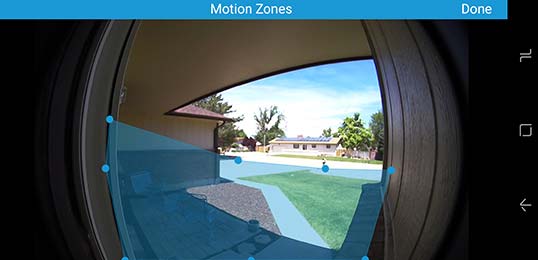
You don’t need to be at home to receive these alerts, and you can customize the zones in need of surveillance. Furthermore, alarm systems with motion sensors act as a deterrent to potential burglars, thus making them one of the best precautionary measures you can take to secure your property.

7. Lock your doors

Locking your doors seems like an obvious thing to do! But many people become complacent when it comes to latching their front door or locking up the garage when they leave.

People assume that burglars wouldn’t try to open the garage door or that breaking in through the front door is too obvious. But that’s not the case.

What locks are best for security?

Schlage or Yale are good brands to start with.

If you want the absolute best of the best, consider a solid metal magnetic lock like a Evva MCS which has anti-drill measures. Even many of the best locksmiths aren’t able to crack this one. Also consider established lock brands like:

  • Mul-T-Lock (MT5+ core)
  • Medeco
  • Assa Abloy

The bottom line? Lock your doors when you leave and when you come home.

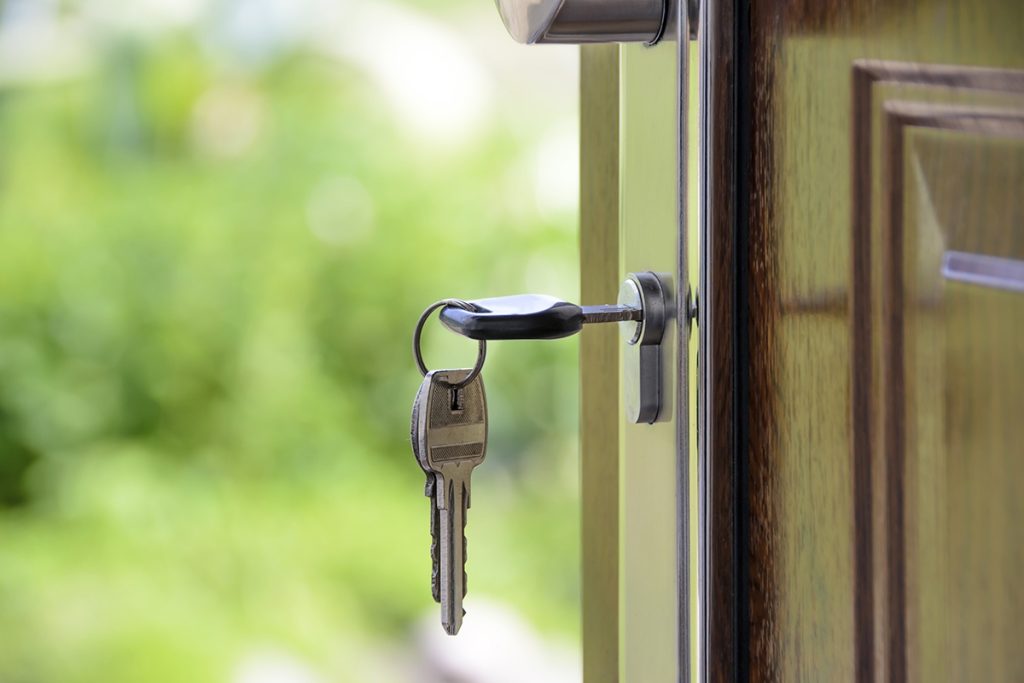
key in lock

8. Reinforce your door

Here’s what you can do to strengthen the door against physical attacks:

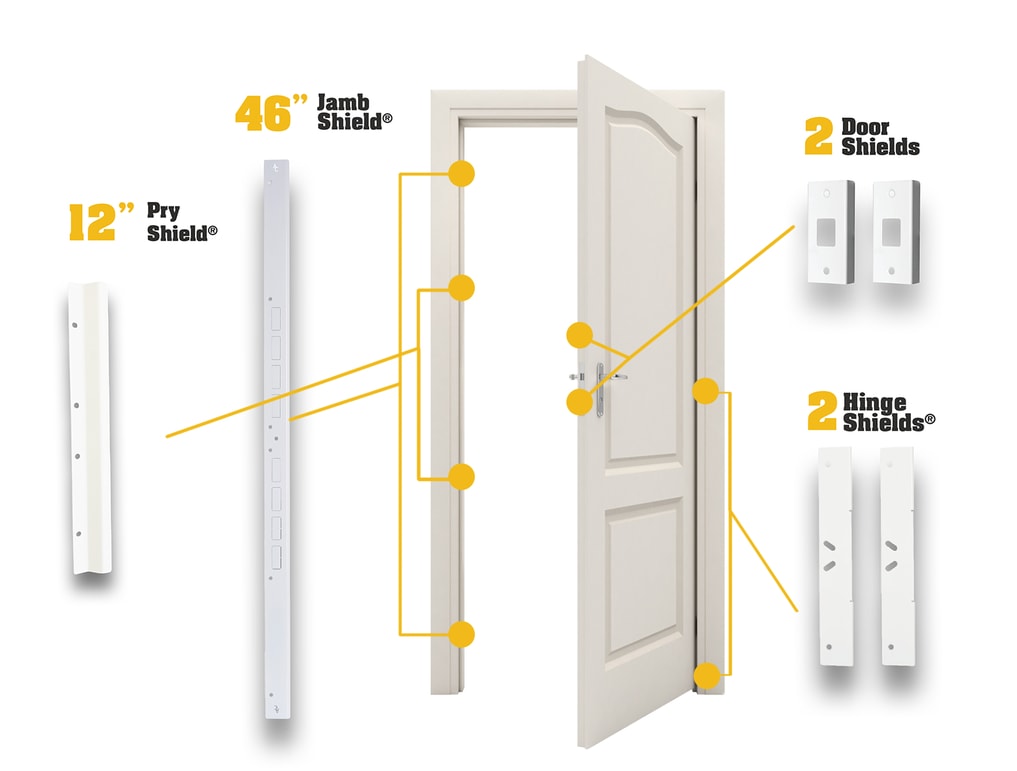
  • Get 3-inch screws for your strike plate and hinges. These will bite into the stud and help defend against kicking attacks.
  • Use a metal sleeve insert around the lock hardware of the door. Consider an extended steel strike plate that lines your entire door jamb.

By protecting the hinges, lock hardware holes, and strike plate, your door can withstand everything short of a vehicular battering ram. Products like the Door Devil offer a convenient solution.

Armored Doors

9. Meet the Neighbors

Get to know your neighbors and form relationships with them. Good neighbors look out for you and will notify you if they sense anything is amiss.

Neighbors get used to seeing the types of visitors who frequent your property and behaviors that occur around your home and the times at which they occur. They can easily spot a stranger who should not be there and alert you if they suspect something is wrong.

10. Neighborhood watch

If your neighborhood doesn’t already have one, consider forming a neighborhood watch committee. The committee would be responsible for discussing the goings-on of the area as well as creating crime awareness and discussing any suspicious activity. You can also join online forums or social media groups dedicated to your neighborhood.

11. Be prepared in bad weather and power outages

Remember, criminals strike when opportunity presents itself. They don’t take a day off during a storm or power outage. Be extra vigilant if the weather is bad and your view of your yard is obstructed by rain, snow, or fog.

If you experience power outages in your area, make sure to lock all your doors to the outside. Be wary of electronic gates that cease to function when the electricity is cut off—these can easily be pushed open without an alarm sounding.

12. Don’t say too much!

Be careful not to say too much about the security of your home or your holiday plans to strangers, especially on social media.

Also, be wary of people who ask too many questions about your daily schedule, home layout, or security equipment. Information that doesn’t seem important at the time may very well be critical to a criminal’s break-in plan.

13. Be wary of service providers

If you’re hiring someone to fix a burst pipe, install an appliance, or even mow the lawn, be wary of the areas of your house that they have access to. Criminals can easily pose as a service provider, as the position allows them unfettered access to your home, free of your suspicion.

Make sure service providers are supervised and aren’t wandering around your home freely with an opportunity to unlatch a window or disable a camera.

14. Be vigilant during the day

Statistics show that the most common time for burglaries is during the day. Contrary to popular belief, break-ins occur more commonly during the day as it’s usually the time when you’re at work and the kids are at school. Make sure to arm your alarm system when you leave home in the morning!

Securing Your Home on the Inside

15. Install burglar bars

Normally, a burglar can break through a window and enter a home in 5-10 seconds. Ground floor windows are the way burglars are most likely to gain entry to your home.

Installing burglar bars on the windows of your home is an effective method of burglar-proofing. The bars are fitted on the inside of the window frame and provide another layer of security for you and your loved ones. They’re not the most aesthetically pleasing, but they are effective at keeping intruders out of your home.

Any trespasser trying to break into your home through a window will have no luck if it is fitted with burglar bars. Additionally, you could double-up on securing your windows by fitting them with safety glass or window laminate.

16. Lock your inside doors

Of course, you know you should lock your exterior doors at night. But you may want to consider locking interior doors as well as an extra security precaution.

For example, if there is a door leading into the bedroom quarter of your house, this should be locked, too. And if you live alone and want an extra preventative measure, consider locking your bedroom door at night.

If your interior doors need extra reinforcement, try something like the Buddybar Door Jammer, a portable device that when attached to your door can withstand up to 2,560 pounds of force.

17. Home security system

An alarm system allows you to arm and disarm certain parts of your house at the same time using a keypad. You can alarm the downstairs area of your house while keeping the upstairs disarmed for your convenience. Furthermore, a home security alarm system will show you where the alarm was triggered should it go off.

Modern home security systems come with an array of smart home features that will leave you feeling confident about the security of your household. Control the doorbell, alarm, and cameras from the convenience of your smartphone so you don’t need to be at home to know who’s at the door!

If you need help choosing the right security system for your home, ask a local alarm company near you.

18. Security cameras

Placing security cameras in strategic places around your home will allow you to monitor important areas of your house. Whether it’s a separate camera setup you purchase or it integrates with your smart home security system, the idea is to have access to visual surveillance of your home, whether you’re at the office or in your bed. By using a home alarm system with cameras, you’ll be able to see whatever is tripping the alarm and confirm whether it was caused by a genuine emergency.

Security cameras give you the ability to check on areas of your home throughout the day so you can keep an eye on the kids playing in the front yard or follow up on suspicious noises at night.

19. Spare keys

It’s essential to have a spare key for your house and keep it an area that is easily accessible and secure at the same time. But rather than hiding your spare key under the doormat or under a potted plant, leave it with a neighbor or trusted friend instead.

Burglars and potential thieves know to look for a spare key around your doors, so be on the safe side and prevent it from getting into the wrong hands.

20. Cover up the glass

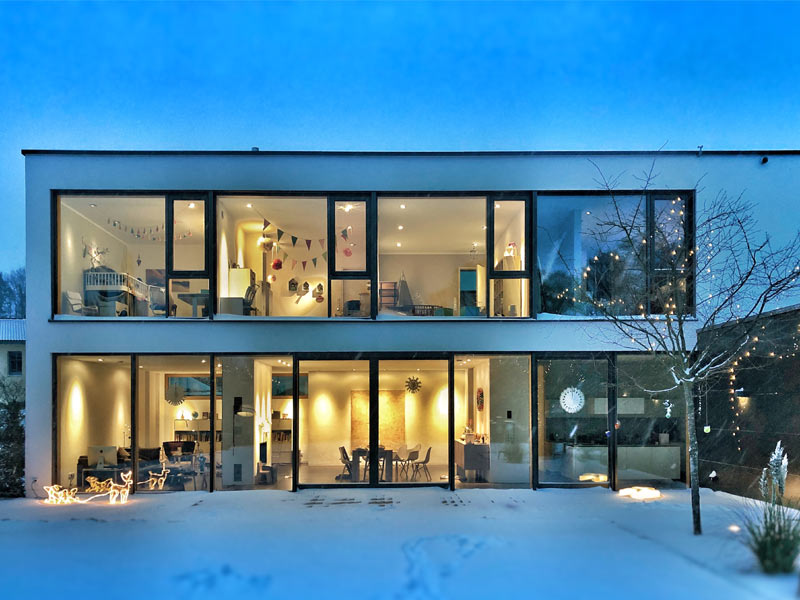
While you should be able to see the road from your house, you don’t want people to be able to see inside your home from the road. Large glass sliding doors and floor-to-ceiling bay windows are pleasing to the eye but also provide a clear view of the inside of your home. Potential burglars can easily tell whether there is anyone home, and they have a view of valuable items such as TVs and decorative pieces.

Use curtains, blinds, or privacy film on the glass to obstruct people’s view from the outside and prevent any instances of “window shopping.” What an outsider can’t see will not tempt them!

21. Alarm your windows

Remember the window over the sink—a favorite for seasoned burglars!

It’s a known fact that the bathroom window on the second story often provides easy access to the master bedroom, jewelry, and other valuables. You may want to consider motion detectors on key second-story entry points as well.

22. Install a dividing gate

Another level of security to consider is a gate that provides an extra barrier between you and any intruder who may enter your home. Many floor plans group bedrooms together at one end of the house or on the second floor. This makes it easier for you to protect that group of bedrooms with a gate. Choose a suitable space—usually, a hallway—and have a swing gate or concertina gate fitted.

Apart from the extra peace of mind you get when going to sleep, the dividing gate will also protect you and your loved ones from coming into contact with any burglar who manages to enter your home.

23. Own a fireproof safe

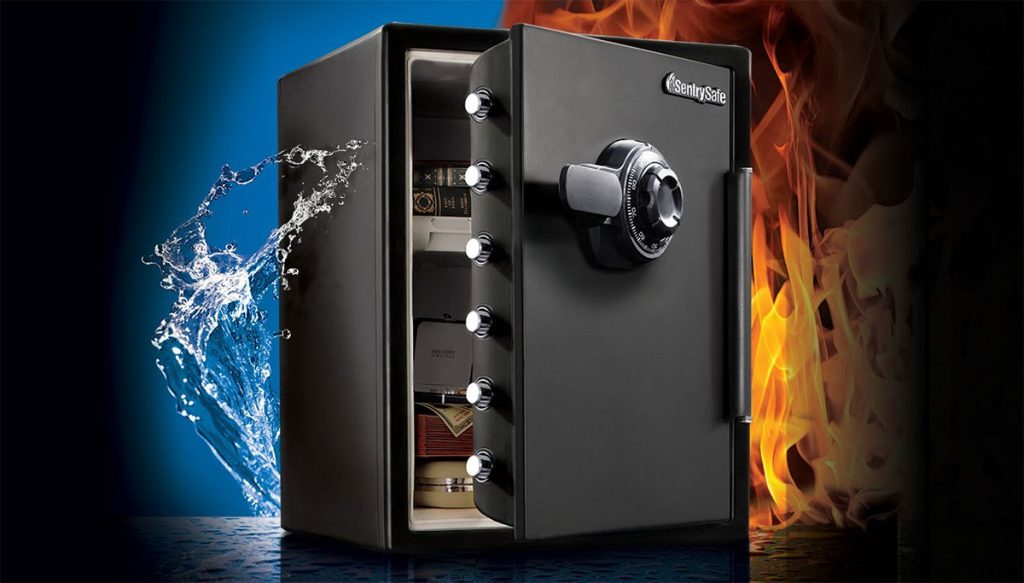
Invest in a safe to store your valuables in. Purchase a fire-proof safe that is bolted to the wall or floor so that burglars can’t simply remove the entire safe from your home.

A safe will ensure your valuables are secure and untouched. Make sure to keep the passcode secure with you, and don’t write it anywhere it can be easily found—including on your mobile phone!

Whenever you purchase an expensive item, take the receipt and put in the safe. You may need the receipt to help process an insurance claim if something is stolen.

In addition, keep serial numbers (and photos, if possible) of anything you care about. If your laptop gets stolen and you spot it in a local pawn shop, you won’t be able to get it back unless you have that serial number already on file somewhere.

Securing Your Home While You’re Away

24. Lights

Leaving the light on in one or more rooms of your house is a great way to make it seem as though there is someone at home. Potential burglars are deterred by the presence of people in the house and are not likely to target your house if it seems like someone’s home.

Smart Lighting App

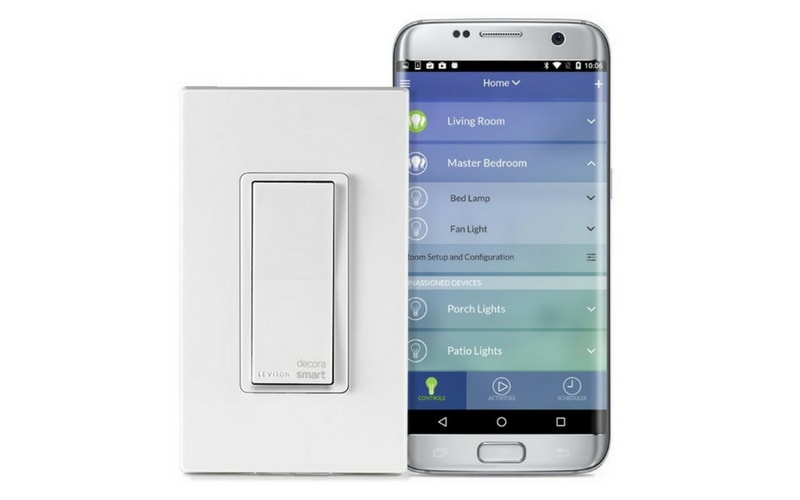
Better yet, invest in smart light bulbs that can be controlled remotely or scheduled to turn on at certain times of the day. Using smart home technology will allow you to fool potential burglars by continuing to turn lights off and on at your normal schedule even while you’re away.

25. Keep Your Neighbors Informed

Enlist the help of your neighbors the next time you plan on going away on vacation. Asking them to drop in at your house every evening or every few days will show activity in the house or give the impression that you have guests over. This will further deter any criminal from viewing your home as an easy target.

26. Newspapers

Newspapers that collect on your lawn or front porch are a sure sign that no one is home! You’re letting a potential robber know that no one has been home for a few days. If your front yard or front porch is visible from the road, make sure to ask someone (a friend or neighbor) to collect the newspaper regularly.

27. Mail

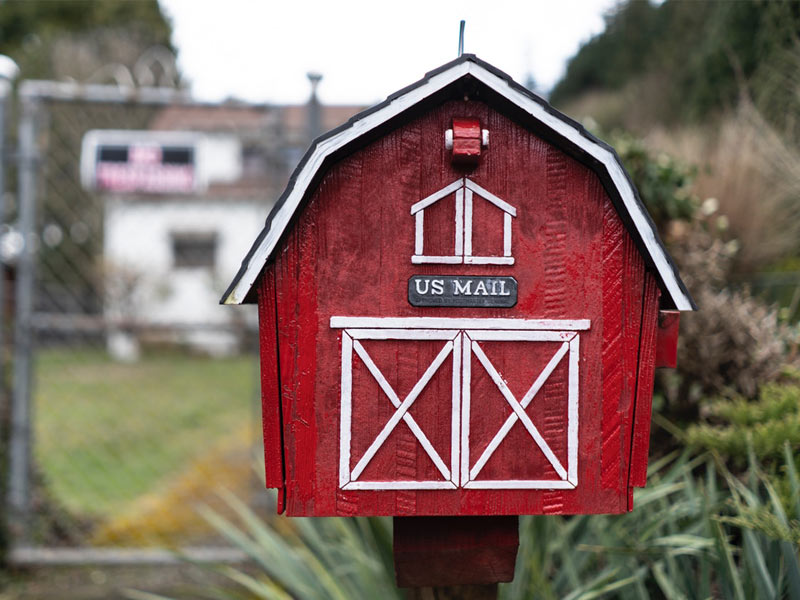
If you’ll be away from home for more than a few days, your overflowing mailbox may make it obvious to potential burglars that you’re not home. Have someone check your mailbox daily, or put a hold on your mail delivery through the postal service. Double-check that you don’t have any packages that will be delivered while you’re gone, too.

28. House sitter

Consider having a friend or family member stay over at your home if you’re going to be away for an extended period of time. This will ensure that someone is keeping an eye on your house, and the presence of someone in the house will deter burglars.

29. Video doorbell camera

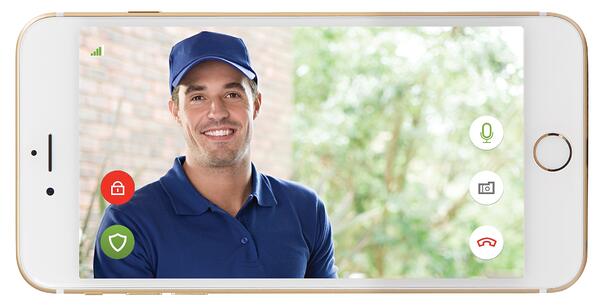
Doorbell cameras are a must-have element of a smart home security system and are very effective at providing you with up-to-date surveillance of your home. You can gain access to your security camera’s live footage at any time, from anywhere!

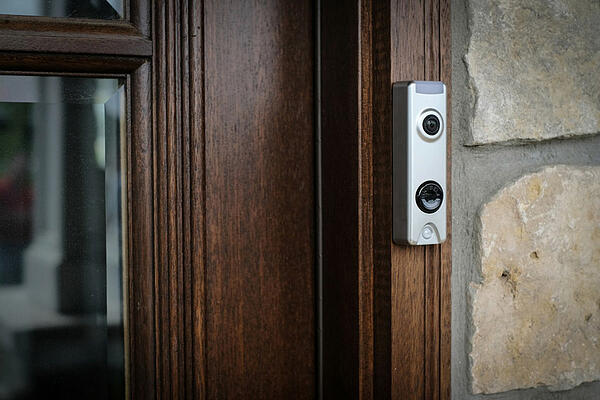
Skybell Trim Plus Video Doorbell

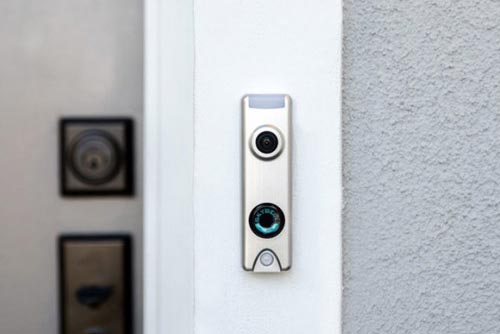
A smart home doorbell system will alert you to suspicious activity in your yard and front door so you’ll always know what’s going on at home, no matter where you are. Ask your security system company to see if they offer these devices and whether their service is right for your needs.

30. Short trips

Consider going away for shorter periods of time if possible. Shorter trips will be less obvious to potential burglars who are on the lookout for empty homes.

No matter how long you’ll be away from home, though, make sure to have someone check on your house to collect mail and newspapers, and take precautions to make it less obvious you’re away.

Resources on Burglary and Home Security

There have also been several books and articles written by US and UK researchers based on interviews with hundreds of burglars:

Preventing a Burglary Starts Today

These burglar-proofing tips will help you secure your home and keep your family and property safer. Want even more ideas on how to keep your home safe?

Check out our home security service offerings and contact Alarm New England to learn how we can help you make your home even safer.

Nest Hello vs Skybell Trim Plus

When it comes to modern home security systems, one of the most exciting new products on the market is a new security measure for your front door: video doorbell cameras.

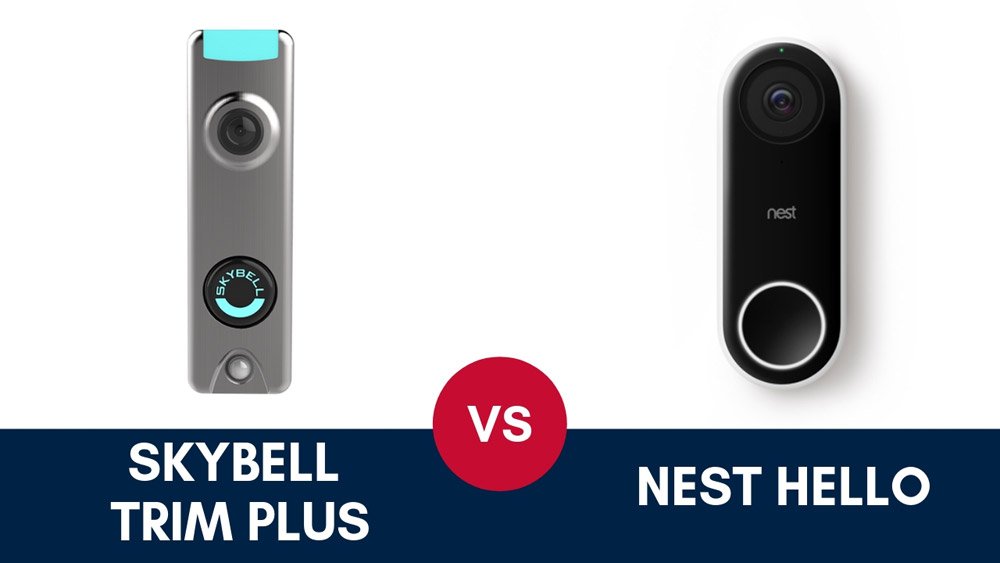
There are only a few well-reviewed options on the market at the moment, so you have likely already come across the Skybell Trim Plus and Nest Hello. To help you decide which is suitable for your home, read on for our comparison of these two leading devices.

What Is A Doorbell Camera?

These devices look just like your regular doorbell and are generally the same size as a regular doorbell and mounted in the same place. The difference is that they contain a camera that takes records and streams footage upon activation. This camera activates the moment a sensor picks up motion within a certain area.

The footage can then be opened up on your phone through an app linked to the camera, allowing you to respond to the visitor and see what is happening in front of your home from absolutely anywhere.

Doorbell cameras are designed to tie in with your home security alarm systeml so that you can control all of your devices and arm/disarm your system from a single app. To make sure that you get the right doorbell for your needs, talk to a reputable Alarm system company in your area.

What to Consider When Choosing Between the Skybell Trim Plus and the Nest Hello

Choosing the right security feature for your home involves asking yourself a number of different questions:

  • What kind of technology do you need to link your device with?
  • Do you want it to be able to film at night?
  • How many people will want access to the device?
  • How busy is your front door activity?With those questions in mind, here are some features and points of interest in the two different products.

    Skybell Trim Plus

    Arguably the best doorbell company out there, Skybell manufactures top-quality products with useful and lasting designs. These designs have patents in order to keep their products unique and unchallenged.

    Look and Feel

    One of the first things you notice about this product is how great it looks. The Skybell Trim Plus is slim, sleek, and elegant.

    Size-wise it has been designed to fit in perfectly just about anywhere. The slim body never sticks out too much and the neutral silver finish gives it a polished look that never seems out of place. Skybell put some thought into the aesthetics, and this product will easily fit right into the look and design of your home.

    Features

    Motion Sensor Activity

    One of the great features of this bell is the motion sensor function, which acts as a useful security and surveillance tool. A sensor on the doorbell detects movement and turns the camera on. This means that even if somebody doesn’t ring the button, you will still be able to see what is going on in front of your house.

    Wireless Connectivity

    This Skybell product uses your internet connection to stream video to the cloud. This feature is what allows you to access the video footage from your phone or device through the application. Connection over your broadband internet allows for easy setup and constant access to the camera.

    180-Degree View

    The camera on this doorbell is awesome. It provides a full 180-degree view of everything going on around its location. With the Skybell, you won’t just see what is directly in front of the camera, but will also be able to watch what is happening all around it.

    HD Photograph

    This camera has the added feature of being able to take a photo of each visitor. This is a useful tool for home security.

    Cloud Storage

    All footage from the camera is stored and saved in a cloud server. No footage is stored on the actual device, so it can’t be deleted without authorization even in the unlikely event someone would attempt to steal the doorbell.

    Cost-Effective

    There are no subscriptions or extra fees necessary for this product, as cloud storage is included in the price.

    Integrations

    Use Amazon Echo and Alexa to control your smart doorbell camera and to integrate the doorbell into the established security features of your home.

    Nest Hello

    Another great name in doorbells, Nest has a top-quality product on offer with their Hello Doorbell. This model is striking with its pill-shaped shell. It is durable, easy to install, and has a good reputation. If you are looking for a video doorbell that stands out, then the Nest Hello is for you.

    Look and Feel

    The doorbell itself is small and elegant with a more futuristic look that appeals to a tech-oriented demographic. That being said, this model is also simple and slim enough to not stick out too much.

    Overall, the Nest Hello works well with all housing designs.

    Features

    160-degree field of view

    The 160 degree 4:3 HD diagonal view on this camera means that you get the full appearance of someone standing at your door, from head to toe.

    Face recognition

    If you sign-up for the Nest Aware subscription, then you will get familiar face recognition on this device. What this means is that it recognizes whether there is a person, animal, or otherwise at your door. Then on top of that, it knows whether the person is a stranger or someone you are familiar with, and the doorbell will alert you to this.

    Audio

    With this device, you can interact with visitors at your door, either in real time as a two-way conversation or via the additional pre-recorded response. This is helpful if you know you are not able to answer the bell for a period of time.

    Integrations

    Use Google Home Hub and Assistant to control the view of your smart home and Nest Hello doorbell camera device.

    Skybell Trim Plus and Nest Hello Compared

    Ease of Use

    When it comes to comparing these two different doorbell cameras, both the Skybell and the Nest Hello really shine in the usability category.

    Both are compatible with your smartphone, which means that you can easily connect to your video doorbell through whatever phone you may be using.

    When it comes to communicating with the person at the door, both offer two-way audio, which means you can speak to your visitors. The Nest Hello has the added advantage of being able to play pre-recorded responses—something which adds a bit of simplicity into your life.

    In terms of installation, both are very easy too as neither really requires any professional installation or set up. In general, they are easy to use products.

    Video Quality

    If you are buying a doorbell camera, good video quality is one of your top priorities. The Skybell boasts a highly impressive camera, which can capture HD photographs, has the capability of a 5x zoom, and can be enjoyed with a full 180-degree view.

    The Nest Hello also has a super high-quality camera which captures everything around your entrance. Capturing a 1600 by 1200 resolution image at 15 frames per second, this is a seriously impressive camera for a doorbell.

    Monthly Fees

    A massive bonus of using SkyBell technology is the lack of subscription fees. Once you have paid the retail price, everything you need becomes available to you. Typically whenever you buy a home alarm system with cameras, usually you have to pay a separate fee for cloud storage or set up your local storage solution.

    SkyBell allows all users, both free and paid, to access a cloud-based portal where all video footage can be saved.

    The Nest Hello does require additional subscription fees if you want to save any videos. As the Nest Hello is already an expensive device, having subscription-based add-ons seems to suggest that this device is aimed at those for whom cost is less important than the number of features.

    Installation

    While the Skybell can be set up at home without the help of a professional installer, the Nest Hello is slightly more complex. It’s a wired doorbell and requires a chime and a transformer to work.

    (Source: Nest Community)

    With this in mind, it is often better to get a professional installer to put it in for you, which means you will be liable for installation fees and this could add on another $200 or so to the overall cost.

    Weather Resistance

    This is an important feature to take into consideration when looking for a doorbell. Both the Skybell and the Nest have great durability in bad weather.

    If you purchase the right protective silicone cover, the Nest Hello holds up well against water, UV rays, insects and general bad weather.

    However, the Skybell is also a tough and durable piece of equipment. It is important to note that this product can even be used in temperatures of -40 degrees Fahrenheit.

    Night Vision

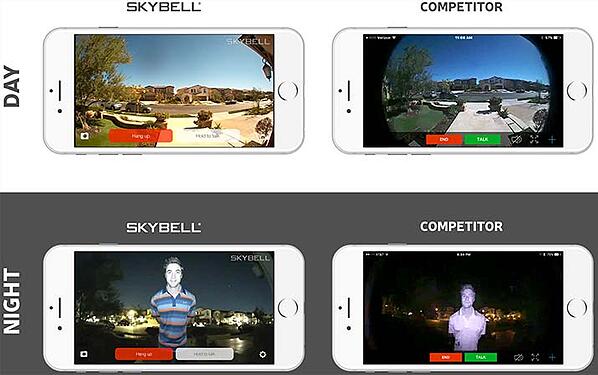
    Night time is often when the security of your home is at its most vulnerable. Consequently, night vision is practically a must for your security system. Luckily, both of these doorbell cameras offer night vision and the Skybell goes one step further by offering full-color night vision.

    Design

    Neither camera suffers much in the looks department. Both of them blend into different home designs and color schemes with ease.

    A limited number of customization options are available. While you can try out various colored protective covers on the Nest, the Skybell comes in two different color finishes.

    Furthermore, they are both are easily recognizable as being a video recording doorbell. While some may prefer to be discreet and choose a device that is hard to spot, the fact that these two are noticeable actually works as a security advantage. That being said, the Skybell is taller and slimmer than the Nest camera.

    Some Nest users have reported problems of the mold of the doorbell not fitting very well.

    Silent Mode

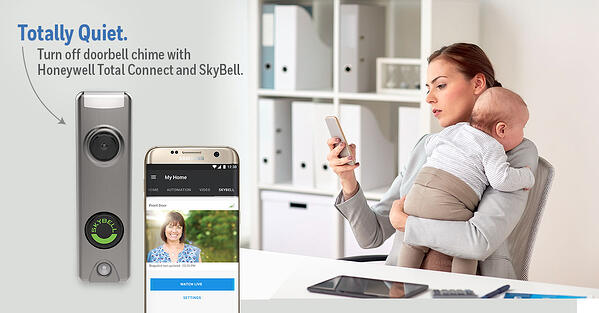
    Both of these products offer a silent mode, where you can turn the doorbell off while the camera continues rolling. This feature is great for when you aren’t expecting visitors and do not want to be disturbed.

    Do I Need a Doorbell Camera?

    When it comes to the safety and security of your home, you really shouldn’t be taking any risks. Having an active doorbell camera positioned at your entrance can be a very useful add-on to a top-rated home security system

    Firstly, a doorbell camera allows you to see who is ringing your bell. This way you know who to let in, who passes by your home, and exactly what the person at your door is doing. If you are not at home, you are still able to monitor what is going on through the phone linking technology.

    Besides answering your doorbell, a camera is always a good idea for general surveillance purposes. Being able to access a bank of saved surveillance videos can help you a great deal in terms of safety and monitoring your security.

    Final Thoughts

    Both the Skybell Trim Plus and the Nest Hello are well-designed products. When the devices are compared, they fare up very well. Here are some of our favorite features that both doorbells share:

      • A high-quality camera
      • Easy to install and use
      • Durable and tough designs
      • They both look great&lt
      • They both offer functional security solutions

    Although both products are very worthwhile, we think that the Skybell’s lack of extra subscription fees, slim design, fast response, and HD options give it a decisive advantage. Contact a reputable alarm company in your area to see what kind of doorbells they have on offer.

X

GET FREE QUOTE

What are you protecting?*

Step 1 of 4

Is your property currently monitored?*

Step 2 of 4

What size is your property?

Step 3 of 4

Who is this personalized quote for?*

By clicking this button, you consent for Alarm New England to use automated technology to contact you at the number provided. This consent is not required to make a purchase from us.

Step 4 of 4