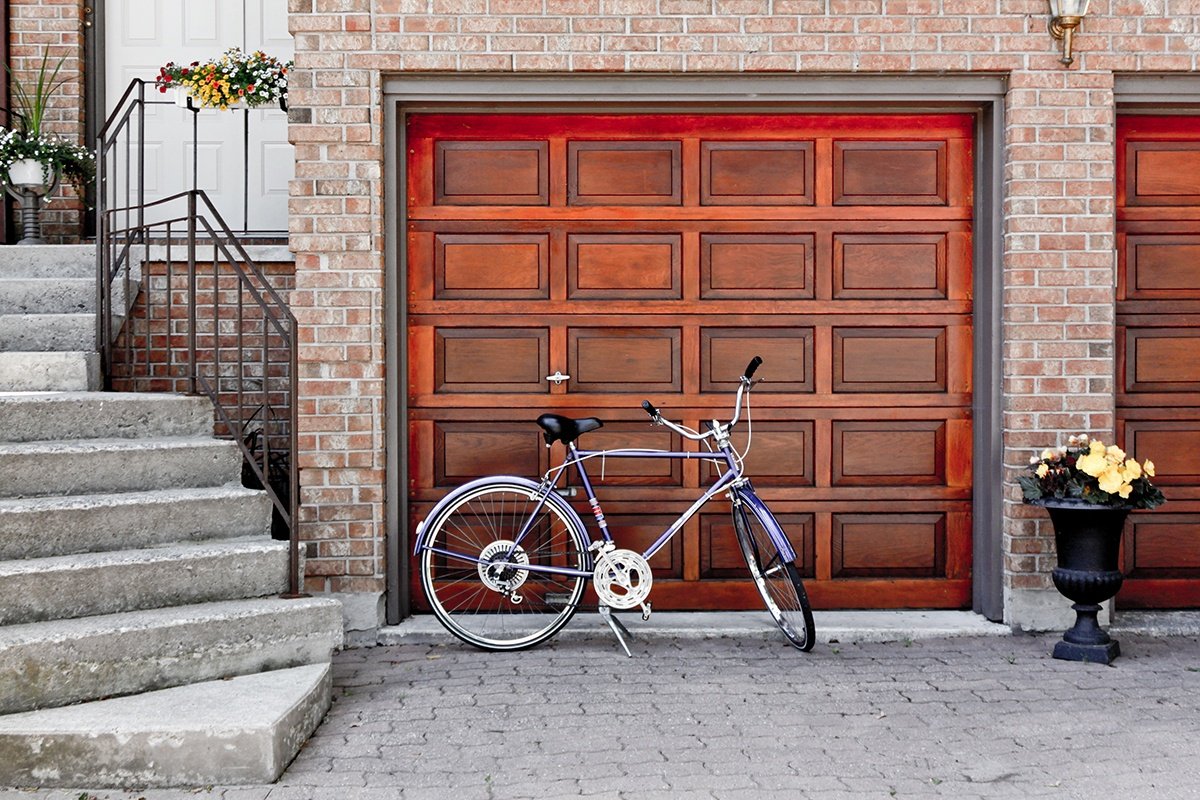
Your garage is an important part of your house and often a storage place for valuables like tools, bicycles, and of course, our cars.
Add in the fact that many of us purposely or accidentally leave the door from the garage to the house unlocked, and it’s easy to see why securing your garage is one of the most important steps in securing your entire home.
10 Tips For a More Secure Garage:
The best thing you can do to improve your safety by simply remembering to never leave your garage door open. It’s easy to forget to close it behind you, or to leave it open when you’re casually working outside or going in and out of the house. If you habitually forget to close the garage door, consider installing a timer that will close the door automatically after a set amount of time, even if you drive away or go to bed and forget to manually close it. Many modern home security systems are compatible with garage door openers that you can activate to control your garage door when you’re not nearby.
Another easy way to prevent break-ins is to never keep the garage door remote inside your car, whether you’re at home or when you’re away. There are tons of ways to secure a home, but with vehicles there aren’t many affordable options. A stolen garage door remote is a simple way for someone to access your home.
Purchase a keyfob remote from your alarm companythat’s convenient and easy to keep with you, just like your other important key.
Keep a radio on at low volume in the garage, especially when not home. This may seem like an old trick, but many burglaries are crimes of opportunity that rely on simple indicators that a house is empty and vulnerable.
A burglar will often move on if they even suspect someone might be home or doing something in the garage. Keeping a small radio on low gives the illusion of activity and might just be enough to make a potential burglar move on. Check out our detailed resource on simple home security tips that can keep your property safe.
Does your garage door have windows? If so, covering them with a frosted film or curtains is an easy way to prevent burglars from seeing inside and can reduce the likelihood of a break-in. Take the necessary steps to keep these windows secure. Overall, the less visibility a potential burglar has into your home, the better.
Secure the emergency garage door release. It’s as cheap and easy as a couple of zip ties and a quick internet search for a how-to lesson.Most garage doors have an emergency release located on the inside of the door which, though useful in an emergency, also create a vulnerability by allowing burglars to activate the release with a wire from outside the door, much like breaking into a car door. After securing this emergency release with zip ties, it can no longer be opened from outside, but will still function from the inside as the zip ties can be easily broken.
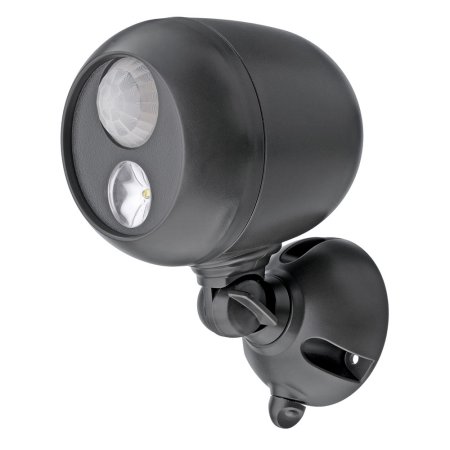
Install motion-detecting lights. Lighting that turns on when someone approaches your driveway and garage door is convenient for you and provides an added layer of safety in case someone is prowling around. Motion-activated lighting can deter potential burglars and alert you that someone is nearby.
Don’t use an exterior keypad, if possible. Many garage doors feature a security keypad on the outside of the house that can be used to open the garage door with a code. If you have one, do you know how secure it is? Can someone easily guess the entry code? What if it’s destroyed or the batteries are removed?
As with keeping a remote in your car, it’s safest to avoid the exterior keypad and just keep a garage door remote in your bag or on your keys.
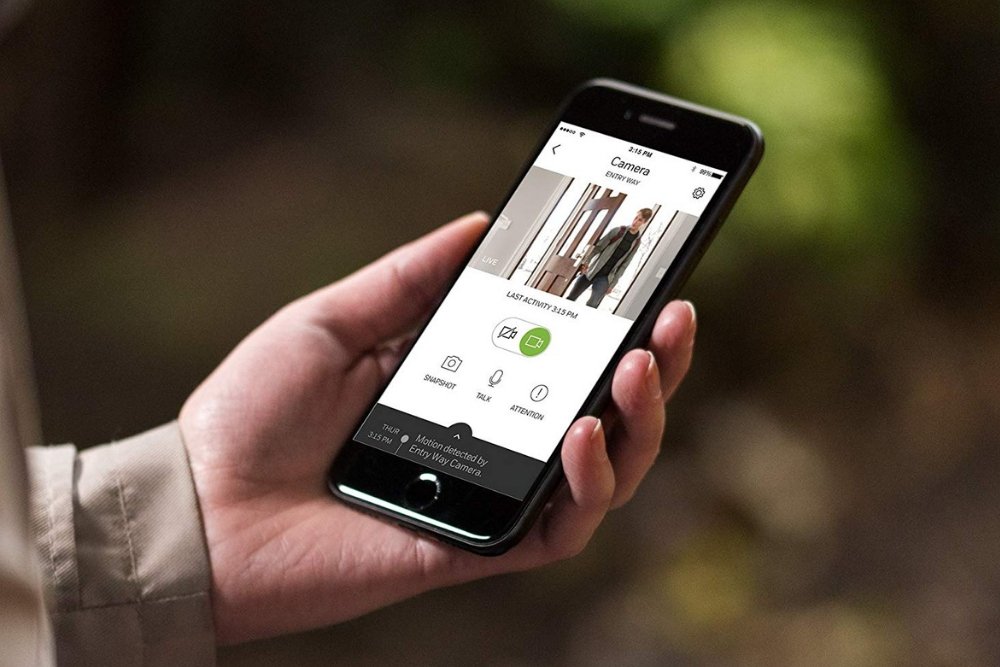
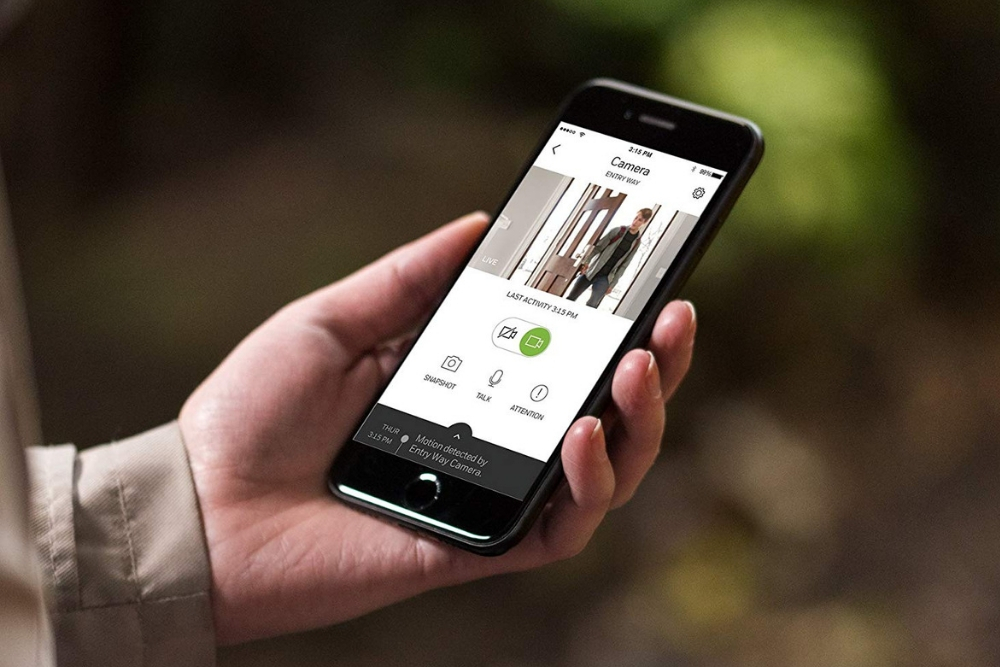
Install a peephole or camera with adequate lighting to grant you vision into the garage. In the event that you hear noise in your garage, having a peephole or a camera gives you the ability to see what’s going on and make informed decisions about taking further action.Remember that if the garage is dark, you won’t be able to see much, so this is where motion-sensing lights also play a role. Being able to see your garage clearly at a glance gives you added time and information in case of a break-in.
To protect the rest of your home in the event that someone does access your garage, treat the door from the garage to the house like any other exterior door. Lock it behind you, and make sure it’s connected to your home alarm system.
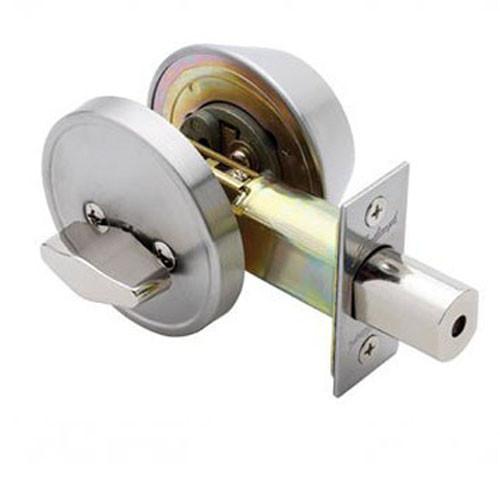
Install a secure keyless deadbolt and don’t make a habit of leaving this door open or unlocked. This will also help better insulate your home in the colder months.
Secure your interior door against break-ins. If the door opens inward toward your house, consider installing a security device likeDoor DevilorArmor Concept’s Door Armorthat will prevent a door from being kicked in. Just like keeping this door locked, this will ensure that the garage is your home’s first line of defense, but not the last.
If you’ve moved into a house that already has a wired home security system, you may be wondering if it can meet your security and home automation needs.
Wired home security systems were the first security systems to be installed into homes, whereas wireless systems are a relatively recent invention.
While some of the older home security systems may need an upgrade to make them compatible with your home automation components or to improve on its security monitoring capabilities, the reality is that purchasing or renting a home with a pre-existing security system can help you in a number of ways.
The Benefits of a Wired Home Security System
No hardware costs and installation fees
One of the major benefits of stepping into a home with an existing home security system installed is that you do not need to buy the system and then pay someone to install it.
When it comes to wired home security systems, the installation fees can be high due to the amount of labor and time needed to perform the installation.
The process involves drilling into walls, laying wires in the walls and ceilings, and then once all that is done, filling in all of the unsightly holes that were created in throughout this process.
High reliability
Because wired home security systems are connected directly via a network of cables, their ability to communicate with each other and the control panel is hardly ever interrupted.
This makes wired systems effective for larger residential or commercial buildings where signals need to travel longer distances to reach the alarm panel.
Tips on Using Your Existing Wired Home Security System to Your Advantage
To determine whether the wired security system installed in your home is going to be compatible with your home automation, alarm monitoring, and security needs, start by getting a representative from the company who did the installation to make an assessment of the system.
To find out who did the installation, check the contact label on the control panel or alternatively contact the manufacturer of the system components.
Once the representative has assessed your system and given you their recommendations about the system, you will be able to make an educated decision about which aspects of it needs upgrading or will serve your needs.
Adding new components to your wired home security system
Many wired and wireless home security systems have parts that are cross-compatible and work together via a device called a wired-to-wireless converter.
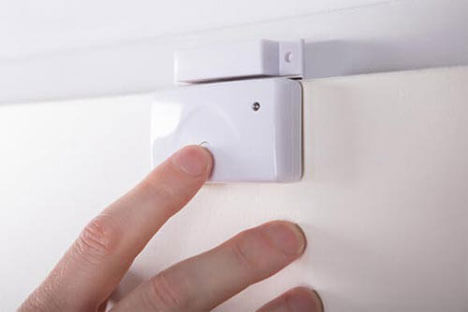
You can take your existing wired home security system and add new components such as cameras, motion detectors, as well as door and window sensors to the areas in your home that are not protected, or areas where security can be improved.
As long as your wired system is not too old, then you should also be able to integrate keyless deadbolts, video doorbells, light timers etc. into the system, even if you have to make some minor hardware upgrades to achieve it.
With the correct control panel installed, you can download an app onto your smartphone that connects with the control panel. Once you’ve done this, you can control your entire home security and home automation from a central point.
Wired vs. Wireless Home Security – Typical Concerns
The convenience of being to control everything from a single point and the ability to monitor your system from anywhere are why people choose a wireless security system.
Are the wires themselves a weakness of wired security system?
A common misconception about wired home security systems is that cutting through the system’s wiring will disable the alarm and prevent it from triggering, allowing someone to break into your house undetected.
Cutting wires will not disable your alarm. However, cutting communication wires such as your telephone line that connects to an alarm monitoring service will prevent your control panel from contacting the monitoring service. However, this also applies to wireless systems that use a landline to connect to the monitoring service.
Connecting your control panel to a monitoring service using cellular technology is a good way to protect your system from potentially being disabled from damage to your landline. In fact, it is becoming more and more common for people to use a cellular connection for their home security system as more and more people abandon their use of landlines.
What happens when the power goes out?
While wired systems rely on electricity for their power, backup batteries offer some protection in the event of a power outage. While the backup battery will not last indefinitely, it will provide some protection until the power is restored.
Wireless systems solely reliant on battery power are also prone to failure if the batteries run out. Because of this, batteries need to be checked and replaced periodically.
If you’ve moved into a home that has an existing wired system in place, it may be worth having it assessed to see if it can provide you with some protection.
In many situations, all it takes is updating certain elements of an existing security system to keep your home and family safe without having to invest in a completely new system.
Did you know that homeowner’s insurance does not cover flooding? Flooding is a leading cause of damage to homes and it is not covered by traditional homeowner’s insurance.
If you want or need flood coverage, you need to pay for it separately. If your home is in a flood plain, you probably already know this because most mortgage lenders require flood insurance to be purchased on homes that lie within floodplains.
Besides carrying homeowner’s insurance to protect your wallet from flood damages, there are several things that you can do to help protect your home from flooding.
Preparation
As we mentioned above, if your home is located in a floodplain, you should already know that and have purchased flood insurance coverage as mandated by your lender. If you are not in a floodplain, you are not required to carry this additional coverage.
Regardless of whether you have flood insurance or not, there are several things that you can do to help minimize the risk of flooding and the ensuing damage.
One of the first things that you should consider doing, especially if you live in a high-risk flood area, is to put together an emergency kit that is ready to grab and go in the event of a flood. Additionally, you will want to have an evacuation plan for you and your family.
Your emergency kit should include:
Extra clothing for you and your family
Insurance policy numbers as well as contact information for your adjuster
Toiletries
Enough cash to get you through a few days
You will also want to have an evacuation plan mapped out in the case of emergency. Plan on where you will go, who you will stay with, etc.
Flood Proofing your Home
Besides being prepared in the event of an evacuation, there are several things you can do to physically protect your home from flooding.
Seal up any cracks in your foundation. You can purchase some very affordable mortar or masonry caulk which can be used to fill in any gaps in the foundation completely. However, if water seeping into your home is a continuous problem, you may want to look for a more permanent fix.
Apply coatings and sealants. You can apply a sealant to your walls, windows, doorways and foundation that will help keep water from penetrating your home. These sealants can be purchased at most home retailers or hardware stores.
Buy a battery-powered sump pump. Sump pumps are a great way to prevent flooding in your home. They work by pumping the water out to the outside and most run on electricity. This is a great solution until there is a power outage, therefore, it is best to buy one that runs on battery power (and be sure to keep it charged up!)
Relocate your expensive or sentimental items to higher ground. If you have a multiple story home and flood waters are coming, moving your valuables to the second of third floor will help to protect them if damaging flood waters are able to breach your first floor.
Install a flood sensor. Most home security systems offer flood sensors as add-on equipment. These devices detect small leaks before they can cause significant damage, saving you potentially thousands of dollars.
Have sewer or septic line check valves installed. These allow waste to be able to flow only one way which protects against sewage flooding your home. You can have a professional install these or go the DIY route.
Keep your electrical outlets and switches raised. All electrical equipment should be at least one foot above flood level to help reduce the risk of electrical damage.
Have your lawn graded away from your home. If your lawn is tilted towards your house, this allows rain water to pool there and have a better chance of seeping in. If you are unsure of how to grade your lawn, hire a professional.
In addition to these tips, you should also make sure that appliances in your home are raised above the flood level as well. Water heaters, washing machines, air conditioners, etc. should all be raised above flood level, especially if they are in your basement. This can be as simple as putting your appliances up on cinder blocks to keep them off ground level.
How to Minimize Damage from Flooding
Sometimes, no matter how prepared your home is, flooding is imminent. Luckily, there are some things that you can do to help minimize the damage.
Be sure that your gutters and drains are clear to allow water to run freely through them
Utilize sand bags to block any gaps that could lead to flooding
If flood water rises enough where it is close to reaching your electric panel, shut it off to prevent electrical damage
Open up windows and door (if it is not raining) to allow air to circulate through your home and dry things out
Make sure your sump pump is turned on and in good running condition
Take photos and videos of any flooding in your home to show to your insurance adjuster, assuming you have flood insurance coverage.
When More Serious Measures are Needed
If your home is flooding frequently and you are finding yourself having to constantly pay for maintenance, consider investing in home renovations to fix the root of the problem.
A professional contractor should be able to come to your home and assess your home’s issues and determine the best ways to protect it from flooding. As long as you are prepared, you can take care of flooding issues before they get out of hand.
In this day and age, technology provides powerful protection for an affordable price. If you are serious about keeping your home safe, a fence, locks, and cameras aren’t going to cut it. To truly protect your property, invest in a security system.
Security systems perform a whole host of critical functions, including:
Protecting against theft
Protecting against property damage or vandalism
Monitoring the traffic in and around your home
Guarding against intruders
Calling for help in medical emergencies
Deterring criminals from breaking in
Keeping track of pets and young children
Two basic types of home security systems are on the market today: wireless and wired security systems.
Wired security systems use existing electric and telephone lines to connect each piece of the security system, making moving equipment and adding on additional elements a complex process.
Wireless security systems are the next generation of security equipment: They offer comprehensive protection, lower installation costs, and easy upgrades.
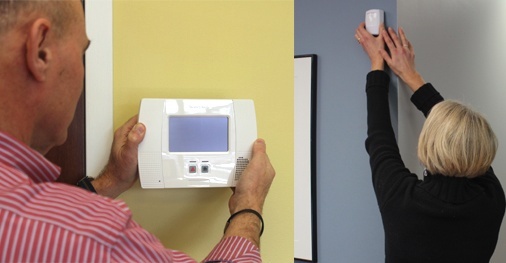
Essentially, a wireless security system is comprised of alarms, sensors, cameras, and various detectors all connected to a main control panel via radio signals.
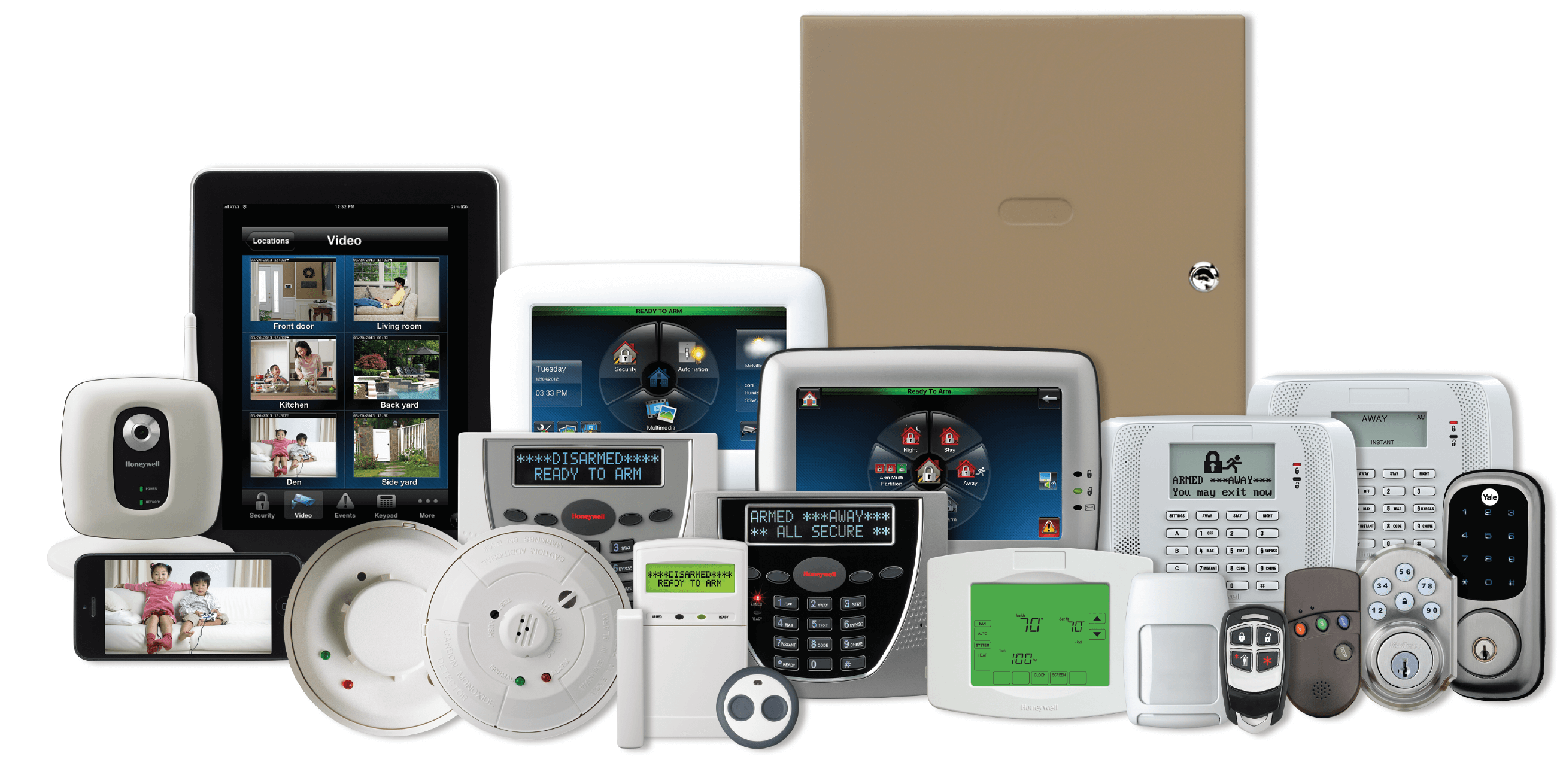
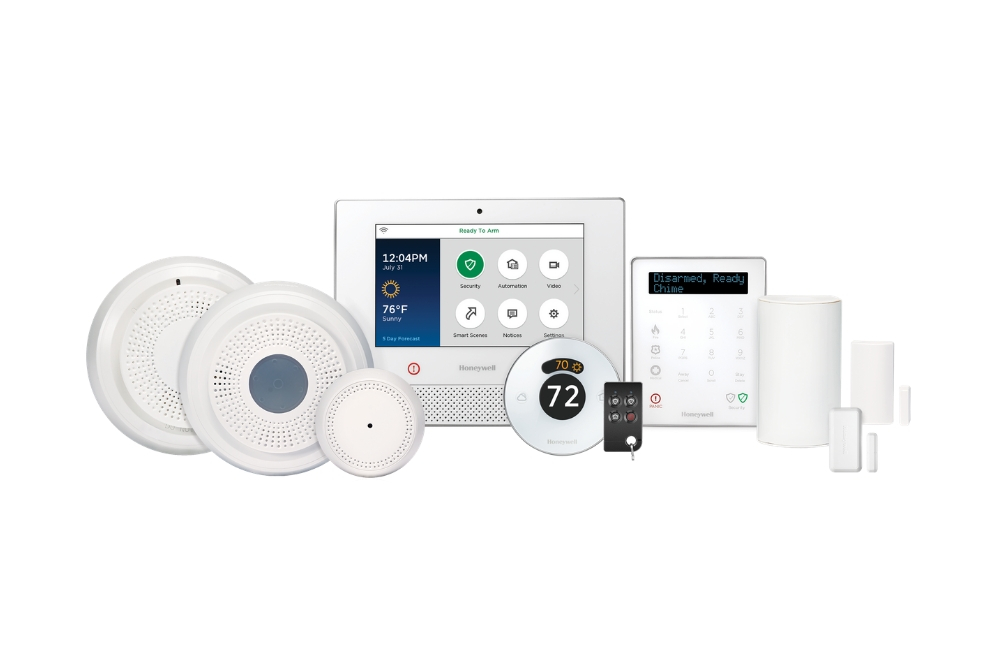
The Honeywell Lyric System, a professional-grade wireless home security solution.
With the variety of security systems on the market, it can be a bit complicated to understand the differences between types of sensors and equipment, and it’s tough knowing whether to purchase a wireless or wired home security system.
To add to the confusion, many people have preconceived notions of which security methods are best based on anecdotal evidence or outdated information.
That’s why our focus is centered around the latest research and decades of security expertise.
In this guide on the difference between wired and wireless security systems, you’ll learn:
Essential features for your wireless security system
How Do Wireless Security Systems Work?
Wireless systems, including sensors, cameras, and alarms, work using radio frequency technology instead of wires.
There are countless models of wireless security systems, all of which work similarly with minor variations. When a wireless device picks up anomalous activity, it tells the alarm that something isn’t right, triggers the 85 dB siren, and the alarm monitoring service calls the police on your behalf.
Pros of Wireless Home Security Systems
While people often assume wireless security is less safe than to wired systems, industry veterans know that this is far from the truth.
Wireless home security systems offer several advantages over hardwired security systems.
Quick installation
Wireless systems can be installed within minutes. You don’t even have to be tech-savvy to do it. Because you don’t need to drill holes or tackle tricky wiring, self-installation is common and eliminates installation fees, saving you time and money.
Because everything is simply stuck onto the wall and not hardwired, removing cameras, detectors, and other components of a wireless security system and putting them up in a new location takes minutes, not days. If you rent and move frequently, wireless systems are the way to go.
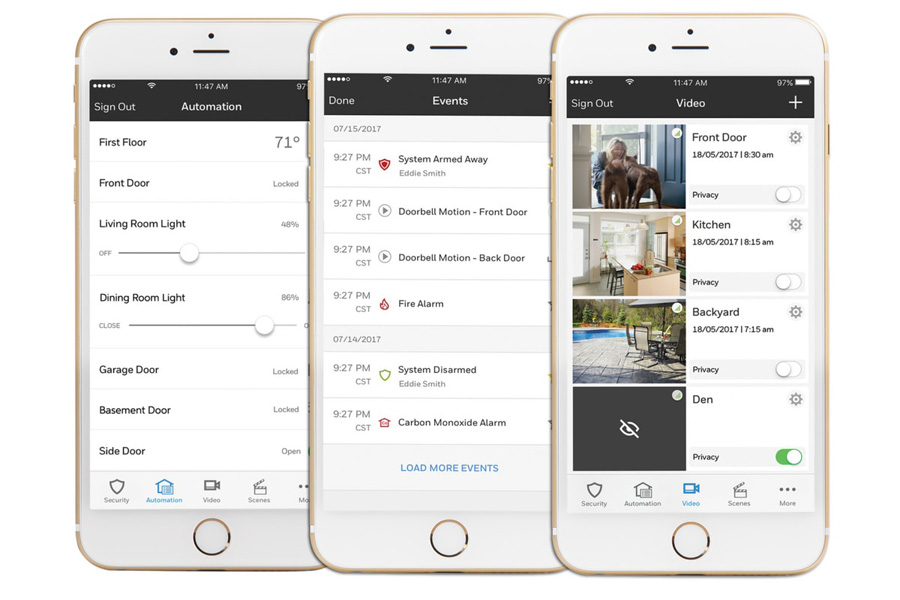
Remote smartphone access
Wireless systems can be monitored on the go with a smartphone, tablet, or computer. Your key fob offers another way to arm and disarm the system if you’d rather not use a smartphone app.
Battery Backup
Although wireless systems work with electricity, most models can switch to a backup battery if the power goes out. If there’s a power outage in your neighborhood, wired systems will lose power along with the rest of your house unless you have a backup generator.
If you have a wireless security system with a backup battery, you stay protected during a power loss event.
Cons of Wireless Home Security Systems
Cheap wireless systems can be hacked: Low-quality, outdated wireless systems do carry a risk that hackers can jam detector signals. You might remember the news surrounding SimpliSafe back in 2015 after a SimpliSafe customer figured out that their security system was vulnerable and publicized the fact via YouTube. However, you can avoid hacking if your system has strong data encryption.
Some wireless systems are vulnerable to structural or electromagnetic interference. Radio frequencies go around solid objects; they cannot go through them. So placing sensors in the correct locations is key if you want them to work correctly. Your alarm company should inform you exactly where each part should be installed so there is no confusion.
Another consideration with wireless home security systems is the limited range of sensors. Most radio frequencies are weak outside a range of 500 feet. This means that you have to structure your wireless system with this in mind, especially if your property is larger than 4,500 square feet.
For properties larger than 4,500 square feet, wireless sensors start becoming less reliable, so we highly recommend using a wired security system instead.
Types of Wireless Security Systems
Wireless security systems come in many shapes and forms. The main difference between them is the equipment. The simplest wireless home security systems have Wi-Fi alarm monitoring, sensors, and a control panel with a siren.
Devices that monitor potential household dangers, such as fires and carbon monoxide leaks, can be incorporated into a wireless alarm system.
Advanced wireless systems, on the other hand, offer users a wide range of possibilities. Features like remote smartphone access, text and email notifications, and web access give you more control to monitor and adjust the system from anywhere. This is why advanced systems that leverage the latest technology have become so popular.
Top-tier systems offer additional valuable security features such as doorbell cameras, smart lighting, and keyless deadbolts. At this level, you can employ some of the most powerful hardware available to the consumer market to keep your home secure and simplify your life.
Another differentiating factor of wireless systems is the way the system communicates with third parties in an emergency. Wireless systems fall into two key categories: monitored and self-monitored systems.
Monitored systems
Monitored systems are overseen by an alarm monitoring company and enable security personnel to immediately contact the authorities in case of an emergency.
Monitored systems give you added peace of mind because trained emergency professionals are watching over your home around the clock.
Self-monitored systems
Self-monitored security systems are generally cheaper and have lower monthly costs, if any. The only drawback is that the job of calling local authorities falls to you in an emergency.
Self-monitored systems make use of loud alarms and bright lights to warn you of an intruder or breach. You can also receive alerts on your smartphone if your device is connected to your security system.
How Much Do Wireless Security Systems Cost?
Three factors will determine the cost of a wireless home security system:
Installation
Equipment
Monthly monitoring
An average home security system can cost between $300 to $1,500, depending on the capabilities and features of the system. Monthly fees associated with 24/7 alarm monitoring wireless systems range from $0 to $75.
If you want to save money and have basic home improvement skills, we encourage you to try a self-installation process for your wireless security system.
If that sounds overwhelming, get a professional alarm technician to install your system. They will also make sure that you know how to operate it properly and that everything functions as it should.
Professional installation ranges from $350 to $1,200 depending on how comprehensive you’d like your system to be. Many companies offer package deals that include installation with a primary wireless system if you also sign up for their monitoring services.
Features to Look for When Purchasing a Wireless Security System
The main reason you want a wireless security system is to make sure that your home is fully secured at all times. To ensure this, there are a few key questions you should ask when deciding which wireless security system is right for you:
What happens in a power outage?
The primary power source for most wireless security systems is electricity from the wiring within your home. However, you should make sure that your wireless home security system has a fail-safe in the event of unforeseen circumstances.
A good wireless system should have an alternative source of power, such as solar energy or batteries, in the event of a power outage, especially in an area like New England where snowstorms and falling trees are a common occurrence.
What is the range of its detectors?
Wireless systems use radio frequencies that are only effective up to a certain radius. If you have a large home, you will need a system that has a long reception range and can handle a more substantial amount of information and signals. Remember: A home larger than 4,500 square feet is generally better off using a wired system.
Some wireless home systems are only for detecting burglars and trigger a siren to scare off the intruders. Others notify security companies of a break-in or emergency.
Does it integrate with your smart home technology?
Today, most homes make use of smart devices that can be controlled via smartphone. If you already own smart home technology, it is essential to know if your wireless security system can be incorporated into it so that you can control every device from as few apps as possible.
Integrating your wireless security system with your smart home takes your system beyond basic security and makes your home smarter and more efficient.
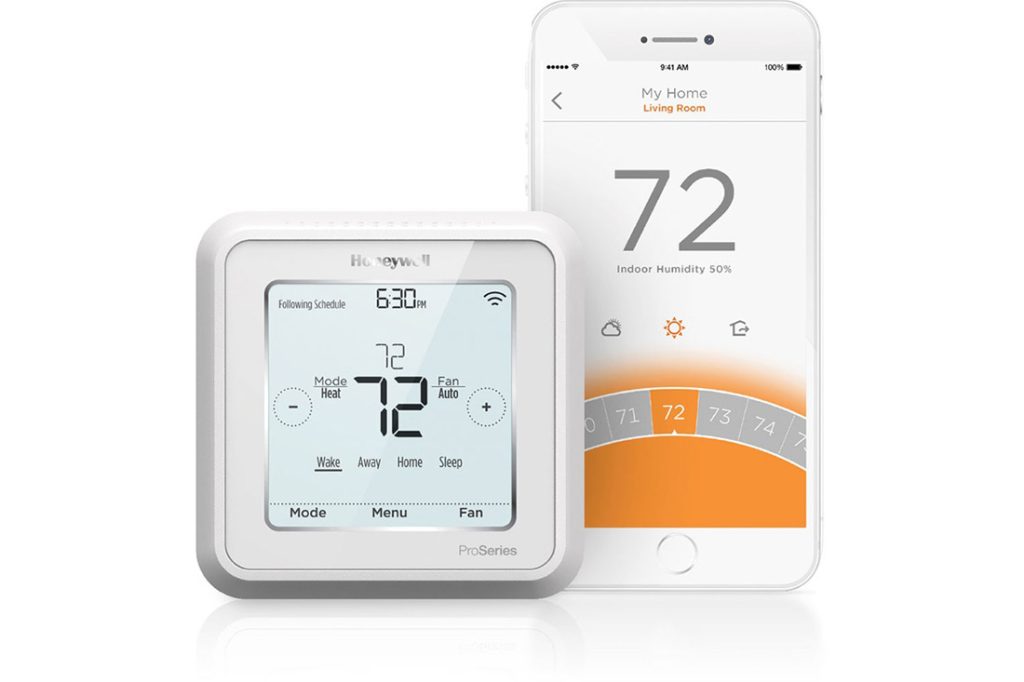
Smart home features for wireless security include HD video viewing via wireless security cameras, energy use tracking with programmable thermostats, and other kinds of residential access control like smart locks.
Having all of this functionality at your fingertips makes you realize how much easier life can be when there are fewer things to worry about.
Ask these questions when determining the right wireless security system for you. To find out if our local, family-owned company might be a right fit to install your home security system, contact us today at 617-221-8524 for a free quote.
You can keep your power strips from catching fire by following safety best practices like knowing the limits of wattage, avoiding power-hungry devices or “daisy-chaining,” and using a surge protector.
In today’s tech-centric world, we can never have enough plugs for our dozens of juice-hungry devices. Multiple power strips are pretty much essential.
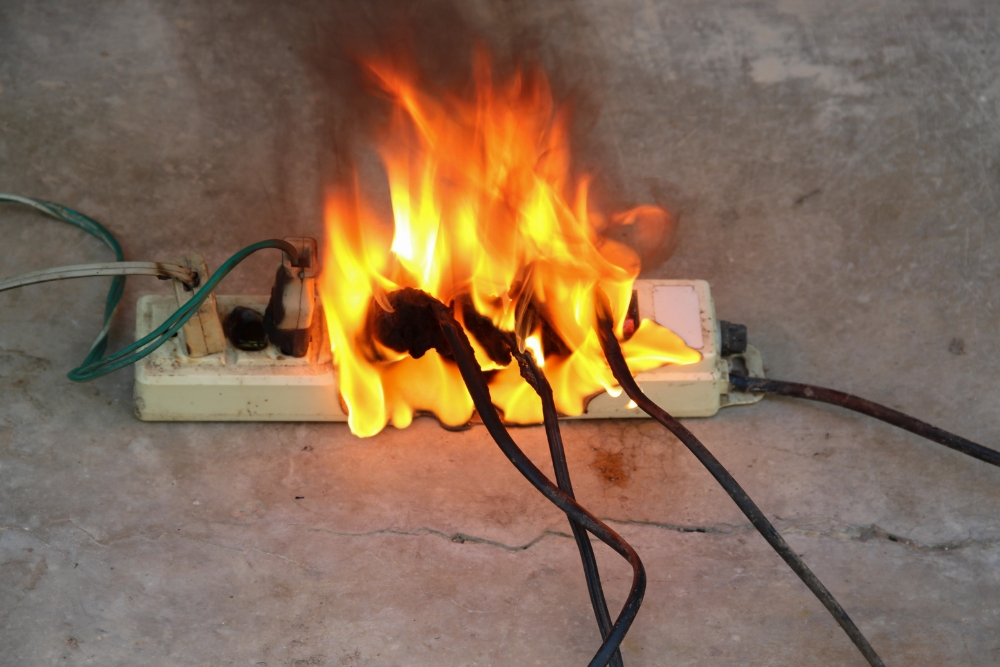
But despite being commonplace in the home, these little plastic gadgets can be extremely dangerous when used improperly or when they malfunction. Surge protectors can actually cause electrical fires. According to the ESFI, over 3,300 home fires originate in extension cords and power strips each year, killing 50 people and injuring 270 more.
After hearing harrowing stories from our customers of burn-outs and near-catastrophes stemming from extension cords, we want to make sure everyone knows the best practices they should follow to minimize the risks.
Here are the home safety tips you need to know about power strips to protect your belongings from fire:
1. Know the limits of your power strip.
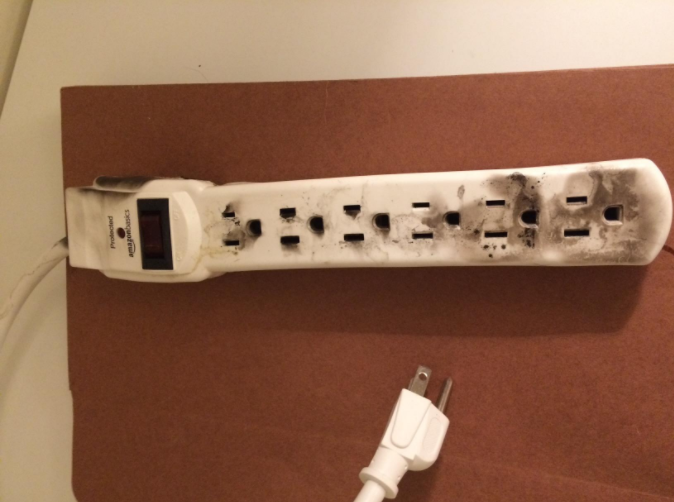
Your power strip can only draw so much electricity without getting overloaded. When you overload your powerstrip, that’s when you get the sparks a-flyin’ and in a matter of seconds your upholstery is going up in flames.
Usually, the manufacturer will clarify how much their power strip can handle on the package somewhere with a series of numbers.
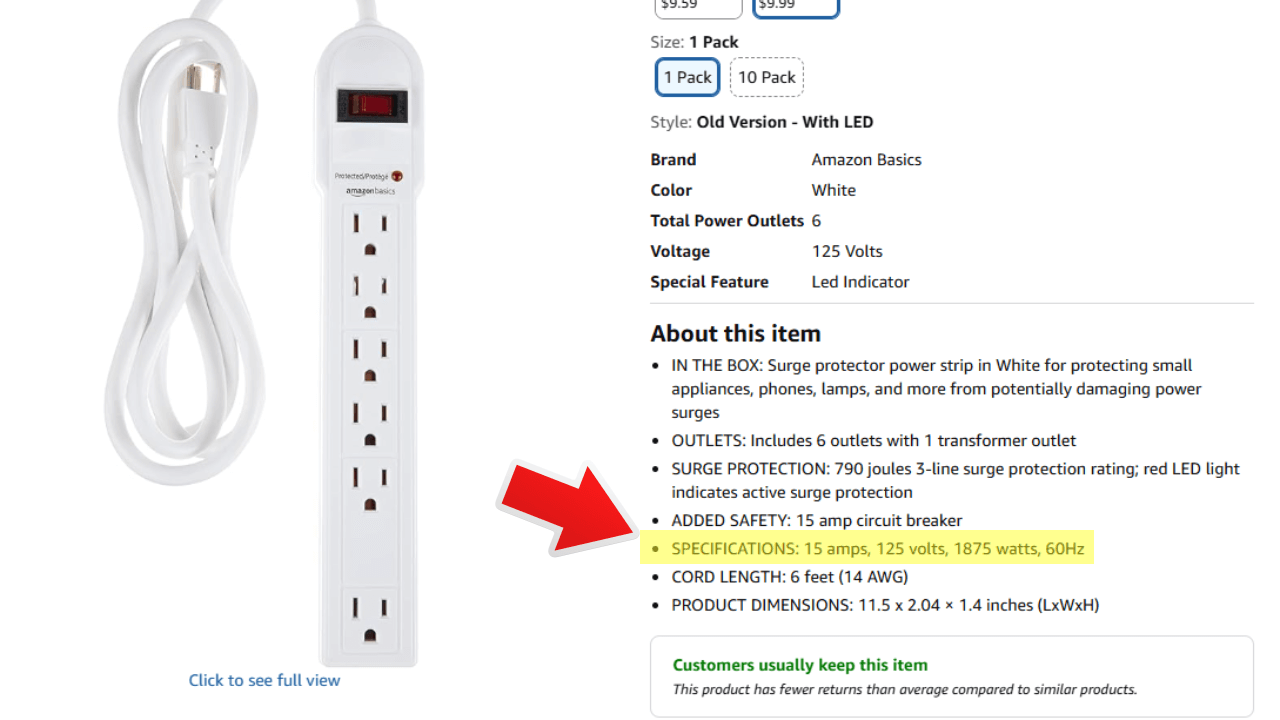
For example, the “AmazonBasics 6-Outlet Surge Protector Power Strip, 790 Joule – White” has the following specifications:
“AC 15A, 125V, 60Hz, 1875W”
The important number is the number of watts this thing can handle: 1875. If you draw more than 1875 watts, you’ll overload the power strip. If you’re lucky, you just end up with nasty burn marks and a molten plastic mess. Others have lost their entire houses to fires started by power strips. To be safe, you should never push your circuits to the limit.
2. Know how much power your devices are using.
Most devices like phone chargers, TVs, clock radios, hair dryers, and laptop computers won’t come anywhere close to drawing that much power, so if you’re mostly just plugging in smaller appliances into your surge protectors, you’re probably pretty safe.
On the other hand, power-hungry machines like:
window air conditioners
dehumidifiers
space heaters
high-end gaming/productivity PCs
all have the potential to overwhelm a cheap power strip that’s already under a lot of strain because they don’t just draw a lot of power, they draw it continuously (over 3 hours of use).
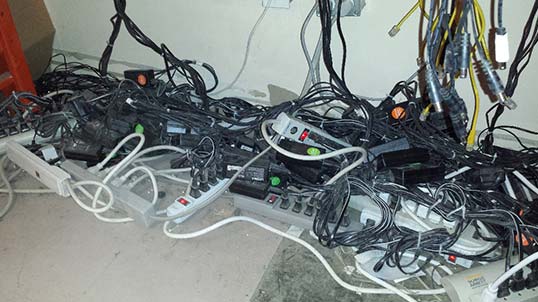
3. Don’t daisy-chain your power strips/extension cords together.
A floor covered in cable spaghetti isn’t just ugly; this kind of daisy chains set-up is a serious fire hazard.
The wires inside power strips tend to be cheap and lower quality than the wires you find in your walls, so when you start chaining power strips, you lose a lot of electricity capacity in the process. Plugging in an appliance with high power usage will heat up those low-quality wires until they burst into flames.
In short, never chain together your power strips, surge protectors, or extension cords.
4. Get a smoke detector
The best way to stop a fire is to catch it before it gets out of control. We can’t always be at home to watch over our power strips 24/7, so for the moments when we’re not around, smoke detectors can pick up the slack. They’ll give you peace of mind about other fire hazards too.
Smoke detectors are great for protecting your home, but fires caused by power strips are hardly the only safety threat in the home. Smoke detectors are most effective when combined with a security system and alarm monitoring to ensure fast response times from police and fire departments. Talk to a security company near you to learn more about what steps you can take to protect your home.
Are power strips a fire hazard?
Power strips can be a major fire hazard under certain circumstances. Remember that when using devices like these that draw continuous power, the maximum load your power strip can take will be reduced by about 20 percent, so your 1875-watt power strip can only handle 1400 watts of continuous power safely.
Before you plug any of these appliances into a power strip, glance over the packaging or do some research on the manufacturer website to make sure the math checks out. Avoid plugging multiple power-hungry devices into the same power strip. When in doubt, consult an expert.
Can you plug a power strip into a power strip?
No, you should not plug a power strip into another power strip. This is called “daisy-chaining” and it’s a fire hazard. Daisy-chaining can overload the wattage limit of a power strip, which can overheat wiring and start a fire.
What is the function of a surge protector?
A surge protector is a device that protects electronics from sudden voltage spikes. It works by diverting excess electricity away from connected devices, preventing damage from power surges caused by lightning, outages, or large appliances switching on. Unlike a regular power strip, it adds a layer of safety to keep sensitive equipment like computers, TVs, and routers from being fried.
How many watts can a power strip handle?
It depends on the specifications of the power strip. Most standard household power strips in the U.S. are rated for 15 amps at 120 volts, which equals about 1,800 watts maximum (15A × 120V = 1,800W).
Can a TV be plugged into a power strip?
Yes, it’s generally safe to plug a television into a power strip. In fact, it is very common to do so. TVs don’t draw a huge amount of power (most modern flat-screens use 100–400 watts, far below a strip’s ~1,500-watt safe limit).
Can I plug a microwave into a power strip?
No. You should not plug a microwave into a power strip or surge protector. Microwaves use too much power and can overload the power strip. Avoid this to keep the strip from catching fire.
What should you never plug into a power strip?
You should never plug high-draw appliances into a power strip. This includes space heaters, microwaves, coffee makers, refrigerators, freezers, hair dryers, irons, and power tools. As a rule of thumb, if a device heats, cools, or has a motor, it should go directly into a wall outlet. Power strips are best for low-draw electronics like TVs, computers, routers, and chargers.