SkyBell HD vs. SkyBell Trim Plus: Which Video Doorbell Is Best?

Trying to decide which SkyBell video doorbell camera is the right one for your home? The good news is you have selected a great brand, as SkyBell is one of the leading smart video doorbell brands and their range of products all meet or exceed the standards we’ve come to expect in the smart home security industry.

Let’s compare the SkyBell HD and the SkyBell Trim Plus. While these products offer many quality features, they are distinct in a few key areas. First, start by knowing which questions to ask when comparing the two video doorbells.

Things to Consider When Choosing a Video Doorbell Camera

A doorbell camera is a smart new solution in home security. These products combine a security camera with your doorbell and can be viewed and controlled through a smartphone or tablet alongside your home security alarm system.

The ability to use the video doorbell remotely adds a great level of convenience and heightened security to your life.

Consider these questions when comparing video doorbells:

  • Will the design suit your home?
  • Which doorbell has better camera quality?
  • What kind of technology integrations does the doorbell allow?
  • Does it work at night?
  • How good is the audio?
  • Is there a motion sensor option?

Let’s explore how the SkyBell HD and the SkyBell Trim Plus compare.

SkyBell HD

SkyBell-HD

The SkyBell HD video doorbell is the Trim Plus’s predecessor, so as you might guess, it lacks the higher-end features that come with the later model. However, that’s not to say that the SkyBell HD isn’t a great product.

The SkyBell HD works with Amazon’s Alexa, allowing you to use simple voice commands with the Echo or Echo Dot for extra convenience. This is a highly useful feature for any doorbell camera.

The motion sensor technology is a handy feature. This allows your doorbell to pick up if someone is standing on your doorstep, even if they didn’t ring the bell. The camera will pick them up, and you can view them from your phone.

The SkyBell HD’s video quality has a high definition of 1080p with a full 180-degree view. Night mode allows you to view visitors in full HD color even when it is completely dark outside. The camera has a powerful 5x zoom that allows you to capture all of the details.

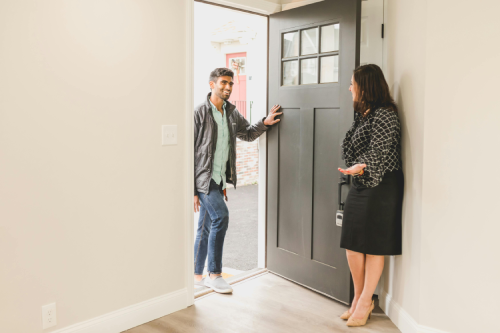
delivery man with package ringing skybell

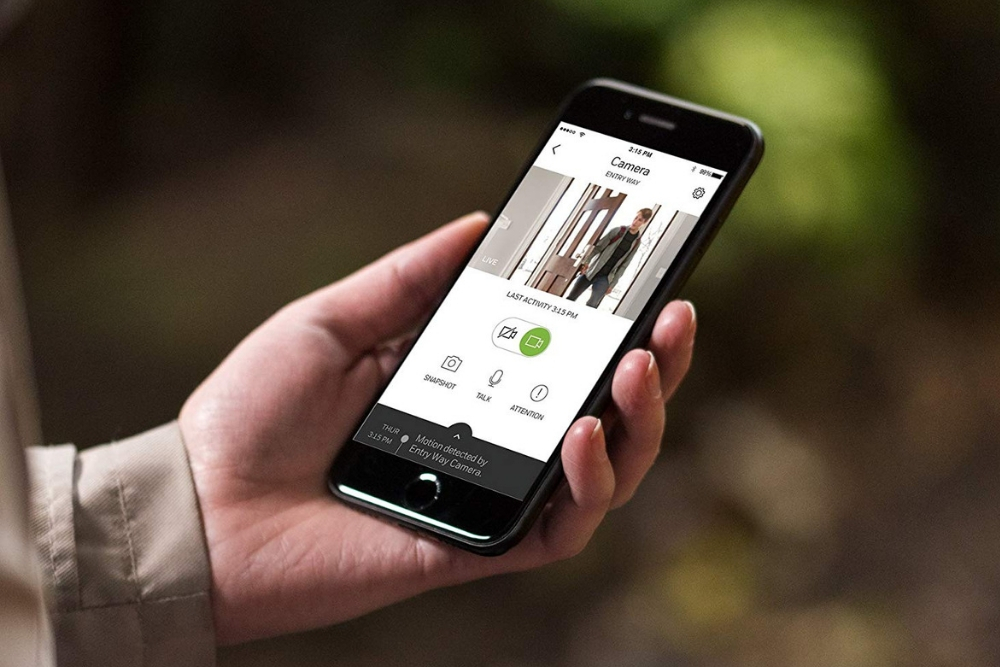
You can use the SkyBell app to control the device from your smartphone or tablet and to access the camera at any time. No matter where you are, you can answer the bell, see who is at your doorstep, and speak to them. The app also allows you to record and download videos and photos taken from the camera.

Multiple people can use the video camera from one account. If you have a family, this is a great feature because each of you can have full access to the doorbell and camera.

The SkyBell HD features a useful silent mode that turns off your indoor chime while you still receive notifications on your phone when somebody rings the bell.

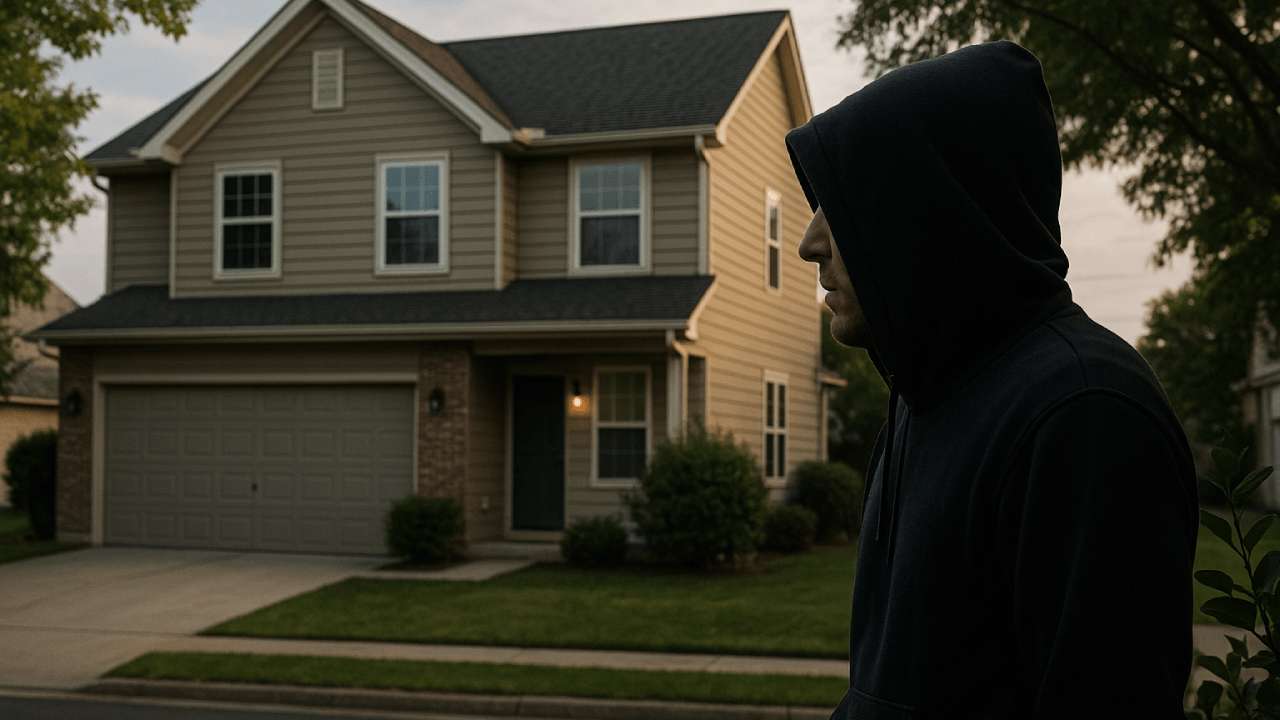
skybell and burglar

Main features

  • HD 1080p color video camera
  • Compatible with Alexa
  • Uses the SkyBell app for remote access via your smartphone

Pros

  • Supports multiple users
  • Good camera at night
  • Comes with a silent mode
  • No monthly subscription fees

Cons

  • Can be difficult to connect to your Wi-Fi
  • Complicated installation

SkyBell Trim Plus

SkyBell-Trim-Plus-2

While you can’t go wrong with a SkyBell product, the Trim Plus is our preferred choice—we sell this version to all our customers. This doorbell camera has the same great features as the SkyBell HD and compacts them into an upgraded, slimmer, and more user-friendly doorbell.

Like the HD model, the Trim Plus is fully compatible with Alexa and can be used with your Echo or Echo Dot. The doorbell also uses the SkyBell app so you can access the video camera from anywhere. You can have a great two-way conversation through this app, and it gives you complete remote access to your doorbell.

The Trim Plus design is sleeker and more streamlined than the disc-shaped HD model. This product looks more like a standard doorbell and will likely blend in more with the design of your home and doorway.

skybell-trim-plus-1

The full HD video camera makes this product fantastic. It has an HD 1920-by-1080 pixel resolution, with a frame rate of up to 15 frames per second. The camera works well in the dark, allowing you to clearly see any visitor no matter what time of day it is.

SkyBell day and night video quality comparison

The SkyBell Trim Plus holds up well against inclement weather. This doorbell can withstand seriously harsh outdoor climates with a temperature range of -40°F to 140°F. Wherever you live, this doorbell should work flawlessly no matter the weather conditions.

The SkyBell Trim Plus has two accessories available. One is a digital doorbell adapter, which allows you to use the video doorbell with your traditional doorbell chime.

There is also a wedge that lets you mount your Trim Plus at an angle, giving you better visibility depending on the design of your porch and level of your home relative to your street.

Overall, you can expect all of the quality and handy features from your usual SkyBell products packed into a more attractive, easy to use Trim Plus design. If you’re looking for a home alarm system with cameras, we highly recommend you consider the Trim Plus as a great way to enhance your front door security.

Main features

  • 1080p video camera
  • Compatible with Alexa
  • Uses the SkyBell app for remote access
  • Can withstand harsh weather conditions
  • Available with a digital doorbell adapter and a wedge for increased visibility

Pros

  • Camera works well at night
  • Easy to install
  • Attractive design
  • Video storage of up to 500MB
  • Motion sensor technology
  • Works well with the SkyBell app
  • No monthly subscription fees

Cons

  • Occasional false motion detection if set to a high sensitivity level
  • Frame rate is lower than other cameras
  • Wide-angle lens can make objects appear farther away than they are
  • Not as weather-resistant as the HD version

Comparing the SkyBell HD and SkyBell Trim Plus

Security-monitoring-with-SkyBell

Ease of use

While both doorbells use the same app for remote access, there is a noticeable difference in their ease of use. Many users have noted that the SkyBell HD can have difficulties maintaining a solid Wi-Fi connection, making it sometimes tricky to access and use.

The HD is quite technical to install and set up, while the Trim Plus has a relatively simple setup compared to most other doorbell cameras. As a whole, the Trim Plus offers a slightly better user experience.

Video quality

When purchasing a video doorbell, the quality of the video is a major factor. Both the SkyBell HD and the Trim Plus have 1080p video and give you a great color video at night and in the dark.

skybell-doorbell-camera-mobile-app

However, the frame rate variation between the two products is noticeable. The HD offers 30 frames per second, while the Trim Plus only offers 15. When it comes to the speed at which the camera can capture, the HD is superior. The result is a less laggy video with a higher potential of recognizing the person at your doorstep.

Design

The HD comes in a signature disc design, while the Trim Plus has a rectangular design. The Trim Plus looks more like your traditional doorbell and will be easier to incorporate into your home. The design of the HD is bigger and includes large SkyBell lettering on the button, making it look a little different than a regular doorbell.

Accessories

A great feature of the Trim Plus is that it can come with two different accessories: a wedge and a digital doorbell adapter. This gives you more room to customize your experience and create greater visibility and ease of use. The HD model does not have accessories.

Choosing Between the SkyBell HD and the SkyBell Trim Plus

While both SkyBell video doorbells offer the kind of quality and innovative features the brand is known for, the two are definitely different. We prefer the Trim Plus because it packs all of the usual fantastic features into an upgraded, more efficient package. Plus, it works better with a Honeywell smart home security system

Whichever product you choose, a SkyBell doorbell will increase the levels of safety in your home while adding an element of fun through modern technology. We highly recommend SkyBell video doorbells for any home.

Read More: Skybell Trim Plus vs. Ring Video Doorbell Pro

Everything You Need To Know About The 3G Cellular Upgrade

Do you have a residential or commercial security system? If so, you need to keep reading.

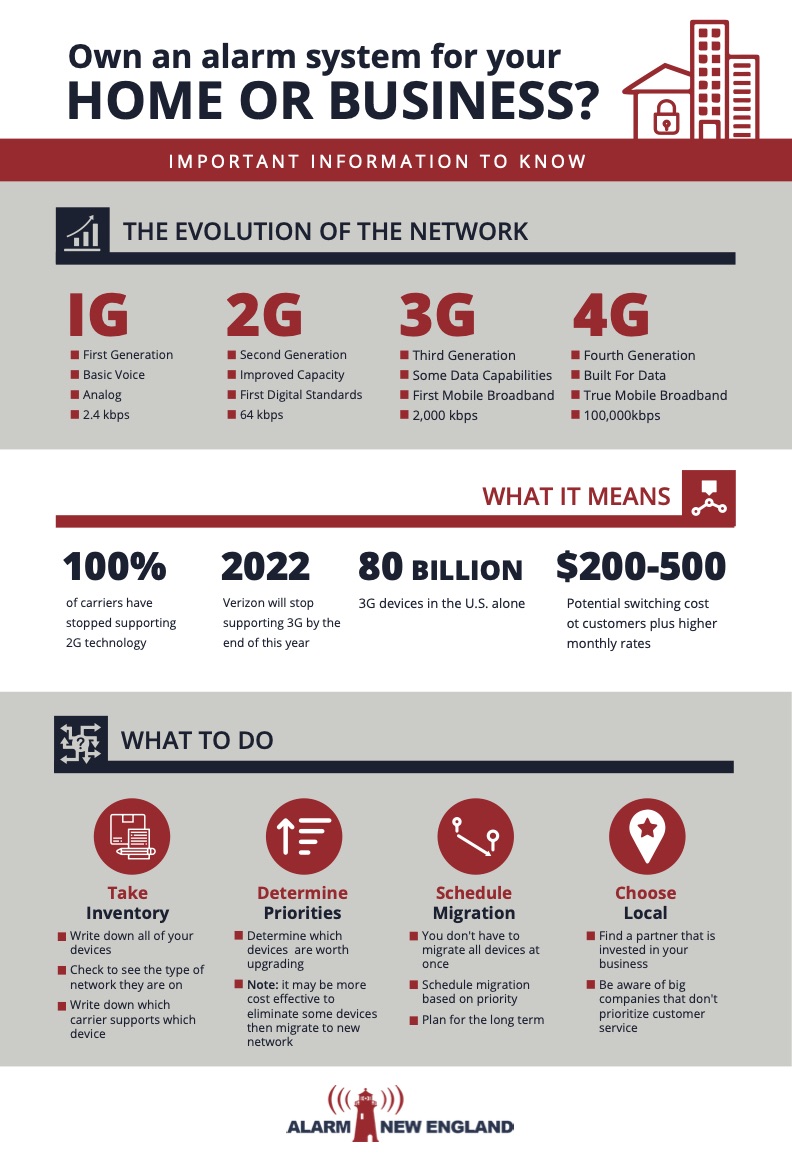
What Is the 3G Sunset?

In the event you haven’t heard about the upcoming alarm 3G sunset, let’s get you up to speed about the importance of migrating to LTE or even 5G networks for your security systems.

The 3G sunset refers to the impending point in time where manufacturers and carriers will stop manufacturing and supporting devices that use 3G networks.

For those that use these networks, there is not much time left to make the switch because the 3G sunset is not too far behind the 2G sunset.

Why Is 3G Being Phased Out?

So, why is this happening? The simple answer is that it’s time for something new. With the arrival of 5G, the natural progression is for carriers and manufacturers to start phasing out their older networks to make room for the new networks. Most ALL have already stopped supporting 2G networks, and 3G cellular upgrade will follow shortly.

What is the difference of LTE vs 3G?

We are now entering a period of transition from 3G/CDMA networks to long-term evolution (LTE) networks. LTE can be up to ten times faster than 3G/CDMA. It is important to remember that the 3G network was built to support voice and limited data transfers. The modern consumer simply requires much more from the network, rendering the question of whether to move to LTE vs 3G moot.

How Challenging is this Impending Move?

The sun will go down on 3G/CDMA soon. But the 3G sunset dates are still in flux. Different carriers have different dates. For instance, AT&T has stated February 2022 will be the end of their 3G network. Verizon says they will drop 3G at the end of 2022, with exceptions for some machine-to-machine (M2M) devices including IoT (Internet of Things) security products.

To avoid catastrophe, any alarm panel that communicates exclusively over these legacy networks will need a new modem cellular communicator in the next year or so.

Many consumers likely do not know how their security system communicates with a central monitoring station, interactive service, or smart home as a service. A terrible scenario would be them waking up in the middle of the night to the blare of a fire alarm, but no response.

When Should You Migrate?

The 3G sunset will impact devices like cell phones and security systems.Your devices that are supported by 3G networks could lose important data and functionality if you don’t make the switch to LTE before your carriers drop them.

If you have any IoT devices operating on a carrier’s network, then you’ll lose that function for them as well. You will also need to make sure you have taken everything into account when migrating to a new network because more than likely most of your devices are connected.

If you haven’t already, you should begin converting all of your 3G/CDMA network devices to LTE network devices right away. While some carriers won’t drop 3G/CDMA support until after 2022, there are others such as Verizon that will stop after December 31, 2022. Depending on your carrier, you could lose that 3G support in a couple of months. If you haven’t started the transition, you should start now as the dates could change.

Concerned? Start with a Checklist

If you do not know how to begin migrating your devices, here are a few things you can do to start the process:

  • Take Inventory: Consider all of your devices and take note of the network type they are operating on. Also, ascertain which carrier supports each device. These two factors will determine which devices need to be upgraded or replaced.
  • Determine Priorities: Determine how you use your devices, whether for business or for personal use. Then decide what types of devices you will need moving forward. This will help you decide whether or not to update their networks. You may decide that it may be more cost-effective to eliminate some devices rather than migrate them to a new network.
  • Schedule Migration: You don’t have to migrate your devices all at once. Set up a schedule where you can migrate your devices based on priority. Considering the long-term, it may be a good investment to migrate some of your devices up to the new 5G LTE networks now. If you plan on keeping certain devices for a long time, upgrading them to the latest network sooner rather than later can save you significant time and money in the future.

Systemic Challenges to Migration

The big alarm providers are – well – alarmed by the prospect of migrating all of their customers. By some estimates, half of US alarm system subscribers are connected to the 3G network. Upgrading all of those subscribers would require over 100,000 service calls every month for the next three years or more.

The big alarm companies are going to struggle to change over all of their customers.

These large companies are going to likely charge up front $200-$500 and increase your monthly rate. Make sure your company is pricing fairly.

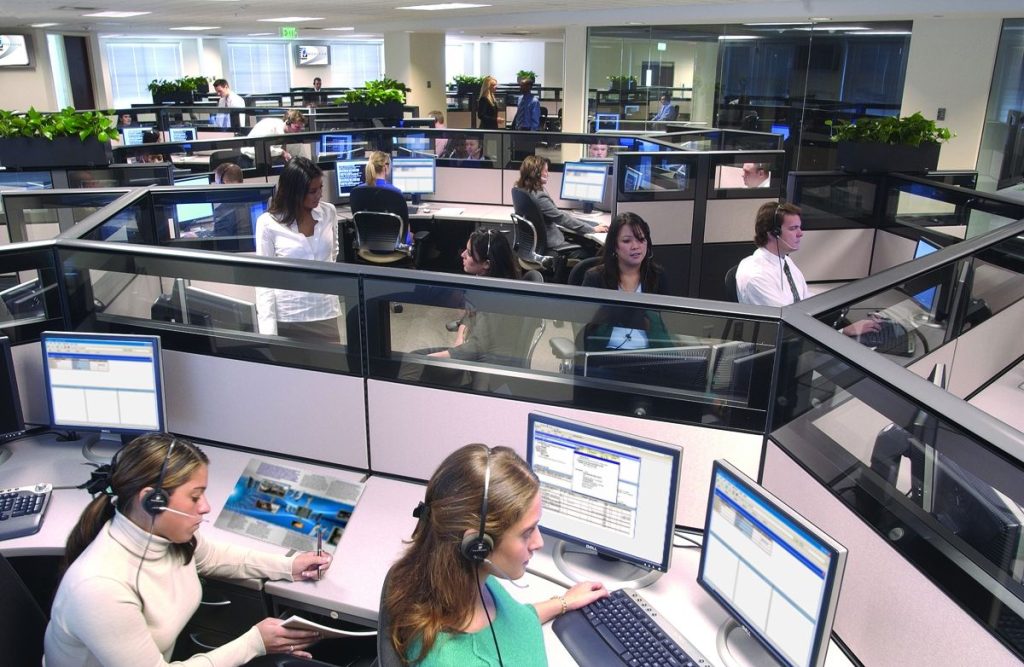
The crush of customer complaints could also overwhelm their call centers. It takes a long time and many steps to get from a phone call to the installer knocking on the customers’ door let alone trying to set up an installation for something they do not want.

The 3G sunset is coming.  You need to know the evolution of the network, what it means for you and your security system and what step to take.  Alarm New England can help.

So now what?

The solution? Work with a local alarm company that focuses on customer service and responsiveness.

In order to maintain an active cellular communication path, it is crucial that you upgrade to an LTE communicator. LTE stands for “Long-Term Evolution”, and AT&T is expected to support their LTE network for many years to come. Most alarm systems that we support currently have an LTE communicator available, while others should be releasing one in the coming months. We recommend checking through our selection of cellular communicators to see if an LTE communicator is available for your system.

If you are affected by the alarm 3G sunset, now is the time to take action. You still have an opportunity to keep your system monitored or upgrade to a new system if necessary. The best thing you can do is contact Alarm New England immediately. We can verify which communicator your system is using if you aren’t sure. If you do need an upgrade, we can make a recommendation.

If you need help in obtaining devices with the latest networks, we can help. We want you to stay monitored and protected. That is our absolute top priority as a company. If you are affected by the alarm 3G Sunset, we urge you to reach out to us. Likewise, we also urge you to reach out to us if you are not sure. We can check your equipment and confirm whether or not an upgrade is needed.

Local security companies like Alarm New England can help you navigate the 3G sunset.

Our team at Alarm New England can build a completely new alarm system or upgrade the equipment you already own. Reach out to us today. Let us get you set up!

The Best Places to Mount an Outdoor Security Camera

In today’s world, home security is more important than ever. Gone are the days of leaving doors unlocked, windows open, and car keys in the car.

Home surveillance has now become essential for every homeowner who wants to feel that their home and family are safe and protected from intrusion. Installing outdoor home security cameras help to ensure that your family is safe and protected.

boston-security-camera-1

The mere presence of a camera is often enough to deter the average intruder from trying to enter your home. The cost of installing an outdoor security camera system is money well spent as it provides exceptional security to your home.

Establishing the Best Places to Mount and Outdoor Security Camera

Establishing what you would like to observe with your outdoor security camera is the first step in determining where the best place to mount the camera is. Unfortunately, it is difficult to cover the entire exterior of your home with just a few cameras, so strategic placement is vital.

A single camera cannot do and see everything at once. If you want to a clear picture of an intruder outside your home, you will need access to several camera angles to get full coverage of the intruder.

Common Security Camera Needs

  • Monitor suspicious activities that may occur outside the home
  • Watch garages, barns or sheds
  • Determine what kinds of animals are entering your yard
  • Monitor vehicles parked in the driveway
  • Ability to see who is at your door to determine whether you should open it

Each home will have different needs, so it is important to consider where on your property you feel most vulnerable. Do you have a garage full of valuable tools and equipment? Has there been a string of auto break ins or thefts in your area? Are you having issues with animals eating your plants or getting into your garbage?

Considering and answering these questions will help you determine your outdoor security needs and in turn, where to place them for maximum efficiency.

Considerations

There are several things to consider before installing outdoor security cameras to your property, starting with the fact that you will likely need more than one camera to be able to effectively protect your home and property.

It is a misconception that installing your cameras up as high as possible is the best way to capture an intruder on-camera. Having your cameras up high allows for a wider range, but your image quality will suffer. That being said, you want to aim to keep the cameras out of human reach, but close to the area that you want to narrow in on.

Always choose outdoor cameras with the widest range possible to give you the best coverage. A camera that has a wide range can see intruders approaching at different angles as opposed to a limited range camera where the intruder would need to virtually walk right in front of it in order to get a clear picture of him or her.

Where is the Best Place to Mount an Outdoor Security Camera?

There is no one size fits all answer to this question. As we outlined above, camera placement is highly individual and depend on you and your home’s specific security needs.

For maximum security, consider the having coverage over the following areas:

Doors

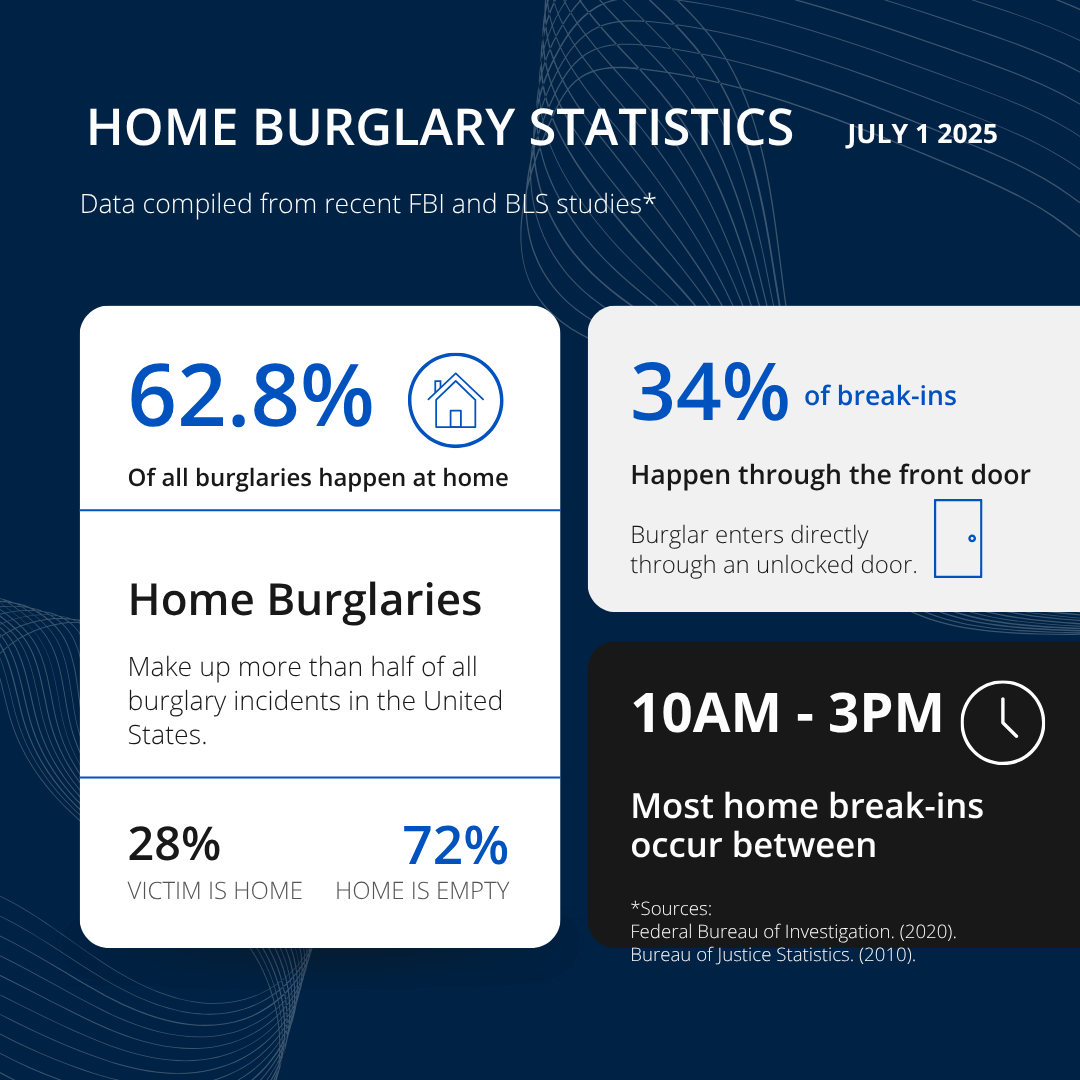
Most intruders start with either the front or back door to try to gain entry into your home. If you’re only planning to purchase a single camera to secure your door, you should absolutely start by protecting this area. Making sure that you have security cameras covering your main entrances to your home is vital for your home’s security.

Driveway or Parking area

Having a camera installed with a clear view of your driveway or area where your vehicles are parked will help to protect them from vandals. Unsecured garages are also high-value targets for burglars. If you need visibility over a wide area and don’t want to invest in several cameras to cover all possible angles, consider a pan-tilt-zoon (PTZ) camera for the added versatility. Thanks to its ability to rotate to point the lens just about anywhere with ease, you don’t need to worry about blind spots.

Windows

Large windows, windows that don’t face the street, and hidden windows are most susceptible to break ins. For this reason, it is wise to install cameras that are directed towards these windows.

Doorbell

Another security camera option is a video doorbell that allows you see who is at your door regardless of whether you’re home or away. Many doorbell cameras even have night vision technology and a wide view that allows you to see your entire entrance.

skybellapplicationcompress1

When it comes to the safety and security of your home and loved ones, it is important that you take every precaution necessary to protect yourself.

Outdoor security cameras, used in conjunction with other home security measures like a monitored alarm system, can help to deter intruders and assist law enforcement in an investigation.

Which Smart Lock Is Better: Yale T1L Vs. August Smart Lock Pro

One of the most innovative and affordable new technologies on the home security market right now is smart locks. Smart locks replace or fit over the deadbolt on your door and do away with fumbling for your keys (or losing them). All you need to do is enter a keycode or present your smartphone, and the lock opens.

Let’s look at two of the best smart locks on the market and explore which one is better for your home and security needs.

The Yale Real Living T1L Lock

Yale is a brand name that’s almost synonymous with home security, so it’s no surprise that it has entered the smart lock market.

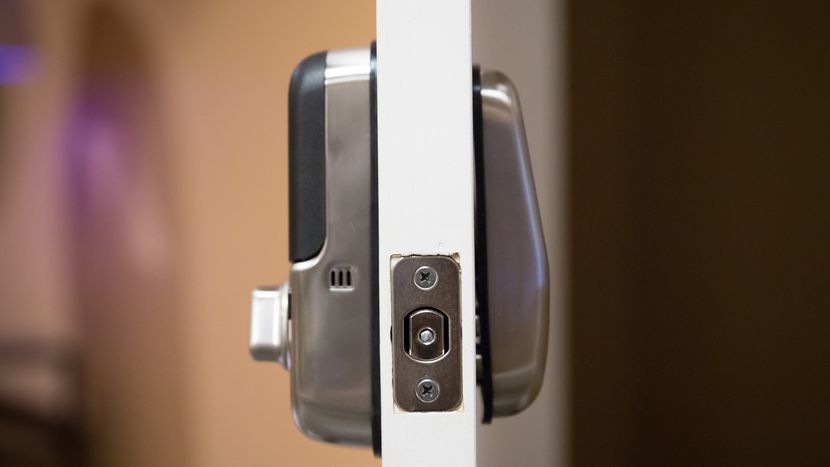
The Yale Real Living T1L Lock is a keypad that replaces your deadbolt on both sides. It’s the smallest residential keypad on the market, and it comes in three distinct finishes: satin nickel, oil-rubbed bronze, and polished brass.

The latch is tapered—this is a more important feature than you realize. Some smart locks on the market with non-tapered latches have earned bad reviews because the locks don’t fit well into the strike plate (the receiving end on the doorframe), leading to the lock failing to close at all. A tapered latch lets the lock slide into the strike plate, thus avoiding damage and ensuring that the door will close under any circumstance.

If you’re worried about external factors (such as weather damage) messing with the lock’s internal mechanics, Yale has a solution for that. A rubber gasket around the base of both plates makes sure that the insides are fully secured. No need to worry about rain damage or a liquid spill shorting out your smart lock and making your home inaccessible.

Yale_20Smart_20Lock_fe703d22df6198d674e9d941da7021b3

Installing the Yale T1L is pretty simple and takes just under half an hour. The box comes with illustrated instructions, and the lock itself even provides audio prompts. Once the lock is fitted in the deadbolt slot, you need to program the lock. It’ll prompt you to enter a master code, and you can then enter up to twenty-five user codes to permit entry.

Entry and exit with the T1L are controlled by your keycodes—there’s no need to mess with a physical key. When people come over or check on your house while you’re away, you can just give them a keycode rather than hiding keys under the mat and worrying about lost keys.

yale-assure-smartphone-app

The lock’s interface is simple enough to use: The keypad lights up when you give it a tap, and then you enter the keycode to lock or unlock the door. The lock also has a handy one-touch lock; just close the door and tap the inside screen, and the door locks easily.

If you’re worried about the batteries running out unexpectedly, you can rest easy. The T1L comes with four AA batteries that last approximately a year and will give you a noticeable warning when they’re running low.

yale touchscreendeadbolt compress4

Yale offers another solution if you’re desperate: If you touch a 9-volt battery to the contacts on the underside, that’ll power the T1L long enough for you to enter your keycode and get inside. If you’re going out the door, it’s even simpler: The lock features a thumb-turn knob for manual opening.

For people who want to integrate the T1L with smart home technology, the lock is compatible with Z-Wave. A smart home hub like the Samsung SmartThings or the Logitech Harmony will let you take advantage of a few more features, including remotely locking or unlocking the T1L. And that just scratches the surface of its features: It can also integrate with other Z-Wave smart devices you’ve installed.

yale-assure-smartphone-app (1)

You can set the lights to turn on when the door is unlocked or set your security cameras to record a 30-second clip when you lock your door. You can even set a lock schedule for when you’re sleeping or going to work or set auto-unlock for when your phone comes in range of the lock.

The main downside of the T1L is that it doesn’t integrate with any other network besides Z-Wave. It has no Bluetooth connectivity, no smartphone app, and no integration with the Amazon Echo or Google Home. If you’ve got a Z-Wave home hub, then you’re in business; if not, then the keypads will be the extent of the lock’s features for you.

Another smaller downside of the Yale T1L is that programming the keycodes is not intuitive. Programming the T1L requires you to work with the lock directly, and it’s honestly a tedious exercise. This downside only applies to the setup process, of course.

The T1L is an incredibly intelligent and feature-packed smart lock that’s perfect for houses with a Z-Wave smart home hub so the T1L can seamlessly introduce utterly futuristic conveniences to your home. However, if you’re not willing to set up the Z-Wave system or if you use other smart home systems, then the T1L may not be for you.

The Chunky Aluminum Knob: August Smart Lock Pro

The August Smart Lock Pro replaces the inside portion of a single-cylinder deadbolt, leaving the outside of the lock the same, meaning your keys still work on the deadbolt. This leaves the outside lock vulnerable to lockpicking, but the Smart Lock Pro has other features to combat that.

smart-lock-side-angle

Installation is simple: All the required parts come with the box, and the only other thing you’ll need is your Philips screwdriver. Simply unmount the inside half of your deadbolt, screw in the mounting plate, attach the Smart Lock Pro’s shiny aluminum knob, and you’re done.

Once the lock is installed, you can select your settings on the August app on your phone, and you can even have the app guide you through the installation process.

The Smart Lock Pro has several features to make your life that much easier. Automation lets you adjust when the lock engages; you can set it to auto-unlock when you’re within 200 feet of the door so it’s open when you get there. The Smart Lock Pro will also alert you if the door is locked or unlocked, so if you accidentally leave the door ajar, it’s going to let you know!

august-smart-lock

When friends or family come to visit, the app lets you provide them with virtual keys. Just send these virtual keys to them, and the Smart Lock Pro can detect which phones have permission to enter and let them in.

The Smart Lock Pro has an advantage over the Yale T1L in integration with smart home devices. It can link to Bluetooth, Apple HomeKit, and Z-Wave Plus, as well as its own August ecosystem. If you integrate it well with other smart devices, you can live in a highly automated smart home tailored to your day-to-day needs.

august-smart-lock-app

The August Smart Lock Pro is powered by four AA batteries that run out of juice in about a year’s time. You’ll be notified when the batteries run low, and if the batteries do run dry, you can still open the door with a key, so you’ll never be left out in the cold.

There is one potential downside to the August Smart Lock Pro: The lock cylinder is still present, which means the lock may be vulnerable to lockpicking. You’ll be able to see the lock was opened when you check in, but that won’t stop a prospective burglar.

august-smart-lock-on-door

This also means that you’ll still have a key to worry about, and should some enterprising thief manage to get ahold of your key, the Smart Lock Pro won’t stop them from entering your home. That being said, many people might not consider this a downside because the lock cylinder allows a fail-safe to the smart lock mechanism.

Should You Buy the Yale T1L or the August Smart Lock Pro?

Both locks provide excellent service in securing your home. While the Yale T1L has a beautiful simplicity, it’s not as user-friendly or as innovative as the August Smart Lock Pro.

And while the Smart Lock Pro is an easily integrated upgrade for anyone looking for an extra layer of security and convenience, its lock cylinder doesn’t provide quite the same level of security as the T1L.

yale-t1l-vs-august-smart-lock

If you value tight security and you’re happy to set up the Z-Wave system, the T1L is perfect for you. But if you’re looking for a simple and easy smart lock that you can use in addition to a trusty set of keys, then the Smart Lock Pro is for you. Your choice should be based on what you value for your home.

Yale T1L vs. Kwikset Kevo 2nd Generation Smart Lock

If you’ve ever lost or forgotten a set of keys somewhere and you were unable to get into your house, you may want to consider getting a smart lock.

But even those that aren’t forgetful can benefit from installing a smart lock on their door. The additional security, connectivity, and remote capabilities smart locks give you ease of access even when your hands are full. And when used in conjunction with a doorbell camera, the smart lock can help you verify visitors remotely before giving them access to your home.

If you’re passionate about Internet of Things (IoT), If This Then That (IFTTT), and have been looking to streamline the way you enter and exit your home or any property, a smart door lock will fit right in with the rest of your smart home devices.

What Is a Smart Lock?

A smart lock is simply a lock that communicates over a home automation protocol such as Z-Wave to link up to other devices in your home security system.

When combined with a smartphone app, you’re able to lock and unlock your door from your phone. Smart locks can sometimes be entirely controlled through a touchscreen, while others have number pads or regular keyholes.

Linking your smart lock with other devices gives you more control over your home while requiring fewer commands. You can synchronize your lights to turn on when you unlock your door, or have your thermostat turn down when you lock up on the way to work.

Things to Consider When Choosing Between the Yale T1L and the Kwikset Kevo 2nd Generation

There are several different kinds of smart door locks available, but the Yale T1L and the Kwikset Kevo 2nd Generation are two of the most popular options on the market.

yale-t1l-vs-kwikset-kevo

Before we jump into a review of each, here are some questions to ask yourself when considering what kind of smart lock to purchase:

  • Are you looking to improve the security in your home or just make access more convenient?
  • What other kinds of technology would you like your smart lock to be compatible with?
  • How many people will need to use the smart lock?
  • Is it important for you to be able to use an app with your smart lock?

Once you’ve had a good think about all of these questions, you’ll find it easier to decide which of the two locks below will work best for you.

Yale T1L Overview

To kick off our review, we’ll start with the Yale T1L. With a solid brand name, it’s understandable that you’d be expecting something as reliable as other kinds of Yale locks.

In this regard, it doesn’t disappoint. The device is cylinderless—which means that no one can easily tamper with the lock—and the key code can only be accessed from the outside.

Style

The size of the smart lock is small, but it’s solidly built as you’d expect. And like previous Yale locks, the design is minimalist and classic.

Security_Solutions_Yale_locks-189217-edited

The lock comes in three different metallic finishes: satin nickel, oil rubbed bronze or polished brass. All three have a sleek and rounded appearance, and you can even buy matching door knobs from Yale to create a unified aesthetic.

Features

  • Rubber gasket to protect the lock from the elements
  • 9V battery contact in case of emergencies
  • Up to 25 programmable user codes
  • Manual programming interface (no app) with audio commands
  • Compatible with Z-wave smart home hubs (for an additional cost)
  • One-touch locking
  • Keypad with daylight visibility
  • ANSI/BHMA Grade 2 security rating

Kwikset Kevo 2nd Generation Overview

The Kwikset Kevo 2nd Generation smart lock on the other hand looks very similar to a normal lock, but it has the added benefit of smart home functionality.

You have the option of using your key the regular way, or you can use your smartphone and the Kwikset Kevo app to unlock the door using Bluetooth.

Style

The design of this lock is simple and subtle. The only way you can really tell that it’s a smart lock is by the blue ring around the keyhole.

kwikset-kevo

Utilitarian and straightforward, this lock is subtle to the point of being rather dull. But if price is more important to you than appearance, it’s definitely an option worth considering.

Features

  • “Touch to open” technology using Bluetooth
  • Option to use fobs to gain access
  • Additional e-keys available online at no extra charge
  • Smart home compatible (for an additional cost))
  • IFTTT supported

Comparing the Yale T1L and the Kwikset Kevo

Ease of Installation

The Yale T1L is easy to install, but setting up key codes takes longer than it needs to.

yale-touchscreen-door-handle

On the other hand, Kwikset Kevo allows you to set up keys online using an app, which is definitely a more convenient option.

Ease of Use

Both of these locks are very simple to use. The Kwikset’s “touch to open” feature makes getting into your home as easy as pressing a button, but you also have the option of using a key if necessary.

kwikset-touch-to-open

However, while the “touch to open” feature is a crowd-pleaser, it’s really only basic Bluetooth technology. Unlike other automation protocols, Bluetooth is designed for short-range communication only, so you’ll be restricted in the IFTTT recipes you can choose from.

The Yale may not have as many programmable options. But, with a simple touchpad, it’s a much more streamlined option which you can enhance with further Z-wave functionality.

Smart Home Compatibility

Both locks are compatible with smart home hubs, but only the Kwikset Kevo is set up to work in tandem with Alexa.

As mentioned above, for both of these locks you’re going to have to invest in additional functionality to take advantage of any smart home capabilities.

Reliability

With a standard lock setup, the Kwikset Kevo device is sturdy but could potentially still be picked (with difficulty) like a normal lock. This device is also known to sometimes struggle a bit with commands. And even though it is tough, the smart lock is getting on in years.

The cylinderless Yale T1L, on the other hand, is a solid option because it’s impossible to try and crack the codes from the other side of the device.

yale-smart-lock

Plus, we like that thought has been given to an emergency no-power situation with the addition of the 9V battery contact point (even though the AA batteries should last you for about a year).

Cost

In comparison to other similar locks on the market, the Kwikset Kevo is reliable but expensive if you compare it to other locks in the same category.

The Yale T1L, on the other hand, is a lot more competitively priced if you look at other similar types of smart door locks on the market.

Bottom Line

It all comes down to preference, but it must be said that even with all the additional functionality that the Kwikset Kevo lock provides, buyers may be overwhelmed by the array of features, many of which only appeal to a narrow audience.

While having a smartphone app might make it easier to set up the Kwikset Kevo lock in the beginning, it can become annoying to have to always have your phone or keys on you to access your home.

When it comes down to it too, a lock is all about being solid and not easy to tamper with. So while the Kwikset Kevo might have some crowd-pleasing features, the presence of a keyhole calls into question whether the device is truly tamper-proof, resisting lock picking and lock bumping.

While both options are solid and each of them has their pros and cons, overall we think the Yale T1L comes out on top because it is just a no mess, no fuss option that is less complicated and more secure.

X

GET FREE QUOTE

What are you protecting?*

Step 1 of 4

Is your property currently monitored?*

Step 2 of 4

What size is your property?

Step 3 of 4

Who is this personalized quote for?*

By clicking this button, you consent for Alarm New England to use automated technology to contact you at the number provided. This consent is not required to make a purchase from us.

Step 4 of 4