ButterflyMX Access Control Reviews

Home and apartment security is a growing concern across the United States. According to statistics from the FBI Crime Data, over 813,000 residential burglaries were reported in 2023, with about 230,285 occurring during the day when many people least expect it. As break-in methods become more sophisticated, traditional security measures like locks and keycards may no longer be enough to prevent unauthorized entry. This calls for smarter access control solutions that enhance security while making entry easier for residents and property managers.

One company leading the way in modern building access technology is ButterflyMX. Specializing in video intercom systems and mobile-based access control, ButterflyMX helps secure apartment buildings, gated communities, and commercial spaces by replacing outdated key systems with smartphone-based credentials. Their cloud-based platform allows residents to grant access remotely while property managers can monitor entries in real time. The system even integrates with visitor management and security tools, making it a comprehensive solution for secure access control.

In this article, we’ll explore everything about ButterflyMX, from how their systems work to their best features, pricing, customer reviews, and competitors. Whether you’re a property owner, a resident, a business manager, or someone just looking for a modern access control solution, this guide will help you understand what makes ButterflyMX unique and whether it’s the right choice for your residential or commercial security needs.

Get A Free Commercial Access Control Quote

About ButterflyMX

ButterflyMX is a company that specializes in smart access control solutions for residential and commercial buildings. Founded in 2014, the company set out to modernize traditional intercom systems by introducing smartphone-based access technology. Instead of relying on physical keys or keycards, ButterflyMX allows residents, property managers, and visitors to unlock doors and gates using their mobile devices. This innovation has made building access more convenient while improving security and reducing the need for expensive wiring and hardware installations.

The company offers a range of products designed to simplify property access. Its video intercom system enables users to see and speak with visitors before granting entry, and this adds an extra layer of security. ButterflyMX also integrates with various property management tools. This allows administrators to monitor access logs, manage permissions, and streamline operations from a single platform. With cloud-based technology, users can control entry remotely. This makes it ideal for apartment complexes, gated communities, office buildings, and student housing.

What’s more, ButterflyMX has grown significantly over the years, with its solutions now being used in over 17,000 multifamily and commercial properties across the United States. Its focus on user-friendly technology and seamless integration has made it a popular choice among property owners and managers looking for a modern approach to access control. By eliminating outdated systems and replacing them with smart, mobile-based solutions, ButterflyMX continues to shape the future of building security and convenience.

How a Video Intercom System Works

A video intercom system is a modern way to control access to buildings by allowing residents and property managers to see and communicate with visitors before granting entry. Unlike traditional intercoms that rely on audio alone, video intercoms provide visual confirmation before access can be authorized. This makes apartment security even more reliable and convenient.

mobile phone video call

ButterflyMX has taken this concept further by creating a smart video intercom system that works with smartphones and cloud-based technology. When a visitor arrives at a building, they use the touchscreen intercom panel to request access. Residents receive a video call on their phone, allowing them to see and speak with the visitor before unlocking the door remotely. This eliminates the need for physical keys or keycards. Thereby, making entry seamless and secure.

In addition, ButterflyMX’s video intercom system supports virtual keys and delivery PINs. This allows residents to grant access to guests or service providers without needing to be physically present. Property managers can monitor entry logs, manage permissions, and integrate the system with other security tools, ensuring full control over building access. With easy installation and cloud-based management, ButterflyMX’s video intercom system is designed to simplify access control while improving security for apartments, offices, and gated communities.

ButterflyMX Reviews – The Good and the Bad

ButterflyMX has received mixed reviews from users, with many praising its convenience and modern technology, while others have raised concerns about pricing and reliability. Below, we break down the positive and negative aspects based on customer feedback.

The Good – What Users Love

  • Easy Mobile Access – Many users appreciate how ButterflyMX eliminates the need for physical keys and fobs, allowing them to unlock doors with their smartphones. This makes entry more convenient, especially for apartment residents and property managers.
  • Video Intercom Feature – The ability to see and speak with visitors before granting access is a major advantage. Users find this feature helpful for security and package deliveries. Thus, ensuring they know who is at the door before letting them in.
  • Seamless Integration – ButterflyMX works well with property management systems. It makes it easy for administrators to track entry logs, manage permissions, and streamline operations. Many property managers find this integration useful for maintaining security.
  • Customer Support – Some users have praised ButterflyMX’s responsive customer service. Their representatives are helpful and quick to assist with installation and troubleshooting.
cloud based

The Bad – Common Complaints

  • Pricing Concerns – Some users feel that ButterflyMX is overpriced, especially for smaller properties. The cost of installation and subscription fees can be higher than expected. Unfortunately, this makes it less appealing for budget-conscious businesses.
  • Reliability Issues – A few customers have reported technical problems, such as the intercom screen going black or the system failing to work properly. These issues can cause frustration, especially when deliveries or visitors are unable to gain access.
  • Internet Dependency – Since ButterflyMX is cloud-based, it relies on a stable internet connection. If the internet goes down, users may lose access to remote unlocking features, which can be inconvenient.
  • Limited Customization – Some users have mentioned that certain settings and features cannot be customized. This makes it difficult to adjust the system to fit specific needs.

ButterflyMX offers modern access control solutions that improve security and convenience, but it may not be the perfect fit for every property. While its smartphone-based entry and video intercom are highly praised, concerns about pricing and reliability should be considered before making a decision.

Unique Features of ButterflyMX Access Control

ButterflyMX offers smart access control solutions designed to make building entry seamless and secure. Whether for residents, property managers, or developers, its features focus on convenience, home automation, and security. Below are some of the standout features that set ButterflyMX apart.

Mobile-Based Access

One of the biggest advantages of ButterflyMX is its mobile-first approach to access control. Residents can open doors, gates, and garages using their smartphones. This eliminates the need for physical keys or fobs. With a simple swipe on the app, users can grant access to themselves or visitors, making entry quick and hassle-free.

Video Intercom & Visitor Management

Furthermore, ButterflyMX’s video intercom system allows residents to see and speak with visitors before granting access. This feature enhances security by ensuring that only authorized guests can enter the building. Residents can also send visitor passes, which provide temporary access that can be revoked at any time.

Voice-Controlled Entry

For added convenience, ButterflyMX integrates with Alexa and Siri. This allows users to unlock doors and gates with voice commands. This hands-free feature is especially useful when carrying groceries or when users prefer not to use their phones.

Elevator & Package Room Access

ButterflyMX extends its access control beyond doors and gates. If a building is equipped with elevator controls, residents can unlock key-fobbed elevators using the intercom or mobile app. Thus, creating a smooth entry experience from the sidewalk to the sofa. Additionally, its package room solution ensures secure deliveries, notifying tenants when a package has arrived.

Remote Management for Property Managers

Property managers benefit from a powerful online dashboard that allows them to monitor access logs, update permissions, and manage building security remotely. The system also integrates with property management software, automating access control based on tenant move-ins and move-outs.

Easy Installation & Integration

ButterflyMX is designed for fast and simple installation, requiring only three connections: internet, door strike, and power. It also integrates seamlessly with third-party security and property management systems, including Yardi, AppFolio, Salto KS, and Google Workspace. Thus, ensuring smooth operations across different platforms.

ButterflyMX’s smart access control system combines security, convenience, and automation, making it a top choice for modern residential and commercial properties.

Some Common Use Cases for ButterflyMX

blue garage doors

ButterflyMX is designed to simplify and enhance access control in different types of properties. Its mobile-friendly and cloud-based system makes it a great fit for various use cases, helping residents, property managers, and businesses manage security more efficiently. Here are some of the most common ways ButterflyMX access control devices and solutions are used:

Apartment Complexes & Gated Communities

Many modern apartment buildings and gated communities use ButterflyMX access control devices to replace traditional keys and intercom systems. Residents can unlock doors and gates with their smartphones, making entry faster and more convenient. The video intercom feature lets residents see and speak with visitors before granting access, improving security and reducing the risk of unauthorized entry.

Office Buildings & Commercial Spaces

Businesses rely on secure access control to manage employee and visitor entry. ButterflyMX solutions helps office buildings grant access to workers and guests remotely. This reduces the need for physical keycards or security personnel at entry points. Property managers can monitor who enters and exits the building and integrate the system with other security tools for full visibility and control.

Student Housing & Dormitories

Managing access in student housing can be challenging, especially with frequent move-ins and move-outs. ButterflyMX makes it easy for universities and housing administrators to adjust access permissions instantly, ensuring only authorized students have entry. The package room feature is also useful for handling student deliveries and sending notifications when a package is ready for pickup.

Short-Term Rentals & Hospitality

Hotels, Airbnb rentals, and other temporary accommodations benefit from mobile-based access control, which allows guests to receive entry credentials digitally. With ButterflyMX, hosts can issue temporary access passes that expire at the end of a guest’s stay. This mitigates security risks and ensures smooth check-ins without any need for physical keys.

ButterflyMX’s smart access control system provides convenience, security, and flexibility across different industries. Whether for residential buildings, commercial offices, or student housing, its mobile-based technology simplifies property access while enhancing safety.

How Much Does ButterflyMX Cost?

butterflymx cost and pricing information

ButterflyMX offers smart access control solutions with pricing that depends on the type of system, number of units, and features included. Unlike traditional access control systems that require large upfront costs, ButterflyMX operates on a hardware purchase plus annual software fee model.

Hardware Costs

The price of ButterflyMX’s video intercom systems varies based on the size and features of the device.

  • 8-inch Video Intercom – Costs around $3,995 per unit.
  • 12-inch Video Intercom – Costs around $5,995 per unit.

Annual Software Fees

Furthermore, ButterflyMX is free for residents, tenants, and visitors to use. However, property owners pay an annual software fee per apartment unit. This typically ranges between $30 and $42 per unit per year. The fee covers live video access, remote management, and software updates.

Installation Costs

Installation costs depend on building size, wiring needs, and labor. These fees can range from $200 to $1,500, depending on the complexity of the setup.

ButterflyMX’s pricing structure makes it affordable for large properties, but smaller buildings may find the ongoing software fees a bit costly. However, the convenience, security, and automation it provides often make it worth the investment.

Get A Free Quote

About the Competitors

what are butterflymx competitors

ButterflyMX is a leading name in smart access control, but it’s not the only option available. Several companies offer similar solutions, each with unique features catering to different security needs. Below are some of the top competitors in the video intercom and access control industry:

Brivo

Brivo specializes in cloud-based access control, offering businesses a secure way to manage entry permissions remotely. Unlike ButterflyMX, which focuses on video intercom systems for residential properties, Brivo is ideal for commercial spaces and enterprises that need automated access management, visitor tracking, and integrations with video surveillance.

Verkada

Verkada provides cloud-based security solutions, including video surveillance, access control, and AI-powered analytics. While ButterflyMX focuses on mobile-based entry and intercom systems, Verkada is preferred for advanced monitoring and enterprise-level security automation.

Hikvision

Hikvision is a global leader in video security, offering high-resolution security cameras, alarm systems, and AI-powered analytics. Unlike ButterflyMX, which specializes in intercom-based access, Hikvision provides a full security ecosystem for large commercial properties looking for comprehensive monitoring solutions.

AppFolio & Yardi

Both AppFolio and Yardi offer property management software with access control integrations. These platforms help property managers automate security permissions, similar to ButterflyMX’s remote management dashboard. Businesses that need a complete property management solution alongside access control may consider these alternatives.

Which One is Right for You?

Choosing the best access control system depends on your specific needs. If you need a simple, mobile-based entry solution for residential buildings, ButterflyMX is a strong choice. If you require cloud-based security automation, Brivo may be a better fit. For AI-powered video surveillance, Verkada or Hikvision are excellent options, while property management integrations make Yardi and AppFolio competitive alternatives.

Final Thoughts – Our Recommendation for Building Access Security

Choosing the right access control system is important for ensuring security, convenience, and efficiency in residential and commercial buildings. ButterflyMX offers smart, mobile-based entry solutions that replace traditional key systems with a modern, app-driven approach. Its features, like video intercom, visitor passes, and voice-controlled entry, make it a great choice for apartment complexes, gated communities, and office spaces.

While ButterflyMX has some drawbacks, such as pricing concerns and internet dependency, its ease of use, remote management capabilities, and integration with property management tools make it a valuable investment in access security. By providing a seamless way to control entry, manage visitors, and enhance security, ButterflyMX remains a strong option for properties looking for a modern and efficient solution to building access.

Frequently Asked Questions

  • What are some common complaints about ButterflyMX?
    • Some users mention concerns about pricing, occasional technical issues, and the system’s reliance on a stable internet connection for smooth operation.
  • Can they see you on ButterflyMX?
    • Yes, ButterflyMX’s video intercom allows residents to see visitors before granting access. This adds an extra layer of security to entry management.
  • Can ButterflyMX open my apartment door?
    • Yes, residents can use the ButterflyMX mobile app to unlock doors, gates, garages, and even elevators if their building is equipped with compatible controls.
  • Does ButterflyMX work with property management systems?
    • Yes, ButterflyMX integrates with popular property management platforms like Yardi, AppFolio, and RealPage. This allows property managers to automate security permissions and manage access remotely.
  • Is ButterflyMX expensive?
    • The cost depends on building size and features, but some users find the hardware and annual software fees higher than traditional intercom systems. However, its smart features and convenience often justify the price for many properties.
Get A Fast, Free Access Control Quote

Verkada Camera Reviews + Pricing [New For 2025]

When you’re planning to assemble your security infrastructure, knowing about the cost of security cameras should be one of the most important things to consider. While several brands of security cameras are available, Verkada cameras stand out as a premier option for modern surveillance needs due to their cutting-edge technology and robust features.

So, if you intend to get a new Verkada camera, this guide has got you covered.

Below, we will do a detailed review on the Verkada cameras, exploring the key features and pricing structure to help you make an informed decision based on your security needs and budget.

Get a free quote

About Verkada Cameras

Verkada cameras are security cameras that use AI and cloud-based technology to monitor and record video. They can be used for indoor and outdoor security and are designed to be durable and high-performing. 

Verkada offers different types of video security cameras that combine high-resolution recorded footage and easy-to-use software. These include:

  • Dome Cameras: Designed for durability, high performance, and scale, Verkada’s Dome cameras deliver enterprise-grade security in a wide range of models for both indoor and outdoor use. These cameras make use of a dome-shaped housing that provides a discreet, vandal-resistant design for general surveillance coverage. They are available with a variety of resolutions, lenses, and zooming capabilities.
  • Bullet Cameras: Verkada’s Bullet cameras are designed to withstand harsh conditions and their visible form factor helps deter potential threats. The camera system is fantastic and they are used primarily in outdoor scenarios for a more visible security presence, acting as a deterrent. They are available with either wide or telephoto lenses, providing both a wide field of view and the ability to zoom in on distant objects. Furthermore, they deliver clear images and capture important details in both daylight and darkness. They also feature next-generation processors that support powerful AI analytics and features such as License Plate Recognition and Occupancy Trends.
verkada dome cameras
  • PTZ (Pan, Tilt, Zoom) Cameras: Verkada’s PTZ cameras provide flexible camera movements, which allow operators to pan, tilt, and zoom to focus on specific areas of interest. These cameras are designed to offer a wide field of view and precise zoom and are also built with enterprise-grade components to withstand extreme conditions. They are ideal for environments requiring active surveillance, such as large facilities or areas with high foot traffic.
  • Fisheye Cameras: Verkada’s Fisheye cameras offer a wide-angle, 360-degree panoramic view, capturing a complete view of the surroundings in a single lens. This makes them ideal for covering expansive open areas, such as lobbies or large rooms, where monitoring every corner is necessary. Having been successfully tested for indoor and outdoor use, the Fisheye series is suited for all security needs.
verkada fisheye cameras cf81-e
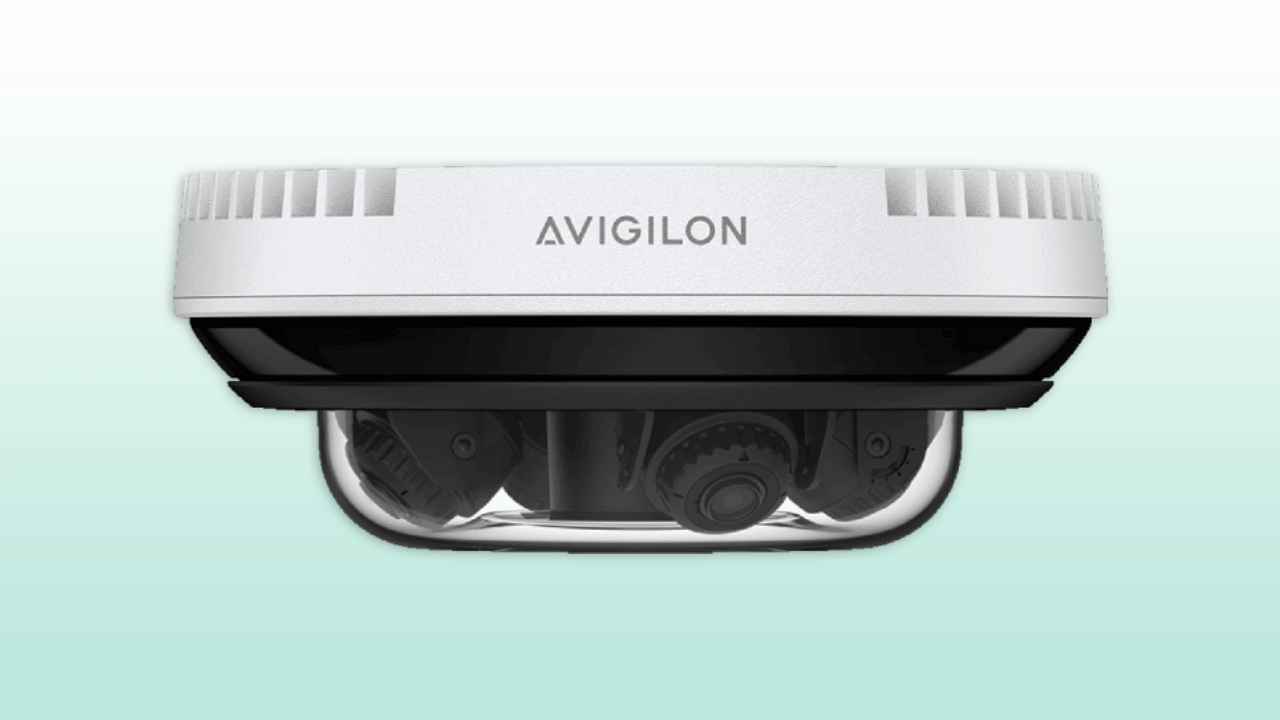
  • Multisensor Cameras: Verkada’s Multisensor cameras are designed with multiple individual camera lenses and sensors within a single camera housing, with each sensor having a customizable field of view. These cameras provide similar coverage to fisheye cameras while maintaining better video quality due to the additional sensors. They are used for comprehensive surveillance in large areas, offering increased coverage and fewer blind spots.
  • Mini/Split Cameras: Verkada’s Mini/Split cameras are compact and discreet cameras designed for installations where a low-profile appearance is important. These cameras are typically small in size but maintain full surveillance capabilities. This makes them perfect for locations that require discreet surveillance without compromising on functionality.

Verkada Camera Pricing

The price of Verkada cameras is influenced by several factors, including the model type and the technological specifications each model offers. 

For entry-level models such as the Dome and Mini series, the price usually ranges from $500 to $800 per camera. These cameras are ideal for general surveillance needs while offering high-quality video and a wide range of basic functionalities.

Meanwhile, for advanced models like those with 4K resolution, the price can range from $1,000 to $1,500 or more per camera. These models usually include sophisticated features ideal for detailed surveillance in retail organizations, large campuses, or high-security zones.

Furthermore, upfront pricing, licensing costs, installation costs, data retention costs, and other recurring costs add to the total cost of ownership.  

Verkada Software License Costs

To fully make use of Verkada cameras, a subscription to cloud management and storage functions is required. This subscription usually ranges from $150 to $300 for a one-year license per camera.

The software license cost covers extensive benefits required for modern surveillance needs. Notable benefits subscribers tend to gain include remote access capabilities, monitoring video feeds from mobile devices and other remote locations, and ensuring they can monitor their premises from anywhere. 

In addition, the subscription enables advanced video analytics, automatically analyzing video clips to detect and alert for relevant activities without manual oversight. Automatic updates are also included, which ensure all security patches and system upgrades are applied. This keeps the security products up to date with the latest cybersecurity measures and features.

Verkada Camera Installation Costs

As for the installation costs for Verkada cameras, it can vary significantly based on the complexity of the setup and the specific needs of the location. 

For comprehensive systems involving multiple cameras and integration with existing security solutions like access control systems, professional installation is usually recommended. This fee can cost between $200 to $500 per camera. This fee usually covers not only the physical mounting of the cameras but also the integration of all hardware and software components and configuration of the system to connect with the Verkada command account.

For smaller setups or where conditions are less complex, DIY installation is a viable option. That’s because Verkada designs its cameras with easy installation in mind, which often involves mounting the camera and basic network setup. This can be a cost-effective option for small businesses or residential users who can handle basic technical tasks and those looking to monitor less challenging environments like indoor offices or smaller retail spaces.

Total Estimated Costs

Setting up an appropriate budget is essential if you’re considering acquiring Verkada’s physical security system. For a small setup involving between 3 to 5 cameras, the total costs covering the cameras, annual cloud licensing, and either professional or DIY installation, can range from $2,000 to $5,000.

Meanwhile, for larger setups involving more than 10 cameras, costs can significantly increase due to the higher number of cameras and the complexity of the installation. The estimated expenses for such extensive setups can range from $10,000 to $25,000 and above.

Verkada’s Products and Top Features

As one of the leading companies setting new standards in cloud security, Verkada offers enterprise-grade IoT infrastructure as essential security for its customers. In this particular area, Verkada is awesome. Their integrated products include video security cameras, access control systems, air quality sensors, intercom systems, and alarm systems.

Below, we have highlighted some of the key features of Verkada’s products to help you decide if it’s the right solution for your commercial or residential needs.

1. Access Control

Access control is an essential element of security that determines who is allowed to access certain areas of a building. Meanwhile, Verkada access control system is a new product which consists of a cloud-based management platform, a four-door controller, and mobile credentials via a mobile app. This feature enables users remote access for management, unlocking, access schedules, and activity logs.

When you find and share videos through Verkada, you will discover how simple it is to access and find footage. Hybrid cloud cameras with inbuilt processing allow Verkada security systems to examine footage at the edge. This feature helps to deter potential security risks and logs any intrusions. This way, you can find the video you want by entering any indicator linked to the incident.

2. Ease of Maintenance 

When compared to legacy systems plagued by obsolete security vulnerabilities, Verkada provides an easy-to-maintain security system with an automated approach. Unlike conventional DVR systems that need to be replaced, Verkada’s software is constantly improved and updated.

It ensures that updates are sent smoothly and without disrupting camera operation. This allows IT administrators to stay ahead of emergency security threats while also having access to the most recent features and upgrades.

3. Person of Interest Alerts

One of Verkada’s core features is people analytics, which includes alerts for persons of interest. These notifications are generated when a person on-site is identified as having the same facial features as a preselected individual.

Investigating with sophisticated computer vision increases speed and efficiency. Verkada’s people analytics solutions provide you with high-resolution photos of everyone who enters and exits the premises.

It also allows you to search and filter for people based on time, date, gender traits, clothing color, and face match. You can view all scenes from a facial match in which a person was identified. This functionality improves productivity for large organizations and small businesses alike.

4. Auto-leveling Innovation

Everyone wants flawless frames when accessing their footage. Auto-leveling in Verkada cameras helps keep the captured images straight. Verkada is always aiming to improve straightening even further and is always looking to add more auto-leveling capabilities.

This also avoids the necessity for any micro-adjustments. Verkada’s auto-leveling innovation makes use of an accelerometer, which detects and infuses gravity to establish the camera’s placement when mounted.

This enables the camera to rotate photos while maintaining image quality. This emerging technology produces precise and easy-to-use surveillance footage.

5. Live Monitoring & Audio

The wide range of Verkada cameras allows users to monitor multiple live camera feeds simultaneously. The mobile app makes this easier by informing users about the scenes within the premise. This enables the owners to travel less and make fewer mistakes.

Verkada strives to simplify and modernize video security systems by using 4K cameras and simple software that requires no further configuration. In the end, when teams need to stream events in real-time, no additional hardware is necessary.

6. Video Verification via a Text Message Link

Verkada security systems are useful when it comes to notifications. Your security system will notify you of any mishaps in your surroundings. So, even if you are not around, you will receive a text message and be able to immediately view your monitoring screen.

Verkada cameras can be monitored and emergency response can be set up for the monitoring agent to notify the police. Verkada security systems are one of the best options out there for both commercial and residential use.

7. Face Blur

Most organizations nowadays are worried about user privacy, and many wish to avoid showing comprehensive footage to others. Verkada’s face blur functionality improves the security of its users and businesses. This feature allows organizations to share footage with anyone while protecting individuals’ privacy.

This is done by blurring the faces of those within the frame. Such features allow concerned organizations to share footage with anyone without violating privacy.

8. Objective Video Evidence

Incidents might happen suddenly and unexpectedly; yet, they must be properly and accurately documented for criminal investigations. Verkada security systems include surveillance cameras that show digital evidence, a clear perspective, and a detailed story about the incident.

Verkada cameras save footage for 15 to 365 days, depending on the solution you’ve placed. As a result, they provide objective video evidence. This feature explains what happened, who was involved, when and how the compromise arose in the first place.

This evidence actively helps and assists law enforcement investigations. The best part is that the footage can be retrieved without affecting internal resources.

9. Extended Warranty

Verkada offers a 10-year product warranty when purchasing a Verkada security system. If something goes wrong with your camera, you can notify the firm by email at their official address. After reviewing the request, the company will ship the replacement order within 48 hours of approval.

10. No DVR/NVR Required

Verkada security systems eliminate the requirement for local DVRs or NVRs. It enables easy, secure, and accessible system management. Unlike typical camera systems, Verkada employs a software-based automated approach, which simplifies your life.

With the Crowd Notifications feature, Verkada will notify you proactively if the number of people surpasses the limit set by the administration. All you have to do is set a personal threshold for any camera. If the number of persons in that location exceeds the specified limit, you will be notified via SMS or email.

11. Blackout Zones

Verkada wants its users to feel comfortable when using its security technologies. Because of this, it includes a blackout zone feature.

The blackout zone feature intelligently blacks out the environment within the camera’s field of vision to address privacy issues. This enables firms to safeguard sensitive data while maintaining sight of critical areas.

12. Proactive Loss Prevention

The company works proactively to avoid and prevent losses. Verkada is always one step ahead in protecting its users. Its integrated security products protect the privacy of those who use them.

Furthermore, if anything is reported to be misplaced, the facial protection feature provides detailed information on what, where, who, and when. As a result, users may swiftly find their items and belongings.

wall mounted camera ptz

Our Verkada Reviews

Being a leader in the cloud-based security industry, Verkada systems are designed with scalability, ease of use, security, and dependability in mind. Verkada cameras use the cloud to store video recordings indefinitely, do advanced AI-powered analytics, and provide fast remote access. Verkada security systems also use edge-based processing and local device storage to ensure video cameras continue to record footage even during a network failure.

This approach to a cloud-based system enables real-time monitoring from anywhere in the world, as well as proactive warnings for people detection, person of interest detection, and license plate recognition. Additionally, Verkada devices may warn users when they go offline or detach from the network, which allows IT administrators to know immediately when a network disruption occurs. In the event of a hardware failure, Verkada devices come with up to a 10-year warranty, ensuring little downtime.

Furthermore, Verkada provides all new features and statistics to its whole customer base as a free update. This means that the system becomes smarter and more feature-rich over time, which is a significant advantage provided by a cloud-based system. Overall, Verkada is an ideal solution for security teams wishing to move beyond simply resolving issues with their existing on-premise systems.

technician working

Verkada Camera FAQs

  • What are the disadvantages of Verkada?
    • Verkada security systems have several disadvantages, including higher upfront costs, limited customization, and its subscription-based model, which might deter those preferring a one-time purchase.
  • Is Verkada an American company?
    • Yes, Verkada is an American security technology company, based in San Mateo, California.
  • What are the security issues with Verkada?
    • Verkada has faced multiple security issues, including breaches and allegations of inadequate security measures such as appropriate access management and data protection controls as well as adequate encryption of customer data.
  • Who is Verkada’s biggest competitor?
    • Rhombus is the biggest competitor of Verkada. That’s because both companies offer cloud-based video surveillance systems, with similar advanced features such as remote access and cloud video storage.
More Questions? Get in Touch

The Comprehensive Guide to Home Automation

As a homeowner who takes your family’s security seriously, you probably already have a surveillance or alarm system in place. But maybe you’ve been wondering how you can get more from your home security system.

Home automation technology could be your next step. Read on to learn what home automation is and all the neat things you can do with it. We’ll also help you start researching which features and brands you could use in your smart home.

What Is Home Automation?

Home automation technology allows homeowners to improve the convenience, efficiency, comfort, and security of their homes by giving them automated control over various home systems.

Home automation uses information and technology to remotely configure and connect devices, like home appliances and electrical systems, to perform intuitive and useful tasks. The automating of such tasks—like lighting, heating, and ventilation—can save time and money and allows you to personalize your home to your preferences.

To work correctly, a comprehensive home automation system links several electrical devices together through a computer network. This lets you control various home functions from a personal computer and allows for remote access on your phone or tablet.

smartphone connecting home automation and network


Smart home technology and the connected devices don’t just connect to your phone, though—now, they are compatible with virtual assistants like Amazon Echo and Google Home. The voice-controlled smart software can be used to set up and monitor a household and all connected appliances.

Home automation can range from simple remote control lighting to remote access capabilities of a number of integrated household functions. An appliance or electronic device can be set to respond to a certain time-based event, like turning the lights off in a room after a period of no motion, or a non-scheduled event, such as sending a notification to your phone when high levels of air pollution are detected.

Home automation also extends to home security, such as access control and alarm systems. With home automation technology, you can stay connected and informed when things happen in your home. An app or control panel will notify you of any leaks, faults, or unforeseen events when you are away.

Mobile access to home automation system

Past problems with home automation’s complexity, high cost, and incompatibility issues have been ironed out in the last few years. This technology is more affordable and accessible today than ever before, meaning a residential house can quickly become a smart house. Automated “homes of the future” are becoming the homes of today.

The Many Benefits of Home Automation

A Coldwell Banker survey found that around 70 percent of consumers who owned home automation technology say buying their first connected product made them more likely to buy another.

It’s easy to see why. Imagine being able to unlock the door for a friend or turn on the coffee machine while you’re in bed, or being able to warm the bed and turn on the security system while waiting in line at the grocery store. These luxuries are what make home automation so popular.

smart home provides status updates on basic home security

Today’s home automation varies widely in scope and capabilities. For example, thermostats and sprinkler systems have long had the ability to be programmed to run on a defined schedule. However, home automation now allows these devices to be scheduled remotely and integrates data, like weather patterns and temperature, to run the devices more efficiently.

An integrated home automation system, rather than being restricted to a single function or device, encompasses the entire household, thus exceeding the scope of a traditional system.

These are just some of the benefits of an integrated home automation setup.

Incredible convenience

You are accustomed to controlling your TV from the couch; now imagine being able to dim the lights, close the curtains, and lock the door without getting up. Home automation technology even lets you make changes while you’re away from home.

Never get locked out again

Home automation allows you to control your home’s locks remotely with your phone. That means no more panic attacks when you realize you left the key on the kitchen counter in your rush out the door.

smart lock integrated into home automation system

Improved comfort

Temperature control is one of the most important factors of home comfort. Imagine the bathroom heater set to automatically start five minutes before you alarm goes off in the morning—no matter what time the alarm is set for—so the room is warm and ready when you are.

thermostat integrated into smart home for automated climate control

Lower energy costs

Forgetting to set the temperature back or turn the lights off when you leave wastes energy. Even when you’re halfway across town, you can make adjustments to your home’s lighting and HVAC system to save energy.

The system can track and monitor the usage of different applications and devices. Idle devices can be powered off, while other applications that are not being accessed often can be powered down to a more energy-efficient state.

monthly-energy-usage-report- for home efficiency through home automation

By setting a category for each device, like “Arriving Home” or “On Vacation,” you can simultaneously initiate a set of functions with a click of a button. When “Arriving Home” is selected, your alarm system will disarm, the lights of selected rooms will switch on, and the television and sound system will wake up.

Heightened security

Home automation gives you full control of your security system. You can set up email and text alerts that inform you of your home security status. With features such as a remote garage door control, smart locks, video doorbells, and window covering controls, you can close up and secure your home from anywhere.

Elderly health and wellness

Smart home automation can provide an enormous amount of assistance in supporting the elderly.

Eldercare is considered a full-time responsibility and often requires an individual to monitor the older person and their actions. With home automation, mundane and routine tasks, like bathing, cooking, and sleeping, can be tracked and safety-proofed. Security systems can be customized for seniors to include personal alarms like medical pendants or panic buttons so that in the event of a fall or other injury, help is always within reach.

As an example, faucets can be set to turn off automatically after a short duration, preventing them from being left on or causing a flood. A family member or medical official can be sent a notification if a person’s wearable device detects a change in weight, breathing, or sleeping pattern.

Fun

Programming your personal settings is rewarding as you see just how detailed you can make your home automation system. Program the coffee maker to brew you a pot every morning and program an “entertainment” mode that dims the lights, closes the curtain, and starts music playing in the living room. You’ll love showing off your next-gen tech to your friends.

Systems You Can Control With Home Automation

Almost any appliance or electronic device in your home can be programmed, including lighting, heating and air conditioning equipment, domestic activities, kitchen appliances, and home security systems.

An HVAC system

With a home automation system, you can adjust your internet-enabled thermostat if you left the air conditioner blasting, or if your shift ends earlier than usual, you can remotely turn on your HVAC system before you leave work so it’s comfortable when you get home.

Lights

Home automation allows you to change the brightness in a room without getting up, to remotely check whether the last person to leave your house turned off the lights, and to manage the lights around your home while you’re out of town to make it appear as though someone is home.

levels with home automation tools through smartphone appcontrol light

Domestic activities

Home automation systems can control everything from your blinds and garage door to your coffee maker and sprinkler system, even if you’re not at home.

Door locks

Home automation gives you the ability to remotely unlock doors to let people in when you’re not home and lock the doors again when they leave. Carrying too many bags in both hands? You can activate the Bluetooth Disarming feature on your phone to automatically unlock your door and disarm your security system as you approach.

Security cameras and alarms

Arm and disarm your home security system to let people in your home, and use security cameras to double-check that the areas around your home are still secure when you’re not there.

Home entertainment

Home automation can help with home entertainment, too. You can make sure your devices are shut off when they should be or program your DVR to record a movie if you forgot to before you left home.

Typically, you can control all of these home automation functions in a number of ways:

  • From a touchscreen panel on the wall
  • From your phone, tablet, or computer
  • From inside or outside your home
  • One at a time or all at once
  • Automatically, based on a set timer or contingent upon other events (when the doors are locked, the curtains shut; when your alarm clock goes off, the coffee maker turns on)

5 Steps to Getting Started With Home Automation

1. Identify your needs

How in-depth do you want your home automation system to be, and how much setup are you willing to do yourself?

X10 is the cheapest and most basic protocol option available. X10-compatible products include lamps, light switches, and some alarm systems. It has its limitations, including the fact that it can’t send a lot of data quickly.

If you’re willing to do a lot of the setup yourself for a basic home automation system, X10 could be right for you. However, if you want something more in-depth, check out Z-Wave, INSTEON, or Zigbee. These home automation protocols are available from many brands and can support a wide variety of functions.

2. Consider different brands

You must choose which brand you want before you start buying home automation components with competing standards. Identify which brand delivers the home automation functions you want at a reasonable price. Top brands you have to choose from include:

Qolsys

Powered by the Alarm.com app, Qolsys has a reputation for building reliable products that come with a suite of powerful features you can’t find anywhere else.

qolsys-iq-panel-wall with smart technology for home automation

Honeywell Home Automation

Honeywell is a well-established home security and automation product manufacturer with many years of experience in the space.

DSC

DSC is a home automation provider on the low end of the market. It offers its own hardware, paired with software produced by Telguard.

Napco

Napco offers home automation technology through its iBridge platform, which includes security, climate control, video, automatic lighting control, and remote control of locks and alarms.

DMP

DMP offers a full range of alarm system technology, including automation. However, DMP is sold primarily through individual alarm installers and its ecosystem is more limited than other options.

iControl

iControl partners with hardware providers, such as Honeywell, to deliver its home automation software.

Savant

Savant offers a full range of advanced home automation, from basic remote control of alarm systems through full control of household A/V systems.

3. Develop a budget

Unless you have a limitless budget, you may need to start small with a single thermostat or deadbolt to get things started. Over time, you can add more devices as you see fit.

The following popular categories for new automation systems can be installed individually and integrated with other systems later when you’re ready:

  • Automation for your existing security system
  • Automated door locks
  • Light controls
  • Smart programmable thermostat
  • Remote garage door control
  • Remote control electronics and appliances

4. Locate a good installer in your area

No matter how avid a DIYer you are, it’s imperative that you find a qualified installer program and set up your system for you. Integrating systems together is complicated—much more so than simply programming a universal remote.

Just think, a few decades from now, people will expect all homes to come with automation features. It’s a concept that has been featured in science fiction stories for decades, but now it can be a reality in your home.

5. Taking smart home automation to the next level with home security

Safety and security in your home are non-negotiable. Home security has evolved with improvements in technology, and you can now integrate devices like security cameras, doorbell cameras with microphones, smoke detectors, motion detectors, and alarm systems into your smart home automation.

Most of these devices are coded to perform repetitive tasks and react to preconfigured events. With home automation, they can become even more effective and intuitive and provide faster, more meaningful remote reactions and notifications.

Smart home security integrations can perform tasks like activating all lights in a house when motion is detected or automatically locking doors when it gets dark.

Being able to create “mockupancy” scenarios when an intruder is detected or stream real-time video footage to your smartphone allows you to have greater control over your security and helps you feel safer whether you’re at home or away.

Most importantly, the same technology that powers home automation can also let you monitor and address safety concerns happening at your home remotely and in real time, making it the perfect companion system for your burglar and fire alarms.

One of the biggest hidden benefits that comes with home automation is peace of mind. No more worrying if you turned of the lights, locked the door or turned off the television. For people who have a lot on their plates, being able to easily check these items off the to-do list and stop the obsessive worrying, home automation is reassuring and definitely worth the investment.

Home automation let’s you take control and reduce the unknowns.

Let Alarm New England help you assess whether Home Automation is right for you.

Get Free Quote

The 5 Best Personal Alarms for Self Defense in 2025

What do you do when you’re in danger while walking on the street or using public transit and find yourself are alone? Depending on the situation, it may not be easy to defend yourself physically or call for help.

That’s why a number of personal protection devices have been developed to keep people safer in situations where it’s hard to call for help or fight back. These devices, such as pepper spray, tasers, and expandable batons, are innovative and easy to use, making it easier for people to feel safe no matter where they are.

A personal alarm is a newer solution to personal safety. Once you press the button on the keychain-sized device, the piercing alarm sounds hundreds of feet away. Not only are personal alarms varied in features and functionality, but they’re also legal in every state, unlike other personal defense items.

Personal alarms can be used to alert the people around you that you’re in danger. And most are loud enough to disorient attackers, allowing you to get away safely.

Here are our top five personal alarms for different people and situations.

Best Personal Alarm for Elderly: KOSIN Safe Sound Personal Alarm 140dB

The KOSIN Safe Sound Personal Alarm keychain is perfectly designed to clip onto a variety of places, whether on your belt, backpack straps, and any other place you can think of.

safe sound personal alarm keychain emergency siren

This alarm comes in a pack of six, so you can share with friends and family or use them for different outfits and bags. Activating this 140-decibel alarm will have any attacker clutching their ears in hopes of keeping out the screeching sound. This gives you enough time to run to safety or defend yourself.

This alarm is powered by three AG13/LR44 batteries. The batteries can power the alarm for 50 minutes, more than enough time to call for help from several miles away. When the alarm is not in use, these batteries give the alarm a battery life of over one year. You will only need to change the batteries once a year.

The device is encased in ABS plastic to prevent people from breaking the alarm. This protects the alarm against falls, getting crushed, or even exposure to high temperatures.

What we like:

  • The KOSIN alarm comes in a six pack with different colors so you can coordinate with your outfits and accessories.
  • It comes with both a keychain and a wrist lanyard, giving you plenty of options for easy, fast access to the alarm.
  • The pin-activated alarm is simple to use: Simply pull out the cord, and the alarm will sound.

What we don’t like:

  • Accessing the batteries requires a screwdriver to remove the back cover.

Best Personal Alarm for Runners: Vigilant 130 dB Wearable Personal Protection Alarm with Backup Whistle and Neck Lanyard

This Vigilant wearable alarm looks like something from a Sherlock Holmes movie set in early 20th-century London, but the loudness of this alarm jolts you firmly back into the 21st century. This personal alarm is versatile and wearable—you can wear it around your neck as a lanyard.

vigilant electronic attack personal alarm

To alert people that you’re in danger, you have two options. First, this personal protector has a built-in whistle for threats that are easily driven off at the thought of people nearby intervening.

If bystanders are farther away or you need to physically drive away an attacker, you can choose to activate the extremely loud alarm. The 130-decibel alarm is way beyond what the human ear can take: People can only tolerate 100 decibels for 15 minutes.

What we like:

  • The dual feature makes it versatile; in case the alarm batteries die, you can fall back on the whistle.
  • The weight on this thing makes it absolutely unnoticeable to the wearer. At 1.5 ounces, the alarm will feel like an accessory rather than a safety tool.
  • The device is built to survive the harshest conditions you’ll encounter and can survive various shocks, such as falls or smashing attempts.

What we don’t like:

  • The device only comes with two replaceable LR44 batteries. This means you need to check often whether the batteries are still working.
  • This alarm is not the best for people who want to hang their protectors off their belts or keychains.

Best Personal Alarm for Women: Vigilant 130 dB Personal Alarm PPS8

Vigilant’s Personal Alarm PPS8 is our pick for the best personal alarm for women. Unlike other ominous-looking personal alarms, this device does a wonderful job of being subtle as it is easily confused for a tiny power bank or a bluetooth device.

vigilant personal alarm wristlet

With a built-in LED light, this alarm is truly a multifunctional tool. If you have to take that shortcut home but the alleyway is dark, whip out this personal protector and illuminate your way home.

This device is very convenient to use in stressful situations. Most other alarms require you to reach for them, whether in your purse or on your belt, and then fumble to press a button while the attacker is bearing down on you.

With this device, the lanyard also acts as the activation device. Simply pull out the lanyard, and a pin will be removed, setting off the alarm. So whether it is hanging off your neck or it is nestled in your pocket, it’s just a matter of reaching out and with one move, scaring the attacker away.

What we like:

  • It comes with two replaceable AAA batteries, which are easily replaceable.
  • The easy-to-use alarm gives the carrier an element of surprise and an opportunity to reclaim power over the situation.
  • The 130-decibel alarm will disorient any attacker (and draw attention to them).
  • This personal alarm weighs a mere 0.64 ounces, making it one of the lightest personal protectors on the market.

What we don’t like:

  • The device doesn’t look like a personal alarm, but its appearance is a bit bland for style-conscious people.
  • The pin activation method, though easy to use, makes it more likely that you accidentally set off this alarm.

Best Personal Alarm for College Students: BASU eAlarm Plus

The BASU eAlarm Plus is one of the smallest personal protectors on the market. In fact, BASU claims that if you find anything smaller, they will give you this model for free.

baso ealarm

Not only is the device small, but its design looks similar to a USB drive and comes in a variety of bright, popping colors.

Don’t let the bright colors fool you, though. The device is powered by two CR1632 batteries and is capable of pushing out 130 decibels of repellant alarm. Any attacker approaching you will be instantly repelled by the noise.

What we like:

  • The alarm is easy to operate: Simply pull out the pin, and the alarm goes off. Put it back in, and the alarm stops.
  • The device’s hoop means you can set up this alarm as a tripwire for an early warning system.
  • The protector is built into a rubberized casing that makes it capable of withstanding great shocks.

What we don’t like:

  • Aside from the alarm, there are no other features on this device.
  • In case you’re stuck waiting for rescuers, the alarm will only provide 30 minutes of sound before the batteries die out.

Best Personal Alarm with GPS: Katana Safety Arc

The features on personal alarm devices vary from simplistic loud alarms to more sophisticated devices that go further in protecting you and sending help when you’re in distress. The Katana Safety Arc is one of the more sophisticated (and expensive) devices on the market and combines innovative features with ease of use.

katana safety arc personal alarm system

The Katana Safety Arc is a smart personal alarm that is mounted to your smartphone. It comes with a GPS locator so you can be located when you set off the alarm.

The device comes with a smartphone app. When the alarm is triggered, the app bypasses your lock screen and sends your location to the Katana Safety team, who will then call law enforcement and tell them where you are. You can also choose to send your location to up to seven friends.

There are three ways to operate this device. The first is by pulling a red tab on the bottom of the device, which will let out an alarm to scare away any would-be attackers. The second is by using a lanyard on your wrist. In case of trouble, simply drop the phone and the tab will be pulled.The third is more subtle.

There is a button on the back of the device that sends a silent alarm when pushed. This is for situations where sudden, loud sounds could put you in even more danger.

What we like:

  • The alarm is slim enough that you’d never feel like you’ve attached an extra battery to your phone.
  • Despite all its innovative features, this device will only add 1.44 ounces to your phone.
  • The smartphone app and GPS location tracking adds peace of mind so you know law enforcement is on the way when you trigger the alarm.

What we don’t like:

  • The device is more expensive than other personal alarms on the market, starting at $100.
  • The Katana Safety team option is only for paid subscribers. Those who opt out of the subscription won’t get a direct line to a police dispatcher.

What Features Should the Best Personal Alarm Have?

Personal alarms on the market have a variety of features and functions. Before you choose one, consider the following features and determine which ones are a priority for you.

1. Purpose

Different personal alarms have different functions. A personal alarm device has two main uses. The first and most obvious use is to ward off attackers. Secondly, they are also used as monitoring devices for vulnerable people, such as the elderly or people who are sick, so that caregivers are alerted if the person is in harm.

2. Type

Figure out what type of alarm works best for you based on the situations when you’ll need the alarm handy. Personal alarm devices come in three main varieties:

  • A keychain device, which can be included with your keys
  • A device with a lanyard that can be worn around the neck like a pendant or hang from the wrist
  • A smartwatch worn around the wrist. Some of these alarms can be synced up with your smartphone, and many have advanced features.

3. Simplicity

As much as it may look cool to have a device that looks like futuristic alien technology, your personal alarm needs to be easy to use when you need it.

This is why many personal protective devices come with a big button right on the face. These big buttons allow people to easily and quickly trigger the alarm.

Other alarms are triggered by pulling out a pin. One flick of the wrist, and the attacker is suddenly more likely to be caught—and likely to get their ears damaged from the piercing alarm if they don’t flee.

4. Battery life

An emergency can happen at any time. And when it happens, you don’t want to reach for your personal alarm only to find a dead battery.

Personal alarms use a variety of batteries, including button cells and lithium metal batteries. These batteries’ lives vary greatly depending on the device’s functionalities. Devices with more features will use up more battery power.

That means that if you get a more sophisticated device, you need to be vigilant about checking and replacing batteries more frequently than with more simplistic personal alarms.

5. Additional features

Some people want their personal alarm to have more features so they can use it in different situations.

These additional features can include LED lights for illumination, or maybe smart features such as a GPS locator. However, the more features the personal alarm has, the higher the price tag will be.

Frequently Asked Questions About Personal Alarms

1. What is a safe personal alarm?

A safe personal alarm is a device you can carry with you on your neck, wrist, pocket, bag, belt, or other place. The device emits a loud sound when you trigger it that can ward off attackers, whether people or misbehaving animals. This loud racket is also a call for help to people in the vicinity.

2. What is the best personal safety or attack alarm?

There’s no definitive answer on the best alarm as every person has their own needs. Some will want a simple alarm with basic functionality, while others will want something that has the capability to alert law enforcement of their current location.

3. How loud is 140 decibels?

Measuring sound is completely different than measuring distance. On a ruler, the distance between inches increases by the same amount, but in sound, that is not the case.

Sound goes up by the power of 10 with each 10-decibel increase. So a 20-decibel sound is 10 times more intense than a 10-decibel sound. If it goes up to 30 decibels, the sound is 100 times more intense than sounds at 10 decibels.

When scaling up to 100 decibels, the sound becomes 1 million times more intense than at 10 decibels. Sounds upward of 85 decibels are considered damaging, and it is recommended to get away from them as soon as possible. Sounds at 140 decibels will cause damage to someone’s ears after 15 minutes.

4. Are personal alarms effective?

Personal alarms are most definitely effective. Just the sound of the alarm itself, around 140 decibels, is much louder compared to other sounds. A full-blown concert at the loudest will be around 80 decibels, and those can be heard from quite a distance.

An alarm emitting 140 decibels of noise can significantly disorient anyone around it, especially when people are not expecting it. Disorienting an attacker with a personal alarm will make them stop and brace themselves from the noise, giving you an opportunity to escape. The noise will also alert other people of your location so you can get help.

5. How much does a personal safety alarm cost?

Cost varies depending on what type of personal alarm you want. The simplest devices start from $10, while devices with more features and higher-quality materials will be more expensive. You can easily find a personal alarm in your price range.

Brivo Access Control System Reviews

Security breaches are a growing concern for businesses and organizations worldwide. In fact, studies show that about 68% of security breaches involve a human element, such as social engineering attacks or simple errors. This highlights the importance of strong access control systems that help minimize risks related to unauthorized access and potential theft. A reliable access control system can provide better security, reduce human errors, and ensure that only authorized individuals can enter restricted areas.

Brivo is a well-known name in the security industry that offers cloud-based access control solutions which simplify security management for businesses of all sizes. Founded in 1999, Brivo has pioneered remote access technology, allowing users to control and monitor entry points from anywhere in the world. Their platform integrates with video surveillance, visitor management, and mobile credentials to provide a complete security solution.

In this article, we will review the best features, pricing, and advantages of Brivo’s access control system. Whether you are looking for a secure way to manage access for employees, monitor entries in real time, or integrate with other security systems, this guide will help you decide if Brivo is the right fit for your company’s needs. Let’s explore how Brivo’s access control solutions work and how they compare to other providers.

Get Your Free Access Control Quote

About Brivo

brivo products

Brivo is a leading provider of cloud-based access control systems, helping businesses and organizations secure their facilities with modern technology. Founded in 1999, Brivo was one of the first companies to introduce remote access control, which allows users to manage security from anywhere. Over the years, Brivo has continued to innovate, offering solutions that integrate with video surveillance, visitor management, and mobile credentials.

One of Brivo’s biggest strengths is its cloud-first approach to security. Unlike traditional access control systems that rely on on-site servers, Brivo’s platform operates in the cloud. This makes it easier to manage access permissions, monitor activity, and receive real-time alerts. Using Brivo’s access control solutions, businesses can grant or revoke access instantly, track entry logs, and ensure security without needing complex hardware installations.

What’s more, Brivo’s solutions are used across various industries, including commercial buildings, healthcare facilities, schools, and residential properties. Their system is designed to be scalable, meaning it works for small businesses with a few doors as well as large enterprises with multiple locations. With a focus on ease of use, security, and flexibility, Brivo has become a trusted name in access control. The company’s mission remains protecting lives, assets, and facilities with the best products and services.

Key Features of Brivo Access Control Systems

Brivo offers a range of security features that help businesses control who enters their buildings and when. These tools make security management easier, giving owners and administrators real-time control and visibility. Below are some of the most essential features of their access control systems:

Remote & Mobile Management: One of the standout benefits of Brivo is that users can monitor and control access from anywhere using their smartphones, tablets, or computers. Whether you are at home, in another city, or even traveling, you can grant or revoke access, check door status, and review entry logs instantly. This eliminates the need for physical keys or on-site management.

Real-Time Event Tracking: Brivo’s system records every entry attempt, door unlock, and suspicious activity in real time. Administrators can see who enters specific areas, when they do, and if there are any failed access attempts. This helps businesses quickly spot security threats, such as unauthorized personnel trying to gain entry.

Fluid Access for Mobile-Based Entry: Another standout feature in Brivo Access Control Systems is Fluid Access. This feature allows users to enter buildings without needing a physical keycard. Instead of swiping a badge or using a PIN code, authorized individuals can unlock doors using their smartphones. There’s no risk of lost or stolen keycards, and this reduces potential security breaches.

Role-Based Admin Permissions: Not everyone in a company needs full access. With role-based permissions, administrators can assign different access levels based on roles. For example, employees might only be allowed entry during work hours, while managers can access restricted areas. This prevents security breaches by ensuring that only authorized individuals can enter sensitive locations.

brivo features

Emergency & Incident Management: Security teams need to respond quickly to emergencies. Brivo logs incidents such as break-ins, unauthorized access attempts, and door tampering. This helps businesses analyze security risks and take action immediately. Alerts can be sent to security staff, which allows them to investigate and handle issues efficiently.

Shared Access & Credentials: Businesses often need to grant temporary access to contractors, visitors, or delivery personnel. Instead of handing out physical keys, Brivo lets companies issue temporary digital credentials that can be easily disabled after use. This eliminates the risk of lost or stolen keys.

Elevator Controls & Floor Plans: Brivo allows organizations to control elevator access by restricting certain floors to specific personnel. For example, only authorized employees can access executive offices or storage areas. The floor plan feature also provides an overview of the facility, helping security teams manage access with a visual layout of entry points.

License Plate Credentials: Some businesses need to control vehicle entry into parking lots or gated areas. Brivo offers license plate recognition, allowing authorized cars to enter without needing a keycard. This is especially useful for corporate parking areas, hotels, and residential buildings.

Brivo’s Broader Security Solutions: In addition to access control, Brivo also supports video surveillance, visitor management, identity verification, and third-party integrations. These features allow businesses to create a fully connected security system that combines access control with monitoring tools for enhanced protection.

Brivo makes security management more efficient, scalable, and user-friendly by focusing on cloud-based technology and automation. Whether for small offices or large enterprises, their solutions provide flexible security options to meet different business needs.

Benefits of Brivo Access Control Systems (The Pros)

Brivo’s cloud-based access control system comes with several features that enhance security while making management more effortless. Here are some of the most significant benefits:

  • Automated Access Control – With role-based permissions, businesses can assign specific access levels to employees based on their responsibilities. For example, managers can enter restricted areas while regular employees may only have access to shared spaces. This reduces security risks and ensures that only authorized personnel can enter certain areas.
  • Manage Entry Anytime, Anywhere – One of the most convenient features of Brivo is that administrators can manage access from anywhere using their phone or computer. Whether you’re in the office or miles away, you can lock or unlock doors, adjust permissions, and track activity in real time without needing to be on-site. This makes security much more flexible.
  • Instant Notifications for Suspicious Activity – Also, Brivo keeps a detailed record of who enters and exits a building and when. If unauthorized access is detected, instant alerts notify security personnel, allowing quick responses to potential threats. This real-time monitoring helps prevent break-ins and unauthorized entries before they become a problem.
  • Scalable for Businesses of All Sizes – Whether you need access control for a small office, a multi-story building, or several locations, Brivo’s system can grow with your needs. You can easily add new doors, users, or locations without having to install entirely new hardware. This makes it cost-effective for expanding businesses.
  • Integration with Video Surveillance – Security doesn’t stop at access control. Brivo integrates with video surveillance. This allows businesses to review footage alongside access logs. Also, it makes it easy to verify suspicious activities and ensure that doors aren’t just opened by the wrong person but monitored visually as well.

Brivo’s automated, smart access control system provides flexibility and ease of use. This makes it an excellent choice for businesses looking to enhance their security measures without adding unnecessary complications.

Drawbacks of Brivo Access Control Systems (The Cons)

While Brivo offers many benefits, like any system, it has a few limitations that businesses should consider before committing:

  • Subscription-Based Pricing – Brivo’s cloud-based model requires ongoing subscription fees, unlike traditional systems that often have a one-time purchase cost. Some businesses may find this more expensive over time, especially for larger operations with multiple locations.
  • Internet Dependency – Since Brivo is cloud-based, it relies on a stable internet connection to function properly. If the network goes down, remote access features may be temporarily unavailable, requiring backup solutions to manage security during outages.
  • Learning Curve for New Users – Although Brivo is designed to be user-friendly, some businesses may require training for administrators to fully understand all the system’s capabilities. Role-based permissions, visitor access management, and integrations can be complex if not properly configured.
  • Compatibility Limitations – While Brivo integrates with many security platforms, it may not work with certain legacy access systems. Businesses with older hardware may need additional upgrades to take full advantage of Brivo’s features.
  • Limited Customization for Some Users – While Brivo offers standard access control features, businesses with highly specific security requirements may find that customization options are somewhat limited compared to fully customizable on-premise solutions.

Despite these drawbacks, Brivo remains one of the leading cloud-based access control systems, offering strong security, real-time monitoring, and easy management for businesses. The key is to evaluate whether its features align with your needs and whether the benefits outweigh these potential limitations.

Research and Reviews – Brivo vs. Avigilon Alta

brivo vs avigilon alta

Brivo and Avigilon Alta are two well-known names in the security industry. G2’s article compares Avigilon Alta vs. Brivo in a variety of categories. Our takeaways about the comparison are below.

Brivo vs. Avigilon Alta

Brivo specializes in cloud-based access control, helping businesses manage who enters their buildings with remote access, mobile credentials, and real-time monitoring. Avigilon Alta, on the other hand, is more focused on video surveillance, offering high-resolution cameras with AI-powered analytics to detect unusual activity.

Ease of Use & Setup

Brivo is praised for its user-friendly setup, with a 9.5 rating for ease of installation. Businesses can quickly configure access permissions and monitor activity through a simple cloud-based dashboard. Avigilon Alta also offers strong usability, but some users find its setup slightly more complex due to the advanced camera configurations.

Security & Data Protection

Avigilon Alta has a higher security rating (9.6) compared to Brivo’s 8.0 rating for security and data protection. This suggests that Avigilon’s AI-powered video surveillance provides stronger security measures, while Brivo’s access control system may require additional security layers for data protection.

Integrations & Features

Brivo excels in third-party integrations, scoring 9.4 for connectivity with other security tools. This makes it easy to combine access control with video surveillance, visitor management, and identity verification. Avigilon Alta also supports integrations, but Brivo offers more flexibility when connecting with different platforms.

Which One Is Better?

Choosing between Brivo and Avigilon Alta depends on your security needs. If you need strong access control with cloud-based management, Brivo is a great choice. If video surveillance and AI-powered analytics are your priority, Avigilon Alta may be the better option. Some businesses even combine both systems for a complete security solution.

Brivo Pricing – How Much Does It Cost?

Brivo offers different pricing plans based on the size and needs of a business. Instead of a one-time purchase, Brivo operates on a subscription-based model, meaning businesses pay monthly or yearly fees for access control services.

Brivo Access Editions

Brivo provides four main pricing tiers:

  • Standard Edition – Basic access control features, including event tracking, user management, and facility lockdown. The package also offers video surveillance integration.
  • Professional Edition – This edition adds occupancy tracking, API integrations, and visitor management for businesses that need more control.
  • Enterprise Edition – Designed for large organizations, the enterprise edition offers features that are specially designed to secure and manage a large number of sites, such as anomaly detection, global view, and other advanced security tools.
  • Multifamily Edition – Tailored for residential properties, the multifamily edition supports up to 30 administrators and 500 mobile passes. It also integrates with a full suite of property management systems.

Factors Affecting Cost

The price of a Brivo system depends on several factors, including:

  • Number of doors and locations – More doors require additional hardware and higher subscription costs.
  • Features & integrations – Advanced security tools like license plate recognition and video surveillance may increase pricing.
  • Subscription length – Businesses can choose monthly or yearly plans, with discounts for long-term commitments.
brivo panel

Final Thoughts and Our Recommendations

In conclusion, Brivo is an advanced cloud-based access control system that helps businesses manage security efficiently. With features like remote access, automated permissions, fluid access, and real-time monitoring, it provides a secure and flexible way to control entry points. Its ability to integrate with video surveillance and visitor management makes it a comprehensive security solution for different industries. 

While it has some drawbacks, such as subscription-based pricing and reliance on internet connectivity, its benefits often outweigh these concerns for businesses looking for a modern, scalable security system. Hence, if your business needs a simple yet powerful way to control access, reduce security risks, and manage entry remotely, Brivo is a strong choice.

Frequently Asked Questions

  • How secure is Brivo? 
    • Brivo uses advanced encryption and cloud security measures to protect access data. It also supports multi-factor authentication and real-time event tracking to prevent unauthorized entry.
  • Is Brivo cloud-based? 
    • Yes, Brivo is a fully cloud-based access control system. This allows users to manage security remotely without needing on-site servers.
  • What is Fluid Access on Brivo? 
    • Fluid Access is Brivo’s mobile-based access control feature that allows users to enter buildings without physical keycards by using their smartphones.
  • Can Brivo integrate with other security systems? 
    • Yes, Brivo supports third-party integrations, including video surveillance, identity management, and visitor tracking, making it a complete security solution.
  • Is Brivo worth the cost? 
    • Brivo’s cloud-based model reduces maintenance costs by eliminating on-site servers. While subscription fees may be higher than traditional systems, businesses benefit from automatic updates, remote access, and real-time security monitoring.
Get Your Free Access Control Quote
X

GET FREE QUOTE

What are you protecting?*

Step 1 of 4

Is your property currently monitored?*

Step 2 of 4

What size is your property?

Step 3 of 4

Who is this personalized quote for?*

By clicking this button, you consent for Alarm New England to use automated technology to contact you at the number provided. This consent is not required to make a purchase from us.

Step 4 of 4