Which Smart Lock Is Better: Yale T1L Vs. August Smart Lock Pro

One of the most innovative and affordable new technologies on the home security market right now is smart locks. Smart locks replace or fit over the deadbolt on your door and do away with fumbling for your keys (or losing them). All you need to do is enter a keycode or present your smartphone, and the lock opens.

Let’s look at two of the best smart locks on the market and explore which one is better for your home and security needs.

The Yale Real Living T1L Lock

Yale is a brand name that’s almost synonymous with home security, so it’s no surprise that it has entered the smart lock market.

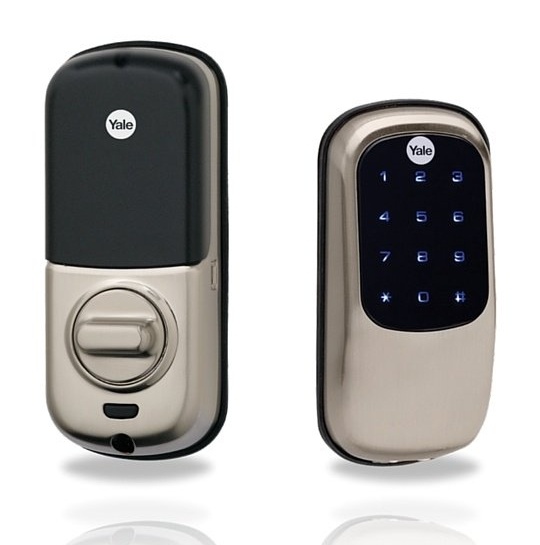
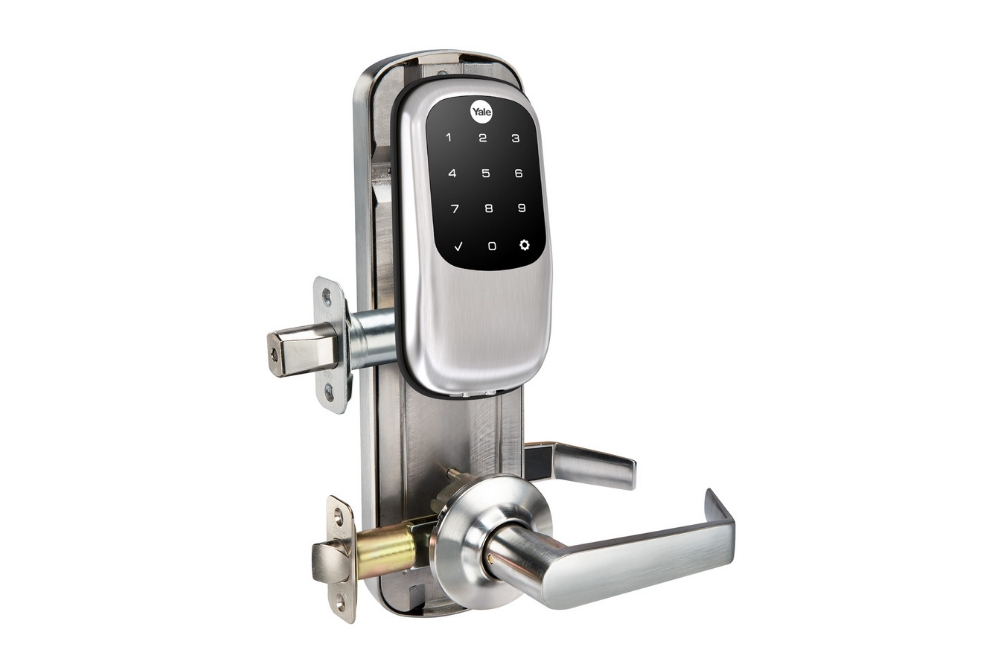
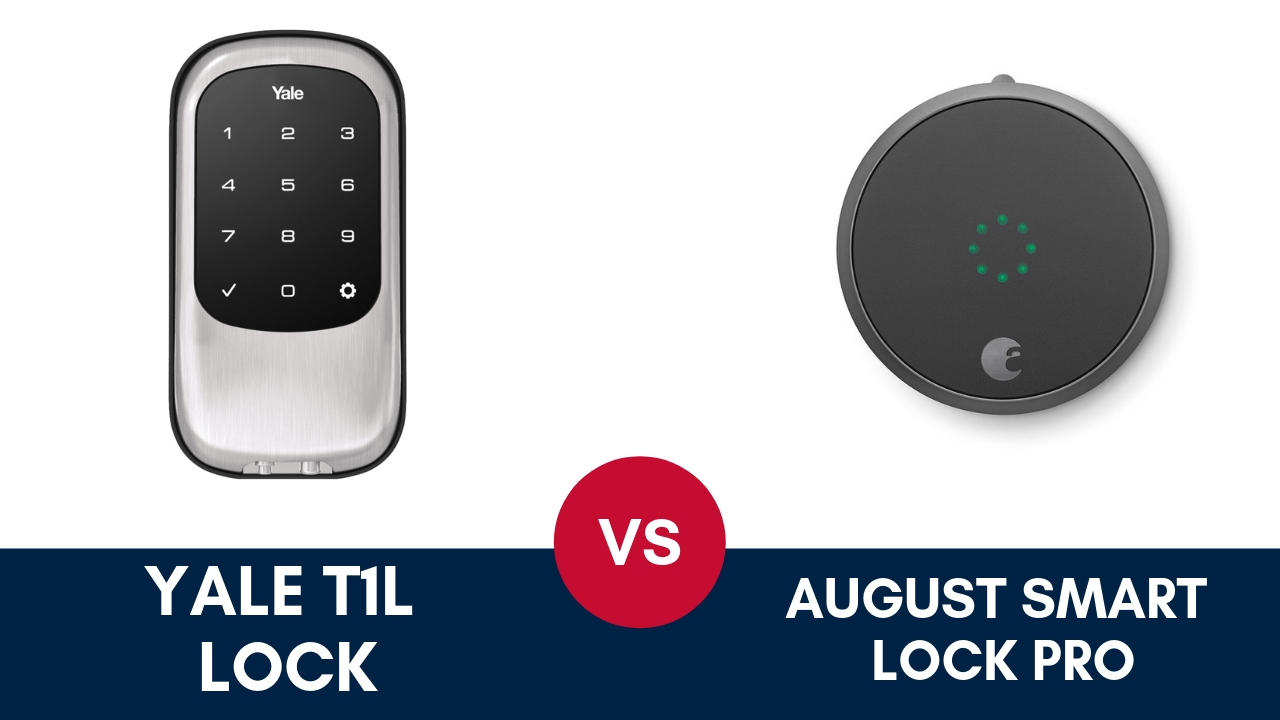
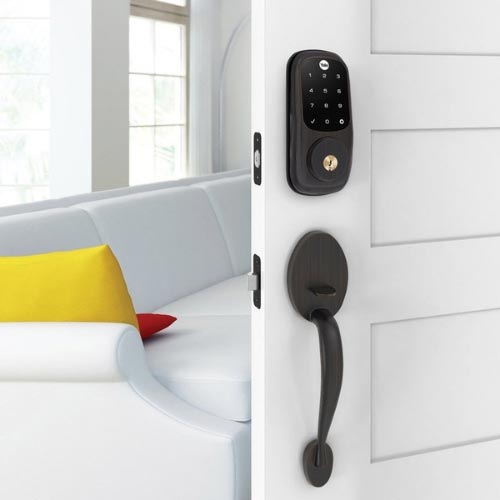
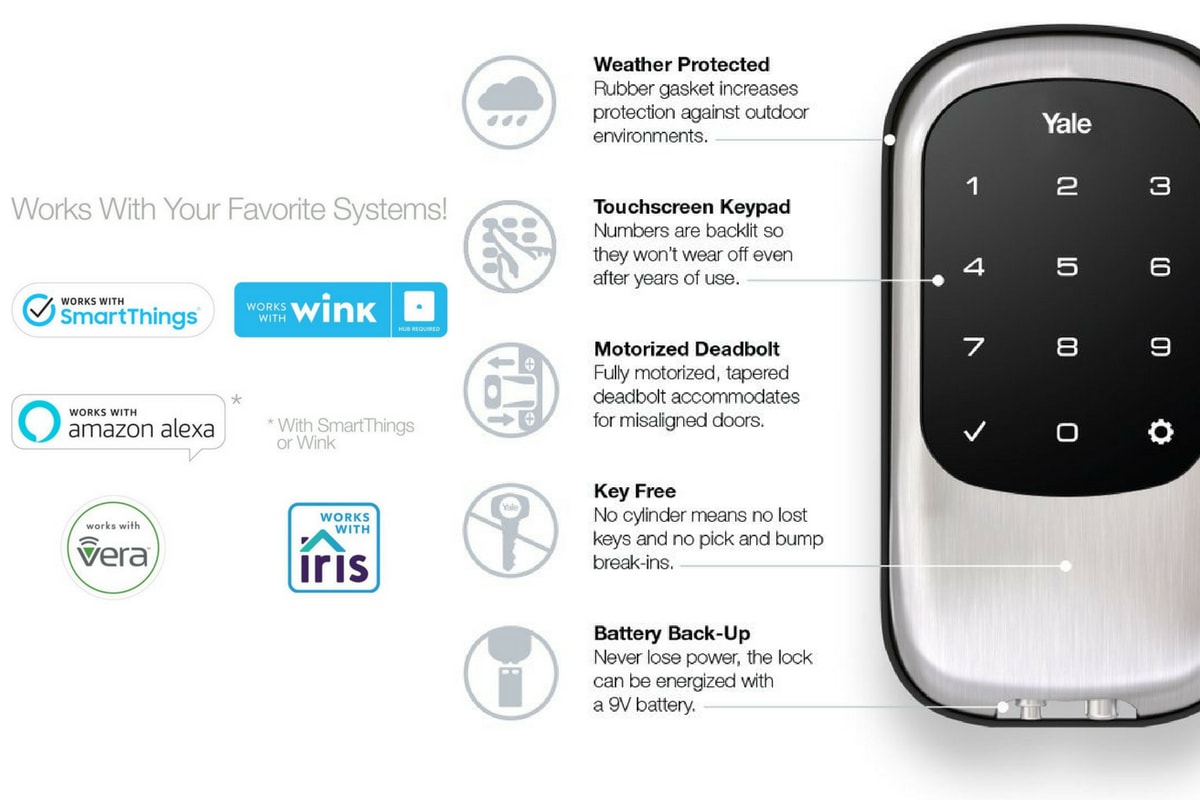
The Yale Real Living T1L Lock is a keypad that replaces your deadbolt on both sides. It’s the smallest residential keypad on the market, and it comes in three distinct finishes: satin nickel, oil-rubbed bronze, and polished brass.

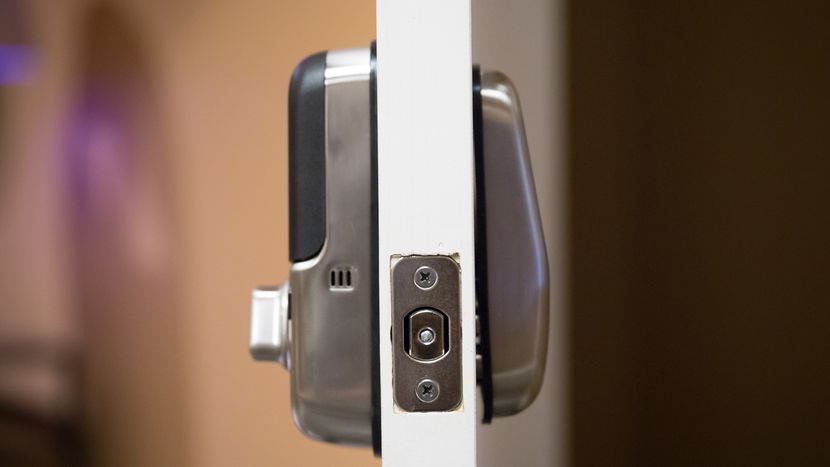
The latch is tapered—this is a more important feature than you realize. Some smart locks on the market with non-tapered latches have earned bad reviews because the locks don’t fit well into the strike plate (the receiving end on the doorframe), leading to the lock failing to close at all. A tapered latch lets the lock slide into the strike plate, thus avoiding damage and ensuring that the door will close under any circumstance.

If you’re worried about external factors (such as weather damage) messing with the lock’s internal mechanics, Yale has a solution for that. A rubber gasket around the base of both plates makes sure that the insides are fully secured. No need to worry about rain damage or a liquid spill shorting out your smart lock and making your home inaccessible.
Yale_20Smart_20Lock_fe703d22df6198d674e9d941da7021b3

Installing the Yale T1L is pretty simple and takes just under half an hour. The box comes with illustrated instructions, and the lock itself even provides audio prompts. Once the lock is fitted in the deadbolt slot, you need to program the lock. It’ll prompt you to enter a master code, and you can then enter up to twenty-five user codes to permit entry.

Entry and exit with the T1L are controlled by your keycodes—there’s no need to mess with a physical key. When people come over or check on your house while you’re away, you can just give them a keycode rather than hiding keys under the mat and worrying about lost keys.
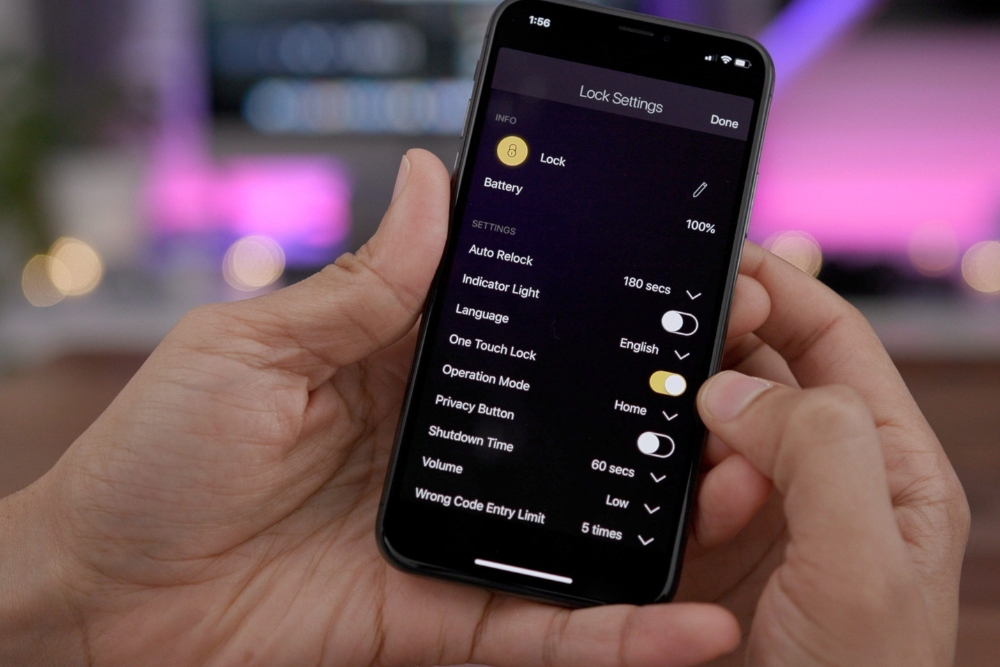
yale-assure-smartphone-app

The lock’s interface is simple enough to use: The keypad lights up when you give it a tap, and then you enter the keycode to lock or unlock the door. The lock also has a handy one-touch lock; just close the door and tap the inside screen, and the door locks easily.

If you’re worried about the batteries running out unexpectedly, you can rest easy. The T1L comes with four AA batteries that last approximately a year and will give you a noticeable warning when they’re running low.
yale touchscreendeadbolt compress4

Yale offers another solution if you’re desperate: If you touch a 9-volt battery to the contacts on the underside, that’ll power the T1L long enough for you to enter your keycode and get inside. If you’re going out the door, it’s even simpler: The lock features a thumb-turn knob for manual opening.

For people who want to integrate the T1L with smart home technology, the lock is compatible with Z-Wave. A smart home hub like the Samsung SmartThings or the Logitech Harmony will let you take advantage of a few more features, including remotely locking or unlocking the T1L. And that just scratches the surface of its features: It can also integrate with other Z-Wave smart devices you’ve installed.
yale-assure-smartphone-app (1)

You can set the lights to turn on when the door is unlocked or set your security cameras to record a 30-second clip when you lock your door. You can even set a lock schedule for when you’re sleeping or going to work or set auto-unlock for when your phone comes in range of the lock.

The main downside of the T1L is that it doesn’t integrate with any other network besides Z-Wave. It has no Bluetooth connectivity, no smartphone app, and no integration with the Amazon Echo or Google Home. If you’ve got a Z-Wave home hub, then you’re in business; if not, then the keypads will be the extent of the lock’s features for you.

Another smaller downside of the Yale T1L is that programming the keycodes is not intuitive. Programming the T1L requires you to work with the lock directly, and it’s honestly a tedious exercise. This downside only applies to the setup process, of course.

The T1L is an incredibly intelligent and feature-packed smart lock that’s perfect for houses with a Z-Wave smart home hub so the T1L can seamlessly introduce utterly futuristic conveniences to your home. However, if you’re not willing to set up the Z-Wave system or if you use other smart home systems, then the T1L may not be for you.

The Chunky Aluminum Knob: August Smart Lock Pro

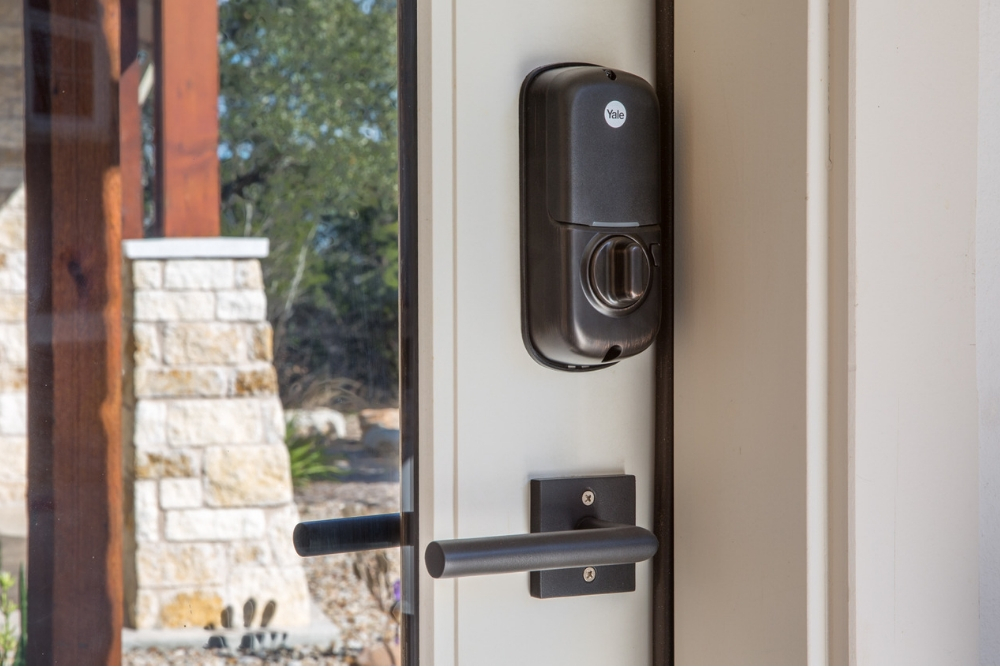
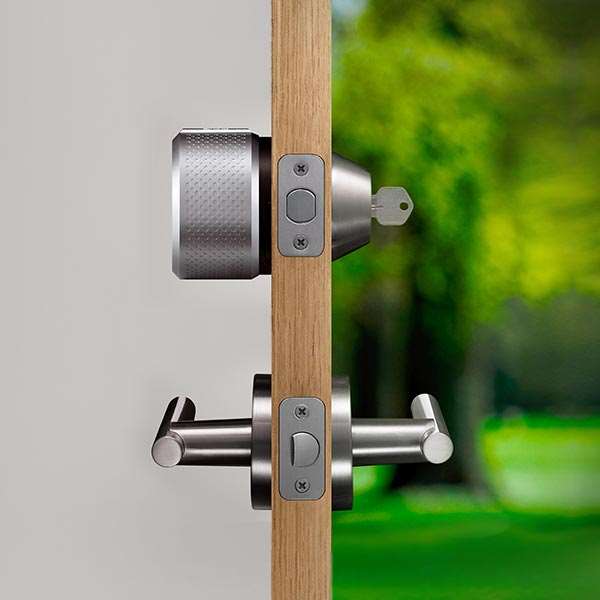
The August Smart Lock Pro replaces the inside portion of a single-cylinder deadbolt, leaving the outside of the lock the same, meaning your keys still work on the deadbolt. This leaves the outside lock vulnerable to lockpicking, but the Smart Lock Pro has other features to combat that.
smart-lock-side-angle

Installation is simple: All the required parts come with the box, and the only other thing you’ll need is your Philips screwdriver. Simply unmount the inside half of your deadbolt, screw in the mounting plate, attach the Smart Lock Pro’s shiny aluminum knob, and you’re done.

Once the lock is installed, you can select your settings on the August app on your phone, and you can even have the app guide you through the installation process.

The Smart Lock Pro has several features to make your life that much easier. Automation lets you adjust when the lock engages; you can set it to auto-unlock when you’re within 200 feet of the door so it’s open when you get there. The Smart Lock Pro will also alert you if the door is locked or unlocked, so if you accidentally leave the door ajar, it’s going to let you know!
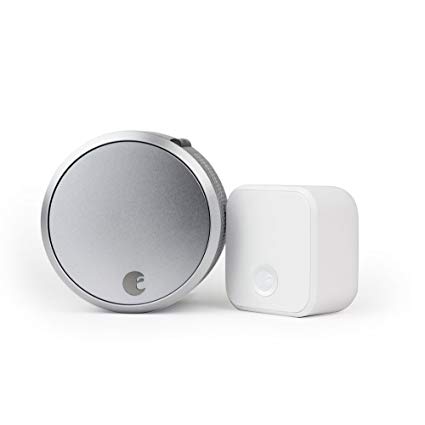
august-smart-lock

When friends or family come to visit, the app lets you provide them with virtual keys. Just send these virtual keys to them, and the Smart Lock Pro can detect which phones have permission to enter and let them in.

The Smart Lock Pro has an advantage over the Yale T1L in integration with smart home devices. It can link to Bluetooth, Apple HomeKit, and Z-Wave Plus, as well as its own August ecosystem. If you integrate it well with other smart devices, you can live in a highly automated smart home tailored to your day-to-day needs.
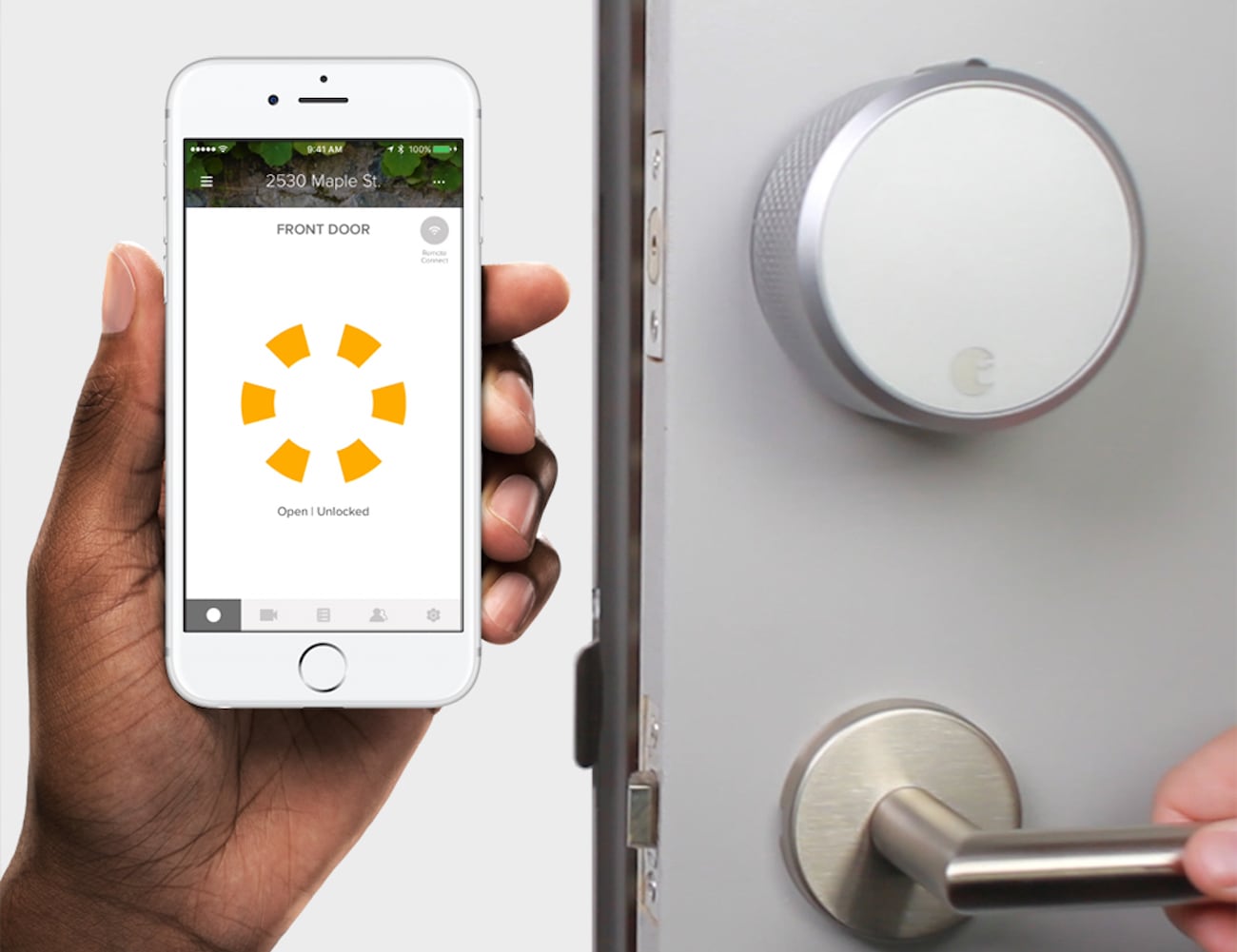
august-smart-lock-app

The August Smart Lock Pro is powered by four AA batteries that run out of juice in about a year’s time. You’ll be notified when the batteries run low, and if the batteries do run dry, you can still open the door with a key, so you’ll never be left out in the cold.

There is one potential downside to the August Smart Lock Pro: The lock cylinder is still present, which means the lock may be vulnerable to lockpicking. You’ll be able to see the lock was opened when you check in, but that won’t stop a prospective burglar.
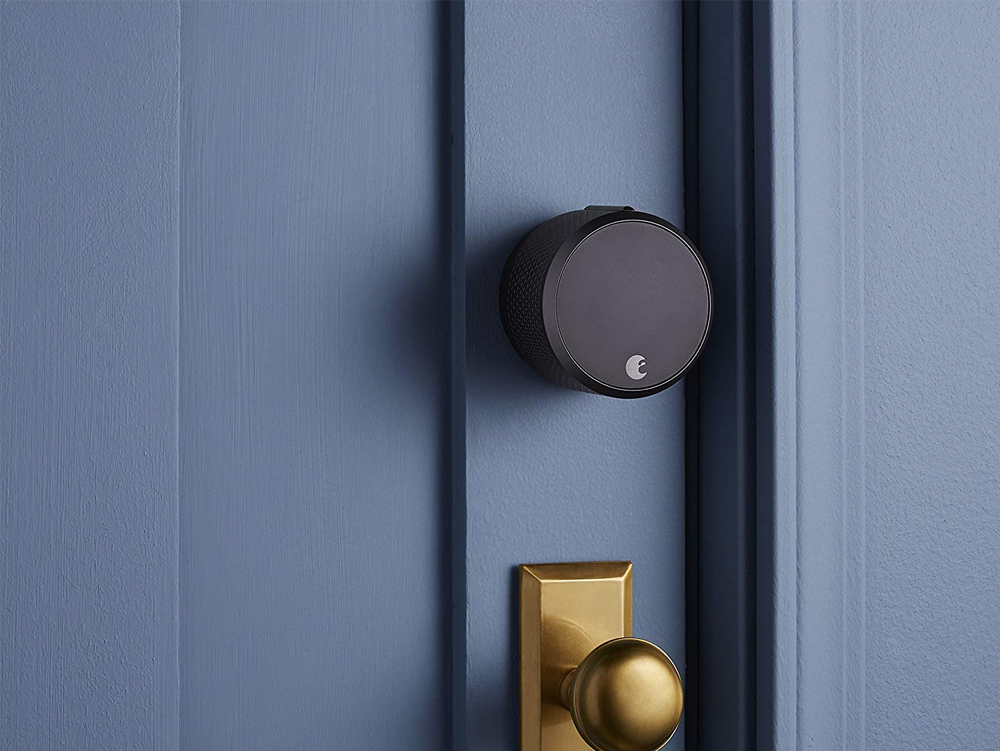
august-smart-lock-on-door

This also means that you’ll still have a key to worry about, and should some enterprising thief manage to get ahold of your key, the Smart Lock Pro won’t stop them from entering your home. That being said, many people might not consider this a downside because the lock cylinder allows a fail-safe to the smart lock mechanism.

Should You Buy the Yale T1L or the August Smart Lock Pro?

Both locks provide excellent service in securing your home. While the Yale T1L has a beautiful simplicity, it’s not as user-friendly or as innovative as the August Smart Lock Pro.

And while the Smart Lock Pro is an easily integrated upgrade for anyone looking for an extra layer of security and convenience, its lock cylinder doesn’t provide quite the same level of security as the T1L.
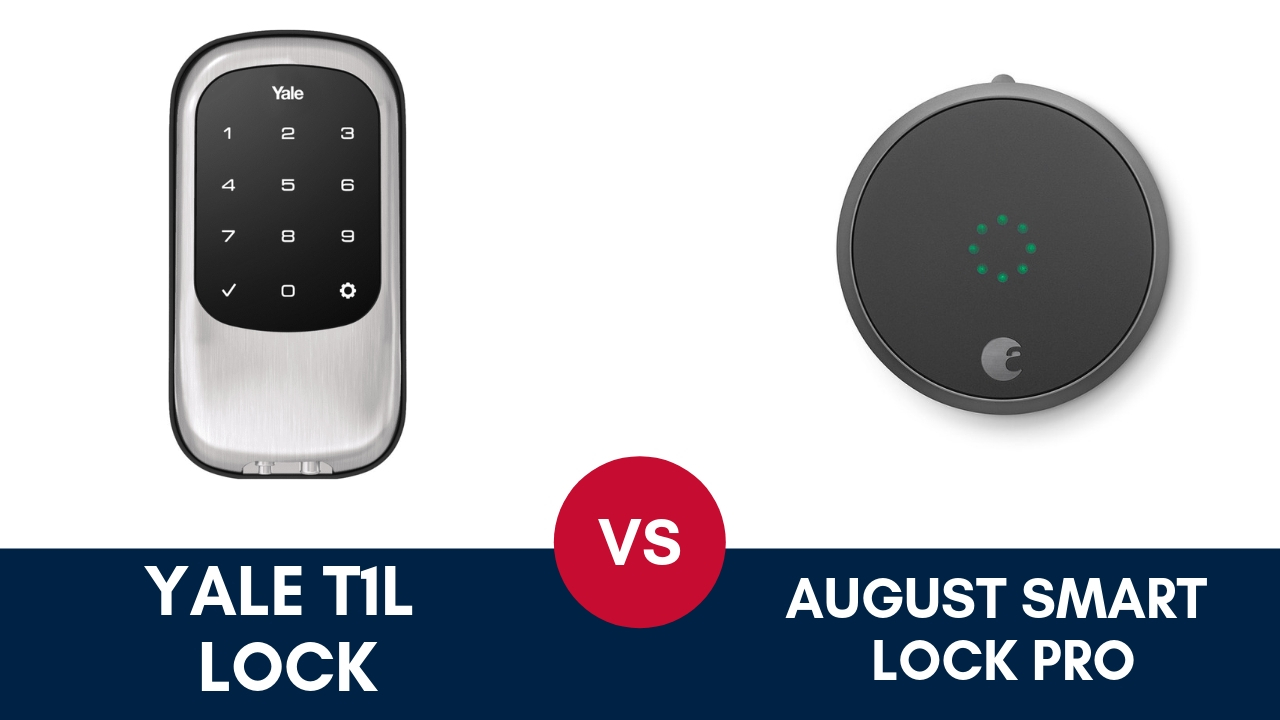
yale-t1l-vs-august-smart-lock

If you value tight security and you’re happy to set up the Z-Wave system, the T1L is perfect for you. But if you’re looking for a simple and easy smart lock that you can use in addition to a trusty set of keys, then the Smart Lock Pro is for you. Your choice should be based on what you value for your home.
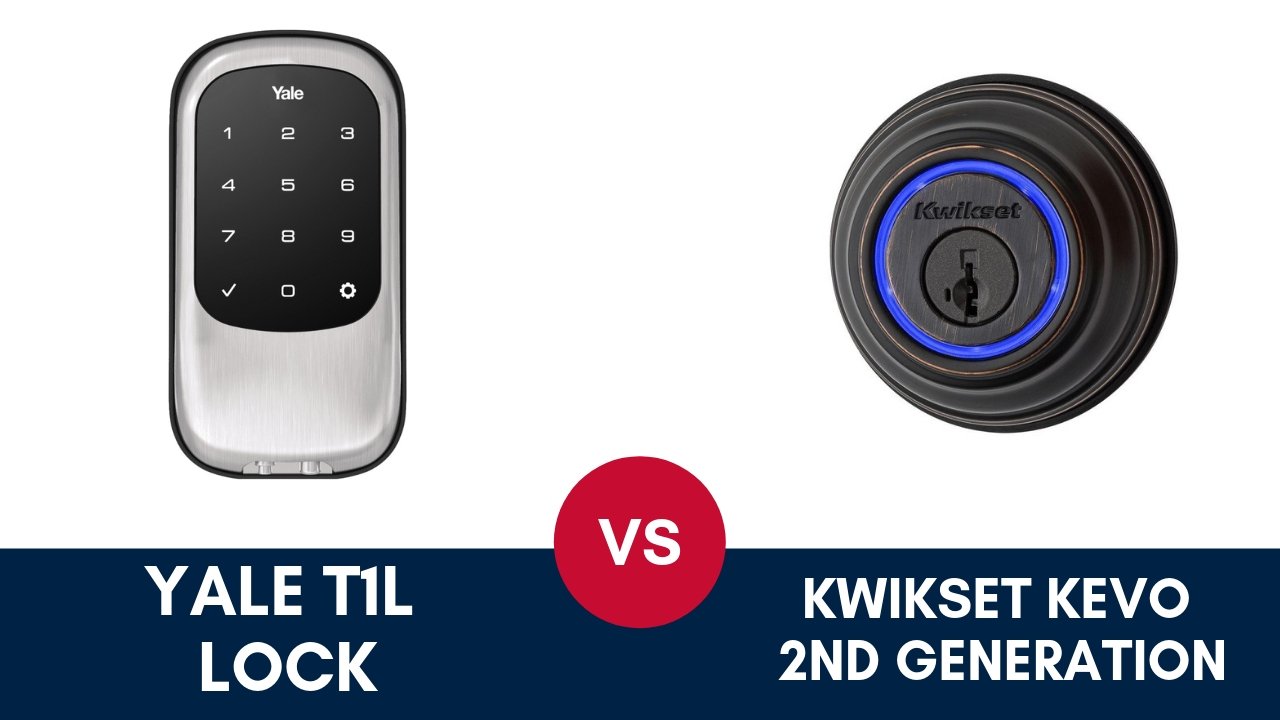
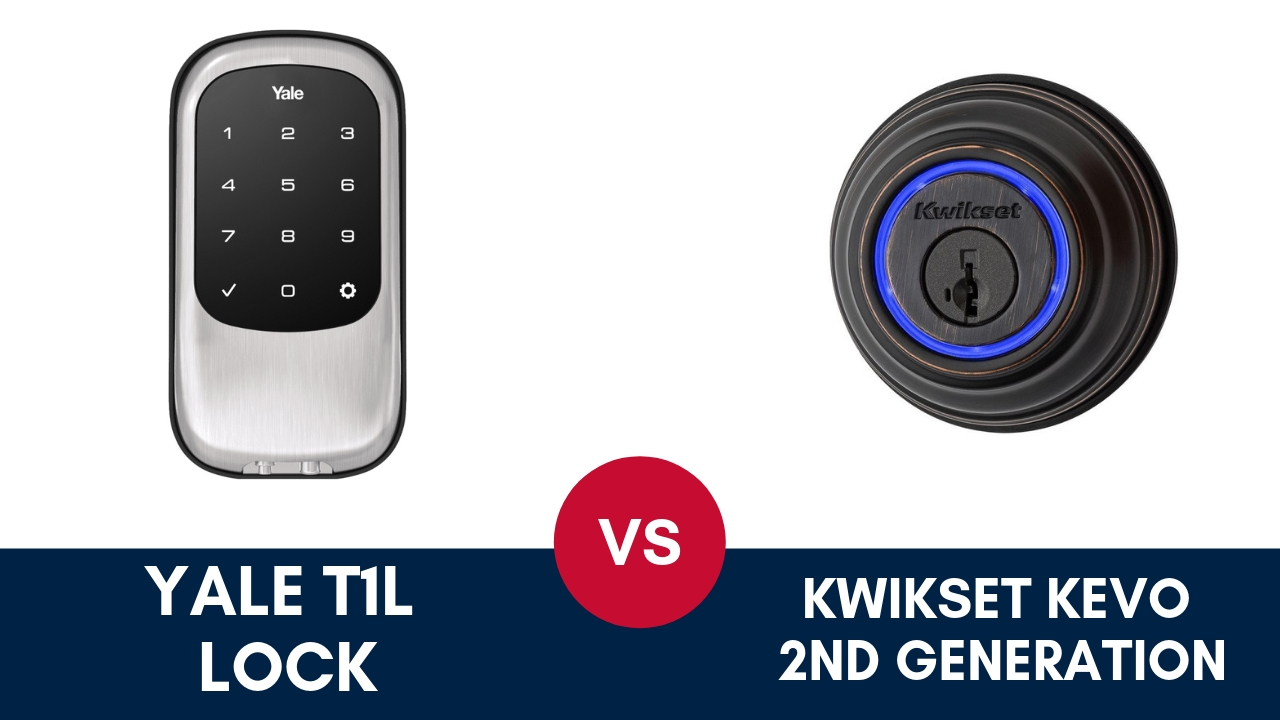
Yale T1L vs. Kwikset Kevo 2nd Generation Smart Lock

If you’ve ever lost or forgotten a set of keys somewhere and you were unable to get into your house, you may want to consider getting a smart lock.

But even those that aren’t forgetful can benefit from installing a smart lock on their door. The additional security, connectivity, and remote capabilities smart locks give you ease of access even when your hands are full. And when used in conjunction with a doorbell camera, the smart lock can help you verify visitors remotely before giving them access to your home.

If you’re passionate about Internet of Things (IoT), If This Then That (IFTTT), and have been looking to streamline the way you enter and exit your home or any property, a smart door lock will fit right in with the rest of your smart home devices.

What Is a Smart Lock?

A smart lock is simply a lock that communicates over a home automation protocol such as Z-Wave to link up to other devices in your home security system.

When combined with a smartphone app, you’re able to lock and unlock your door from your phone. Smart locks can sometimes be entirely controlled through a touchscreen, while others have number pads or regular keyholes.

Linking your smart lock with other devices gives you more control over your home while requiring fewer commands. You can synchronize your lights to turn on when you unlock your door, or have your thermostat turn down when you lock up on the way to work.

Things to Consider When Choosing Between the Yale T1L and the Kwikset Kevo 2nd Generation

There are several different kinds of smart door locks available, but the Yale T1L and the Kwikset Kevo 2nd Generation are two of the most popular options on the market.

yale-t1l-vs-kwikset-kevo

Before we jump into a review of each, here are some questions to ask yourself when considering what kind of smart lock to purchase:

  • Are you looking to improve the security in your home or just make access more convenient?
  • What other kinds of technology would you like your smart lock to be compatible with?
  • How many people will need to use the smart lock?
  • Is it important for you to be able to use an app with your smart lock?

Once you’ve had a good think about all of these questions, you’ll find it easier to decide which of the two locks below will work best for you.

Yale T1L Overview

To kick off our review, we’ll start with the Yale T1L. With a solid brand name, it’s understandable that you’d be expecting something as reliable as other kinds of Yale locks.

In this regard, it doesn’t disappoint. The device is cylinderless—which means that no one can easily tamper with the lock—and the key code can only be accessed from the outside.

Style

The size of the smart lock is small, but it’s solidly built as you’d expect. And like previous Yale locks, the design is minimalist and classic.

Security_Solutions_Yale_locks-189217-edited

The lock comes in three different metallic finishes: satin nickel, oil rubbed bronze or polished brass. All three have a sleek and rounded appearance, and you can even buy matching door knobs from Yale to create a unified aesthetic.

Features

  • Rubber gasket to protect the lock from the elements
  • 9V battery contact in case of emergencies
  • Up to 25 programmable user codes
  • Manual programming interface (no app) with audio commands
  • Compatible with Z-wave smart home hubs (for an additional cost)
  • One-touch locking
  • Keypad with daylight visibility
  • ANSI/BHMA Grade 2 security rating

Kwikset Kevo 2nd Generation Overview

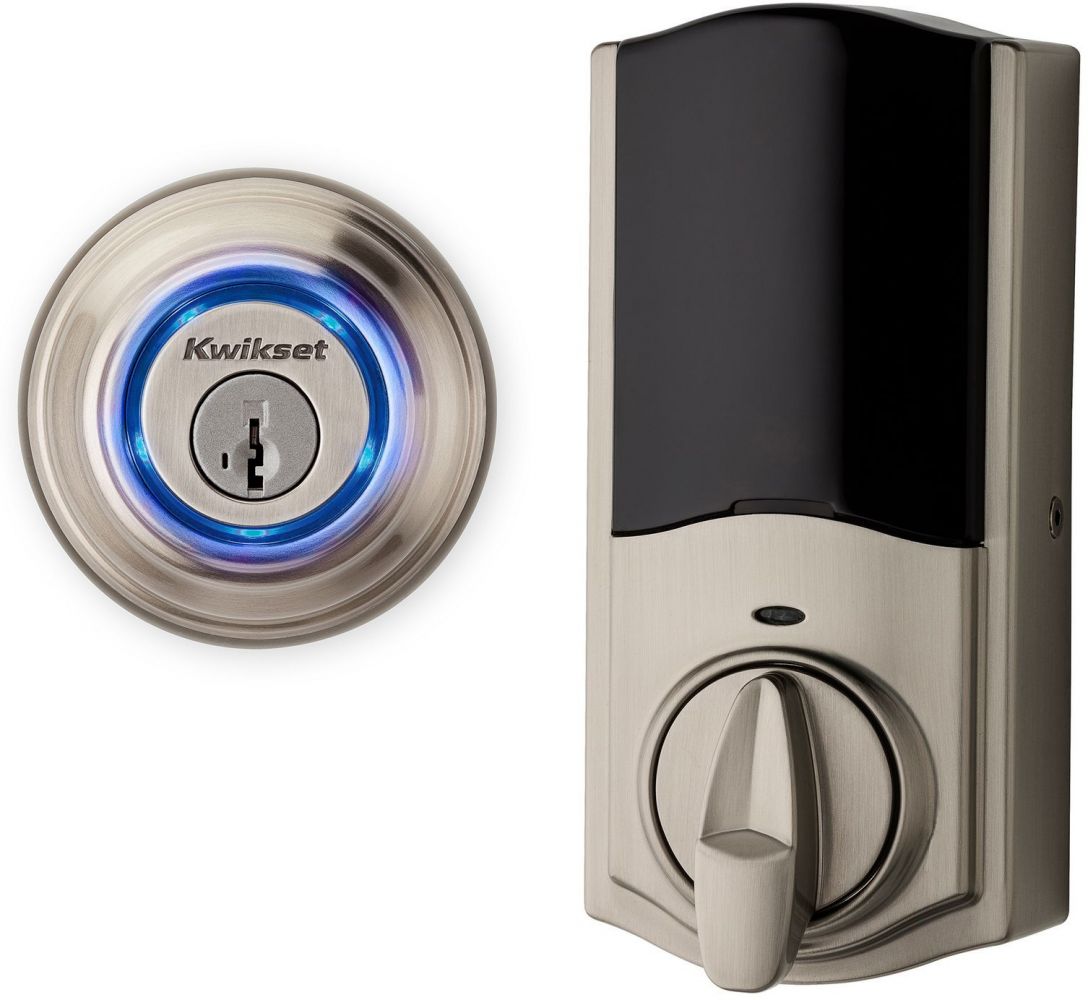
The Kwikset Kevo 2nd Generation smart lock on the other hand looks very similar to a normal lock, but it has the added benefit of smart home functionality.

You have the option of using your key the regular way, or you can use your smartphone and the Kwikset Kevo app to unlock the door using Bluetooth.

Style

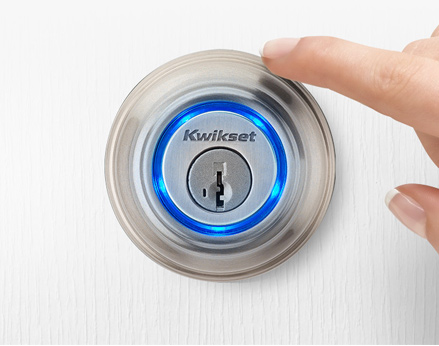
The design of this lock is simple and subtle. The only way you can really tell that it’s a smart lock is by the blue ring around the keyhole.

kwikset-kevo

Utilitarian and straightforward, this lock is subtle to the point of being rather dull. But if price is more important to you than appearance, it’s definitely an option worth considering.

Features

  • “Touch to open” technology using Bluetooth
  • Option to use fobs to gain access
  • Additional e-keys available online at no extra charge
  • Smart home compatible (for an additional cost))
  • IFTTT supported

Comparing the Yale T1L and the Kwikset Kevo

Ease of Installation

The Yale T1L is easy to install, but setting up key codes takes longer than it needs to.

yale-touchscreen-door-handle

On the other hand, Kwikset Kevo allows you to set up keys online using an app, which is definitely a more convenient option.

Ease of Use

Both of these locks are very simple to use. The Kwikset’s “touch to open” feature makes getting into your home as easy as pressing a button, but you also have the option of using a key if necessary.

kwikset-touch-to-open

However, while the “touch to open” feature is a crowd-pleaser, it’s really only basic Bluetooth technology. Unlike other automation protocols, Bluetooth is designed for short-range communication only, so you’ll be restricted in the IFTTT recipes you can choose from.

The Yale may not have as many programmable options. But, with a simple touchpad, it’s a much more streamlined option which you can enhance with further Z-wave functionality.

Smart Home Compatibility

Both locks are compatible with smart home hubs, but only the Kwikset Kevo is set up to work in tandem with Alexa.

As mentioned above, for both of these locks you’re going to have to invest in additional functionality to take advantage of any smart home capabilities.

Reliability

With a standard lock setup, the Kwikset Kevo device is sturdy but could potentially still be picked (with difficulty) like a normal lock. This device is also known to sometimes struggle a bit with commands. And even though it is tough, the smart lock is getting on in years.

The cylinderless Yale T1L, on the other hand, is a solid option because it’s impossible to try and crack the codes from the other side of the device.

yale-smart-lock

Plus, we like that thought has been given to an emergency no-power situation with the addition of the 9V battery contact point (even though the AA batteries should last you for about a year).

Cost

In comparison to other similar locks on the market, the Kwikset Kevo is reliable but expensive if you compare it to other locks in the same category.

The Yale T1L, on the other hand, is a lot more competitively priced if you look at other similar types of smart door locks on the market.

Bottom Line

It all comes down to preference, but it must be said that even with all the additional functionality that the Kwikset Kevo lock provides, buyers may be overwhelmed by the array of features, many of which only appeal to a narrow audience.

While having a smartphone app might make it easier to set up the Kwikset Kevo lock in the beginning, it can become annoying to have to always have your phone or keys on you to access your home.

When it comes down to it too, a lock is all about being solid and not easy to tamper with. So while the Kwikset Kevo might have some crowd-pleasing features, the presence of a keyhole calls into question whether the device is truly tamper-proof, resisting lock picking and lock bumping.

While both options are solid and each of them has their pros and cons, overall we think the Yale T1L comes out on top because it is just a no mess, no fuss option that is less complicated and more secure.

3 Best Local Alarm Companies in Massachusetts

Are you considering getting a security system for your home? Choosing a local home security company can be overwhelming, but it doesn’t have to be. Here are the top three local alarm companies we recommend in Massachusetts

Alarm New England

Alarm New England is one of the security industry’s best-kept secrets. This local fire alarm company is a family-owned business.

What sets it apart from the competition?
The company works with Alarm.com and Qolsys, two of the most reliable security equipment suppliers in the country. Homeowners can trust Alarm New England to keep their families safe.

Price

We appreciate the payment flexibility of this local alarm company. Customers can opt for a monthly plan or sign a three-year contract.

Alarm New England offers a satisfaction guarantee for 100 days or a full refund. It has six packages to choose from, ranging from $31.99 to $51.99 per month.

Features and Equipment

Alarm New England has everything you would expect in a modern home security system. This includes remote access, home integration, a UL-approved monitoring station, and all of the latest features. It is compatible with both Amazon Alexa and Z-Wave.

Your Alarm New England security system can be installed by yourself or with the help of professionals.The Qolsys hardware used in Alarm New England’s equipment can accommodate any apartment or property. Homeowners appreciate the IQ Panel 2’s easy-to-use interface. This award-winning technology has a 7-inch HD touchscreen, wireless radios, and a built-in 5-megapixel camera. It also works on a variety of smart devices in your home. We love the touchless disarming feature and glass break detector.

Going beyond monitoring your home, this local alarm company also offers environmental protection. Alarm New England’s hardware can detect temperature change, the presence of carbon monoxide, smoke and flooding.

In case of an emergency, there is a panic button to ensure your personal safety. This gives homeowners peace of mind.

Another advantage of choosing Alarm New England is the ability to reallocate your security system if you change service providers or move away.

Customer Service

Homeowners across various platforms agree that Alarm New England delivers outstanding customer service. They are responsive to user questions and emergency situations.

They also welcome customer feedback so they can provide a positive user experience.

Pros

  • Excellent customer service
  • The option between professional installation or self-installation
  • Monthly options available
  • Plans start at $31.99 per month
  • The ability to reuse existing equipment

Cons

  • Available only in New England
  • Can only service properties smaller than 10,000 square feet

Wayne Alarm

Wayne Alarm serves homes and businesses in the North Shore and is also a popular choice in Lynn and Salem. Wayne Alarm does both the designing and the installation of its alarm systems.
Many Massachusetts locals can benefit from their services, whether for residential or commercial use.

However, if you rent or plan on moving, you might want to shop elsewhere because Wayne Alarm doesn’t provide national coverage.

Price

Homeowners who are shopping for local alarm companies in Massachusetts can’t access Wayne Alarm’s pricing information online—customers must call for a quote. Some clients may be unsatisfied with the lack of important information that’s made readily available to them. Clients need to know key factors such as warranties and return policies before making an informed decision.

The monthly fee, however, ranges from $33.95 to $52.95, with three available packages. A contract with Wayne Alarm lasts 36 months.

Features and Equipment

This local alarm company offers home security with a variety of features, including alarm systems, security cameras, and smoke detectors, that can be tailored to all of your monitoring needs.

Wayne Alarm uses what’s generally considered to be reputable security hardware like Honeywell, DSC, First Alert, and Ademco.

The advantage of choosing Wayne Alarm is the ability to reallocate your security system within the neighborhoods that the company serves.

Homeowners and local businesses can benefit from intrusion protection as well as environmental protection and video surveillance. Sensors are wireless, and a siren or alarm is triggered when movement is detected around your home. The user interface is clean and easy to use.

Some security companies outsource monitoring assistance to other companies. But with Wayne Alarm, you will get help from their trained operators within 30 seconds. That is half of the standard response time in the security industry, and it’s available 24 hours a day, seven days a week.

Monitoring technology is also available over cellular and broadband. Superior technology integration also allows for mobile access and alerts in real time.

Customer Service

Wayne Alarm has been serving the community for over 50 years. The customer service team has many positive reviews online for its product knowledge and helpfulness.

Pros

  • Great for both residential and commercial use
  • Excellent customer service
  • Quick response time
  • Professional installation
  • Customized security systems

Cons

  • Absence of pricing and other important information online
  • Only available within the state of Massachusetts

American Alarm

American Alarm is a UL-listed and CSAA certified security company that offers customers 24-hour monitoring. It is the biggest independent security company in New England and serves parts of Massachusetts, New Hampshire, and Rhode Island.

Price

American Alarm doesn’t offer much information on their website about pricing. However, according to user reports, consumers can expect to pay between $27 and $80 a month. This amount varies depending on the equipment used, the size of your property, and the package you choose.

All other pricing information, such as warranties and policies, are undisclosed. American Alarm is more expensive than other local alarm companies.

Features and Equipment

American Alarm offers an extensive list of security systems for both residential and commercial use. Alarm and security systems are tailored to customers’ needs, and you can choose between a cellular or landline system.

However, the company uses DMP equipment, and not many other security companies are willing to take over this outdated system, so it’s tough to switch to a new security company. It is also likely that you will need to update American Alarm’s DMP equipment in the next few years.

As for American Alarm’s technology integration, the local home security company uses Virtual Keyboard software. It is accessible through mobile apps, and it’s compatible with Amazon’s Ring doorbell, Z-Wave, and NVRs.

Customer Service

This company has an A+ with the Better Business Bureau. Although American Alarm has an average reputation, it scores poorly with customer service.

Customers don’t like the outdated technology, and some aren’t keen on the large upfront investment that comes with choosing American Alarm.

Pros

  • Local monitoring station
  • 40 years of experience
  • Professional video surveillance installation

Cons

  • Difficult to switch security companies due to outdated DMP systems
  • No discounted systems for purchase
  • Poor customer satisfaction

Whether you’re a longtime Massachusetts resident, or are perhaps moving to a new town in Massachusetts – these are the three local alarm companies to consider.

7 Tips For Renting Out Your House

Whatever your reason for wanting to know how to rent your house out, you no doubt want the entire process to run smoothly and to find tenants who will take care of your property.

Knowing how to rent your house out and the procedures to follow can mean the difference between finding reliable tenants and your apartment standing open, or even worse – having tenants who do not pay.

There is quite a bit to think about, and being adequately prepared from the beginning will set you up for success in the long run. An important question to ask yourself is whether or not to use a realtor or property manager as they will typically take care of some of the services we mention in this article.

While it can make life easy, you do pay for the convenience and can expect a realtor’s services to cost you about 10% of the monthly rent, as well as 50% of the first month’s rent once a tenant is secured. The other option is to find out how to rent your house out yourself and then manage your property on your own to save some money.

We have put together seven tips on how to rent your house out to remove a lot of the guesswork and layout the steps to renting out a house.

Our Top Tips On How To Rent Your House Out

Initial Phase – Advertising & Screening

Establishing Your Rental Price

The first tip on how to rent your house out is related to the rental price. Your rental price will be determined mainly by the price that the market is willing to pay, and not by the amount that you want to receive as income.

home shaking hands real estate

To determine how to rent your house out at a price the market is willing to pay, take a look online or in newspapers, or speak to the neighbors or local realtors to find out what other properties in the area are going for. This will give you an idea of what you can ask for yours.

Advertising Your Property

Once you have established a rental price, you need to advertise your property. Knowing where and how to put your house up for rent as an advertisement to reach the right potential tenants is important. Take photos of the house with furniture in it as this gives a better indication of the actual space available.

Ideally, advertise your house for rent on the same platforms you used to determine the rental income. Considering these platforms contain the information on the area, they are relevant and likely being seen by people interested in renting in the area.

Pre-screen Potential Tenants

How to rent your house out in the most efficient way begins here. You may think pre-screening is a duplication of what you will go through when examining the applications, but in actual fact, it will help you to remove unsuitable candidates early on and save you time in the long run.

rawpixel-1053187-unsplash

Ask the interested applicants who respond to your advert for some basic information over the phone and use this to immediately qualify or disqualify them from viewing your house. You may want to ask them:

  • their employment status
  • for references you can contact
  • their credit history
  • if they have any prior convictions

Let them know the number of people who can stay in the house (usually two per room)

Middle Phase – Showing & Applications

Showing The Property

Organize one property viewing at a designated time for your pre-screened applicants to see the house. This way you can get it over and done with in one go, and should you have current tenants in there already, it will be less of a disturbance for them.

house keys hand

Ask your spouse, partner, family member or friend to come along and help you out with the viewing if you have a large number of people who want to see the place.

Make sure you have ample application forms with you to hand out to prospective tenants and ask those interested to fill it out while they are there. Most will want to take it home to fill out and send back to you, but it’s worth trying to speed up the process by creating a sense of urgency.

Applications and Background Checks

This phase of how to rent your house out is crucial. Combing through the applications and performing background and credit checks on your potential tenants will identify the right person for your property. Obtain a release of information from the applicant on the application form, and make sure you do these things:

  • Verify the applicant’s monthly income
  • Speak to two or three previous landlords provided as references
  • Perform a credit and criminal check

Final Phase – Signing The Lease Agreement & Key Handover

The Lease Agreement

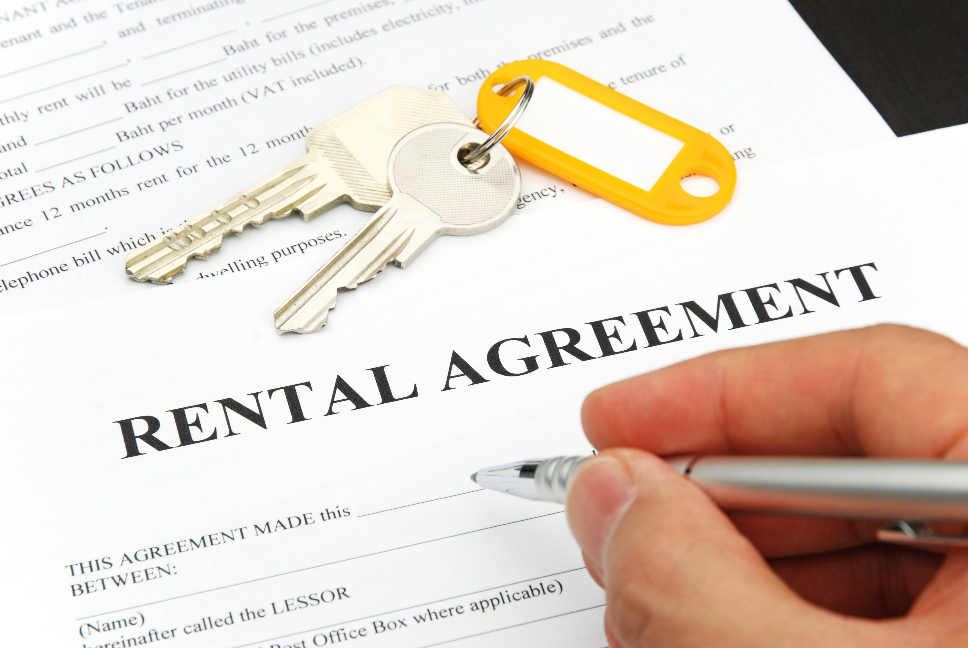
Once you have approved a tenant, it is time to sign the lease agreement. Either your attorney can draw up a basic lease agreement for you, or you can find free formats available to download off the internet. Alternatively, stationery/paper stores often have lease agreement templates available for purchase too.

rental-agreement-forms

This is also the point where you collect your safety deposit from your new tenant. Make sure you have a separate, interest-bearing bank account to deposit these funds into as required by law.

Key Handover

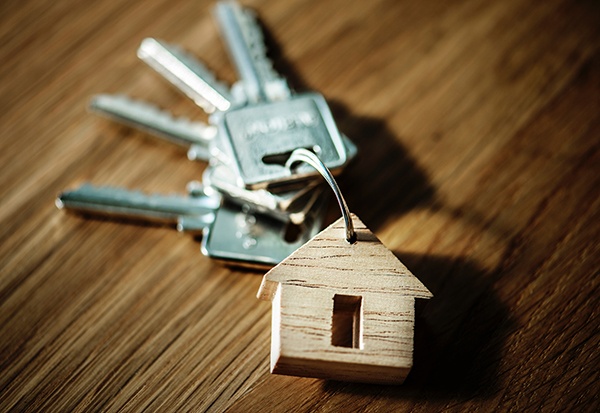
Use the key handover as an opportunity to also fill out the move-in condition report with your new tenant. Run through the house together; make notes and take photographs of its condition so that there are no conflicts when the tenants move out your property in future.

key-handover

Our tips do not only apply to renting out your house, and can be taken to indicate how to rent out an apartment too. Whatever the case, we leave you with a final bonus tip on how to rent your house out – that is not to forget to take out a rental home insurance policy that covers you in the case of any unfortunate events such as fire or flooding that may result in loss of rental income.

[Best Tips 2025] Winter Home Maintenance Checklist

With winter on its way, now is the time to prepare your home. The season brings with it cold winds, below zero temperatures, and snow.

The United States, and other parts of the world, are experiencing more extreme weather conditions due to climate change. Over the last decade, even areas in our southern regions which do not typically get extreme cold or the threat of snow have dipped into the single digits.

While other cities have recorded colder than ever temperatures, one evening Chicago was colder than the South Pole.

We’re all guilty of neglecting important home maintenance tasks, failing to prepare your home for winter can be costly.

This simple home maintenance checklist will help you easily ready your house before winter hits.

Interior

Check and service your fireplace or chimney

Ridding your chimney of soot and debris is an easy DIY job and will save you having to pay for a cleaning service. However, if there is a buildup of creosote present, you’ll need a licensed contractor to remove it.

Run the tip of a fireplace poker along the interior of the chimney wall. If you find a thick, shiny, tar-like buildup it’s best to call a professional. At least once a year a regular, wood or coal burning fireplace should be serviced.

fireplace-chimney

Once the fireplace is cleaned, consider installing a fireplace plug (also called chimney pillow). This inflatable device prevents cold air entering the house and heat from escaping. One homeowner in Marylandsaved around 13% on consumption costs after using a fireplace plug to block heat loss.

Reverse the ceiling fans

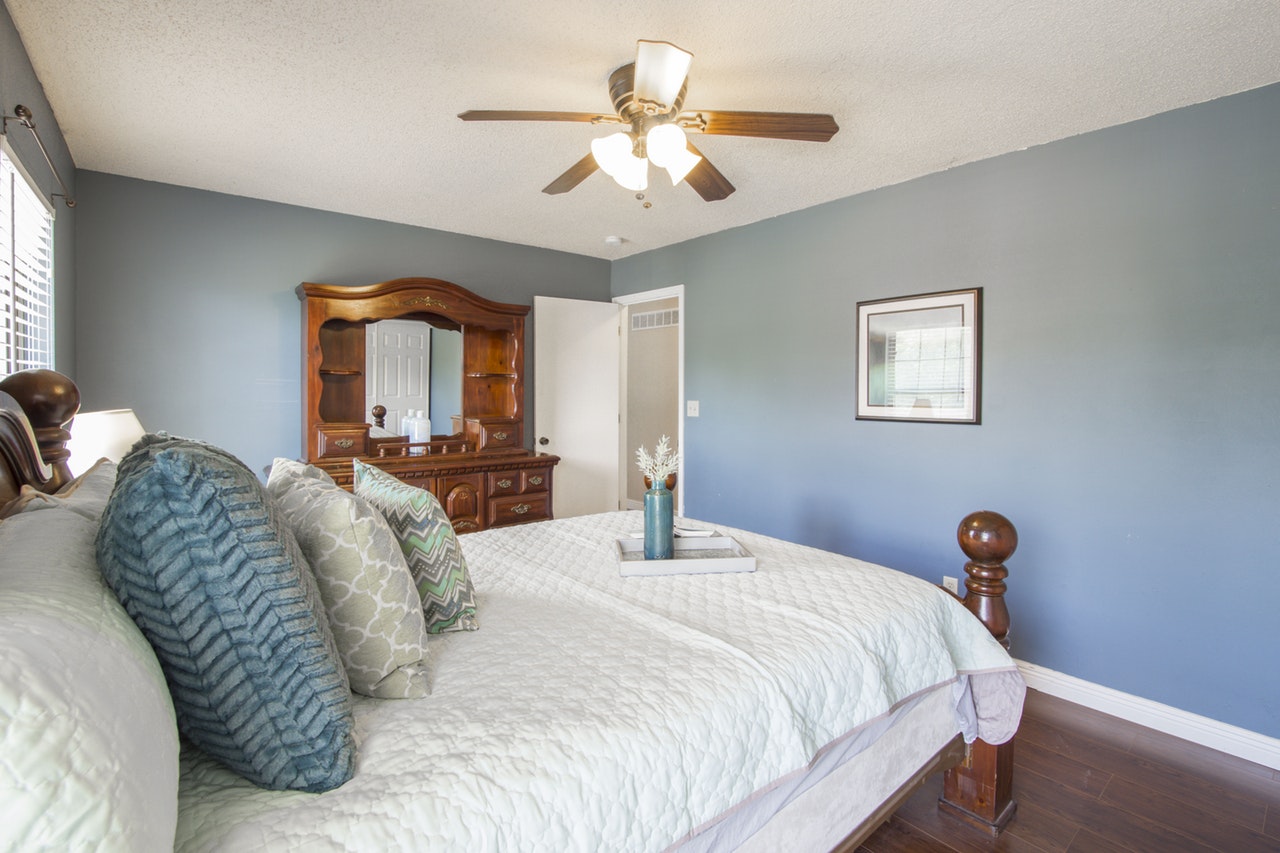
By changing the direction that the blades spin, hot air is forced downwards, keeping the heat in the bottom half of the house. By reversing the motor and running the fan on low-speed during the winter, you can achieve more noticeable warmth.

ceiling-fan-bedroom

According to Apartment Therapy, adjusting your thermostat and running the fan as above can save close to 10% on heating costs.

Most modern ceiling fans have a remote control where the direction can be adjusted, or you can locate the exterior switch located on the fan motor to manually change it.

Check and replace batteries of detectors and alarms

An annual average of45,900 heating-related fires occurred between in the U.S. between 2013 and 2015. And heating was the second largest contributor to fires in residential buildings.

With the temperatures dipping, it will put your mind at ease knowing that the detectors and alarms are all in good working condition.

It is also crucial to ensure your fire and carbon monoxide monitoring systems are working. If a fire breaks out, or there is a gas leak, the detection systems need to be functioning correctly in order to notice it immediately. Take the time to conduct a test on each alarm or detector and replace the batteries before winter.

Prevent pipes from freezing

Water has the unique property of expanding as it freezes. This can cause the pipes the water is contained in to burst. Whether the pipe is plastic or metal, it can easily break from this expansion.

frozen-pipes

Pipes most at risk are ones that are exposed to the severe cold, like those that run along the exterior of the house or in the pool. Pipes inside the house are at risk too, especially those in unheated areas like the basement or attic. According to the Insurance Institute for Business and Home Safety, burst pipes because of freezing can result in damages that can cost a homeowner well over $5000.

But it’s easy to prevent.

Pipe insulation is cheap and effective. Insulate all pipes that are exposed to the cold weather, including those in the garage and basements.

Consider heating cables or tape as another long-term solution.

Faucets and pipes located outside of the house need to be drained completely and turned off. If pipes do not have a shut-off valve, you will need to leave the cold water tap dripping to prevent water from freezing.

Even a soft flow of water is enough to keep the pipes from freezing completely. Hose pipes should be drained and stored away.

Insulate the hot water tank and heaters

In winter, the hot water in a tank can cool quickly, which makes the boiler work more frequently to heat it up again. Wrap an insulation blanket around your water heater to reduce electricity consumption.

Also, proper maintenance one your water heater will ensure that it is functioning efficiently, and extend its life. It’s recommended to drain a water heater once a year. You could also program the hot water tank to only run during peak usage times rather than the entire day.

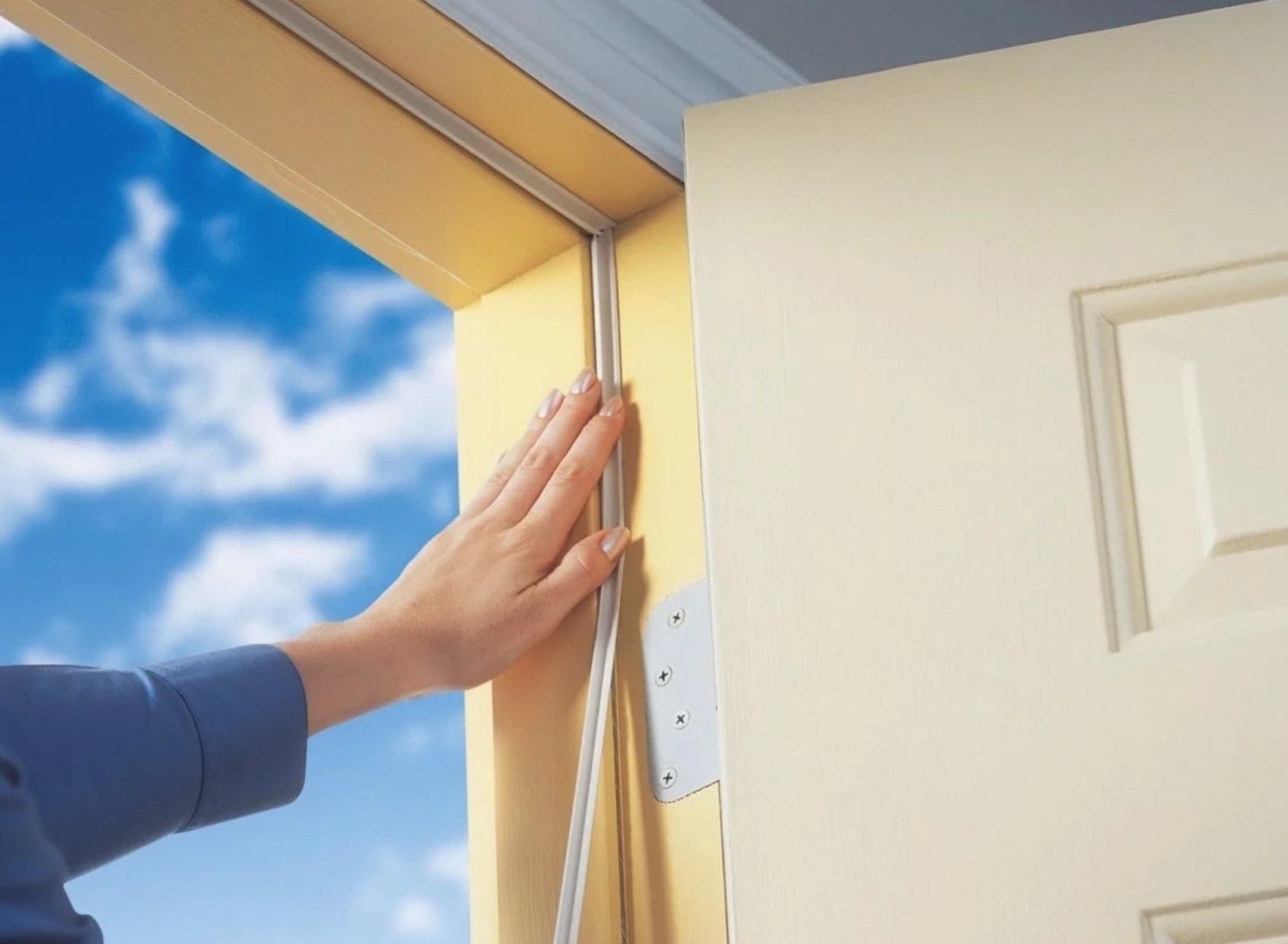
Seal off openings with caulking and weather-stripping

Doors are typically undercut to allow air flow to circulate into and out of the rooms. Some windows are also designed to conduct some air between them. When winter comes, and the cold, wet wind is blowing, it is wise to seal all these openings up.

weather-stripping-door

Check the condition and presence of caulking on all windows and replace or install where necessary. Use waterproof caulk around windows, doors and joints to prevent rain or snow from seeping in.

The Department of Energy estimates an average home can save 20 percent on heating costs by weather-stripping all doors and openings effectively. Weather-stripping comes in different materials and grades, so pick one that bests suits your needs.

Sump pump maintenance

A sump pump keeps the foundation of your home dry by preventing water build up or flooding. It has an effective lifespan of 10 years with regular maintenance. Having a working sump pump in winter is essential.

Remove debris from the basin and conduct a manual test to see that the pump is functioning normally. Be sure to insulate the discharge hose and install a backup battery to prepare for power outages.

Cover or remove the air-conditioning unit

If you have an air conditioning unit that sits in your window , it is likely to channel cold air through it during winter. It is recommended to remove these in the cold weather season and seal up the opening.

If you have a permanent, central AC unit that sits outside the house, consider placing a wooden board on top of it, held down with bricks. This will prevent snow or other debris from collapsing onto it.

Prepare the humidifier

Make sure the drain line is clean for a whole-house humidifier. Replace the media panel if necessary, this is responsible for mixing water and hot air from the furnace together. It is typical to drain the humidifier more than once during the winter months.

Exterior

Assess the roof for leaks and check ventilation

“Ice dams” occur when snow accumulates on the roof because of trapped ice. The weight can cause the roof to collapse.

To prevent ice dams, ensure the temperature of the roof is the same as the eaves. Consider installing an ice and water shield, which acts as a barrier and helps prevent moisture seeping into the house. Install roof vents and insulate the attic.

Stock up on ice melting compounds

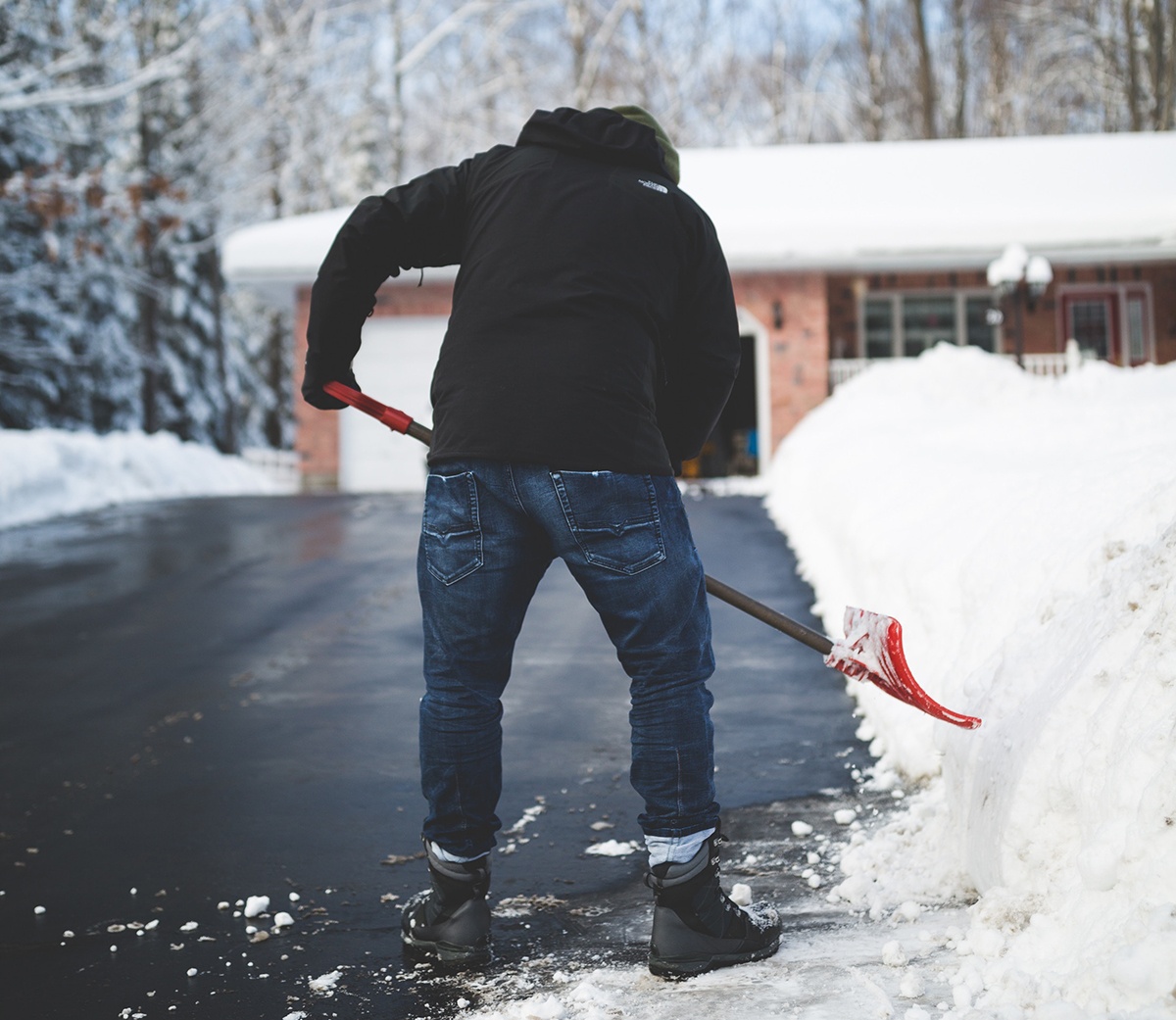
Purchase salt, ice melt or sand for clearing snowfall from the sidewalks and driveway. This will also make shoveling easier. It is recommended to treat your driveway or walkway before winter hits and keep shoveling throughout the season to keep snow buildup to a minimum.

snow-shoveling-tips

Trim trees and remove leaves in the garden

Snow weighs a lot and coupled with wind may easily break off old branches or cause thinner ones to snap. Consider trimming tree branches and crowns that circle close to the house and driveway.

Plants often go dormant in winter, so pruning them will actuallybenefit their ability to withstand the season.

Give the lawn a good rake to remove old, fallen leaves from the previous season. With snow falling shortly, patches of uncollected leaves can cause the grass to blacken and even make walking in the snow unpredictable.

Clear gutters

Gutters are designed to channel water off the roof and away from the home. If your gutter system is damaged, clogged or incorrectly installed, it is likely to be ineffective and result in damage to your property.

Water accumulating on the roof can lead to a ceiling collapse, while water leaking out of a cracked or clogged gutter may result in stains or foundation erosion.

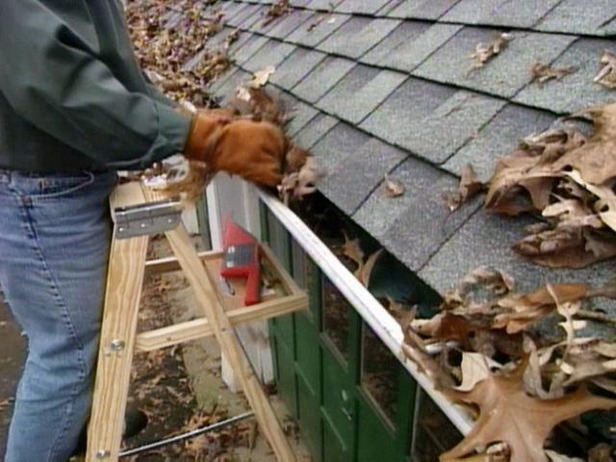
A simple inspection and cleaning of the gutters will do can prevent these types of problems. Use a ladder to check the troughs for leaves and debris. Remove anything that may have accumulated over the fall.

Cleaning_Gutters

To check for cracks or leaks, take a hose and run water along the channel to identify any issues. You may want to consider hiring a professional gutter cleaner if the property is large, or the gutters are difficult to reach.

Gutter guards can also keep your water channels free of debris, forming a protective barrier over the top.

Inspect railings and steps (and protect entryways)

To be safe during the winter months, ensure all steps and handrails leading to the house are secure.

Make sure the tiles and paving on the steps is fastened and safe to tread on too.

Protect your entryways by placing a mat on both the inside and outside of the door. Ice and mud can quickly build up and become a hazard. Consider placing a boot tray near the door.

Additional home winter tips

  • Stock up on a survival kit and supplies
  • Consider purchasing a generator if you live in an area prone to power outages
  • Take out and inspect your shovels and snow blowers
  • Inspect outdoor lighting
  • Use rugs inside rooms for trapping heat and to keep your home warmer
  • Clear window weep holes of debris
  • Stock up on enough fuel for your motors and appliances
  • Maintain an average room temperature of no less than 55 degrees to keep the inside of the walls and pipes warm
  • Leave doors of unoccupied rooms open for even flow of heat
  • Protect outdoor furniture or consider storing them inside
  • Know how to shut off the water supply and where your pipes are located
  • Ditch the gas space heater for an electric one
  • Have a list of phone numbers for emergencies and repairs

Be ready this winter

Adequate preparation can save you from costly damage and frustration that can occur during the extreme weather of the winter months. Stay warm and be safe during the winter.

X

GET FREE QUOTE

What are you protecting?*

Step 1 of 4

Is your property currently monitored?*

Step 2 of 4

What size is your property?

Step 3 of 4

Who is this personalized quote for?*

By clicking this button, you consent for Alarm New England to use automated technology to contact you at the number provided. This consent is not required to make a purchase from us.

Step 4 of 4