Your home is your sanctuary, a place of comfort and safety for you and your loved ones. Ensuring the security of your home is paramount, and there are several key tips and best practices you can follow to enhance your home security and enjoy peace of mind.
Best Security Tips for the Modern Home
Home security is simple in concept. You want to feel safe and comfortable in your house. So, you want to do as much as possible to ensure that safety. No questions asked. Below are some effective home security tips to help you effectively safeguard your living space.
1. Install a Home Security System
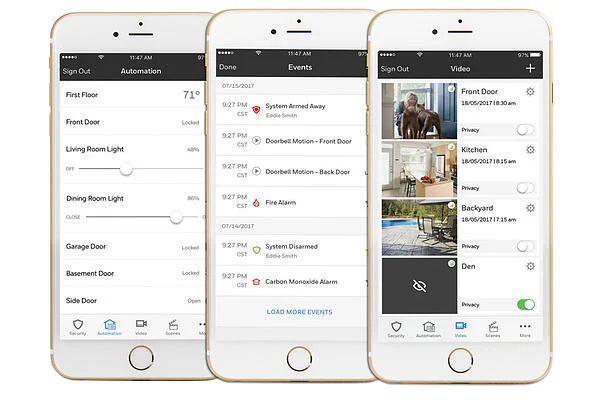
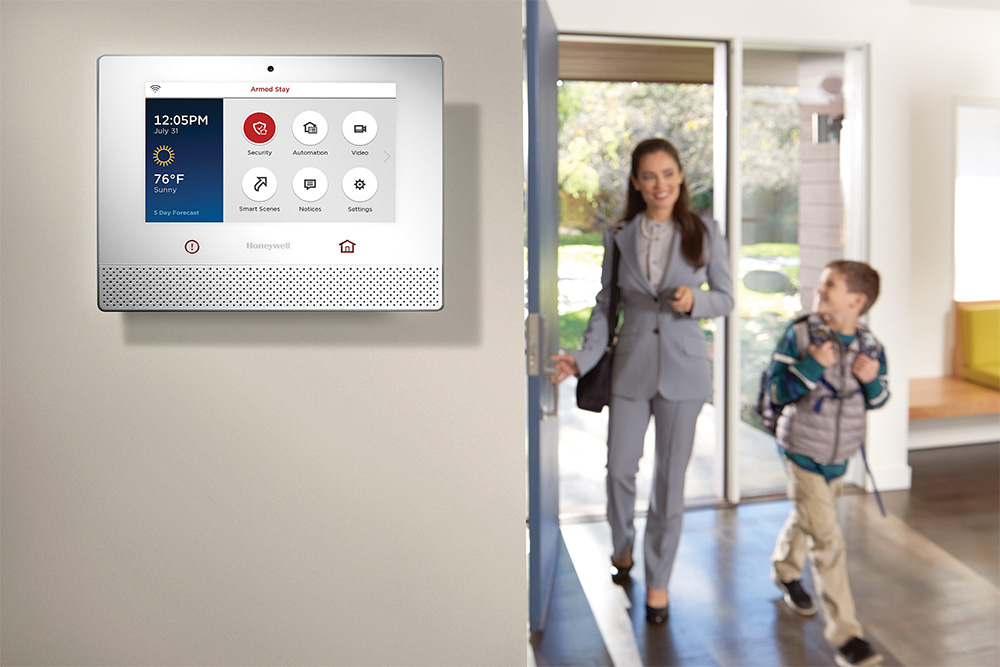
One of the most effective ways to protect your home is by installing a home security system. These systems typically include door and window sensors, motion detectors, surveillance cameras, and an alarm system. Many modern systems can be monitored remotely, allowing you to receive alerts and check on your home while you’re away.
2. Reinforce Entry Points
Burglars often target vulnerable entry points like doors and windows. Reinforce these areas by installing solid doors with deadbolt locks and shatterproof glass windows. Additionally, consider installing security film on windows to make them more resistant to break-ins.
3. Adequate Outdoor Lighting
Well-lit exteriors can deter potential intruders. Install motion-activated lighting around entryways, pathways, and dark corners of your property. Timed lighting systems can also create the illusion of an occupied home when you’re away.
4. Secure Your Garage
Garages are common targets for burglars, as they often contain valuable items and provide access to the interior of the home. Keep your garage secure by using a high-quality lock on the door, and consider installing a security system specifically for the garage.
5. Landscaping Matters
Maintain clear sightlines around your home. Trim bushes and trees near windows to eliminate potential hiding spots for intruders. Ensure that your home is visible from the street, reducing the chances of unauthorized access.
6. Lock Doors and Windows
It may sound obvious, but many break-ins occur because doors and windows were left unlocked. Develop a habit of locking all doors and windows when you leave home, even if it’s just for a short time.
7. Reinforce Sliding Doors
Sliding glass doors can be vulnerable. Install a bar or rod in the track to prevent the door from being forced open. You can also add security film to reinforce the glass.
8. Be Mindful of Spare Keys
Avoid hiding spare keys in obvious places like under the doormat or in a fake rock. Instead, leave spare keys with a trusted neighbor or invest in a secure electronic lock system that allows remote access.
9. Home Security Signage
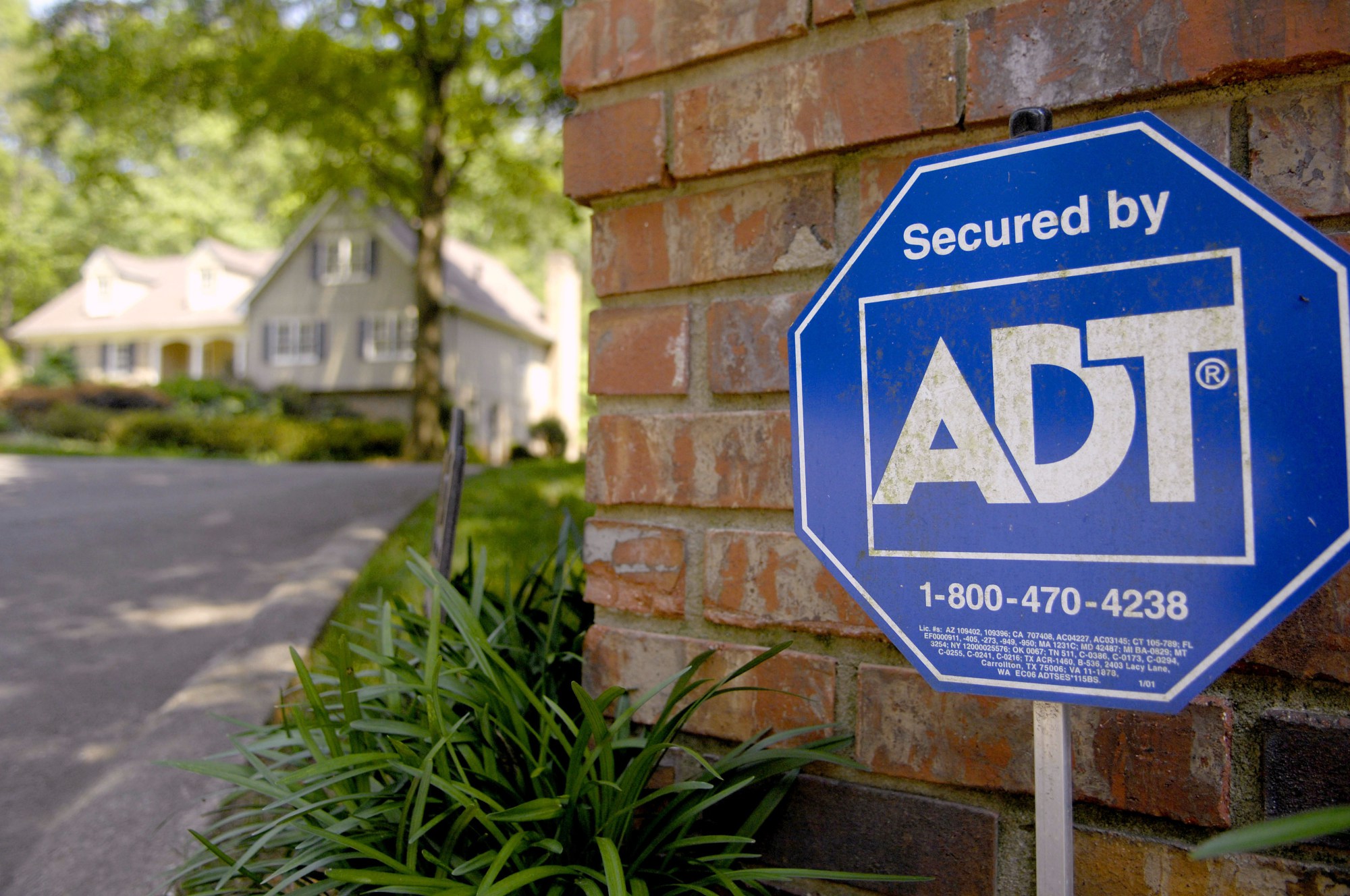
Displaying signs and stickers from your home security provider can act as a deterrent. Even if you don’t have a security system, these decoys can make potential intruders think twice.
10. Neighborhood Watch
Participate in or create a neighborhood watch program. Neighbors looking out for each other can be an effective way to deter crime and respond quickly to suspicious activity.
11. Secure Valuables
Consider investing in a home safe to protect important documents and valuable items. In the event of a break-in, a secure safe can keep your most precious belongings out of reach.
12. Know Your Neighbors
Building good relationships with your neighbors can be a valuable asset in maintaining home security. They can keep an eye on your property when you’re away and alert you to any unusual activity.
13. Regular Maintenance
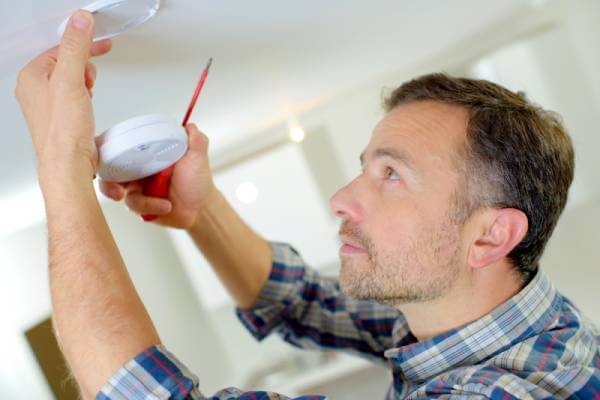
Periodically inspect and maintain your home security system to ensure it’s functioning correctly. Change the batteries in your alarms and cameras as needed.
14. Create the Illusion of Occupancy
When you’re away, make it appear as if someone is home. Use timers to turn lights and radios on and off, and consider asking a neighbor to collect mail and packages.
15. Security Cameras and Alarm Systems
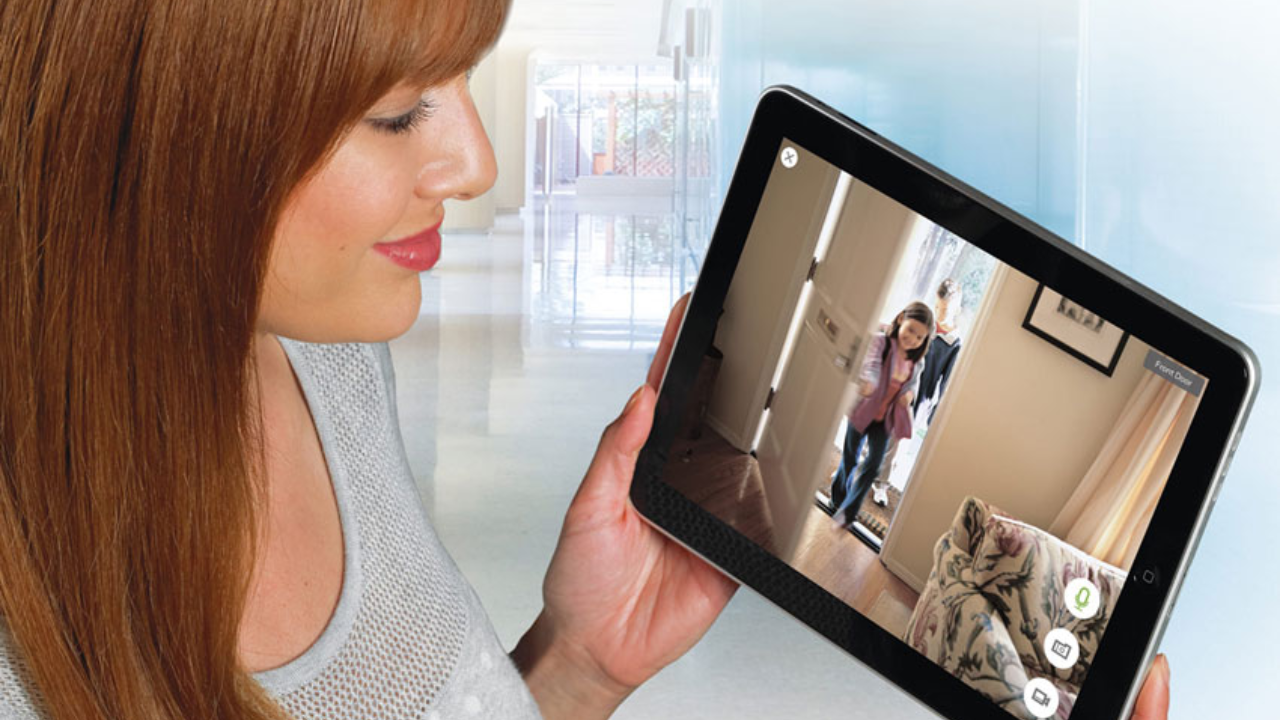
Invest in security cameras and alarm systems that provide real-time monitoring and notifications. Many modern systems allow you to control and monitor your home security from your smartphone, no matter where you are.
Follow These Security Recommendations And Keep Your Home Safe
Securing your home is a vital responsibility, and these home security tips can significantly enhance your safety. By implementing these measures and staying vigilant, you can help protect your home and loved ones, creating a secure haven for you and your family. Remember that the key to effective home security is a combination of preventive measures, technology, and community awareness.
Everybody wants to feel safe in their own home, and more people are considering getting security systems than ever before. When you start looking at the best home security systems in Boston, you’ll be surprised by how many services are available.
You can—and should—take the time to look up reviews of several home security systems to get an idea of which ones are reputable and which ones to avoid.
If you’re still feeling overwhelmed by the number of choices, we’ve taken some of the most popular home security systems in Boston MA and examined them in several categories. Our review will give you an informed perspective so you can decide which one will best meet your needs.
Every household has different requirements and expectations for its security system. Some people want wireless home security systems, while others prefer more straightforward systems.
The three main categories that people use to make their decisions are usually price, customer service, and the features and equipment that come in the system.
Each of the security systems we’ve reviewed surpasses some of these criteria and may be lacking in others. There is no perfect service, unfortunately. So, your best bet is to find a home security system that meets your needs and budget.
Price
Many people only consider the upfront costs of installing a home security system, but they forget to think about the monthly expenses. We take both upfront and monthly fees into account in our reviews.
Customer service
Ideally, you want to be able to reach your home security system provider at any time possible. We evaluate response times, as well as times when you’re able to contact the provider.
When choosing the best home security system, you also want to factor in other aspects of customer service, such as cancellation policies and equipment warranties.
Features and equipment
Some people want high-tech smart home security systems, while others prefer traditional alarms. Some people purchase home security systems with cameras, while others consider cameras invasive.
We take a look at all of these features and evaluate systems on their reliability, ease of use, and how well they fit into your current lifestyle.
What sets us apart is our focus on training its staff members to excel at their jobs. Staff training, along with an expansion of support staff, means that you can rest assured knowing your home is in good hands.
Price
Unlike many other home security companies, you don’t have to sign a three-year contract. Instead, you have the option to pay monthly and cancel at any time.
Plans start at $31 per month, including essential equipment such as a touchscreen panel, burglar detection, and wireless sensors. The top tier of services offers video monitoring for $52, which is perfect if you want a home security system with cameras.
Customer service
Because we’re a local company, we place a significant emphasis on customer service and customer satisfaction. And it shows: most customers leave satisfied reviews online.
Our customer service team is only available Monday to Friday, but our website has an extensive FAQ section that should address most of your concerns after hours and on weekends.
Features and equipment
We offer a whole host of equipment and features, ranging from straightforward control panels and sensors to complete smart home integration.
You can decide whether you want a burglar alarm system or if you want something more comprehensive. We will draw up a plan over the phone to meet all your needs.
If you already have a security system installed but want to switch to a new security company, you can switch to Alarm New England Boston for minimal upfront cost.
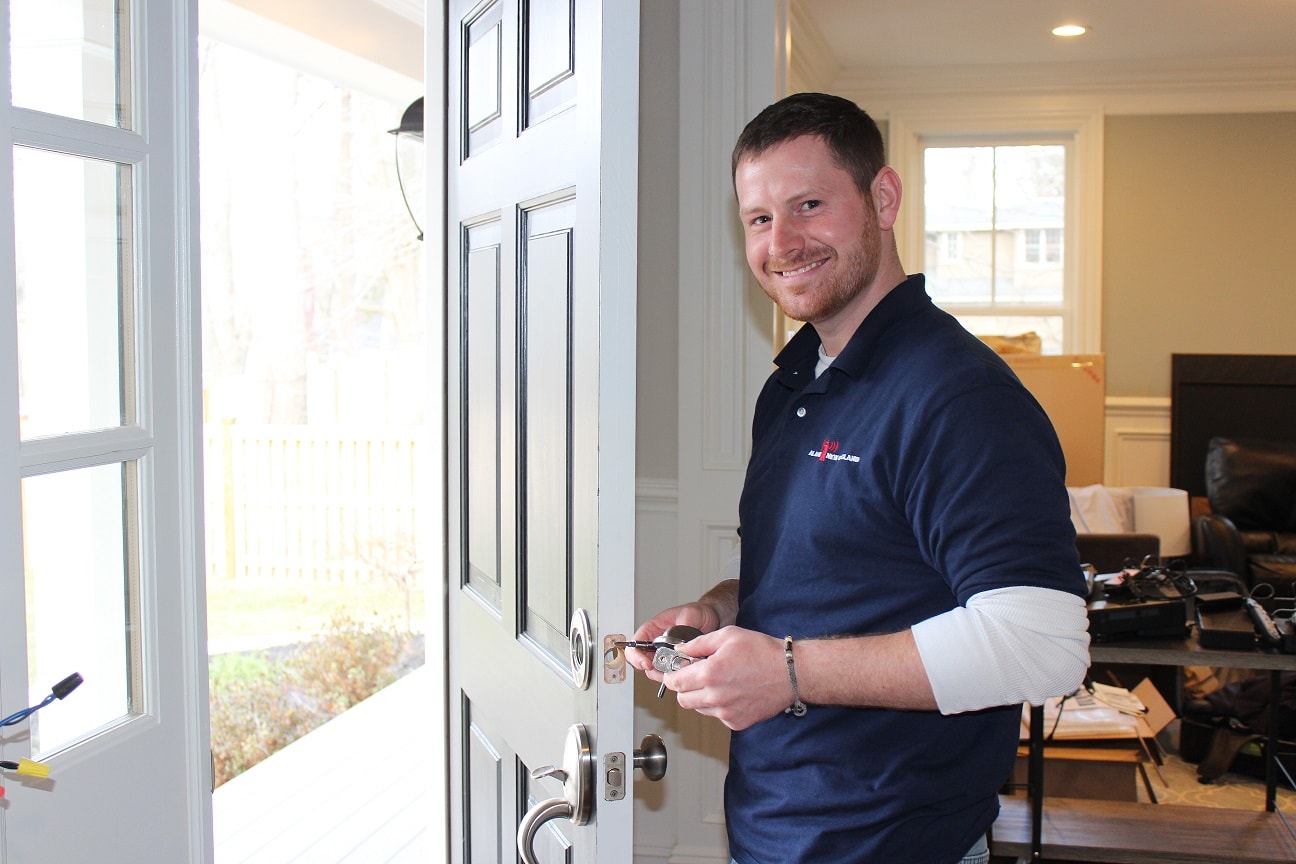
A certified technician will even come and test your system and make sure that it’s fully functional and protecting your home. That’s an added value and level of flexibility you won’t find with many other providers.
Alarm New England Boston is located at 2 Park Plaza #305, Boston, MA 02116. You can find our office in the heart of Boston – see the map listing below!
If you’ve ever thought about home security, you’ve most likely heard of ADT. It’s a leader in home security and is a popular choice for home security systems in Boston due to its strong brand.
Price
ADT offers five main security packages via its Protect Your Home program. Each has various options, giving you plenty of flexibility in what you get and what you pay. The base security plan costs just $28 per month, including basic security equipment to secure your home.
ADT also requires users to sign a two-year or three-year contract, although it offers a six-month guarantee if you’re unsatisfied with either the service or your installation. Certain conditions do apply, so make sure you read the fine print before signing your contract.
Customer service
ADT’s customer service times vary by region. ADT has a reputation for having highly variable customer service. Some people report excellent customer service; however, other customers have had negative experiences with pushy dealers and rude customer support staff.
Local Boston reviews suggest that ADT dealers in Boston fall on the negative end of the spectrum. So, if customer service is essential to you, you may want to take a look at some of the other competitors in the area.
Features and equipment
When you sign up with ADT, you’ll get equipment based on the package you signed up for. At a bare minimum, you’ll get one motion sensor, a control panel for the base system, wireless sensors around the home, and a wireless remote.
If you want something more, you’ll have to pay for one of the more advanced packages. An advanced package can include cameras, keypad door locks, motion detectors, window sensors, and even home automation.
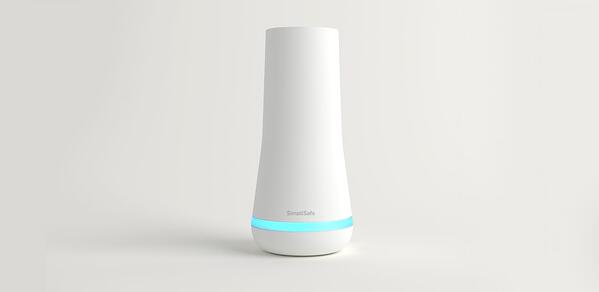
SimpliSafe’s entire philosophy is right in its name. It provides a security offering that is completely customizable and easy to use. You can order the equipment directly online, install it yourself, and set the level of monitoring you want.
Price
SimpliSafe sells its equipment as a stand-alone package without the need for a monthly contract. The simple base station and keypad are $185, or you can look at the various equipment bundles that start at $230 and end at just under $500.
There are also two monthly monitoring options available. The simplest is just $15 per month, which is a 24/7 alarm monitoring system. The second option features SMS notifications, special alerts, and remote control, in addition to the monitoring system, for $25 per month.
Customer service
SimpliSafe offers 24/7 emergency service, but its regular call hours are limited to business hours. Some people find the service hours too short, but agents are responsive. As SimpliSafe doesn’t have any technicians in-house, they hire third-party companies to go out to customers to perform on-site maintenance and troubleshooting.
Features and equipment
The best thing about SimpliSafe is that you can include as many, or as few, features as you need. You can either build your system or use one of its equipment bundles to set up your security system.
The system can be controlled either via a wired control panel or a keychain remote control. There are also indoor video cameras that offer a broad lens view—perfect for eliminating blind spots.
Vivint is at the forefront of smart home security systems, offering fully automated packages that integrate into its other smart home offerings. You can easily use your Vivint system to control your thermostat and garage door in addition to monitoring your home.
Price
Vivint is at the higher end of the price spectrum, particularly when it comes to the initial equipment costs, which can range between $700 to $1800. However, it does allow you to add those costs to your monthly bill instead.
Vivint offers five-year contracts that range from $30 to $50 per month, plus additional equipment costs. If you cancel the contract early, you have to buy out the duration of the contract.
Customer service
Vivint has a bad reputation for having a very aggressive sales team that misrepresents its offerings to customers. Thanks to a massive outcry and several court cases, Vivint has taken the negative feedback to heart and improved its customer service.
Not only is its pricing structure more transparent, but its sales team is also much less pushy. You’ll find regular customer support a pleasure.
Features and equipment
Vivint offers a wireless security system with plenty of bells and whistles. The equipment is all very sleek and contemporary-looking, which blends in well in a modern home but may look out of place if your home is more traditional.
When it comes to features, Vivint has several options. It has a customizable remote that is designed to fit on your key ring, which contains arm, disarm, and emergency functions. You can also program it to do other things, such as lock or unlock a door or flip a switch.
If you’re looking for a home security system with cameras, Vivint has you covered with indoor, outdoor, and even doorbell cameras, which can be viewed on the smartphone app.
Unfortunately, due to the complexity of the system, Vivint does require that a professional do the installation, with no DIY option available.
Despite being high-tech, the home security system is intuitive and easy to use thanks to a dedicated touchscreen control panel with large icons and text. The system also accepts voice recognition, so you can set up voice commands to automate mundane tasks like locking your doors and arming the alarm.
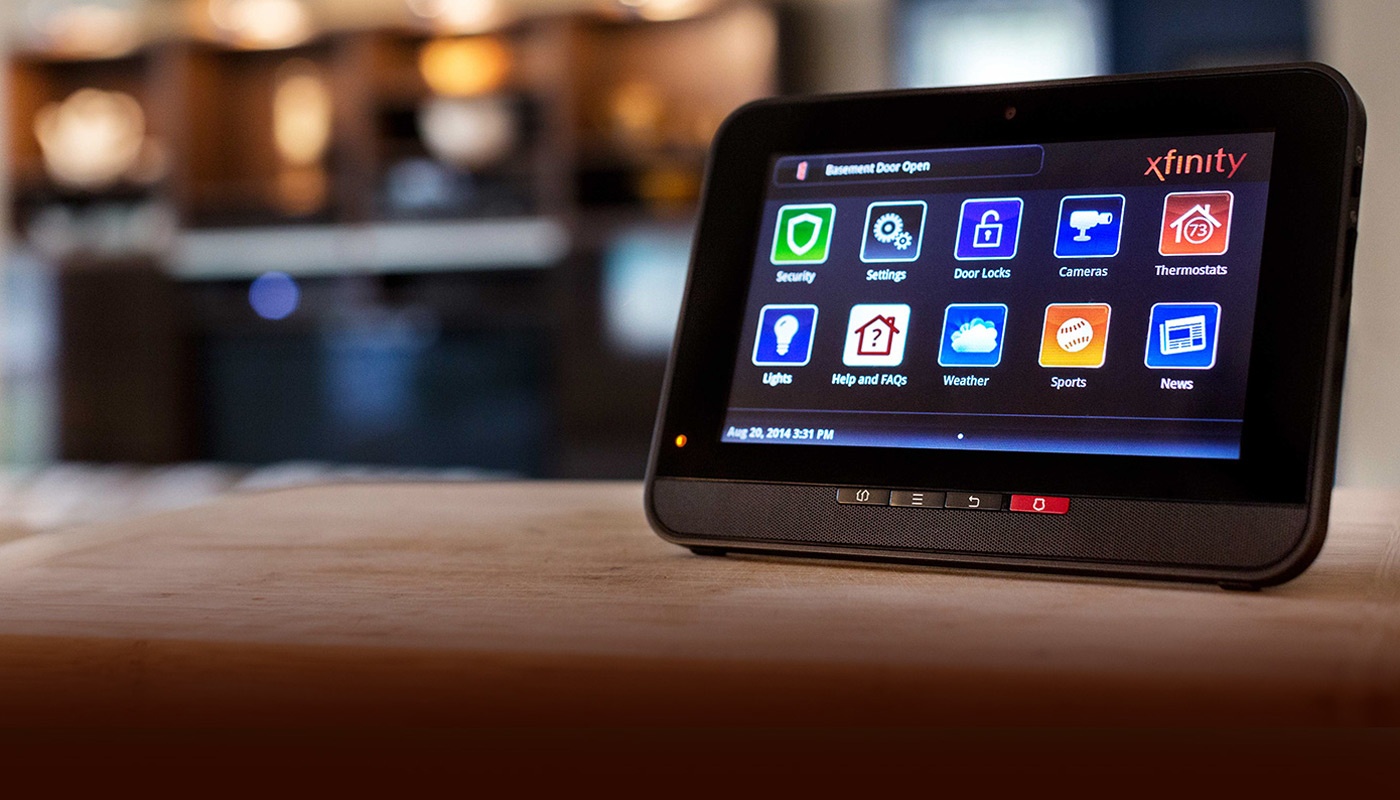
Xfinity is Comcast’s foray into the world of home security, and its focus is on smart home automation and professional monitoring. Xfinity offers plenty of features and upgrades so that you can customize your perfect home security system.
The system comes with a companion app to control everything without the need for complex control panels.
Price
Xfinity offers a single plan for $29 that locks you into a two-year contract. An early termination fee applies if you terminate before the end of the contract. It does offer a 30-day money back guarantee if you change your mind.
The plan comes with monitoring and a base equipment package that contains three sensors, a touchscreen controller, and a wireless keypad. If you want additional equipment such as cameras, smoke detectors, or other sensors, you have to pay for them separately.
Customer service
Comcast is notorious for poor-quality customer service and was even rated the worst company in the United States in 2014 and 2017 by Consumer Reports. This has to do with poor service quality and rude support staff, as well as people finding it very difficult to cancel their contracts.
However, if you’re willing to brave Comcast’s customer services, there are many ways to contact Xfinity, including phone, email, and live chat. If you prefer to avoid customer service, you can take a look at the substantial amount of documentation on its customer support portal.
Features and equipment
Xfinity comes with all of the standard equipment you’d expect from a home security system. The equipment includes motion sensors, a controller, and keypad, as well as optional extras, including smoke detectors, cameras, and a variety of door and window sensors.
What makes Xfinity appealing is the integration it has with other smart home applications. So far, integration partners include Nest, Philips, August Smart Lock, and the Chamberlain myQ garage door opener.
Looking to upgrade your home security system from stationary fixed cameras to security cameras that offer you more coverage and more control? PTZ cameras may be the solution for you.
PTZ cameras have the capability to pan, tilt, and zoom (thus the name PTZ). They have special mechanical parts that allow the security camera to move and focus on a specific spot, and their entire motion can be manually controlled through software or a controller device.
PTZ security cameras can be controlled remotely by apps or other controllers. They also have preset viewing tours to move and focus on different objects in their field of vision.
People love PTZ cameras due to their wide area of coverage that greatly surpasses that of other camera types. In smaller areas, their pan feature can give 360 degrees of coverage; you only need to swivel the camera left or right or tilt up and down to monitor any area you want.
PTZ cameras have many other benefits, including:
PTZ cameras can be programmed to follow a specific pattern on a schedule
PTZ cameras are used to cover areas that are impossible to cover with fixed cameras.
These cameras can be connected with other devices, such as motion detectors.
PTZ cameras work well even when the lighting is low as they typically have strong night vision capabilities.
Top 5 PTZ Security Cameras
If you are planning to upgrade your indoor and outdoor surveillance system, these are five high-performance PTZ security cameras to consider. They have the ability to keep an eye on every nook and cranny of your house, inside and out.
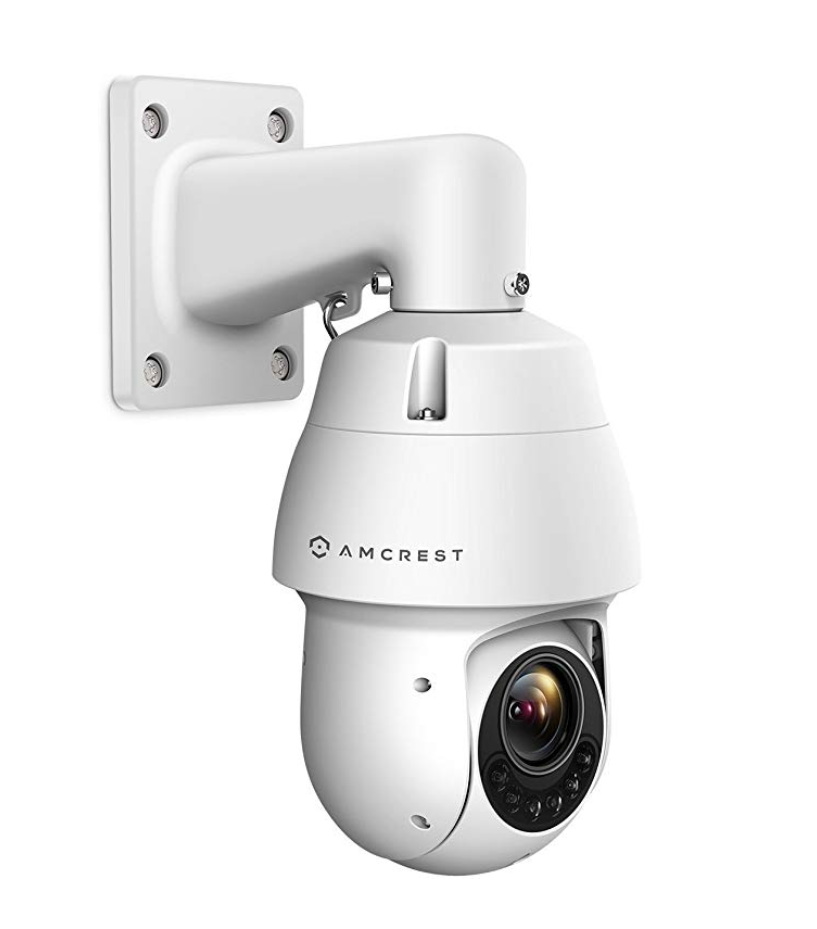
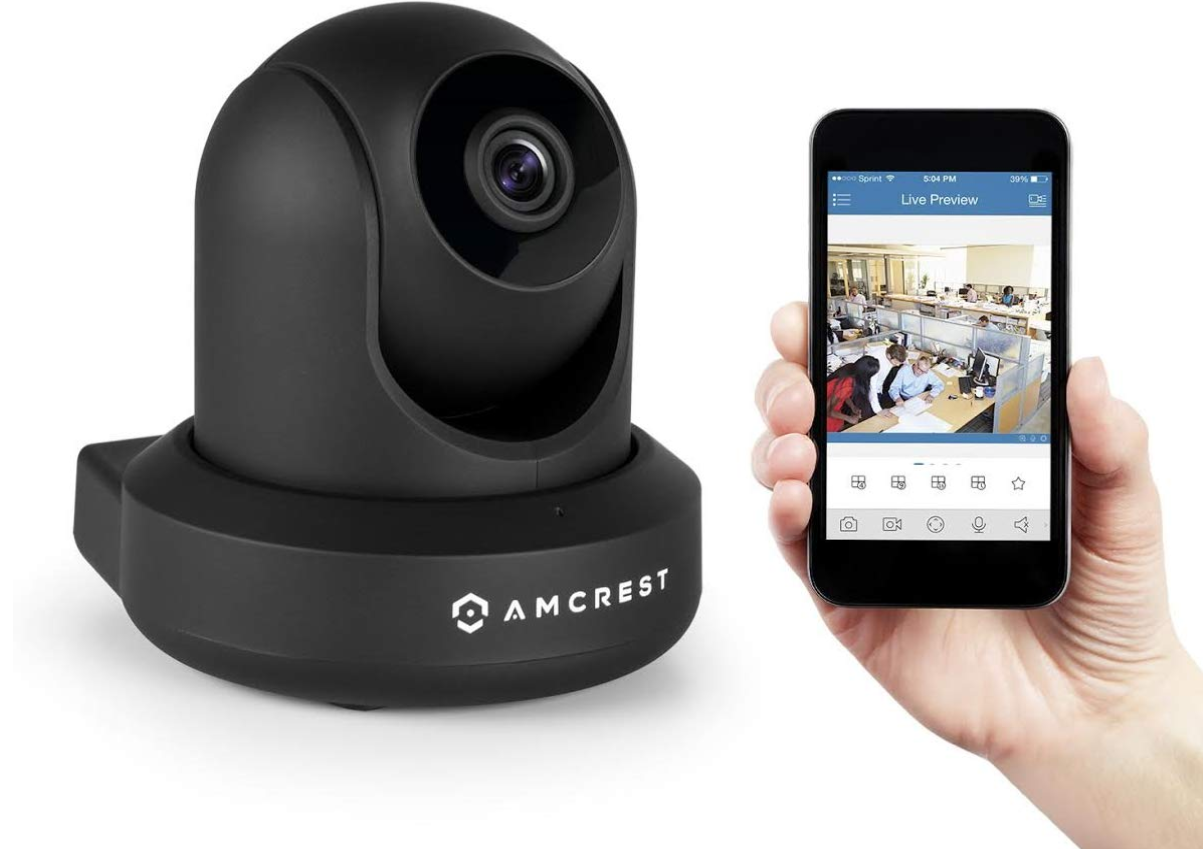
Amcrest PTZ Poe Camera, Waterproof
The Amcrest PTZ is a home security IP camera, which means it can be connected to the internet and work as a smart security camera, keeping an eye on things even when you are not at home. Its mobile app (available on iOS and Android devices) lets you play back the recordings or watch your home and family members in real time.
Amcrest’s waterproof housing is another great feature, making the camera suitable for outdoor use. Whether it rains or shines, the camera is protected. Its heavy-duty metal housing makes it resilient even in severe environmental conditions.
The developers of this camera didn’t just introduce the weatherproof feature as a gimmick; they tested it against hurricane-level winds and rain, too. Its airtight housing protects against dust and moisture that can potentially seep in behind the lens and fry the internal processor. So it doesn’t matter whether you are living in the deserts of Arabia or face the hurricanes of Florida—this PTZ security camera will weather the storm and always keep your property protected.
This model features a secure SSL/HTTPS connection that ensures your footage is stored safely from unauthorized access, which is a valuable feature, as unsecured data can open your system up to hackers or malware. The SSL/HTTPS connection also receives regular firmware updates to give extraordinary security to you, your loved ones, and your property.
The Amcrest PTZ is powered by PoE+ power, giving you security surveillance around your home 24/7. Having backup rechargeable batteries would be more ideal, but those aren’t easy to find.
With this PTZ camera, you get crisp and rich 1080p images with sharp color contrast. In addition, it offers resolution at 30 frames per second. This video quality makes it one of the best PTZ security cameras on the market.
What we like:
Stunning 1080p HD image quality
App available on both Android and iOS
Motion detection system sends an alert directly to your smartphone
Waterproof housing performs well in severe environmental conditions
What we don’t like:
No rechargeable battery option
Warranty restricted to US customers
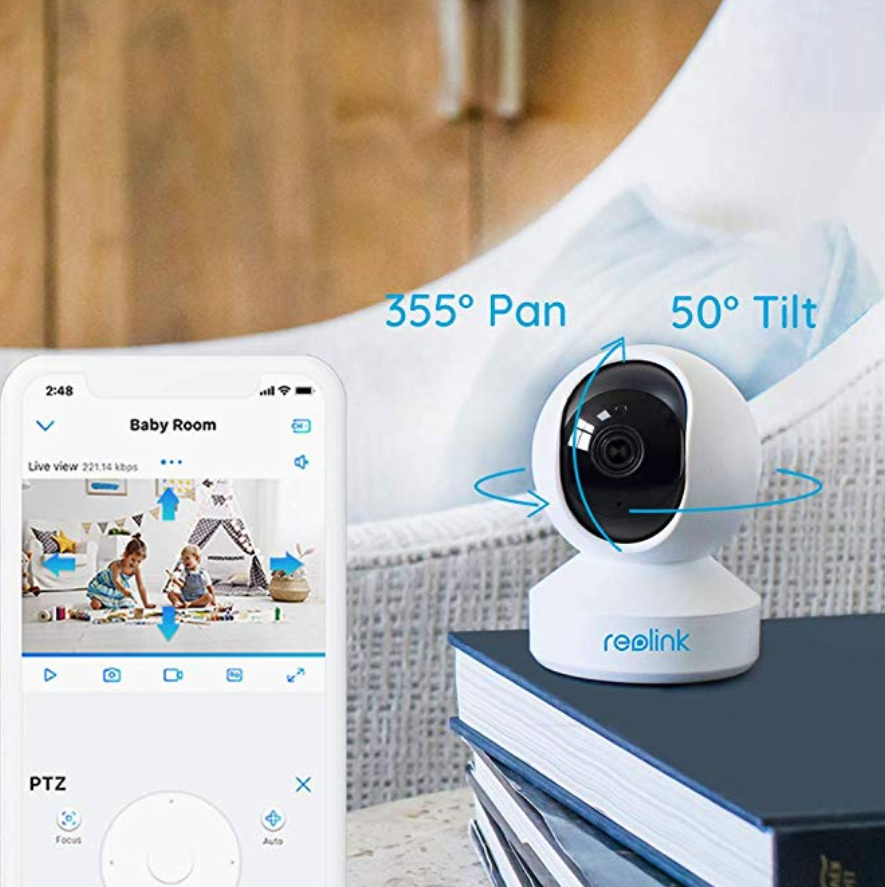
Reolink Indoor Camera for Home Security
Reolink’s PTZ indoor camera is perfect for people who don’t want to risk missing a second of the action. It is solidly built and affordable, and people from all walks of life trust this camera’s performance when it comes to home security.
All you need is an available wall socket to deploy this camera anywhere in your home. It gives a crisp picture with a resolution of 2560p by 1440p, comparable in image quality to DSLR cameras. The camera captures super HD videos that work well in the night vision mode too, though its range extends to only 40 feet out.
Getting this camera up and running without a professional technician is rather simple. If you have a bit of knowledge about PTZ security cameras and have connected one of them to your Wi-Fi before, you can easily install it in minutes—no messy cabling is involved. The camera has its own dual Wi-Fi antennas that ensure no signal loss and interference.
Unlike most other PTZ security cameras that secure the footage to a micro SD card, which can be removed or deleted, this Reolink camera adds all the images and videos to the FTP server.
Another great feature we love in this Reolink product is its motion sensitivity. It sends you alert emails and push notifications at once if any motion is detected. This feature is available in other PTZ cameras too, but the Reolink camera is unique in its motion detection sensitivity options that allow you to detect certain types of motion, which is especially useful if you have pets at home. This reduces false alarms and gives you peace of mind.
If you are using more than one PTZ security camera, a Reolink NVR would be a wise investment as it saves all the recordings locally. Most offices and corporations count on the NVR to make their multiple cameras work efficiently round-the-clock. Though, keep in mind, the Reolink POE NVR is only compatible with the Reolink PTZ security cameras. If you have security cameras from other companies, they may not work with the Reolink NVR as intended.
What we like:
Wide 355-degree rotating angle
Remote access anywhere
Ultra HD image quality
Easy to set up
What we don’t like:
NVR required for 24/7 recording
SD card isn’t included
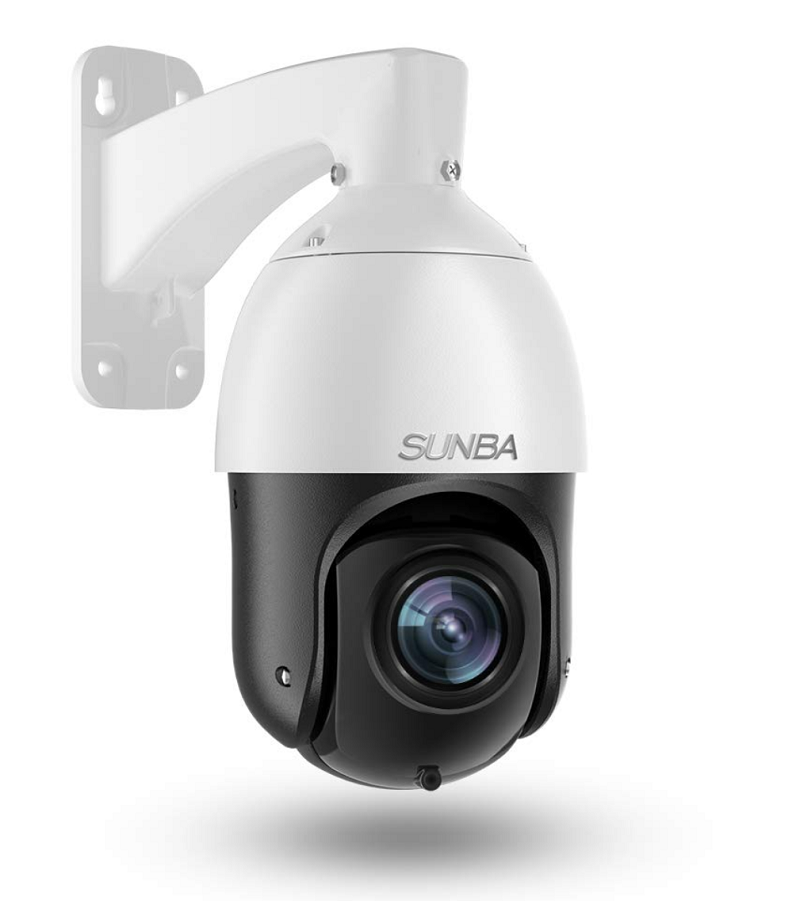
SUNBA 20x Optical Zoom PTZ Security Camera
The SUNBA 20x Optical Zoom PTZ Security Camera has a large variety of features. We have tested many PTZ cameras, including top-rated expensive ones as well as economical ones; this model is somewhere in the middle. The SUNBA PTZ camera gives great performance at a reasonable cost.
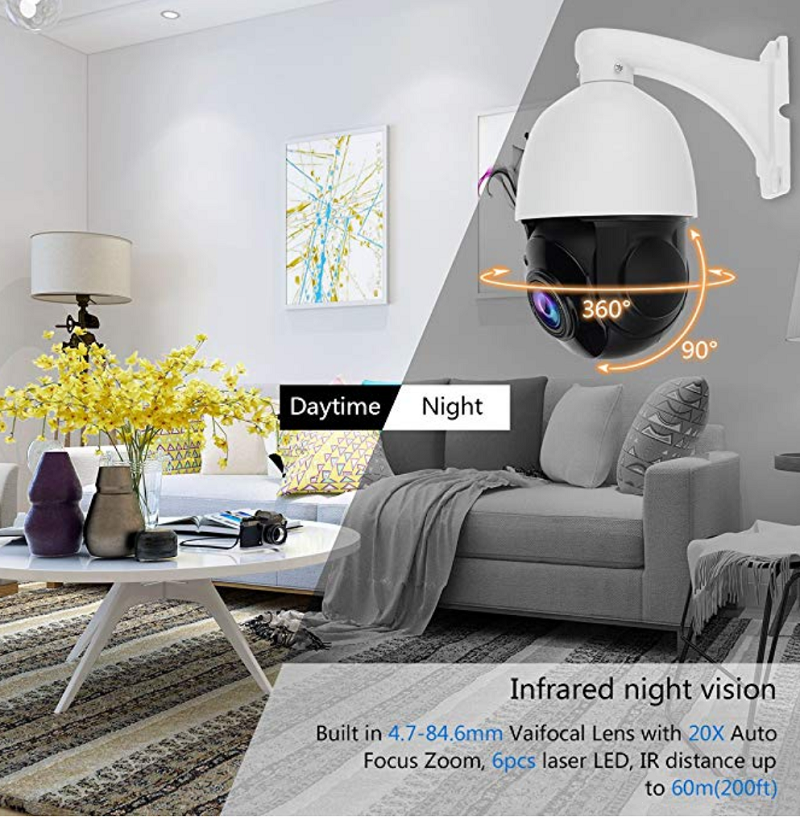
The SUNBA’s dome-shaped, compact design might look small, but it has a diverse feature set. For example, it has a 20x optical zoom—something you don’t find in the most expensive PTZ security cameras.
But this extraordinary zoom isn’t only for the daylight; it works well at night too. The developers of SUNBA have introduced a powerful infrared LED that gives a night vision up to 800 feet, compared to most other PTZ cameras that only have a range of around 40 to 50 feet.
The only downside to the SUNBA is its lower resolution relative to other models in the market. If you’re looking for ultra HD quality, this isn’t the camera for you. That said, its 1080p Sony CMOS provides crystal clear details on images, even with the 20x optical zoom.
If you haven’t used a PTZ security camera before, no problem. The SUNBA is beginner-friendly and so easy to install. Its user manual will tell you everything you need to know about installing it.
The SUNBA PTZ camera has a memory card slot that you can store up to 64 GB of footage in; however, this memory card can only be accessed by removing the lens, which is inconvenient.
What we like:
Superior night vision capacity
Rotates 360 degrees horizontally and 90 degrees vertically
Waterproof and made from commercial-grade aluminum
Works with a real free desktop VMS client
What we don’t like:
Hard to access the memory card slot
No two-way audio option
JideTech PTZ Outdoor Security Camera
JideTech PTZ camera gives you total control over your premises’ surveillance. It has a motion detection system that alerts you immediately. With this feature, you can create specific motion detecting zones and adjust their sensitivity to reduce false alerts.
It is one of the smallest PTZ cameras (4.3 by 4.3 by 3.9 inches) in the market with a 1080p standard resolution. The video works at 18 frames per second and has a 4x motorized zoom lens. The company says the camera gives an excellent image even in the pitch black, but we aren’t impressed with its night vision quality.
Despite this, we still think it’s worth it to recommend JideTech for the responsiveness of their customer service team. Initially we were confused about trying to get their multiple apps to be compatible and set up alerts, but after reaching out to their team, the whole process went smoothly.
Within a few minutes, the JideTech customer support team not only resolved this issue but also helped us receive alerts on the laptop too, so that multiple users can keep an eye on a home and stay in touch with their loved ones.
You shouldn’t choose a product solely because the company behind it has good customer service, but it’s comforting to know that your issues will be taken care of by a reliable team.
What we like:
Multiple ways to watch remotely
Waterproof aluminum housing
Works well with security monitor softwares, like VLC and iSpy
4x motorized zoom lens
Great customer service
What we don’t like:
Night vision capability isn’t good
4x zoom becomes foggy at night
Amcrest ProHD IP2M-941B PTZ Security Camera
This surveillance camera from Amcrest is notable for its extra wide viewing angle, which allows you to see every angle of your property. The camera’s 4x zoom lens also adds extra layers of security, but not at the cost of image quality. Whether it is day or night, the 4x zoom capability doesn’t compromise any detail in the image.
In addition, the night vision of Amcrest’s ProHD IP2M-941B is exceptional and functions up to 98 feet with built-in IR LEDs. You won’t have any problem monitoring your property for potential intruders even in pitch darkness.
Amcrest promises top-notch video quality, but the top-notch video quality is only available when this camera is used in the highest settings. However, using this camera at the highest settings may cause stability and reliability problems. Even if you have the best Wi-Fi network, the video won’t work well.
Furthermore, the highest settings eat up a ton of data, making 24/7 surveillance less appealing. And if you lower the settings, the video quality drops off quickly.
That said, the lens quality in this model is great. If the target is within the zoom limit, the IP2M-941B lens makes sure all the images are crisp. You will get proper image quality even during rough conditions like rain or fog.
This camera is EU and FCC certified, which means it fulfills EU safety and environmental protection requirements and is approved by the Federal Communications Commission in the United States.
What we like:
Impressive IR LED night vision
Supports Safari, Chrome, and Firefox on Amcrest Cloud
Despite low price, image quality is still decent
Records all motion for 30 days on Blue Iris security software
What we don’t like:
No audio capabilities
You can face IP conflict issues on your home Wi-Fi network
PTZ Security Camera Buying Guide
This buying guide section will help you decide on the best PTZ security camera for your needs.
Think About Your Needs
Don’t buy expensive cameras with extra features if you are trying to cover a small area around your home. Big cameras with 360 degrees of coverage are used in large stores or warehouses.
Usually, only large corporations invest in such sophisticated security measures. For home security, a small camera with a 4x optical zoom will likely be enough to fulfill your requirements.
Great Night Vision
Night vision capability is a must-have, and this feature varies significantly from camera to camera. Budget cameras often cut corners on night vision capability. Effective night vision can pick up intruders around your home even at night with its infrared LED night vision capability.
Make sure the camera you are buying comes with the best nighttime surveillance so that your home is protected when it’s dark.
1080p Resolution
The 1080p resolution has become the industry standard for camera resolution. Don’t buy any product that offers less than 1080p resolution, even if it has many other good applications.
For PTZ cameras with 1440p or 4K resolution (which has marginal benefit over 1080p resolution), you need to spend significantly more money and—unless you are tech-savvy—hire a professional technician to install and set up those cameras.
Good Customer Service
If the camera manufacturer doesn’t provide good customer service, you will experience significantly more frustration in the future. Camera systems are great when they work fine, but as with any electronic device, you will have times when you need to troubleshoot problems with your camera.
Things like the Wi-Fi connection, installation process, changing camera settings, and compatibility all have potential for problems. If you are installing a PTZ camera on your own, or if you have problems with it, a good customer support service can resolve your problem quickly and eliminate any frustration.
FAQs About PTZ Security Cameras
Let’s address some of the most frequently asked questions about PTZ security cameras.
How do you connect the PTZ camera to the security system?
How you connect a PTZ camera to your security system depends on the model you are buying and your security system. Usually, you need a system that includes CCTV or DVR. Companies also give clear guidelines in their model’s instruction manual about how to connect the camera to a security system.
Are all cameras vandal-proof?
Though all companies claim their PTZ cameras are vandal-proof, this may not necessarily be the case. Manufacturers tend to focus on weatherproofing with sturdy materials over tamper-resistance. They can’t prevent a burglar from smashing the camera lens with a blunt instrument, for example.
The best way to protect your cameras is to place them high off the ground. Install your cameras at least 10 feet above ground level to minimize the risk of them being tampered with.
Does the zoom quality matter?
Zoom quality is not the most essential feature when it comes to PTZ cameras installed in residential settings because you’re unlikely to ever really make use of it. However, if you need your camera to pick up details further away, a higher zoom quality could make a difference.
What is the difference between optical zoom and standard zoom?
Optical zoom preserves the image quality and records the video clearly. On the other hand, standard zoom diminishes the video quality because it simply enlarges the existing image, ruining its quality. Always buy PTZ security cameras that have optical zoom.
Conclusion
With a PTZ security camera, it is now easier to monitor many areas of your home or business. If you are planning to buy the camera for outdoor security, focus first on how weatherproof the camera is.
For outdoor units, the weather is a bigger threat than professional burglars tampering with the camera. If the camera isn’t weatherproof, it won’t last long, and you’ll be back to square one looking for a PTZ camera to protect your home in 2026.
Lock your doors and windows. Install a burglar alarm. Maybe even some cameras.
But did you know that security goes even deeper?
Today, we’re talking about some uncommon tips that add extra protection. Your average person definitely doesn’t know these tips. Some of these tips go against the grain, having to deal with your home’s digital security and even touching on human psychology.
Sound interesting? Well keep reading, because as unconventional as they are, security experts recommend these tips to stop would-be burglars.
#1 – Hidden Valuables Storage
Did you know 75% of burglars begin their home raids in the master bedroom (source: ADT.com). Thieves expect valuables in master bedrooms, so outsmart them.
Smart homeowners create unexpected storage spots.
Hide your valuables in a less obvious spot. Add secret compartments in kitchen cabinets. Place decoy valuables in obvious spots.
Kitchen cabinets make excellent hiding spots. Most burglars skip kitchens entirely.
Store valuables in fake cleaning supply containers. Bathroom storage works well too. Burglars rarely search bathrooms thoroughly.
#2 – Smart Landscaping Security
Plants protect homes naturally. Thorny bushes under windows deter intruders. Strategic landscaping blocks entry points.
Who would have thought? Security-enhancing gardening.
Think about planting or making these:
Rose bushes with sharp thorns
Holly shrubs near ground-floor windows
Bamboo screens for privacy
Gravel paths that make noise
Position motion lights behind plants. This creates confusion for intruders. Trim branches that could help climbers. Keep sight lines clear to entry points.
#3 – Digital Deception Tactics
Smart homes need smart protection. Digital deception confuses tech-savvy criminals.
Hide your main network name completely. Change passwords monthly. Set up fake security cameras alongside real ones. Program smart lights to turn on, even when you’re not home.
If your home has the tech, use it to your advantage!
#4 – Social Media Safety
Did you ever think a burglar could be one of your followers?
Criminals check social media for empty houses. Your posts can reveal security weaknesses.
Never post:
Vacation dates
Home location details
New purchase photos
Daily routines
Home layout images
Wait to share vacation photos until you return. Avoid checking in at locations far from home. Don’t forget to review your account’s privacy settings.
#5 – Neighborhood Watch 2.0
Modern neighborhood watches use technology. Apps connect neighbors instantly. Communities share security information effectively. Apps like Neighbors by Ring and NextDoor have created your “local neighborhood social media network.”
By using these tools, neighbors can report suspicious activity quickly. Use the apps to build relationships with your neighbors and the local police department.
#6 – Psychological Deterrents
Criminal psychology reveals deterrent methods. Small changes affect burglar behavior. These tricks make your home less appealing.
Display security company stickers or signs prominently. Add “Beware of Dog” signs even if you don’t have pets. Make your home look actively protected. Install obvious cameras and hidden ones. Even fake cameras can help deter criminals.
Criminals tend to avoid homes that show these obvious signs. They prefer easier targets.
#7 – Smart Lock Rotation
Smart locks are an extremely useful and versatile household security tools.
Change entry codes weekly. Create temporary codes for visitors. Delete unused codes immediately. Smart locks track who enters your home.
When you use these devices, just remember to keep logs of:
Code assignments
Entry times
Failed attempts
Battery levels
#8 – Window Security Films
Install security films on glass surfaces. These films hold broken glass together. Burglars won’t be able to enter as quickly through broken windows. It may not prevent things for long, but these few saved seconds could make a difference.
#9 – Lighting Sequences
Just like how we talked about smart locks, you can do something similar getting creative with smart lights. Programmable lights allow you to set patterns that can throw off criminals who might think they know your schedule. Avoid simple on/off timers. Develop strategic lighting patterns to make your home look occupied, even when you’re not there.
Create patterns that:
Vary by room
Change daily
Include the TV
#10 – Package Protection
Package theft, porch pirates, whatever you want to call it.
Stealing delivery packages from a home’s doorstep is extremely common, especially during busy times like the holidays.
Prevent package theft with secure delivery options. Install lockable delivery boxes. Use 2-way audio on smart doorbells that allow you to monitor your package, even if it gets delivered while you are at work.
And if all else fails, maybe just ask a trusted neighbor, “If you see a package delivered while I’m not there, can you hold onto if for me?”
Get Creative, And Start Using These Home Security Tips Today!
And those are our ten out-of-the box security tips. Of course, these strategies won’t replace your traditional security system and good old common sense and vigilance, but they can help in certain scenarios. Implementing these tips alongside a state-of-the-art security system is a fantastic and smart way to keep your property protected.
Free home security quote
Each measure adds layers of protection. Combine these tips with your existing security, update your security plan regularly, and you’ll be happy you paid attention to this article!
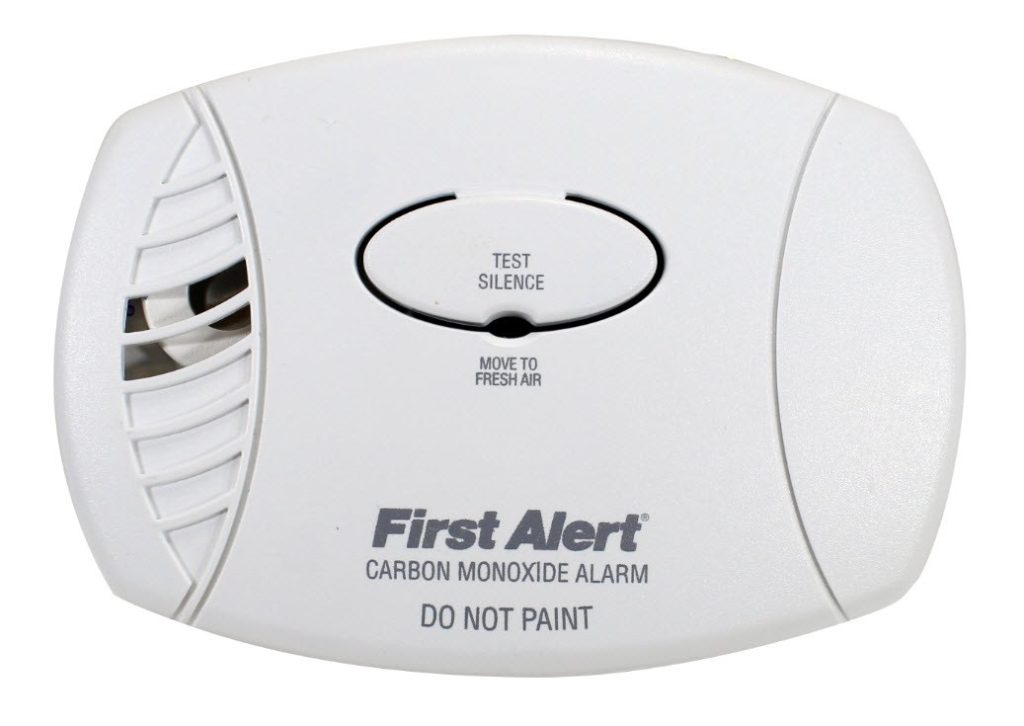
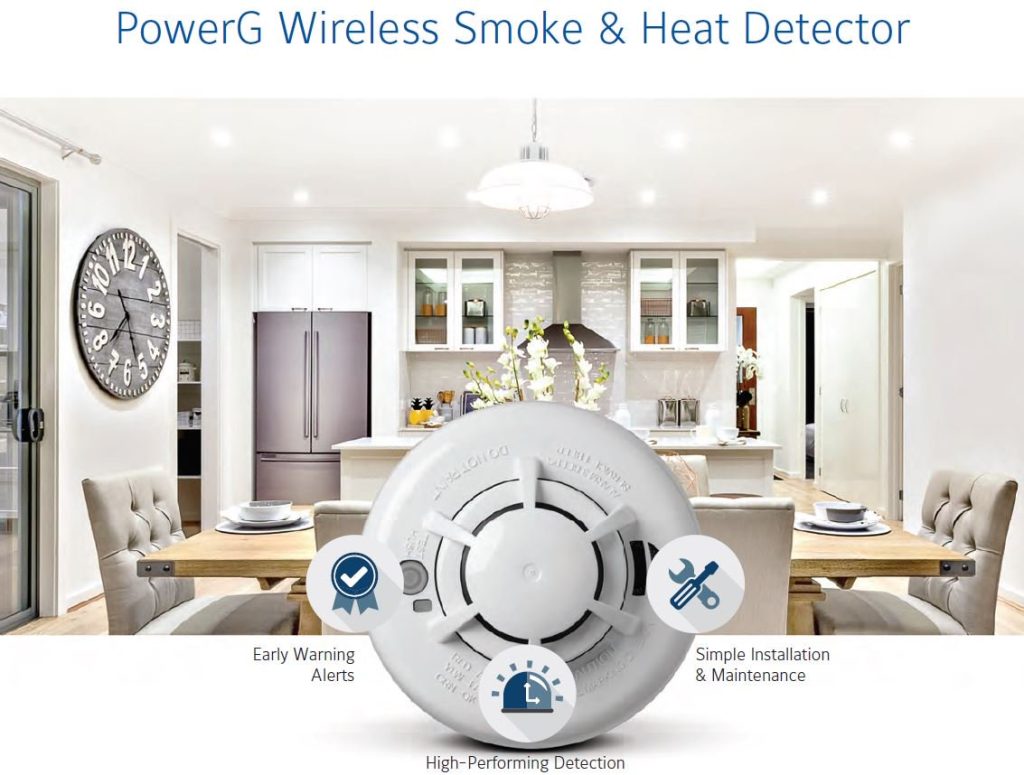
While most homes on the market today come equipped with fire alarms and carbon monoxide detectors, most homeowners usually forget to test these crucial safety systems to make sure they work.
According to the NFPA, nearly three out of five deaths from home fires come from homes with non-existent or defective fire alarm systems.
Additionally, in 2015, the CDC reported that 393 people in the United States died from carbon monoxide poisoning, with thousands sent to emergency rooms across the country.
What’s shocking about these statistics is that proper maintenance and understanding of these alarm systems could have prevented some of these tragedies. The death rate in home fires is cut by more than half in homes equipped with functional smoke detectors.
The numbers are similar in carbon monoxide-related studies. In a study done in New York City, the NCBI reported a stunning 50% drop in carbon monoxide poisoning cases after New York City enacted a carbon monoxide law requiring CO alarms in dwellings.
The first type is Ionization-type smoke detectors. These smoke detectors work by having two plates that each produce either negative or positive ions.
These ions then traverse between the two plates, and this creates a complete circuit. When smoke enters the detector, the path between the two plates become blocked, which is what causes the alarm to trigger.
Photoelectric
When smoke enters the detector, the laser, which usually travels in a straight line, becomes disoriented and scatters around the gadget. When this fractured laser hits one of the many light sensors inside of the system, the alarm then triggers.
Which type of smoke detector should I get?
Ionization-type detectors are better at detecting flaming fires, which are fires that produce a lot of flames and less smoke. Photoelectric-type detectors are better at detecting smoldering flames. You will want to pick the right type of smoke detector accordingly.
Examples of flaming fires are cooking accidents, fires from candles, flammable liquids and burning wood or paper.
Photoelectric-type detectors are better at detecting smoldering flames, which are flames that build up over time. These usually come from unattended flammable materials that slowly burn up, such as charcoal and cigarettes.
In places such as the kitchen, you should probably opt for ionization-type alarms. Areas near the woods, or places where you cook grilled food, might better benefit from photoelectric-type alarms.
Additionally, some alarms come with both types of detection. While they may cost more, you can be sure that those alarms can protect you and your home from both flaming and smoldering fires.
How to Test Your Smoke Detector and How to Maintain It
Testing your smoke detector should become a part of your housekeeping routine and according to FEMA, should be done at least once a month.
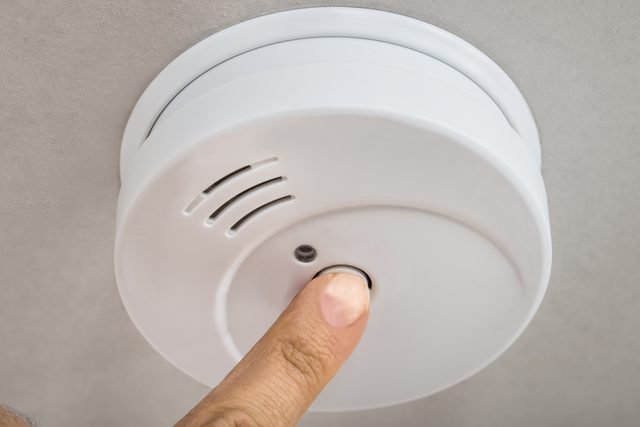
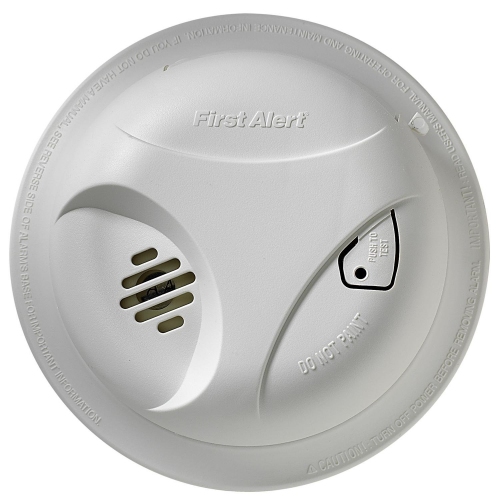
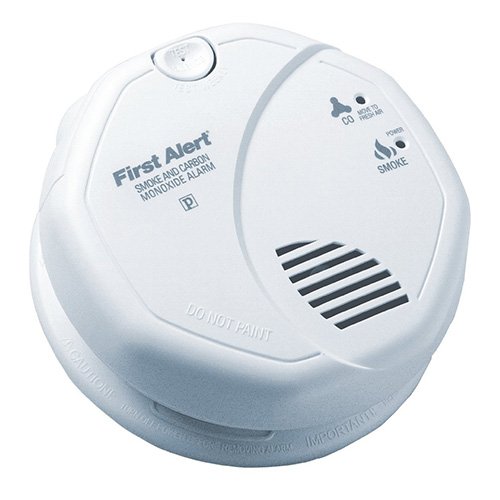
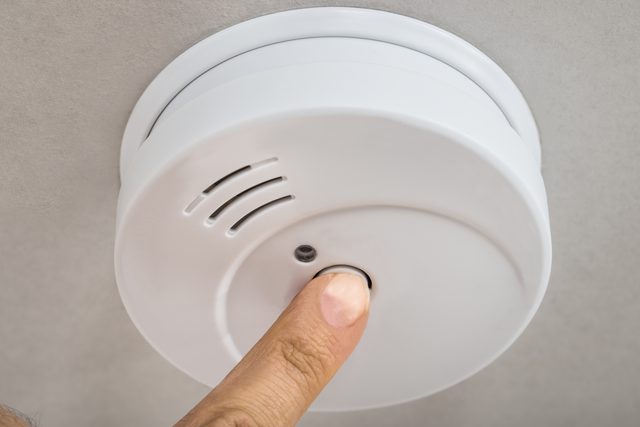
While the specific way to test your detector depends on the manufacturer of your smoke detector, most detectors have an easily accessible test button on the face of the device. Once you press this button, wait a few seconds, and then a loud and piercing sound should emit from the device.
If you do not hear the device or if the sound is not loud enough, consider replacing the battery and test the device again. If the alarm doesn’t sound off even after you’ve replaced the battery, the device itself is probably faulty. Replace the detector as soon as possible.
Additionally, here are some guidelines you should follow while testing your smoke detectors:
Remember to test your smoke detectors monthly as suggested by FEMA. In many cases, this is as simple as just pushing a button.
Besides testing the device, clean out your smoke detector as well. Dust, spider webs and other debris may hinder your smoke detector from operating at its maximum capability.
You should also replace the batteries at least once a year. Some systems, however, come with a “long-life” battery. These are usually not replaceable, and you may have to replace the smoke detector when the “long-life” battery runs out.
Figure out if your smoke detector is a stand-alone or is an interconnected model. A stand-alone model will only trigger itself when it detects smoke, while an interconnected model triggers all the alarms in the system if even one smoke detector goes off. If you live in a large house, consider getting an interconnected system so that your whole residence is made aware of a house fire that may be happening on the opposite side of the house.
Station someone at the farthest areas of your house from your smoke alarm. When you test your alarm, they should be able to hear alarms go off. If they don’t, consider using an interconnected smoke detection system or get an alarm with a louder alarm.
Some smoke detection systems sold nowadays are also wired to inform your local fire station or home security system when it detects smoke. When testing your smoke alarm systems, notify your fire station so that they don’t send personnel to a non-existent fire. They’ll be thankful for the heads up, and be glad that you’re diligently testing your smoke detection system.
Keep an up-to-date escape plan. These smoke detectors only alert you and cannot put out fires for you.
Check the dates on the back of your smoke detectors. Once an alarm reaches its 10-year life span, it is advised to replace it entirely. However, you can also consult the alarm’s manual as it may suggest replacing the entire system earlier.
Types of Carbon Monoxide Detector
Like smoke detectors, carbon monoxide detectors come in a variety of mechanisms that detect carbon monoxide levels in the air. System Sensor, a manufacturer of fire protection equipment, lists out the three main types of mechanisms for monitoring carbon monoxide levels.
Biomimetic
Biomimetic sensors, as its name implies, mimics the effect of carbon monoxide on hemoglobin. There is a laser in the device that becomes blocked when carbon monoxide levels increase, which then triggers the alarm.
These detectors are usually cheap, although they are more prone to false alarms and take longer to recover once they set off their alarm.
Metal Oxide Semiconductor Sensor
Metal Oxide Semiconductor sensors, or MOS, work by heating a semiconductor in intervals. Once it reaches its operating temperature, its resistance changes when carbon monoxide is present. The alarm triggers once the resistance threshold is broken.
These alarms have a long life span. However, they also draw more electricity than other variants and are prone to false alarms in the presence of other chemicals or gases.
Electromechanical
Within electromechanical sensors, platinum electrode and an acid combine to create a reaction between the air and carbon monoxide, generating an electric current. When these currents pass a certain threshold, the alarm goes off.
These sensors are highly reliable and react fast to carbon monoxide. They also draw less electricity than other variants. Their only downside is that they may make a false alarm when in the presence of ammonia-based cleaners.
Which type of carbon monoxide detector should I get?
In most cases, the electromechanical sensor is sufficient. However, if you need a carbon monoxide detector in other places such as a workshop, you may want to consider getting a MOS or biomimetic-based detector.
How to Test Your Carbon Monoxide Detector, and How to Maintain It
Like smoke detectors, carbon monoxide detectors ought to be tested regularly. The testing procedure is quite similar:
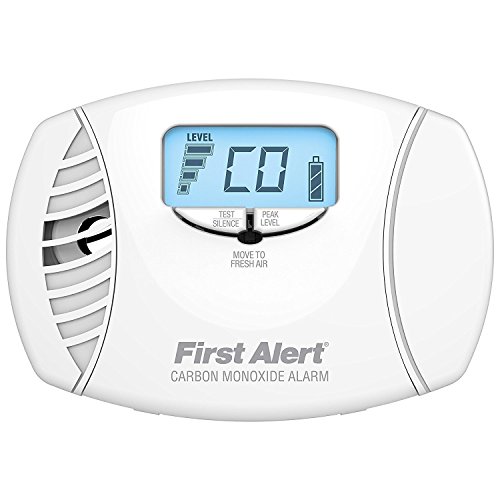
Press and hold down the test button on the face of the device. After a few seconds, you should hear two beeps which signify that the device has entered testing mode.
If you are unable to hear any sound or if the alarm is too weak, replace the battery and retest.
If after battery replacement the device still doesn’t beep, replace the whole detector as soon as possible.
Guidelines to Test Carbon Monoxide Detectors and CO Alarms
Additionally, here are some guidelines you should follow while testing your carbon monoxide detectors:
Like smoke detectors, test carbon monoxide detectors monthly.
Clean the carbon monoxide detector thoroughly so that there’s nothing obstructing the entryway to the sensors.
While most carbon monoxide detectors are plugged into a wall socket or are hardwired to your house’s electrical system, almost all of them have a backup battery in case of power failure. You should replace your backup batteries once a year.
Have an escape plan updated in case the alarm goes off. Carbon monoxide is lighter than air, so it rises. When the alarm goes off, crouch and stay low to the ground while making your way out of the building.
Inspect your ventilation systems. Carbon monoxide poisoning happens when there’s a buildup of the gas in an area. Making sure that all the areas in your building are well ventilated. This will drastically reduce the risk of CO alarms and carbon monoxide poisoning.
Must-Have Features for Smoke and Carbon Monoxide Detectors
When looking for which smoke or carbon monoxide detector to purchase, there’s no singular device on the market that will cover all needs. Each household or building has a different layout and rooms with different purposes, which will require different types or numbers of detectors.
It is best to consult with your local fire department and read up on local ordinances to determine what safety standards your state requires.
Keep an eye out on the standards that each device has passed. Manufacturers will state on the packaging or the manual of the device which standards these detectors have passed.
These devices are usually tested by Nationally Recognized Testing Laboratories (NRTL), which are approved by the Occupational Safety and Health Administration (OSHA) to test these products. Major NRTLs include the CSA, FM, INTERTEK, TUV, and UL.
Alarm New England is a trusted home security provider having served MA, CT, and RI businesses for over 50 years. Interested in a smart thermostat? Learn more about our home security solutions.
Have questions? Simply want to learn more? Meet the team from Alarm New England.





![[2026] 5 Best PTZ Security Cameras for Using Outdoors and Indoors](https://alarmnewengland.com/wp-content/uploads/amcrest-ptz-security-camera-ultrahd-1.png)