How Do Glass Break Detectors Work?

One can never be too cautious and prepared when it comes to protecting their family and home. Installing a security system is one the best ways to protect your home against intruders.

With so many layers of protection available out there, it can be difficult to know exactly what you need. One commonly overlooked security measure is glass break detectors.

What are Glass Break Detectors?

Simply put, glass break detectors are security devices that sound an alarm when glass is broken and are a critical piece of a home or business security system.

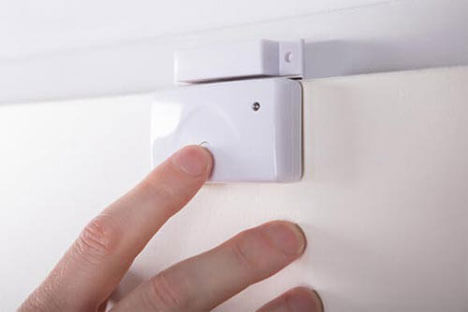
Unlike door or window contacts that detect when an entryway is opened on your home, glass break detectors will sound the alarm if there is any break in the glass.

This, in conjunction with your other home security devices, ensures that you are protecting your home and family to the highest extent.

How Do Glass Break Detectors Work?

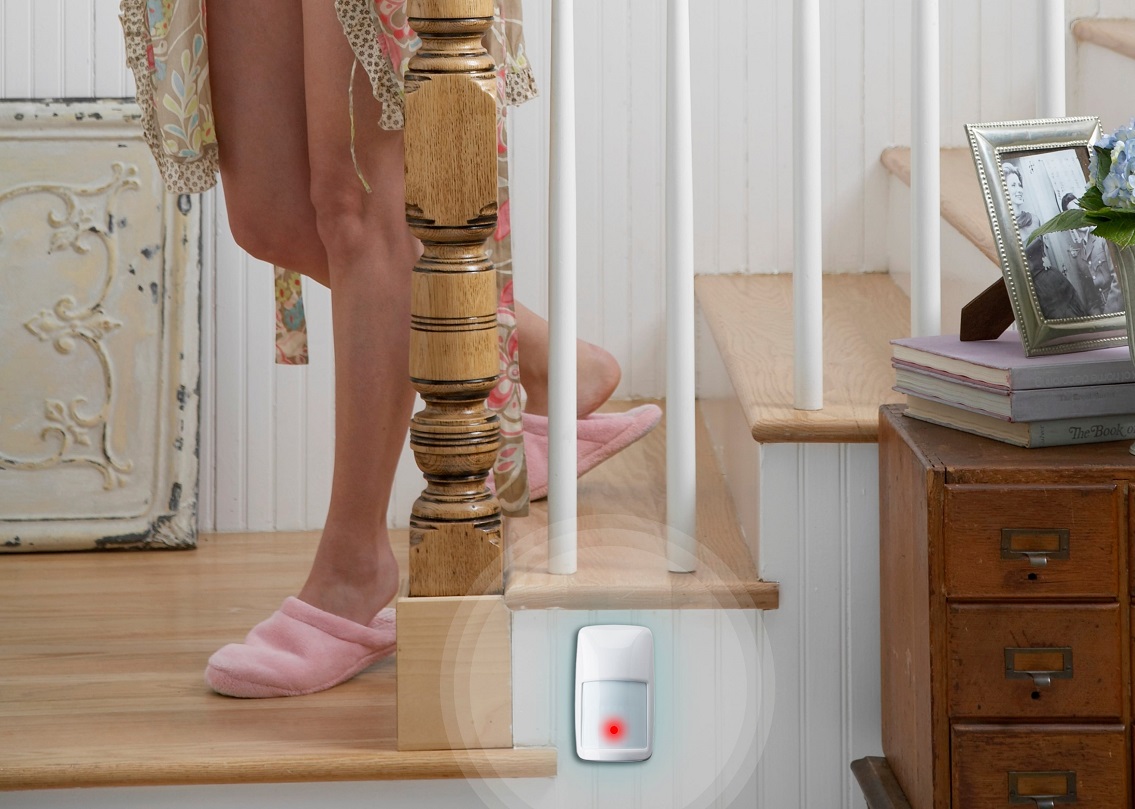
Glass break detectors use intuitive sound and microphone technology that is programmed to recognize the frequency of glass breaking. If the detector picks up that specific frequency, the alarm will sound.

With a working radius of several feet, you can place the break detector in the middle of a room that has several windows and it will provide protection for all of the windows in that room. You won’t need to buy a separate detector for every single window and door in your home.

Do I Really Need Glass Break Detectors?

If you are serious about securing your home and providing the highest level of security, then yes you do. Placing motion sensors in every room may not be a advisable depending on your living situation and the pets you own.

Most window and door sensors detect the motion of the door or window being opened. If the intruder instead breaks that glass and you lack that extra layer of protection, they will be able to gain access to your home without setting off the alarm.

While glass break detectors are not sufficient in arming your home on their own, they are an essential part of a home’s security system.

Installation

Glass break detectors should be installed inside the rooms in your home that have windows. Typically, you will want to place these on the wall facing the pane of glass. Rooms with sliding glass doors are of particular importance to protect in this way, as burglars are likely to view glass doors as an easy opportunity to gain entry.

Many people choose to install these detectors in the bedrooms of their home to give them peace of mind that their family is safe from intrusion.

The detectors do not need to be pointed directly at the window or door, they just need to be in close proximity, so they can pick up on the sound. This eliminates the need for multiple detectors in each room of your home, saving you money.

Set Up and Maintenance

While you may be able to purchase and set up your glass break detectors on your own, many customers prefer having a professional come to their home to set things up for them.

Once set up and functioning properly, most devices will require little maintenance other than the periodic battery change every 4 years or so. Don’t worry, this process is pretty simple. Most devices will alert you when it is time to switch out the batteries. Changing the batteries is simple enough where most people can do it on their own.

Important Considerations

While glass break detectors are a vital part of your home security system, like anything else, they aren’t ideal for every situation. Since they are designed to pick up on the frequency of breaking glass, even the sound of glass breaking on TV will set them off if the volume is too high.

The benefits of having glass break detectors installed in your home far out weigh the negatives. Installing these detectors in your home will give you and your family peace of mind so you can rest easily at night and know that your home is fully protected.

Fires in Massachusetts – Are They on the Rise?

The bulk of fire-related deaths in the United States happen in the place where we should actually feel safest: at home. Massachusetts has a huge fire problem, so being aware of the risk factors of residential fires is important.

In this article, we will take a look at some of the major fires Massachusetts has experienced in its time, the main causes of fires today, and prevention and alarm solutions you should have in place to prevent a fire from starting in your home.

Fires-in-Massachusetts - Are-They-On-The-Rise

5 Major Fires in Massachusetts History

A number of fires in Massachusetts’ history have gone down as some of the most infamous and damaging in the entire country. Here are some of the biggest fires in the state’s history:

1. Great Boston Fire of 1760

On March 20, 1760, a major fire broke out in Downtown Boston. It began in a residential dwelling in Cornhill, and the cause is unknown.

boston fire 1760

The conflagration made its way east toward Oliver’s Dock on the harbor, setting many buildings and ships ablaze in its wake.

The inferno continued to spread across the area, eventually destroying 174 houses and 175 warehouses and shops. This left over 220 families (more than 1,000 people) homeless and many business owners without premises.

Significantly, no deaths were reported. But the fire was, and still is, dubbed one of the largest to spread in Boston.

2. Great Boston Fire of 1872

The Great Boston Fire of 1872 began on November 9, 1872, in the basement of a warehouse on the corner of Kingston Street and Summer Street.

photofiregreatfireof1872lithograph(Source: Boston Public Library)

At the time, Boston streets were narrow, and the buildings were close together. The roofs were wooden with wooden framings, which added to the quick spread of the flames.

Despite efforts to halt the blaze, some of the buildings were too tall for fire ladders to reach the top. And although Boston had fire alarm boxes installed throughout the city in 1852, hose pressure was insufficient, and the fire began to spread rapidly. Gas lines added fuel to the conflagration.

Over the course of 12 hours, 65 acres of Downtown Boston and 776 buildings, including residential and financial districts, were consumed by the blaze. But unlike the Great Boston Fire of 1760, this time there was loss of life too, as 13 people, including two Boston firefighters, were killed.

The Great Fire of 1872 is still regarded as one of the most expensive fire-related losses in the history of the country. Today, the damages would amount to around $1.4 billion.

3. Great Chelsea Fire of 1908

great chelsea fire of 1908

On April 12, 1908, a major fire broke out in Chelsea, Massachusetts. It started at the Boston Blacking Company and was quickly put out. However, escaping sparks set nearby houses ablaze and started the major conflagration.

The fire moved east, destroying 1,500 buildings and leaving over 12,000 people homeless. Even buildings of solid granite were destroyed, along with schools, churches, bank buildings, and the city hall.

Overall, 19 people were killed in the Great Chelsea Fire of 1908. This came to be known as the first Great Chelsea fire, succeeded by the second in 1973.

4. Cocoanut Grove Fire of 1942

The Cocoanut Grove Fire of 1942 broke out at a nightclub in Boston on November 28, 1942. To this day, it is still known as the most fatal nightclub fire in the history of the United States.

cocoanut-grove-fire

While the origin of the blaze remains unknown, people speculate it began from a lit match catching fire on the fronds of a palm tree below the ceiling downstairs. The flames quickly spread up the stairs and covered the entirety of the building within five minutes.

To this day, the fire is surrounded in controversy. The nightclub was being run illegally, and safety violations and a crowd over the guest capacity contributed to the severity of the damage and number of deaths. Exit signs were not visible, and exit doors did not allow for safe and easy access.

Overall, 492 people died in the Cocoanut Grove Fire of 1942, and hundreds more people were injured in the blaze.

5. Boston Brownstone Fire of 2014

The 2014 Boston Brownstone fire took place on March 26, 2014, in Boston’s Back Bay.

Allegedly, the blaze started from sparks coming from welding being done on an iron railing near the basement of a four-story brick row apartment building. The inferno spread upward from this basement as high winds fanned the flames. Over the course of the fire, nine alarms were set off at the nearby fire box as the fire worsened.

Two firefighters who responded to the first alarm died in the basement of the apartment building; 18 other nonfatal injuries occurred, with 13 of those injuries happening to firefighters. The legal battle to determine who was responsible was a long one, but ultimately the deaths of these firefighters were ruled accidental.

Firefighting-in-the-city

Which Areas in Massachusetts Are More Fire Prone?

Annual fact sheets issued by the MFIRS (Massachusetts Fire Incident Reporting System) relay statistics that can help people understand why fires occur and where they are more likely to happen so residents can prevent them in the future. Although fires can occur almost anywhere, they are most likely to occur in homes and businesses.

Data analysis of fires in Massachusetts between 2012 and 2017 determined that structural fires (fires in residential buildings or businesses) happen more often than fires in motor vehicles or other open areas:

  • 2012: 17,536 structural fires out of 31,229 overall fires (56%)
  • 2013: 17,353 structural fires out of 29,828 overall fires (58%)
  • 2014: 17,395 structural fires out of 28,989 overall fires (60%)
  • 2015: 16,993 structural fires out of 31,302 overall fires (54%)
  • 2016: 16,955 structural fires out of 31,889 overall fires (53%)
  • 2017: 17,098 structural fires out of 27,895 overall fires (61%)

Of these structural fires, residential fires are the most common. Over 80% of building fires occur in residential buildings, and around half of all residential fires occur in multifamily apartment buildings. Each year, around 80% of civilian fire deaths occurred in the homes of the victims.

Who Are the Most Common Victims of Fires?

According to the MFIRS, it is more common for men to die from major blazes. Below are the statistics for 2012–2017, detailing how many men, women, children, and firefighters were victims of fires in Massachusetts:

2012

  • 39 civilian deaths: 21 men (54%), 17 women (44%), 1 child (2%)
  • No firefighter deaths
  • 33% of fatal fire victims were adults over 65

2013

  • 44 civilian deaths: 23 men (52%), 18 women (41%), 3 children (7%)
  • No firefighter deaths
  • 3% of fatal fire victims were adults over 65

2014

  • 54 civilian deaths: 27 men (50%), 21 women (39%), 6 children (11%)
  • 2 firefighter deaths
  • 28% of fatal fire victims were adults over 65

2015

  • 62 civilian deaths: 32 men (52%), 26 women (42%), 4 children (6%)
  • No firefighter deaths
  • 34% of fatal fire victims were adults over 65

2016

  • 56 civilian deaths: 30 men (54%), 22 women (39%), 4 children (7%)
  • No firefighter deaths
  • 29% of fatal fire victims were adults over 65

2017

  • 56 civilian deaths: 32 men (57%), 19 women (34%), 5 children (9%)
  • 2 firefighter deaths
  • 41% of fatal fire victims were adults over 65

From those statistics, it is clear that men are more likely to die in fires in Massachusetts, and that older adults are at high risk. Safety is nevertheless imperative regardless of your demographics, and fire alarms and safety measures should always be put in place.

fire extinguisher

The Most Common Causes of House Fires in MA

Each year the MFIRS determines the leading cause of fires in residential dwellings in Massachusetts. From 2012 to 2016, cooking accounted for 68–72% of residential building fires and injuries in Massachusetts.

In 2012, the most common cause of house fire that resulted in deaths was suicide-related blazes, closely followed by electrical and smoking fires. These latter two causes are generally the most common cause of fire-related deaths for a given year.

Other leading causes of fatalities are cooking fires and fires that can be traced back to heating equipment.

A contributing factor to these fires is the failure of fire alarms to go off or a lack of batteries or battery power in the devices. That’s why it is extremely important to be vigilant in fire escape protocols as well as making sure your alarm works.

Making sure your smoke and carbon monoxide detectors are operating at all times can decrease the amount of property damage from a fire and could save lives. With a monitored home security system in Boston that includes fire protection, emergency responders can act quicker to ensure your safety.

Fire Prevention Tips for the 5 Most Common Causes of Residential Fires

Most blazes happen in the home. Because residential fires are so common, keeping up with fire safety in your Massachusetts home is becoming increasingly important. Below are tips for fire prevention, organized by the most common causes of residential fires:

1. Cooking safety

Cooking is the leading cause of fire outbreaks in the home. In order to prevent your kitchen from becoming another statistic, here are a few simple tips to follow.

pot handle on fire

First, make sure that all pans or grease fires are covered securely with a lid. Never leave a pan or pot unattended, and do not move a burning pan—you want to prevent any boiling over or spills.

Wear clothing that is not likely to catch fire, and keep all flammable objects away from the stovetop.

Metal should never go in the microwave, and you should always check whether or not the dish you are using is safely microwavable.

2. Smoking safety

Smoking is the leading cause of fire deaths in the home. If you are a smoker, it is extremely important to be responsible and to never leave a cigarette burning or put it out somewhere where it may fuel a fire.

Always put your cigarette out all the way—it takes mere seconds to check that you have safely extinguished the butt of your cigarette. Wetting the butts or placing them in sand once you are finished is a good way to ensure the butt is safely extinguished.

You should always know exactly where your cigarette has been put out. Never throw them out of the window or off the porch. Do not put them in mulch or potted plants—that’s also a fire hazard.

Fire-safety-tips

3. Electrical safety

Electrical problems are one of the leading causes of residential fires. It is important to be extremely vigilant when it comes to your electrical appliances.

In the kitchen, where most fires start, keep water away from electrical equipment and unplug appliances that are not in use. Overloading outlets is a huge fire risk.

plugs-catching-on-fire

Heating appliances should be plugged directly into outlets rather than into power strips or extension cords. Set up all cords so they are visible and unobstructed.

Laptops and phones should be charged on a hard, flat surface rather than on a soft one. It’s also a good idea to call in a professional to check on the electrical safety practices in your home and the working order of your outlets and cords.

4. Heating safety

Heating devices are a must in the winter, but you need to take a lot of precautions when it comes to safety against heating fires.

For space heaters, make sure there is nothing too close to the heater that may burn. Clothing materials are particularly flammable, so do not try to warm your clothes directly on heaters. Rather, keep all bedding, curtains, and clothing at least 3 feet away from your space heater.

Never leave your heater on when you leave the room—this is a safety precaution as well as a way to save electricity. The same goes for electric blankets. An electric blanket will always have a timer so that it does not stay on all night.

For fireplaces, prevent embers from sparking out by placing a metal or glass screen in front of the fireplace. Never burn paper in your fireplace, and always extinguish your fire when you leave the house or before you go to sleep.

5. Smoke and carbon monoxide alarm safety

You are legally required to have a working smoke alarm in your home, and in most places, you are also required to have carbon monoxide alarms.

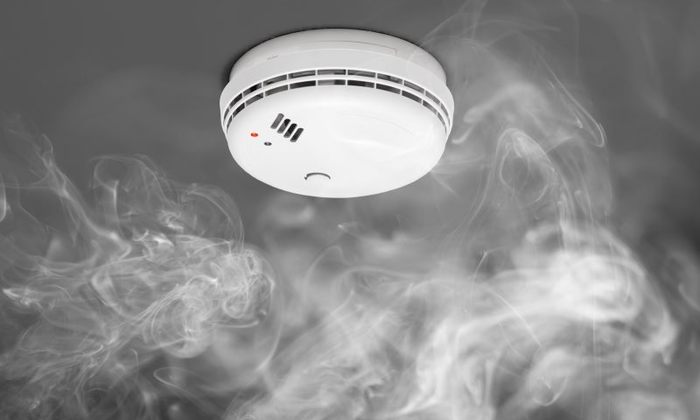
smoke-detector-flames

Smoke alarms should be on every level of your home, outside of bedrooms as well as at the tops and bases of stairs. You should check that your smoke and carbon monoxide detectors are working at least once a month and do regular checks on their batteries or power sources.

Batteries should be changed at least once a year. Smoke alarms themselves should be replaced at least once every 10 years to ensure optimal working order and safety.

To check on your alarms as well as your family’s ability to follow the correct procedures should a fire occur, create a home escape plan for your residence.

Home Sprinkler Solutions

Because there are so many flammable objects in the typical home (like plastic, foam rubber, laminates, and wood), things can catch fire quickly and result in extended damage on a larger and faster scale. Having a sprinkler system installed can buy you time and ultimately save your life should a blaze occur.

Sprinklers put out an estimated 90% of home fires before firefighters even arrive on the scene. They can help to prevent injuries, extensive damages, and fatalities. In addition to smoke alarms, sprinklers can help dramatically in your defense against a house fire.

emergency procedures for fire evacuation

Fire Alarm Solutions

You need to be as vigilant as possible when it comes to protecting your home or business from fires and the damage they cause. Know what types of detectors and alarms you need to keep your family and home safe. These are three main types of fire alarm solutions you may need:

  • Heat detectors have a detecting element inside of them that goes off when a certain temperature is reached.
  • Smoke alarms detect flames quicker than heat detectors do. Ionization smoke alarms respond best to fast, raging fires, while photoelectric smoke alarms respond best to slow, smoldering fires. It is recommended that you get a combination of the two in your home.
  • Carbon monoxide detectors are also extremely important—carbon monoxide is known as the silent killer and is a gas caused by fuels that have not burned completely. The gas can be deadly, so having one of these detectors in your home can save you from carbon monoxide poisoning.

Investing in a fire alarm today, or making sure that yours is in perfect working condition, is essential. Along with the right safety precautions like a home security system, a professionally-monitored fire system is a solution that might just save your life and your property.

6 Ways to Keep Your Packages Safe

Ordering a package and waiting for it to arrive should be relatively simple, but that’s not always the case. Unfortunately, you have to contend with the possibility of a thief taking your package before you’ve had a chance to see it yourself

Read on to learn how to keep your packages from getting stolen and what steps you can take to prevent package theft.

1. Install an Outdoor Security Camera

Installing a security camera on your property serves more than one purpose when it comes to package security. For one thing, it allows you to monitor the package delivery and record exactly what has happened if a thief should swipe the package from your doorstep.

And it can serve as a deterrent if you mount the camera in plain sight for would-be package snatchers to see.

garage outdoor camera

Many higher-end cameras offer live feeds and two-way audio so you can communicate with a delivery person when they drop off your package. Additionally, some cameras have motion sensors that will notify your phone if anybody comes within range of the camera, and you can even activate an alarm manually to deter a thief.

No matter which model of security camera you go with, choose one with a high resolution in case you need to review footage to identify a thief.

2. Install a Doorbell Camera

If you want a less conspicuous solution, a video doorbell camera is a great way to covertly record anyone who sets foot on your doorstep. Many smart doorbells offer two-way audio and smartphone alerts that will step up security beyond simple video recording.

This way, you can keep tabs on people at your door in case of any unwanted guests.

skybell-trim-plus-video-doorbell

Depending on which model you choose, doorbell cameras have several attractive features to consider. Some have facial recognition, night vision recording, and customizable motion detection, which can determine whether an animal, car, or person has activated the sensor. By knowing which features you want, you can easily choose the model you need.

3. Have Packages Delivered to Your Workplace

If you’re worried about a package arriving at your home while you’re at work, why not just have the package come to you? Most deliveries occur during business hours; therefore, it’s only logical to assume that you’d be at work when your delivery arrives.

If you change the delivery address to your office, you simplify the situation and reduce the chance of your package falling into the wrong hands.

Workplaces are often easier to locate than individual residences, so that’s a definite plus. However, if your workplace is large, you may risk your package getting mixed up in the chaos of a busy mailroom.

Consider the specifics of your workplace (such as opening hours and delivery logistics) before opting for a work delivery, as it can backfire if you aren’t careful.

4. Use a Smart Locker

Many convenience stores offer package protection lockers, such as Amazon Lockers, that can keep your packages safe. When you use a smart locker, your packages are dropped off in a secure location near you until you’re available to pick them up.

amzn_lockers_hero_1200x1200._SX970._CB475759028_

To pick them up, you simply enter a code into the locker to retrieve your items. This eliminates the need to leave your package unattended on your property.

Although this is a very safe option, it adds the task of retrieving your package to your to-do list. While this may not seem attractive for people who are short on time, the security advantages that come with using a smart locker speak for themselves.

Check with your package delivery service to see where the nearest smart lockers are in your area.

5. Require a Signature Upon Delivery

Requiring a signature upon delivery is a package theft prevention option available through most major delivery services, including UPS and FedEx. Although it may not be convenient for you to be there in person when a package is delivered, it may be worth it if the contents are especially valuable or important.

signature on delivery

Requiring a signature upon delivery allows you to be in full control so your package is placed in your hands rather than left unattended.

Most importantly, couriers who deliver a package under this specification are obligated to follow certain protocols. If anything goes wrong (for example, if no signature was received or the package was left unattended), the delivery company is at fault. This is an added incentive to ensure your package is delivered securely.

6. Reroute Your Package for Secure Delivery

With modern technology, you can track where your package is and when it should arrive. Based on that information, you can contact your delivery person and have your package rerouted to a trusted neighbor or family member so it arrives safely in the hands of someone you know.

This is a great option if you work during business hours and can’t be at home to receive a package during daytime delivery hours.

The bottom line: If you have a neighbor you trust, you gain peace of mind from knowing your package has arrived and is in good hands. Rerouting may incur a small cost, or you can purchase a premium membership from delivery services that gives you package rerouting for an annual fee.

How Safe Is Your Neighborhood? Use These 9 Tools to Find Out

Whether you’re a homeowner or you’re deciding where to live, safety is of the utmost importance. You need to understand the precautions you should take given the area you live in and know ways to improve the safety of you and your family.

Thankfully, several tools can help you understand the safety of your neighborhood. These apps and websites will help you understand the types of crime commonly reported in your area so you know how to best secure your home and stay safe in your neighborhood.

Use these tools in conjunction with an alarm system, video doorbells, smart locks, and alarm monitoring services to keep your property and family safe, as well as give you greater peace of mind at home.

These tools can also be helpful when you’re looking at potential neighborhoods to live in. You can explore neighborhood features like crime rate, schools, and walkability before you even begin looking at houses or apartments there.

Whether you’re looking to stay safe in your own neighborhood or searching for a new one, here are nine apps and websites to help you determine how safe your neighborhood is.

How-Safe-Is-Your-Neighbourhood

9 Tools to See How Safe Your Neighborhood Is

1. CrimeReports

CrimeReports offers a focused approach to area security. You can search for crime reports by entering a specific address, making this website ideal for investigating potential areas to move to or checking what’s happening around your current home. Local law enforcement agencies regularly update the information online to ensure users have access to the most recent crime information.

CrimeReports has two additional helpful features: Users can submit crime tips to local law enforcement, and they can sign up to receive crime alerts so they are always aware of crime in their area.

Access to the website is free, but CrimeReports does require you to sign up as a member to receive alerts.

2. AreaVibes

If you’re looking for an easy and efficient way to get a general overview of a neighborhood, check out AreaVibes. It factors in multiple data points—such as schools, cost of living, and crime rates—to give areas an overall “liveability” score out of 100. The app provides a simple way to get a sense of the community you’re living in or considering moving to.

To use AreaVibes, visit the website and enter the address, neighborhood name, or zip code of the area you’re searching for. You can also find specific information through the Neighborhoods section, such as the local crime statistics and how they compare to the national averages.

Although it is necessary to create an account, the AreaVibes app is free to use.

3. FamilyWatchdog

FamilyWatchdog is a free service designed to help users identify registered sex offenders in their neighborhoods. The website is easy to use and comprehensive. Users can search by area or by entering the names of specific individuals.

If you search by area, the site will generate a map with color-coded pins to indicate the different types of sexual offenders located within that zone. Clicking on these pins gives you more detailed information, including pictures (when available) of the registered sex offenders.

A standout feature of the FamilyWatchdog website is the option to sign up for its notification service, which will alert you when a sex offender moves to your neighborhood.

4. Nextdoor

Nextdoor is a free website that essentially functions as an online community watch group.

Once you create an account, you are able to join your neighborhood’s Nextdoor group. Here, you can discuss local events, make recommendations, and share crime and safety information by posting about incidents in the area. You can also use a filter for streamlined viewing if you only want to see posts about crime.

Typically only residents of a community have access to a neighborhood’s Nextdoor, so it’s not ideal for scouting potential new locations to live in. However, if you want to connect with your existing neighbors and stay up-to-date about your community, then Nextdoor is the site for you.

Next-door-neighbors

5. NeighborhoodScout

NeighborhoodScout is an accessible website that aims to increase your knowledge of the area you live in. You can create custom searches for real-time information about a specific area. The site also provides any relevant information pertaining to the searched area, including violent crime, property crime statistics, and local school information.

When you request information, NeighborhoodScout compares the search to other neighborhoods in various cities, as well as to state and national averages. This means the information is relevant and can help you make more informed decisions. While access to the website and information on a state and city level is free, NeighborhoodScout charges a monthly subscription for neighborhood and school information.

6. SpotCrime

SpotCrime is a free platform you can use to view crime data within a city or suburb. It collects, interprets, and shares data with users by mapping out crimes and providing relevant information about them. SpotCrime collects its data from local law enforcement agencies, news reports, and local users.

The mapping clearly marks the types of crimes and where the crimes occurred with an easy to understand index. SpotCrime displays reports ranging from arrests and arson to burglary and shootings. This platform also alerts users via email and social media to any new crimes that occur within specified areas.

7. National Sex Offender Public Website

The National Sex Offender Public Website (NSOPW) is a user-friendly website that’s especially helpful when parents are looking at possible neighborhoods to move to. When you search for a specific area, you’re able to see up-to-date information about registered sex offenders nearby, and you can even view their photographs. The website is also helpful for parents who want to be aware of registered sex offenders in their current neighborhood.

Both the app and the website are free to use, and both provide clear and concise information on how to navigate the platform. NSOPW further provides parents with crucial pieces of advice on how to protect themselves and their kids from any potential harassment that they may experience.

8. Moving.com’s City Profile Reports

Moving.com’s City Profile Reports provides users with free, detailed, and relevant information about any neighborhood. The profile reports allow you to see info on local schools, crime statistics, the average cost of living, and other crucial information.

Moving.com allows for easy comparisons between cities, making it a great tool to use if you’re considering a move. This comparison helps users understand how their new neighborhood compares to others.

Moving.com ensures that information is up-to-date by updating its databases annually from several sources, including the U.S. Census Bureau, Internal Revenue Service statistics, local law enforcement agencies, and National Oceanic and Atmospheric Administration.

9. CrimeMapping.com

Multiple law enforcement agencies voluntarily upload their crime information to CrimeMapping.com’s database, which lets you search for crimes around an address or in a state near a particular agency. Searches can be filtered by date, area, and type of crime.

You can also set email alerts for certain types of crimes in any area.. CrimeMapping.com is continuously updated, and the number of contributors is growing.

Crime-mapping-for-neighborhood-safety

You have several choices of apps, websites, and technologies that can help you stay safe in your neighborhood. Now, all there is to do is to pick one!

How to Install Your Honeywell Lyric Thermostat

Ready to install your new Lyric thermostat? Here’s our step-by-step guide:

  1. Before you start, look at the walls surrounding your Lyric thermostat to see if you’ll have to cover up any holes or damaged paint that will be exposed when you install the new thermostat. Now’s the time to make those repairs.
  2. Make sure your package contains the following: thermostat, wall plate, mounting screws, back plate. The wall plate (pictured, second from left) is optional, allowing you to cover marks left by the old thermostat. lyric get started.png
  3. Have the following tools close at hand:
    – Phillips-head screwdriver
    – Small screwdriver or pen
    – Pencil
  4. Locate your circuit breaker and turn off your heating/AC system. Verify the power is off by going to your thermostat and trying to increase and decrease the temperature. If the system responds to the change in temperature, that means it’s NOT powered off. circuit breaker2.png
  5. Now that your system is powered off, you can remove the face plate from your old thermostat. Most will simply pop off without a need for a screwdriver, but if the wall panel is mounted by screws, unscrew it.
  6. You should see a bunch of wires. Every thermostat uses a different wiring setup, so it’s important to know which wires are compatible and which aren’t. Take a picture of the configuration with your smart device for later reference. If they don’t already have labels, label the wires with some tape. wiring.png
  7. Note the voltage of your system.
    Do you have thick black wires connected with wire nuts?
    Is your thermostat 110 volts or higher? If you answered yes to either of those questions, you have a line voltage system. Unfortunately, the Lyric thermostat is NOT compatible with this system, you can only use thermostats specifically designed for line voltage systems.
  8. Unscrew the rest of your thermostat (the back plate and wall plate) from the wall.
  9. Now you can begin installing your Honeywell Lyric thermostat.

    Bundle the wires into one group, then feed the wires through the base plate and screw your thermostat into the wall.

    Feeding them through the wall plate is much slower.
  10. Make sure the thermostat is level by observing the small green bubble. If the bubble is in between the two lines, you’re good to start handling the wiring.

    thermostat levels.png

    Also, insert the included AAA battery if you haven’t done so already.
  11. Screw the Lyric’s wall plate into the wall. The included screws are specially designed for the Lyric thermostat and are self-anchoring.
  12. Download the Honeywell Lyric app to view a diagram of where your wires need to go. Everyone has a different wiring situation, so the app is a great resource to help you out. The Lyric Round is different from the Honeywell WiFi thermostat in that the Lyric doesn’t have an A/C wire. It’s more similar to the way you install the Nest thermostat.
  13. To insert wires, slide each wire into its corresponding terminal and check that it is secure by gently tugging. Wires should go into the terminal about a quarter of an inch.

    wiring2.png

    To take out wires, gently push down on the terminal tab(s) with your pen or small screwdriver as you pull the wire.

  14. The Lyric app will also tell you whether each of the sliders on the left and right should be up or down, depending on your R wire installation.
  15. Once the wires are in place, put the face plate back on by gently pressing it to the wall plate.
  16. Return to your circuit breaker and give power back to your heat/AC system. If everything works correctly, the Lyric will glow as it starts up. The startup process takes around 3 minutes.
  17. When you see your unique network name, press the “OK” button to begin configuring your thermostat. Use the Lyric app on your smartphone or tablet to do so.

    wifithermostatconnecting.png
    If you do not see a unique network name, press and hold the Weather icon on the left for 5 seconds to reset.

  18. If you have an Android device, locate the Lyric’s network name on the list within the Lyric app. For iOS devices, connect to the thermostat by looking through your wireless networks and connecting to the network belonging to your Lyric device.

Honeywell Lyric Thermostat Features

Springtime weather in New England can get crazy sometimes. One day it’s a toasty 70 degrees and people are wearing shorts and flip-flops, and then the next day, everyone is putting on their snow boots and donning thick winter parkas.

Old thermostats just can’t handle that kind of rapid change in weather, especially when we aren’t always at home to adjust the temperature ourselves.

The result? High heating bills and wasted energy.

TheLyric smart thermostatcan help. Consider these incredible benefits:

  • Honeywell Home App: The Lyric thermostat fully integrates with your security system through a free app on your smartphone or tablet.

    Total Connect 2 compress1
    The app allows you to save easy templates for common occurrences that you can use each day, like a sequence for leaving home to go to work or another as you’re about to go to bed.

    You can also receive push notifications reminding you of filter changes, notifying you of high and low humidity levels, and warning you of extreme indoor temperatures.

  • Location-Based Temperature Control: Lyric thermostat uses the GPS location on your smartphone to know when you’re away from home and saves on energy in the process.
    geo-fencing-total-connect
    Through Geofence technology, the thermostat anticipates your return and helps make sure the climate at your home is comfortable upon arrival.

    You can set this for any member of your family should your children be getting home earlier than you are.

  • Humidity and Temperature Control: It’s not the heat but the humidity that will get to you. For this reason, this savvy security equipment views and adjusts the humidity levels in your home.

    This way 70° always feels like 70°, and you reduce the risk of warping wood furniture, antiques, or musical instruments.

For additional help installing your thermostat, contact your local HVAC company to assist you.

X

GET FREE QUOTE

What are you protecting?*

Step 1 of 4

Is your property currently monitored?*

Step 2 of 4

What size is your property?

Step 3 of 4

Who is this personalized quote for?*

By clicking this button, you consent for Alarm New England to use automated technology to contact you at the number provided. This consent is not required to make a purchase from us.

Step 4 of 4