Kisi Access Control Reviews

Businesses, offices, and commercial spaces face a big challenge of unauthorized access and security risks. Traditional keycards can be lost, stolen, or copied, and this often puts sensitive areas and assets in danger. Without proper access control, companies risk break-ins, data breaches, and operational disruptions. Thus, leading to financial losses and safety concerns. While managing who enters a building remains crucial, many outdated systems make this task even more complicated and inefficient. This is where Kisi cloud-based access control solutions come in.

Furthermore, Kisi provides a modern solution with cloud-based access control that makes security simpler and smarter. Instead of relying on physical keycards, Kisi allows users to unlock doors using smartphones, PIN codes, or biometric authentication. With remote management, real-time monitoring, and strong integration with other security systems, Kisi helps businesses secure their spaces without the hassle of traditional access methods.

In this comprehensive review of Kisi access control systems, we’ll explore how Kisi’s system works, its pricing, key features, and how it compares to competitors. If you’re looking for a secure, flexible, and easy-to-use access control solution, this guide will give you all the details you need to make an informed decision.

Get a free quote

About Kisi

Kisi is a technology company specializing in modern access control solutions. Founded in 2012, Kisi was created to simplify and improve security for businesses by offering cloud-based access control that eliminates the need for traditional keycards. The company was started by Max Schuetz, Bernhard Mehl, and Carl Pfeiffer, who wanted to develop a smarter, more flexible way to manage building access.

Headquartered in Brooklyn, New York, Kisi has grown into a global security provider, serving businesses in over 50 countries and securing millions of square feet of commercial space. The company focuses on connecting people and spaces through keyless entry systems, mobile credentials, and cloud-based security management. Kisi’s solutions are widely used in offices, coworking spaces, gyms, and commercial buildings, helping businesses control access remotely and improve security.

What’s more, Kisi continues to innovate in the access control industry, offering seamless integrations with video surveillance, visitor management, and cybersecurity tools. The company’s mission is to create a secure future where spaces are connected and accessible without boundaries. Their cloud-based access control system eliminates the need for traditional keycards, allowing users to unlock doors with smartphones, PIN codes, or biometric authentication.

What Is Kisi Access Control System?

Kisi access control system is a cloud-based security solution that helps businesses manage entry, improve security, and streamline access control remotely. Instead of relying on traditional keycards, the Kisi access control system allows users to unlock doors using smartphones, PIN codes, or biometric authentication, making access more convenient and secure.

What’s more, since Kisi access control system is cloud-based, businesses can control access from anywhere using a web dashboard or mobile app. Security teams can grant or revoke access instantly, track who enters and exits and receive real-time alerts for suspicious activity. This ensures strong security without complex hardware or manual monitoring.

Kisi’s access control system also integrates with video surveillance, visitor management systems, and cybersecurity tools. Thus, making it a complete security solution for businesses that need smart, easy-to-manage access control.

Features of Kisi Access Control System

As mentioned earlier, Kisi access control system is designed to make security simple, flexible, and reliable. It helps businesses and commercial spaces manage entry, prevent unauthorized access, and control security remotely. With cloud-based technology and mobile-friendly access, Kisi offers a modern solution for offices, coworking spaces, gyms, and other commercial buildings. Here are the key features of Kisi access control system and how they help businesses stay secure:

1. Mobile Access

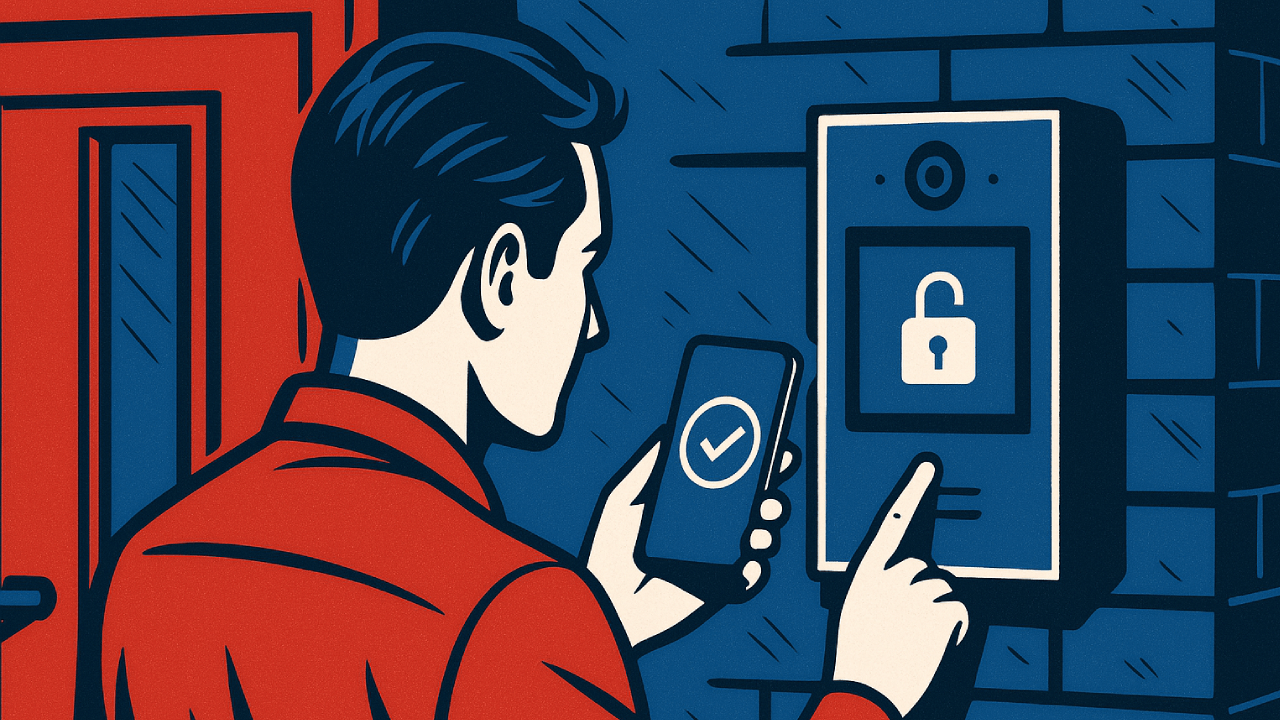
Kisi allows users to unlock doors using their smartphones. This eliminates the need for physical keycards. Employees and visitors can use the Kisi app to enter buildings, as this makes access more convenient and secure. This feature reduces the risk of lost or stolen keycards and ensures that only authorized users can enter.

2. Cloud-Based Management

Since Kisi is cloud-based, businesses can control access from anywhere. Security teams can grant or revoke access instantly, track who enters and exits, and receive real-time alerts for suspicious activity. This eliminates the need for on-site security personnel to manually manage access and makes security more efficient.

3. Remote Access Control

Administrators can manage security settings remotely. This means that they don’t have to be on-site to adjust permissions or monitor activity. This is especially useful for multi-location businesses that need centralized security control. If an employee forgets their key or needs emergency access, administrators can grant entry remotely without physical intervention.

4. Real-Time Monitoring

Kisi provides live tracking of access events. This allows businesses to see who is entering and exiting their buildings in real time. Security teams can respond quickly to unauthorized access attempts and improve overall safety. This feature is particularly useful for high-security areas, where monitoring access is critical.

5. Customizable Access Levels

Businesses can assign different access levels based on employee roles, visitor permissions, and security needs. This ensures only authorized personnel can enter restricted areas, reducing security risks. For example, executives may have access to all areas, while contractors may only enter specific zones.

6. Seamless Integration

Kisi works with video surveillance, visitor management systems, and cybersecurity tools to create a complete security solution. Businesses can connect Kisi with their existing security setup for better monitoring and control. This integration allows security teams to view access logs alongside video footage, thereby improving incident response.

7. User-Friendly Interface

Kisi’s software is easy to use, with simple dashboards and clear navigation. Security teams can quickly adjust access permissions, monitor activity, and generate reports without needing extensive training. The intuitive design ensures that even non-technical users can manage security effectively.

8. Secure Credential Management

In addition, Kisi ensures strong security by using encrypted credentials for access. This prevents unauthorized duplication of keycards or mobile credentials. Thus, keeping businesses safe from security breaches. If a user loses their phone, administrators can instantly revoke access, preventing unauthorized entry.

9. Scalable Security Solution

Kisi is designed to grow with businesses, making it ideal for small offices, large enterprises, and multi-site organizations. Companies can expand their access control network without needing a complete system overhaul. Whether a business has one location or multiple branches, Kisi adapts to changing security needs. 

Kisi access control system provides smart, secure, and easy-to-manage access control. This helps businesses protect their spaces and improve security operations.

Kisi Access Control System Pricing

Furthermore, Kisi offers flexible pricing based on the features and security needs of a business. Instead of a fixed price, Kisi provides customized quotes, which allow companies to choose the right combination of hardware and software for their security setup.

Pricing Plans

Kisi has two main pricing options:

  • One Security Platform (OSP) – This is designed for small and medium-sized businesses. The plan starts at $99 per month and includes access control, visitor management, video surveillance, and intrusion detection.
  • Enterprise Plan – This plan is custom-priced based on business needs. It includes advanced analytics, custom event retention policies, enterprise onboarding, and priority support.

Additional Costs

Businesses may also need to pay for:

  • Hardware – Kisi offers door readers, controllers, and keycards, which may have separate costs.
  • Installation & Setup – Some companies choose professional installation, which can add to the total price.
  • Software Licenses – Features like access schedules, lockdown mode, and offline support may require additional licenses.

Since pricing depends on business size and security needs, it’s best to contact Kisi directly for a custom quote.

What Software Is Used in Kisi Access Control System?

What’s more, Kisi access control system uses cloud-based software to help businesses manage security remotely. This software allows administrators to control access, track entry logs, and adjust security settings from anywhere using a web dashboard or mobile app.

Key Software Features

Some key software features include:

  • Centralized Dashboard – Businesses can view and manage all access points in one place. This makes security simple and efficient.
  • Real-Time Monitoring – The software provides live updates on who enters and exits. This helps security teams respond quickly to any issues.
  • Integration with Other Systems – Kisi’s software connects with video surveillance, visitor management, and cybersecurity tools. This creates a complete security solution.
  • Mobile Access – Users can unlock doors using their smartphones. This feature eliminates the need for physical keycards.
  • Customizable Access Levels – Administrators can set different permissions for employees, visitors, and contractors. Thus, ensuring only authorized people can enter restricted areas.

Kisi’s software is user-friendly, secure, and designed for businesses of all sizes. It helps companies simplify access control while improving security.

How Is Kisi Access Control System Different From Competitors?

Kisi access control system stands out because it is cloud-based, mobile-friendly, and easy to manage remotely. While other access control brands offer similar security solutions, Kisi focuses on flexibility, modern technology, and seamless integration. Here’s how Kisi compares to some of its competitors:

1. Kisi vs. ButterflyMX

ButterflyMX specializes in smart intercom systems for apartment buildings and gated communities. Kisi is more focused on businesses, offering mobile access, real-time monitoring, and cloud-based security for offices, coworking spaces, and commercial properties.

2. Kisi vs. Avigilon

Avigilon provides high-tech security solutions, including AI-powered video surveillance and on-premise access control. Kisi, on the other hand, is fully cloud-based. Thus, making it easier to manage remotely without needing complex hardware.

3. Kisi vs. LenelS2

LenelS2 provides enterprise-level security and is often used in airports, government buildings, and large corporations. Kisi is more flexible and scalable, making it a great choice for small and medium-sized businesses that need modern access control without complex installations.

4. Kisi vs. Brivo

Brivo is another cloud-based access control provider, but Kisi offers a more user-friendly interface and stronger mobile access features. Kisi also integrates seamlessly with video surveillance and visitor management systems, making it a complete security solution.

5. Kisi vs. Honeywell

Honeywell provides enterprise-level access control, relying on smart card readers and biometric authentication. Kisi, however, offers cloud-based access control with mobile credentials, which allows users to unlock doors via smartphones. While Honeywell focuses on on-premise security, Kisi delivers flexible remote access management for modern businesses.

Kisi Security Reviews: The Verdict

Kisi access control system is widely used by businesses looking for modern, cloud-based security solutions. Many users appreciate its ease of use, mobile access, and remote management, but some have reported issues with connectivity and customer support. Here’s a breakdown of what real users have to say:

Pros: What Users Like

  • Easy to Use – Many businesses find Kisi’s dashboard and mobile app simple to navigate, making access control quick and hassle-free.
  • Mobile-Friendly – Users love that Kisi allows them to unlock doors with their smartphones, eliminating the need for physical keycards.
  • Remote Access Management – Companies appreciate the ability to grant or revoke access from anywhere, making security more flexible.
  • Good Customer Support – Some users mention that Kisi’s support team is responsive and helpful, especially during installation.

Complaints: What Users Dislike

  • Internet Issues – Some users report that if the internet connection is weak, Kisi’s system can take longer to unlock doors.
  • No Alerts for System Failures – A few users mention that if the system crashes, there is no automatic alert, which can cause frustration.
  • Customer Support Delays – While some users praise Kisi’s support, others say they experienced delays in getting help when troubleshooting issues.
  • Installation Costs – Some businesses feel that setup and installation costs can be higher than expected, especially for larger locations.

Conclusion & Our Recommendation – Kisi Access Control System is a Strong Option for Secure Access

In conclusion, the Kisi access control system is a modern, flexible, and secure way to manage building access. With cloud-based technology, mobile credentials, and real-time monitoring, businesses can control entry remotely, reduce security risks, and simplify access management. Kisi eliminates the need for physical keycards. Thus, offering a streamlined, mobile-friendly security solution.

For businesses looking for an advanced, scalable, and easy-to-use access control system, Kisi is a strong choice. Its remote management, seamless integrations, and smart security features make it ideal for offices, coworking spaces, gyms, and commercial properties. However, companies should ensure their internet reliability and security setup align with cloud-based access before choosing Kisi.

If you need a future-ready access control system that offers smart automation, strong security, and hassle-free management, Kisi is worth considering. For tailored solutions, businesses should contact Kisi for a custom quote and explore how it fits their needs.

Frequently Asked Questions

  • Which access control is best?
    • The best access control system depends on business needs, security requirements, and budget. Kisi is a top choice for cloud-based access control, while competitors like HID Global and LenelS2 offer strong on-premise solutions.
  • Who is the leader in access control?
    • Companies like Honeywell, Kisi, Brivo, and HID Global are considered leaders in access control. They offer advanced security solutions for businesses and organizations worldwide.
  • Is access control effective?
    • Yes! Access control systems prevent unauthorized entry, improve security, and allow businesses to monitor activity in real time. Thus, reducing security risks and operational disruptions.
  • How does access control work?
    • Access control systems use keycards, mobile credentials, PIN codes, or biometrics to verify identity before granting entry to secure areas. Kisi’s cloud-based platform makes this easier and more efficient with remote management and mobile access.
  • What makes Kisi different from other access control systems?
    • Kisi offers cloud-based access control, and this makes it more flexible and easier to manage remotely compared to traditional keycard-based systems. It also integrates with video surveillance and visitor management for a complete security setup.
Get a free quote

Honeywell Access Control Reviews

Security breaches and unauthorized access cost businesses millions of dollars each year. Whether it’s insider threats, data theft, or physical break-ins, weak access control systems leave companies vulnerable. With increasing security risks, businesses must invest in reliable access control to protect their employees, assets, and operations.

Honeywell is a trusted leader in commercial security, offering advanced access control systems designed to prevent unauthorized access and improve building security. With smart credential management, cloud-based monitoring, and seamless integration with other security tools, Honeywell helps businesses secure doors, parking areas, and restricted zones efficiently.

In this review, we’ll explore Honeywell’s access control solutions, including how they work, what sets them apart, pricing details, and competitor comparisons. If you’re looking for a strong and reliable security system for your business or organization, this guide will provide all the details you need to make an informed decision.

Get A Free Quote

About Honeywell

Honeywell is a global technology company that creates smart solutions for businesses and industries. Founded in 1906, Honeywell has grown into a leading provider of security, automation, and energy solutions. The company is known for its innovative products and solutions that help businesses improve safety, efficiency, and sustainability.

Furthermore, Honeywell operates in many industries, including building security, aerospace, industrial automation, and energy management. Their access control systems are designed to protect offices, commercial buildings, and industrial facilities. Thus, helping businesses manage entry and prevent unauthorized access.

With headquarters in Charlotte, North Carolina, Honeywell has a global presence, serving customers in over 100 countries. The company continues to develop new technologies that make workplaces safer, smarter, and more secure.

All About Honeywell Access Control & Security Systems

Honeywell is a trusted name in security, offering advanced access control solutions for businesses, commercial buildings, and industrial facilities. Their systems help organizations manage entry, prevent unauthorized access, and improve overall security.

Honeywell Access Control Solutions

Honeywell provides a range of access control products, including:

  • Control Panels – These devices manage access to multiple entry points and ensure only authorized personnel can enter restricted areas.
  • Card Readers & Keypads – Businesses can use smartcards, PIN codes, or biometric authentication for secure access.
  • Mobile Credentials – Employees can unlock doors using their smartphones, eliminating the need for physical keycards.
  • Cloud-Based & On-Premise Systems – Honeywell offers flexible access control options that allow businesses to choose remote management or local control.

Honeywell Security Systems Explained

Beyond access control, Honeywell provides comprehensive security solutions, including:

  • Video Surveillance – High-quality security cameras that integrate with access control for real-time monitoring.
  • Intrusion Detection – Systems that alert businesses to unauthorized entry attempts, improving security response.
  • Alarm Systems – Honeywell’s alarms help detect threats and notify security teams instantly.
  • Integrated Security Platforms – Businesses can combine access control, video surveillance, and alarms into a single, easy-to-manage system.

Honeywell’s security solutions are scalable, reliable, and designed for modern businesses. Whether companies need basic access control or a fully integrated security system, Honeywell provides customizable options to meet different security needs.

What Are Some Competitor Brands?

Honeywell is a leading provider of access control systems, but it competes with several other brands that offer similar security solutions. Here are some of the top competitors in the access control industry:

Avigilon

Avigilon, owned by Motorola Solutions, provides advanced access control and video surveillance systems. Their solutions include cloud-based and on-premise access control, mobile credentials, and AI-powered security features. Businesses choose Avigilon for its high-tech security tools and seamless integration with video monitoring.

ButterflyMX

ButterflyMX specializes in smart intercom systems for apartment buildings, offices, and gated communities. Their access control solutions focus on mobile-based entry, which allows users to unlock doors and gates using their smartphones. While ButterflyMX is more focused on residential and multi-tenant properties, it competes with Honeywell in the smart access control space.

Brivo

Brivo is a cloud-based access control provider that offers remote management, mobile credentials, and real-time security alerts. Their system is designed for businesses, multi-location enterprises, and government facilities. Brivo is known for its strong encryption and cybersecurity protections. This makes it a popular choice for companies needing advanced security.

HID Global

HID Global is a major player in access control, offering smart card readers, biometric authentication, and secure credential management. Their solutions are widely used in corporate offices, healthcare facilities, and government buildings. HID competes with Honeywell by providing high-security access control with strong identity verification features.

LenelS2

LenelS2 provides enterprise-level access control systems, focusing on large-scale security solutions for corporations, airports, and government agencies. Their systems integrate with video surveillance, alarms, and cybersecurity tools. Hence, they are a strong competitor in high-security environments.

Each of these brands offers unique access control features, but Honeywell remains a top choice for businesses looking for scalable, reliable, and integrated security solutions.

How Is Honeywell Access Control Different?

Honeywell’s access control systems stand out due to their advanced security features, scalability, and seamless integration with other security tools. Below are the key features that make Honeywell’s system unique:

1. Access Control Hardware

Honeywell provides high-quality access control hardware, including card readers, biometric devices, and electronic locks. These devices ensure secure and seamless entry management. Thus, allowing businesses to restrict access to sensitive areas while providing authorized personnel with easy entry.

2. Scalability

Honeywell’s systems are designed to grow with businesses. This makes them ideal for small offices, large enterprises, and multi-site organizations. Companies can expand their access control network without needing a complete system overhaul. This helps ensure long-term flexibility.

3. Real-Time Monitoring

With live activity tracking, businesses can see who is entering and exiting their buildings in real-time. Security teams receive instant alerts for unauthorized access attempts. This helps them respond quickly to potential threats.

4. Centralized Management Software

Honeywell offers centralized security management, which allows businesses to control multiple locations from a single platform. This software provides easy access to security settings, user permissions, and entry logs. Thus, making security more efficient and streamlined.

5. Seamless Integration Capabilities

Honeywell’s access control systems integrate with video surveillance, alarm systems, and cybersecurity tools, creating a unified security solution. This ensures businesses can monitor access events alongside security footage, improving incident response and investigations.

6. User-Friendly Interface

Honeywell’s software is designed for ease of use, with intuitive dashboards and simple navigation. Security teams can quickly adjust access permissions, monitor activity, and generate reports without needing extensive training.

7. Customizable Access Levels

Businesses can assign different access levels based on employee roles, visitor permissions, and security needs. This ensures that only authorized personnel can enter restricted areas. Thereby, reducing security risks.

8. Mobile Access

Honeywell supports mobile credentials. This allows users to unlock doors using smartphones or smartwatches. It also eliminates the need for physical keycards. Thus, making access more convenient and secure.

9. Remote Management

With cloud-based access control, businesses can lock or unlock doors, adjust security settings, and monitor activity remotely. This is especially useful for multi-location enterprises that need centralized security control.

10. Data Analytics

Honeywell’s system provides detailed security reports, helping businesses analyze access trends, detect suspicious activity, and improve security protocols. These insights allow companies to optimize their security strategies based on real-time data.

Advantages of Honeywell Access Control

Access control systems provide strong security, convenience, and efficiency for businesses. Here are some of the advantages of Honeywell’s access control for users:

  • Improved Security – The access control system prevents unauthorized access and ensures that only approved personnel can enter restricted areas.
  • Convenient Access Management – Businesses can grant or revoke access remotely. This makes security more flexible.
  • Real-Time Alerts & Monitoring – Security teams receive instant notifications for suspicious activity. Thus, helping them respond faster.
  • Seamless Integration – The access control system works with video surveillance, alarms, and cybersecurity tools. Thus, creating a complete security system.
  • Scalability for Growth – Businesses can expand their access control system as they grow. This provides a long-term security solution.
  • User-Friendly Interface – The simple dashboards make it easy to manage security settings and this training time for employees.
  • Mobile & Remote Access – Employees can use smartphones for entry, and security teams can manage access from anywhere.

How Much Does Honeywell Security Cost?

Honeywell does not list exact prices for its access control systems on its website. Instead, businesses must contact Honeywell or an authorized dealer for a custom quote based on their security needs. Generally, the cost of Honeywell’s access control depends on several factors, including:

  • System Type – Cloud-based and on-premise solutions may have different pricing structures.
  • Number of Doors – The more doors that need access control, the higher the cost due to additional hardware and software licenses.
  • Security Features – Advanced features like biometric authentication, mobile credentials, and video surveillance integration may affect the final price.
  • Installation & Maintenance – Additional costs may include setup fees, ongoing maintenance, and software updates, depending on the system chosen.

Since pricing varies, businesses should request a quote directly from Honeywell to get an accurate estimate for their security needs.

Does Honeywell Access Control Integrate With Other Security Systems?

Yes! Honeywell’s access control systems are designed to work with other security solutions, creating a complete security network for businesses. Honeywell access control integrates with:

  • Video Surveillance – Businesses can link access control with security cameras to monitor entry events in real time.
  • Intrusion Detection Systems – Honeywell’s access control can connect with alarm systems to trigger alerts for unauthorized access attempts.
  • Cybersecurity Tools – Some Honeywell systems support secure credential management and encrypted access, improving data protection.
  • Third-Party Security Platforms – Honeywell offers modular and customizable integration options, allowing businesses to connect their access control with other security technologies.

This integration ensures businesses have a strong, unified security system that protects both physical and digital assets.

Honeywell Access Control Reviews & Complaints

Honeywell’s access control systems are widely used in commercial and industrial settings. Many businesses appreciate their scalability, reliability, and advanced security features. However, like any product, there are both positive and negative reviews.

Positive Reviews

  • Businesses praise Honeywell for its seamless integration with video surveillance and intrusion detection.
  • Users find the centralized management software easy to use, making security more efficient.
  • Many companies appreciate the scalability, allowing them to expand their security system as needed.

Common Complaints

  • Some users report limited phone support hours, making it difficult to get assistance when needed.
  • Pricing is not transparent, requiring businesses to contact Honeywell for a quote.
  • A few customers mention outdated user interfaces in certain Honeywell security software.

Overall, Honeywell remains a trusted brand in access control, but businesses should review their specific needs before choosing a system.

Final Thoughts – Why Honeywell Access Control Is a Smart Choice

Honeywell provides powerful and reliable access control systems that help businesses secure their buildings, manage entry, and prevent unauthorized access. With advanced features like mobile credentials, real-time monitoring, and seamless integration, Honeywell ensures businesses have strong security solutions that are reliable and easy to manage.

If your business needs a scalable, flexible, and secure access control system, Honeywell is a great choice. Its customizable security options, centralized management, and future-proof technology make it a trusted brand for commercial security. To get the best solution for your needs, contact Honeywell for a custom quote and explore their access control products.

Frequently Asked Questions

  • Is access control effective?
    • Yes, access control systems prevent unauthorized entry, improve security, and help businesses track access activity in real time.
  • How much does an access control system cost?
    • Prices vary based on system type, number of doors, security features, and installation costs. Some systems start at a few hundred dollars, while enterprise solutions can cost thousands.
  • Which access control is best?
    • The best access control system depends on your needs. Honeywell, Avigilon, and Brivo offer advanced security features, while ButterflyMX is great for residential and multi-tenant properties.
  • What is the cost of Honeywell access control system?
    • Honeywell does not list exact prices online. Businesses must contact Honeywell or an authorized dealer for a custom quote based on their security needs.
  • Does Honeywell access control integrate with other security systems?
    • Yes, Honeywell’s access control works with video surveillance, alarm systems, and cybersecurity tools. Thus, creating a complete security solution.
Get A Free Quote

ADT Access Control Reviews [New for 2025]

If you have a physical location for your business, it’s important to have some kind of access control system in place to secure your building and valuable assets. According to a recent report, 76% of organizations have detected increased insider threat activity over the past five years, but less than 30% believe they’re equipped with the right tools to handle it. This highlights the ongoing risks of credential misuse and unauthorized access to restricted areas. That’s where access control systems come into play. Access control systems are designed to use cards and other devices programmed with a unique identifier to allow authorized people access to an area. 

ADT is one of the leading providers of access control systems globally for businesses of all sizes. Their security system solution is completely customizable and flexible in terms of your particular business needs. In this review, you’ll find an in-depth look at ADT access control, including key features, pricing, and reviews. With a comprehensive comparison of access control features, you’ll be able to evaluate your building’s needs and choose the right security solution.

Get A Free Quote

All About ADT Access Control

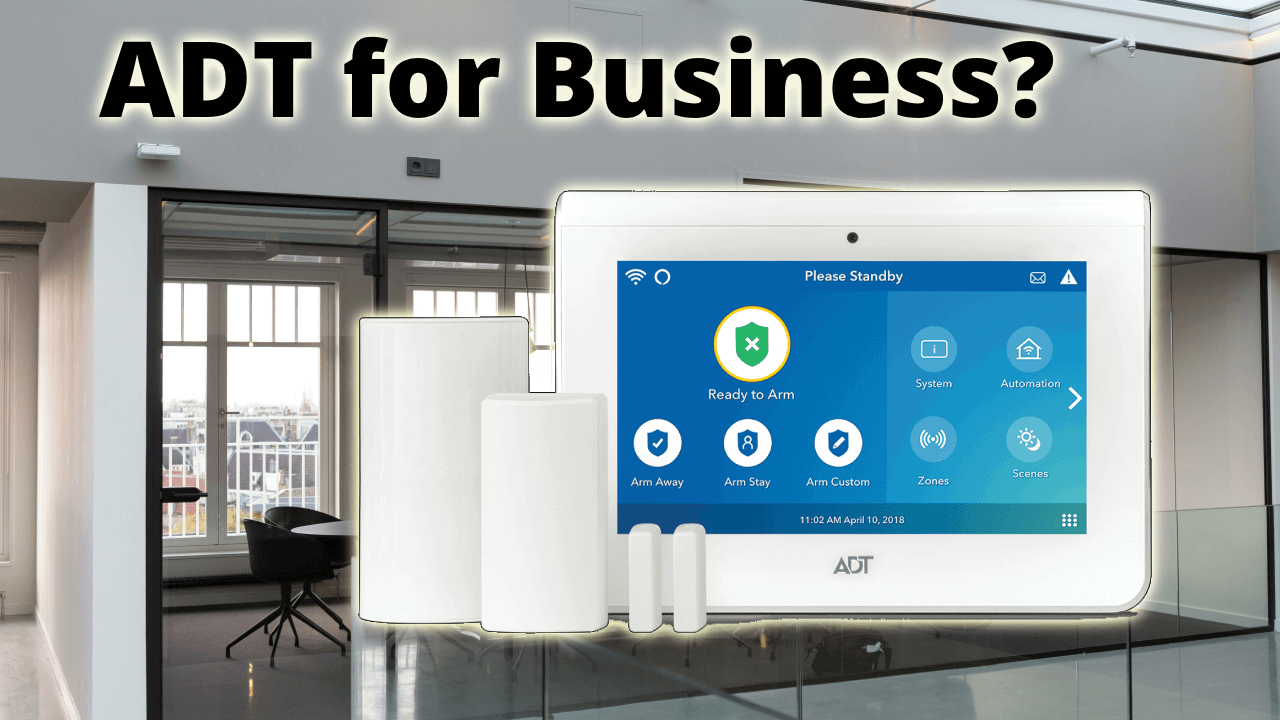
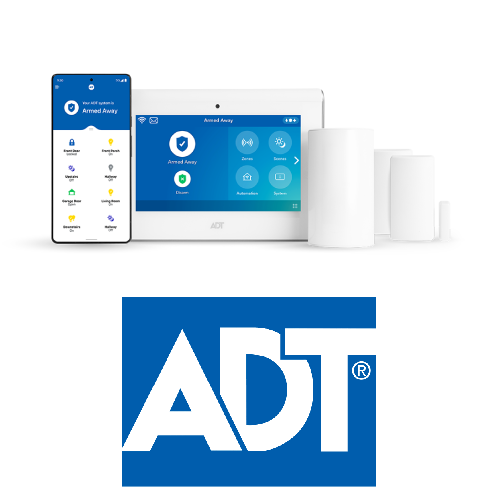
ADT access control is a sophisticated security solution designed to provide robust, flexible, and integrated access management for residential and commercial properties. It combines advanced hardware such as mobile-operated smart locks, key card readers, biometric scanners, and video intercom systems to regulate and monitor who enters and exits your premises. 

Beyond standalone access control, ADT’s system integrates seamlessly with its broader security ecosystem, including video surveillance, intrusion detection, and home or business automation, offering a holistic approach to safety and convenience.

Key Features of ADT Access Control

Below is a detailed breakdown of the key features of ADT access control system:

1. Remote Access

One of the standout features of ADT access control system is the ability to remotely manage and monitor access points from virtually anywhere using a mobile device. This means property owners or administrators can lock or unlock doors, grant visitor access, or deny entry without being physically present on-site. 

Remote access eliminates the need for on-site personnel to manage entrances and allows for immediate response to access requests or security events, enhancing convenience and security simultaneously.

2. Mobile App Integration

ADT’s mobile app serves as a centralized control hub, enabling users to manage access control alongside other security features such as video surveillance and intrusion alarms. The app supports remote locking/unlocking, user credential management, real-time alerts, and video intercom communication. 

It also integrates with smart home assistants like Amazon Alexa and Google Assistant, allowing voice commands to control locks and security settings. The app’s intuitive interface simplifies security management and provides peace of mind by keeping users connected to their property at all times.

3. Real-Time Alerts

The ADT system sends instant notifications to users’ mobile devices whenever an access event occurs, such as a door being unlocked, a denied entry attempt, or a security breach. These real-time alerts enable rapid awareness and response to potential security issues. 

Users can customize alert settings to receive notifications for specific doors, times, or user groups, ensuring they stay informed about critical activity without being overwhelmed by unnecessary messages.

4. Visitor Management

ADT access control system includes visitor management capabilities that allow administrators to grant temporary or scheduled access to guests, contractors, or vendors. Temporary access codes or digital credentials can be created and revoked easily via the mobile app or management portal. 

Video intercom systems complement visitor management by enabling visual and audio verification before granting entry. This feature improves security by controlling and tracking non-employee access while maintaining convenience for authorized visitors.

5. Biometric Authentication

For environments requiring enhanced security, ADT supports biometric authentication methods such as fingerprint or facial recognition. Biometrics provide a highly secure and convenient way to verify identity, reducing risks associated with lost or stolen access cards or PINs. This feature is particularly valuable in sensitive areas like data centers, laboratories, or executive offices where strict access control is critical.

6. Card Reader Integration

ADT’s access control systems utilize card readers compatible with a variety of credential types, including proximity cards, RFID, and smart cards. These readers authenticate users’ credentials and grant or deny access accordingly. Card reader integration supports scalable deployment across multiple doors and sites, with the ability to assign different access permissions based on roles, schedules, or security levels.

7. Keypad Entry

In addition to card readers, ADT systems offer keypad entry options where users enter a PIN code to gain access. Keypad entry can be combined with card readers for two-factor authentication, significantly increasing security. PIN codes can be managed remotely, allowing administrators to add, change, or revoke codes instantly without physical interaction with the device.

8. Intercom System

ADT incorporates two-way audio intercom systems at entry points, which enable communication between visitors and occupants or security personnel. This feature enhances security by allowing verification of identity and purpose before granting access. Intercoms can be audio-only or video-enabled, with video intercoms integrated into the ADT mobile app for remote visitor interaction and access control.

9. Scheduled Access

ADT systems support scheduled access control, enabling administrators to define specific time windows during which users or groups can enter certain areas. This feature is ideal for businesses with shift workers, cleaning crews, or contractors who require access only during designated hours. Scheduled access reduces the risk of unauthorized entry outside permitted times and simplifies credential management.

10. Emergency Lockdown

In critical situations, ADT Access Control can initiate an emergency lockdown, instantly securing all or selected access points to prevent entry or exit. This feature is vital for responding to security threats such as intrusions, active shooter scenarios, or other emergencies. Lockdown commands can be triggered remotely via the mobile app or automatically by integrated alarm systems.

Managed vs. Self-Managed Access Control

ADT offers both fully managed and remote access control options. In a fully managed setup, ADT’s professional monitoring centers and regional offices oversee system operation, ensuring 24/7 supervision and rapid response to security events. This service relieves businesses and homeowners from the burden of daily system management and provides peace of mind through expert oversight.

For users preferring direct control, ADT supports remote management via its mobile app, allowing administrators to add or remove users, lock or unlock doors, and receive real-time alerts without the need for dedicated IT staff or complex server infrastructure. However, unlike some competitors, ADT currently does not provide cloud-based browser dashboards for centralized self-management, which may be a consideration for organizations seeking extensive customization and administrative flexibility.

Getting Started with ADT Access Control System

The first step in getting started with ADT is to contact the company for a consultation.  This can be done by visiting their website or calling their customer support number.  The company will then send a representative to your home or business to evaluate your security system needs.  Based on the findings, the representative will recommend a security plan.

ADT’s packages range from basic security systems to more advanced setups.  After you’ve chosen a package, ADT arranges a professional installation with a trained technician who will set up the equipment, confirm that everything works properly, and provide a tutorial on how to use the system and the ADT mobile app.

Following installation, your system will be activated and connected to ADT’s monitoring centers.  You’ll also have access to the ADT app, which allows you to activate and disarm your system, see video feeds, and receive alerts.

ADT’s Company History

The origins of ADT (American District Telegraph) date back to the year 1874, making it one of the oldest and most established companies in the security industry. The company was initially founded by Edward Callahan to provide telegraph-based fire alarm and security alarm services to residential users. During this era, fire was a major hazard in urban areas, and the ability to quickly alert fire departments and property owners was revolutionary. ADT’s early telegraph alarm systems allowed homes and businesses to send immediate alerts to monitoring centers, significantly reducing response times and potential losses.

The company’s pioneering alarm technology quickly gained traction, establishing ADT as a trusted name in security. Over the following decades, ADT expanded its offerings beyond fire alarms to include burglary and intrusion detection systems, adapting to the evolving needs of homeowners and businesses. This early focus on reliable, monitored alarm services laid the foundation for ADT’s reputation as a leader in security solutions.

Throughout the 20th century, ADT continued to innovate and grow, expanding its product portfolio and geographic reach. The company introduced new technologies such as motion detectors, glass break sensors, and advanced monitoring systems. By the mid-1900s, ADT had become synonymous with home security, offering professionally monitored alarm systems that provided peace of mind to millions of Americans.

The company also began to serve commercial clients, recognizing the growing demand for security in retail, office buildings, and industrial facilities. ADT’s ability to customize security solutions for different sectors helped it build a diverse customer base and deepen its market presence.

Today, ADT Inc. is owned by institutional investors. Apollo Global Management, Inc. currently owns a significant portion of its stock, alongside other institutional investors like State Farm Mutual Automobile Insurance Co. and Vanguard Group Inc. ADT has undergone significant modernization and expansion, embracing digital transformation and smart technology integration. ADT is now the largest security product and service provider in the United States, serving more than six million residential and commercial customers nationwide.

The company operates a network of 12 interconnected monitoring centers, staffed 24/7 by trained professionals who provide real-time monitoring and emergency response services. This extensive infrastructure ensures rapid dispatch of police, fire, or medical personnel whenever an alarm is triggered, reinforcing ADT’s commitment to safety and reliability.

Comprehensive Product and Service Portfolio

While ADT is best known for its home security solutions, its offerings extend well beyond traditional alarm systems. Through its commercial division, ADT Commercial, the company provides access control systems that cater to the basic and advanced security needs of small to medium-sized businesses. These systems enable businesses to regulate who can enter their premises, track access events, and integrate with other security measures.

ADT’s product range is broad and technologically advanced, including:

  • Security Sensors: ADT offers a variety of sensors designed to detect unauthorized access or environmental hazards. These include door and window sensors, glass break detectors, motion sensors, panic buttons, temperature sensors, and flood monitoring devices. Each sensor type plays a critical role in creating a multi-layered security environment.
  • Security Cameras and Video Monitoring: The company provides high-definition surveillance cameras with features such as night vision, motion detection, and cloud-based video storage. Video monitoring complements alarm systems by providing visual verification of incidents and deterring potential intruders.
  • Business and Home Automation Products: ADT integrates security with automation technologies, allowing users to control lighting, thermostats, locks, and other smart devices remotely. This integration enhances convenience, energy efficiency, and security.
  • Access Control Systems: ADT’s access control solutions enable secure entry management through card readers, keypads, biometric scanners, and mobile credentials. These systems are scalable and customizable, suitable for a range of business environments.

Does ADT Offer a Good Access Control Product?

ADT offers a good and reliable access control product for businesses of all sizes. Should you consider using ADT Access Control, we recommend focusing on your organization’s scalability and integration needs. If you’re looking for a unified security solution, ADT’s integration with video surveillance and alarm systems is a major advantage. 

Ensure you evaluate your reporting requirements, as the system’s analytics capabilities could be more advanced. Also, consider leveraging ADT’s cloud-based management for remote access and control, which is beneficial for businesses with multiple locations. Finally, take full advantage of ADT’s customer support services to ensure smooth setup and ongoing management.

The Pros and Cons of an ADT System

When considering whether to get an ADT system, there are several factors to weigh. Below, we’ll look into the pros and cons of an ADT access control system:

Pros

  • Reputation and Experience: ADT is one of the oldest and most recognized names in the security industry, with decades of experience.
  • Comprehensive Services: ADT offers a wide range of services, including burglary monitoring, fire alarms, carbon monoxide detection, and home automation.
  • Professional Installation: ADT provides professional installation, which can ensure that your system is set up correctly and effectively.
  • Smart Home Integration: ADT systems can integrate with smart home devices, allowing for remote control and monitoring via a mobile app.
  • 24/7 Monitoring: Their monitoring services are available 24/7, providing peace of mind that your home is being watched at all times.
  • Flexible Contracts: While ADT traditionally had long-term contracts, they have begun offering more flexible options.

Cons

  • Cost: ADT can be more expensive than some competitors, both in terms of equipment and monthly monitoring fees.
  • Contract Obligations: Some plans may require long-term contracts, which can be a commitment if you’re uncertain about the service.
  • Equipment Limitations: Some users find that ADT’s equipment can be less advanced than offerings from newer, tech-focused security companies.
  • Customer Service Issues: There have been mixed reviews regarding customer service and response times, which could be a concern if you encounter issues.

What Are ADT’s Biggest Disadvantages?

It’s commonly accepted that no service provider is perfect. That has been especially true for the security industry, where users sometimes rave about their security service provider. Despite being a renowned security service provider with over 150 years in the industry,  ADT has several notable disadvantages based on users’ reviews.

To begin with, ADT mandates monthly monitoring fees for all its plans, which can range from one month up to three to five years in contract length. These fees tend to be higher compared to what you get from other security providers, making ADT a costly option, especially for budget-conscious users. Likewise, cancellation policies can be strict, often requiring payment of a large portion of the remaining contract balance.

Unfortunately, ADT has experienced security breaches over the years. Notably, in 2020, ADT experienced a significant security breach affecting over 200 customers in the Dallas-Fort Worth area. A former employee had unauthorized access to customers’ security systems for about seven years, from 2013 to 2020. This employee added his personal email to customers’ accounts, which enabled him to watch live video streams, recorded footage, and even download videos and images. This breach led to multiple class action lawsuits against ADT, highlighting concerns about the company’s internal monitoring and security practices. ADT responded by terminating the employee, revoking access, and contacting law enforcement, but the incident severely impacted customer trust.

Likewise, in August and October of 2024, ADT experienced security breaches where hackers accessed customer and employee information. However, in the official SEC report, the company claimed the hacker only collected encrypted data associated with employee user accounts and that customers’ information was not accessed in either breach.

Another drawback with ADT is the issue of customer service. ADT’s customer service has been reported to be inconsistent, partly due to its reliance on a large network of dealers who handle sales, installation, and monitoring. This dealer model results in variable pricing and communication issues, with customers sometimes receiving different information from sales agents and technicians. The complexity of pricing and contract terms can be frustrating, and customers often express dissatisfaction with the overall cost and service clarity.

How Much Does ADT Access Cost?

ADT access control pricing varies significantly based on several key factors such as the size of your building or site, the number of access points you need to secure, and the specific features you select. 

Unfortunately, ADT does not publicly disclose standard pricing for their commercial access control systems. Instead, the process typically involves contacting a local ADT dealer who will send a technician to survey your premises. Based on this survey, ADT Commercial will provide a customized quote tailored to your requirements. Pricing and contract terms can also differ between dealers.

Conclusion

With over 150 years of service in the security industry, ADT is a prominent figure when it comes to security products. Their access control system offers a robust and well-supported solution for businesses needing integrated security management. Despite the few limitations that come with using ADT’s access control systems, they are generally considered to be industry-standard compared to other alternatives like Frontpoint or Vivint. If you need a reliable access control system to prevent unauthorized access and enhance your building’s security, you can certainly consider using ADT for your business needs. 

Frequently Asked Questions

  • Can burglars disable ADT?
    • Yes, burglars can potentially disable ADT or other home security systems, but it’s not always a straightforward process. They can use techniques like jamming wireless signals, hacking into the system, or simply cutting communication lines. However, many systems like ADT are designed with both anti-jamming and anti-tamper features to detect these attempts and still send alerts.
  • Is ADT security any good?
    • ADT Security is generally considered a reliable and reputable choice for home and business security needs, offering professional monitoring, high-quality equipment, and a wide range of features. While it has some drawbacks like contracts and costs, its strengths in professional monitoring and a well-established reputation make it a solid option.
  • Is it hard to cancel an ADT?
    • Not really! You can opt out of your ADT contract within three days or 72 hours from when you signed the contract without paying any penalty. You can call the ADT helpline anytime within 72 hours, and their team will cancel your contract.
  • What is the best alternative to ADT?
    • A local security provider like Alarm New England, that will provide professional installation from licensed technicians and better customer service since they work in your local area and are not dealing with customers nationwide.
Get A Free Quote

Avigilon Access Control Reviews – Key Security Features, Pricing, & Benefits

If you’re on the hunt for Avigilon access control reviews, that probably means you are in the market for commercial security. Security threats in office buildings and commercial spaces are growing more complex. According to the recent 2024 Insider Threat Report, about 83% of organizations experienced at least one insider attack last year. This highlights the ongoing risks of credential misuse and unauthorized access to restricted areas. Whether it is employees misusing access privileges or outsiders gaining entry to restricted areas, businesses must implement strong access control solutions to stay protected.

Avigilon is a leading provider of advanced security systems, offering cloud-based and on-premise access control designed to improve safety and efficiency. With intuitive mobile access, remote management, and seamless integration with video surveillance, Avigilon’s technology helps businesses secure their doors, elevators, parking areas, and sensitive workspaces. Their systems provide real-time monitoring and ensure that property managers have full visibility of all access points.

In this article, we’ll explore Avigilon’s access control solutions, including their key features, pricing, and how they compare to other systems. We’ll also take a closer look at Avigilon Alta, their cloud-native access platform, and determine whether Avigilon makes a good access control product for offices and businesses. If you’re looking for modern security solutions, this guide will help you understand what Avigilon offers and whether it’s the right fit for your needs.

Get a free quote

About Avigilon

Avigilon is a leading security technology company that specializes in advanced surveillance and access control solutions. Founded in 2004 in Vancouver, Canada, by Alexander Fernandes, the company quickly gained recognition for its high-quality video security products. In 2018, Avigilon was acquired by Motorola Solutions, expanding its reach and innovation in the security industry.

Avigilon is known for its cutting-edge technology, including AI-powered video analytics, smart access control systems, and integrated security solutions for commercial buildings, offices, and industrial spaces. With manufacturing facilities in Canada and the United States, the company maintains strict quality control to ensure its products meet the highest security standards.

Over the years, Avigilon has earned industry awards for its innovative security solutions and commitment to sustainability. The company continues to invest in research and development, while ensuring businesses have modern, reliable security tools to protect their assets, employees, and facilities.

Avigilon Access Control

Furthermore, Avigilon offers advanced access control solutions that are designed to help businesses secure their buildings, manage entry, and prevent unauthorized access. Their systems are built for offices, commercial spaces, and industrial facilities. They provide flexible and reliable security that integrates seamlessly with video surveillance and other security technologies.

Cloud-Based vs. On-Premise Access Control

Avigilon provides two main types of access control systems and allows businesses to choose the best fit for their security needs:

  • Avigilon Alta Access – Avigilon Alta Access is a cloud-native system that enables businesses to manage access remotely from any device. It supports mobile credentials, key cards, PINs, and digital guest passes. Thus, making entry secure and convenient. The system also features automatic updates and instant alerts. This ensures that businesses stay ahead of security threats.
  • Avigilon Unity Access – Avigilon Unity Access is an on-premise solution for organizations that prefer local control over their security infrastructure. It offers real-time monitoring, badge printing, and integration with video surveillance. Thus, allowing businesses to track access activity and respond to security incidents quickly.

How Avigilon Access Control Works

Avigilon’s access control systems are designed to simplify security management while providing strong protection against unauthorized access. Businesses can:

  • Grant or revoke access remotely using a web-based dashboard or mobile app.
  • Monitor entry activity in real time, ensuring only authorized personnel can access restricted areas.
  • Integrate access control with video surveillance, allowing security teams to see who is entering and exiting the building.
  • Set up automated alerts for suspicious activity, helping businesses respond to security threats faster.

What’s more, Avigilon’s access control systems are built with scalability and flexibility in mind. This makes them ideal for small offices, large enterprises, and multi-site organizations. Their intuitive software, mobile-friendly access, and advanced security features ensure businesses can protect their assets, employees, and sensitive areas with ease.

Key Security Features of Avigilon Access Control

Avigilon’s access control systems are designed to keep offices and buildings secure, manage entry, and prevent unauthorized access. They offer advanced technology that makes security smarter, more efficient, and easier to manage. Below are some of the top security features that make Avigilon a trusted choice for offices and businesses.

Cloud-Based Access Control

Avigilon’s Alta Access is a cloud-native system that allows businesses to manage access remotely from any device. This means security teams can lock or unlock doors, monitor activity, and update permissions without the need to be on-site. The system is fully serverless. Hence, it reduces the need for expensive hardware while ensuring fast and reliable access control.

On-Premise Access Control

As mentioned earlier, Avigilon offers Unity Access for businesses that prefer local control. This is an on-premise solution that provides integration with video surveillance, badge printing, and real-time monitoring. This system is ideal for organizations that need full control over their security infrastructure without relying on cloud services.

Mobile Credentials & Keyless Entry

Also, Avigilon supports mobile credentials. This feature allows employees and visitors to use their smartphones to unlock doors. This eliminates the need for physical keycards or fobs and makes access more convenient and secure. The system also supports PIN codes, encrypted keycards, and digital guest passes. Thus, ensuring multiple secure entry options.

Real-Time Monitoring & Alerts

In addition, Avigilon’s access control systems provide live activity tracking. This feature allows security teams to see who is entering and exiting the building in real time. The system can send instant alerts for suspicious activity, unauthorized access attempts, or security breaches. With this, businesses can respond quickly to potential threats.

Seamless Integration with Video Surveillance

Avigilon’s access control solutions integrate with security cameras. This allows businesses to match access events with video footage. This means security teams can see exactly who entered a restricted area, improving investigations and threat detection. The system works with Avigilon’s own cameras and third-party surveillance systems.

Remote Unlock & Lockdown Capabilities

What’s more, businesses can lock or unlock doors remotely using Avigilon’s web-based dashboard or mobile app. This is useful for granting access to employees, visitors, or emergency responders without needing to be on-site. The system also allows for sitewide lockdowns, ensuring fast security responses in case of emergencies.

Advanced Identity Management

Avigilon’s system helps businesses track and manage user identities, ensuring that only authorized personnel can access restricted areas. Security teams can assign different access levels, create temporary credentials for guests, and monitor user activity to prevent unauthorized access.

Future-Proof Security & Automatic Updates

Avigilon’s cloud-based system features automatic updates, ensuring businesses always have the latest security enhancements without needing manual upgrades. The system is built on an open platform, allowing businesses to integrate new security technologies as they evolve.

Furthermore, Avigilon’s access control systems provide strong security, convenience, and flexibility for businesses. Whether it’s remote management, real-time monitoring, or seamless integration with video surveillance, these features help organizations protect their assets, employees, and sensitive areas.

Price – How Much Does Avigilon Access Control Cost?

However, Avigilon does not list exact prices for its access control systems on its website. Instead, businesses must contact the company for a custom quote based on their specific security needs. The cost of an Avigilon access control system depends on several factors, including the number of doors, the type of system (cloud-based or on-premise), and additional security features.

Since pricing varies, businesses should consider the following when requesting a quote:

  • System Type – Cloud-based solutions like Avigilon Alta Access may have different pricing structures compared to on-premise systems like Avigilon Unity Access.
  • Number of Doors – The more doors that need access control, the higher the cost due to additional hardware and software licenses.
  • Security Features – Advanced features like mobile credentials, video surveillance integration, and real-time monitoring may affect the final price.
  • Installation & Maintenance – Costs may include setup fees, ongoing maintenance, and software updates, depending on the system chosen.

While Avigilon’s pricing is not publicly available, businesses can request a free quote to get an accurate estimate for their security needs. The company provides custom pricing based on the size and complexity of the project. This ensures that businesses can get the right solution for their budget.

What Is Avigilon Alta?

Avigilon Alta is a cloud-based access control system designed to make building security smarter, more flexible, and easier to manage. It allows businesses to control entry, monitor activity, and manage credentials remotely, all from a web-based dashboard or mobile app.

Key Features of Avigilon Alta

Avigilon Alta offers several advanced security features that help businesses protect their offices, commercial spaces, and industrial facilities. These include:

  • Remote Access Management – Businesses can lock or unlock doors, grant access, and monitor entry activity from anywhere using a cloud-based platform.
  • Mobile Credentials & Touchless Entry – Employees and visitors can use their smartphones, smartwatches, or PIN codes to unlock doors, eliminating the need for physical keycards or fobs.
  • 99.9% Unlock Reliability – Avigilon Alta uses Triple Unlock technology, and this ensures fast and secure access, even during internet or service outages.
  • Real-Time Alerts & Monitoring – Security teams receive instant notifications for unauthorized access attempts, suspicious activity, or security breaches. This makes it possible for businesses to respond quickly.
  • Seamless Integration – The system connects with video surveillance, emergency response tools, and third-party security platforms. Thus, creating a unified security solution.
  • Automatic Software Updates – Businesses always have the latest security enhancements, as Avigilon Alta updates automatically over the cloud without requiring manual upgrades.

How Avigilon Alta Improves Security

Avigilon Alta is designed to simplify security management while providing strong protection against unauthorized access. Businesses can:

  • Monitor access events in real time. This ensures that only authorized personnel enter restricted areas.
  • Set up automated alerts for suspicious activity. This helps security teams respond faster.
  • Integrate access control with video surveillance. Thus, allowing businesses to see who is entering and exiting the building.
  • Manage multiple locations remotely. This makes it ideal for large enterprises and multi-site organizations.

Avigilon Alta is a future-proof security solution that helps businesses reduce costs, improve efficiency, and enhance safety. Its cloud-based technology, mobile-friendly access, and advanced security features make it a trusted choice for modern access control.

Does Avigilon Make a Good Access Control Product?

Avigilon offers one of the most advanced and reliable access control systems for offices and businesses. Their solutions combine modern security technology with user-friendly features. This makes it easy for companies to manage entry, monitor activity, and prevent unauthorized access. With cloud-based and on-premise options, businesses can choose the system that best fits their security needs.

One of Avigilon’s biggest advantages is its seamless integration with video surveillance. By linking access control with cameras, businesses can see exactly who is entering restricted areas, improving security and reducing risks. Avigilon also offers mobile credentials and remote management. This allows users to unlock doors, adjust settings, and receive security alerts from anywhere.

Additionally, Avigilon’s access control solutions are scalable, customizable, and future-proof. Whether managing a single office or multiple locations, businesses can rely on Avigilon’s intuitive software and automatic updates to keep their security systems up to date. With its strong features, flexibility, and proven reliability, Avigilon remains a top choice for commercial access control.

Conclusion – Avigilon as a Trusted Access Control Solution?

Avigilon provides powerful, flexible access control solutions that help businesses secure their buildings, manage entry, prevent unauthorized access, and respond to security threats. Their cloud-based and on-premise systems, combined with video surveillance integration, mobile credentials, and remote management, make them a reliable and effective security option for offices and commercial properties.

If your business needs a modern, scalable, innovative, and easy-to-use access control system, Avigilon is a great choice. Its advanced features, intuitive management tools, and strong security capabilities ensure businesses can protect their assets, employees, and sensitive areas with confidence. By investing in Avigilon’s technology, companies can enhance security while simplifying operations.

Frequently Asked Questions

  • Is Avigilon a good brand?
    • Yes, Avigilon is known for its high-quality security solutions, including video surveillance and access control systems. The company is a trusted name in commercial security. Their products, systems, and solutions offer advanced features, reliability, and seamless integration with other security tools.
  • Why is Avigilon so expensive?
    • Avigilon’s access control systems come with high-end technology, AI-powered security features, and scalable solutions, which contribute to its premium pricing. The company also focuses on strong reliability, automatic updates, and advanced integrations. All these make it a long-term investment for businesses.
  • How much does Avigilon cost?
    • Avigilon does not publicly list prices for its access control systems. Businesses need to contact the company for a custom quote. Costs may vary based on the number of doors, system type (cloud-based or on-premise), and additional security features.
  • Does Avigilon support mobile credentials?
    • Yes! Avigilon offers mobile access options. Thus, allowing users to unlock doors using smartphones, smartwatches, or PIN codes. This eliminates the need for physical keycards or fobs and makes entry more secure and convenient.
  • Can Avigilon access control integrate with video surveillance?
    • Yes, Avigilon’s access control systems work seamlessly with security cameras to provide real-time monitoring of entry events. This ensures businesses can see who is accessing restricted areas. Thus, improving security response and incident investigations.
Get A Free Quote

Lenel Access Control System Reviews – Pros and Cons

Whether you’re managing a small business or a large-scale enterprise, having the right access control system can help you to control access within your building from anywhere. However, with several access control systems available, you might wonder which one to choose for your building. 

That’s where the LenelS2 access control systems come in. They have been on the market for over 20 years with a couple of positive reviews, but are they the ideal choice for your building? Let’s find out in this guide!

Free Security system Quote!

About LenelS2

LenelS2 is a leading provider of advanced physical security solutions, specializing in access control, video surveillance, and mobile credentialing systems. Below is a detailed analysis of the company’s background, product offerings, and key features of LenelS2 access control systems.

Company Overview

Lenel Systems, founded in 1991 by Louis T. Minner and John D. Campoli, established itself as a reliable provider of advanced physical security solutions. Over the years, Lenel gained prominence for its advanced on-premises security systems, such as OnGuard, which became a cornerstone of its operations. However, as the security industry began shifting toward cloud-based technologies, Lenel faced challenges in maintaining its market dominance.

In 2018, Lenel merged with S2 Security Corporation, a company renowned for its unified security and video management solutions, which led to the formation of LenelS2. This strategic merger was orchestrated by UTC Climate, Controls & Security (UTC CCS), which acquired S2 Security and combined it with Lenel to create a global leader in advanced access control systems. The merger united two companies with complementary strengths: Lenel’s robust OnGuard platform and BlueDiamond mobile credentialing system paired with S2’s extensive product ecosystem and distribution channels. Together, they aimed to provide scalable and innovative solutions for businesses ranging from small enterprises to large-scale corporations.

The newly formed LenelS2 became part of UTC CCS’s portfolio, which was later integrated into Carrier Global Corporation, a leading provider of innovative HVAC, refrigeration, fire, security, and building automation technologies. This integration allowed LenelS2 to leverage Carrier’s expertise in building management systems to enhance operational efficiency and offer comprehensive solutions for intelligent buildings. Meanwhile, in 2024, Honeywell acquired Carrier’s Global Access Solutions business, which included LenelS2. So, LenelS2 is now part of Honeywell’s Building Automation segment. 

Over the years, LenelS2 has remained focused on advancing its product lines while maintaining a strong commitment to innovation and customer service. The recent acquisitions resulted in over 50,000 systems installed worldwide, and that has positioned LenelS2 as a key player in the security industry. Today, LenelS2 continues to expand as it provides solutions for corporations worldwide, including aviation/transportation firms, financial institutions, commercial real estate firms, universities, data centers, healthcare centers, and government facilities.

Product Offerings

LenelS2 offers a comprehensive suite of hardware and access control products tailored to meet the needs of diverse industries worldwide. Their innovative solutions are designed for scalability, ensuring they can adapt as your security requirements evolve. Below are the major product offerings by LenelS2:

Access control systems

The LenelS2 access control systems provide robust security management tailored to various organizational sizes and structures. LenelS2 currently provides four primary access control platforms that cater to varying deployment needs:

1. OnGuard: This customizable on-premises solution integrates access control with video surveillance and advanced analytics. The OnGuard system is designed to provide organizations with complete situational awareness by aggregating data from multiple sources. This unified approach enables intelligent decision-making and proactive responses to security events.

2. OnGuard Cloud: OnGuard Cloud extends the proven capabilities of the OnGuard system into a cloud-based environment. Hosted on Amazon Web Services (AWS), it offers a single-tenant Software-as-a-Service (SaaS) solution that delivers enterprise-grade security with the added benefits of cloud technology.

3. NetBox: A web-based access control system designed for cardholder management, alarm monitoring, event tracking, and threat level escalation. It supports third-party integrations via an open API, making it highly adaptable for diverse operational requirements.

4. Elements: A native cloud-based platform that unifies access control with video management capabilities. It features user-friendly interfaces and expanded video functionalities, making it ideal for small to medium-sized businesses and enterprises with satellite locations.

Video surveillance systems

LenelS2’s video surveillance systems are equipped with high-definition imaging and advanced analytics such as motion detection and facial recognition. These systems seamlessly integrate with access control data to provide enhanced situational awareness. The unified approach ensures a comprehensive security framework that synthesizes video feeds with other building systems for real-time decision-making

Notable Video Management product lines offered by LenelS2 include Magic Monitor, VRx, and XProtect. The Magic Monitor unified client provides a single interface to view access control events, video surveillance feeds, and other real-time information, providing security operators with a 360-degree view of their environment. The VRx is a next-gen Video Management System that provides high-performance video monitoring, playback, and analytics to security teams across multiple industries. The XProtect video management system, on other hand, is designed for large-scale, high-risk security deployments with support for an unlimited number of cameras, users, and sites. 

Mobile Credentials

Mobile credentials make it possible to use your phone as a way to authenticate and gain access through a smartphone door access control system. The LenelS2 BlueDiamond platform offers multi-technology readers and mobile credentials as a smart device alternative to plastic badges, enabling users to utilize smartphones for secure access. This reduces dependence on physical credentials while offering convenience and enhanced security. 

Available on both iOS and Android devices, the BlueDiamond mobile experience is customizable. With several options available to set unique preferences, you have the flexibility to personalize your settings to meet your unique needs.

Key Features of LenelS2 Access Control Systems

LenelS2 access control systems offer comprehensive security features, which include:

1. Integration with Other Security Systems

One of the primary features of the LenelS2 access control system is its ability to integrate with other security systems. This integration enables enhanced security by connecting the access control system with video surveillance, alarm systems, and fire safety devices, creating a seamless network that works together to monitor and secure the property. 

For instance, if unauthorized access is detected, the integrated system can automatically trigger security cameras to capture video footage of the event. This type of access control provides a comprehensive view of all security measures in real time, allowing security teams to respond quickly to any breach.

2. Real-Time Monitoring & Reporting

Real-time monitoring and detailed reporting features are critical components of the LenelS2 access control system. These tools enable businesses to track who enters and exits various areas, providing valuable insights into security patterns, peak access times, and any irregular activity. Real-time monitoring helps security teams respond instantly to suspicious activity, while detailed reports make it easier to review access logs and detect patterns that may require further investigation.

If you’re managing multiple locations or entry points in your business, this feature becomes even more valuable. Real-time data helps you maintain enhanced security and spot issues as they arise, thereby improving overall operational control. On the other hand, the reporting feature will be useful for regulatory compliance, as it provides detailed records of access activities that can be referenced when needed.

3. Multi-Factor Authentication (MFA)

The LenelS2 access control system also supports the multi-factor authentication (MFA) feature to ensure that only authorized individuals gain access to your building facility. MFA requires two or more authentication methods to grant access to restricted areas. 

These authentication methods could include something you know (like a PIN), something you have (like a keycard), or something you are (such as facial recognition). By combining multiple forms of verification, MFA offers an additional layer of security that significantly reduces the risk of unauthorized access.

4. Role-Based Access Control (RBAC)

The LenelS2 access control system also supports the role-based access control (RBAC) feature. This feature is an essential component for businesses and institutions that need to manage various access levels across different departments, roles, or individuals. 

With RBAC, access levels are assigned based on a user’s role within the organization, ensuring that each person can only access areas necessary for their work. This feature is critical for maintaining a secure environment while supporting an efficient workflow, as it allows administrators to easily adjust permissions without needing to reconfigure the entire system. 

Benefits of Lenel Access Control Devices (The Pros)

Below, we’ll dive into the main benefits of LenelS2 access control devices and why they may be the right choice for your organization:

  • Unified Security: Lenel S2 access control devices provide unified security across information feeds, allowing you to manage all of your business sites from one central system. This makes it easier to keep track of who is coming and going at each location and allows security teams to enforce consistent policies across the board. 
  • Scalable & Flexible: Many companies today are often concerned with scaling their business. Accomplishing this with the LenelS2 access control system is very possible. These systems are designed to meet the needs of businesses of any size, even if companies have multiple locations. 

They also address common business challenges in the new hybrid work economy. They allow for remote monitoring, which provides added flexibility in managing your security infrastructure. Hence, as an administrator, you have all the power and flexibility of the system at the home office as you do in the corporate office.

  • Extensive Integrations: LenelS2 access control systems can easily integrate with other systems such as video surveillance, alarm systems, and elevators. Through these integrations, you can connect all of the relevant information to get a complete picture of what’s happening at the site.
  • Easy monitoring: The LenelS2 access control system offers an intuitive user interface that’s accessible to both technical and non-technical users. Due to its strong mobile compatibility, you can easily control access to your facility across multiple areas. 
  • Reliability: LenelS2 access control system offers enhanced reliability through features like 24/7 monitoring, full redundancy across AWS availability zones, and automated software updates, ensuring continuous system uptime and security
  • Heightened Security and Risk Reduction: LenelS2 access control system can reduce risk by offloading cybersecurity threats to its cloud provider. So any breaches become the problem of the provider and not the business. This access control system offers an additional layer of security since all data remains encrypted in the cloud. Hence, it prevents unauthorized users from gaining access to sensitive information stored onsite. 

Lenel Security Systems Drawbacks (The Cons)

No technology is perfect. Hence, LenelS2 access control systems come with certain challenges that should also be considered to know if they are the right fit for your organization: 

  • Early cloud software: The cloud-based system that Lenel uses is still growing, so it’s likely that there will be some technical issues with this capability.
  • Complex Installation Process: LenelS2’s on-premise systems often require proprietary nodes for connectivity between proximity readers and locks. This setup can be more complex compared to other cloud-based access control providers like Avigilon.
  • Higher Initial Costs: While LenelS2 offers scalable solutions, the upfront costs for hardware installation can be significant. Additionally, ongoing maintenance costs for legacy systems may be higher compared to cloud-based alternatives that automate updates.

Our Verdict and Lenel Reviews 

Lenel S2 access control systems have the backing of a long-standing company and a large customer base. The company offers a variety of on-premise and cloud-based security solutions for clients of all sizes, from small businesses to large-scale enterprises. With a legacy spanning over two decades, LenelS2 has built a reputation for providing robust, scalable solutions that serve several industries, including commercial, healthcare, education, and government sectors.

However, LenelS2’s focus on high-security industries and commercial properties means that its solutions may not be the ideal fit for residential or mixed-use properties. But if you’re looking for a comprehensive solution for a large organization with multiple buildings and high-security needs, LenelS2 might be a viable option for your needs.

FAQs

  • What is a Lenel access control system? 
    • The LenelS2 (formerly Lenel) access control system is a premium access control system that provides comprehensive on-premise and cloud-based security solutions, including access control, video surveillance, and mobile credentialing. 
  • How much does Lenel access control cost? 
    • Presently, there is no pricing listed on the LenelS2 website, although third-party sites estimate that Lenel access control systems cost start at approximately $1000 per door, excluding installation expenses. To cover the wiring and installation of each system, you may need to spend an additional $2000 to $3000 on labor and supplies.
  • Who owns Lenel access control?
    • LenelS2 access control is currently owned by Honeywell since 2024, when the company announced the completion of its acquisition of Carrier Global Corporation’s Global Access Solutions business.
Start Free Quote

X

GET FREE QUOTE

What are you protecting?*

Step 1 of 4

Is your property currently monitored?*

Step 2 of 4

What size is your property?

Step 3 of 4

Who is this personalized quote for?*

By clicking this button, you consent for Alarm New England to use automated technology to contact you at the number provided. This consent is not required to make a purchase from us.

Step 4 of 4