10 Questions to Ask Before Choosing Verkada as Your Security System

Choosing a security system isn’t just about cameras and alarms. It’s about trust, long-term value, and whether the security solution truly fits your business. With so many options out there, Verkada stands out as a sleek, cloud-based platform that promises simplicity, scalability, and smart features. But before you commit, it’s worth asking the right questions to make sure it’s the right match for your needs.

Over the years, Verkada has gained attention for its all-in-one approach to physical security. The company’s solution combines video surveillance, access control, environmental sensors, and alarms into a single dashboard. It’s used by thousands of organizations across industries, from retail and healthcare to manufacturing and education. Nonetheless, every business is different, and what works for one may not work for another.

In this guide, we’ll walk through ten (10) key questions that every buyer should ask before choosing Verkada. From cybersecurity and compliance to pricing, scalability, and support, these questions will help you assess whether Verkada aligns with your goals. Thus, giving you the confidence to make a smart, informed decision.

1. What Makes Verkada Different from Traditional Security Systems?

Verkada breaks away from the old-school security model by offering a cloud-based, all-in-one platform. Traditional systems rely on DVRs or NVRs, local servers, and manual updates. However, this often means bulky hardware, limited remote access, and more IT headaches. Verkada replaces all that with smart cameras, access control, sensors, and alarms that connect directly to the cloud. You can manage everything from a single dashboard, whether you’re on-site or halfway across the country.

What’s more, unlike traditional setups that require separate systems for video, doors, and alarms, Verkada combines them into one seamless experience. Need to check who entered a door and view the footage? It’s all synced. Want to share a clip with law enforcement? Just send a secure link. With automatic updates, built-in storage, and remote access from any device, Verkada offers modern security without the complexity. Hence, it is a strong choice for businesses that want simplicity, scalability, and smart control.

2. Does Verkada Offer All the Features My Business Needs (Cameras, Access, Alarms, Sensors)?

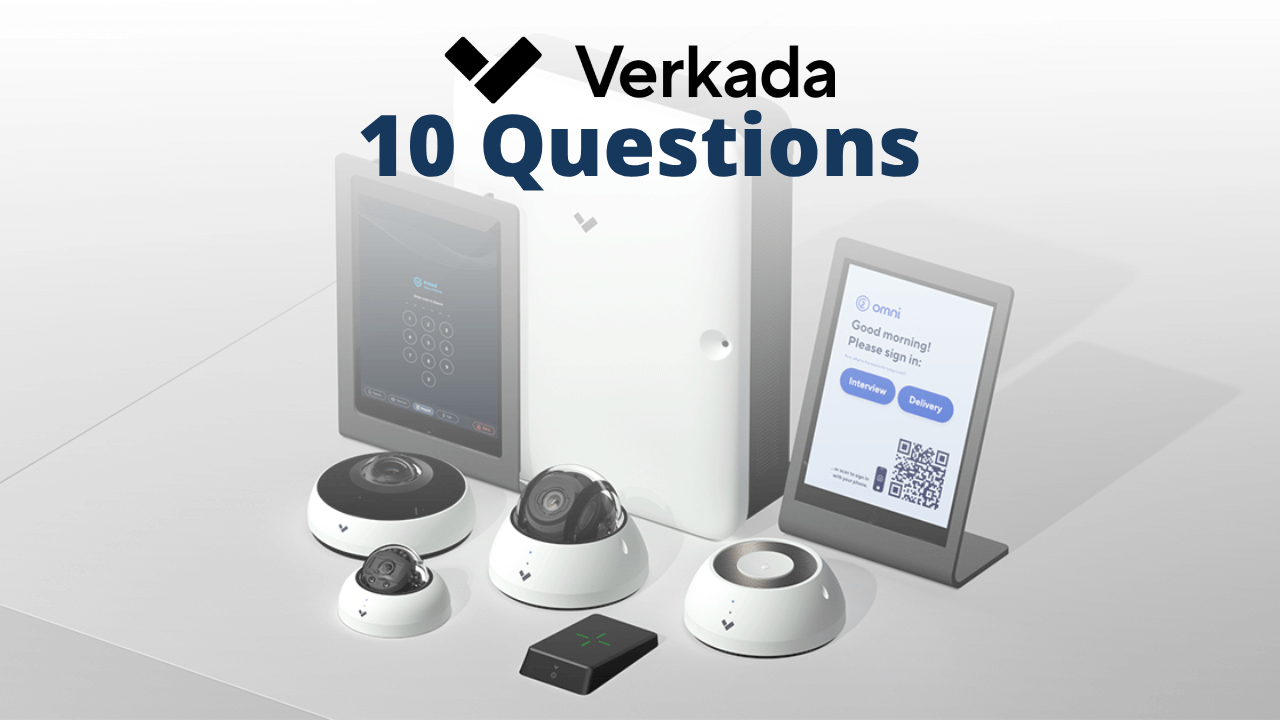
Yes, Verkada offers a full suite of physical security tools designed to cover most business needs in one platform. Their products include high-definition cameras with built-in storage and smart analytics, access control systems for managing doors and credentials, intrusion alarms with optional 24/7 monitoring, and environmental sensors that detect motion, air quality, temperature, and even vape emissions.

However, what makes Verkada stand out is how these tools work together. You can view camera footage tied to door events, get real-time alerts from sensors, and manage everything from a single dashboard. There is no need for separate systems or vendors. Whether you’re securing a retail space, office, school, or warehouse, Verkada’s integrated approach helps simplify operations while boosting visibility and control.
3. How Secure Is Verkada’s Cloud-Based Platform Against Cyber Threats?

Verkada’s platform is built with cybersecurity in mind. It uses end-to-end encryption, automatic firmware updates, and role-based access controls to protect data both in transit and at rest. Video footage is encrypted using AES-256. Also, all communications between devices and the cloud are secured with TLS protocols. Their system avoids risky practices like port forwarding, which is a common vulnerability in traditional setups.

Additionally, Verkada offers Enterprise Controlled Encryption (ECE). This gives businesses the option to manage their own encryption keys for added control. The platform is hosted on AWS infrastructure, known for its high security standards, and supports local data residency for compliance with regional regulations. While Verkada has faced scrutiny in the past, including a notable FTC settlement, they’ve since strengthened their security posture with certifications like SOC 2 Type 2, ISO 27001, and Zero Trust architecture. Thus, Verkada’s cloud platform is designed to be secure, but businesses should still evaluate its features against their own compliance and risk management needs.

4. What Does Verkada Cost, and Are There Recurring Subscription Fees?

Verkada is a premium security solution, and its pricing shows that. Cameras typically range from $500 to over $3,000, depending on the model and features. On top of hardware costs, each device requires a cloud license, which can cost between $199 and $1,799 per year per camera, based on storage duration and analytics level.

Yes, there are recurring fees. These annual licenses cover cloud storage, software updates, remote access, and support. While the upfront investment is higher than that of many traditional systems, Verkada’s pricing bundles advanced features and centralized management into one streamlined platform. For exact costs, businesses usually need a custom quote based on their site size and security needs.

5. Is Verkada Scalable If My Business Expands to Multiple Locations?

Yes, Verkada is built for multi-site scalability. Its cloud-based platform lets you manage cameras, doors, sensors, and alarms across all your locations from a single dashboard. You can add new devices quickly with plug-and-play setup, monitor system health in real time, and apply consistent security policies across sites.

Also, Verkada supports enterprise tools like SSO, SCIM, and bandwidth management. This makes it easy to onboard users and control access as your team grows. Whether you’re expanding to a second office or scaling across dozens of facilities, Verkada’s centralized system helps you stay secure without adding IT complexity.

6. Does Verkada Integrate with My Existing Security or IT Infrastructure?

Yes, Verkada is designed to work with many existing IT systems and security tools. It offers pre-built integrations with platforms like Okta, Azure AD, Google Workspace, Slack, and Microsoft Teams. This makes it easy to sync user access, send alerts, and manage identities across your organization. Verkada also supports SCIM and SSO, so you can automate user provisioning and enforce consistent access policies.

For custom setups, Verkada provides developer-friendly APIs and a tool called Helix, which lets you pair camera footage with third-party data or build custom workflows. You can even connect non-Verkada cameras as context devices to enhance your existing security infrastructure. Whether you’re running a modern IT stack or transitioning from legacy systems, Verkada is built to integrate smoothly and scale with your infrastructure.

7. Is Verkada Compliant with Industry Regulations Like HIPAA, GDPR, or NDAA?

Yes, Verkada has taken steps to meet key industry regulations that matter to businesses across healthcare, government, and global markets. For HIPAA, Verkada provides tools and safeguards that support compliance for covered entities like hospitals and clinics, including secure video storage, role-based access, and audit logs. For GDPR, Verkada has built its platform to protect personal data, using encrypted connections and secure AWS-hosted infrastructure. Also, they ensure adherence to international privacy frameworks like the EU-US Privacy Shield.

As for NDAA, Verkada confirms that its products meet compliance standards for sale in the U.S., Canada, the EU, the UK, and other regions. This means their hardware avoids restricted components and is suitable for use in government and federally funded projects. If your business operates in a regulated space, Verkada’s certifications and privacy-first design make it a strong contender. Nonetheless, it’s always smart to verify specific requirements with your legal or compliance team.

8. What Are the Potential Downsides or Limitations of Choosing Verkada?

While Verkada offers a sleek, all-in-one security platform, it’s not without drawbacks. The upfront costs and recurring license fees can be significantly higher than traditional systems, especially for businesses with many devices. Some users also report limited flexibility. Verkada’s ecosystem is closed. This means that you’re mostly locked into their hardware and software, with fewer options to mix and match third-party tools.

Another concern is data privacy and past security incidents. Verkada faced scrutiny over a 2021 breach and recently settled with the FTC for $2.95 million over alleged misrepresentations and security lapses. While the company has since improved its cybersecurity posture, some buyers may still feel cautious. Additionally, customer support reviews are mixed, with some users praising fast response times and others citing delays or limited troubleshooting help.

In essence, Verkada delivers powerful features, but businesses should weigh the cost, ecosystem lock-in, and data handling history before committing.

9. What Industries Use Verkada Successfully, and Does It Fit My Business Type?

Verkada is used across a wide range of industries that need reliable, scalable, and easy-to-manage security. Some of the most successful industry applications include:

  • Retail: To reduce theft, monitor foot traffic, and improve customer safety.
  • Healthcare: For HIPAA-compliant surveillance, access control, and patient protection.
  • Education: To secure campuses, manage lockdowns, and monitor entry points.
  • Government: For NDAA-compliant systems and centralized control across facilities.
  • Corporate Offices: To manage employee access, visitor logs, and internal security.

Manufacturing & Logistics: For asset protection, perimeter monitoring, and operational oversight.

If your business operates in any of these sectors or manages multiple locations, sensitive data, or high-traffic environments, Verkada is likely a strong fit. Its cloud-based platform and integrated tools make it especially valuable for organizations that want modern security without the complexity of traditional systems.

10. What Level of Support and Service Can I Expect with Verkada?

Verkada offers 24/7 customer support through phone, chat, and email, with impressive response times. Based on information available on their website, Verkada’s support team averages 34 seconds for chat, 17 seconds by phone, and 22 minutes via email. Their support team is known for being fast and knowledgeable, especially for onboarding and setup.

However, user reviews are mixed. Many praise the platform’s ease of use and helpful service. Conversely, others mention limited flexibility and occasional delays when resolving complex issues. Support is centralized, so businesses without in-house IT may find it less hands-on compared to local providers.

Therefore, Verkada delivers fast, professional support, with about 95% average customer satisfaction. However, it’s best suited for businesses that are comfortable with remote assistance and a cloud-first approach.

Final Thoughts: Is Verkada Right for You?

Verkada offers a powerful, modern approach to business security. However, it’s not a one-size-fits-all security solution. By asking the right questions upfront, you can avoid surprises and choose a system that truly fits your needs. Whether you’re focused on scalability, compliance, or ease of use, the answers above will help you make a confident, informed decision.Still considering your options for a security system? Contact us today at Alarm New England for a tailored assessment. We’re here to help you find the right solution, not just sell one.
Verkada vs. Alarm.com: Which is Best for your Business?

Retail theft and other forms of crime at the workplace are on the rise, and they are costing businesses a lot. In 2024 alone, stores lost an estimated $45 billion to shoplifting and other forms of retail crime. Experts predict that the number could climb to $53 billion by 2027. This puts even more pressure on business owners and managers to protect their inventory, employees, and customers. Whether you run a small storefront or manage multiple locations, having the right security system in place is no longer optional. It’s now very essential.

Thankfully, businesses today aren’t left to fend for themselves. Renowned security providers like Verkada and Alarm.com offer smart, modern solutions that help companies stay protected and in control. From high-quality video surveillance and access control systems to intrusion detection and mobile alerts, these platforms give you the tools to monitor your property, respond to threats, and keep operations running smoothly. While both systems aim to improve business security, they take very different approaches, and those differences matter when choosing the right fit.

In this article, we’ll break down the key differences between Verkada and Alarm.com to help you decide which system fits your business best. We’ll compare their video surveillance tools, access control options, alarm monitoring, smart integrations, pricing, scalability, cybersecurity, and customer support. Whether you’re upgrading your current setup or starting fresh, this guide will give you the clarity you need to make a smart, informed choice.

Verkada: A Cloud-First Security Platform

Verkada offers a modern, cloud-based security system designed for businesses that want simplicity, scalability, and smart features all in one place. Their platform combines video surveillance, access control, environmental sensors, alarms, and visitor management into a single dashboard called Command. 

With plug-and-play hardware and automatic software updates, Verkada eliminates the need for on-site servers or complex IT setups. Businesses can monitor live feeds, manage door access, and receive real-time alerts from anywhere using a phone or browser. It’s built for growing companies that want enterprise-grade security without the usual headaches.

Alarm.com: Smart Security with Extensive Integration

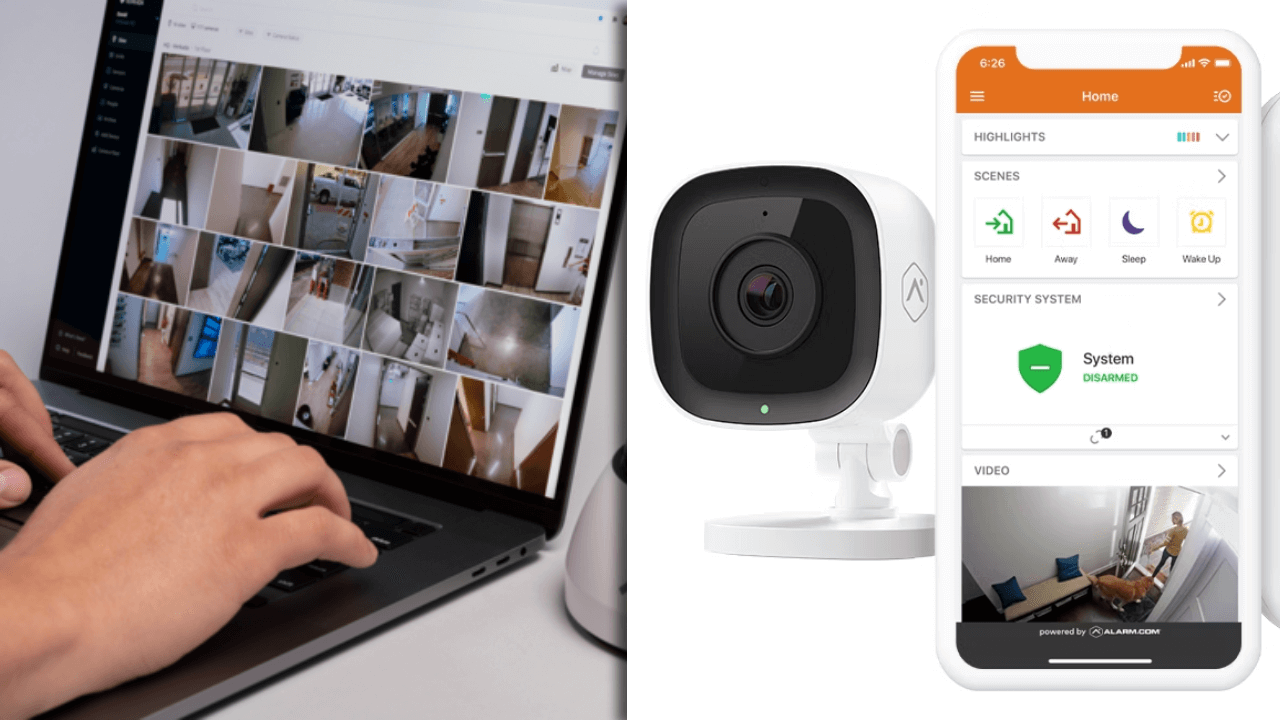
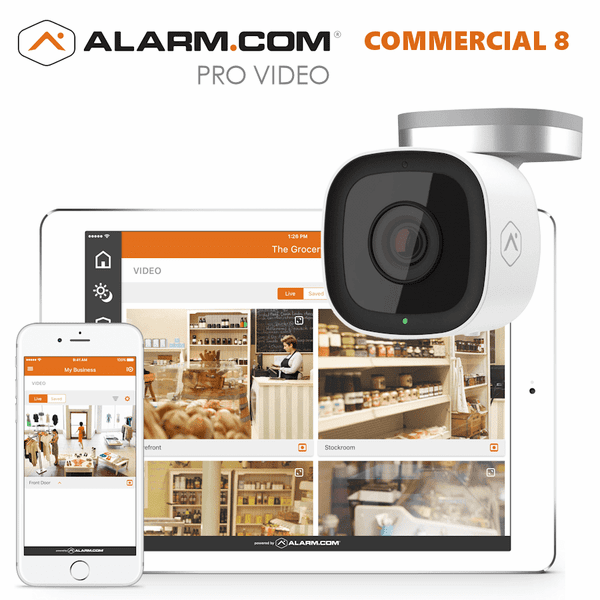
Alarm.com provides a flexible and highly integrated security solution that is tailored for small to mid-sized businesses. Their system includes video surveillance, intrusion detection, access control, and environmental monitoring. All these features are managed through a user-friendly mobile app or web portal. 

What sets Alarm.com apart is its strong compatibility with third-party devices, smart thermostats, lighting systems, and automation tools. Businesses can customize alerts, remotely manage multiple locations, and even control building systems from one app. With professional installation and 24/7 monitoring, Alarm.com offers peace of mind and powerful control without requiring deep technical expertise.

What Are the Key Differences Between Verkada and Alarm.com??

As mentioned earlier, Verkada and Alarm.com both offer strong security systems, but they’re built for different types of businesses and priorities. If you’re trying to decide between the two, it helps to look at how they compare across key features. From hardware setup to smart integrations, each platform brings something unique to the table. Here’s a breakdown of their biggest differences:

1. System Setup 

Verkada uses plug-and-play hardware with built-in storage and cloud access. Hence, there is no need for DVRs or complex wiring. In contrast, Alarm.com often requires professional installation and may rely on third-party hardware depending on the setup.

2. Video Surveillance 

Furthermore, Verkada offers high-resolution cameras with smart analytics and centralized cloud storage. Alarm.com also provides video monitoring, but its camera quality and AI features aren’t as advanced or tightly integrated.

3. Access Control 

What’s more, Verkada includes access control as part of its unified platform. This allows users to manage doors and credentials from the same dashboard. Conversely, Alarm.com offers access control through integrations, which may require separate systems or vendors.

4. Mobile App Experience 

Verkada’s Command app is built for enterprise use. As such, it offers full control over cameras, doors, and alarms. Conversely, Alarm.com’s app is more consumer-friendly. It comes with easy controls for small businesses and smart home-style automation.

5. Smart Integrations 

Alarm.com shines when it comes to smart device compatibility. The security solution easily integrates with lights, thermostats, locks, and more. On the other hand, Verkada focuses on core security tools and doesn’t offer as many third-party integrations.

6. Alarm Monitoring 

In addition, Alarm.com includes 24/7 professional monitoring and intrusion alerts as a standard part of its service. Verkada offers alarm features, but monitoring is optional and may require additional setup or licensing.

7. Cybersecurity & Privacy 

Verkada emphasizes end-to-end encryption, role-based access, and automatic updates to protect user data. Alarm.com also takes security seriously, but its reliance on third-party hardware can introduce more variables.

8. Scalability 

Also, Verkada is built for multi-site businesses and large organizations, with centralized control across locations. Alarm.com is better suited for small to mid-sized businesses that want simple, reliable protection.

9. Customer Support 

Alarm.com is known for responsive support and a wide network of service providers. Verkada offers direct support and onboarding, but some users report slower response times for urgent issues.

10. Pricing Transparency 

Verkada typically requires a custom quote and doesn’t publish pricing online. Alarm.com works through resellers, but you’ll often find clearer pricing packages and monthly plans.

Which System Offers Better Video Surveillance Features?

When it comes to video surveillance, Verkada leads with a sleek, cloud-first approach. Verkada offers high-definition cameras with built-in storage and smart analytics, all managed through a cloud-based dashboard. Their system is designed for easy setup and remote access, with features like motion detection, face recognition, and license plate capture.

On the other hand, Alarm.com offers strong video surveillance with a focus on smart home and small business integration. The system provides reliable HD cameras with night vision, two-way audio, and smart alerts. It’s especially strong in combining video with automation, like turning on lights or unlocking doors when motion is detected.

Overall, Verkada is ideal for businesses that need advanced surveillance and centralized control, while Alarm.com is better for those who want smart features and easy integration with other devices. Your choice depends on whether you prioritize enterprise-grade analytics or flexible, user-friendly automation.

How Do Verkada and Alarm.com Handle Access Control and Door Security?

Verkada offers a cloud-based access control system that’s tightly integrated with its video surveillance platform. Businesses can manage doors, credentials, and schedules from a single dashboard. Also, Verkada supports mobile credentials, key cards, and even multi-factor authentication. You can remotely lock or unlock doors, view live door status, and instantly pull up video footage tied to access events.

Conversely, Alarm.com provides a flexible access control solution that’s ideal for small to mid-sized businesses. Their system supports mobile phone access, key cards, and fobs, all managed through a cloud platform. You can add or remove users in seconds, set schedules, and control doors remotely via their app or web portal. Alarm.com also integrates access control with alarms and video.

Do Both Platforms Offer Intrusion Detection And Alarm Monitoring?

Yes, both Verkada and Alarm.com offer intrusion detection and alarm monitoring. However, their approach is different. Verkada provides a cloud-managed alarm system with AI-powered video verification, motion sensors, door contacts, and panic buttons. Their alarms are integrated into the Command platform. This allows businesses to monitor, arm/disarm, and respond to incidents remotely. Professional monitoring is available 24/7. There are also trained agents who can verify footage, talk down intruders, and dispatch emergency services.

Additionally, Alarm.com delivers robust intrusion detection with motion sensors, glass-break detectors, and door/window contacts. Their system includes 24/7 professional monitoring, smart alerts, and automation features, like disarming the alarm when a trusted user enters. Everything is managed through a mobile app or web dashboard, and the platform is known for its reliability and ease of use. As such, both systems offer strong protection, but Verkada leans toward enterprise-grade control, while Alarm.com focuses on flexible, user-friendly security.

Which System Integrates Better with Smart Devices and Third-Party Apps?

Alarm.com is the clear leader when it comes to smart device compatibility. It works seamlessly with a wide range of third-party tools, such as smart locks, thermostats, lights, and garage doors. It also works with voice assistants such as Alexa and Google Assistant. You can even view camera feeds on Apple TV or Amazon FireTV, and control your system from a smartwatch. This makes Alarm.com a great fit for businesses that want automation and convenience alongside security.

In contrast, Verkada focuses more on enterprise-grade integrations. It connects with platforms like Slack, Microsoft Teams, and identity management tools like Okta and Azure AD. You can also use their APIs to build custom workflows or pair camera footage with third-party data using Helix. In short, Alarm.com is better for smart automation and device control, while Verkada is built for deeper enterprise integrations and custom workflows. 

What Are the Differences in Pricing and Subscription Costs?

Verkada is a premium solution with higher upfront costs. Cameras can run from $500 to $3,000 or more. Each device also requires an annual cloud license, which adds to the total. Pricing isn’t listed online. Therefore, you’ll need a custom quote.

Conversely, Alarm.com is more budget-friendly, with monthly plans starting around $14 to $18. Cameras and add-ons are cheaper. Also, you can easily find the pricing through authorized dealers. Thus, Verkada suits larger budgets and enterprise needs, while Alarm.com works well for small businesses that are looking for affordable security solutions.

Which Platform Is More Scalable for Growing Businesses?

Verkada is built with scalability in mind. Its cloud-based platform lets businesses manage multiple locations, devices, and users from one dashboard. It is simple and hassle-free to add new cameras or access points. Everything will stay synced without needing extra servers or complex IT support.

Alarm.com also supports growth, especially for small to mid-sized businesses. It’s easy to add new devices and locations. However, it may rely more on third-party hardware and installers, which can slow things down as you expand.

If you’re planning to scale quickly across multiple sites, Verkada offers smoother, centralized control, while Alarm.com works well for steady growth with flexible options.

How Do Verkada and Alarm.com Compare in Cybersecurity and Data Privacy?

Verkada uses a cloud-managed platform with strong encryption, role-based access, and automatic updates to protect user data. They follow a Zero Trust approach and offer tools like secure APIs and audit logs. However, the company has faced scrutiny in recent years, including a $2.95 million FTC settlement over past security lapses and misrepresentations. Since then, Verkada has made significant efforts to improve its cybersecurity posture and rebuild trust.

Furthermore, Alarm.com has earned a reputation for privacy-first practices. They encrypt data in transit and at rest and maintain private servers. They have also received SOC 2 Type 2 certification for their infrastructure. Alarm.com also avoids monetizing user data and complies with global privacy laws like GDPR. Their systems are regularly audited, and they maintain dedicated teams for incident response and platform security.

Thus, Alarm.com offers a more transparent and privacy-focused approach, while Verkada provides enterprise-grade tools but is still working to restore confidence after past breaches. Your choice may depend on how much weight you place on data handling history versus current security capabilities.

What Industries Are Each System Best Suited For?

Verkada is best suited for:

  • Multi-site retail stores.
  • Corporate offices and enterprise campuses.
  • Healthcare facilities and clinics.
  • Manufacturing and logistics centers.
  • Schools, universities, and government buildings.

Alarm.com is best suited for:

  • Small to mid-sized businesses.
  • Restaurants, salons, and service-based storefronts.
  • Property management and real estate offices.
  • Warehouses and light commercial spaces.
  • Residential communities and mixed-use buildings.

Which Security System Offers Better Customer Support and Reliability?

Alarm.com has a strong reputation for customer support, thanks to its network of local service providers. Users often praise the fast response times, hands-on troubleshooting, and personalized help. Many online reviews highlight how easy it is to get assistance, whether through the app, phone, or in-person visits.

Verkada offers 24/7 support via chat, phone, and email, with impressive response times, often under 30 seconds for chat and phone inquiries. However, some users report mixed experiences, especially when dealing with complex issues or needing flexibility outside Verkada’s ecosystem.

Therefore, Alarm.com excels in hands-on, localized support, while Verkada delivers fast, centralized help with enterprise-grade tools. As such, Verkada may feel less flexible for some users.

Final Verdict: Choosing the Right Fit for Your Business

In conclusion, both Verkada and Alarm.com offer strong security solutions, but they serve different needs. Verkada is ideal for larger businesses that want advanced surveillance, centralized control, and enterprise-grade features. Alarm.com is better suited for small to mid-sized businesses looking for smart automation, flexible pricing, and easy setup.

If your priority is deep integration, scalability, and high-end analytics, go with Verkada. If you want reliable protection with smart features and a lower cost of entry, Alarm.com is a solid choice. Either way, investing in the right system now can save you time, money, and stress down the road.

Alarm New England Relocates in Rocky Hill, CT

We are excited to announce we’ve moved our Connecticut headquarters to a new office space in Rocky Hill.

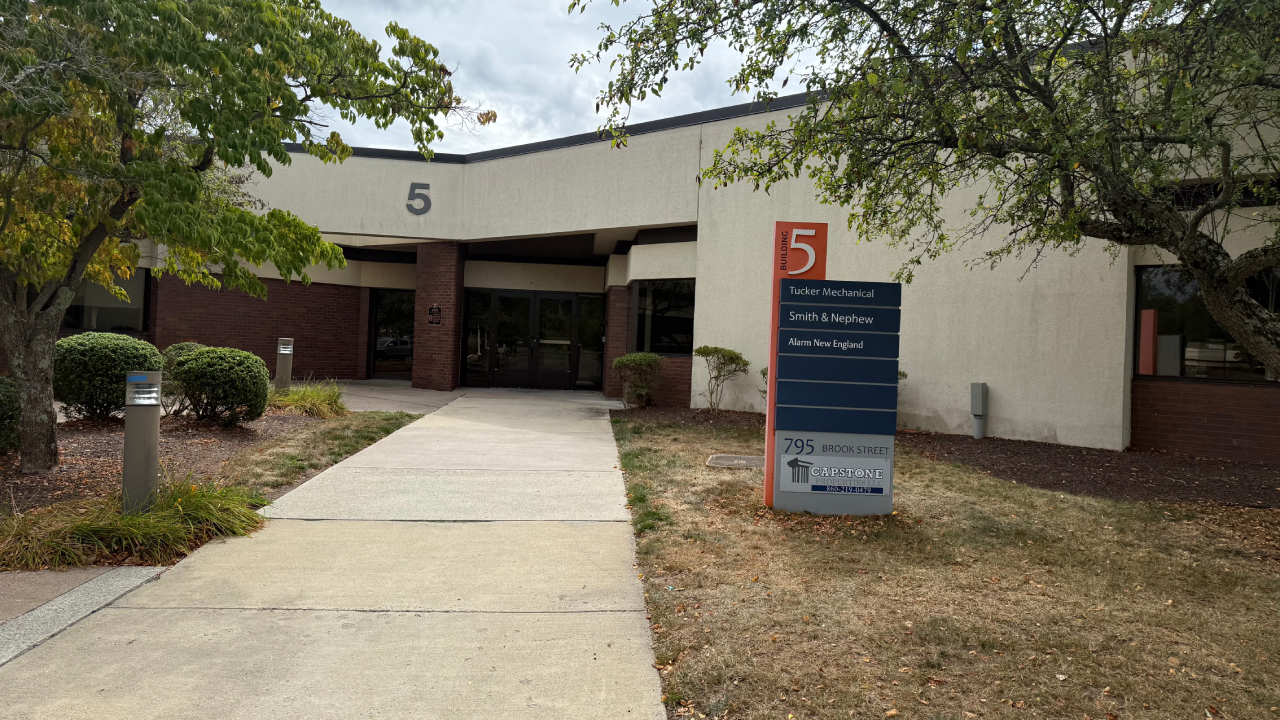
The new office, located at 795 Brook Street, Suite 101, Rocky Hill, CT 06067, is a new and improved workspace for our company’s growing team.

Located just outside of Hartford, Alarm New England’s new Connecticut office allows us to better serve our customers across the region.

Alarm New England’s New Headquarters: 795 Brook St #101 Rocky Hill, CT

What does this move change for our valued customers?

With updated facilities and room for continued growth, this relocation allows us to continue doing our job as the best security alarm monitoring service in Connecticut.

Our core values are Be Humbly Confident, Make The World A Better Place, and Do The Right Thing.

This move represents an exciting step forward for our company, and we are excited to share the news with our customer base!

Alarm Monitoring Service in Rocky Hill, CT

If you are looking for a local Connecticut-based alarm monitoring company, Alarm New England has been serving customers for over 53 years.

Our local, family-owned alarm company started in Connecticut and has strong local roots in the state.

Home security services offered by Alarm New England:

  • Home security systems
  • Home security cameras
  • Fire alarm systems
  • Home automation

Alarm New England also offers services to many small and medium-sized businesses:

  • Business security
  • Business alarm systems
  • Commercial fire alarm monitoring
  • Business video surveillance
  • Access control systems

We look forward to continuing to provide trusted home and business security solutions from our new Rocky Hill office.

With any questions or concerns, please feel free to reach out to us at (800) 322-3500.

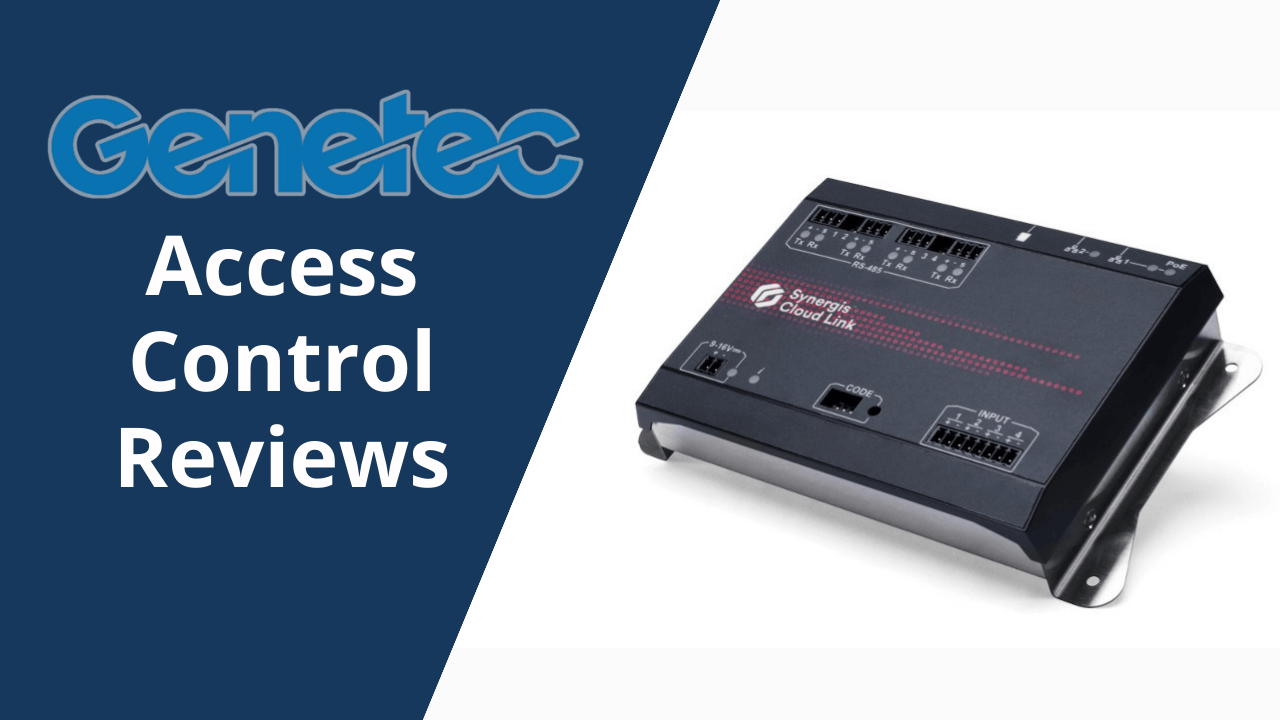
Genetec Access Control Reviews: Features, Pricing & Competitors

Every year, U.S. businesses lose billions to theft, trespassing, and unauthorized access. According to the NRF’s 2024 Retail Security Survey, retailers alone suffered $112.1 billion in shrinkage losses, with 36% linked to external theft, such as shoplifting, break-ins, and unapproved entry. However, retail isn’t the only vulnerable sector. Banks, airports, healthcare facilities, and data centers all face serious risks when access isn’t properly managed. That’s where Genetec access control systems come in. 

Designed for industries with high security demands, Genetec provides advanced access control solutions to keep unauthorized individuals out while giving approved users seamless access. In addition, the solution lets businesses and commercial spaces monitor entry points in real time, assign permissions by role, respond instantly to threats, and integrate with video surveillance, all through a centralized system. Whether it’s a corporate office, airport, bank, hospital, or transit hub, Genetec helps organizations tighten control without creating operational challenges.

In this article, we’ll explore Genetec’s Synergis platform and overall access control system. We will also discuss its features, pricing options, pros and cons, and how it stacks up against other security brands. We’ll answer common questions to help you decide whether Genetec is the right fit for your organization. 

Get A Free Quote

About Genetec

Genetec is a Canadian technology company that builds security software for businesses, cities, and public organizations. The company was founded in 1997 and is based in Montréal, Québec. Over the years, Genetec has grown into a global leader in physical security, helping thousands of customers protect their buildings, people, and data.

What makes Genetec different is its focus on unified security. Instead of using separate systems for video surveillance, access control, and license plate recognition, Genetec combines everything into one platform. This makes it easier for security teams to monitor activity, respond to threats, and manage operations from a single dashboard.

Today, Genetec serves industries like banking, healthcare, education, retail, airports, and public safety. Whether it’s a corporate office or a city-wide transit system, Genetec helps organizations stay secure, stay informed, and stay in control.

Genetec’s Synergis Access Control System – About the Product

Genetec’s Synergis Access Control System is a cutting-edge solution that offers a smart way for businesses to control who can enter their buildings. Instead of using old-fashioned keys or complicated setups, Synergis lets companies manage access through a single, easy-to-use platform. It works with different types of hardware, such as card readers, electronic locks, and door controllers, and connects everything through the cloud or on-site servers.

One of the best features about Synergis is that it’s flexible. Businesses can use their existing equipment or choose new devices that fit their needs. The system also works with other security tools, like video cameras and alarm systems, to ensure that everything runs together smoothly. If someone tries to enter a restricted area, the system can alert security teams right away.

Whether it’s a hospital, airport, school, or office building, Synergis helps keep people safe and operations running smoothly. This advanced access control system gives security teams full control over who gets in, when, and where, without slowing things down.

Features of Genetec’s Synergis Access Control System

Genetec’s Synergis Access Control System offers a wide range of features that help businesses manage security with confidence and ease. Whether you’re protecting a single site or multiple locations, Synergis gives you the tools to control access, monitor activity, and respond quickly to threats. Here’s a closer look at its key features:

1. Unified Security Platform

Synergis connects with Genetec’s Security Center, bringing access control, video surveillance, license plate recognition, and intrusion detection into one dashboard. This unified view helps security teams make faster, smarter decisions without switching between systems.

2. Flexible Hardware Support

In addition, the system is flexible, and you don’t have to replace your existing equipment. Synergis works with a wide range of third-party devices, including popular brands like HID and Mercury. This saves money and makes upgrades easier without locking you into proprietary hardware.

3. Cloud-Ready Deployment

With Synergis Cloud Link, businesses can manage access remotely while still using on-site hardware. It’s ideal for companies transitioning to cloud-based security or managing multiple locations from a central point.

4. Real-Time Monitoring & Alerts

What’s more, the system tracks who enters and exits in real time and sends instant alerts if someone tries to access a restricted area. This helps security teams respond quickly to suspicious activity and prevent potential breaches.

5. Advanced Cybersecurity

Synergis uses strong encryption, secure communication protocols, and multi-factor authentication to protect sensitive data. It’s built to meet high cybersecurity standards. Thus, making it a safe choice for industries like banking and healthcare.

6. Scalable Design

Whether you’re managing a small office or a global enterprise, Synergis can grow with your needs. It supports thousands of users and multiple sites. This makes it easy to expand without overhauling your entire system.

7. Easy Integration with Other Tools

Synergis works smoothly with video cameras, alarms, identity management systems, and more. This allows businesses to build a complete security setup that fits their unique needs and workflows.

8. Offline Capabilities

Even if the internet goes down, Synergis keeps working. It stores access data locally and syncs it once the connection is restored. This helps to ensure uninterrupted security during outages.

9. Custom Access Rules

Also, users can set detailed access permissions based on roles, schedules, or locations. This means employees, visitors, and contractors only get access to the areas they need and nothing more. This can help prevent unauthorized assets and improve building security.

10. Detailed Reports & Analytics

Synergis tracks access history and generates reports that help with audits, investigations, and planning. These insights can improve security policies and support compliance with industry regulations.

The Synergis Access Control System is more than just door management. It’s a full-scale solution built for today’s security challenges. With its smart integrations, flexible setup, and powerful monitoring tools, businesses and commercial buildings can protect their spaces, streamline their operations, and adapt to changing needs.

Genetec’s Synergis Access Control System Pricing

However, Genetec doesn’t list fixed prices for its Synergis Access Control System online. The cost depends on what your business needs. Every setup is different. Some companies use existing hardware like card readers and door locks, while others want a full upgrade with cloud-based tools and advanced integrations.

Instead of offering one-size-fits-all pricing, Genetec builds custom packages based on your building size, number of users, hardware choices, and security goals. You’ll need to contact Genetec or one of their certified partners to get a quote tailored to your setup.

While exact numbers aren’t public, many users say the system is cost-effective in the long run, especially for large sites. That’s because Synergis works with third-party hardware, helps avoid expensive replacements, and scales easily as your business grows. In addition, features like real-time monitoring and remote access can save time and reduce security risks. Thereby, adding value beyond the upfront cost.

Advantages and Disadvantages of Genetec’s Synergis Access Control System

As mentioned earlier, Genetec’s Synergis system is built to help businesses manage who gets in and out of their buildings, safely and efficiently. Like any security tool, it has strengths and limitations. Here’s a clear look at what it does well and where it might fall short:

Advantages

  • Works with Existing Hardware: You don’t need to throw out your current card readers or door locks. Synergis supports many third-party devices, which helps cut down on upgrade costs.
  • Unified Security Platform: It connects access control with video surveillance, license plate recognition, and intrusion detection, all in one dashboard. This makes it easier to monitor and respond to security events.
  • Scalable for Growth: Whether you’re managing one office or multiple locations, Synergis can grow with your business. It supports thousands of users and sites without needing a full system overhaul.
  • Cloud and On-Premise Options: You can choose how you want to run the system. This can be fully on-site, in the cloud, or a mix of both. This flexibility helps meet different IT and security needs.
  • Strong Cybersecurity: Synergis uses encryption and secure communication to protect sensitive data. It’s built to handle modern threats and meet strict compliance standards.
  • Real-Time Monitoring and Alerts: Security teams can track access activity live and get instant alerts if someone tries to enter a restricted area. This helps stop problems before they escalate.
  • Custom Access Rules: You can set different permissions for employees, visitors, and contractors. This keeps sensitive areas protected while allowing smooth access where needed.
  • Offline Functionality: Even if your internet goes down, Synergis keeps working. It stores data locally and syncs once the connection is back.

Disadvantages

  • No Mobile App for End Users: Unlike some competitors, Synergis doesn’t offer a mobile app for employees or visitors to unlock doors or request access.
  • Steep Learning Curve: Some users say the system takes time to learn, especially when using advanced features like intrusion detection or area tracking.
  • Limited Visitor Management Tools: Synergis doesn’t include built-in tools for managing guest access. This may be a drawback for buildings with frequent visitors.
  • Premium Features May Cost More: Some advanced tools, like analytics or multi-site federation, are only available in higher-tier plans, which could increase costs.
  • No Built-In Video Access Control: While it integrates with video systems, Synergis doesn’t offer built-in video access features like intercoms or visual verification.

Genetec’s Synergis system is a powerful choice for businesses that need flexible, secure, and scalable access control. It’s especially useful for large organizations and critical infrastructure. However, smaller teams may find the system’s advanced features and setup more complex than necessary for their everyday access control needs.

Genetec Access Control vs. The Competition

Genetec’s access control system is built for businesses that need strong security and flexible tools. But how does it compare to other popular brands in the market? Let’s take a look at how Genetec stacks up against competitors like LenelS2, Avigilon, Kisi, Brivo, ButterflyMX, and Honeywell.

1. Genetec vs. LenelS2

LenelS2 is known for its enterprise-level security, often used in airports and government buildings. Genetec offers similar power but with a more modern interface and better integration with video surveillance. While LenelS2 can be harder to set up and manage, Genetec is easier to use and more flexible for growing businesses.

2. Genetec vs. Avigilon

Avigilon focuses heavily on AI-powered video surveillance and on-premise access control. Genetec, on the other hand, offers both cloud and on-site options. It also provides a unified platform that connects access control with video, license plate recognition, and intrusion detection, all in one place.

3. Genetec vs. Kisi

Kisi is designed for fast setup and remote access. It works great for smaller teams that want mobile-friendly, cloud-based control without extra hardware. Conversely, Genetec offers more advanced security tools, flexible deployment, and deep integration across video, access control, and intrusion systems. It’s built for complex spaces like airports, hospitals, and data centers.

4. Genetec vs. Brivo

Brivo is a cloud-based access control provider with a simple setup and mobile-friendly tools. Genetec offers more advanced features and deeper customization, making it better suited for large organizations or complex security needs. Brivo is great for small businesses, while Genetec shines in multi-site environments.

5. Genetec vs. ButterflyMX

ButterflyMX is built for apartment buildings and gated communities, with a focus on smart intercoms and visitor access. Genetec is designed for commercial and public spaces like hospitals, schools, and corporate offices. If you need full control over employee access and security systems, Genetec is the better fit.

6. Genetec vs. Honeywell

Honeywell provides strong on-premise access control with smart card readers and biometric tools. Genetec offers similar security but adds cloud-ready options and better integration with other systems. Genetec’s platform is more flexible and easier to manage remotely, especially for teams that need real-time control.

Genetec stands out for its unified platform, flexible setup, and strong cybersecurity features. While other brands offer great tools, Genetec brings everything together in one system. This makes it a top choice for businesses that want smart, scalable, and reliable access control. 

Final Thoughts

In conclusion, Genetec’s Synergis Access Control System is more than just a security upgrade. It’s a smart investment for businesses and commercial buildings that want to protect their people, spaces, and data. With tools that support real-time monitoring, flexible setups, and strong cybersecurity, you get peace of mind and full control, no matter the size of your operation.

Whether you’re running a corporate office, managing multiple sites, or securing a hospital or airport, Genetec brings the seamless combination of power and simplicity. Though, it’s not the cheapest or flashiest system. Nonetheless, if you’re serious about long-term safety, reliability, and growth, it’s a strong choice that won’t hold you back. Hence, if your business or commercial space needs a dependable, scalable, and easy-to-manage access control system, Genetec is definitely worth a closer look.

Frequently Asked Questions About Genetec Access Control

  • Is Genetec a good access control system?
    • Yes, Genetec is trusted by businesses and several industries around the world for its strong security features, flexible setup, and ability to grow with your needs. It’s especially popular in industries like healthcare, banking, education, aviation, and transportation.
  • What country is Genetec access control from?
    • Genetec is based in Canada. The company was founded in Montréal, Québec, and still operates its global headquarters there.
  • Can Genetec work with my existing hardware?
    • In most cases, yes. Genetec’s Synergis system supports many third-party devices. Therefore, you can keep your current card readers, locks, and controllers without starting from scratch.
  • Does Genetec offer cloud-based access control?
    • Absolutely. Genetec provides both cloud and on-premise options. This gives businesses the freedom to choose what works best for their setup.
  • Is Genetec access control easy to manage?
    • While it has advanced features, Genetec is designed to be user-friendly. Security teams can monitor activity, set access rules, and respond to alerts all from one dashboard.
Get A Free Quote

Kisi Access Control Reviews

Businesses, offices, and commercial spaces face a big challenge of unauthorized access and security risks. Traditional keycards can be lost, stolen, or copied, and this often puts sensitive areas and assets in danger. Without proper access control, companies risk break-ins, data breaches, and operational disruptions. Thus, leading to financial losses and safety concerns. While managing who enters a building remains crucial, many outdated systems make this task even more complicated and inefficient. This is where Kisi cloud-based access control solutions come in.

Furthermore, Kisi provides a modern solution with cloud-based access control that makes security simpler and smarter. Instead of relying on physical keycards, Kisi allows users to unlock doors using smartphones, PIN codes, or biometric authentication. With remote management, real-time monitoring, and strong integration with other security systems, Kisi helps businesses secure their spaces without the hassle of traditional access methods.

In this comprehensive review of Kisi access control systems, we’ll explore how Kisi’s system works, its pricing, key features, and how it compares to competitors. If you’re looking for a secure, flexible, and easy-to-use access control solution, this guide will give you all the details you need to make an informed decision.

Get a free quote

About Kisi

Kisi is a technology company specializing in modern access control solutions. Founded in 2012, Kisi was created to simplify and improve security for businesses by offering cloud-based access control that eliminates the need for traditional keycards. The company was started by Max Schuetz, Bernhard Mehl, and Carl Pfeiffer, who wanted to develop a smarter, more flexible way to manage building access.

Headquartered in Brooklyn, New York, Kisi has grown into a global security provider, serving businesses in over 50 countries and securing millions of square feet of commercial space. The company focuses on connecting people and spaces through keyless entry systems, mobile credentials, and cloud-based security management. Kisi’s solutions are widely used in offices, coworking spaces, gyms, and commercial buildings, helping businesses control access remotely and improve security.

What’s more, Kisi continues to innovate in the access control industry, offering seamless integrations with video surveillance, visitor management, and cybersecurity tools. The company’s mission is to create a secure future where spaces are connected and accessible without boundaries. Their cloud-based access control system eliminates the need for traditional keycards, allowing users to unlock doors with smartphones, PIN codes, or biometric authentication.

What Is Kisi Access Control System?

Kisi access control system is a cloud-based security solution that helps businesses manage entry, improve security, and streamline access control remotely. Instead of relying on traditional keycards, the Kisi access control system allows users to unlock doors using smartphones, PIN codes, or biometric authentication, making access more convenient and secure.

What’s more, since Kisi access control system is cloud-based, businesses can control access from anywhere using a web dashboard or mobile app. Security teams can grant or revoke access instantly, track who enters and exits and receive real-time alerts for suspicious activity. This ensures strong security without complex hardware or manual monitoring.

Kisi’s access control system also integrates with video surveillance, visitor management systems, and cybersecurity tools. Thus, making it a complete security solution for businesses that need smart, easy-to-manage access control.

Features of Kisi Access Control System

As mentioned earlier, Kisi access control system is designed to make security simple, flexible, and reliable. It helps businesses and commercial spaces manage entry, prevent unauthorized access, and control security remotely. With cloud-based technology and mobile-friendly access, Kisi offers a modern solution for offices, coworking spaces, gyms, and other commercial buildings. Here are the key features of Kisi access control system and how they help businesses stay secure:

1. Mobile Access

Kisi allows users to unlock doors using their smartphones. This eliminates the need for physical keycards. Employees and visitors can use the Kisi app to enter buildings, as this makes access more convenient and secure. This feature reduces the risk of lost or stolen keycards and ensures that only authorized users can enter.

2. Cloud-Based Management

Since Kisi is cloud-based, businesses can control access from anywhere. Security teams can grant or revoke access instantly, track who enters and exits, and receive real-time alerts for suspicious activity. This eliminates the need for on-site security personnel to manually manage access and makes security more efficient.

3. Remote Access Control

Administrators can manage security settings remotely. This means that they don’t have to be on-site to adjust permissions or monitor activity. This is especially useful for multi-location businesses that need centralized security control. If an employee forgets their key or needs emergency access, administrators can grant entry remotely without physical intervention.

4. Real-Time Monitoring

Kisi provides live tracking of access events. This allows businesses to see who is entering and exiting their buildings in real time. Security teams can respond quickly to unauthorized access attempts and improve overall safety. This feature is particularly useful for high-security areas, where monitoring access is critical.

5. Customizable Access Levels

Businesses can assign different access levels based on employee roles, visitor permissions, and security needs. This ensures only authorized personnel can enter restricted areas, reducing security risks. For example, executives may have access to all areas, while contractors may only enter specific zones.

6. Seamless Integration

Kisi works with video surveillance, visitor management systems, and cybersecurity tools to create a complete security solution. Businesses can connect Kisi with their existing security setup for better monitoring and control. This integration allows security teams to view access logs alongside video footage, thereby improving incident response.

7. User-Friendly Interface

Kisi’s software is easy to use, with simple dashboards and clear navigation. Security teams can quickly adjust access permissions, monitor activity, and generate reports without needing extensive training. The intuitive design ensures that even non-technical users can manage security effectively.

8. Secure Credential Management

In addition, Kisi ensures strong security by using encrypted credentials for access. This prevents unauthorized duplication of keycards or mobile credentials. Thus, keeping businesses safe from security breaches. If a user loses their phone, administrators can instantly revoke access, preventing unauthorized entry.

9. Scalable Security Solution

Kisi is designed to grow with businesses, making it ideal for small offices, large enterprises, and multi-site organizations. Companies can expand their access control network without needing a complete system overhaul. Whether a business has one location or multiple branches, Kisi adapts to changing security needs. 

Kisi access control system provides smart, secure, and easy-to-manage access control. This helps businesses protect their spaces and improve security operations.

Kisi Access Control System Pricing

Furthermore, Kisi offers flexible pricing based on the features and security needs of a business. Instead of a fixed price, Kisi provides customized quotes, which allow companies to choose the right combination of hardware and software for their security setup.

Pricing Plans

Kisi has two main pricing options:

  • One Security Platform (OSP) – This is designed for small and medium-sized businesses. The plan starts at $99 per month and includes access control, visitor management, video surveillance, and intrusion detection.
  • Enterprise Plan – This plan is custom-priced based on business needs. It includes advanced analytics, custom event retention policies, enterprise onboarding, and priority support.

Additional Costs

Businesses may also need to pay for:

  • Hardware – Kisi offers door readers, controllers, and keycards, which may have separate costs.
  • Installation & Setup – Some companies choose professional installation, which can add to the total price.
  • Software Licenses – Features like access schedules, lockdown mode, and offline support may require additional licenses.

Since pricing depends on business size and security needs, it’s best to contact Kisi directly for a custom quote.

What Software Is Used in Kisi Access Control System?

What’s more, Kisi access control system uses cloud-based software to help businesses manage security remotely. This software allows administrators to control access, track entry logs, and adjust security settings from anywhere using a web dashboard or mobile app.

Key Software Features

Some key software features include:

  • Centralized Dashboard – Businesses can view and manage all access points in one place. This makes security simple and efficient.
  • Real-Time Monitoring – The software provides live updates on who enters and exits. This helps security teams respond quickly to any issues.
  • Integration with Other Systems – Kisi’s software connects with video surveillance, visitor management, and cybersecurity tools. This creates a complete security solution.
  • Mobile Access – Users can unlock doors using their smartphones. This feature eliminates the need for physical keycards.
  • Customizable Access Levels – Administrators can set different permissions for employees, visitors, and contractors. Thus, ensuring only authorized people can enter restricted areas.

Kisi’s software is user-friendly, secure, and designed for businesses of all sizes. It helps companies simplify access control while improving security.

How Is Kisi Access Control System Different From Competitors?

Kisi access control system stands out because it is cloud-based, mobile-friendly, and easy to manage remotely. While other access control brands offer similar security solutions, Kisi focuses on flexibility, modern technology, and seamless integration. Here’s how Kisi compares to some of its competitors:

1. Kisi vs. ButterflyMX

ButterflyMX specializes in smart intercom systems for apartment buildings and gated communities. Kisi is more focused on businesses, offering mobile access, real-time monitoring, and cloud-based security for offices, coworking spaces, and commercial properties.

2. Kisi vs. Avigilon

Avigilon provides high-tech security solutions, including AI-powered video surveillance and on-premise access control. Kisi, on the other hand, is fully cloud-based. Thus, making it easier to manage remotely without needing complex hardware.

3. Kisi vs. LenelS2

LenelS2 provides enterprise-level security and is often used in airports, government buildings, and large corporations. Kisi is more flexible and scalable, making it a great choice for small and medium-sized businesses that need modern access control without complex installations.

4. Kisi vs. Brivo

Brivo is another cloud-based access control provider, but Kisi offers a more user-friendly interface and stronger mobile access features. Kisi also integrates seamlessly with video surveillance and visitor management systems, making it a complete security solution.

5. Kisi vs. Honeywell

Honeywell provides enterprise-level access control, relying on smart card readers and biometric authentication. Kisi, however, offers cloud-based access control with mobile credentials, which allows users to unlock doors via smartphones. While Honeywell focuses on on-premise security, Kisi delivers flexible remote access management for modern businesses.

Kisi Security Reviews: The Verdict

Kisi access control system is widely used by businesses looking for modern, cloud-based security solutions. Many users appreciate its ease of use, mobile access, and remote management, but some have reported issues with connectivity and customer support. Here’s a breakdown of what real users have to say:

Pros: What Users Like

  • Easy to Use – Many businesses find Kisi’s dashboard and mobile app simple to navigate, making access control quick and hassle-free.
  • Mobile-Friendly – Users love that Kisi allows them to unlock doors with their smartphones, eliminating the need for physical keycards.
  • Remote Access Management – Companies appreciate the ability to grant or revoke access from anywhere, making security more flexible.
  • Good Customer Support – Some users mention that Kisi’s support team is responsive and helpful, especially during installation.

Complaints: What Users Dislike

  • Internet Issues – Some users report that if the internet connection is weak, Kisi’s system can take longer to unlock doors.
  • No Alerts for System Failures – A few users mention that if the system crashes, there is no automatic alert, which can cause frustration.
  • Customer Support Delays – While some users praise Kisi’s support, others say they experienced delays in getting help when troubleshooting issues.
  • Installation Costs – Some businesses feel that setup and installation costs can be higher than expected, especially for larger locations.

Conclusion & Our Recommendation – Kisi Access Control System is a Strong Option for Secure Access

In conclusion, the Kisi access control system is a modern, flexible, and secure way to manage building access. With cloud-based technology, mobile credentials, and real-time monitoring, businesses can control entry remotely, reduce security risks, and simplify access management. Kisi eliminates the need for physical keycards. Thus, offering a streamlined, mobile-friendly security solution.

For businesses looking for an advanced, scalable, and easy-to-use access control system, Kisi is a strong choice. Its remote management, seamless integrations, and smart security features make it ideal for offices, coworking spaces, gyms, and commercial properties. However, companies should ensure their internet reliability and security setup align with cloud-based access before choosing Kisi.

If you need a future-ready access control system that offers smart automation, strong security, and hassle-free management, Kisi is worth considering. For tailored solutions, businesses should contact Kisi for a custom quote and explore how it fits their needs.

Frequently Asked Questions

  • Which access control is best?
    • The best access control system depends on business needs, security requirements, and budget. Kisi is a top choice for cloud-based access control, while competitors like HID Global and LenelS2 offer strong on-premise solutions.
  • Who is the leader in access control?
    • Companies like Honeywell, Kisi, Brivo, and HID Global are considered leaders in access control. They offer advanced security solutions for businesses and organizations worldwide.
  • Is access control effective?
    • Yes! Access control systems prevent unauthorized entry, improve security, and allow businesses to monitor activity in real time. Thus, reducing security risks and operational disruptions.
  • How does access control work?
    • Access control systems use keycards, mobile credentials, PIN codes, or biometrics to verify identity before granting entry to secure areas. Kisi’s cloud-based platform makes this easier and more efficient with remote management and mobile access.
  • What makes Kisi different from other access control systems?
    • Kisi offers cloud-based access control, and this makes it more flexible and easier to manage remotely compared to traditional keycard-based systems. It also integrates with video surveillance and visitor management for a complete security setup.
Get a free quote
X

GET FREE QUOTE

What are you protecting?*

Step 1 of 4

Is your property currently monitored?*

Step 2 of 4

What size is your property?

Step 3 of 4

Who is this personalized quote for?*

By clicking this button, you consent for Alarm New England to use automated technology to contact you at the number provided. This consent is not required to make a purchase from us.

Step 4 of 4