9 Tips for Moving In the Winter

Moving to a new home is always going to be a slightly stressful ordeal. Sure, it’s exciting too. But the process of actually moving all your belongings and settling somewhere new—that can be tough.

If you’re set to move in winter, this can cause a few more challenges. You might get better rates from moving companies because it’s their off-peak season, but bad weather and closed roads can make the move a little trickier. And if the heating hasn’t been on, you’re not going to have a warm welcome from your new home.

Here are are some winter moving tips to make moving in winter less stressful.

Communicate with your movers

You might have a date all set for the move, but extreme weather and closed roads can interfere with your plans. In the lead up to your move, keep checking in with your movers about weather or road updates.
moving-house-keys.jpg2

Express your concerns if you think the harsh winter conditions might affect your move, and if you don’t think it’s safe to proceed with the move, ask if they can reschedule. The good thing is that fewer people move in winter, so rescheduling will likely be easier.

Have a backup plan

If things don’t go to plan and your moving plans are thwarted by bad weather or closed roads, it can be stressful to sort out plan B on the day. Instead, think about a backup plan before the move, and go over it with your movers.

Your backup plan could include a backup moving date, and a short-term accommodation plan if you can’t move into your new home but have to move out of your old house.

You could also think about alternative travel routes to suggest to your movers if certain roads become blocked or closed.

Make sure your new home is ready for the move

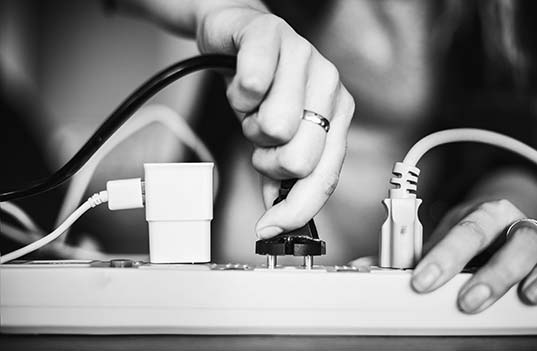
Before you start the move, it’s a good idea to check that everything is in order with your new home. Confirm that all the utilities work. You don’t want to move everything in only to find that you have no electricity, heating or hot water—especially not when it’s freezing outside.
plugging-into-power-strip-1

If everything is in working condition, then you should think about how to protect your new home from damage during the move. With movers traipsing in and out, and furniture being moved, it’s a good idea to cover your floors. Covering your floors will protect them from wet and muddy shoes, as well as scuffs.

Don’t bother turning on the heating

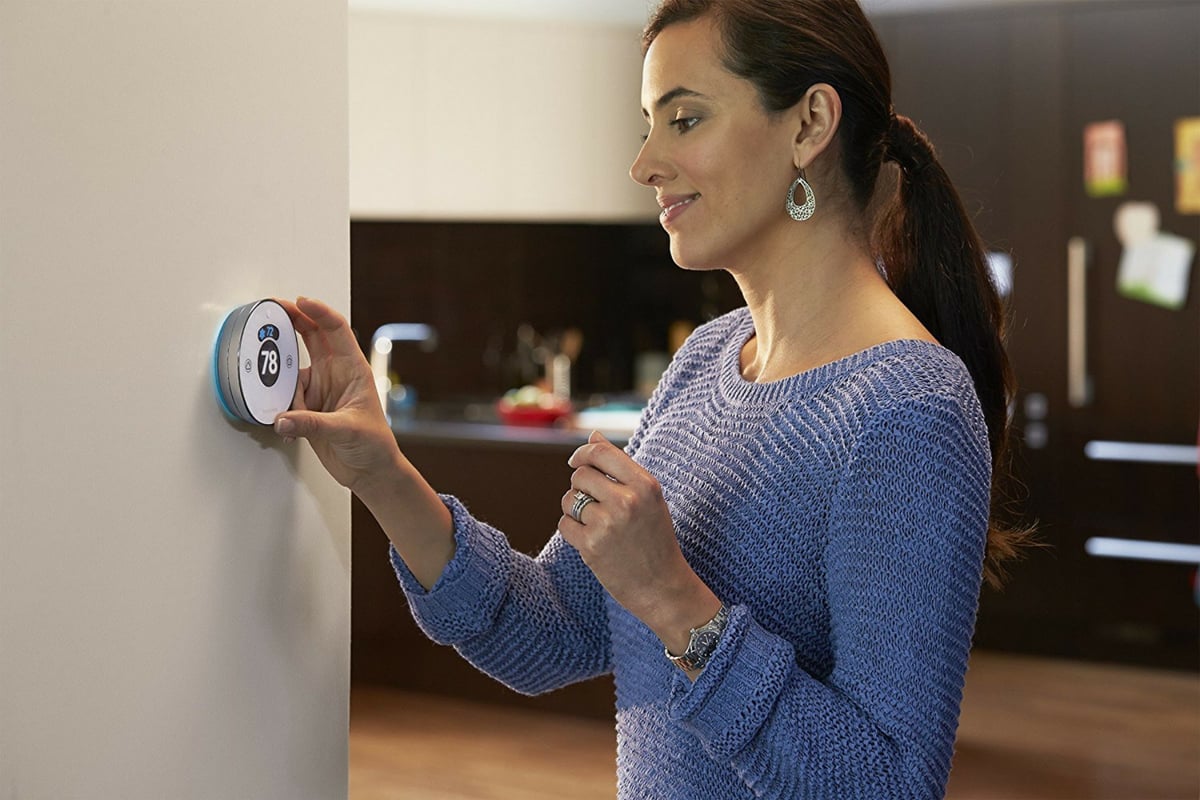
When you first walk into your new home and it’s just as cold inside as it is outside, it can be tempting to rush and turn on the heating. But our advice is, don’t. This winter moving tip is about saving you money on wasted heating.
thermostat5compress

During the move, your doors are going to be open pretty much all day as people come in and out with furniture and belongings.

So even with the heating on, your new home’s going to be cold until the move is complete. And the last thing you want is to blast heating around the house, only to have it go straight out the front door.

Just layer up and brave the cold until the move is complete. This way, you’re not going to waste money trying to heat the house.

Double pack fragile and electronic items

Fragile items like china as well as electronics don’t do too well in the cold. Generally, items become more brittle and are more likely to break when the temperature drops.

So for fragile items and electronics, pack them inside two boxes, and pad the boxes with bubble wrap or tissue paper.

Clear a path to your old and new house

Snow can cause a lot of problems when moving. It can make the walk from the house to the van a dangerous one for you, your movers, and your belongings.

snow-shoveling-tips

To speed up the moving process and make it a whole lot safer, make sure the pathways to both your old and new home are clear of snow. Look out for ice too, as this can be even more dangerous.

Salt or shovel the pathways to stop any accidents from occurring that might turn moving day into a day in the emergency room.

Take care of your pets

If you’ve got pets, the best way to take care of them during a move is to get them out of the way. A winter move can be difficult and even dangerous if the pathways are slippery, and if your furry friend is running around, it’s not going to make moving items any easier.
catinboxbezelcompress

They may become tripping hazards or get hurt. So wait until after the move to introduce them to their new home. They’ll be happier out of the way anyway, and you’ll be able to focus on getting everything sorted.

Keep warm clothes and blankets nearby

Some things you don’t want to shove in a box in the moving van are your warm items, like extra layers, blankets, duvets and pillows.

During the move you’re likely going to feel the cold, so you want to have extra layers nearby if you need them. And once the movers are gone, it’s going to take your smart thermostat a little while to heat up the house. Having blankets ready means you can snuggle up until the heating kicks in.

Look after your movers

Moving is a tough job, especially in the winter. Your movers are going to be physically exerting themselves all day, and probably suffering from the cold too. A cup of hot cocoa or even a simple tea or coffee is always appreciated during winter moves.

You should also consider tipping your movers. They will likely charge you less than the normal rate if you’re moving in winter because it’s off season. But they work just as hard, if not harder during the winter.

Looking after your movers will make the move a happier one. And if you look after your movers, they’ll look after you!


Welcome Engineered Security Systems Customers

Update April 5, 2019: The Narragansett office was affected by a fire yesterday afternoon. Thankfully, all employees were able to escape unscathed. A quick response from the Narragansett, North Kingstown, South Kingstown, East Greenwich, Charlestown-Richmond and Jamestown fire departments ensured the fire was brought under control.

The office has been temporarily relocated to Riverside, RI. To our customers, rest assured that there will be no interruption to your service, monitoring, or installation. Please call 401-789-2350 with questions.

Welcome to the Alarm New England family! We are proud new Englanders with offices in Connecticut, Rhode Island, and Massachusetts. Our teams of technicians, service, and support personnel will work hard to be sure you are satisfied. Don’t worry – nothing is changing for you!

Your rates, monitoring station and ESS team members you know so well are all the same. We have just added 110 employees by joining forces with Alarm New England. We look forward to getting to know you. In the meantime, if you need anything at all, please contact us at: 857-445-4010.

Please take a look around our site! We offer affordable solutions to help get you get rid of phone lines, control the system via an app or add cameras and smart home automation to your system. If you need anything at all, please click below to let us know how we can help!

Contact Us

Press Release

Rocky Hill, CT – December 18, 2018 – Alarm New England, a leading provider in New England of home and business security systems today announced the purchase of Engineered Security Systems. This acquisition further strengthens the company’s presence in the state of Rhode Island.

Engineered Security Systems provides integrated security and fire alarm systems. Based in Narragansett, RI, the company designs, installs, monitors and services security systems for industrial, commercial and residential customers throughout Rhode Island.

“I believe that people want to do business with local people; that’s our niche. Our customer’s security is handled by people familiar with their local area; I firmly believe that local service makes all the difference. That is why we are investing in Rhode Island. It is an area where we have a 40 year history and we remain committed to local businesses and the community. We welcome the Engineered Security family into our Alarm New England family”, states Doug Curtiss, Owner and CEO.

Alarm New England is a local, family owned organization best known for its personalized service, community involvement and local police relations. Engineered Security joins their impressive portfolio of companies which includes Intercity Alarms, which serves residential and commercial customers in southeastern Massachusetts, Cape Cod and the Islands. Also included are Sonitrol franchises in Connecticut, Massachusetts and Rhode Island via the brand Sonitrol New England and Voice New England, a telecommunications company started by Doug Curtiss in 1981.

“Alarm New England and the Curtiss family have a strong 40-year tradition in the Northeast. Our customers will now have access to more staff and resources to allow us to continue to provide the same level of high touch service that has been the hallmark of Engineered Security. With Alarm New England, you get the best of both worlds; the strength and stability of a regional company and the personalized service and support of a local company”, said Ken Soscia, who founded Engineered Security Systems in 1982.

SPP Advisors, LLC represented Engineered Security in this transaction. Mark H. Sandler, Managing Director, commented, “We believe that this is a clear “win-win” for both Alarm New England and Engineered Security. The combination of these two long-term Northeast alarm companies will continue to provide excellent security services in this region of New England.”

Ken Soscia and the current employees will remain with the combined company and the local office will continue to reside at 2C Celestial Drive, Narragansett, RI.

About Alarm New England, Inc.

Founded in 1972 by Douglas Curtiss, Alarm New England, headquartered in Rocky Hill, CT, is one of the largest privately owned security companies in the Northeast. The company provides intrusion detection, fire alarm, video surveillance and access control products and services. With offices throughout Connecticut, Massachusetts and Rhode Island, Alarm New England offers a network of resources, utilizes leading technology and provides a strong commitment to customer service.

Learn More About Alarm New England

How to Stop Your Security Alarm from Beeping

There’s nothing quite as rage inducing as having your security alarm go off and not knowing how to get it to stop beeping. It’s hard to think clearly with a constant annoying noise, especially in the middle of the night or when you’ve arrived home from a long day at work.

But beyond just having to deal with the noise, it’s possible that if your alarm system is designed to contact the police, you might get a call from your monitoring center asking you if everything is okay.

False alarms can cause all sorts of needless stress and worry. Being able to get your security system to stop beeping is important so you can get back to enjoying your day (or go back to sleep). The next time your alarm goes off for no reason, these tips will help you get your security system under control.

1. Locate the source of the beeping.

The first thing you’ll want to do is to make sure that it’s your security system that is going off and not another alarm system you have in place. It’s possible that the source of the beeping may be your smoke detector or a carbon monoxide detector that has detected harmful gases or is malfunctioning. Once you’re sure it’s your burglar alarm system that is the source of the beeping, you can take steps to disarm it.

2. Call your alarm monitoring company.

If you’ve just come home and hear the system beeping, call your security company and ask if they have detected any issues at your house. It’s possible there is an intruder or another problem, like a fire or carbon monoxide leak, in your home. You’ll want your security company to check all of your sensors and make sure your house is safe before you try to turn off the alarm.

3. Check the alarm system battery.

Once you’ve gotten the all clear from your security company, check the battery on your alarm system to make sure it isn’t running low. When a battery gets weak, your system will beep to notify you that you should check the battery and replace it. This is the best-case scenario, as it’s a relatively easy problem to fix.

After you install fresh batteries, the low battery warning should disappear, and the system should return to normal operation.

4. Disarm the alarm system.

If changing the batteries didn’t end the beeping, disarm your alarm system by entering your security code. Remain calm and take your time as you put in your code. Once you’ve entered the correct code, odds are everything will go back to normal.

5. If all else fails, call a technician.

If changing the batteries and disarming the system doesn’t work, there may be a hardware issue with your security system. Unless you’re an experienced alarm technician, call the security company that installed your system and describe the problem you are having.

The company should be able to walk you through additional steps to resolve the issue. If your alarm can’t be fixed remotely, the company will send a technician to your home who can resolve the situation quickly and professionally.

Your alarm system should work correctly 24/7 to ensure your safety. Getting your system reset and functioning properly is our top priority. If your Alarm New England security system ever starts beeping for no reason, please contact us immediately, and we’ll make sure the problem gets resolved as soon as possible.

Honeywell Vista-20P Wired Security System Review

Looking to upgrade your existing wired alarm system? Look no further than the Honeywell Vista-20P Wired Security System. The system is cost-effective and combines the best of both a hardwired system and wireless technology.

Rather than replace your entire wired alarm system, use the Vista-20P to customize and update your home security without breaking the bank.

How Does the Honeywell Vista-20P Wired Security System Work?

The Honeywell Vista-20P Wired Security System is mechanical, and as the name suggests, it works by bringing together the vast collection of wires that are placed in the walls of your home to create connections between the various sensors that make up your security system.

Honeywell Vista 20P Wired Security System

The Honeywell Vista-20P’s rock-solid reputation for quality and its ability to accommodate a wide variety of wired systems make it the ideal wired solution for many of our customers.

To get into the nitty-gritty, a wired system works through a relay. It incorporates an electromagnet, which becomes magnetized when electric current runs through a circuit, which then opens or closes another circuit. Simply put, they are used to turn switches on and off. While this relay functionality is fairly old technology, wired systems like the Vista-20P are known for their consistency.

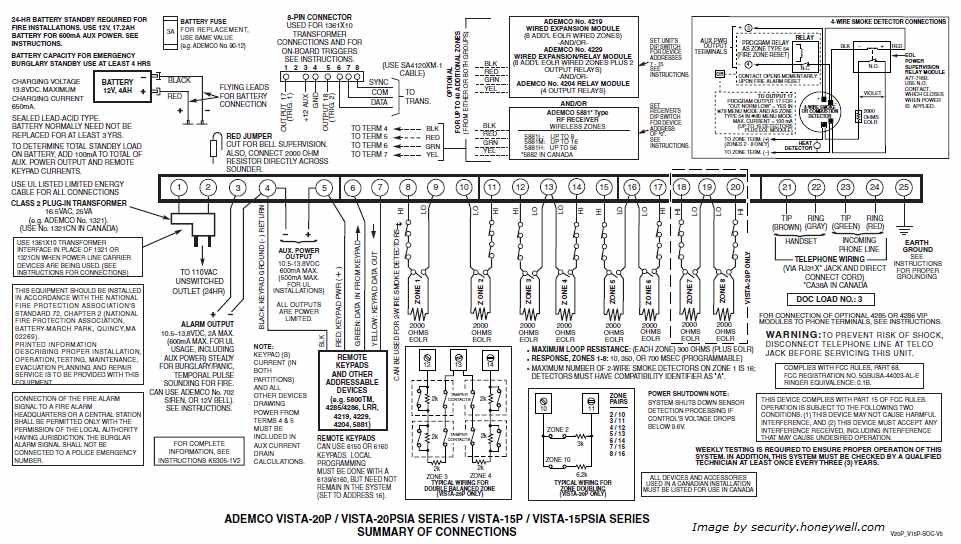
As this particular control panel works on these kinds of relay-based principles, setting up the Vista-20P requires specialized wiring knowledge best left to skilled technicians or electricians.

ademco-vista-20p-wiring-diagram

The Vista-20P is designed to connect to each sensor via the electrical wiring in the walls of your home, and its versatile control panel is a blank slate from which you can add all kinds of cutting-edge functionality.

For example, you can connect the wired Vista-20P to a wireless receiver and use wireless devices. This way, you can use a combination of both wired and wireless sensors when setting up your home security system.

Style of the Honeywell Vista-20P

Think of the control panel as the “main brain” behind all of the other sensors and devices that you’ll be using to monitor activity and movement throughout your home. Most of the wires that connect your security equipment are safely and invisibly threaded through the walls of your home.

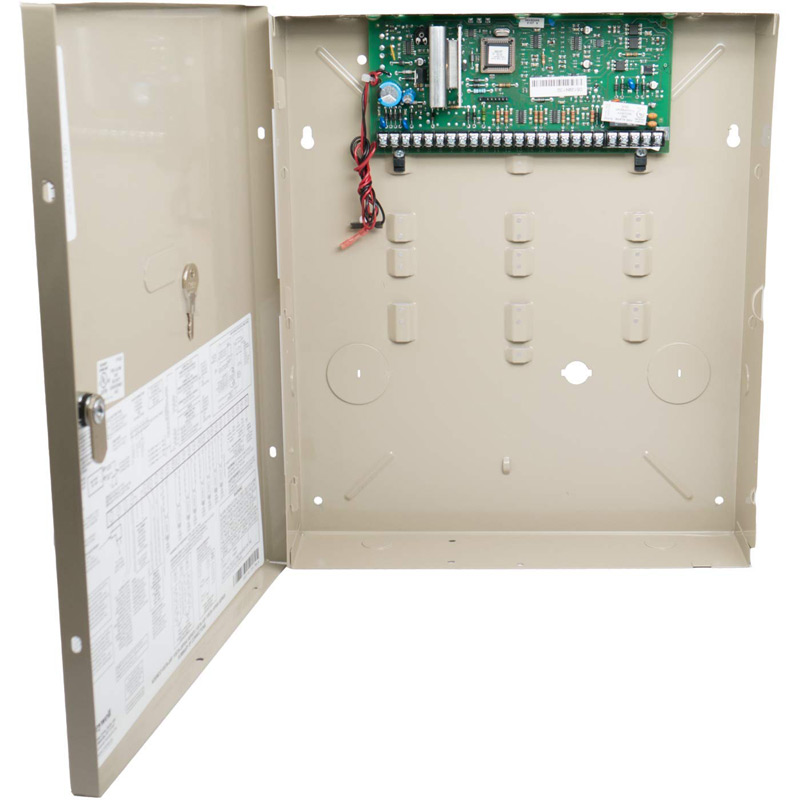
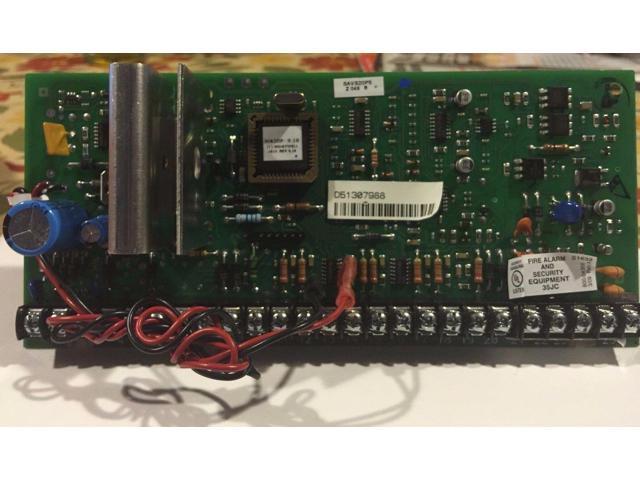
The Vista-20P control panel consists of a circuit board housed in a metal frame, which protects the panel from dust and tampering.

honeywell-vista-20p-panel-boardIt might not be something that you’d want to show off in the foyer of your house, but in your basement or in a closet, the Honeywell Vista-20P control panel will be the silent, sturdy hub for all of your connected home security devices.
Honeywell Vista-20P Features

The Honeywell Vista-20P can support up to 48 zones and 8 keypads.

The control panel itself doesn’t come with a digital interface, but it is robust and can be integrated with a variety of additional display devices to add functionality.

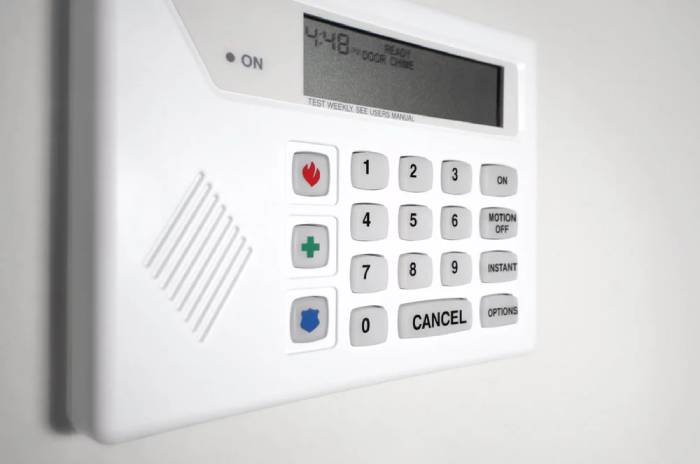
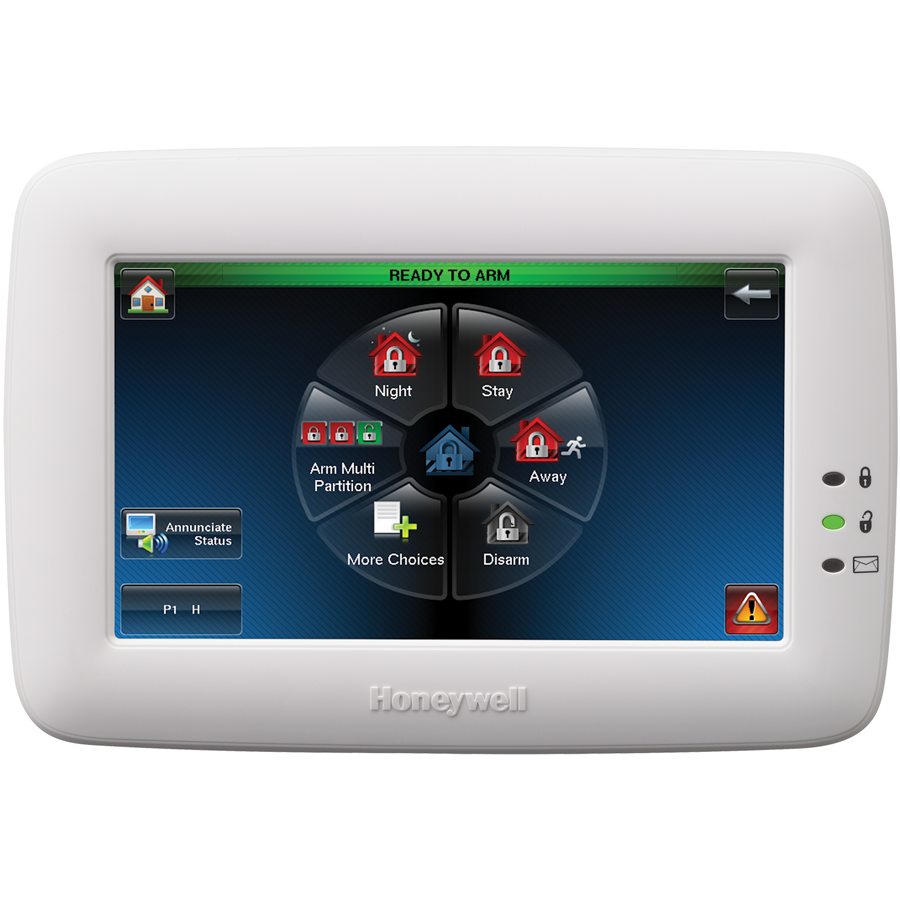
honeywell-tux-color-graphic-touchscreen-alarm-keypad-19For example, you can use the Honeywell Vista-20P with a Tuxedo Touch Keypad (see above) if you want touchscreen functionality or a 6160RF keypad if you’d prefer something with physical buttons.
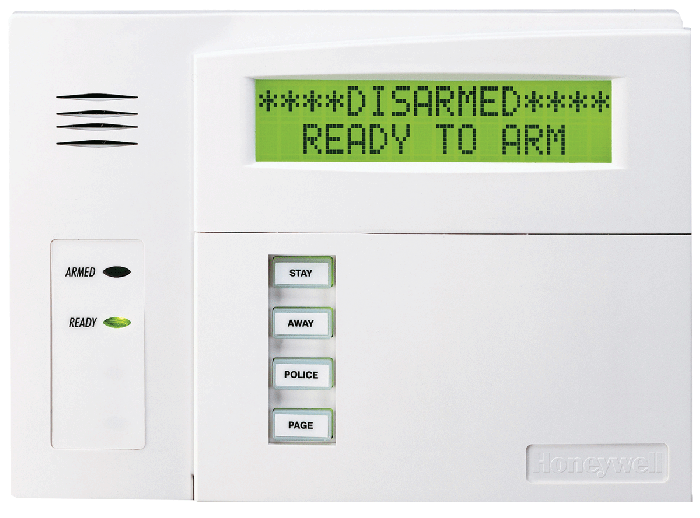

6160rf

In addition to the easy-to-use interface, the Tuxedo keypad has a built-in Z-Wave controller to communicate with Z-Wave devices like smart locks. With the Total Connect smartphone app, you can control your system from anywhere as long as you have an internet connection.

The app will also let you arm and disarm the system remotely, change user codes, and get notifications when alarms and other events occur.

wic2-indoor-camera-total-connect-app

You can also set up dual partitions, which allows you to separately arm and disarm parts of a single property while paying only one monitoring fee.

For example, a homeowner in a multi-unit home who rents out a portion of their home can their portion of the house separately from the tenant’s portion.

Wired systems rely on electricity, which means that ordinarily if your home were to lose power, your system will go down. But not so with the Vista-20P—it can accommodate a 12V 4.5Ah battery backup. This will keep your system up and running for about 24 hours in the case of a power failure.

Benefits of the Honeywell Vista-20P

Instead of spending a lot of money replacing an old alarm system that still works, purchasing the Honeywell Vista-20P is a more cost-effective way of breathing life into an older, wired system.

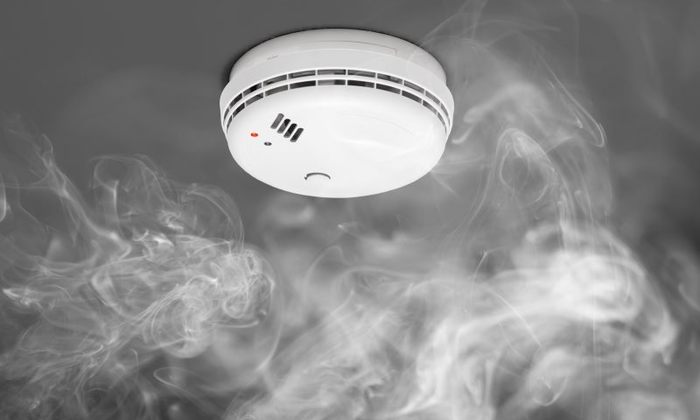
Besides saving money, you’re also creating a bridge between old and new systems. For example, you can use the Vista-20P to call the police, fire department, or other emergency services automatically through a wired landline connection, and you can combine it with other monitoring accessories to detect floods, smoke, fires, low temperature, and, of course, burglaries.

fire-safety-smoke-detector

With the ability to integrate with wireless receivers, hardwired alarm devices, and alarm keypads, the customization options are virtually endless. In fact, when it comes to additional functionality, you’re only limited by your budget.

The Honeywell Vista-20P wired security system really is the best of both worlds: You can have the reliability of a hardwired alarm system coupled with the convenience of modern wireless add-ons.

If you’re looking for a cost-effective way to make use of the existing security system in your home, installing a Honeywell Vista-20P wired security system will give you peace of mind and give you upgrade options when you want them down the line.

Fencing Options and Materials for Your Home

When it comes to fencing for your yard, there are many options for you — from the material to the color and the style.

So how do you figure out what’s right for your home?

The type of fence you choose will depend primarily on the purpose the fence serves. Are you looking to add privacy to your backyard? Maybe you need an area to keep your dogs fenced in?

Regardless of your reason for needing a fence, we will go over fencing options and materials to help you make the best fence decision for your home.

Fencing Materials

There are many different fencing materials to choose from, below we highlight some popular choices:

Vinyl Fencing

Vinyl fencing comes in a variety of styles and colors. This type of fencing is appealing to many because it never needs repainting. You can choose from privacy, semi-private, and post and rail options.

While vinyl is very sturdy and won’t rot, warp or split, this sturdiness comes at a price. It’s one of the more expensive fencing options.

Wood Fencing

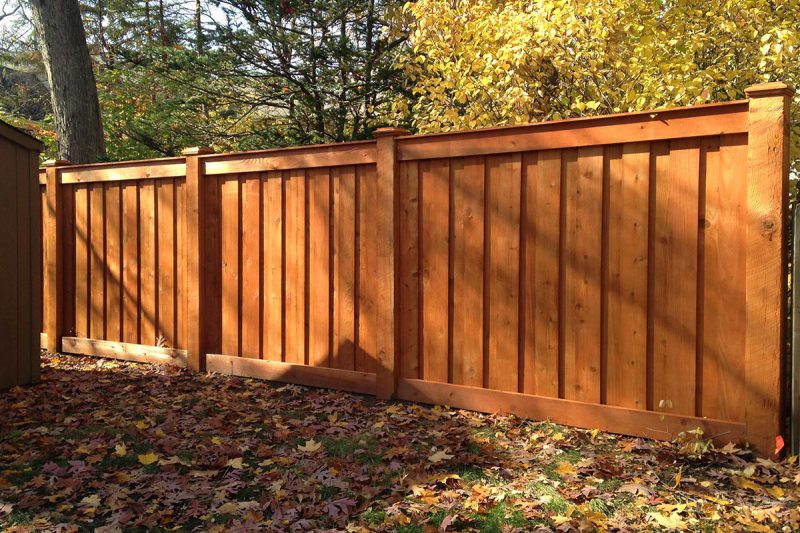
Wood fencing is the most widely-used fencing material thanks to its versatility. You can paint or stain your wood fencing in any color that you wish.

wood-fence-10-800x533

Wood fencing gives off a very natural appearance and can be customized to fit any style. This type of fence is significantly cheaper than vinyl fencing, but it has the potential to suffer from more wear and tear and require additional upkeep.

Aluminum Fencing

Aluminum fence ct

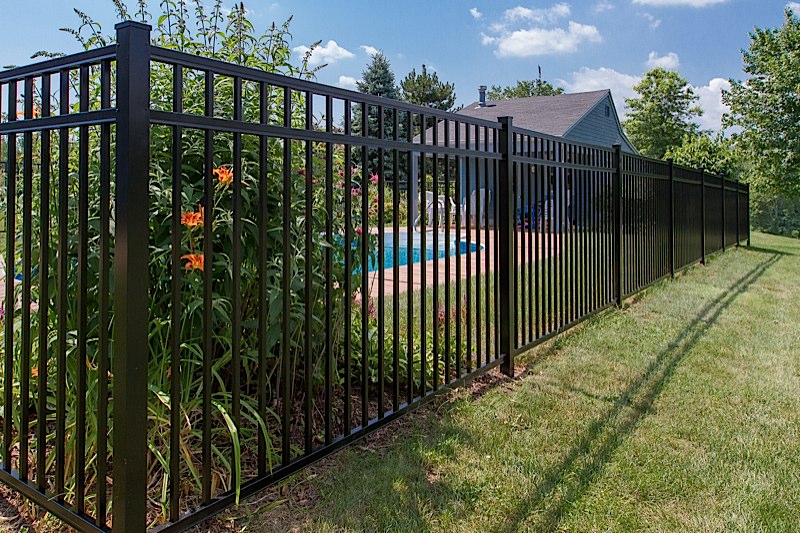
Aluminum fencing is durable and can be diverse in style, adding some modern flair to your home. One of the positives of aluminum is that it doesn’t rust, so maintenance is usually minimal.

Chain Link Fencing

chain-link-fence

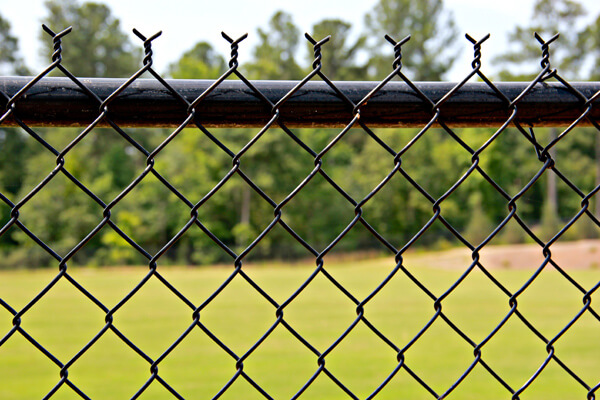
Chain link may not be the most attractive type of fence, but it can be very versatile and easy to install. You will often see chain link used around sports courts and for pet enclosures. This is a long-lasting and robust fence option that does not require a lot of maintenance and upkeep.

Wrought Iron Fencing

wrought-iron-fence

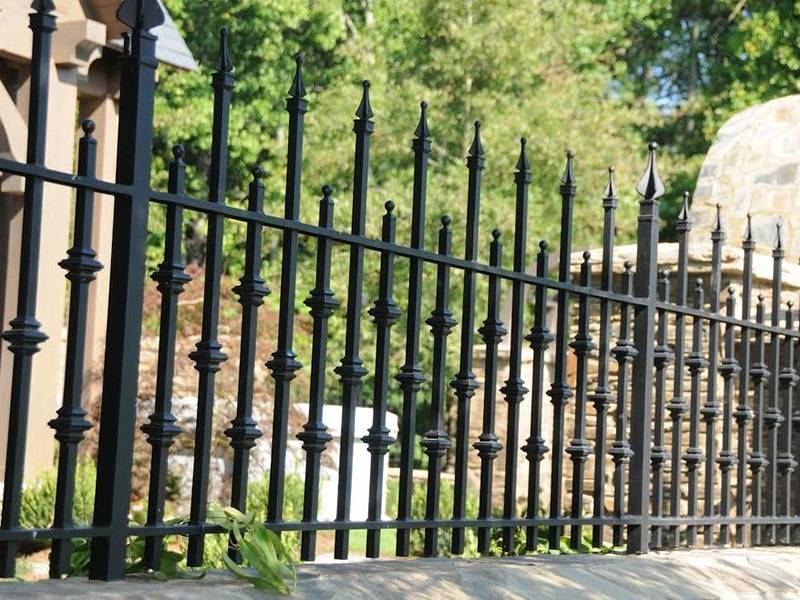
Wrought iron is an ornamental type of fencing that is often used to increase curb appeal on your home. There are a variety of styles and colors to choose from. Also, this material is extremely durable and requires little maintenance.

Tips for Installing Fencing

Designing and installing a fence in your yard is not always an easy task. Here are a few tips to help in your fence planning process.

Know Your Local Codes

Fencing is typically subject to local zoning codes. Before you make any steps in your fence installation process, check with your local municipality to make sure you are in compliance.

There may be codes that dictate the height of your fence, how far it is from a property line and even whether or not the front yard can be fenced-in.

If you live in a development or community with a neighborhood association, be prepared to face even more obstacles when getting your fencing approved. They may have specifications style, color, and height of your fence.

Be Courteous to Your Neighbors

If you have close neighbors, installing a fence in your yard will also affect them by creating a tangible marker around your property. If you have a neighbor whose property will be affected by your fence, the courteous thing to do is to give them a heads-up first.

It is also a good idea to check with them on property lines. The last thing you want to do is have your fencing installed only to discover that you were off on your property line measurement.

Your neighbors will surely appreciate a quick conversation with you regarding the fence so that they know what is going on and can prepare.

Determine Why You Need the Fence

When choosing which type of fence is best for your yard, think about the main reason for putting up a fence.

Privacy Fencing – this type of fence is ideal for blocking sight lines and maintaining a bit of privacy from neighbors or people walking by. It can also be a way to prevent potential burglars from seeing into your yard or windows. However, this is not always an effective deterrent as it also affords someone who comes onto your property the same visual block. To create a privacy fence, you need solid fencing with vertical boards that are close together so that you cannot see out and your neighbors cannot see in.

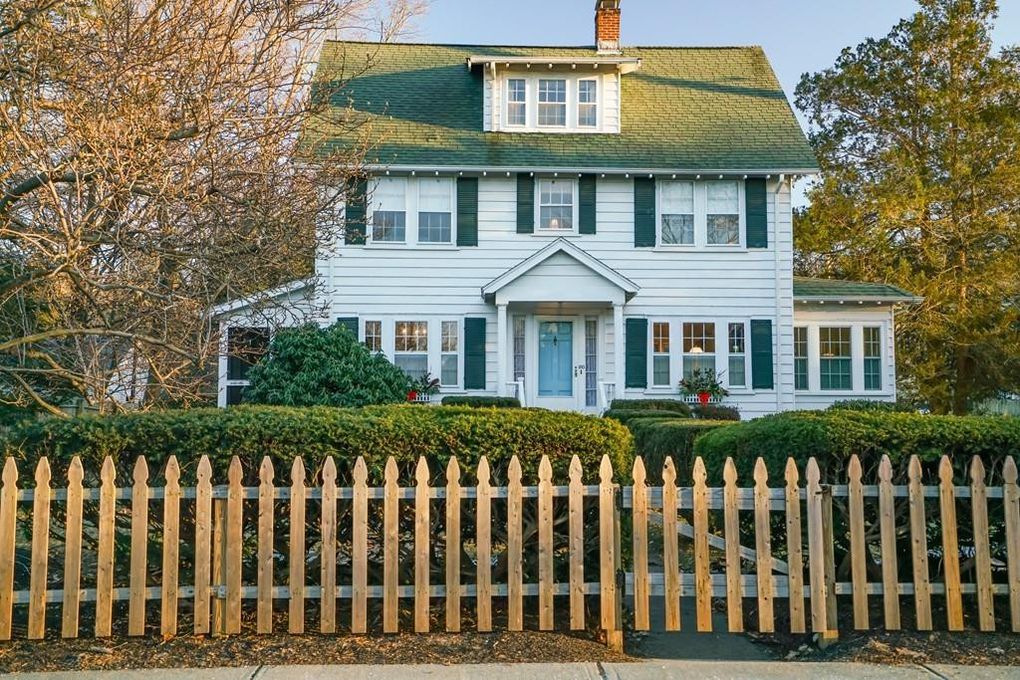
Typically, people choose to have their privacy fence at least six feet tall to avoid anyone peering over it. If you want there to be slightly more visibility, you can choose to use pickets which have small gaps between them but still offer a lot of privacy.

Security Fencing – this type of fence is used as a security measure for your home to keep intruders out. Similar to a privacy fence, you will want a security fence to be at least six feet tall to be an effective deterrent.

The best security fences use a smooth outer surface that would be difficult to climb up and have sharp spikes on the top that would deter anyone from trying to get over.

Decorative Fencing – sometimes people want something to spruce up the look of their home and add curb appeal. In these cases, decorative fencing is your best way to go as it is typically much smaller and less obstructive than privacy or security fencing.

This type of fence is usually between two and four feet tall and pickets are more spaced out so as not to obstruct your view. You can customize your decorative fencing with different designs, patterns, and colors.

Safety Fencing – this type of fencing is excellent for enclosing an area for your dog, keeping pests off your property or protecting a swimming pool. Typically, chain link is best for safety fencing as it provides solid fencing without blocking the light or your view.

If you want safety fencing but don’t want to spend a lot of money on it, you can get metal or plastic mesh and secure it with metal posts. This is can be a good option if it’s in an isolated area where the fence’s appearance is not important.

There are many considerations when choosing fencing options and materials. But the key to creating the right fence is to spend some time thinking about its purpose, the aesthetics, and how your fence may impact those around you.

X

GET FREE QUOTE

What are you protecting?*

Step 1 of 4

Is your property currently monitored?*

Step 2 of 4

What size is your property?

Step 3 of 4

Who is this personalized quote for?*

By clicking this button, you consent for Alarm New England to use automated technology to contact you at the number provided. This consent is not required to make a purchase from us.

Step 4 of 4