Should You Install Household Security Cameras?

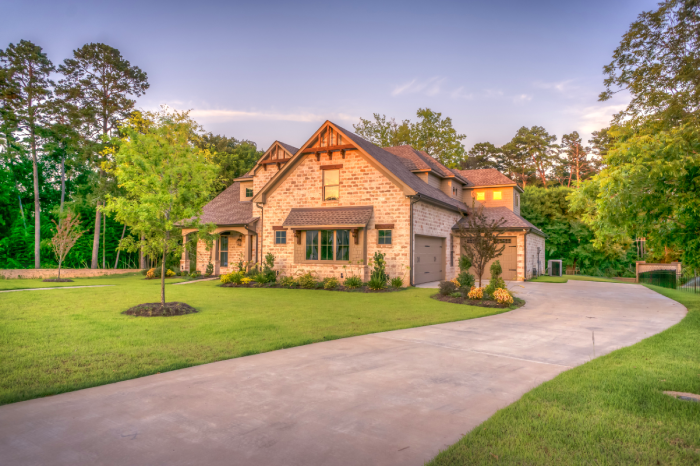
In an age where technology intertwines seamlessly with our daily lives, the concept of security has taken on a new importance. As concerns about personal safety and property protection continue to rise, many homeowners are turning to household security cameras as a modern solution to safeguard their living spaces. These unblinking sentinels offer an added layer of protection to your home security. Today, we’re delving into the various aspects of household security cameras, exploring their benefits, and helping you make an informed decision about whether they are the right choice for your residential property.

The Evolution of Household Security Cameras

Once reserved for commercial and industrial spaces, security cameras have evolved into sleek, sophisticated devices that can be seamlessly integrated into residential settings. The technological advancements in the field of home security have brought about a range of features and options, making it easier than ever for homeowners to monitor their properties remotely.

Benefits of Installing Household Security Cameras

Benefit #1: Crime Deterrence

One of the primary benefits of installing security cameras is their ability to deter criminal activity. The mere presence of visible cameras can discourage potential intruders from targeting your property, as they know their actions will be captured on tape.

Benefit #2: Remote Monitoring

Modern security cameras offer the convenience of remote monitoring through smartphone apps or computer software. This means you can keep an eye on your property no matter where you are, providing a sense of security and control, especially when you’re away on vacation or at work.

Benefit #3: Gathering Evidence

In the unfortunate event of a break-in or any other security breach, recorded footage from your security cameras can serve as crucial evidence for law enforcement and insurance purposes. This documentation can significantly increase the chances of apprehending culprits and recovering stolen property.

Benefit #4: Real-Time Alerts and Notifications

Many advanced security camera systems are equipped with motion sensors that trigger alerts or notifications when activity is detected. This real-time information allows you to respond swiftly to potential threats. Whether it’s a package delivery or a suspicious individual near your property, you’ll be in the know.

Benefit #5: Monitoring Vulnerable Areas

Security cameras can be set up strategically to monitor vulnerable areas of your property. For example, they can be used to protect home entry points, backyards, and driveways. This ensures comprehensive coverage, leaving no security blind spots.

Things To Consider Before Installing Security Cameras

  1. Privacy Concerns: While security cameras provide enhanced security, they also raise concerns about privacy, especially if they capture footage of public areas or neighboring properties. It’s essential to strike a balance between securing your home and respecting the privacy of others.
  2. Legal Regulations: Different jurisdictions have varying laws regarding the use of surveillance cameras. Familiarize yourself with local regulations to ensure you comply with legal requirements, such as notifying visitors about the presence of cameras.
  3. Initial Costs and Maintenance: The upfront cost of purchasing and installing security cameras can be significant. Additionally, maintenance, monitoring, or potential technical issues might require ongoing investments of time and money.
  4. False Alarms: Motion-sensor-triggered cameras can sometimes result in false alarms due to factors like moving foliage or pets. Make sure you are investing in a system that has the technology needed to parse out false alarms.
  5. Cybersecurity Risks: Security cameras connected to the internet can be vulnerable to hacking if not adequately secured. Ensure that you follow best cybersecurity practices to prevent unauthorized access to your camera feeds.

Steps to Choosing the Right Security Camera System

When considering the installation of security cameras in your household, it’s essential to select a system that aligns with your specific needs and preferences. Here’s a checklist of factors to consider:

Step 1: Indoor vs. Outdoor Cameras

Determine whether you need cameras for indoor monitoring, outdoor surveillance, or both. Outdoor cameras are built to withstand the elements and offer night vision capabilities.

Step 2: Wired vs. Wireless

Choose between wired and wireless cameras based on your preference and the layout of your property. Wired cameras typically offer more stable connections, while wireless options provide flexibility in installation.

Step 3: Resolution and Image Quality

Choose cameras with higher resolution and image quality to ensure that captured footage is clear. A security camera that produces blurry or choppy video will defeat the purpose of installing the system in the first place.

Step 4: Adequate Field of View

Consider the camera’s field of view to determine the area it can cover effectively. Some cameras offer panoramic views, while others focus on specific angles. Weigh the camera’s coverage range against the area you need to protect.

Step 5: Smart Home Integration

If you have (or want) a smart home setup, look for security cameras that can seamlessly integrate with smart locks, lights, thermostats, and more.

Yes, For Increased Protection, You Should Install Household Security Cameras

The decision to install household security cameras is a complex one that involves weighing the benefits against the potential pitfalls. While security cameras enhance your ability to monitor and protect your property, it’s crucial to approach their installation with careful thought. A strategically installed system will help you avoid common mistakes and get the most out of these devices. By understanding the features and options available, you can make an informed choice that aligns with your desire for increased home security.

Remember, when it comes to keeping your home safe, do your research. Knowledge is your best ally.

5 Features of the Best Smart Home Alarm System

In the rapidly evolving landscape of smart home technology, security remains a top concern for homeowners. Smart home alarm systems have emerged as a robust solution to safeguard homes and provide peace of mind. These systems integrate cutting-edge technology with user-friendly interfaces, revolutionizing the way we protect our places of residence. Below are five key features that define the best smart home alarm systems:

1. Real-time Mobile Alerts and Notifications

One of the standout features of the best smart home alarm systems is their ability to provide real-time alerts and notifications directly to your mobile device. Whether you’re at home or halfway around the world, you’ll receive instant updates if any suspicious activity is detected. This feature allows homeowners to respond promptly to potential threats, alerting authorities if necessary. Advanced systems even offer customizable notifications, enabling you to choose the specific events that trigger alerts, such as a door being opened or motion detected in a particular room.

2. Intelligent Sensors and Detection

Modern smart home alarm systems are equipped with intelligent sensors that go beyond traditional motion detectors. These sensors utilize a variety of technologies, including infrared, ultrasonic, and even video analytics, to accurately detect unauthorized entry or unusual activity. Some systems can differentiate between pets and intruders, preventing false alarms. Moreover, the integration of AI and machine learning enhances the system’s ability to adapt and improve over time, refining its detection capabilities based on user feedback and historical data.

3. Remote Monitoring and Control

The convenience of remote monitoring and control sets the best smart home alarm systems apart. Through dedicated mobile apps or web interfaces, homeowners can monitor their property in real-time, arm or disarm the system, and access live camera feeds from anywhere. This feature is particularly useful for those who travel frequently or want to keep an eye on their home while at work. The ability to remotely control the system empowers users to respond swiftly to changing circumstances and ensure their home’s security at all times.

4. Integration with Smart Home Ecosystems

Seamless integration with other smart home devices is another characteristic of top-tier alarm systems. The best systems can communicate and collaborate with various devices such as smart doorbells, locks, lights, and thermostats. This integration enables a holistic approach to home security, where actions triggered by the alarm system can lead to responsive measures from other devices. For instance, if an alarm is activated, the system can automatically turn on the lights and lock all doors, deterring potential intruders.

5. Backup and Redundancy

Reliability is a cornerstone of effective home security, and the best smart home alarm systems are designed with redundancy in mind. These systems often incorporate backup power sources and multiple communication channels to ensure continuous operation even in the face of power outages or network disruptions. Cellular connections and battery backups guarantee that the system remains active and connected when other infrastructure fails. This level of preparedness is essential to maintain the integrity of the security system under all circumstances.

Ever-Improving Home Security Technology

The home security landscape has been significantly transformed by the advent of smart home alarm systems. These systems offer a range of features that work in harmony to provide robust and convenient security solutions. Real-time alerts, intelligent sensors, remote monitoring, integration with other smart devices, and backup mechanisms all contribute to making these systems stand out. As technology continues to evolve, we can expect even more sophisticated and effective iterations of smart home alarm systems, further enhancing our ability to protect what matters most.

3 Best Local Alarm Companies in Connecticut – 2026 | Best Home Security Systems CT

How do you know which provider offers the best security system for your home?

Sifting through the various alarm providers at your disposal is exhausting work.

And who knows if you are making the best choice in the end?

Choosing a local home security company can be overwhelming, which is why we did the research for you.

Here are the top three local alarm companies in Connecticut we recommend.

Alarm New England

alarm companies in ct

Alarm New England has been serving the Connecticut community for many years, and the brand is one of the most reliable in the region. Alarm New England uses equipment from Qolsys and Alarm.com.

CALL ALARM NEW ENGLAND FOR A FREE QUOTE TODAY – (857) 445-4010

Price

Payment options are pretty flexible with this local alarm company. Customers can go for a monthly plan or commit themselves to a three-year contract.

Alarm New England also offers a 100-day satisfaction guarantee on residential systems.

Features and Equipment

Alarm New England has a modern home security system with all of the latest features. The basics include remote access, home integration, and a UL-approved monitoring station. As for technology integrations, Alarm New England’s equipment works well with both Amazon Alexa and Z-Wave.

Customers also have the choice between installing their security system themselves or hiring a professional.

Alarm New England’s equipment uses Qolsys hardware. The IQ Panel 2’s easy interface is a much-appreciated feature. It has a 7-inch HD touchscreen, wireless radios, and a built-in 5-megapixel camera. The home security system also grants customers remote access to smart devices in the home. The touchless disarming feature, along with the glass break detector, are desirable features for homeowners as well.

Beyond monitoring the home, the company offers an array of features that ensure environmental protection. The hardware can detect a change in temperature, carbon monoxide, smoke, and flooding, among other things.

Homeowners can also find peace of mind knowing there is a panic button in case of an emergency.

Another advantage homeowners have when choosing Alarm New England is the ability to reallocate their existing security system. The system allows for security coverage throughout the country, even with different service providers.

Customer Service

This local alarm company in Connecticut delivers outstanding customer service. It is one of the main reasons homeowners choose to do business with Alarm New England.

Customers don’t need to worry when they find themselves in an emergency. Alarm New England’s staff is quick to respond. They also have thorough product knowledge. All of this makes for a positive customer experience.

Pros

  • Excellent customer service
  • Monthly options available
  • Plans start at $31.99 per month
  • The ability to reuse existing equipment

Cons

  • Available only in New England
  • Only professional installation

FAST AND FREE SECURITY SYSTEM QUOTE – (857) 445-4010

Standard Security Systems

alarm providers

Standard Security Systems is a division of Standard Oil Connecticut and has been designing and installing customized security equipment for decades. The local alarm company also provides customers with 24/7 monitoring services. Standard is a familiar name when it comes to home security systems CT.

Price

Standard Security Systems offers little information about pricing online because individual security systems are customized to meet each homeowner’s needs. Rather than provide quotes over the phone, a sales rep evaluates the property on site.

Monthly plans start at $29.95 per month for landline monitoring with a minimal upfront cost. New customers that sign a monitoring contract can benefit from a $0 special.

Features and Equipment

Standard Security Systems uses Honeywell equipment for its comprehensive alarm system. Although it covers all the basics, it is somewhat outdated.

As a result, some more advanced features and integrations might be unavailable. However, the company does provide 24-hour monitoring, smarter energy savings, and the ability to lock and unlock doors remotely.

Through their mobile app, Standard Security Systems offer home automation and monitoring services. The company also assists homeowners with installation and repairs, as well as security system training.

Customer Service

Standard Security Systems has many positive reviews from customers online. Clients appreciate the helpfulness of the staff and affordable prices. The customer service team is generally quick to respond to inquiries and complaints.

In the past, there had been issues with some false alarms being raised from the security system. However, they have been resolved.

Pros

  • Around-the-clock monitoring services
  • Customizable security systems
  • Many options in equipment and integrated technology

Cons

  • $30 per month landline monitoring
  • Lacks some transparency with pricing
  • Quotes aren’t given over the phone
  • Five-year contract

ADT

hartford connecticut home security

ADT is one of the largest and most recognizable home security companies in the world. It has been keeping homeowners safe since 1874.

Home Security Systems CT Price

When it comes to checking for pricing information, ADT’s website might disappoint you. It doesn’t display the costs of its plans, and some customers have been caught by surprise with additional fees and pricing increases.

However, ADT does offer free equipment in some of the more basic packages. Clients should note that the older technology used has fewer features than modern security systems.

What we do know is that packages range from $28.99 to $58.99 per month. Customers can choose between four different packages. Although there is no equipment starting cost, ADT charges an installation/activation fee of $99.

ADT also offers a 90-day limited warranty. As for its cancelation policy, customers can end a contract early, but it will require paying 75% of the balance of the three-year term.

Features and Equipment

With a basic plan, ADT will provide customers with a wireless control panel and window and door sensors. Other monitoring equipment and technology is sold separately at an additional cost.

Customers do not have the option of self-installation. They must have their ADT security system professionally installed.

ADT has a reliable technology integration that is easily accessible through mobile apps. Customers can receive alerts in real time and have live surveillance and remote access to their home security system.

The company also provides a 24-hour monitoring service.

Customer Service

ADT has sold unsecured equipment to customers in the past, resulting in a $16 million class-action lawsuit in 2018. Many unsatisfied customers have left negative reviews online. The main complaints are the tardiness of sales reps and long waiting times over the phone.

As a result, ADT still has room for improvement in customer service.

Pros

  • Money-back guarantee
  • Pulse app
  • Affordable installation fees
  • Large company

Cons

  • Slow response time for customer service
  • No monthly contracts
  • Poor reviews from customers

The 3 Best Local Home Security Systems CT

Those are our picks for the 3 best alarm companies in CT for 2026. For more details and an in-depth description of service, you can see more from Alarm New England here.

For questions, Alarm New England can be reached at (857) 445-4010 or sales@alarmnewengland.com.

Alarm New England is located at 795 Brook St #101 in Rocky Hill, CT 06067. Connecticut residents, find our headquarters on the map below.

Welcome Eastern Security Systems Customers

Welcome to the Alarm New England family! We are a local and family-owned company with offices in Connecticut, Rhode Island, and Massachusetts. Our teams of technicians, service, and support personnel will work hard to be sure you are satisfied.

One thing that was very important in this transition is that nothing changes for you, our valued clients. Your monthly rate will not change, your monitoring center will not change, your contract terms will not change. We are proud to say the amazing staff of Eastern Security Systems you have come to know over the years will be staying on to serve you – as will Frank Simeone!

We will be joined by the 100 dedicated employees of Alarm New England to provide you with the best service our industry has to offer.We look forward to getting to know you. In the meantime, if you need anything at all, please contact us at: 857-445-4010.

Please take a look around our site! We offer affordable solutions to help get you get rid of phone lines, control the system via an app or add cameras and smart home automation to your system. If you need anything at all, please click below to let us know how we can help!

Contact Us

About Alarm New England, Inc.

Founded in 1972 by Douglas Curtiss, Alarm New England, headquartered in Rocky Hill, CT, is one of the largest privately owned security companies in the Northeast. The company provides intrusion detection, fire alarm, video surveillance and access control products and services. With offices throughout Connecticut, Massachusetts and Rhode Island, Alarm New England offers a network of resources, utilizes leading technology and provides a strong commitment to customer service.

Learn More About Alarm New England

Ultimate Guide To Adding Cameras To Your Smart System

If you have an alarm system, chances are you have thought about adding cameras. Why not? Cameras have a wide range of uses and can be an additional layer of security.

While the installation of cameras may be relatively simple, having them stay online 24/7 and not drop off can be a real challenge.

Garage Outdoor Cam Powered by ADC

If you’re interested in knowing more about the network and internet requirements for WiFi based cameras, keep reading.

Option 1: Cameras Over Wi-Fi Home Network

Commonly the most cost-effective way to add cameras to your system is to simply draw power through an outlet and connect the cameras via your home WiFi network. With this option there is no need for pulling any cable or wire. Just the power source will be hard-wired.

A general rule of thumb we tell our clients is that for every camera you have on the system, you want 2MP of upload speed. So, if you were looking for 4 cameras indoor/outdoor, you will need a minimum of 8MP upload speed from your internet provider (Xfinity, Verizon, Spectrum) on a dedicated network for the best experience.

You may be told from your internet provider the “maximum” speed that your plan includes; however, you still need to run an internet speed test.

We recommend using https://www.speedtest.net/

  1. Press Go in the middle of the screen
  2. The first number given to you is the DOWNLOAD speed
  3. The second number given to you is the UPLOAD speed *this is the one you need to note*
  4. Write down the upload speed number and give to your Alarm New England sales representative

Considering and answering these questions will help you determine your security needs and in turn, where to place them for maximum efficiency.

Option 2: Hardwiring CAT5/CAT6 Cable

For clients wishing to have the most reliable connection for their cameras or to have a more advanced solution (24/7 constant recording), we offer the option to hardwire the Alarm.com power AND internet source. Wired cameras typically have fewer issues with dropped signals or recording issues due to a weak internet connection.

So what does it mean to run CAT5/CAT6 Cable? In order to establish a direct connection between the internet and your cameras, we would require cabling run from the network room to each individual camera’s location.

You may be asking, but why doesn’t everyone choose this option?

Your Camera Options:

Now that we have covered a couple different ways to test and set-up your security cameras, let’s cover types of cameras.

Indoor Fixed w/IR (ADC-V522IR)

ADC indoor

Often used to check up on pets and activity within the home or business, the Alarm.com Indoor camera supports 1080p HD video, infrared night vision and secure cloud recording.

With its compact design and flexible mounting options, the ADC-V522IR is easy to install, and is the lowest-cost option within our camera portfolio.

Features

  • HD 1080p video
  • IR night vision
  • Wide dynamic range (WDR)
  • Two-Way Audio (limited)

1080p Indoor Wi-Fi Camera (ADC-V523)

ADC Indoor Camera with Built in Analytics

Powerful Video Analytics from Alarm.com and direct ethernet connection differentiate ADC’s second generation of indoor camera. Internal testing has proven this generation of camera from Alarm.com to be slightly sharper for both resolution and overall connectivity.

Features

  • 117° field of view
  • High Dynamic Range (HDR)
  • Two-Way Audio
  • Ethernet Connection or Wi-Fi (2.4 GHz or 5 GHz)

1080p Outdoor Wi-Fi Camera (ADC-V723)

ADC Wi-FI Outdoor Camera

With a wide field of view, night vision, and High Dynamic Range (HDR), the ADC-V723 lets you see what’s important – no matter the time of day or lighting conditions.

Features

  • 117° field of view
  • High Dynamic Range (HDR)
  • Wi-Fi (2.4 or 5 GHz)
  • Waterproof & Dust-tight

Requirements:
Power 12 V – 1 A DC power adapter (included)
Network Wi-Fi (2.4 or 5 GHz) connection to broadband Internet

Alarm.com 180° HD Camera ADC-V622

ADC Wellness Camera

The Alarm.com Wellness Camera is a wide-angle camera, designed for keeping an eye on family or pets within the home. Covering a full 180° view, this indoor camera is best to cover larger rooms or areas of space. Improved audio connection and zoom capabilities differentiate this camera from Alarm.com’s first gen indoor camera.

Features

  • Audio
  • Power over Ethernet
  • IR night vision
  • 180° FOV
  • Digital pan/tilt/zoom
  • Tap to call out
  • Bluetooth music streaming

Alarm.com Video Doorbell (ADC-VDB770)

Alarm.com Gen 2 Doorbell Camera

The second generation video doorbell camera from Alarm.com has an expansive 150° vertical Field of View, two-way audio and full portrait viewing in the app make it easier than ever to see a speak with visitors. Built-in analytics from Alarm.com result in the most advanced doorbell camera on the market to date.

Features

  • Expansive FOV (150° V, 115° H)
  • Full HD (1440 x 1920) video resolution
  • High dynamic range (HDR)
  • IR night vision
  • Video Analytics for faster, more relevant alerts
  • Live video and saved clip viewing
  • Two-Way Audio through the mobile app
  • Battery heater for low-temperature operation
  • 2×2 antenna for improved Wi-Fi range
  • Compatible with mechanical and digital chimes

Stream Video Recorder (ADC-SVR122)

ADC CSVR

Created specifically to work with the Alarm.com video cameras, the Alarm.com Stream Video Recorder provides 24×7 professional local video storage solution. With the Stream Video Recorder, you can connect up to eight Alarm.com video cameras for continuous recording.

Specifications:
Storage 500GB, 1TB, or 2TB of storage
Transcoded playback MPEG4 H.264
Speed control 1x, 4x, 8x, 16x

Indoor/Outdoor Mini Bullet (ADC-VC725)

ADC%20Bullet%20Camera-jpeg.jpeg

The ADC-VC725 from Alarm.com is a high-performance mini bullet camera optimized for indoor and outdoor video monitoring. The camera features a dust-resistant exterior casing with an IP66 rating and Power over Ethernet (PoE) capabilities. Often used in small business settings, the bullet indoor/outdoor camera from Alarm.com is an affordable alternative to complex DVR or NVR business solutions.

Features:

  • Power over Ethernet
  • IR night vision
  • HD video
  • IP66-rated waterproof & dust tight
    • This allows the camera to be mounted outdoors

Next Steps!

Still have questions about your network bandwidth and adding cameras? Simply, call 800-322-3500 ext #2 for sales or email “sales@alarmnewengland.com”.

If you’re interested in a new security system, visit our site to learn about us and how we can help.

X

GET FREE QUOTE

What are you protecting?*

Step 1 of 4

Is your property currently monitored?*

Step 2 of 4

What size is your property?

Step 3 of 4

Who is this personalized quote for?*

By clicking this button, you consent for Alarm New England to use automated technology to contact you at the number provided. This consent is not required to make a purchase from us.

Step 4 of 4