In the rapidly evolving landscape of smart home technology, the adoption of smart doorbell cameras has surged in recent years. These innovative devices offer homeowners peace of mind by providing a clear view of who’s at the door, whether they’re home or away. Beyond security, they also add convenience with features like two-way audio communication and remote monitoring. In this comprehensive guide, we’ll explore the world of smart doorbell cameras, focusing on affordability, battery-operated options, and overall excellence.
Smart doorbell cameras have evolved significantly over the years, and their prices have become more accessible to a broader range of consumers. Gone are the days when such technology was reserved for the tech-savvy elite. Today, there’s a wide selection of affordable smart doorbells that offer excellent features without breaking the bank.
Best Affordable Smart Video Doorbells With Cameras
Ring Video Doorbell (2nd Generation)
The Ring Video Doorbell (2nd Generation) is an excellent example of an affordable yet highly functional smart doorbell. Priced competitively, it offers 1080p video quality, two-way audio, and customizable motion detection zones. This device is an excellent choice for those looking to enter the world of smart doorbells without a hefty upfront cost.
eufy Security Wi-Fi Video Doorbell
eufy Security’s Wi-Fi Video Doorbell is another budget-friendly option that doesn’t skimp on features. It boasts 2K resolution, local storage options, and human detection technology to reduce false alarms. The eufy Security app provides an intuitive user experience, making it an attractive choice for those who want affordability without compromising on quality.
Arlo Essential Video Doorbell
Arlo’s Essential Video Doorbell is known for its sleek design and competitive pricing. It offers 1080p video quality, HDR (High Dynamic Range) for better image clarity, and a wide field of view. This doorbell also integrates seamlessly with Arlo’s other smart home devices, making it a great addition to your connected ecosystem.
The Best Battery-Operated Doorbell Camera
Battery-operated smart doorbell cameras have gained popularity for their easy installation and flexibility. They eliminate the need for complicated wiring and can be placed virtually anywhere around your front door. Let’s delve deeper into some of the top battery-operated options available today.
Ring Video Doorbell 4
As mentioned earlier, the Ring Video Doorbell 4 is a standout in this category. Its quick-release rechargeable battery ensures that you can easily keep it powered without the need for constant removal. Moreover, its integration into the Ring ecosystem allows you to expand your home security network effortlessly.
Arlo Video Doorbell
Arlo, known for its robust security camera systems, offers a battery-operated video doorbell that lives up to its reputation. With 2K HDR video quality, motion detection, and night vision, the Arlo Video Doorbell is a top-tier choice for those who want the flexibility of a battery-powered device without compromising on quality.
Eufy Security Battery Video Doorbell
eufy Security, a subsidiary of Anker, offers a battery-powered video doorbell that stands out for its long-lasting battery life and local storage options. With 2K resolution, AI-powered human detection, and easy installation, this device is a reliable choice for homeowners seeking a wire-free solution.
The Best Smart Doorbell Camera
For those who demand the very best in smart doorbell technology, a premium option is essential. These smart doorbell cameras excel in both security and convenience, offering advanced features that elevate your home’s protection.
Nest Hello
Nest Hello consistently stands out as one of the best smart doorbell cameras available. Its exceptional video quality, intelligent facial recognition, and continuous video recording set it apart from the competition. The integration with Google Home devices and 24/7 streaming make it an ideal choice for those who prioritize the utmost in smart home connectivity.
Ring Video Doorbell Pro 2
Ring’s premium offering, the Video Doorbell Pro 2, impresses with its 1536p resolution, 3D motion detection, and Alexa integration. It also features Pre-Roll technology, which captures footage a few seconds before motion is detected, providing crucial context for events at your doorstep.
Arlo Video Doorbell Pro
Arlo’s high-end Video Doorbell Pro delivers 2K HDR video, a 180-degree field of view, and advanced object detection. It’s a versatile option that can be powered by either a wired connection or a rechargeable battery, providing flexibility for installation.
Making a Purchase? Consider This
Before you make a decision on which smart doorbell camera to purchase, there are several important factors to consider. The market offers a wide range of options, each with its own set of features and specifications. To ensure you make the right choice, it’s essential to take the following factors into account.
Wired vs. Battery-Powered
Decide whether you prefer a wired or battery-powered doorbell camera. Battery-powered options are more flexible in terms of installation, while wired ones are typically more reliable.
Video Quality
Look for cameras with at least 1080p video quality to ensure clear and crisp images. Some high-end models offer 2K or 4K resolution for even sharper visuals.
Field of View
Consider the camera’s field of view to ensure it covers the area you want to monitor adequately. A wider field of view is better for larger properties.
Two-Way Audio
Many smart doorbells offer two-way audio communication, allowing you to speak to visitors or delivery personnel through the camera.
Night Vision
Ensure the camera has infrared night vision capabilities for clear footage in low-light or nighttime conditions.
Motion Detection
Look for customizable motion detection zones to reduce false alarms and only receive notifications for relevant events.
Smart Home Integration
Check if the doorbell camera integrates with your existing smart home ecosystem, such as Amazon Alexa, Google Assistant, or Apple HomeKit.
Cloud Storage vs. Local Storage
Decide whether you prefer cloud storage, which offers convenience, or local storage, which may provide more control over your data.
Installation
Consider the ease of installation, especially if you plan to install the camera yourself.
Video Doorbell Camera Frequently Asked Questions
Are smart doorbell cameras easy to install?
Smart doorbell cameras are designed to be user-friendly, with many offering DIY installation options. However, some wired models may require professional installation.
Do smart doorbell cameras work with smartphones?
Yes, most smart doorbell cameras come with dedicated mobile apps that allow you to receive notifications, view live streams, and interact with visitors using your smartphone.
Can I view the camera feed remotely when I’m not at home?
Yes, remote viewing is a standard feature for smart doorbell cameras. You can access the camera feed from anywhere with an internet connection.
What happens to recorded footage if my camera is stolen?
Many smart doorbell cameras offer cloud storage, so your footage is safely stored online. Even if the camera is stolen, you can still access the recorded videos.
Do I need a subscription for cloud storage?
While some doorbell cameras offer free cloud storage, many have subscription plans for extended storage and additional features. Check the manufacturer’s offerings for details.
Can I connect multiple smart devices to my doorbell camera?
Yes, most smart doorbell cameras are designed to work seamlessly with other smart home devices. You can integrate them with your existing ecosystem to enhance your home’s automation and security.
Are smart doorbell cameras weatherproof?
Many smart doorbell cameras are designed to withstand various weather conditions. Look for an IP (Ingress Protection) rating to determine the camera’s level of weather resistance.
How can I ensure my smart doorbell camera’s privacy and security?
To protect your smart doorbell camera from potential hacking or privacy breaches, make sure to regularly update its firmware, use strong and unique passwords, and enable two-factor authentication if available.
What’s the typical lifespan of a smart doorbell camera?
The lifespan of a smart doorbell camera can vary, but most reputable models are designed to last several years with proper maintenance. Keep an eye on manufacturer recommendations for maintenance and replacement.
In conclusion, smart doorbell cameras have become an integral part of modern home security and convenience. Whether you’re looking for an affordable option, a battery-operated solution, or the very best in smart doorbell technology, there’s a camera to suit your needs. Remember to consider the essential factors outlined in this guide before making your purchase to ensure you select the perfect smart doorbell camera for your home.
Smart Doorbell Camera Features to Look For
When you’re in the market for a smart doorbell camera, it’s essential to understand the various features that different models offer. Here, we’ll explore some key features to look for in a smart doorbell camera and why they matter.
1. High-Definition Video Quality: One of the fundamental features of any smart doorbell camera is its video quality. Most modern models offer at least 1080p Full HD resolution, which provides clear and sharp video footage. However, some premium models go even further, offering 2K or 4K resolution, which delivers incredibly detailed images. The advantage of higher resolution becomes particularly evident when you need to identify faces or license plates.
2. Wide Field of View: A wide field of view (FoV) ensures that your smart doorbell camera captures a broader area, which is especially important for monitoring large front yards or areas with multiple entry points. Look for a camera with a FoV of 160 degrees or more for comprehensive coverage.
3. Two-Way Audio: Two-way audio functionality allows you to communicate with visitors at your doorstep. This feature is handy for greeting guests, giving instructions to delivery drivers, or even deterring potential intruders. Check for the quality and clarity of the audio, as well as whether the camera offers noise cancellation for a better conversation experience.
4. Night Vision: Night vision capabilities are crucial for a smart doorbell camera to maintain security during low-light or nighttime conditions. Infrared (IR) LEDs are typically used to illuminate the area in front of the camera, ensuring that you can see clearly in the dark.
5. Motion Detection and Alerts: Motion detection is a key feature that triggers recording and alerts when motion is detected in the camera’s field of view. Look for customizable motion zones and sensitivity settings, as these allow you to tailor the camera’s behavior to your specific needs. Some models even offer AI-powered object recognition to differentiate between people, animals, and vehicles.
6. Cloud Storage vs. Local Storage: Consider how your smart doorbell camera stores recorded footage. Many cameras offer cloud storage, which allows you to access your videos remotely and provides a backup in case the camera is tampered with or stolen. However, cloud storage may come with subscription fees. Alternatively, some cameras support local storage options like microSD cards or network-attached storage (NAS).
7. Integration with Smart Home Ecosystems: If you have other smart home devices or a specific smart home ecosystem (e.g., Amazon Alexa, Google Assistant, or Apple HomeKit), ensure that your chosen doorbell camera is compatible. Integration allows you to create automation routines and control your doorbell through voice commands.
8. Video Recording and Playback: Look for smart doorbell cameras that offer continuous recording or pre-buffering features. Continuous recording captures video 24/7, while pre-buffering records a few seconds of video before a motion event is detected. This ensures you don’t miss any important moments.
9. Package Detection: Some advanced smart doorbell cameras can recognize when a package is delivered and send you a specific notification. This can be especially useful for tracking deliveries and preventing package theft.
10. Facial Recognition: Premium models often come with facial recognition technology, which allows the camera to identify and alert you when familiar faces are detected. This feature enhances security and provides a convenient way to monitor who comes to your door regularly.
11. Weather Resistance: Since smart doorbell cameras are exposed to the elements, it’s crucial to choose one with weather-resistant design and a high IP rating (Ingress Protection). This ensures the camera can withstand rain, snow, and extreme temperatures.
12. Power Options: Smart doorbell cameras can be powered in several ways, including battery, wired (hardwired to your existing doorbell wiring), and power over Ethernet (PoE). The choice of power source affects installation and ongoing maintenance.
13. Mobile App Features: Evaluate the functionalities of the mobile app associated with your smart doorbell camera. A well-designed app should offer easy access to live video feeds, customizable settings, and the ability to review and share recorded footage.
14. Connectivity: Ensure your doorbell camera has reliable Wi-Fi connectivity. Dual-band Wi-Fi support is a plus, as it can reduce interference and provide a more stable connection.
15. Voice Control: If you have voice assistants like Amazon Alexa or Google Assistant, check if your chosen doorbell camera supports voice control. This feature allows you to use voice commands to check the camera feed or control other connected devices.
Now that we’ve covered the key features to look for in a smart doorbell camera, let’s move on to discussing the factors to consider when choosing the ideal location for installation.
Choosing the Ideal Location for Your Smart Doorbell Camera
Selecting the right location for your smart doorbell camera is critical to maximizing its effectiveness. Here are some considerations and tips for choosing the ideal installation spot:
1. Height and Angle: Mount the camera at eye level or slightly above, ensuring that it captures a clear view of the person’s face when they approach your door. The camera should also be angled to capture the entire person, from head to toe.
2. Clear Line of Sight: Ensure there are no obstacles obstructing the camera’s view, such as trees, shrubs, or decorative elements. Clear sightlines are essential for capturing accurate footage.
3. Well-Lit Area: Place the camera in a well-lit area if possible. Good lighting helps produce clear images and discourages potential intruders.
4. Cover Entry Points: Install the camera to cover all potential entry points, including the main door, back door, and any side entrances. This comprehensive coverage enhances your home’s security.
5. Accessibility: Make sure the camera is easily accessible for maintenance, battery replacement (if applicable), and cleaning. You don’t want to struggle with upkeep tasks.
6. Power Source: Consider the power source for your camera. Battery-operated cameras offer flexibility but may require more frequent charging. Wired cameras are reliable but require existing wiring or professional installation.
7. Wi-Fi Signal Strength: Check the Wi-Fi signal strength in the chosen location. A weak signal can lead to connectivity issues. If signal strength is an issue, consider Wi-Fi range extenders or mesh Wi-Fi systems.
8. Privacy Concerns: Be mindful of your neighbors’ privacy. Ensure that your camera’s view doesn’t intrude into their property or windows.
9. Local Regulations: Familiarize yourself with local regulations and laws regarding the placement of security cameras. Some areas have specific rules about where and how cameras can be installed.
10. Installation Height: If you have a peephole in your door, consider installing the camera at a height that complements the peephole’s location. This can help maintain a traditional look while adding smart functionality.
11. Check Compatibility: Before finalizing the installation spot, ensure that the chosen location is compatible with the camera’s mounting hardware and wiring (if applicable).
12. Test the View: Before permanently securing the camera in place, conduct a test to verify that it captures the desired view and angle. This can help you make any necessary adjustments before finalizing the installation.
By carefully considering these factors, you can select an optimal location for your smart doorbell camera that enhances security and provides clear, reliable video footage.
Expanding Your Smart Doorbell System
While a smart doorbell camera on its own offers significant benefits, you can further enhance your home’s security and convenience by expanding your smart doorbell system with complementary devices. Here are some ways to extend your smart doorbell setup:
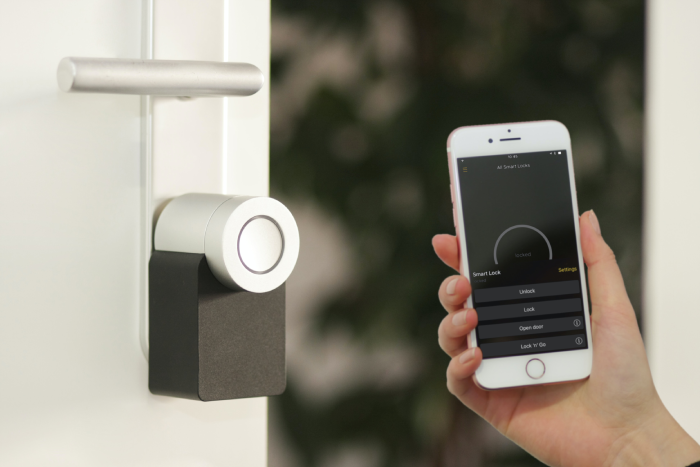
1. Smart Locks: Smart locks allow you to remotely control and monitor your door’s locking status. Integration with your smart doorbell camera can enable features like remote door access for trusted individuals or delivery personnel.
2. Smart Lights: Smart outdoor lights equipped with motion sensors can work in tandem with your smart doorbell camera to provide better visibility at night. They can be set to turn on when motion is detected, deterring potential intruders.
3. Smart Sensors: Door and window sensors can add an extra layer of security. When connected to your smart home ecosystem, these sensors can trigger alerts or actions when an entry point is opened or tampered with.
4. Intercom Systems: Some advanced smart doorbell cameras offer intercom functionality that allows you to communicate with family members within the house using in-home intercom units or compatible devices.
5. Security Cameras: Consider adding additional security cameras around your property to cover blind spots or provide comprehensive outdoor surveillance. Ensure that these cameras integrate seamlessly with your smart doorbell camera.
6. Video Doorbell Chimes: Invest in compatible video doorbell chimes that can alert you when someone rings the doorbell, even if your smartphone is not nearby. This is particularly useful if you have a large home.
7. Smart Displays: If you have smart displays (e.g., Amazon Echo Show, Google Nest Hub), you can view your smart doorbell camera feed on these devices, providing convenient access to the camera’s video stream.
8. Integration with Security Systems: If you have a home security system, ensure that your smart doorbell camera integrates with it. This can help centralize your home security monitoring and control.
9. Voice Assistants: Leverage voice assistants like Amazon Alexa and Google Assistant to control and receive updates from your smart doorbell camera using voice commands.
10. Cloud Storage: Consider upgrading your cloud storage plan to accommodate additional devices and longer video retention periods if you expand your smart doorbell system.
Expanding your smart doorbell system can offer a more comprehensive and integrated approach to home security and automation, providing you with enhanced control and peace of mind.
Smart Doorbell Camera Installation and Setup
Now that you’ve selected your ideal smart doorbell camera and identified the perfect location for installation, it’s time to dive into the installation and setup process. Proper installation ensures that your camera functions optimally and provides reliable security coverage. Here’s a step-by-step guide on how to install and set up your smart doorbell camera:
1. Gather Required Tools and Materials:
Before you begin, make sure you have the necessary tools and materials:
- Mounting bracket and hardware
- Smartphone with the manufacturer’s app installed
2. Turn Off Power: If you’re installing a wired doorbell camera, turn off the power supply to your existing doorbell at the circuit breaker to ensure safety during installation.
3. Remove Existing Doorbell (If Applicable):
If you have an existing wired doorbell, remove it from its mounting bracket. This typically involves loosening screws and disconnecting wires. Be sure to label the wires to ensure correct reconnection.
4. Mount the Bracket:
Attach the mounting bracket for your new smart doorbell camera to the desired location using the provided screws and anchors. Ensure that it is level and secure.
5. Connect Wiring (If Applicable):
If you’re installing a wired doorbell camera, follow the manufacturer’s instructions to connect the wires from your home’s existing doorbell to the corresponding terminals on the smart doorbell. Secure the connections with wire nuts or screws.
6. Attach the Doorbell Camera:
Carefully attach the smart doorbell camera to the mounting bracket. Depending on the model, this may involve sliding it onto the bracket or securing it with screws.
7. Power On (If Applicable):
If you turned off power to your existing doorbell, restore power at the circuit breaker.
8. Download and Launch the App:
Download the manufacturer’s app for your smart doorbell camera from the app store on your smartphone. Launch the app and follow the on-screen instructions to create an account or log in.
9. Add the Doorbell Camera:
In the app, select the option to add a new device. Follow the prompts to connect your smart doorbell camera to your Wi-Fi network. This typically involves scanning a QR code or entering the Wi-Fi credentials manually.
10. Configure Settings:
Once your camera is connected, customize its settings through the app. This may include setting motion detection zones, adjusting sensitivity levels, enabling cloud storage, and configuring notifications.
11. Test the Camera:
Conduct a series of tests to ensure your smart doorbell camera is functioning correctly. Test the live video feed, two-way audio, motion detection, and night vision to ensure everything works as expected.
12. Install Additional Devices (If Applicable):
If you’ve expanded your smart doorbell system with additional devices, follow the manufacturer’s instructions to install and connect them to your ecosystem.
13. Create Automation and Alerts (Optional):
If your smart doorbell camera integrates with your smart home ecosystem, consider setting up automation routines and alerts. For example, you can create a routine that turns on outdoor lights when motion is detected.
14. Familiarize Yourself with the App:
Take some time to explore the app’s features and settings. Familiarity with the app will make it easier to use your smart doorbell camera effectively.
15. Monitor and Maintain:
Regularly monitor the camera’s feed and review recorded footage as needed. Perform routine maintenance tasks, such as cleaning the camera lens and checking battery levels (if applicable).
Proper installation and setup ensure that your smart doorbell camera functions seamlessly and provides reliable security and convenience for your home.
Troubleshooting Common Smart Doorbell Camera Issues
Even with careful installation and setup, you may encounter issues with your smart doorbell camera from time to time. Understanding common problems and how to troubleshoot them can help you maintain a smoothly functioning system. Here are some common issues and their solutions:
1. Connectivity Issues:
Problem: The doorbell camera frequently loses its Wi-Fi connection.
Solution: Check the Wi-Fi signal strength in the camera’s location and ensure it’s within range. Consider using Wi-Fi range extenders to improve coverage. Additionally, check if there are any obstructions or interference sources (e.g., microwave ovens) near the camera.
2. Video Quality Problems:
Problem: The video feed is pixelated or blurry.
Solution: Verify that your internet connection is stable and that the camera is not too far from your Wi-Fi router. Clean the camera lens, as dirt or smudges can affect image quality. If the issue persists, check if the camera’s resolution settings are correctly configured in the app.
3. Motion Detection False Alarms:
Problem: The camera sends frequent false motion alerts.
Solution: Adjust the motion detection settings, including sensitivity and motion zones, in the app. Ensure that the camera’s field of view does not capture moving objects like trees or passing cars, as this can trigger false alerts.
4. Delayed Notifications:
Problem: You receive notifications with a significant delay.
Solution: Check your smartphone’s notification settings to ensure the app has permission to send alerts. Ensure that your smartphone is connected to the internet and has a stable connection. In some cases, excessive background processes on your smartphone can cause delays in receiving notifications.
5. Battery Drain (Battery-Powered Cameras):
Problem: The camera’s battery drains quickly.
Solution: Reduce the camera’s activity level or adjust motion detection settings to minimize frequent activations. Ensure the camera’s firmware is up to date, as manufacturers often release updates to improve battery life. If the problem persists, consider purchasing an additional battery or a solar charger to extend the camera’s runtime.
6. Night Vision Issues:
Problem: Night vision is not working correctly, and the image is too dark.
Solution: Confirm that the camera’s night vision mode is enabled in the app settings. Check if there is any external light source, such as streetlights, that may be affecting the camera’s ability to switch to night vision. If the issue persists, contact customer support for assistance.
7. Audio Problems:
Problem: Two-way audio is not working or has poor sound quality.
Solution: Ensure that the microphone and speaker on the camera are not obstructed. If the camera has a speaker volume adjustment, set it to an appropriate level. If using the camera’s two-way audio feature on a smartphone, check your phone’s microphone and speaker settings.
8. Cloud Storage or Recording Issues:
Problem: Recorded footage is not accessible or is missing.
Solution: Verify that your subscription plan (if applicable) is active and that there is sufficient storage capacity available. If you encounter issues accessing recorded footage, contact customer support for assistance.
9. App-Related Problems:
Problem: The app crashes or has functionality issues.
Solution: Ensure that your app is up to date by checking for updates in the app store. Try force-closing the app and reopening it. If the problem persists, consider uninstalling and reinstalling the app. Contact the app’s customer support or the manufacturer’s support team for further assistance.
10. Privacy Concerns:
Problem: Neighbors or passersby express concerns about privacy.
Solution: Adjust the camera’s motion detection zones to avoid capturing areas outside your property. Angle the camera downward to minimize unintentional views of neighboring properties or public spaces. Respect your neighbors’ privacy and address any concerns they may have.
Remember that smart doorbell cameras can occasionally experience issues due to factors like firmware updates, network changes, or environmental conditions. Staying informed about your camera’s capabilities and monitoring for potential problems can help you address issues promptly and maintain a reliable security system.
Securing Your Smart Doorbell Camera
While smart doorbell cameras enhance home security, they are not immune to security risks. To ensure the privacy and integrity of your camera system, it’s essential to take proactive steps to secure it. Here are some security measures to consider:
1. Strong Passwords:
Create a strong, unique password for your smart doorbell camera and associated accounts. Avoid using easily guessable passwords like “123456” or “password.” Consider using a password manager to generate and store complex passwords securely.
2. Two-Factor Authentication (2FA):
Enable two-factor authentication (2FA) wherever possible. This adds an extra layer of security by requiring a secondary verification step, such as a one-time code sent to your smartphone, when logging in.
3. Regular Firmware Updates:
Keep your smart doorbell camera’s firmware up to date. Manufacturers release updates to patch security vulnerabilities and improve performance. Check for firmware updates in the app or on the manufacturer’s website.
4. Secure Your Wi-Fi Network:
Ensure that your home Wi-Fi network is secured with a strong password and encryption (e.g., WPA3). Limit access to your network by using a guest network for visitors. Regularly review connected devices in your router settings to detect any unauthorized access.
5. Disable Unnecessary Features:
Review your camera’s settings and disable any features or services that you don’t need. For example, if your camera supports remote access via a web portal, consider disabling it if you don’t use it.
6. Protect Physical Access:
If you have a wired doorbell camera, secure the wiring and connections to prevent tampering. You can also consider using security screws or a lockbox to protect the camera from physical attacks.
7. Adjust Privacy Zones:
Use privacy zones in the camera’s settings to obscure specific areas from view, such as windows or neighboring properties. This helps protect the privacy of yourself and your neighbors.
8. Secure Cloud Storage:
If you use cloud storage for your camera footage, ensure that the cloud service provider employs strong security measures. Use a unique, strong password for your cloud account and enable 2FA if available.
9. Review Access Permissions:
Periodically review and audit the permissions and access granted to your smart doorbell camera app. Revoke access for any devices or accounts that you no longer use or trust.
10. Monitor for Suspicious Activity:
Regularly review the camera’s event logs and notifications for any unusual or suspicious activity. If you notice unauthorized access or unusual behavior, contact the camera’s customer support and change your passwords immediately.
By implementing these security measures, you can significantly reduce the risk of unauthorized access to your smart doorbell camera and maintain the privacy and security of your home.
The Future of Smart Doorbell Cameras
As technology continues to advance, the future of smart doorbell cameras holds exciting possibilities. Here are some trends and developments to watch for in the coming years:
1. AI and Facial Recognition: Smart doorbell cameras will likely incorporate more advanced artificial intelligence (AI) and facial recognition capabilities. This will enable them to identify specific individuals, provide more personalized alerts, and enhance overall security.
2. 5G Connectivity: The rollout of 5G networks will provide faster and more reliable connectivity for smart doorbell cameras. This will lead to smoother live streaming, quicker notifications, and improved remote access.
3. Enhanced Privacy Features: Manufacturers will focus on developing features that further protect user privacy, such as advanced privacy zones, end-to-end encryption, and improved data security measures.
4. Ecosystem Integration: Smart doorbell cameras will continue to integrate seamlessly with broader smart home ecosystems, enabling homeowners to create more sophisticated automation routines and enhance overall convenience.
5. Sustainability: Manufacturers may explore eco-friendly design options, such as solar-powered smart doorbell cameras, to reduce the environmental footprint of these devices.
6. Augmented Reality (AR) Integration: AR features may be integrated into smart doorbell cameras, allowing homeowners to overlay information or virtual objects on their camera feeds for enhanced interaction and security.
7. Expanded Cloud Services: Cloud services for storing and managing footage will likely expand to accommodate larger storage capacities and offer more flexible subscription plans.
8. Advanced Audio Features: Future smart doorbell cameras may include more advanced audio features, such as noise cancellation, improved speaker quality, and customizable audio alerts.
9. Local AI Processing: Some models may incorporate local AI processing to reduce latency and enhance device performance. This can lead to faster motion detection and response times.
10. Home Health Monitoring: Smart doorbell cameras could potentially evolve to include health monitoring features, such as detecting falls or monitoring air quality, to provide even more value to homeowners.
While these developments represent exciting possibilities, it’s important to stay informed about the latest advancements and choose a smart doorbell camera that aligns with your specific needs and preferences.
Buying a Smart Doorbell?
Smart doorbell cameras have become a fundamental component of modern home security and convenience. Whether you’re looking for an affordable option, a battery-operated solution, or the very best in smart doorbell technology, there’s a camera to suit your needs. By considering factors like video quality, field of view, two-way audio, night vision, and integration with your smart home ecosystem, you can make an informed decision when selecting the perfect smart doorbell camera for your home.
Proper installation and setup are crucial to ensuring your smart doorbell camera functions seamlessly. Remember to choose an ideal installation location, troubleshoot common issues, and take proactive steps to secure your camera system.
As technology continues to evolve, the future of smart doorbell cameras holds exciting possibilities, from advanced AI and facial recognition to enhanced privacy features and sustainability measures. Staying informed about these developments will help you make informed decisions as you adapt and upgrade your home security system.
Smart doorbell cameras provide more than just security; they offer peace of mind and convenience, allowing you to monitor your doorstep and interact with visitors, whether you’re at home or away. As a valuable addition to your smart home ecosystem, they contribute to a safer, more connected, and efficient living environment.