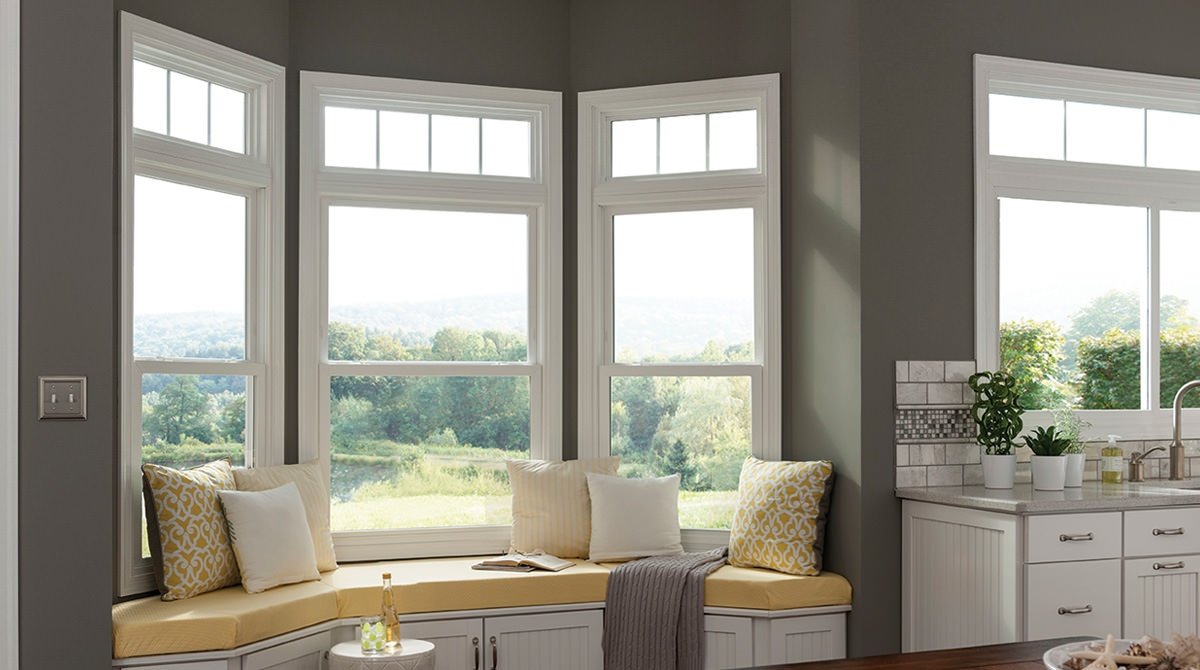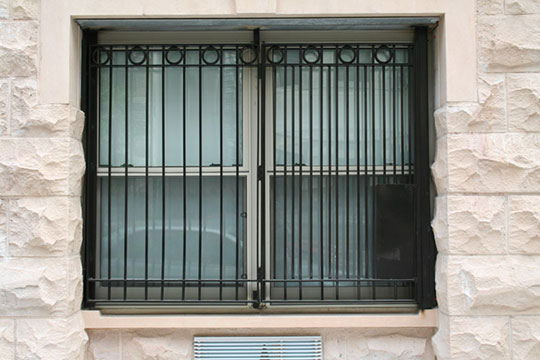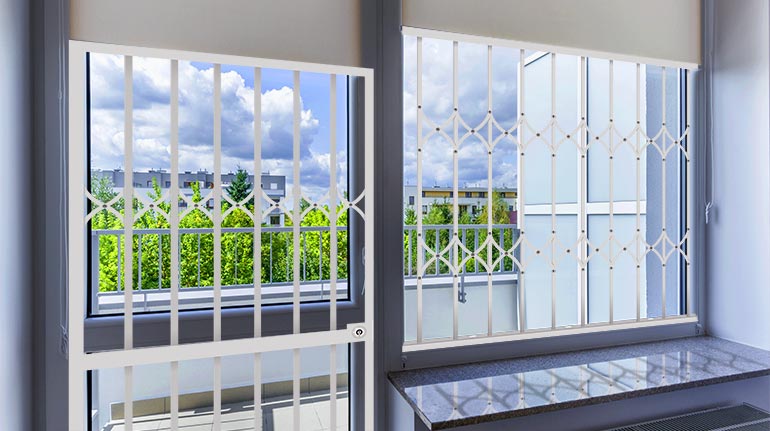

Window security bars are an excellent way to secure your home with a strong physical deterrent for a relatively low cost. Your home insurer may also offer you a discount or reduced rate for having bars or other security measured installed on your home.
There are many reasons why you might want to consider installing burglar bars on your windows to protect your home, including;
If any of the above apply to you, you may want to consider installing window bars on your home’s windows to protect your home, yourself and your family.
Types of Window Bars
Burglar bars are basically metal grids that are screwed or bolted onto your window’s framing. There are several options available, from DIY options that you can install yourself to professionally fabricated designs that require professional installation.
Some common types of window bars include:
Permanent security bars – these are meant to remain in place for long term use.
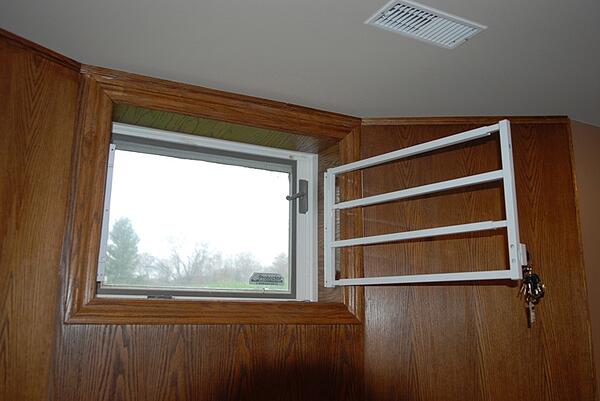
Swing away bars – these are hinged for easy window cleaning and emergency escape route use.
Removable bars – commonly used for residential store fronts where they are placed on the doors or windows at night and removed during the day.
Do Burglar Bars Work?
Yes! Just the sight of a home with barred windows is usually enough to deter burglars from even attempting to break into your home. Most criminals target homes that appear to lack basic security measures like a home security system, allowing them to be in and out in just a few minutes at minimal risk of being caught.
You will want to start by installing bars on the windows that are lowest and that may be obscured by bushes or trees. If you have basement windows, this is usually a good place to start. Your basement windows are down low and usually hidden well.
How Much Will Installation Cost?
The answer to this question will depend on which route you decide to take when installing your window bars; do it yourself or professional installation. It also depends on how many windows there are in your home that you’d like to protect.
If you’re handy with a toolbox and feel confident about installing your own window bars, by all means, save the installation costs and do it yourself. Otherwise, hire a professional.
Smaller Windows
If you are looking to make installing burglar bars a DIY project, you can pick up kits designed for small windows, such as your basement, for around $100-$200 each depending on the quality and design of the bars. These can be installed in about an hour.
Installing window security bars involves mounting a pair of framing brackets on either side of your window. In order to do this, you will need long screws and access to a drill to get the job done right.
Larger Windows/Doors
If you are looking to secure larger windows or doors in your home, it will cost you on average $300-$500 per window for the supplies. If you choose to have them professionally installed, you are looking at adding on another $150ish per window plus the cost of the materials.
Before installing any type of bars on your home’s windows or doors, be sure to check with local codes to see what their requirements and restrictions are for barring windows.
Many local municipalities dictate that the bars need to have a quick-release feature that can be engaged from the inside to allow occupants of the home to escape in the event of a fire or other dangerous situation.
While installing bars on your home’s windows is highly effective at deterring crime, they work best when used in conjunction with a monitored security system. Unlike window bars, a security system is designed to protect you in an emergency by contacting the police automatically, even when you’re not there to respond.
If you’ve moved into a house that already has a wired home security system, you may be wondering if it can meet your security and home automation needs.
Wired home security systems were the first security systems to be installed into homes, whereas wireless systems are a relatively recent invention.
While some of the older home security systems may need an upgrade to make them compatible with your home automation components or to improve on its security monitoring capabilities, the reality is that purchasing or renting a home with a pre-existing security system can help you in a number of ways.
The Benefits of a Wired Home Security System
No hardware costs and installation fees
One of the major benefits of stepping into a home with an existing home security system installed is that you do not need to buy the system and then pay someone to install it.
When it comes to wired home security systems, the installation fees can be high due to the amount of labor and time needed to perform the installation.
The process involves drilling into walls, laying wires in the walls and ceilings, and then once all that is done, filling in all of the unsightly holes that were created in throughout this process.
High reliability
Because wired home security systems are connected directly via a network of cables, their ability to communicate with each other and the control panel is hardly ever interrupted.
This makes wired systems effective for larger residential or commercial buildings where signals need to travel longer distances to reach the alarm panel.
Tips on Using Your Existing Wired Home Security System to Your Advantage
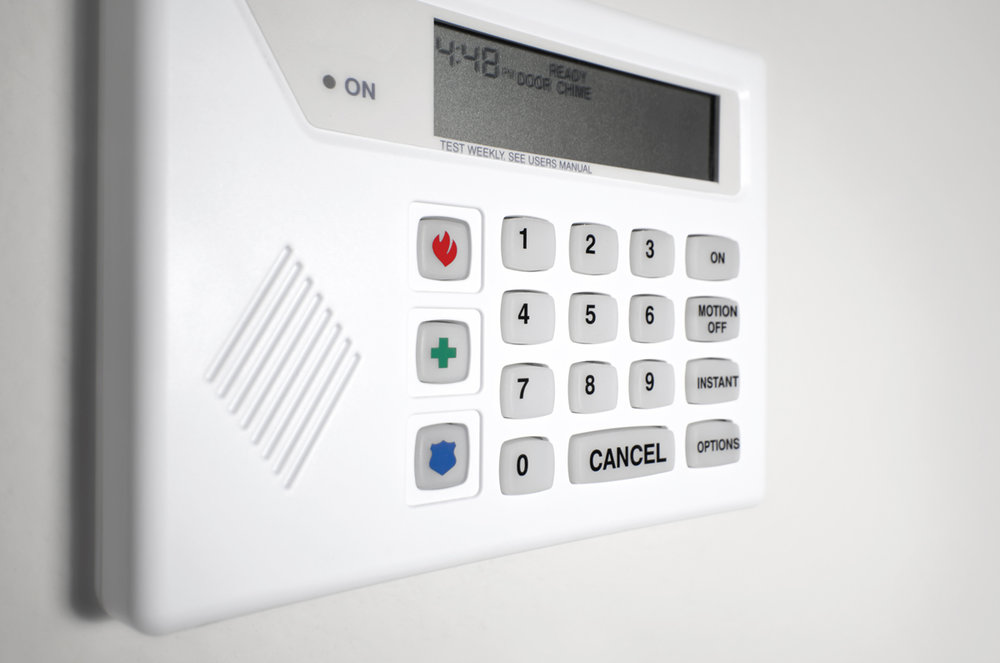
To determine whether the wired security system installed in your home is going to be compatible with your home automation, alarm monitoring, and security needs, start by getting a representative from the company who did the installation to make an assessment of the system.
To find out who did the installation, check the contact label on the control panel or alternatively contact the manufacturer of the system components.
Once the representative has assessed your system and given you their recommendations about the system, you will be able to make an educated decision about which aspects of it needs upgrading or will serve your needs.
Adding new components to your wired home security system
Many wired and wireless home security systems have parts that are cross-compatible and work together via a device called a wired-to-wireless converter.
You can take your existing wired home security system and add new components such as cameras, motion detectors, as well as door and window sensors to the areas in your home that are not protected, or areas where security can be improved.
As long as your wired system is not too old, then you should also be able to integrate keyless deadbolts, video doorbells, light timers etc. into the system, even if you have to make some minor hardware upgrades to achieve it.
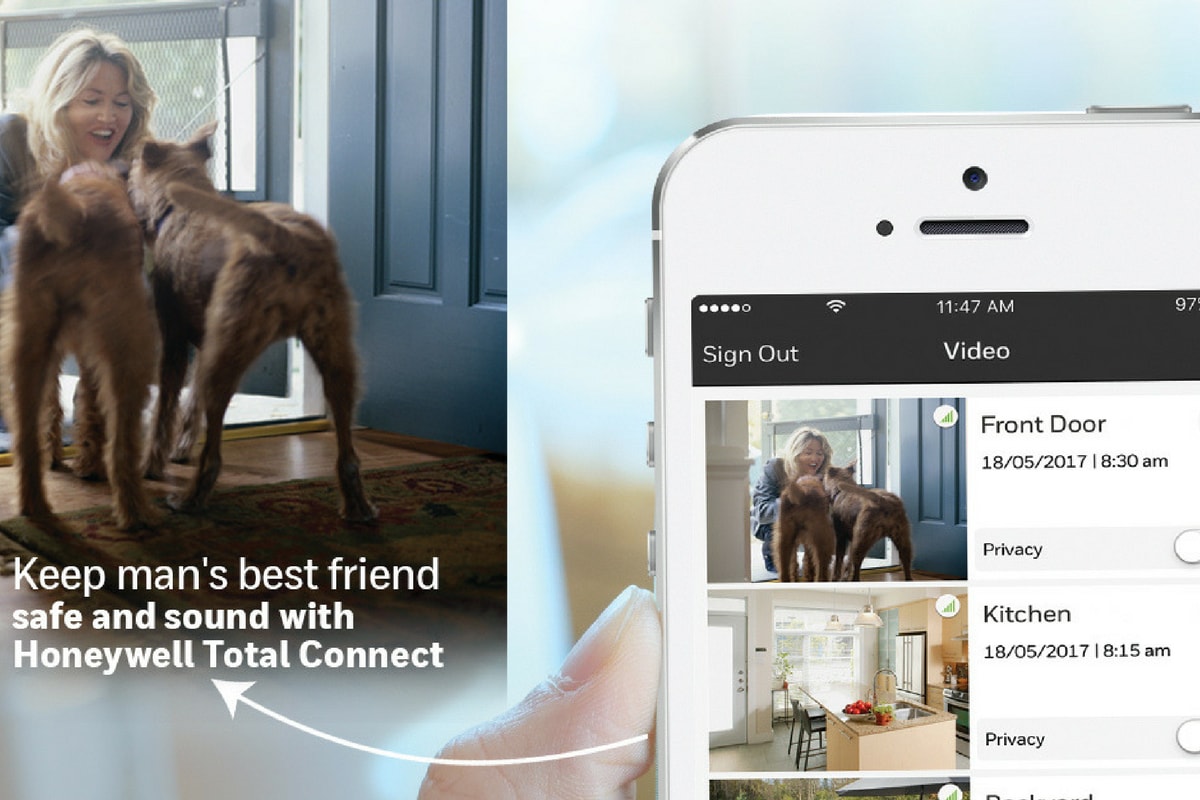
With the correct control panel installed, you can download an app onto your smartphone that connects with the control panel. Once you’ve done this, you can control your entire home security and home automation from a central point.
Wired vs. Wireless Home Security – Typical Concerns
The convenience of being to control everything from a single point and the ability to monitor your system from anywhere are why people choose a wireless security system.
Are the wires themselves a weakness of wired security system?
A common misconception about wired home security systems is that cutting through the system’s wiring will disable the alarm and prevent it from triggering, allowing someone to break into your house undetected.
Cutting wires will not disable your alarm. However, cutting communication wires such as your telephone line that connects to an alarm monitoring service will prevent your control panel from contacting the monitoring service. However, this also applies to wireless systems that use a landline to connect to the monitoring service.
Connecting your control panel to a monitoring service using cellular technology is a good way to protect your system from potentially being disabled from damage to your landline. In fact, it is becoming more and more common for people to use a cellular connection for their home security system as more and more people abandon their use of landlines.
What happens when the power goes out?
While wired systems rely on electricity for their power, backup batteries offer some protection in the event of a power outage. While the backup battery will not last indefinitely, it will provide some protection until the power is restored.
Wireless systems solely reliant on battery power are also prone to failure if the batteries run out. Because of this, batteries need to be checked and replaced periodically.
If you’ve moved into a home that has an existing wired system in place, it may be worth having it assessed to see if it can provide you with some protection.
In many situations, all it takes is updating certain elements of an existing security system to keep your home and family safe without having to invest in a completely new system.
In this day and age, technology provides powerful protection for an affordable price. If you are serious about keeping your home safe, a fence, locks, and cameras aren’t going to cut it. To truly protect your property, invest in a security system.
Security systems perform a whole host of critical functions, including:
Protecting against theft
Protecting against property damage or vandalism
Monitoring the traffic in and around your home
Guarding against intruders
Calling for help in medical emergencies
Deterring criminals from breaking in
Keeping track of pets and young children
Two basic types of home security systems are on the market today: wireless and wired security systems.
Wired security systems use existing electric and telephone lines to connect each piece of the security system, making moving equipment and adding on additional elements a complex process.
Wireless security systems are the next generation of security equipment: They offer comprehensive protection, lower installation costs, and easy upgrades.
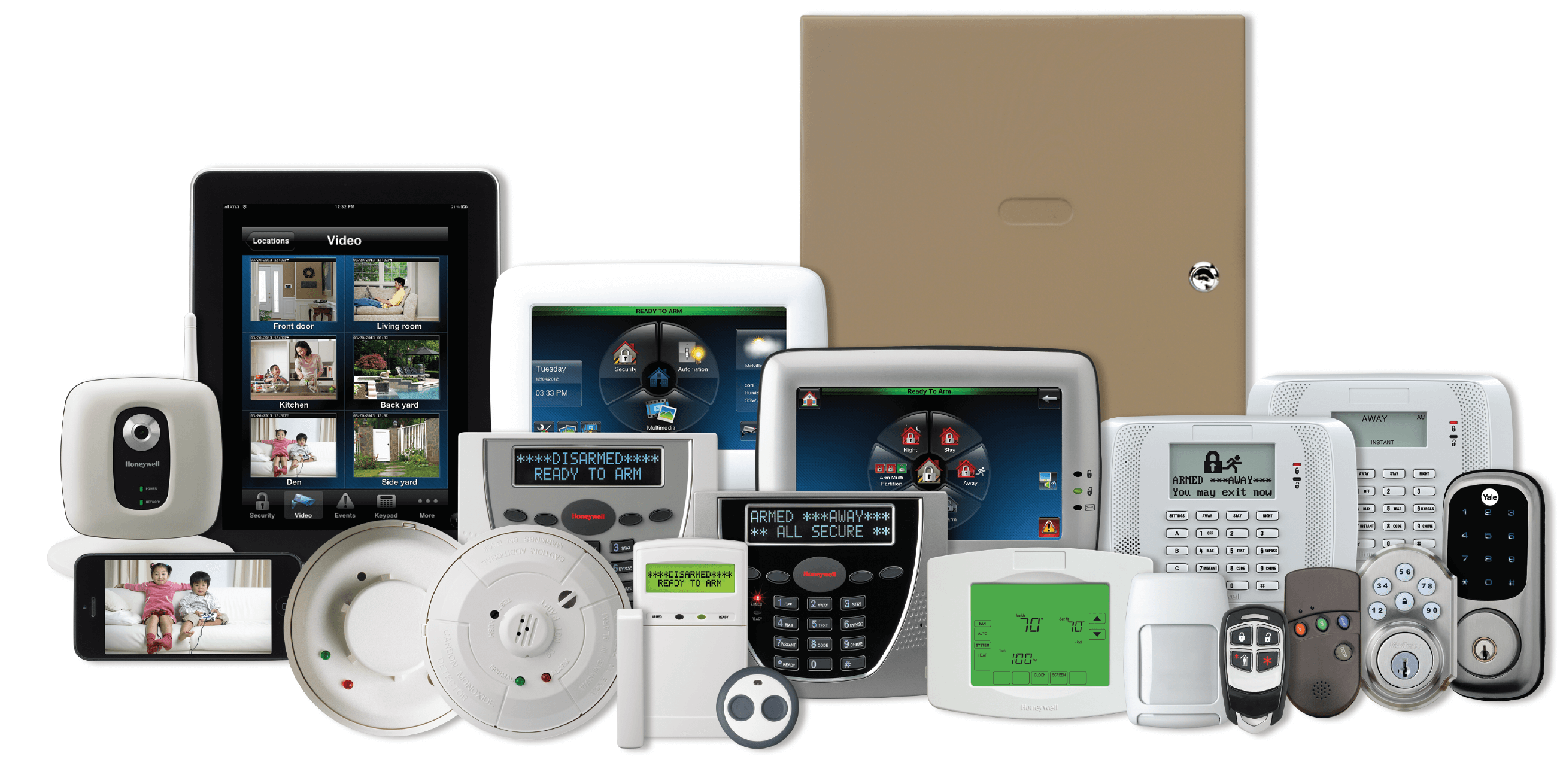
Essentially, a wireless security system is comprised of alarms, sensors, cameras, and various detectors all connected to a main control panel via radio signals.
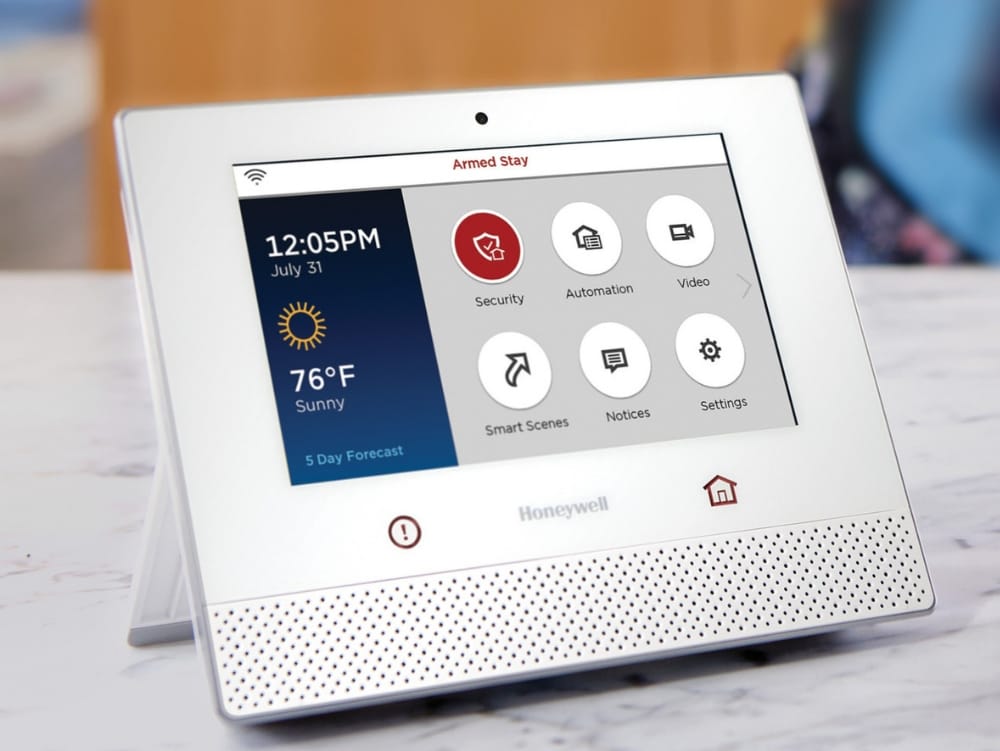
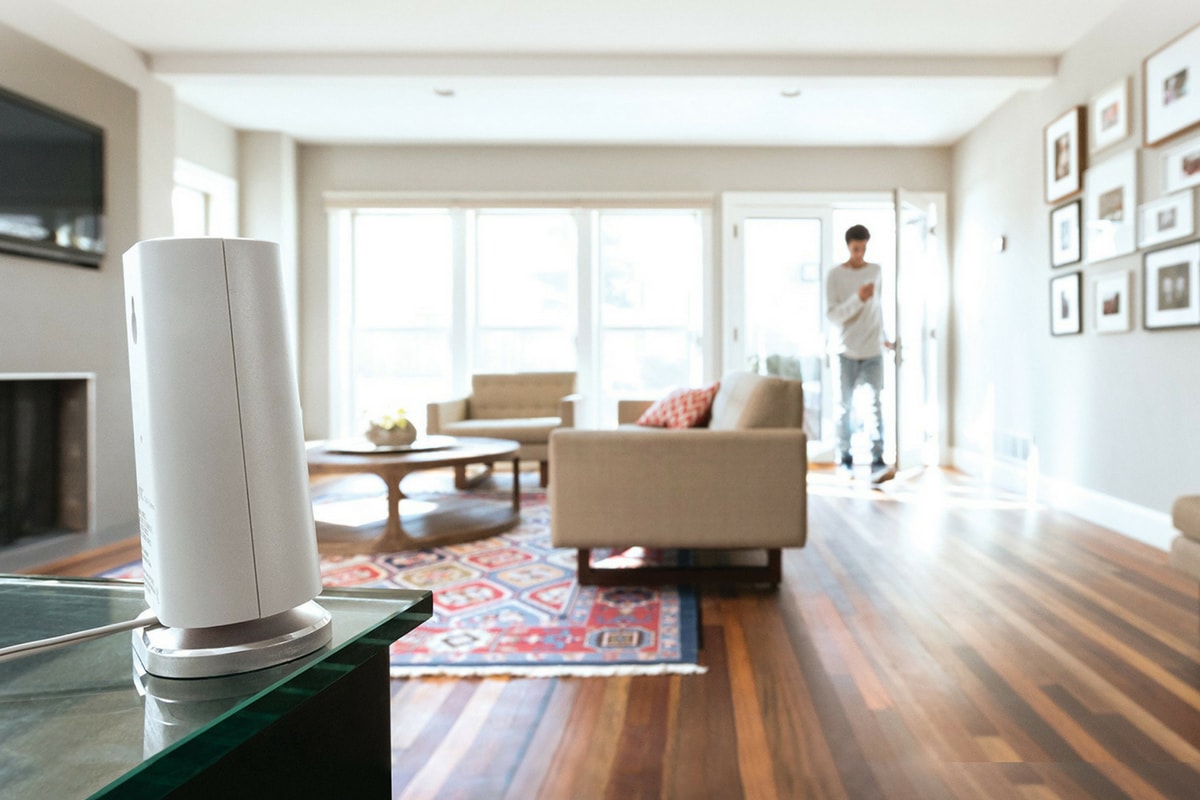
The Honeywell Lyric System, a professional-grade wireless home security solution.
With the variety of security systems on the market, it can be a bit complicated to understand the differences between types of sensors and equipment, and it’s tough knowing whether to purchase a wireless or wired home security system.
To add to the confusion, many people have preconceived notions of which security methods are best based on anecdotal evidence or outdated information.
That’s why our focus is centered around the latest research and decades of security expertise.
In this guide on the difference between wired and wireless security systems, you’ll learn:
Essential features for your wireless security system
How Do Wireless Security Systems Work?
Wireless systems, including sensors, cameras, and alarms, work using radio frequency technology instead of wires.
There are countless models of wireless security systems, all of which work similarly with minor variations. When a wireless device picks up anomalous activity, it tells the alarm that something isn’t right, triggers the 85 dB siren, and the alarm monitoring service calls the police on your behalf.
Pros of Wireless Home Security Systems
While people often assume wireless security is less safe than to wired systems, industry veterans know that this is far from the truth.
Wireless home security systems offer several advantages over hardwired security systems.
Quick installation
Wireless systems can be installed within minutes. You don’t even have to be tech-savvy to do it. Because you don’t need to drill holes or tackle tricky wiring, self-installation is common and eliminates installation fees, saving you time and money.
Because everything is simply stuck onto the wall and not hardwired, removing cameras, detectors, and other components of a wireless security system and putting them up in a new location takes minutes, not days. If you rent and move frequently, wireless systems are the way to go.
Remote smartphone access
Wireless systems can be monitored on the go with a smartphone, tablet, or computer. Your key fob offers another way to arm and disarm the system if you’d rather not use a smartphone app.
Battery Backup
Although wireless systems work with electricity, most models can switch to a backup battery if the power goes out. If there’s a power outage in your neighborhood, wired systems will lose power along with the rest of your house unless you have a backup generator.
If you have a wireless security system with a backup battery, you stay protected during a power loss event.
Cons of Wireless Home Security Systems
Cheap wireless systems can be hacked: Low-quality, outdated wireless systems do carry a risk that hackers can jam detector signals. You might remember the news surrounding SimpliSafe back in 2015 after a SimpliSafe customer figured out that their security system was vulnerable and publicized the fact via YouTube. However, you can avoid hacking if your system has strong data encryption.
Some wireless systems are vulnerable to structural or electromagnetic interference. Radio frequencies go around solid objects; they cannot go through them. So placing sensors in the correct locations is key if you want them to work correctly. Your alarm company should inform you exactly where each part should be installed so there is no confusion.
Another consideration with wireless home security systems is the limited range of sensors. Most radio frequencies are weak outside a range of 500 feet. This means that you have to structure your wireless system with this in mind, especially if your property is larger than 4,500 square feet.
For properties larger than 4,500 square feet, wireless sensors start becoming less reliable, so we highly recommend using a wired security system instead.
Types of Wireless Security Systems
Wireless security systems come in many shapes and forms. The main difference between them is the equipment. The simplest wireless home security systems have Wi-Fi alarm monitoring, sensors, and a control panel with a siren.
Devices that monitor potential household dangers, such as fires and carbon monoxide leaks, can be incorporated into a wireless alarm system.
Advanced wireless systems, on the other hand, offer users a wide range of possibilities. Features like remote smartphone access, text and email notifications, and web access give you more control to monitor and adjust the system from anywhere. This is why advanced systems that leverage the latest technology have become so popular.
Top-tier systems offer additional valuable security features such as doorbell cameras, smart lighting, and keyless deadbolts. At this level, you can employ some of the most powerful hardware available to the consumer market to keep your home secure and simplify your life.
Another differentiating factor of wireless systems is the way the system communicates with third parties in an emergency. Wireless systems fall into two key categories: monitored and self-monitored systems.
Monitored systems
Monitored systems are overseen by an alarm monitoring company and enable security personnel to immediately contact the authorities in case of an emergency.
Monitored systems give you added peace of mind because trained emergency professionals are watching over your home around the clock.
Self-monitored systems
Self-monitored security systems are generally cheaper and have lower monthly costs, if any. The only drawback is that the job of calling local authorities falls to you in an emergency.
Self-monitored systems make use of loud alarms and bright lights to warn you of an intruder or breach. You can also receive alerts on your smartphone if your device is connected to your security system.
How Much Do Wireless Security Systems Cost?
Three factors will determine the cost of a wireless home security system:
Installation
Equipment
Monthly monitoring
An average home security system can cost between $300 to $1,500, depending on the capabilities and features of the system. Monthly fees associated with 24/7 alarm monitoring wireless systems range from $0 to $75.
If you want to save money and have basic home improvement skills, we encourage you to try a self-installation process for your wireless security system.
If that sounds overwhelming, get a professional alarm technician to install your system. They will also make sure that you know how to operate it properly and that everything functions as it should.
Professional installation ranges from $350 to $1,200 depending on how comprehensive you’d like your system to be. Many companies offer package deals that include installation with a primary wireless system if you also sign up for their monitoring services.
Features to Look for When Purchasing a Wireless Security System
The main reason you want a wireless security system is to make sure that your home is fully secured at all times. To ensure this, there are a few key questions you should ask when deciding which wireless security system is right for you:
What happens in a power outage?
The primary power source for most wireless security systems is electricity from the wiring within your home. However, you should make sure that your wireless home security system has a fail-safe in the event of unforeseen circumstances.
A good wireless system should have an alternative source of power, such as solar energy or batteries, in the event of a power outage, especially in an area like New England where snowstorms and falling trees are a common occurrence.
What is the range of its detectors?
Wireless systems use radio frequencies that are only effective up to a certain radius. If you have a large home, you will need a system that has a long reception range and can handle a more substantial amount of information and signals. Remember: A home larger than 4,500 square feet is generally better off using a wired system.
Some wireless home systems are only for detecting burglars and trigger a siren to scare off the intruders. Others notify security companies of a break-in or emergency.
Does it integrate with your smart home technology?
Today, most homes make use of smart devices that can be controlled via smartphone. If you already own smart home technology, it is essential to know if your wireless security system can be incorporated into it so that you can control every device from as few apps as possible.
Integrating your wireless security system with your smart home takes your system beyond basic security and makes your home smarter and more efficient.
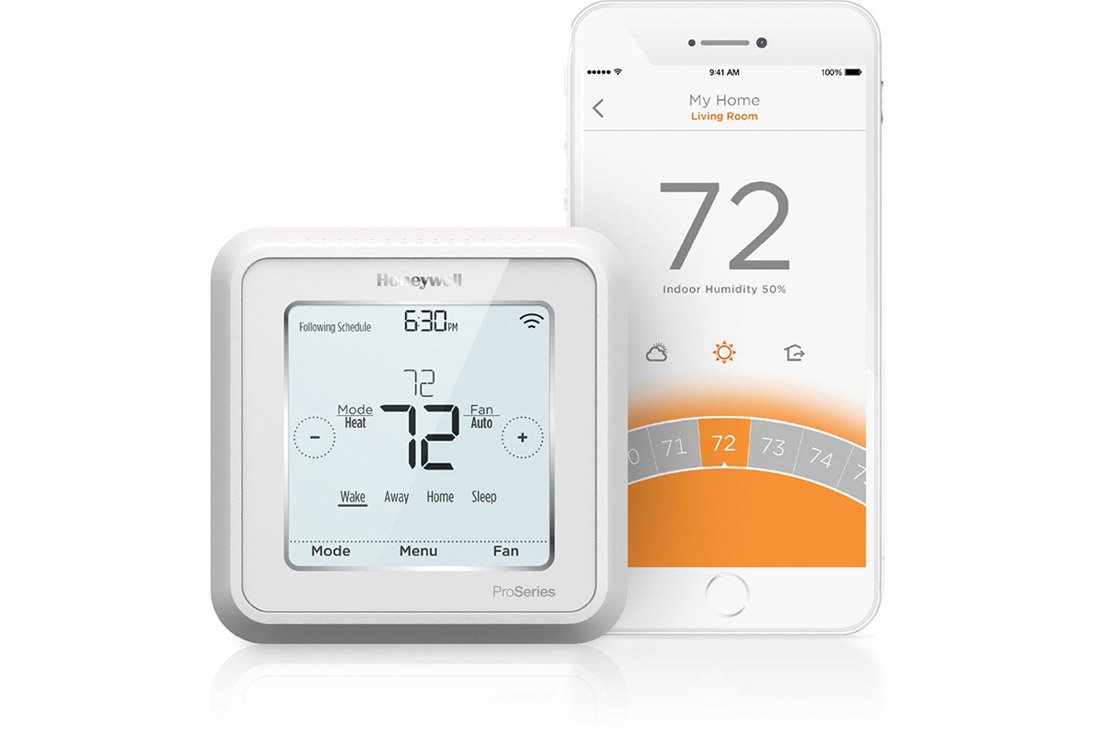
Smart home features for wireless security include HD video viewing via wireless security cameras, energy use tracking with programmable thermostats, and other kinds of residential access control like smart locks.
Having all of this functionality at your fingertips makes you realize how much easier life can be when there are fewer things to worry about.
Ask these questions when determining the right wireless security system for you. To find out if our local, family-owned company might be a right fit to install your home security system, contact us today at 617-221-8524 for a free quote.
Home automation protocols are the language that smart home devices use to communicate with one another. Communication is vital for smart home automation, because if your devices can’t “talk” to each other using the same language, controlling each one becomes more of a chore.
Because of this, it is important to understand how it works before deciding which is best for you and your home.
With about ten different home automation standards on the market, it can be difficult to know which one is best for your home. There are two basic categories to work with: wired and wireless.
Common examples of wired protocols are X10 and UPB. These smart home protocols use your home’s existing wiring to communicate. Wired protocols are known for their reliability, but tend to be slower and more difficult to encrypt.
Wireless protocols, on the other hand, are typically faster and are compatible with a wider range of devices. These protocols — including Z-Wave and Zigbee — are able to connect and communication without relying on the use of power lines which makes them easier to ensure that they are secured. Many home security systems are compatible with Z-Wave, making it the ideal if you want full control of all of your devices on one app.
There are also a couple of hybrid protocols like Insteon and C-Bus that use a combination of both wired and wireless technology.
What should you look for when choosing a home automation protocol?
Compatibility: certain protocols restrict you to using devices that may not appeal to you, so choose one that is easy to use in conjunction with a broad range of other smart home products.
Easy to Upgrade: New home automation technology is introduced to the market constantly, having a system that is highly compatible with other products will ensure that you can add on more features and devices in the future.
Other considerations when choosing a smart home protocol include cost, power consumption, and bandwidth.
Popular Home Automation Protocols
Z-Wave
Z-wave is a popular wireless protocol that uses radio frequencies to to communicate with other devices. Developed in Denmark, Z-Wave has rapidly become one of the most popular protocols because it is supported by over 450 companies across the world.
Features of Z-Wave
It’s fast. Z-wave runs on the 908.42MHz frequency. This is a much lower band than that used by most of your other household products (2.4GHz). Since Z-Wave devices don’t compete with other household products for bandwidth, there is a lower chance of interference, which improves efficiency and speed.
It’s easy to setup. Z-wave devices like the Yale smart lock are known for being simple to set up and fairly easy to use. Z-wave devices are controlled via a central hub that helps you manage your entire home network. Once the network is set up, you can easily add in smart home devices that can then be controlled by the Z-wave home protocol.
It’s compatible with a wide range of products. One of the best parts about choosing Z-wave automation is that any Z-wave device can communicate with another regardless of the brand, version or type.
Currently, there are more than 1,500 Z-wave compatible devices available throughout the world. With so many options, you have plenty of options to customize your home’s automation protocol.
It cuts down on energy usage. Additionally, Z-Wave devices tend to use less energy than some other protocols which means you can use more while keeping your energy bill low.
It’s future-proof. As home automation products continue to evolve over time, Z-wave will remain compatible with both old and new versions of products. This is ideal because it means that you can keep your same protocol even as technology advances.
ZigBee
Zigbee and Z-wave are very similar protocols, although Zigbee is more common in Chinese-branded products. Originally developed for commercial use, today Zigbee is now used widely in both home and commercial automation protocols.
Features of Zigbee
Fast communication. Similar to Z-wave, Zigbee uses radio frequency in order to communicate. Zigbee runs on the 802.15.14 radio standard. Using a mesh network, Zigbee can achieve fast communication and longer-range communication. A single hub powers multiple home automation devices.
Easy to create for. Zigbee is an easy protocol for developers to design new products that are compatible with it. Currently, there are over 1,200 products that are compatible with Zigbee. This is an open technology with new products being created all the time.
Low power consumption. One of the most powerful benefits of choosing Zigbee for your smart home automation is its super low power consumption. Zigbee is incredibly efficient, so you can actually operate a Zigbee device on the same set of batteries for years at a time.
Cut down on battery usage. Speaking of efficiency, Zigbee offers green power which eliminates the need to use batteries all together. This means you don’t have to worry about buying new batteries and that you can feel good about being environmentally friendly and efficient.
Improved security. Additionally, Zigbee is one of the most secure protocols available. It uses the same 128-bit bank-level encryption that most major financial systems utilize.
One issue Zigbee has faced in the past is having poor interoperability, meaning some Zigbee devices were unable to communicate with each other properly. However, newer versions of Zigbee have entered the market that aim to solve this issue and work well with other devices regardless of their brand.
Insteon
Insteon is unique in that it uses a mix of wired and wireless technology. It uses a patented dual-mesh network that utilizes both hardwired and wireless communication to help eliminate the weaknesses of both. There are multiple pathways for messages to travel.
Features of Insteon
An Insteon hub will connect with all Insteon compatible devices. You then have control of your home via smartphone, tablet or computer. It is also X10 compatible which means that you can add wireless capability to an existing X10 network.
Extremely easy to use. One of the major benefits of choosing Insteon is its use of use. Regardless of high technically inclined you are, you will be able to get the Insteon home automation standard up and running with relative ease.
Simple setup: If you know how to operate a smart phone, you will be able to operate this system. Additionally, all Insteon compatible devices are automatically added to the network as soon as you power them on, making set up a breeze.
Limited product options. There are over 200 compatible devices to automate your home. Insteon makes all of the products that use their protocol, meaning it is less compatible with products made by other manufacturers.
Bluetooth
Bluetooth is a wireless smart home automation technology that uses radio waves to communicate. All Bluetooth devices contain a computer chip with Bluetooth software that allows it to simply connect with other devices.
Features of Bluetooth
Bluetooth’s compatibility is excellent. You can connect any Bluetooth enable device to any other Bluetooth enabled device with ease.
You can noticeable energy savings. One of the biggest benefits to choosing Bluetooth for your home automation standard is that it uses significantly less energy than other alternatives. This is ideal for those who like to monitor their energy consumption and be environmentally friendly.
Limited range of communication. One downfall of this automation is that it tends to have a limited range, so your device may stop working if you move out of range. Fortunately, this might change as technology improvements are underway that will eventually allow Bluetooth to have a larger range that can better compete with ZigBee and Z-wave protocols.
UPB
UPB is short for universal powerline bus. This is a wired protocol that was created back in 1999 and remains one of the more technically advanced protocols.
Features of UPB
UPB makes use of your home’s existing wiring to communicate between devices. This is not as user-friendly, but can provide more reliability if that’s a higher priority. As with Z-Wave and Zigbee, UPB-compatible devices are linked to one another using a central home controller. Each device needs to be manually set up to the network, making this a setup more time-consuming.
Reliable.Because it uses your home’s electric wires, it doesn’t run into as many interference and range issues that wireless protocols do. If you are somewhat tech-savvy and value reliability, UPB may be a great option for your smart home automation protocol.
Limited compatibility. Although UPB has been on the market for awhile now, it is not compatible with as many home automation products as some other choices. UPB is also known for being difficult to connect with wireless devices, limiting your ability to upgrade your smart home system with additional equipment down the line.
Conclusion
These are only some of the most popular protocols in use today; there are a number of smaller ones out there that were left out. If you are looking to install a home automation protocol in you home, we hope this information will provide a resource for you to get started.
With so many smart home protocol choices and options available to complement your smart home security system, you are sure to find one that suits your home’s specific needs.
Are there signs that your home is being targeted by burglars?
While nobody wants to dwell on this depressing thought, it’s always better to be prepared and informed.
What Does Casing a House Mean?
You have probably heard the term “casing a house” to describe how burglars analyze a home’s vulnerabilities.
This can also be referred to as “marking a house,” which essentially means the same thing.
Many burglars are smarter than you’d think. When looking for potential targets, they do their research.
When casing homes, the most important goal for burglars is to learn when no one’s at home. When a house in unoccupied, that is when they act.
This article will walk you through burglary statistics, how to know if you’re being targeted by burglars, and simple things you can do to protect your house in this scenario.
Protect Your Home Today
Home Burglary Statistics
The more you know about home burglaries, the better you can prepare and protect your home against them. That’s why knowing the statistics is important.
Burglary statistics in the U.S. are shocking. In the FBI’s most recent historical publication, there were an estimated 1,117,696 burglaries in the United States.1 Burglaries of homes and residential properties made up 62.8 percent of these.
Below are a few home burglary-specific stats:
The most common place an intruder breaks into a house is through the front door. According to a study from well-known security company ADT, about 34% of burglaries occur through the front door of the home. This may seem like a bold move, however, if an intruder has done a good job watching your home, learning your daily routine, and knowing when you are away, the front door is the easiest place to slip into.
Only 28% of break-ins occur when the person is home.2 The other 72% occur when they are away. This is further proof that burglars watch and target homes to determine the best time to make their move.
Based on statistics compiled by The Zebra, most home break ins occur between the hours of 10am and 3pm and usually only take on average 8 to 10 minutes to be accomplished. Thieves like to get in and out quickly to avoid being caught.
The two most frequent months for break ins are July and August.3 You are out and about more in the summer– and burglars are too! Criminals would rather do their work in the summer when it is warm and the greenery is full, providing optimal coverage for them to discreetly rummage through your property.
What Homes are Most Likely to be Cased?
Criminals want to make their jobs as easy as possible, so the homes most likely to be cased are ones that offer easy access like unsecured windows or garages.
Home location is also important. Burglars will be more likely to strike a house that is in a quite, subdued part of town rather than in a busy area with a lot of foot traffic.
The more people that are around, the more likely it is for a crook to be spotted. Also, some homes unknowingly advertise that no one is home like if the property is unkempt or if multiple weeks worth of mail is piled up at the mailbox.
What Are The Signs That Your House Is Marked by Burglars?
Your best protection against burglars is being informed and knowing what signs to look for that someone may be casing your home. Make sure to keep your eyes and ears out for the signs we list below.
1) New Traffic Near Your Property
Whether on foot or in a car, if you notice new or suspicious looking people near your home, it could be a red flag that someone is watching you.
If you start to see a particular vehicle parked near your home frequently that you know does not belong to your neighbors or anyone visiting them, this could indicate that someone is watching your property. Use security cameras to track vehicles when you’re away and be on the lookout for any patterns.
Burglars often sit in vehicles with tinted windows to mask their identity. If you notice a car parked near your home for a period of time with no explanation, don’t be shy about calling the police and voicing your concern. In most cases, they will be more than happy to swing by and look into it for you.
The same goes for foot traffic near your house. If you notice a stranger frequently walking near or past your home, they may be scoping your house out in search of weak points.
When a criminal is casing a home, they may appear to be innocently walking or jogging by. However, they will likely linger for a prolonged period near your home to scope it out. If you notice this type of behavior, take note of their appearance for future reference.
Be sure to get a good look at the individual or purchase high quality security cameras that can distinguish faces. This will provide you with an accurate description to give to the police. But keep in mind, not every new person who walks past your home and casts a glance your way is a potential burglar.
2) Solicitation Scams
Another way that burglars case homes is to go to the door pretending to be from a legitimate business, local government agency, or having some other reason to connect with you that seems reasonable.
This is a method for criminals to get a better sense of your home, gain key information, or perhaps find out if you have a home security system, dog, or anything else that might make getaway more difficult.
If granted access to your home, they can scope out windows, doors, and valuables that would inform them about a potential break in.
While you may get visitors that legitimately are looking to sell you a product or service, you should always have your guard up when an unsolicited visitor knocks on your door.
Keep in mind that you are under no obligation to open your door and interact with a stranger.
3) Fake Emergencies
One of the oldest tricks in the book is for a criminal to come to the door and feign an emergency.
They may tell you that their car broke down and they need to use your phone or that they need a glass of water.
Criminals know how to pull at your heartstrings to get you to feel sorry for them and help them out. We have a tendency to want to see the best in people. Unfortunately, there are people out there looking to take advantage of that.
Criminals use your kindness and willingness to help them in a time of need to take advantage of you. They may swipe some of your belongings while your back is turned, or they may simply gather intel and come back at a time when you are not home.
Many burglars will use the opportunity to subtly open up a door or unlock a window while inside so that they can come back and gain easy access to your home.
4) Taking A Picture of Houses then Walking Away
In today’s world of prevalent smartphone use, pretty much everyone has a camera on them. It is now easier than ever for people to snap a quick photo of your home for later research.
If you notice someone taking pictures of your house and then walking away, this could be a red flag.
Be vigilant and look for any other suspicious activity, even if it’s occurring at a home further down the street or another block over.
Alert your local law enforcement if you perceive a threat. Your help could aid them in an ongoing investigation.
5) Posting Flyers on the Door
Not only is having a bunch of flyers or stickers stuck in your door a nuisance, it can also serve as a way for burglars to mark your home.
Many burglars will stick flyers or stickers on homes that they think are unoccupied to serve as an indicator for their accomplices that the home is unguarded.
In these cases, it is wise to remove any flyers from your home immediately. If you are going to be out of town, ask a friend or neighbor to remove any flyers or newspapers that could be piling up outside your home indicating that you are away.
Think Your House Is Being Cased? Trust Your Gut Instinct
When it comes to protecting your home against break ins, one of your best defenses is your gut instinct.
If you have a strong feeling that something suspicious is happening, follow it and report the suspicious activity.
Not every stranger walking through your neighborhood is a threat.
However, if you see someone acting strangely, like not making eye contact or engaging in other suspicious behavior around in front of your home, there may be cause for concern.
Stay alert when you see this kind of activity. Take notes on what the person looks like or take down their license plate number if they are in a vehicle. Be sure to report anything suspicious to the police.
Protect Your House Today
Simple Methods To Protect Your Home From Casing
The truth is, many people don’t consider taking precautions against robbery because they feel as though they don’t have anything worth stealing.
However, burglars don’t know what is inside your home; they simply seize the opportunity when they realize you’ve neglected to take adequate safety precautions. Everyone should take the basic steps to protect their homes from burglars.
Consider the following tips to help protect your home from break ins:
Invest in a reliable security system to monitor entryways and make sure the devices are visible. Studies show that just the appearance of a security camera can dissuade intruders from trying to break into your home.
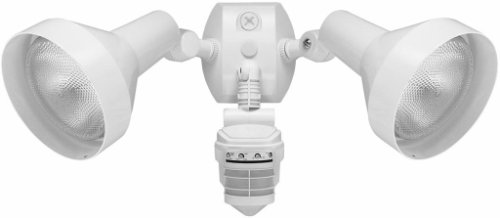
Make sure your home is well lit by installing lighting near every entrance way. Motion detection lights are a great option for garages and doorways.
Keep your shrubbery trimmed back to avoid unintentionally creating protection for criminals.
Get to know your neighbors and keep an eye on each others’ houses. If you are friendly with your neighbors, they are more likely to be vigilant about watching your home and reporting anything suspicious to you.
When you are away from your home, keep your TV or radio on to give the appearance that someone is inside.
Although it may seem drastic, putting bars on your windows and doors can help to keep intruders at bay.
Get in the habit of keeping your doors and windows locked. Even if you are just out in the backyard working, make sure that you home is locked up so a burglar can’t gain access when you are not paying attention.
Don’t flaunt the fact that you are going away on vacation by posting to social media. Tell your close friends and family, not the whole world.
Stop your mail and newspaper service while you are away or have a friend or neighbor collect them for you. You don’t want your personal mail piling up for someone to go through while you’re away. Identity theft becomes another issue when personal mail is left outside your home.
Remove any spare keys that you have hidden. Experienced thieves know the best places to look and will easily locate your hidden key.
Don’t open up your door to strangers. Instead, use a video doorbell (if you have one) to confirm an individual’s identity first.
What to Do If You Think Your House is a Target for Casing
If you have noticed suspicious activity around your home and feel as though a burglar may be casing your house, follow our steps below.
Take note of any details involving the suspicious person or people around your home including what they look like, vehicle information, etc.
Talk to your neighbors to see if they have noticed any suspicious activity and let them know your concerns.
Alert local law enforcement and provide them with the information that you have gathered so that they are aware and can keep a closer watch on your area.
If you haven’t already, this would be a good time to invest in a home security system. You can even grab some inexpensive security cameras online that will do the trick without putting much of a dent in your wallet.
When it comes to burglaries, there are many things that you can do to be vigilant about potential break ins.
While no one wants to think about protecting their home from potential threats, it is important that you feel safe in your own home and are aware of the warning signs of potential criminal activity.
You may feel as though some of the above mentioned steps are a bit extreme or border on paranoia. However, when it comes to your safety and security, you can never be too prepared. Admittedly, it’s an old cliche, but it is better to be safe than sorry.
By following our steps and remaining vigilant, you can help to ward off burglars and prevent break ins so that you can maintain the safety and security you should feel in your home.
Bureau of Justice Statistics. (2010). Victimization during household burglary [ASCII data]. U.S. Department of Justice, Office of Justice Programs. Retrieved July 1, 2025, from https://bjs.ojp.gov/content/pub/ascii/vdhb.txt
Lauritsen, J. L., & White, N. (2014). Seasonal patterns in criminal victimization trends (NCJ 245959) [PDF]. U.S. Department of Justice, Office of Justice Programs, Bureau of Justice Statistics. Retrieved July 1, 2025, from https://bjs.ojp.gov/content/pub/pdf/spcvt.pdf