The Pros and Cons of Security Cameras

Information is the backbone of an effective security system. It provides the certainty that your kids are safe, that your dog didn’t destroy the sofa, that a thief hasn’t run away with thousands of dollars’ worth of valuables.

Cameras play a major role in a comprehensive security plan, but they should not be the only—or even the first—step.

What are the pros and cons of security cameras?

Some of the pros of having security cameras installed include:

  • Helping deter crime
  • Mobile phone connectivity
  • Affordability

A few cons of owning security cameras include but aren’t limited to:

  • Incomplete security coverage (when by themselves)
  • Making guests uncomfortable
  • They can be hacked

Let’s find out the pros of security cameras in more detail below.

Pros of Security Cameras

Cameras can deter crime.

Security cameras serve two primary roles in home defense:

  • Deter would-be intruders
  • Capture video evidence to aid a police investigation

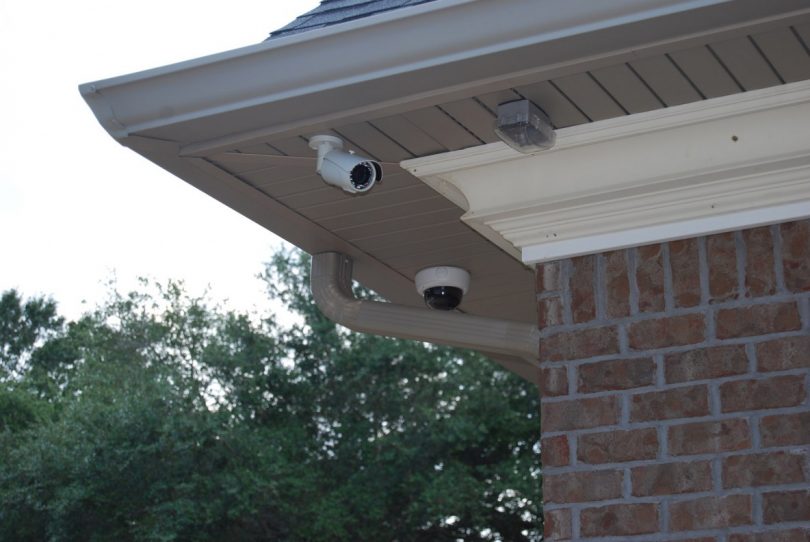
Criminals don’t like being watched when they’re at work. Putting surveillance cameras 12 feet above ground level sends a message to any would-be thieves: you’re under surveillance.
outdoor-Camera-810x542

A single security camera displayed in a prominent position can be an effective deterrent in its own right.

The reason for mounting security cameras so high up is so everybody can clearly see them from the street, but it’ll be difficult for the burglar to reach up and disconnect the wires.

Position the camera in such a way that you’re able to capture a license plate or get a clear shot of someone’s face.

Modern security cameras are feature-rich.

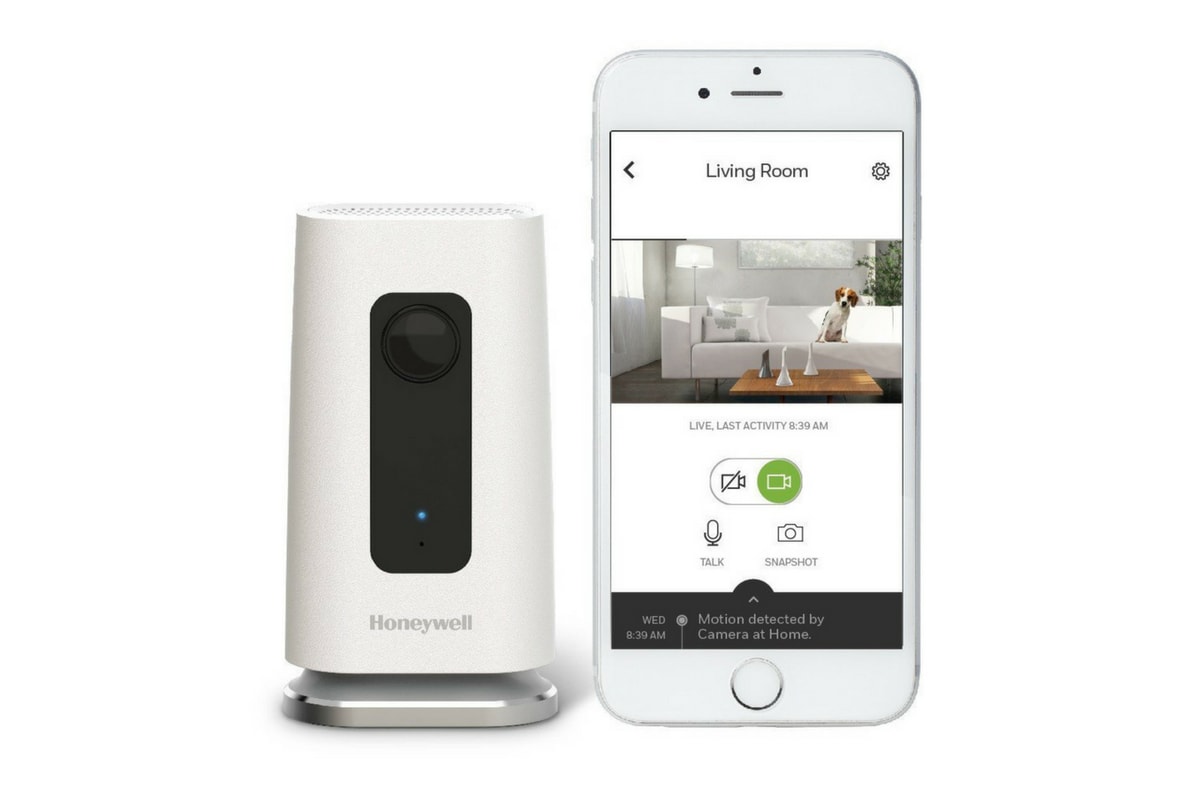
Most security cameras manufactured within recent years can do the following:

  • Record sound and video of whatever’s going on in the room
  • Detect motion and sound
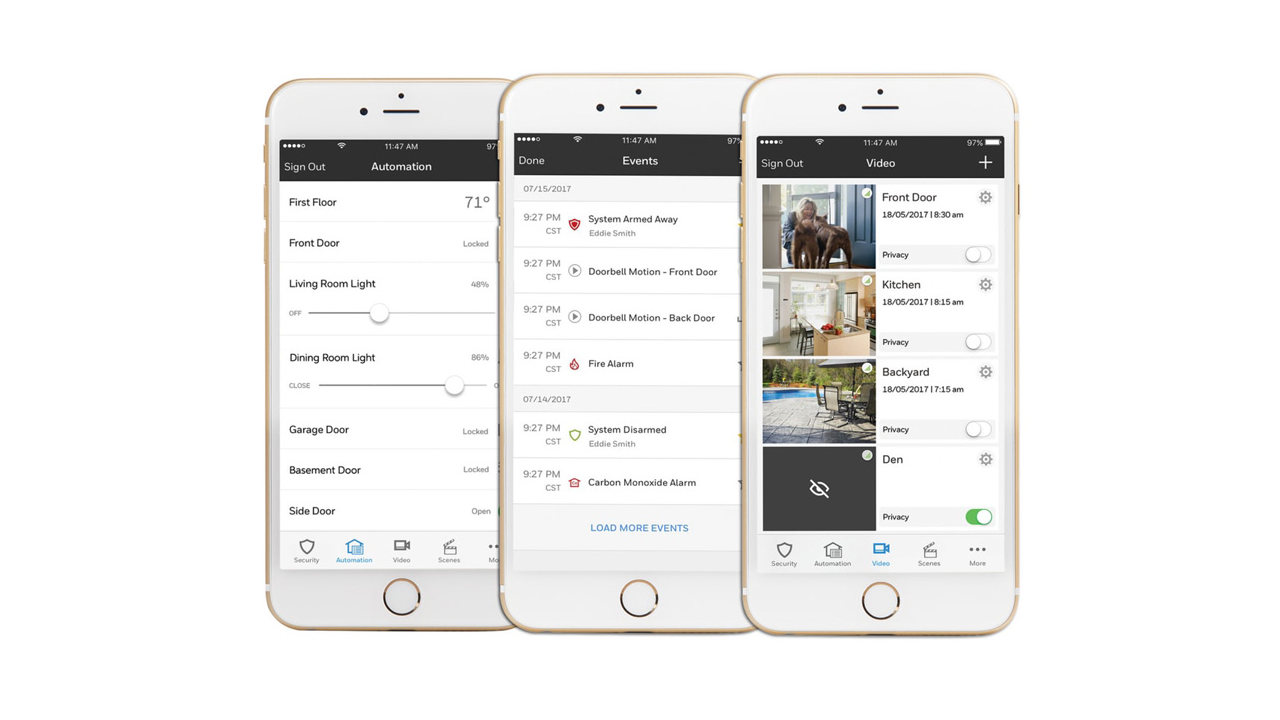
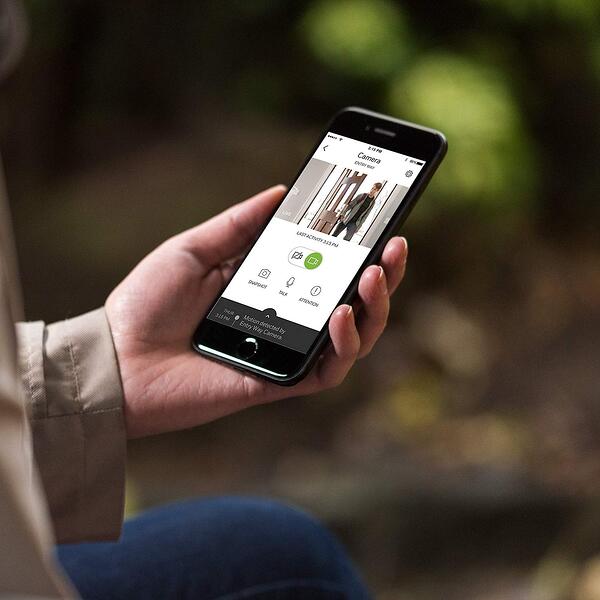
  • Send alerts to your smartphone if there’s any unusual activity
wic1compress2

More advanced cameras have superior features, including:

  • Two-way talk capability
  • Attached motion-sensing flood lights
  • Built-in sirens

Consumer-grade security cameras aren’t expensive.

Though you’d think the features listed above would cost you an arm and a leg, you’re fortunately mistaken. Security cameras are much cheaper than they used to be.

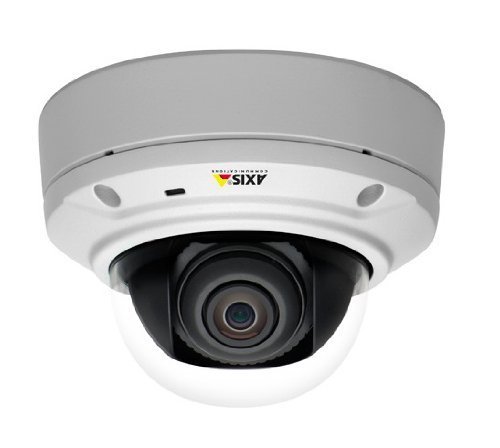
Most cameras manufactured for residential use range between $100–$300. If you want to buy some high-end professional-grade cameras (like those you might expect in a bank), those can cost several hundred dollars or even thousands of dollars each.
axis camera

You can find cheap cameras on any e-commerce platform, but remember the old adage: buy cheap, buy twice. Talk to a security system company that offers security cameras in addition to burglar alarms and fire protection and they’ll help you choose a cost-effective camera that has the features you’re looking for.

Cons of Security Cameras

Cameras by themselves do not make a property secure.

Security cameras can’t replace a monitored home security system. Unless you always are able to know what’s happening in your home at any given time, it’s just not possible for you to be on-call 24/7, fully prepared to respond to a disaster the instant it happens.

young-family-looking-at-a-new-home-27223539-1

Just think of the countless circumstances in which you’d have a tougher time responding to an emergency notification on your smartphone:

  • You’re on vacation in another country
  • You have poor cell reception and no Wi-Fi connection
  • You’re asleep
  • Your phone is out of battery
  • Your phone is on silent
  • You’re on a plane, driving a car, or swimming
  • You are incapacitated or unconscious

The question then becomes: Do you have a backup plan for all of the above scenarios? What happens if you are unable to respond to an alert from your security cameras in an emergency?

For many people, self-monitoring their cameras turns their security systems into a source of anxiety as they can feel compelled to check their cameras constantly whenever they pull out their phones to do something routine like read a text message.

On a self-monitored camera system, it’s up to you to call the police, fire department, or emergency services. The knowledge that the safety of your family and priceless belongings are solely in your hands can be a heavy responsibility to bear.

Cameras can make people uncomfortable.

Privacy is always an important discussion to have when putting up cameras. The feeling of being watched is unpleasant, even when the camera may not actually be recording.

Everyone in your house (guests included) should be made aware what is being recorded and when. When the camera is not in use, the lens should be obscured or turned to face the wall or floor.

If that’s not possible, make it clear to all occupants living in the home that the device is only active when the security system is armed at night or when the house is empty.

Some camera brands have security holes that make your data vulnerable.

To protect the videos stored in your cloud storage service, make sure your Wi-Fi network is secure and that you’re periodically changing the passwords on your devices. Poorly-secured cameras and Wi-Fi routers that use default passwords make it easy for hackers to gain access to your information.

The US government is cracking down on cameras with glaring security holes. These enable third-party access the footage or use the cameras as part of a botnet in a distributed denial-of-service (DDoS) attack.

The recent US House Bill HR 5515 states government agencies are prohibited from purchasing or using Dahua or Hikvision cameras due to these concerns.
hikvision

Even though these security holes have been made public for years, these companies have failed to patch the cameras. Dahua and Hikvision responded that they’d solve the issue, but they’ve made almost no progress.

Should you decide to purchase a camera from either brand, make sure it is on a closed network or behind a firewall. If your cameras are on a DVR that has them on a separate local area network (LAN), you’re not at risk.

The Verdict on Security Cameras

While security cameras aren’t a singular solution to anyone’s security needs, homeowners and business owners will likely benefit from the added peace of mind cameras can provide. And in the event of a break-in, the information cameras provide may be useful in tracking down your stolen valuables and the intruders.

A well-implemented camera system is an excellent addition to a professional-grade security system; it reduces your personal risk and makes your community safer.

How to Choose a Security Camera

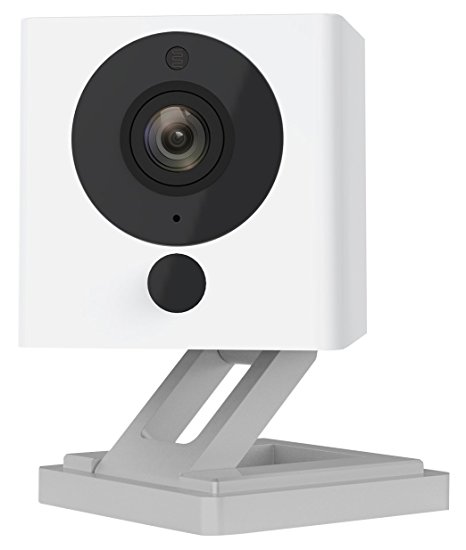
One of the major obstacles buyers face is that security cameras are incredibly difficult to compare due to variance in price and features. Reading a spec sheet or a product e-book tells you very little about how well a camera actually performs in day-to-day usage and whether it will fulfill the specific function you need it for.

It’s not always easy to figure out why a $100 camera is somehow inferior to a $300 camera, so many people buy the cheapest camera they can find.
wyzecam

Price is always important when building the right system for your needs. But in our experience working with thousands of customers, the ones who spend more time researching various camera types tend to be happier in the long term.

Listen to what past customers have to say about the camera on major review outlets, e-commerce sites, and social media. Learn as much as you can about the product and the services that accompany it. Before you make a purchase, consider the following:

Video quality

Nowadays, 1080p resolution is standard in most security cameras, and this should be the absolute minimum you settle for unless you’re on a tight budget. Video quality less than 720p will leave you looking at blobs, but saying a camera is 720p, 1080p, or 4K doesn’t mean the image is necessarily better.

You also have to consider the quality of the processor in the camera as well as that will impact compression rates. Heavily compressed footage will end up blurry even on 4K cameras. Being able to make out certain features clearly could make all the difference someday.

Try to find video footage online that was captured using the model of camera you’re looking for to see whether it can pick up key information facial features or license plate numbers.

Night vision

You also want good night vision range (usually referred to as infrared or IR), especially on outdoor cameras. Find user-created videos online that show the camera’s functionality in low-light conditions to ensure the camera you invest in has clear footage day and night.

Camera power

You’ll have to supply power to your cameras by wires or by battery.

Batteries can die quickly, especially when used in outdoor cameras that pick up lots of movement, and it’s easy to forget to replace them. Batteries add another potential weakness to your security system, so consider sticking with wired cameras.

Field of view

Be aware of how wide of an area you need your camera to capture. Camera fields of view range from 100 degrees to as much as 180.

Some cameras are mounted on the wall or ceiling in such a way that you can manually turn them as needed, while others like PTZ cameras can pan, tilt, and zoom via remote control to see a wider area.

You want the widest angle possible so that your camera covers the most terrain.

Storage

Different camera manufacturers offer their own video storage methods. Most camera manufacturers offer free short-term cloud storage, but if you want to store videos long-term, you’ll probably have to upgrade to a more expensive data plan.

Alternatively, you may also be able to store videos on an SD card or USB drive. Some people might be averse to cloud storage because of the monthly fees, the trust you have to place in the company’s privacy standards, data caps, and slow download speeds.

Think about whether the convenience is worth it to you. If you’re the kind of person who wants your cameras running 24/7 and monitors them closely, cloud storage is less efficient than a DVR or NVR.

Smart assistant integration

If you use smart home technology, such as Google Home, Amazon’s Alexa, or Apple HomeKit, choose a camera that will integrate with your smart home system.

Camera locations

Deciding where to place your cameras is essential when you want to get the most utility out of each device.

Think about the most likely break-in points in your home (front door, back door, sliding door, garage) and make sure those points are within the camera’s field of view. Put the cameras high and as far away from what you want to record as possible without sacrificing image clarity.

Try putting cameras on the corners of your house instead of in the middle of walls. Make it so that intruders would have to get in front of the camera to disable it.

Purchasing the Right Security Camera for Your Needs

Choosing a security camera is difficult, but as with most things, the best way to go about it is by deciding which features you need first and eliminating every option that doesn’t fulfill all of those needs.

Once you have a shortlist of cameras that all accomplish similar things, compare the camera’s price, the manufacturer’s reputation, the quality of their customer service, and customer reviews.

When you’re not sure, start with a single camera and add-on later. Buying several cameras at once gets expensive quickly, and you always want to test out any new technology for a while before investing into it.

If you need help choosing a camera, we’re a local alarm company based out of Boston, Hartford, and Providence that specializes in designing security systems to your needs. We combine burglary and fire alarm monitoring with cameras and automation to keep your home safe and give you more control over your daily life.


How to Find a Reliable Panic Button Alarm System for Business

Investing in a reliable panic button alarm system is a critical measure for businesses aiming to enhance their security. At Alarm New England, we understand the complexity of navigating through the plethora of options available in the market. This guide is designed to help you identify key features and considerations when selecting a panic button alarm system that is not only dependable but also tailored to meet your business needs. Continue reading to discover how enhanced safety can be seamlessly integrated into your operations.

Understanding Panic Button Alarm Systems for Enhanced Business Security

In today’s world, ensuring the safety and security of your employees is vital. Integrating a panic button alarm system into your commercial security systems can significantly enhance the safety of the people working at your business. A panic button alarm is something that is often included in modern commercial security systems. It is designed to provide a swift alert during emergencies, allowing for quick response times and easy access to call for help discretely. Understanding the function and importance of panic button components is crucial for business owners who prioritize safety and security.

How do panic button systems work?

Panic button systems work by enabling employees to quietly notify security personnel or relevant authorities in distressing situations with a simple press of a button. These systems are versatile, available as both wired and wireless installations, and provide flexibility depending on business needs. Business owners often prefer wireless solutions because they are easier to install and require no extensive cabling, making for a more convenient and less invasive setup. The ability to trigger a notification promptly and without raising suspicion can make all the difference, especially in situations involving the safety of employees who might be working alone.

Options such as Alarm New England’s panic button systems are designed to offer ultra secure direct communication with the monitoring station and law enforcement, ensuring that your business is always prepared to handle these types of emergency situations. As business owners consider adopting panic alarm systems, it’s essential to evaluate how this type of system fits into the overarching commercial security strategy. While it’s crucial for many types of businesses to have a panic button alarm as part of your systems, understanding the process that follows an alert is just as important. This includes the response protocols, communication with a central station, and the subsequent steps to ensure the safety of all employees involved.

Professional installation and training is required to make sure panic button alarm systems are being used properly. A demo of the system can familiarize staff with its operation, ensuring they can act quickly and confidently in an emergency. The presence of a panic button provides peace of mind, knowing that there is a response mechanism in place. These systems add an additional layer of security, establishing a safe working environment that reassures personnel they are valued and protected.

Key Takeaways

  • Panic buttons are safety devices that, when activated, send an alert to security personnel or local authorities, indicating an emergency situation.
  • They are crucial as they provide a quick and discrete means of calling for help in situations where time is critical and speaking is not an option, enhancing security and response efficiency.

Key Features of Panic Alarms and How They Work

Panic alarms, also known as panic buttons, offer an immediate link between an individual in distress and a security team or law enforcement. With a simple press of a button, your business can alert authorities to a potentially dangerous situation, such as a robbery or medical emergency, without drawing undue attention. This feature is particularly valuable in retail environments or offices where staff may need to call for help inconspicuously in order to avoid escalating the situation.

One of the main components of a panic alarm system is the panic button panel, which can be installed strategically around the workspace. These systems are designed to be user-friendly and customizable. They often come as part of a larger alarm system, integrating seamlessly with other security measures like surveillance cameras and access control systems. This holistic integration ensures that all aspects of security are covered, and response times are minimized.

Modern panic alarms are designed to blend in, with buttons usually disguised as part of a regular business environment, like under desks or close to checkouts. They ensure that in the event of a security threat, staff can activate the alarm without the suspect being aware. Many systems offer wireless options, allowing for flexibility when it comes to installation and usage. Wireless panic alarm systems eliminate the need for extensive wiring, making them an attractive option for businesses looking to upgrade their security with minimal disruption.

Once triggered, the alarm sends a signal to a central monitoring system, which then determines the appropriate response. This response could involve alerting designated contacts or local law enforcement, depending on protocols that are established beforehand. One thing to keep in mind, it’s essential for an alarm system to provide a swift, reliable connection to emergency assistance, as this can significantly impact the outcome of a situation.

Systems provided by reputable companies like Alarm New England ensure reliability and efficiency in distress situations. These systems are typically monitored 24/7, providing constant peace of mind for business owners and employees. Alarm New England offers panic alarm systems that incorporate cutting-edge technology with user-friendly interfaces, ensuring businesses can maintain a high level of security without unnecessary complexity.

In conclusion, investing in a sophisticated panic button alarm system is a crucial step towards bolstering business security. By understanding how these systems function and recognizing their core features, businesses can ensure their staff and premises remain protected against a variety of threats.

Key Takeaways

  • Panic button panels should be placed in inconspicuous areas, like under a desk or hidden among other objects at a checkout area.
  • Panic buttons send signals to a central station where a trained operator will determine the appropriate response.
  • Companies like Alarm New England offer panic alarm systems that are simple to use and reliable with trained monitoring employees at the helm.

Summary

In summary, selecting a dependable panic button alarm system is important for safeguarding your business and ensuring the well-being of employees and clients. By evaluating a system’s responsiveness, integration capabilities, and user adaptability, you can make an informed decision. Additionally, consider collaborating with trusted providers like Alarm New England, who offer comprehensive security solutions tailored to your specific needs. Remember, an investment in a reliable panic button alarm system is not just an investment in security; it is an investment in peace of mind and business resilience.

A 12 Step Guide to Access Control System Installation

What’s Covered In This Post?

  • The 12 steps of access control installation include assessing your needs, properly planning, configuring hardware and software, regular testing, training, and maintenance.
  • The right access control system will simultaneously improve your business security and make life easier for business owners and property managers.
  • A cloud-based access control platform can simplify complicated installations. User management can be done at scale through the software.
  • The 12 steps of access control installation, including the planning, implementation, and maintenance phases.
  • The benefits of access control and its important role in business security.
  • An overview of the various types of access control systems.
  • Our access control system installation checklist to make sure you are ready.

In today’s fast-paced world, security is a paramount concern for businesses, organizations, and even residential spaces. Access control systems have emerged as a key solution, offering a technologically advanced way to safeguard premises and restrict unauthorized entry. If you’re considering implementing an access control system, this step-by-step guide will walk you through the installation process, ensuring a smooth and secure transition.

access control project

The 12 Steps to Access Control Systems Installation

Step 1: Assess Your Needs

Begin by evaluating your security needs. Identify the areas that require access control, the number of entry points, and the level of security required. Understanding your specific requirements will guide you in choosing the appropriate type of access control system.

Step 2: Choose the Right System

There are various types of access control systems available, including card-based systems, biometric systems, and keypad systems. Select the one that aligns with your desired process, security goals, and budget. Each system comes with its own set of advantages, so make an informed decision.

Step 3: Plan the Layout

Map out the layout of your premises and identify where access control points will be installed. Consider factors like traffic flow, convenience, and visibility when determining the optimal locations for the access control devices.

Step 4: Gather Equipment and Components

Collect all the necessary equipment and components for installation, including access control panels, readers, cards or biometric scanners, power supplies, and wiring materials.

Step 5: Installing Control Panels

Begin by installing the control panels. These are the central units that manage access permissions and communicate with the access control devices. Ensure the panels are securely mounted and properly connected.

Step 6: Install Access Control Devices

Install the access control devices at designated entry points. Whether it’s card readers, fingerprint scanners, or keypads, follow the manufacturer’s instructions to ensure accurate installation. Proper alignment and positioning are crucial for optimal access and functionality.

Step 7: Set Up Wiring

Carefully connect the wiring for the access control devices, ensuring proper routing and organization. This step requires attention to detail to avoid any electrical issues or malfunctions.

Step 8: Configure Access Control Software

If your access control system involves software, install and configure it according to your security requirements. This software will enable you to manage access permissions, create user profiles, and monitor entry and exit activities.

Step 9: Enroll Users

For biometric or card-based systems, enroll users into the system database. Capture biometric data or assign access cards to authorized personnel. This step establishes the link between individuals and the system.

Step 10: Test and Calibrate Your Access Control System

Before fully deploying the system, conduct thorough testing and calibration. Check each access point to ensure that the devices are accurately recognizing authorized personnel and denying entry to unauthorized individuals.

Step 11: Train Personnel

Provide training to your staff or residents on how to use the access control system. Familiarize them with the authentication methods and educate them on the importance of access security protocols.

Step 12: Regular Maintenance

The access control process requires ongoing maintenance to ensure optimal performance. Schedule regular checks, update software, and replace any faulty components promptly.

By following this step-by-step guide, you can confidently navigate the process of installing an access control system. From initial assessment to final deployment, each step contributes to a secure environment where unauthorized access becomes a thing of the past. Remember, investing in advanced access security measures not only protects your premises but also provides peace of mind in an increasingly interconnected world.

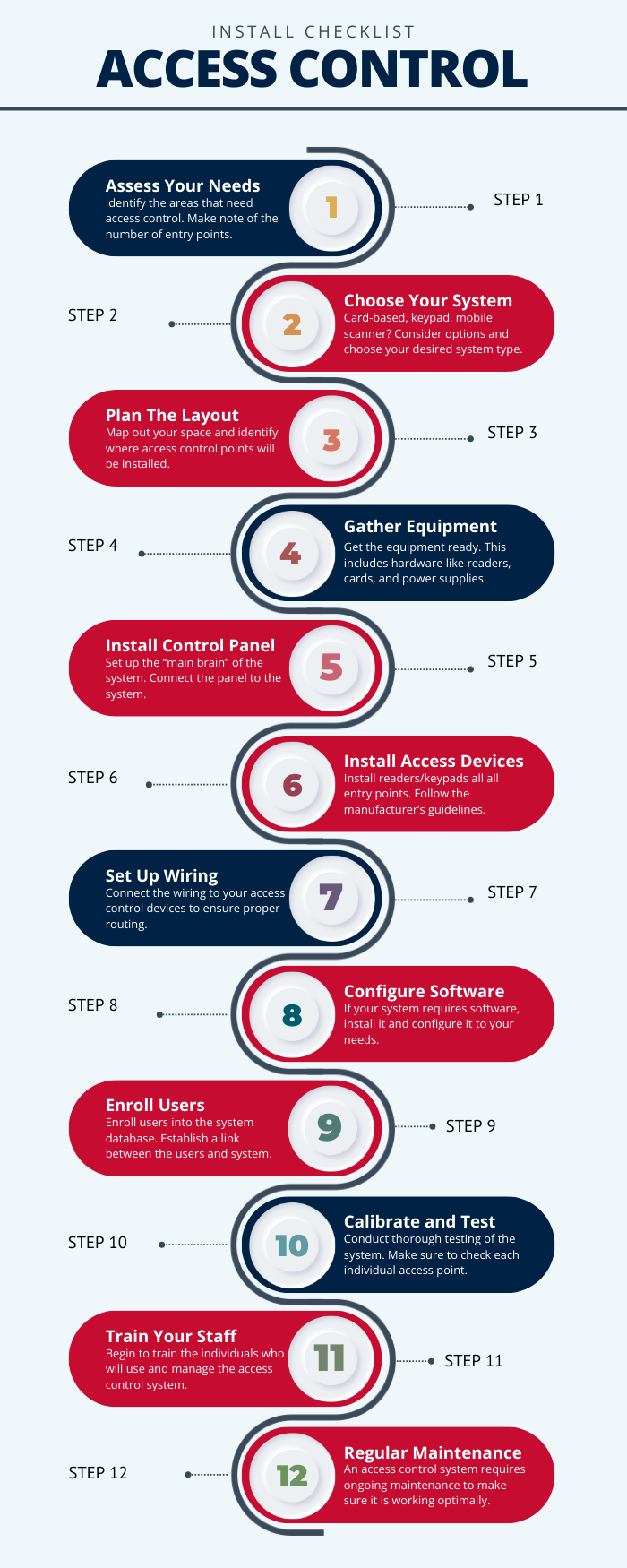
Our Access Control Installation Checklist

access control installation checklist

Download our 12 step process for access control installation PDF here!

Get Professional Help With Your Access System Installation Process

Alarm New England is an access control company with over 50 years of experience. We install access control systems across Massachusetts, Connecticut, and Rhode Island. Our team of access control installation experts is here to help with your project.

To learn more about Alarm New England’s access control service, please check out this page.

Cost-Effective Door Card Reader Installation Tips for Businesses

Access control installation is an important decision for businesses of all sizes. Whether you run a small mom-and-pop shop or a large, high-traffic office building, installing the type of access system you need (and doing so affordably) is a must. One popular solution is installing door card reader systems. These systems not only enhance security but also provide the convenience of allowing authorized personnel to enter restricted areas with just a swipe or tap of a card.

The door card reader installation process can be daunting though, especially for businesses on a tight budget. Fear not! This article will guide you through cost-effective door card reader installation tips, making sure you get the most bang for your buck without compromising on quality or security.

What you will learn:

  1. About Various Card Reader Systems
  2. What To Consider Before Installation
  3. Access Control Door Card Reader Pros And Cons
  4. Common Myths About Card Readers
  5. 7-Step Guide To Reader Installation (Diagram PDF Download)
  6. FAQs

Understanding Door Card Reader Systems

Before we dive into the installation process, let’s first understand the basics of door card reader systems. These systems typically consist of three main components:

  • the card reader itself
  • an access control panel
  • the door lock

The card reader is the device mounted near the door, where users present their access cards. It communicates with the access control panel, which acts as the main brain of the system, verifying the credentials and controlling the door lock accordingly.

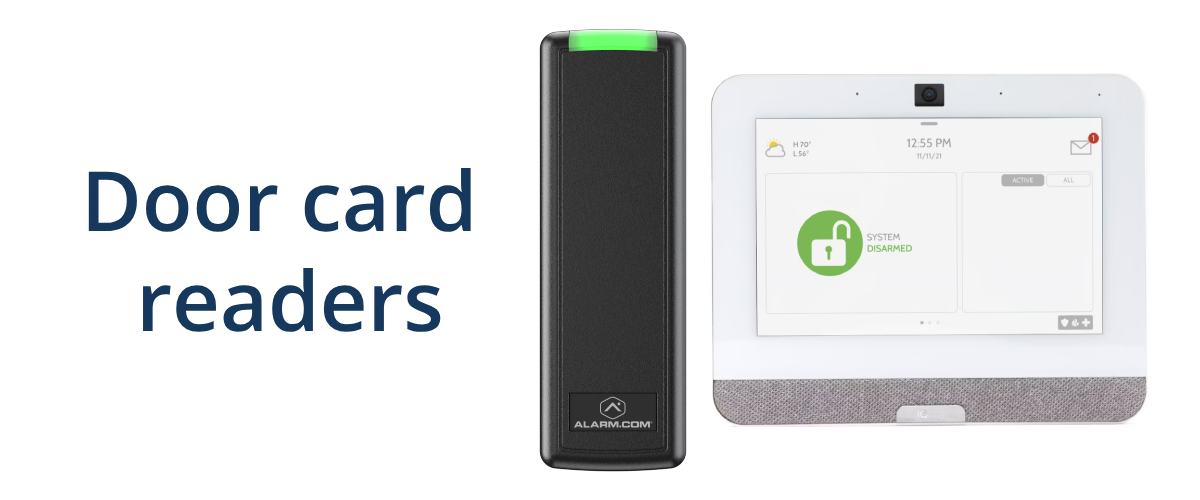
door card reader devices

There are several different types of card readers on the market, such as:

  • proximity readers
  • smart card readers
  • biometric readers

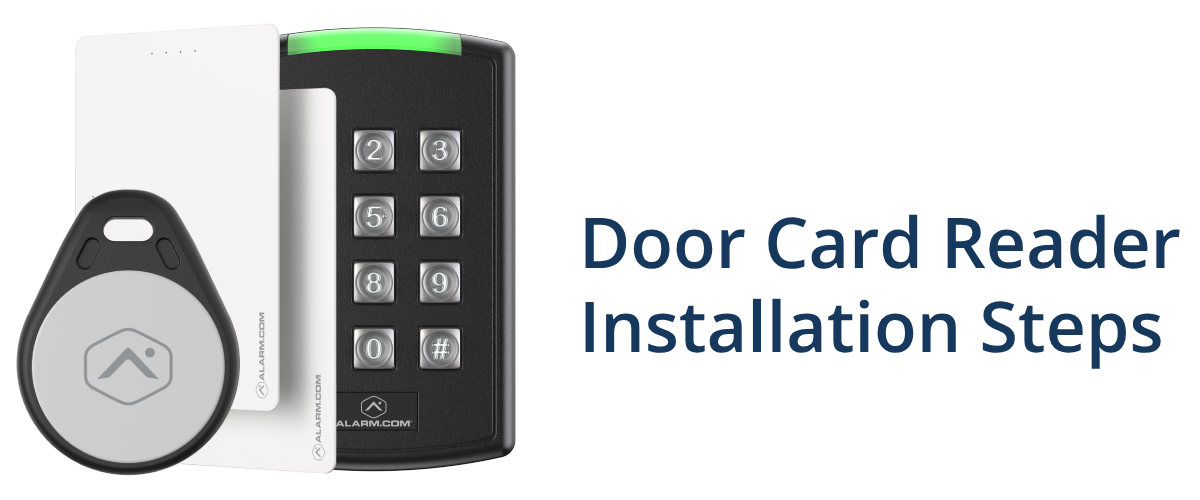
Proximity readers are the most common and cost-effective option, allowing users to simply wave their card near the reader. Smart card readers offer enhanced security by requiring the user to insert the card and enter a PIN. Biometric readers, like fingerprint scanners, provide the highest level of security but can be more expensive.

Planning to Install Access Control?

As a business owner, you must assess your facility’s needs and requirements before starting the installation. First, determine the number of access points that require card reader systems and identify the most suitable locations for the readers.

Consider factors such as traffic flow, visibility, and accessibility. Also, remember to keep in mind future expansion plans to ensure scalability. You need to make sure that your system can grow with your business.

office building boardroom

Finding Cost-Effective Hardware When Installing Access

One of the most significant expenses in door card reader installation is the hardware itself. To keep costs down, explore different card reader models and compare prices and features. Look for reputable brands that offer reliable and cost-effective solutions. If your building already has an existing access control system, see if you can partner with a security company to reuse your old system. This can be a great way to maximize your company’s initial investment.

While choosing the right hardware is important, don’t forget about the software side either. When it comes to access control software and databases, you need something that is going to accommodate to your needs, while still being budget-friendly. Think of the features your business will use most. Is simple, remote user management a must-have? Then you might need a cloud-based solution with an easy to use phone app. Make sure to carefully evaluate the features, support, and security of any software you choose. If that’s too overwhelming, then partner with a trusted security company who can help you find the right solution.

Final Things To Consider Before Install

Proper installation is the first step toward an effective door card reader system. Before installation, make sure to prepare your site including running wires and identifying a power supply for the components. Mounting locations should be carefully selected to provide optimal usability and minimize tampering or vandalism risks. If you have any existing security or access control systems, it’s important to consider integration during the installation process too.

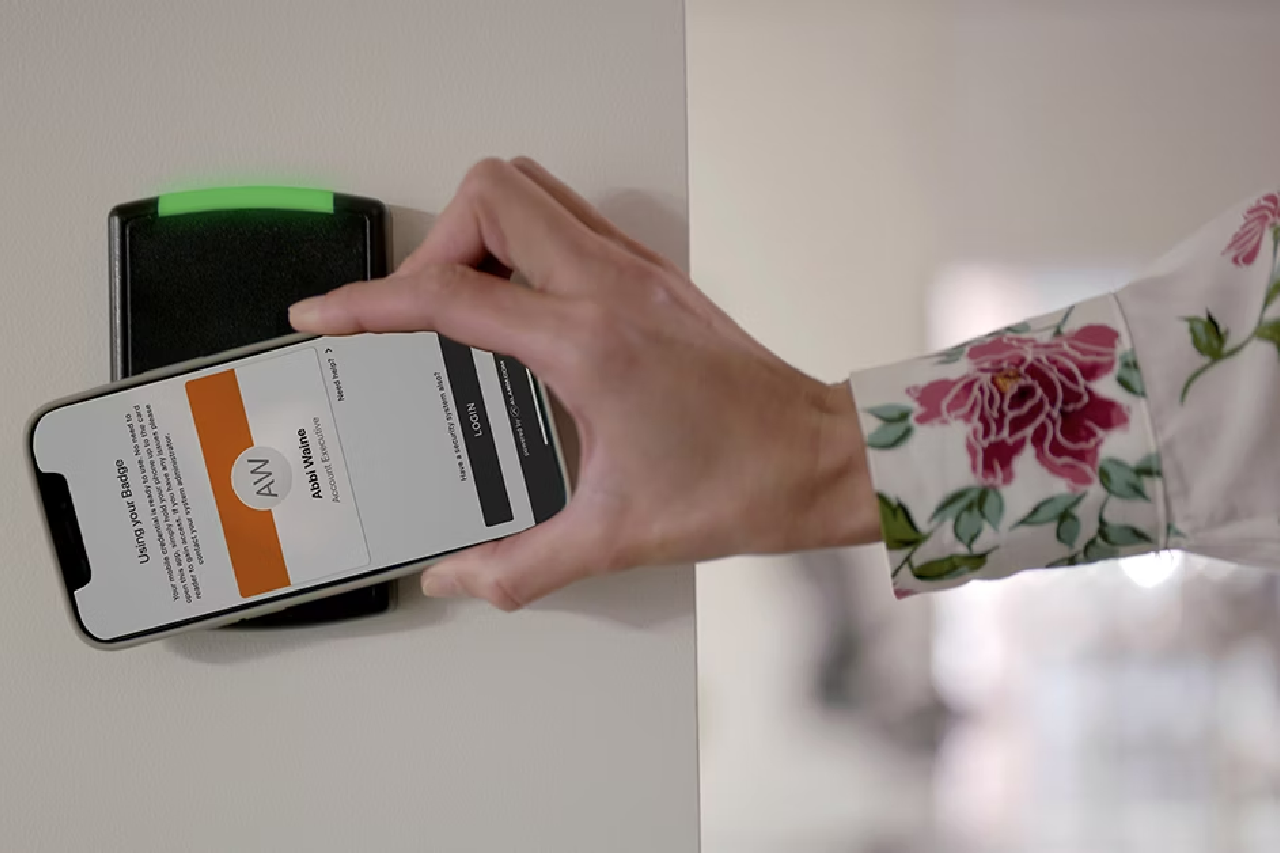
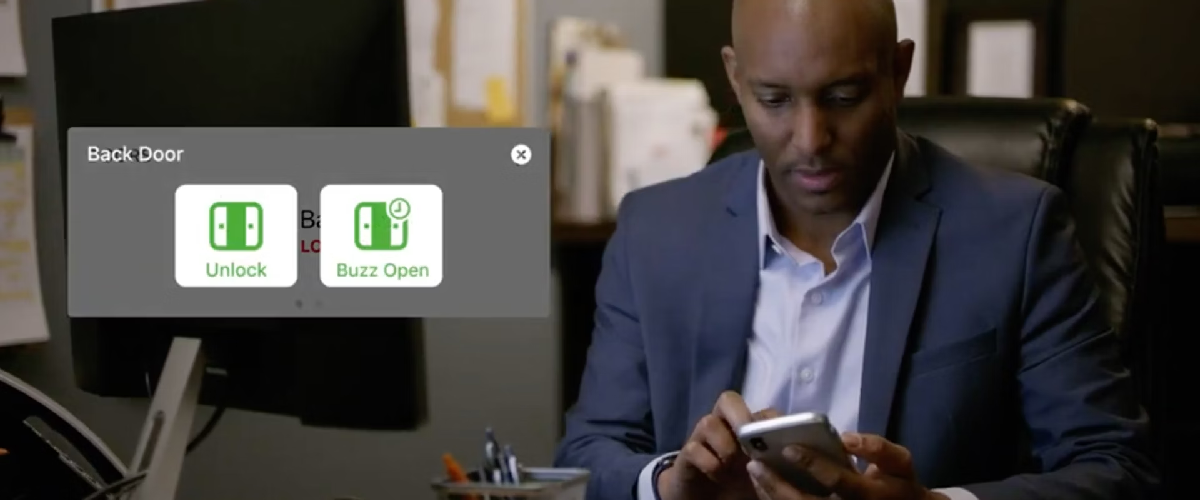
access control mobile alerts
Source: Alarm.com
  • DIY or Professional Installation? One of the biggest cost-saving opportunities lies in deciding whether to tackle the installation yourself (DIY) or hire professional installers or contractors. DIY installation can be a viable option for those with technical expertise and experience in similar projects. However, it’s important to carefully weigh the potential risks and consequences of improper installation, such as compromised security, issues with the system, and failure to meet regulations. If you decide to go the DIY route, be sure to thoroughly research the installation process, follow manufacturer instructions to the letter, and invest in the necessary tools and equipment. On the other hand, hiring professional installers or contractors can provide peace of mind and ensure a smooth, reliable installation. While this option may be more expensive upfront, it can save you time, effort, and potential headaches or security risks down the line. Professional installers are trained experts in all things access control and door card reader systems. Plus, having professionals on your side helps you to troubleshoot any issues that may arise.
  • Testing and Troubleshooting. Speaking of troubleshooting, thorough testing is crucial to make sure that an access control system and its various components are functioning as intended. Regular maintenance and updates are also essential to keep your door card reader system running smoothly and securely. Stay on top of software updates, firmware upgrades, and hardware maintenance to ensure optimal performance and address any potential vulnerabilities. Common installation issues may include wiring problems, software configuration errors, or hardware malfunctions. If you encounter any issues during testing or operation, don’t panic! Many common problems can be resolved through troubleshooting. Consult the manufacturer’s documentation, or reach out to an access control company near you for guidance.

Pros and Cons of Door Card Readers

Like any other security solution, door card reader systems come with their own set of pros and cons. Let’s explore some of the key advantages and disadvantages of a card-based access system:

The Pros:

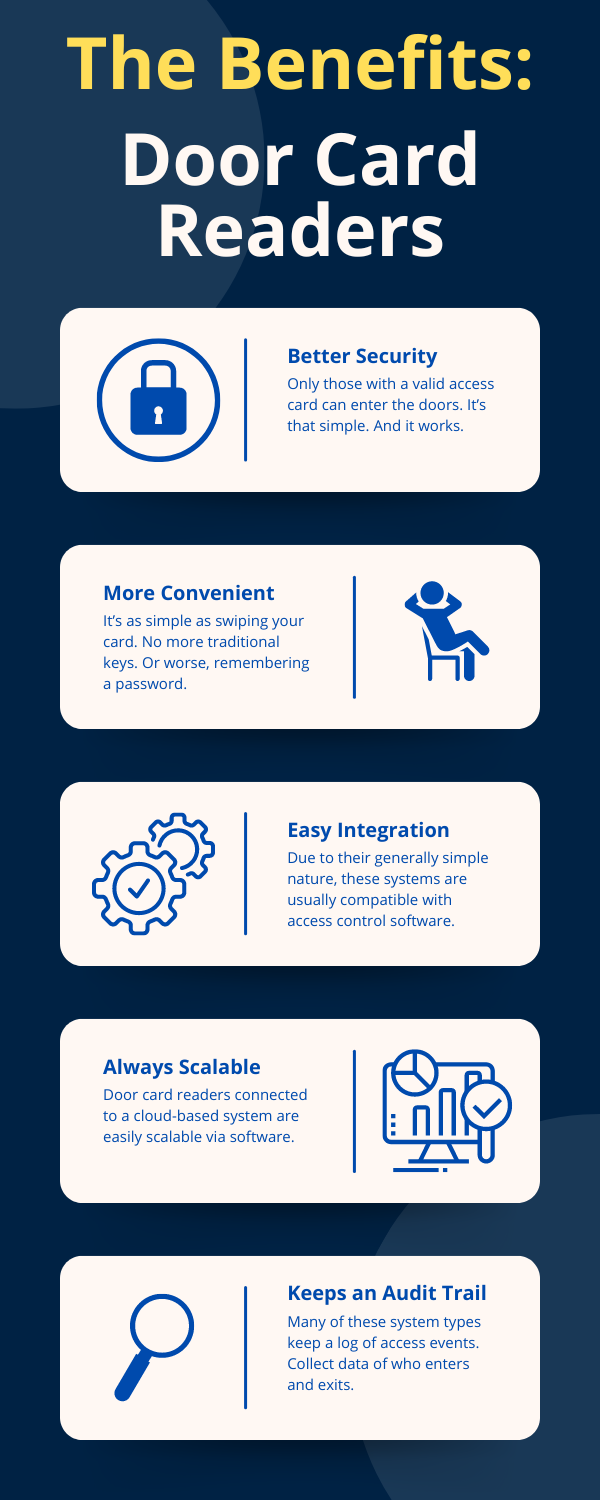
  1. Enhanced Security: Door card reader systems provide an additional layer of security by restricting access to authorized personnel only. This can help prevent unauthorized entry, theft, and other security breaches.
  2. Convenience: With a simple swipe or tap of a card, authorized individuals can gain access to restricted areas without the need for traditional keys or memorizing complex codes.
  3. Access Control and Monitoring: Most door card reader systems integrate with access control software, allowing you to monitor and manage who has access to specific areas and at what times.
  4. Scalability: The right door card reader system can be easily expanded or modified as your business grows or your security needs change.
  5. Audit Trail: Many systems keep detailed logs of access events, providing a valuable audit trail for security and compliance purposes.

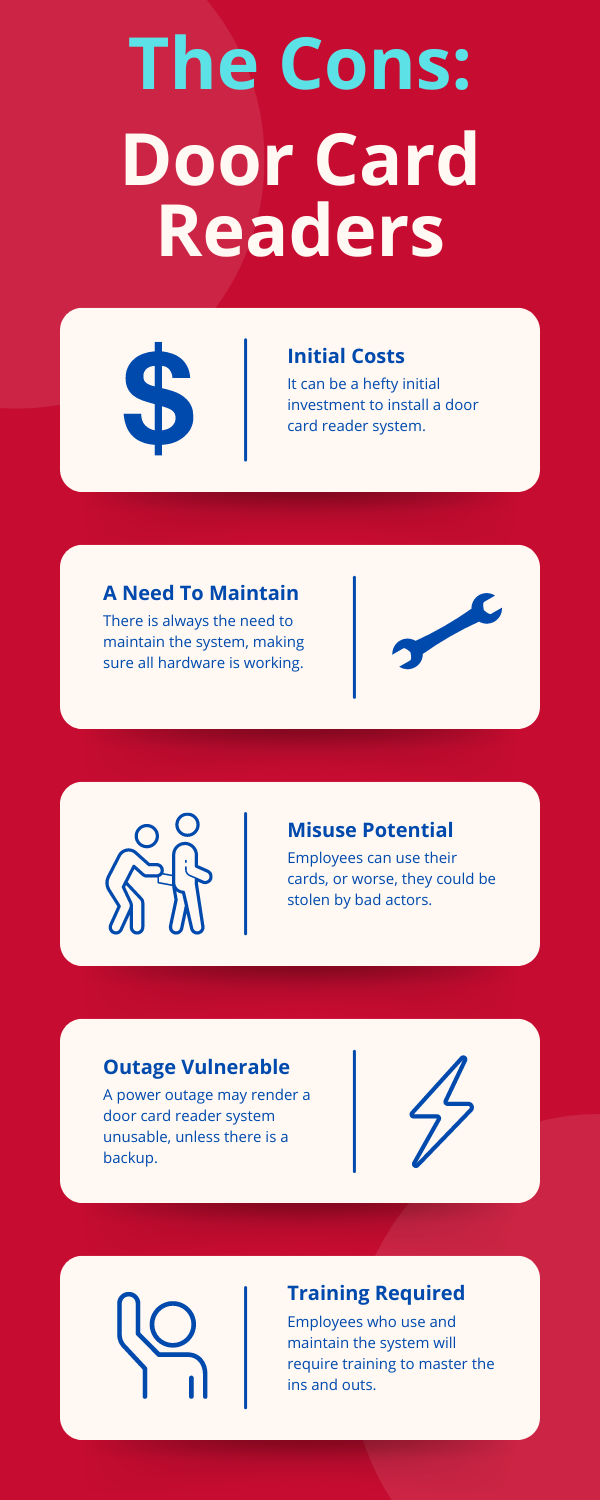
The Cons:

  1. Initial Cost: The initial investment in hardware, software, and card reader installation can be substantial, especially for larger facilities with multiple access points.
  2. Maintenance and Upgrades: Like any technology, door card reader systems require regular maintenance, software updates, and hardware replacements, which can add to the overall cost over time.
  3. Potential for Misuse or Theft: Access cards or credentials can be lost, stolen, or shared, potentially compromising the security of the system.
  4. Power Outages: In the event of a power outage, some systems may not function properly, leaving access points vulnerable until power is restored.
  5. Training and Adoption: Implementing a new access control system may require training for employees and a period of adjustment as they adapt to the new procedures.
access control cons infographic

Common Myths About Door Card Readers Install

smart card reader keypad

Having been in the industry for so long, we have heard many myths and misconceptions surrounding door card reader installation. Let’s debunk some of the most common ones:

  • Myth 1: Door card reader systems are too expensive for small businesses. Reality: While enterprise-level systems can be costly, there are many cost-effective options available for small businesses.
  • Myth 2: Installing a door card reader system is too complex and technical. Reality: While the installation process does require some technical knowledge, hiring professional installers can take the complexity out of the equation.
  • Myth 3: Door card reader systems are easy to bypass or hack. Reality: Modern door card reader systems are highly encrypted. When properly installed and maintained, they can provide some of the best security against unauthorized access.
  • Myth 4: Once installed, door card reader systems require little to no maintenance. Reality: Regular maintenance, software updates, and hardware replacements are crucial to ensure the continued security and reliability of your system. Neglecting maintenance can leave your system vulnerable to security breaches or malfunctions.
  • Myth 5: Door card reader systems are only suitable for large facilities or high-security environments. Reality: Door card reader systems can benefit businesses of all sizes and across various industries. They enhance security, make locking and unlocking easier than ever, and can even provide insights into employee and customer movements.

Step-by-Step Guide to Access Control Reader Installation

door card reader installation steps

Now that we’ve covered the basics, let’s dive into a step-by-step guide for installing a door card reader system. Remember, this is a general guide, and it’s always best to consult the manufacturer’s specific instructions for your system.

access control installation 7 step guide

Download 7-Step Guide Diagram PDF

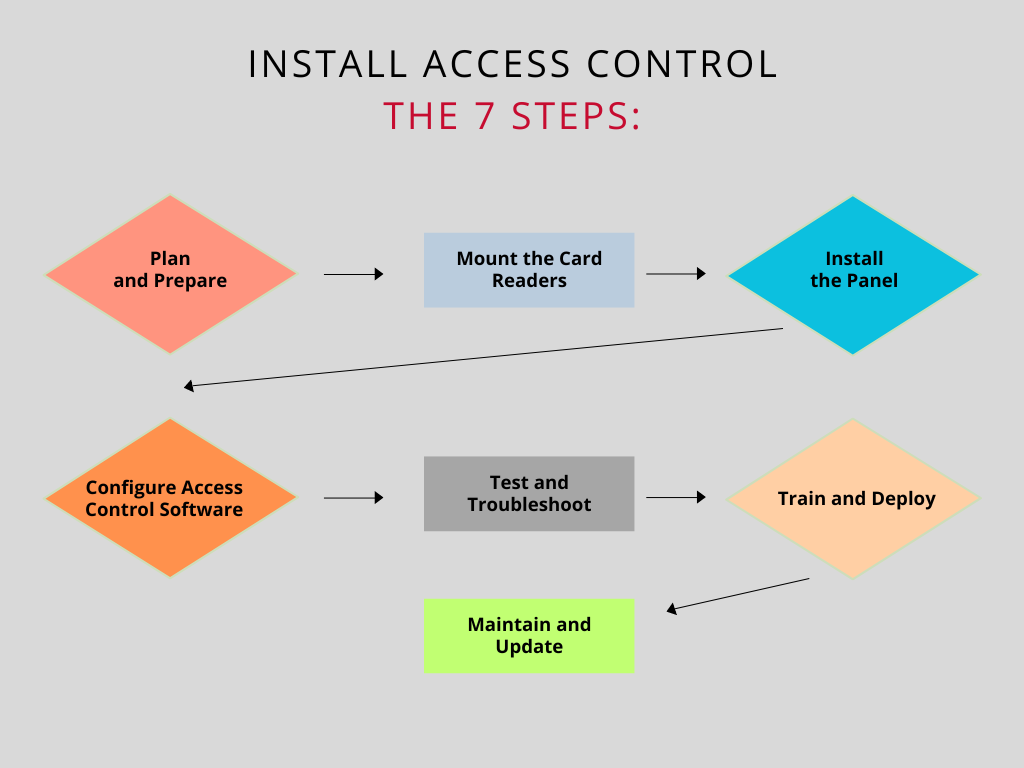
Step 1: Plan and Prepare

  • Assess your facility’s needs and determine the number of access points requiring card readers.
  • Choose the appropriate card reader type (proximity, smart card, etc.) based on your security requirements and budget.
  • Select a suitable access control panel and software that meets your needs and integrates with your chosen card readers.
  • Gather all necessary equipment, tools, and materials for the installation.
  • Ensure you have adequate power sources and wiring in place for the components.

Step 2: Mount the Card Readers

  • Identify the optimal mounting locations for the card readers, considering factors such as traffic flow, visibility, and accessibility.
  • Follow the manufacturer’s instructions for properly mounting the card readers, ensuring a secure and level installation.
  • Run the necessary wiring from the card readers to the access control panel, using appropriate cable management techniques.

Step 3: Install the Access Control Panel

  • Choose a secure and accessible location for the access control panel, such as a server room or a dedicated access control closet.
  • Mount the panel securely, following the manufacturer’s instructions.
  • Connect the wiring from the card readers to the appropriate terminals on the access control panel.
  • If required, install any additional components like power supplies, backup batteries, or network connections.

Step 4: Configure the Access Control Software

  • Install the access control software on a dedicated computer or server, following the manufacturer’s guidelines.
  • Configure the software to recognize and communicate with the installed card readers and access control panel.
  • Set up user accounts, access levels, and permissions based on your security requirements.
  • Create schedules and rules for when and where specific users can gain access.
  • Integrate the access control system with other security systems (e.g., video surveillance cameras, alarm system) if applicable.

Step 5: Test and Troubleshoot

  • Before going live, conduct thorough testing of the entire system to ensure everything is working as intended.
  • Follow the manufacturer’s recommended testing procedures and document any issues.
  • Troubleshoot any problems that arise, consulting the documentation, online resources, or professional support if needed.
  • Verify that all components are communicating correctly and that access rules and permissions are as desired.

Step 6: Train and Deploy

  • Develop training materials and procedures for employees on how to use the new door card reader system.
  • Conduct training sessions to ensure everyone understands the proper usage and security protocols.
  • Distribute access cards or credentials to authorized personnel.

Step 7: Maintain and Update

  • Implement a regular maintenance schedule for the door card reader system, including hardware inspections, software updates, and firmware upgrades.
  • Keep up-to-date with the latest security best practices and industry standards to ensure your system remains secure and compliant.
  • Plan for future expansions or upgrades as your business grows or security needs evolve.

FAQs

How much does it cost to install a card reader?

You can expect to spend up to $5000 when installing a door card reader. If there is an existing system involved and you are reusing equipment that can cut down costs. Depending on the type of setup, you can put an access control system in place for $500 to $2000 per door on the lower end. For access control installation, it is wise to get a quote from a professional access control company.

How far should a card reader be from the door?

Simply put, RFID readers should be installed 48″ from the floor at a maximum.

Does access control installation require training?

Like with any new hardware, access control installation requires training for those installing and maintaining the system, as well as for employees who will be using the system on a regular basis. Access control training should include required reading and study materials, as well as hands-on training with the hardware.

What are the most popular access control brands?

Some of the most common access control brands include: Brivo, Genetec, HID, 3xLogic, Napco, DSC, Ademco, Interlogix, Verkada, Avigilon, Honeywell, Bosch, Lenel S2, Johnson Controls, and Alarm.com. Alarm New England’s access control technicians have experience with these brands and can help you reuse your system for a more affordable setup.

Save Money While Installing Your Door Access System!

Installing a door card reader system can be a significant investment, but by following these cost-effective tips, you can ensure a secure and reliable solution without breaking the bank.

Remember, while cost is an important factor, it should never compromise the security and reliability of your access control system. Business security and safety should not be a headache. Professional installers are here to make it easy. By taking the time to research and plan an installation, you can enjoy the benefits of enhanced security, convenience, and peace of mind for years to come.

Get in Touch

If you’ve been dreading the process of installing access control, you don’t need to fear. With the help of an experienced access control company, the process is made easy. And if you end up reusing your equipment, that can lead to some serious savings. If any issues arise, service professionals will be on standby ready to address any access control issues. For more information on access control system types, take a look at our guide here.

For further assistance in the process, and to get the ball rolling with an affordable access control system, get in touch with an member of the Alarm New England sales team!

Best Home Security Systems Massachusetts 2026 | Residential Security Systems Near Boston MA

Whether you’re looking to install a home security system or want to upgrade an existing one, you might be overwhelmed with the number of choices available.

There are so many home security companies and they all offer what sounds to be the best deals ever. So how do you choose which one to use?

It’s a good idea to read up on home security system reviews, particularly as customer service quality is highly regional and can vary depending on where you live.

We’ve tried to take some of the guesswork out of choosing a home security system by breaking it down into three criteria: price, features and equipment, and customer service.

This review will help you narrow down your choices so you can find the right home security system for you in Massachusetts.

How We Choose the Best Home Security Systems

Each household is different and has different security requirements. Many home security system companies offer various types of products, and some will be more suitable for your needs than others.

By seeing how various companies compare, you can find the best home security system that meets your needs.

Price

Many security companies have taken to offering various plans at different rates. Some of these plans include equipment and upfront fees, while others don’t. The differences in pricing can be confusing when you’re trying to work out the total cost of the entire security system.

We take into account both monthly fees and any initial costs to provide you with an estimate of which companies are more affordable and which are more expensive.

Customer Service

A customer service experience can make or break your opinion of a company. You want a company to be responsive when you have an emergency. And you also want it to be available and helpful when you have any other inquiries as well.

We look at the availability of customer service, how you can contact them, the expertise of the technicians, and any other factors that influence how the company interacts with you.

Features and Equipment

For many people, the features and equipment of their home security system is the most crucial part of selecting a provider. Some home security companies in the state offer high-tech wireless home security systems to integrate with a smart home, while others offer only the basics.

Many companies will even provide various options and plans to cater to every user. Users range from people who want home security systems with cameras to tech wizards who wish to integrate their smart home and security system.

Let’s take a look at some of the best home security systems in Massachusetts.

Alarm New England

alarm new england ma home security

We primarily operate in Rhode Island, Massachusetts, and Connecticut and have offered security services to residents and business owners for the past 53 years.

We’ve developed a reputation for excellent customer service and reliable equipment and monitoring while staying true to our founding principles.

It allows for a lot more flexibility than other security companies by allowing you to customize your plan. Professional monitoring and top-notch equipment makes Alarm New England’s offering hard to beat.

Price

Unlike other state-based home security companies in Massachusetts, we don’t sell pre-packaged systems. Instead, works on a monthly plan that includes equipment and monitoring. This plan can be upgraded to include fancier features such as home automation or video surveillance if you need it.

Smart Home Security System

What makes our pricing so attractive is that customers pay for what they need. The offers 3 plan levels, all of which include professional-grade home security equipment and monitoring. Our monthly payment plans start at just $31.99.

Customer Service

One of our greatest assets is our reputation for being reliable and professional. This has made us favorite among many New England residents who have been using us as their security provider for decades.

alarm new england professional technician

While we provide great phone support, you also have the option of contacting us by email if you prefer.

Features and Equipment

We use pro-grade Alarm.com technology, so you can be sure it’s high quality and reliable. The company is an Alarm.com authorized partner. The basic plan includes a touchscreen panel and burglar detection, while more advanced plans include features like custom alerts and access to our interactive app. This app allows you to operate various security features from your smartphone.

Interactive security camera app

The Pro package also comes with cameras that you can use to stream video surveillance to your phone. You may also connect to many other smart home devices, such as locks and lights. We professionally install all of our equipment, and ensure it has the ability to easily upgrade as security technology advances. We provide the premier option to protect your Boston home.

Alarm New England Summary

  • Offers modern, cutting-edge burglar alarm systems.
  • Additional automation options, video surveillance systems
  • Competitive pricing pros install

Wayne Alarm Systems

local alarm company in massachusetts

Wayne Alarm Systems is another local Massachusetts security company that specializes in both business and residential security solutions. Not only does it offer burglar alarms, but it also has medical alert systems security, environmental monitoring, and smoke detectors to ensure your home is safe at all times.

Price

Unlike larger home security systems in Massachusetts, Wayne Alarm Systems don’t offer plans. Instead, it personalizes the equipment and pricing depending on your particular needs. This means that you have to pay for the equipment and installation upfront and then pay for security monitoring monthly.

While the initial outlay may be expensive, you have the flexibility to then keep up with the monthly monitoring payments. Or you can move to another company without being stuck in a lengthy contract that you can’t terminate.

Customer Service

Wayne Alarm Systems prides itself on its professionalism and high quality of work. It has consulted with numerous residential and business clients who have all been satisfied with the quality of work.

The company offers a personal touch, which many of the larger security companies lack, thanks to its customized service for each household.

Once you’ve become a customer, you can access your account portal. The portal allows you to pay your bills online, manage access into your building, and even take advantage of Honeywell Total Connect Remote Services. Customer service is also available via phone, email, and social media.

Features and Equipment

Wayne Alarm Systems offers many of the features you’d expect from a home security company in MA. They will adjust their equipment and feature recommendations based on your needs. If you’re looking at smart home security systems or something that integrates smoke detectors and environmental monitoring, Wayne Alarm Systems will have the solution for you.

The company offers basic burglar detection systems with emergency monitoring, which can you can upgrade with additional sensors or cameras. You can also connect your security system to your smart home and use it to control your door locks and even your thermostat.

Wayne Alarm Systems also offers access to Honeywell’s Total Connect service, which includes real-time alerts, GPS tracking, and mobile control. The access allows you to control your entire home from your smartphone.

American Alarm

massachusetts alarms

Established in 1971, American Alarm has been installing residential and commercial security systems in New England for decades. Despite its long history, the company has kept up with modern security trends. Its experienced team is willing and able to install anything from simple burglar alarms up to integrated smart home security systems.

Price

As American Alarm offers individual, customized service, it’s difficult to give an estimate on its services. However, unlike other security companies, it offers a lifetime warranty on its installations. You pay for equipment and installation costs upfront, and then you pay for security monitoring every month.

American Alarm’s contractors understand that a budget can be a limiting factor in the type of security system you install. That’s why they do their utmost to give you the best options for your needs to fit your budget.

Customer Service

American Alarm is dedicated to customer service and great customer experiences. The company has established a proactive customer plan that includes a lifetime warranty on all equipment installed, as well as a free annual wellness inspection.

It also remotely tests all residential home security systems weekly to make sure that everything is working optimally, and American Alarm will pay any costs incurred for a false alarm.

American Alarm is also available via email or telephone and is prompt in answering any questions or concerns you may have.

Features and Equipment

American Alarm offers a suite of features, from burglary detection to video surveillance, medical alert systems, and fire alarm systems. The company provides comprehensive monitoring services from its security command center and responds to priority signals within 20 seconds.

American Alarm performs all installations of security equipment itself and will test equipment regularly to make sure everything is working as expected.

Cape Cod Alarm

cape cod alarm

Another local company, Cape Cod Alarm, works mainly in Cape Cod but also serves most of southeastern Massachusetts. It has Cape Cod’s only UL-listed monitoring station, which is open 24/7, all year round.

Cape Cod Alarm works with both residential and commercial clients and has kept up-to-date with recent security trends.

Price

Cape Cod Alarm offers custom quotes to install a whole array of security equipment based on your needs. It also offers new customer specials, such as a free yard sign when you sign up or three free months of monitoring if you refer a friend to the service. The company also offers various maintenance and service plans for residential accounts for a fixed yearly rate.

Customer Service

Because Cape Cod Alarm is a local business, it relies a lot on word of mouth, so its customer service is impeccable. It has a Better Business Bureau rating of A+ and has had no customer complaints to the BBB.

Features and Equipment

Cape Cod Alarm installs and services a variety of equipment for both residential and commercial clients. Its intrusion and burglary protection plans can range from essential to full-featured systems depending on your needs.

The basic features include sensors on the doors and windows as well as the control panel of your choice. The company also installs indoor and outdoor cameras that you can view remotely.

Cape Code Alarm also offers environmental monitoring, which you can combine with your home security system for a comprehensive alarm system.

ADT

adt

ADT is a security company that has made its name on security systems. It’s easily one of the most recognizable brands and offers high-quality service and equipment. If you’re looking for a one-stop home security system solution and you’re willing to commit to a multi-year contract, ADT may be the right option for you.

Price

ADT offers a variety of packages, which feature both equipment and monitoring, called Protect Your Home. These packages all come with different features and costs. Their ADT basic plan costs $28 per month, and it features standard alarm equipment such as motion sensors, a control panel, and a wireless remote.

Their most expensive plan includes the security system along with home automation integration, video monitoring and indoor surveillance. It costs just under $60 per month.

The main drawback of ADT is that it requires you to sign a two or three-year contract. You can’t terminate it early without incurring termination fees.

Customer Service

As ADT offers its services nationwide, you may find that regional differences impact its customer service quality. In general, ADT has a reputation for excellent customer service and has an emergency 24/7 hotline as well as regular customer service hours.

It also has alternative contact options, including live chat and email if you prefer to contact customer service electronically.

Features and Equipment

The base ADT plan comes with a full security system composed of a motion sensor, wireless sensors, a backup battery, the base system and a control panel. As you move up in plans, you can get more features and equipment, including indoor cameras, keychain remote controls, carbon monoxide sensors, and smoke detectors.

You can also integrate your ADT security system with the rest of your smart home by adding smart locks and using ADT to control your thermostat and lights.

ADT’s base system is straightforward to use and is installed by an ADT professional. The controls are intuitive, and you can even choose which type of push-button panel you want installed.

Selecting the Right Home Security System for You

security company protect your home

By now, you have a better understanding of the home security system options on the market in Massachusetts. Once you know what equipment, features, and monitoring you need, compare prices and customer reviews to find the home security system that works for you. If you are still unsure, please see some MA home security frequently asked questions below.

What Are The Best Home Security Systems in MA?

Are you searching for a Boston home security system? Maybe you are struggling to find the best option. You can research online and read review or check out our helpful frequently asked questions below.

Frequently Asked Questions About Home Security Companies

Here are questions and answers to some of the most common security questions we’ve heard our customers ask.

Who are the top 5 security companies?

We believe the top 5 security companies in MA are Alarm New England, Wayne Alarm Systems, American Alarm, Cape Cod Alarm, and ADT. All of which are the Massachusetts alarm companies listed here in this guide.

Who is the top competitor to ADT?

While ADT is a well-known nationwide brand that also serves MA, we believe local alarm companies are the best alternative. The service and regional know-how from a local MA alarm company is a competitive edge over ADT, who services homes and businesses across the country. While you may be just another number to ADT, choosing a Massachusetts alarm company might prove better when it comes to system maintenance and customer service.

Is it better to buy your own security system?

When making an investment such as purchasing home security equipment, it’s best to own the equipment. When you own the equipment, you are free to use the equipment as you see fit. You are not locked into a canned solution from a security provider that might not suit the needs of your home. Home security companies like Alarm New England frequently advertise how with their plans you can use your existing security system. More often than not, owned equipment can be reused if you happen to switch alarm monitoring service providers.

Why not to use SimpliSafe?

Similar to ADT, SimpliSafe is another home security brand that is established nationwide. In our experience speaking to SimpliSafe customers, we have noticed how they frequently bring up issues with poor customer service. Many have complained about long wait times when something goes wrong with their equipment. For more on why not to use SimpliSafe solutions, check out the research we did on Alarm New England vs. SimpliSafe.

To reach the Alarm New England team with any questions you will find our phone email and more below:

Alarm New England Boston

Address: 2 Park Plaza #305, Boston, MA 02116

Phone: (617) 237-1684

Or Send Email: sales@alarmnewengland.com

X

GET FREE QUOTE

What are you protecting?*

Step 1 of 4

Is your property currently monitored?*

Step 2 of 4

What size is your property?

Step 3 of 4

Who is this personalized quote for?*

By clicking this button, you consent for Alarm New England to use automated technology to contact you at the number provided. This consent is not required to make a purchase from us.

Step 4 of 4